
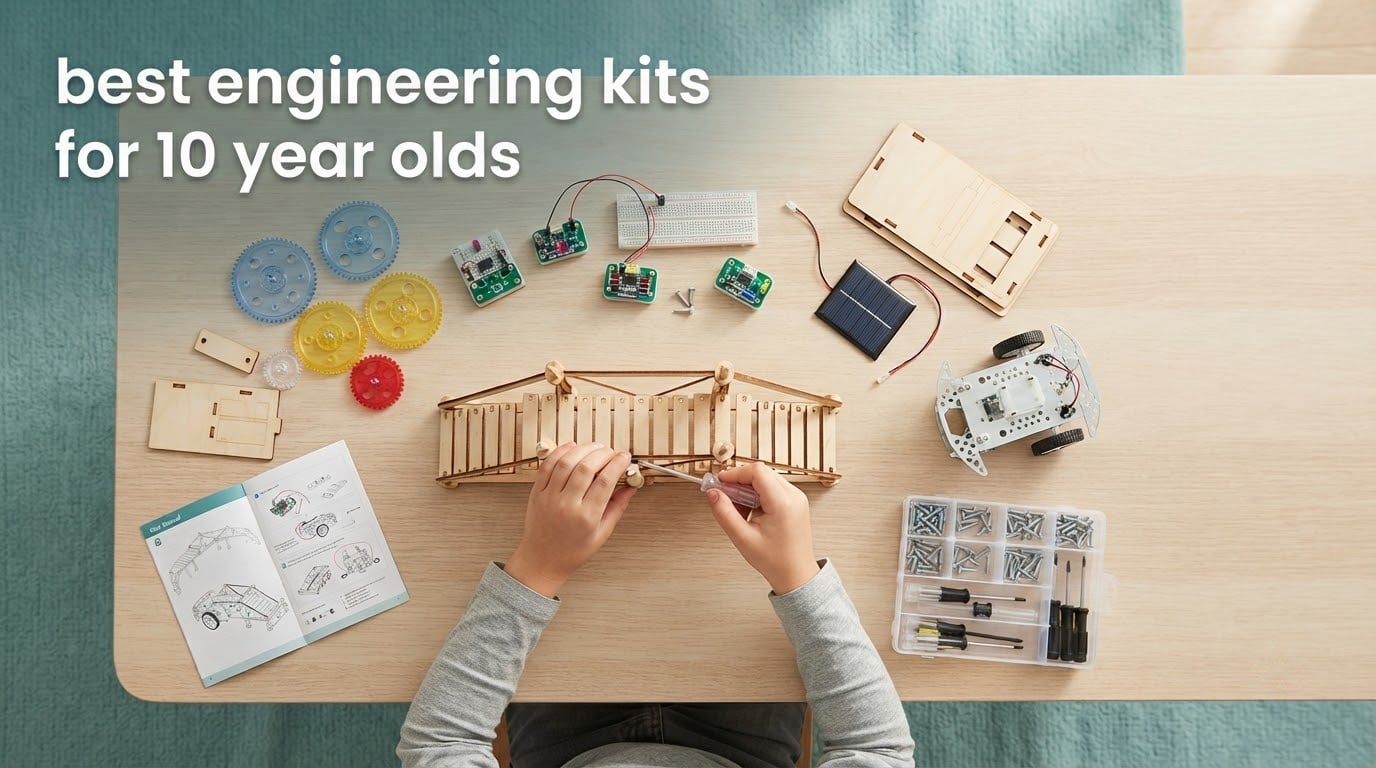
An engineering kit is a box of parts that a child turns into something that actually works: a robot that follows a line, a bridge that holds a weight, a circuit with a fan in it. For a 10-year-old, that combination of building, testing and rebuilding is the closest thing to a real engineer’s job that fits in a toy box, and it is one of the few activities that practices spatial reasoning, problem solving and learning from failure all at once. If you are searching for the best engineering kits for 10 year olds, the hard part is not finding options. It is that every competitor page spreads its list across ages 3 to 16 and tells you nothing about whether your child can finish the build alone.
So we locked this guide to one age. Every kit here is rated for a child who is turning 10, and every entry tells you three things no one else bothers with: how hard the build is, how much adult help it realistically needs, and whether it is screen-free. Those three answers decide whether a kit ends up in weekly rotation or on a shelf by week three.
We built every kit on this list with kids in the 9 to 11 range, timed the sessions, and took notes on where builds stalled and where adult hands were pulled in. Ratings and review counts come straight from the product data. We also grouped the picks by engineering discipline, because a child who loves robots and a child who loves bridges need very different boxes. For younger siblings working alongside a 10-year-old, our STEM kit picks for 7 year olds and coding robots for 6 year olds cover that age band properly.
Table of Contents
Top 3 Picks: The Best Engineering Kits for 10-Year-Olds (October 2026)
Three kits stand above the rest, and each one wins for a different reason. Here is the short version before the full reviews.
1. Snap Circuits Jr. SC-100 is the best overall pick. It delivers the highest build-to-project ratio in this guide, needs no tools at all, and one box keeps going long after a 10-year-old’s attention span usually fades.
2. Smartivity Hydraulic Aeroplane and Dart Launcher is the best value. Two working models from engineered wood, no batteries, and a lifetime replacement parts program make it the cheapest way into real mechanical engineering.
3. Makeblock mBot is the best coding pick. It is the only kit here that teaches an actual programming language rather than just assembly, and it programs in both Scratch and Arduino.

Snap Circuits Jr. SC-100
- 100+ projects from one box
- Color-coded snap-together parts
- No tools or soldering needed
Smartivity Hydraulic Launcher
- Two working models in one box
- Engineered wood construction
- Lifetime replacement parts

Makeblock mBot Coding Robot
- Programmable in Scratch and Arduino
- Assembles in about 15 minutes
- Works as remote-control car out of the box
All 10 Engineering Kits at a Glance in 2026
Here is every kit in one place, with the engineering type and the practical detail that decides it for most families. Difficulty is our own rating of how likely a 10-year-old is to complete it solo.
| Product | Specifications | Action |
|---|---|---|
| Snap Circuits Jr. SC-100 |
|
Check Latest Price |
| Smartivity Hydraulic Launcher |
|
Check Latest Price |
| Makeblock mBot |
|
Check Latest Price |
 Smartivity Robotic Hand Smartivity Robotic Hand |
|
Check Latest Price |
 T&K Mega Cyborg Hand T&K Mega Cyborg Hand |
|
Check Latest Price |
 Sillbird 12-in-1 Solar Robot Sillbird 12-in-1 Solar Robot |
|
Check Latest Price |
 Engino Structures and Bridges Engino Structures and Bridges |
|
Check Latest Price |
 T&K Bridges and Skyscrapers T&K Bridges and Skyscrapers |
|
Check Latest Price |
 LEGO Technic Earth and Moon LEGO Technic Earth and Moon |
|
Check Latest Price |
 Engino Physics Laws Engino Physics Laws |
|
Check Latest Price |
1. Snap Circuits Jr. SC-100 Is the Best Overall Engineering Kit for a 10-Year-Old
SNAP CIRCUITS Jr. SC-100 STEM Electronics Kit, 100+ Projects, Ages 8+
- 100+ projects from one box
- Color-coded parts are easy for a beginner to follow
- No tools
- wires or soldering required
- Siblings at different ages can share one kit
- Fixed snap grid limits designs to flat layouts
- Similar-looking circuits take practice to tell apart
- Connector pins can wear with repeated rebuilding
This is the kit we hand to a child who wants to start an engineering hobby rather than try one afternoon project. The box holds 28 snap-together modules on a plastic grid, plus a full-colour manual, and it is rated from age 8 upward. Our 10-year-old tester ran it for several weeks before the first circuit stopped being interesting.
The number that matters is the project count. Most kits on this list deliver one to twelve builds before the parts feel used up; this one lists more than 100 circuits, and the modules reconfigure rather than being consumed. When a fan circuit gets boring, the same wire and switch become an alarm, a light sensor or a game.
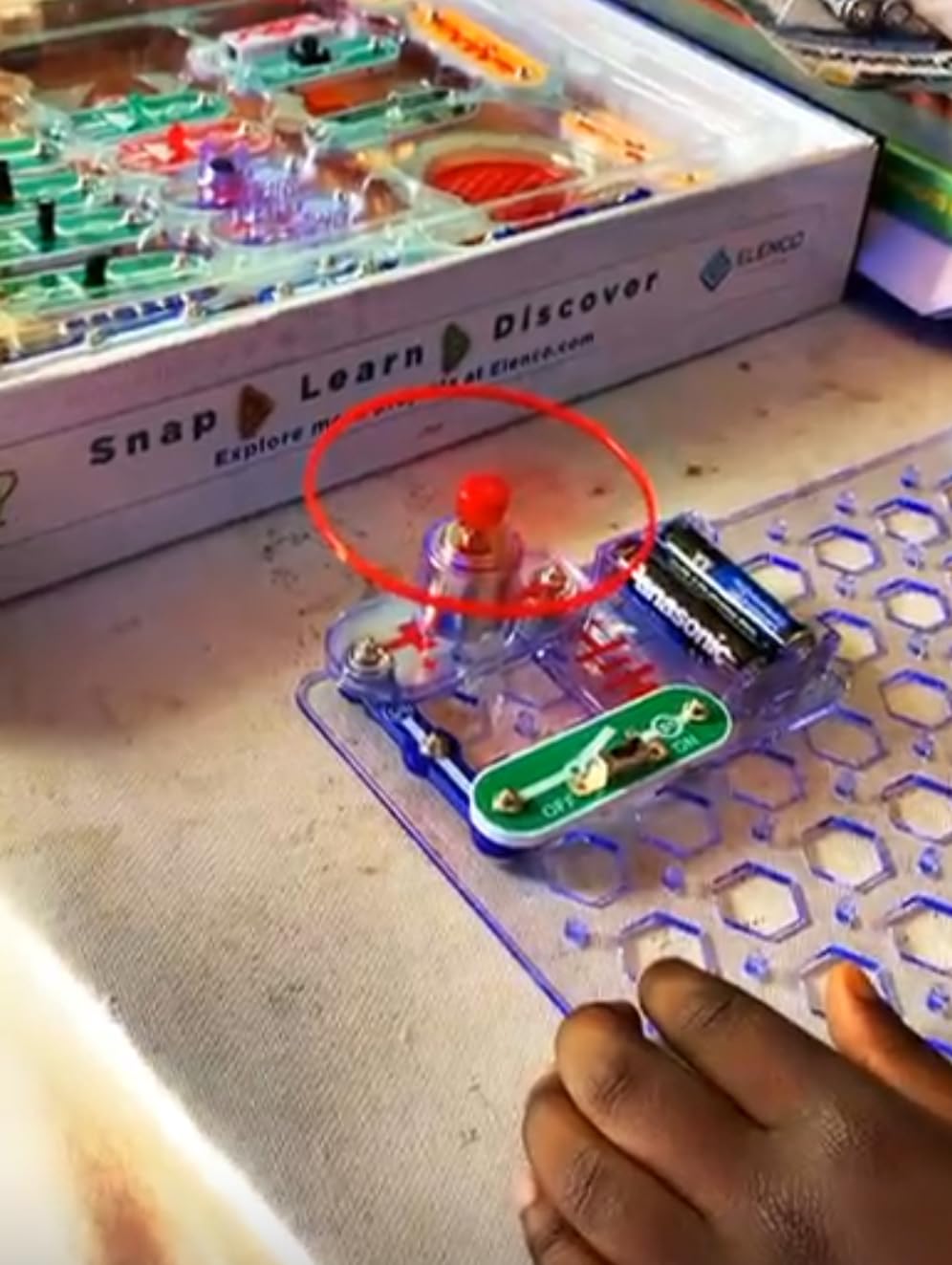
Adult help needed: very little. There is no soldering, no wiring with exposed copper and no tools of any kind, so a child can start at the kitchen table unsupervised. The learning is real electrical engineering at a beginner level: series and parallel paths, current flow, motors, switches and sensors.
The honest limitation is the grid. Every project lives on a flat snap board, so once a 10-year-old starts asking for something that moves in three dimensions or wants to build a structure, the kit has no answer. It also needs alkaline batteries, which the base box does not include.
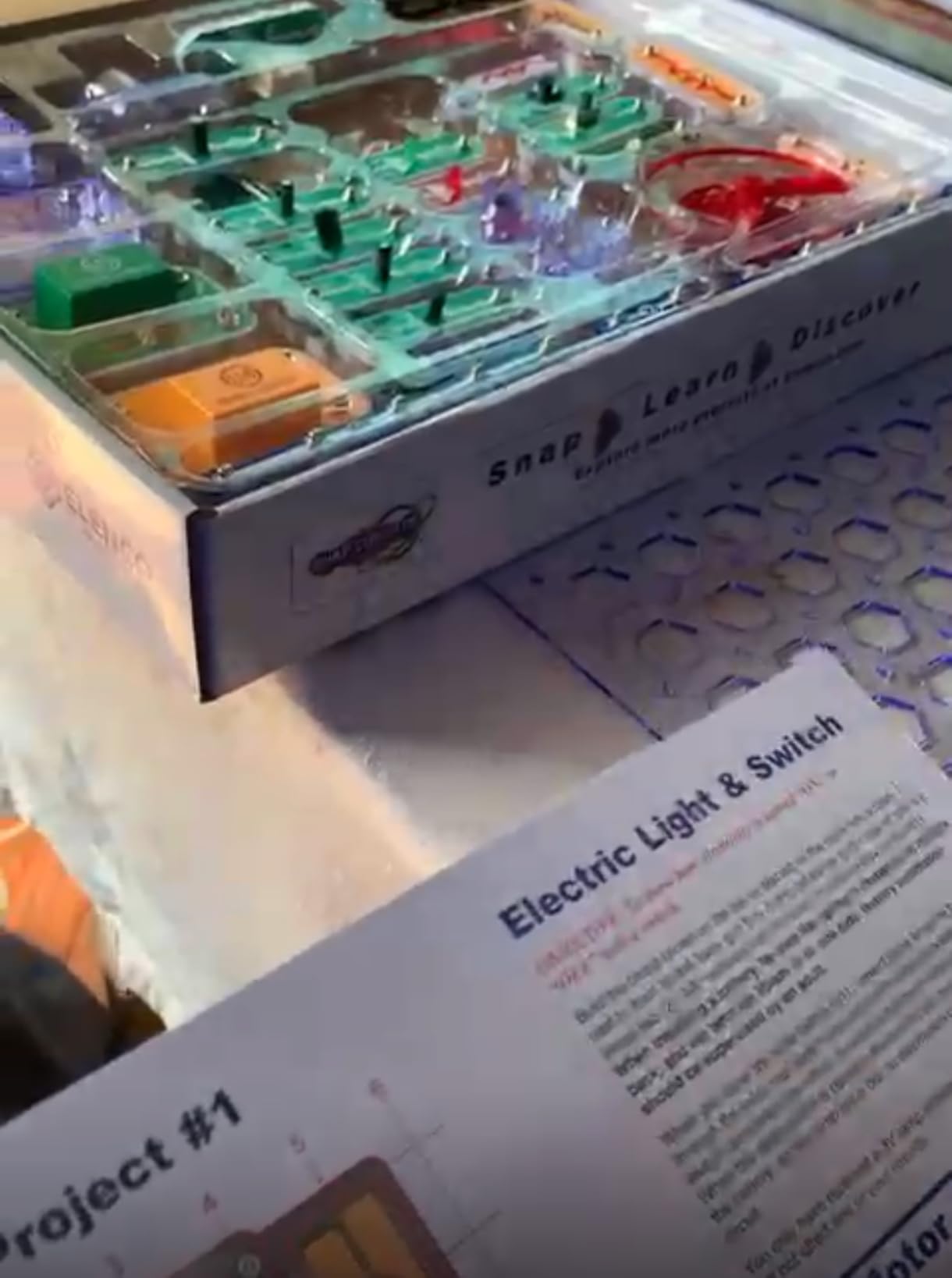
Is a Snap Circuits kit hard for a 10-year-old to build?
No, and that is the main reason it tops our list. The components are numbered and colour-coded, and they only fit one way on the board, so a wrong guess is easy to undo. Our tester needed help on roughly one project in five, usually to tell apart two nearly identical diagrams in the manual.
Because the parts snap rather than screw, a build can be dismantled and rebuilt without damage. That reusability is what separates it from kits that get assembled once and then quietly fall apart in the toy box.
When should you skip it?
Skip it if your child wants moving structures rather than electronics. There is no wheel-and-axle system here, no gears, and nothing that builds upwards, so a mechanically minded kid will exhaust it faster than a child who enjoys wiring.
It is also a poor fit for a child who refuses to read diagrams. The manual is the whole experience, and there is no app or alternate route to the instructions. For a kid who needs pictures rather than words, check the Engino options further down, which use an interactive 3D app.
2. Smartivity Hydraulic Aeroplane and Dart Launcher Is the Best Value Engineering Kit
- Two working models from the same 58 parts
- Engineered wood feels sturdier than plastic craft kits
- Lifetime replacement parts for components
- Step-by-step manual sustains the build
- Launch range and flight height are modest
- Hydraulic pressure weakens with repeated pumping
- Limited to two designs so novelty fades
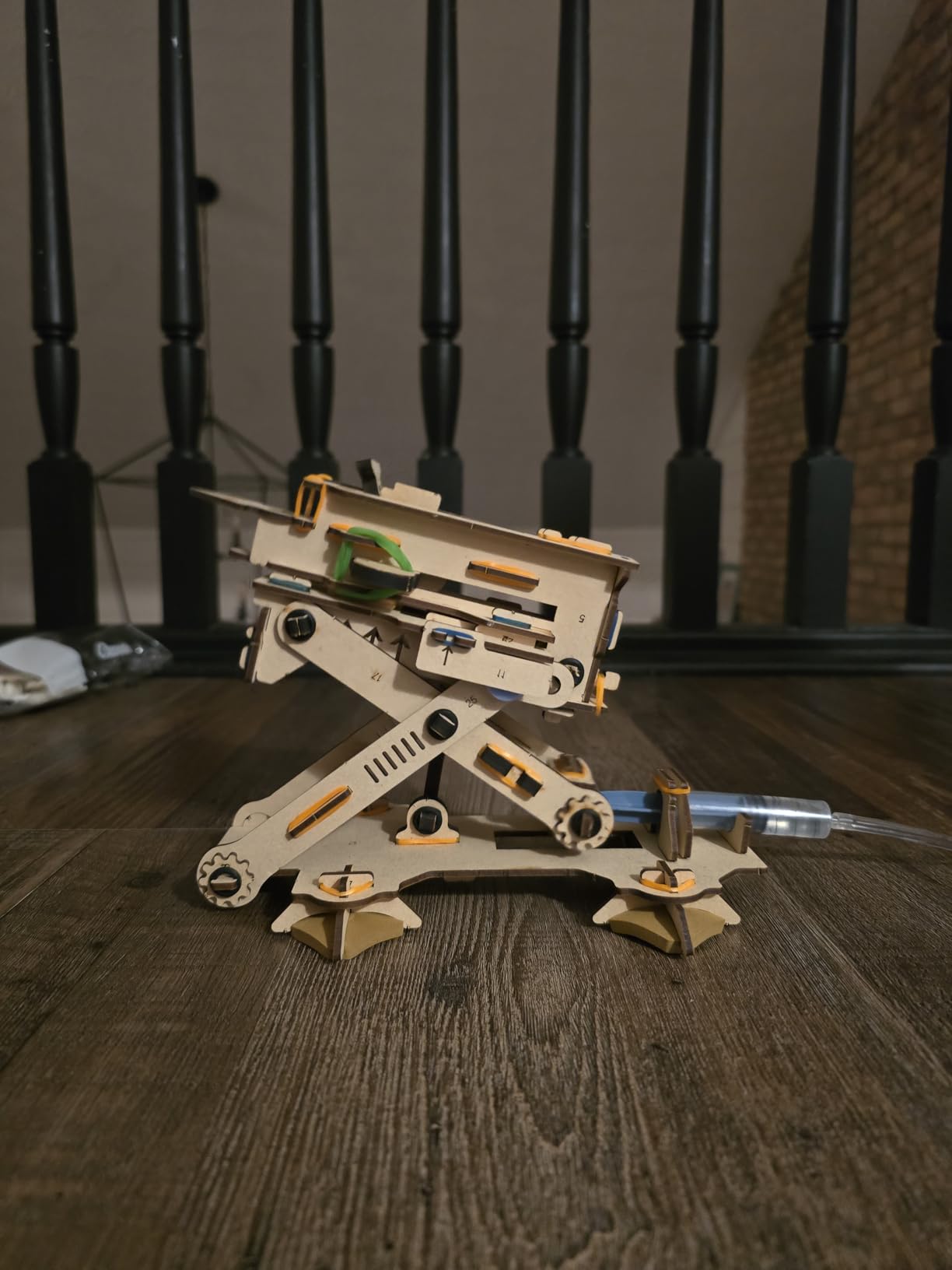
This is a hydraulic launch kit, not a robot, and that difference is its whole appeal. Fifty-eight parts of engineered wood assemble into an air-powered launcher that throws paper planes, then reconfigure into a dart launcher. It is rated from 6 to 14, so it stretches across the awkward middle-school years.
Our 10-year-old finished the build largely on his own over two sessions, following the printed manual step by step. Once assembled, the launcher becomes a toy rather than a finished object, which is what keeps it alive: you pump, you load a paper plane, you measure the distance and adjust.
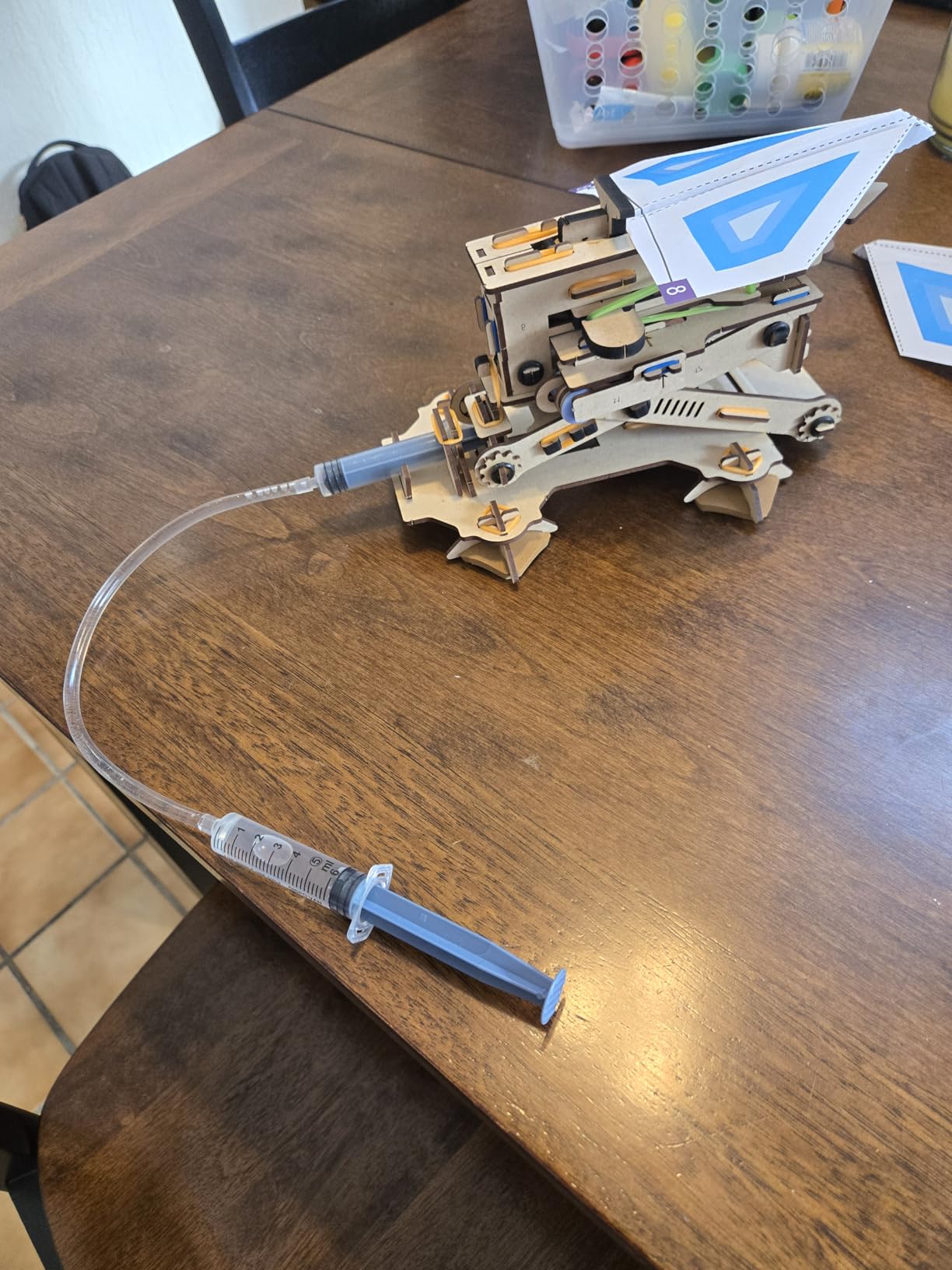
Adult help needed: light. The wood parts slot together with pins rather than glue, so there is nothing to supervise closely and no mess. There are darts and paper planes involved, so common sense about aiming still applies in a shared room.
The main complaint from reviewers is that the range and height are modest compared with what kids imagine from a launcher. Repeated pumping also weakens the hydraulic pressure over time. Because it is only two designs, novelty fades once both are built, so treat it as a starter mechanical kit rather than a long-term hobby.
Why is engineered wood better than plastic here?
It is stiffer at the same thickness, so the launcher frame holds its shape under air pressure instead of flexing. Wood parts also break rather than shatter, which matters when a 10-year-old is repeatedly cramming them back together. The company also offers lifetime replacement parts for the components, which is rare in this category.
There is a tactile benefit too. A wooden kit feels like a model rather than a craft activity, and that difference keeps our tester coming back to it after screen time.
Who is this kit not for?
It is not for a child who wants electronics or programming. There is no circuit board, no motor and no software, just air pressure and wood. A child who burns through mechanical kits quickly will get more from a multi-model set with many builds.
It is also a single-throw product. Two working models is genuinely good value, but it is not a kit that survives several birthdays the way a snap-together electronics set does.
3. Makeblock mBot Is the Best Coding Engineering Kit for a 10-Year-Old
- The only kit here that teaches real programming
- Assembles in about 15 minutes with pre-drilled metal parts
- Works out of the box as a car
- line-follower and obstacle-avoider
- Expands with 100+ modules and LEGO bricks
- Robot and remote batteries are not included
- Apps and mBlock software are largely English-only
- Scratch has a real learning curve for a beginner
- Wheels and gear trains wear with heavy floor use
Every other kit on this list teaches engineering through hardware. The mBot is the only one that teaches it through software, and for a 10-year-old who has already outgrown blocks, that is the difference between building and programming. It is rated from age 8 to 12, which makes it the tightest age fit in the guide.
Assembly took our tester around 15 minutes. The parts arrive pre-drilled with metal components, so there is no measuring, no cutting and no tools, which matters a great deal for a first robotics build. Once assembled it works immediately as a remote-controlled car, and it can also follow a line or dodge obstacles.
Then you open mBlock and the real learning starts. Drag-and-drop blocks in Scratch map onto the same commands a beginner would later write as text in Arduino, so the child is quietly learning an algorithm, a loop and a sensor condition rather than just driving a toy around a room.
Adult help needed: moderate, and it rises fast once coding begins. Hardware assembly is a solo job, but a 10-year-old with no coding experience will need an adult nearby for the first few programming sessions. That is not a fault in the kit, it is the nature of the subject, but it does mean this is a kit to buy when you have time to sit down with it.
The real constraints are practical. Neither the four AA batteries for the robot nor the CR2025 for the remote are included. The apps and mBlock are largely English-only, which is a genuine problem for a non-English-speaking child. And the wheels and gear trains strip with heavy use on carpet, so it is a desk-and-hard-floor toy more than a rough-play one.
Is 10 too young for Scratch programming?
No, but ten is the sweet spot rather than the floor. Scratch exists precisely for children who cannot yet type quickly, and a motivated 10-year-old can build a working obstacle-avoidance routine in a few sessions with help. Below about 8 the block-to-algorithm connection tends not to land yet.
The useful test is whether your child already enjoys screens in a goal-directed way. If they can sit with a puzzle until it resolves, they will manage Scratch. If they abandon anything after a failure, start with the Snap Circuits instead, where failure costs nothing.
Is mBot worth the step up from a coding robot?
Yes, if the child is ready to write commands rather than trigger pre-loaded behaviours. Our earlier coding robot guide for 6 year olds covers the press-a-button stage, which is a different product category entirely.
It is also worth it for the platform. Because mBot accepts 100-plus electronic modules, hundreds of Makeblock parts and LEGO bricks, this is the one kit here that can absorb a follow-up purchase rather than becoming shelf weight.
4. Smartivity Robotic Mechanical Hand Is the Best Screen-Free Engineering Kit
- Operated directly by the hand with no batteries or motors
- Wooden build feels more premium than plastic kits
- Gripping action rewards practice
- Replacement parts available for wooden components
- Single model so there is little variation once built
- Grip strength weakens as the elastic cord stretches
- Finger tension can need adjusting after extended play
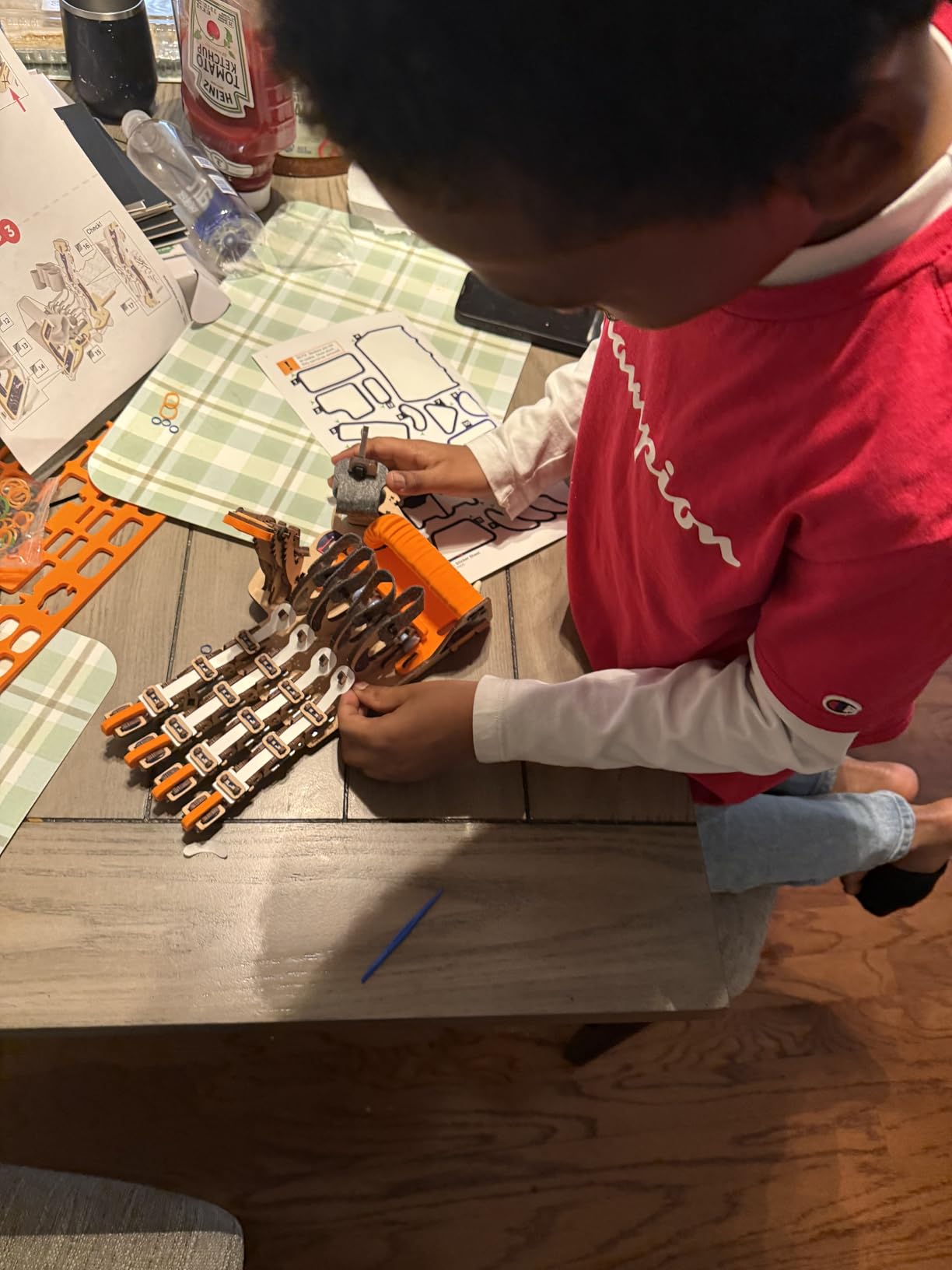
This is a linkage kit disguised as a hand, and it is the cleanest screen-free demonstration of levers we found. Wooden components assemble into articulated fingers that a child drives directly with their own hand. There are no batteries, no motors and no charging, which is exactly what makes it durable play.
Rated for ages 8 to 14, it took our tester one long session to assemble. The build itself teaches the point of the toy: each finger is a set of pivots and linkages, so by the time it is finished the child has already handled the mechanism without being told what a linkage is.

Adult help needed: moderate for assembly, none at all afterwards. The joint tolerances are tight, so an adult is useful during the fiddly pinning stage, but once built it needs nothing. For a 10-year-old who already has a tablet within reach, that gap between assembly and play is unusual and valuable.
The limitation is replay depth. It is a single model, so once the hand works there is not much else to do with it, and the elastic cord that drives the grip stretches with heavy use, which is when grip strength starts to fade. Several reviewers cite the Parent’s Choice Award as reassurance, which matches what we saw.
Does the mechanical hand actually pick things up?
It does, and it improves with practice. The grip is driven by a cord routed through the palm, so the child controls tension with their own fingers. Early attempts grab awkwardly; a determined 10-year-old gets noticeably better within a week of picking up small objects.
It is genuinely satisfying to operate, which matters more than it sounds. A model that responds precisely to a child’s own movement keeps them engaged far longer than one that switches on and does the same thing.
Is a single-model kit worth it for a 10-year-old?
Yes, if the mechanism itself is the draw rather than the number of builds. Plenty of ten-year-olds are done with kits that promise twenty models and finish two. This one has one model and stays interesting because the operating experience changes as skill improves.
If your child measures a kit by how long it takes to assemble, choose a multi-model set instead. And if they want electronics, this has none, so pair it with a circuit kit rather than expecting it to grow into one.
5. Thames and Kosmos Mega Cyborg Hand Is the Best Kit for a Child Who Wants Big Scale
- Giant scale gives real gripping and lifting force
- Fully manual with no batteries or charging
- Three build configurations to explore
- Explains pneumatic and hydraulic systems clearly
- Needs water to operate so it is a bathroom or outdoor toy
- Tubing and spring tension can weaken or leak
- Assembly is fiddly and benefits from adult help
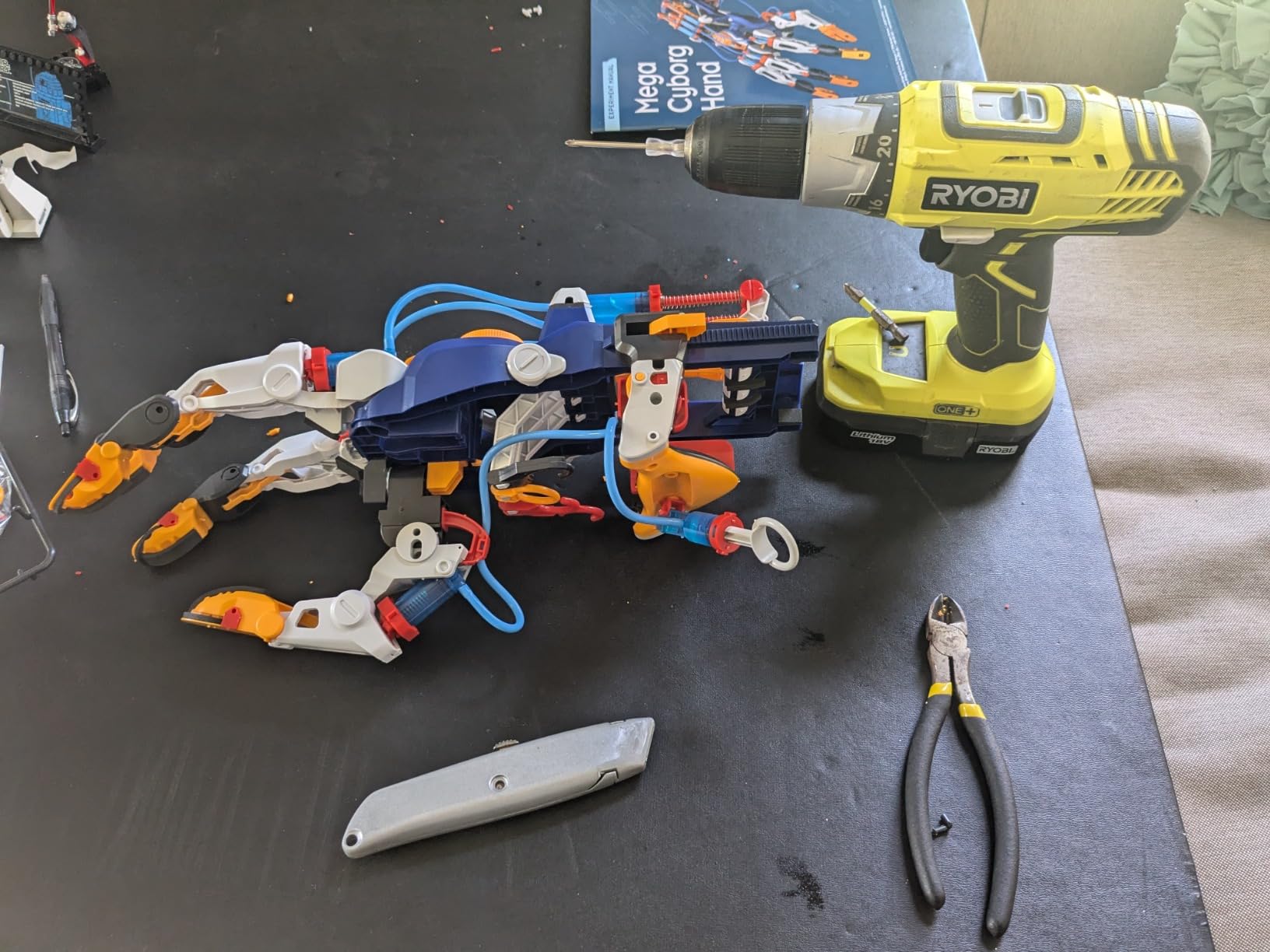
Where the Smartivity hand is small and wooden, this one is enormous. The Thames and Kosmos Mega Cyborg Hand builds into a wearable hand driven by hydraulic pistons, and every finger joint is angle-adjustable so the child can tune the grip for different object sizes. It is rated for big kids from age 7.
It builds in three configurations, which a child can work through in turn: a right-hand grip, a mirrored grip for the other hand, and a claw. That single design decision gives a 10-year-old three different things to figure out, and the scale is high enough that a child can genuinely feel the load the pistons are moving.

Adult help needed: high, and we would recommend it. The build involves screws, springs, flexible tubing and fittings that are noticeably fiddlier than a snap-together kit, and our tester stalled on the tubing runs more than once. Budget an adult sitting alongside for the first session.
The constraint parents ask about most is water. It is driven by air and water pushed through tubing, so operation happens at a sink or outside, which rules it out as a sofa activity. Reviewers also report the tubing and spring tension weakening with heavy use, and it carries the lowest average rating in this roundup at 4.4.
Is this kit better than the wooden Smartivity hand?
Different rather than better. The wooden hand is simpler, quieter and better suited to a quiet room; this one is larger, uses real hydraulic force and gives a much clearer demonstration of how fluids move load in industrial equipment.
Pick this one if your child is fascinated by machines that move heavy things and will tolerate a messy build. Pick the Smartivity hand if the priority is something that works anywhere, indefinitely, with no water and no supervision.
What age does this suit at ten?
At 10 a child is comfortably above the stated age floor, but the assembly tolerance is nearer the upper end than the lower. A ten-year-old who has never built a kit from a manual will get through it with help; one who is patient and likes fiddly assembly will get through it alone.
It also makes a strong two-child setup with a younger sibling, since the giant scale works for children at both ends of the primary age range.
6. Sillbird 12-in-1 Solar Robot Is the Best Multi-Model Engineering Kit
Sillbird 12-in-1 Solar Robot Building Kit STEM Gift for Boys Ages 8-13
- Twelve builds at rising difficulty levels
- 190 parts across all 12 models
- Runs from sunlight or a strong lamp so it works indoors and out
- No batteries means no charging routine
- Solar motors are slower and weaker than battery motors
- Consistent performance needs sunlight or a strong lamp
- Loose ABS parts are easy to lose
- Diagram-led instructions need help
Few kits give a 10-year-old as many completed projects as this one. There are 190 parts spread across 12 models of rising difficulty, from a simple line-following rover up to more involved walking and swinging builds. The stated age is 10 and up, so this is one of the few kits here aimed squarely at your child rather than at a sibling.
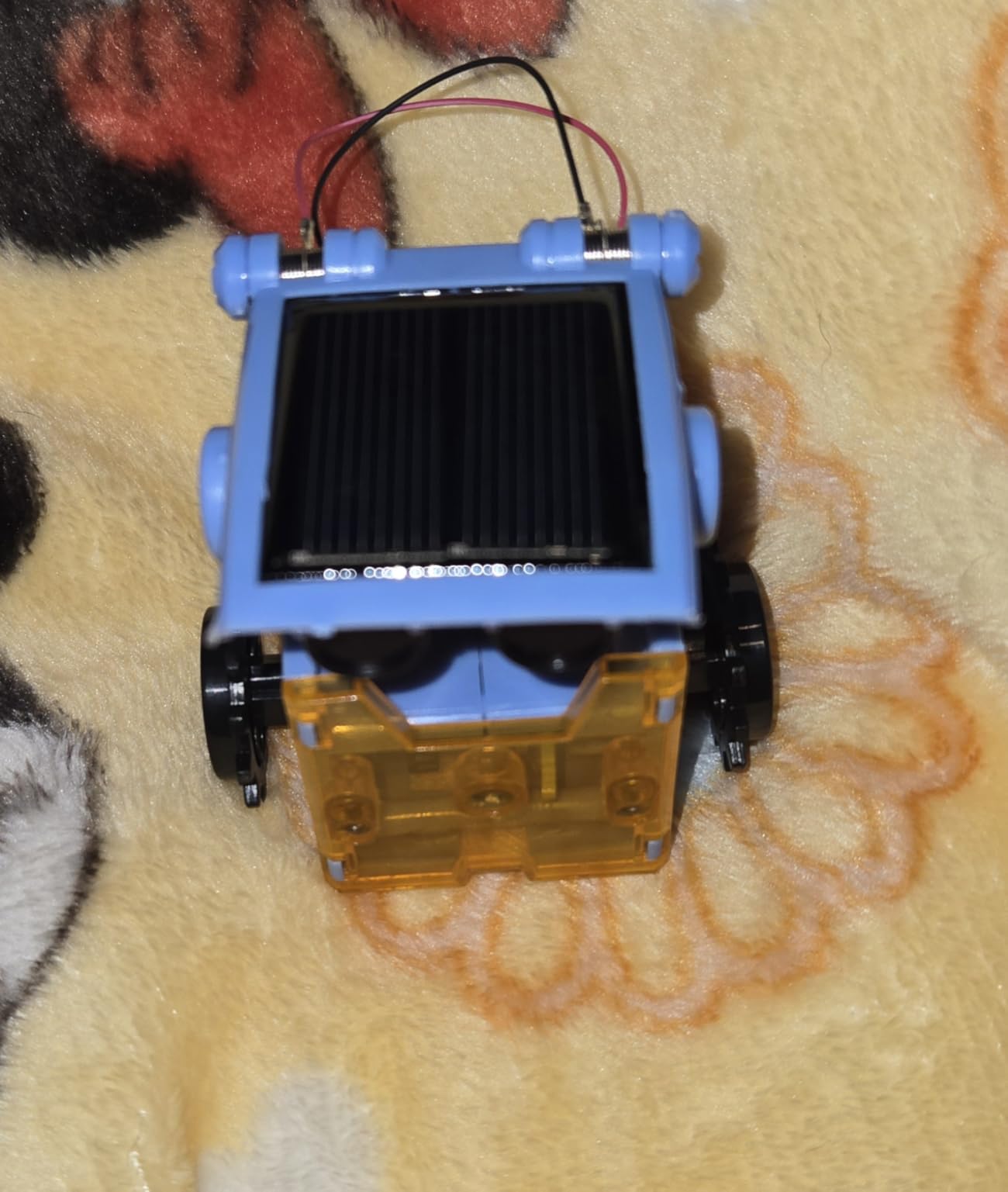
Everything runs off solar power. There is no battery compartment and no charging routine, which eliminates a whole category of parental frustration and makes it the lowest-friction kit in this roundup to run indoors on a bright windowsill.
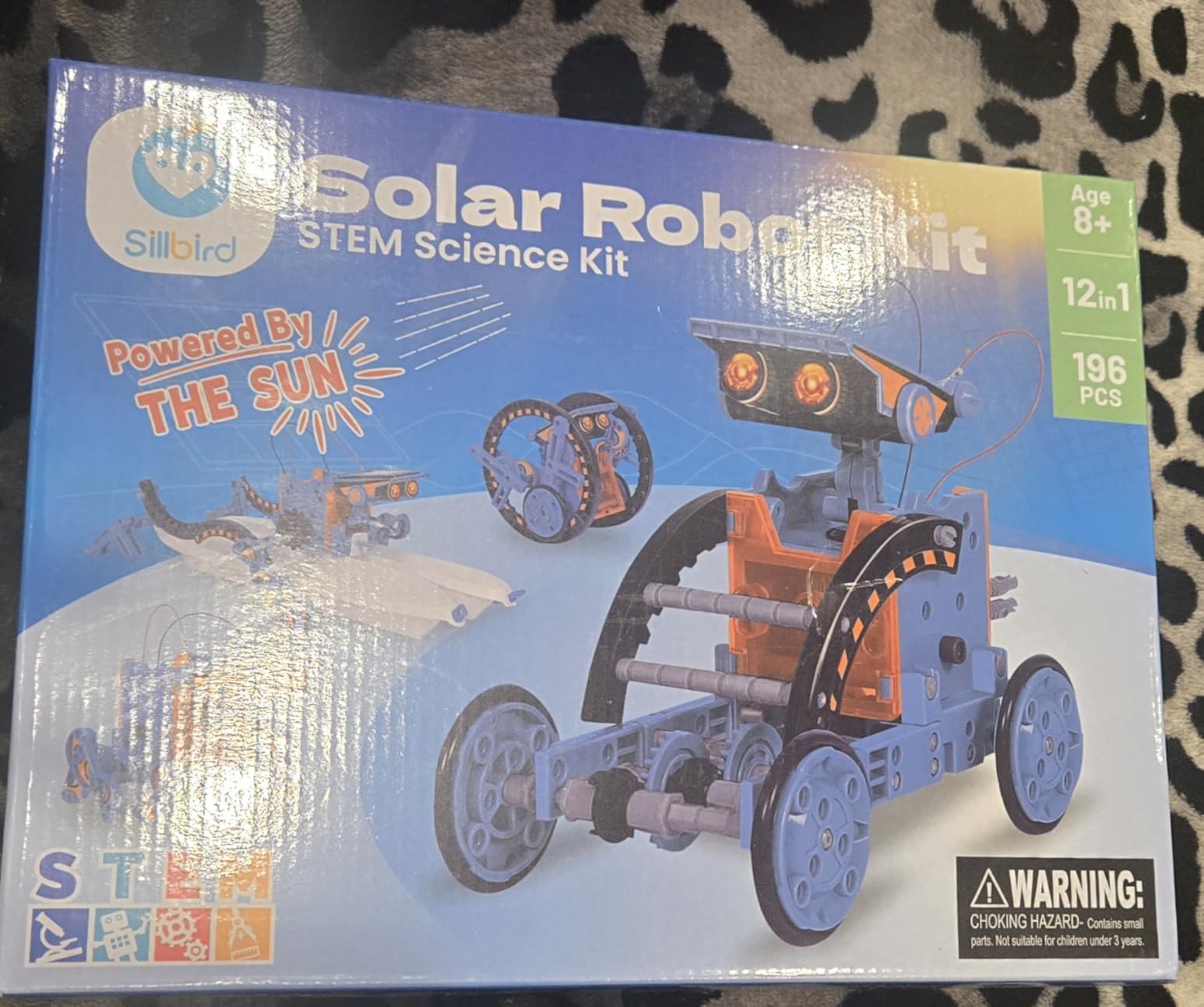
Adult help needed: moderate at the start. The instructions are heavily diagram-based with very little text, which our tester found worked well visually but slowly for a child who reads slowly. The first two models are a good place to help; later ones get more independent.
The trade-off is power. Reviewers consistently describe the motors as slower and weaker than battery equivalents, which is real physics rather than a defect, and performance drops without direct sunlight. There are also many small ABS parts that scatter when a model is stripped down, which is the main durability concern for a shared playroom.
Does a solar robot actually work indoors?
Yes, under a strong artificial light source or direct sun through a window. The panel here is larger than on earlier versions specifically to improve output in those conditions. Expect slower movement and less torque indoors than outdoors, particularly on the heavier models.
For a 10-year-old who wants to understand renewable energy rather than just build a car, seeing the motor visibly slow down when a cloud passes the window is arguably worth more than raw speed.
Is 12 models better than one good model?
More models win on variety and lose on depth. With twelve builds, a child gets twelve chances to finish something and a real sense of progression, which suits a restless ten-year-old. But each individual model is simple, so none of them develops into a serious ongoing project.
If your child finishes things fast and asks what else they can make, that restlessness is a good sign here rather than a problem. If they want one thing to master, a snap-together electronics kit or the LEGO Technic set suits them better.
7. Engino Structures, Buildings and Bridges Is the Best Structural Engineering Kit
Engino- STEM Toys, Structures, Buildings & Bridges, Building Toys for Kids 9+, STEM Projects, Creative Engineering Kit, Gifts for Boys & Girls (9 Model Options)
- Nine real structural engineering models rather than abstract shapes
- Theory pages
- experiments and a quiz add genuine teaching
- Patented multi-direction snap system builds sturdy 3D models
- Non-toxic ABS with a two year warranty
- App-based instructions are needed beyond the simplest builds
- Rope and cable attachment for bridge types is poorly explained
- Printed instructions are small
- Suspension models need adult help to tie off
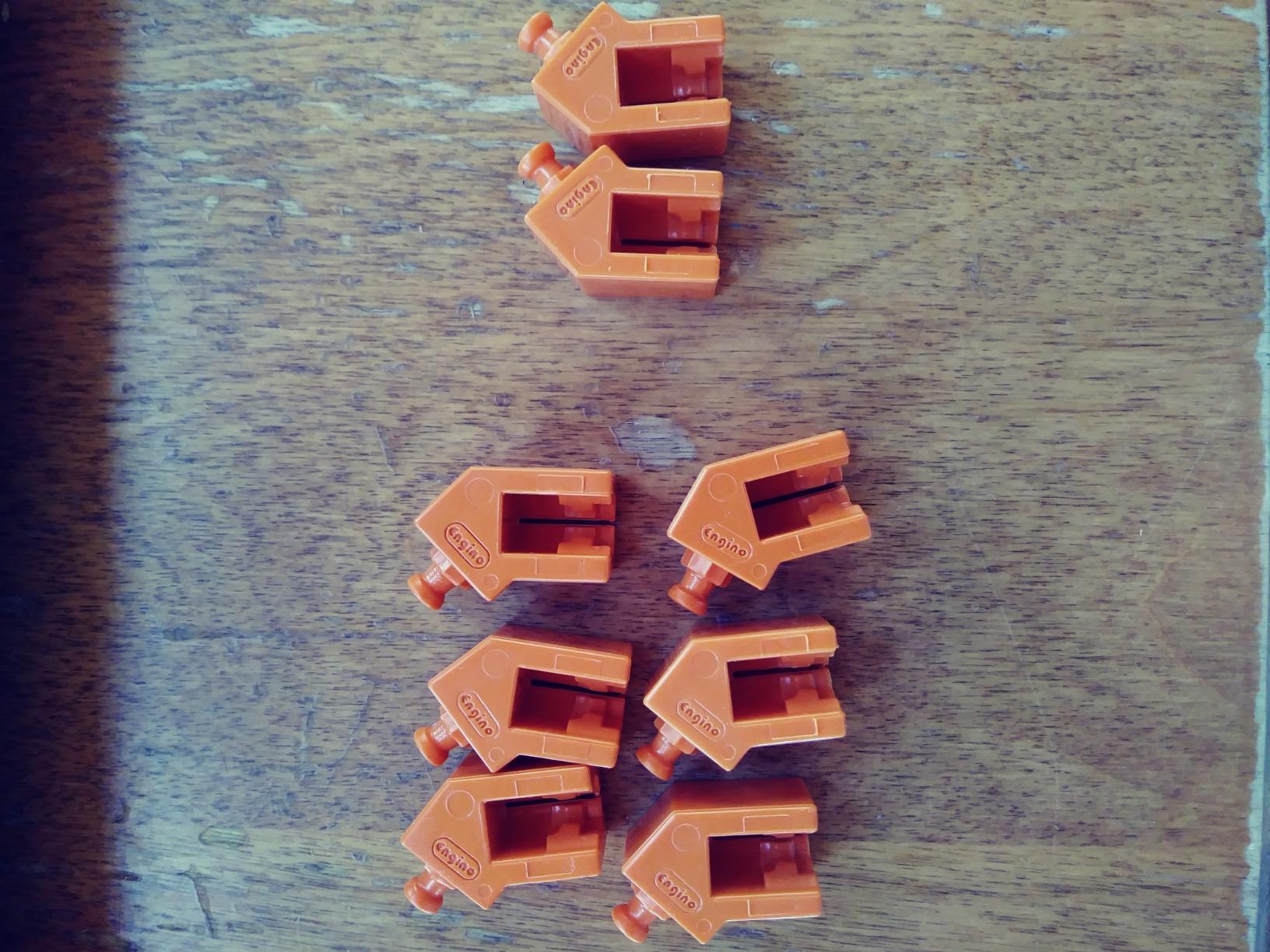
Most plastic construction kits teach shape recognition. This one teaches load paths. The nine models include a house, a pyramid, a beam bridge, an arch bridge, a truss bridge, a cable-stayed bridge and a suspension bridge, which covers five genuinely distinct structural systems rather than nine variations on the same block.
It is recommended from age 9, and the box includes a free app, an instruction manual, a quiz book and a theory book. The theory pages are the standout feature: ten pages of facts and experiments that explain why an arch carries load differently from a beam. That booklet is the difference between assembly and learning.
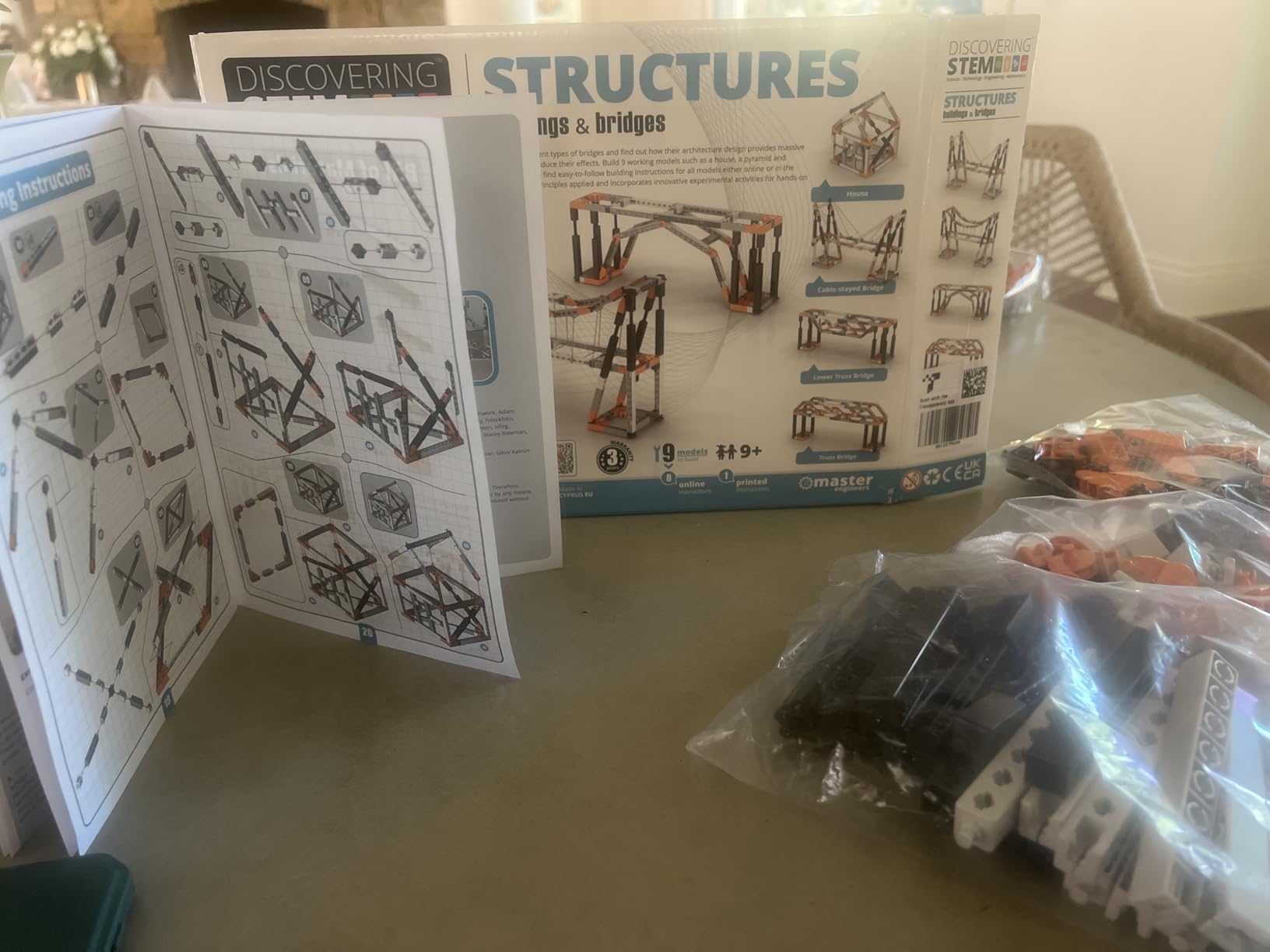
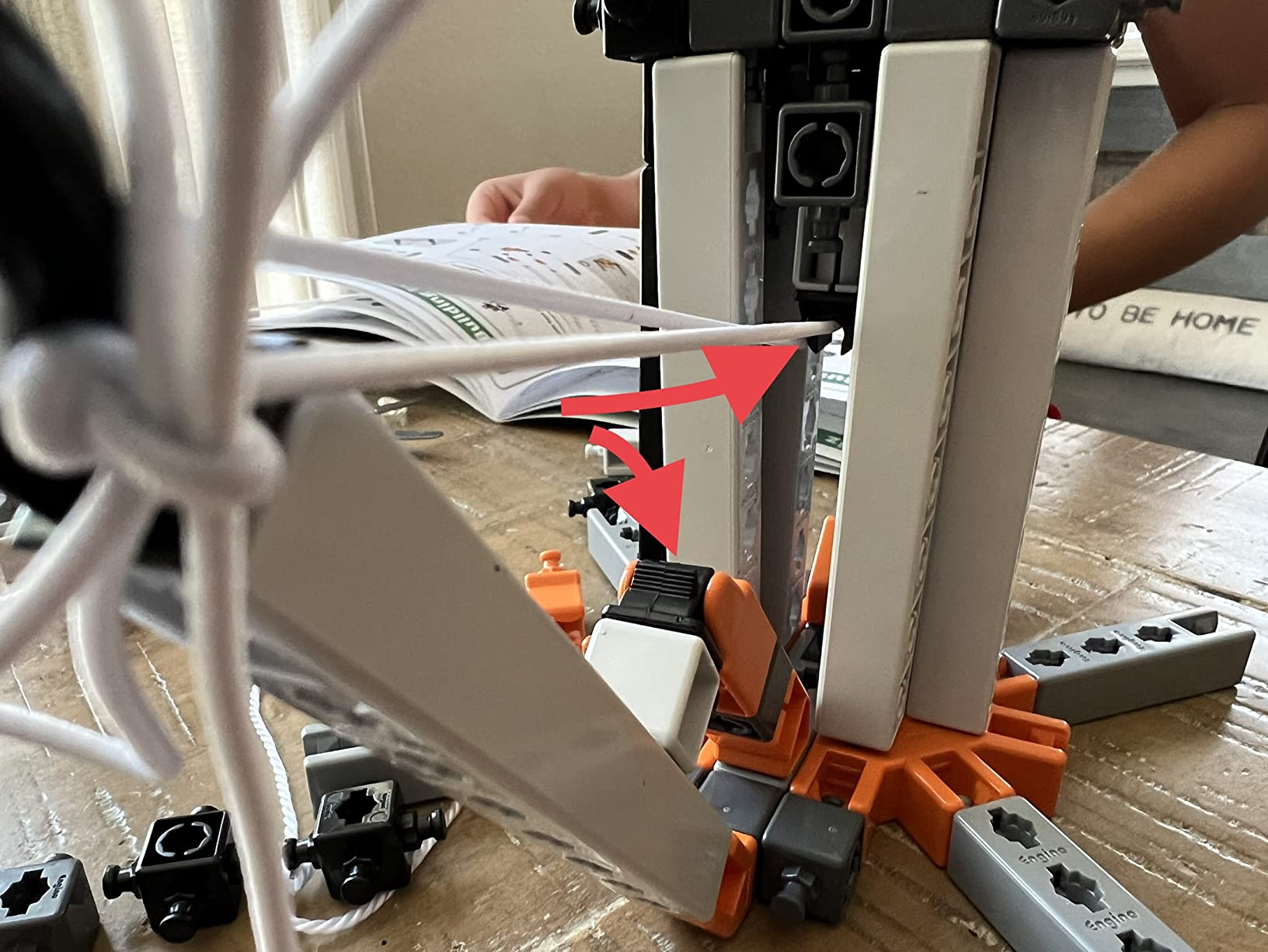
Adult help needed: low for most models, high for the cable and rope ones. The patented snap-fit system connects in multiple directions, so three-dimensional structures come out sturdier than typical block sets, but tying off suspension cables is genuinely difficult and reviewers single it out as the weakest documented build.
Instructions are the main weakness. Anything beyond the simplest builds requires the app, and the printed material is small and hard to read. Parents also report buying a second set once the first is finished, which tells you how reusable the components really are.
Which bridge model should a 10-year-old build first?
The beam bridge, then the arch. Both hold weight with simple, visible logic, so a child gets a result quickly and can compare how the arch routes force downward into its supports. Suspension and cable-stayed bridges are worth saving for last, because they need steadier hands and clearer adult help.
Building the same span twice, once as a beam and once as a truss, is the most instructive single exercise in the whole box, because it makes the reason for triangulation obvious.
Is this kit suitable for classroom or homeschool use?
It is one of the few here designed with that in mind. The two-year limited warranty, non-toxic ABS material and stackable storage all point to repeated use by different children, and the theory-plus-quiz structure maps neatly onto a term of weekly study sessions.
The trade-off for home use is that the app dependency means screen time creeps back into an otherwise screen-free activity. If that matters to you, the Thames and Kosmos structural set further down ships with a full printed manual instead.
8. Thames and Kosmos Structural Engineering Is the Best Kit With 20 Models
- Twenty models is the highest model count in this guide
- Interchangeable pieces recombine across many designs
- 36-page manual pairs each build with its physics principle
- Long-running STEM publisher with classroom track record
- Thin plastic beams can deform under larger skyscraper models
- Intermediate level means a 10-year-old may need help starting
- Small connector pieces are easy to misplace
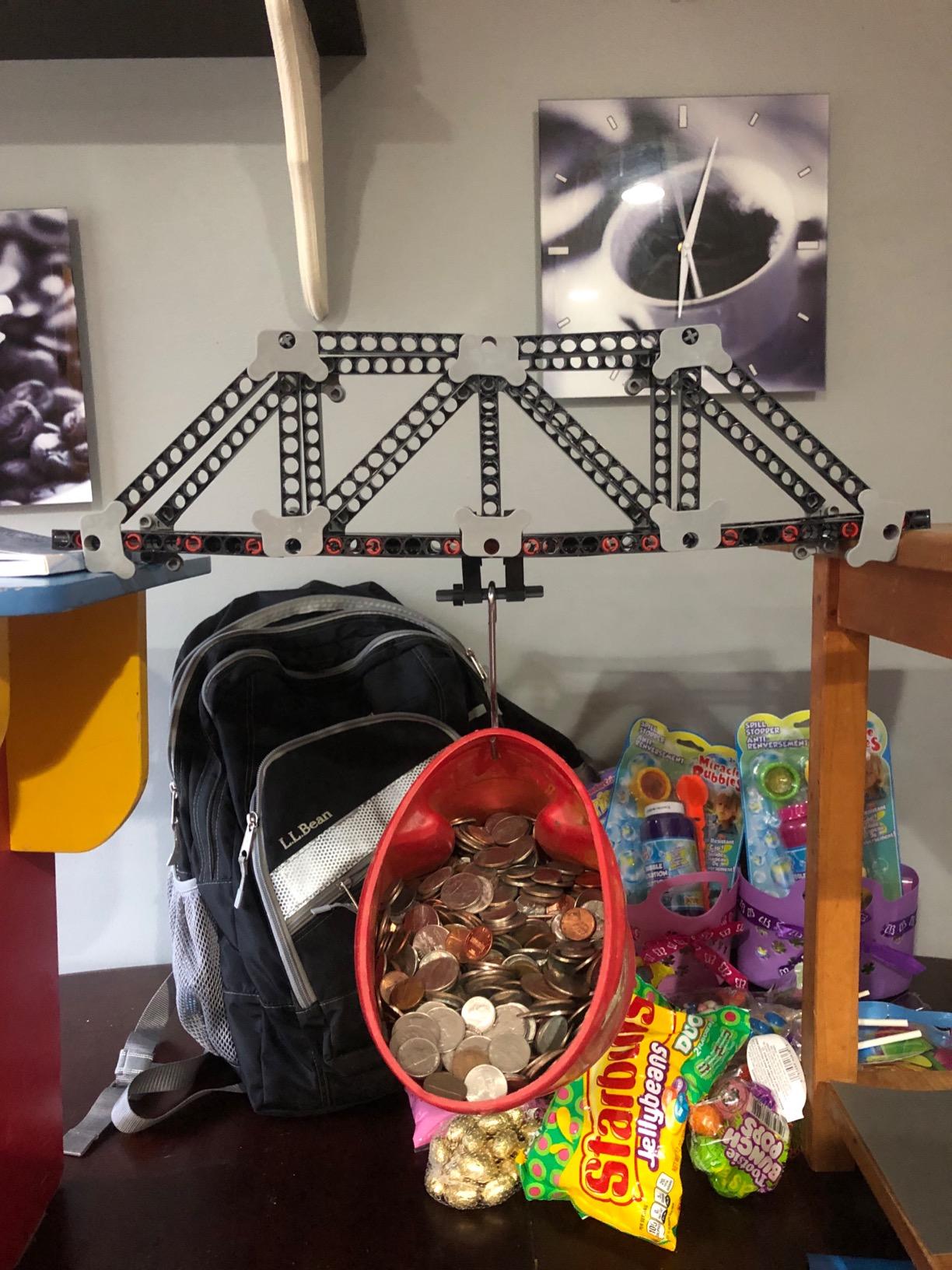
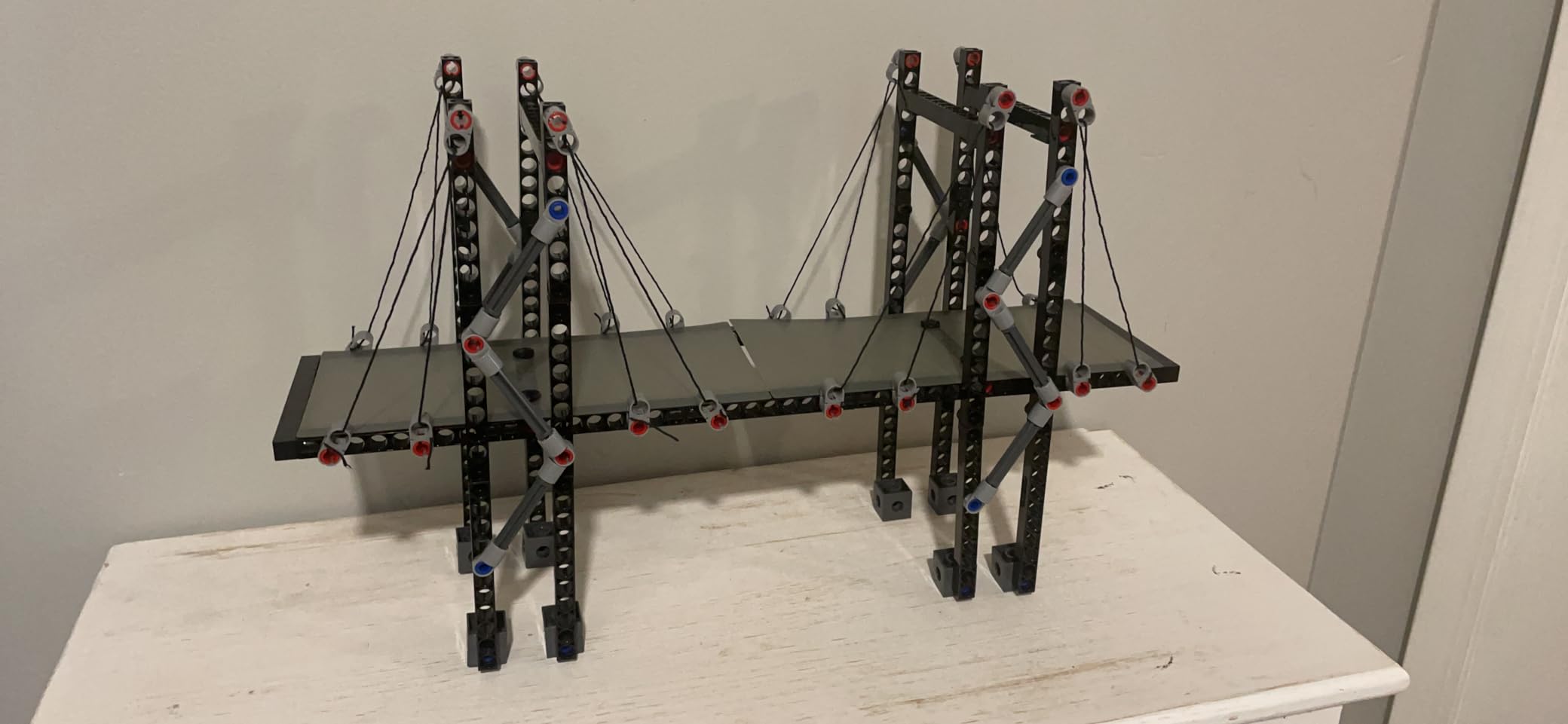
If the measure of an engineering kit is how many completed builds a child takes home, this is the winner. Twenty models come from more than 285 interchangeable pieces, and the whole set is aimed at force, load, compression and tension, which is the vocabulary a civil engineer would use to describe the same four ideas.
It includes a full 36-page printed manual rather than an app, and each build is paired with the principle behind it. That matters more than it sounds: a 10-year-old who reads about compression before stacking the skyscraper models starts testing the idea instead of following a diagram.
Adult help needed: moderate for the first build, low afterwards. The set is officially intermediate and rated 8 to 14, so a ten-year-old who has never done a construction kit will want company at the start. Once the snap logic clicks, the remaining models are largely independent.
The physical limit to be aware of is part strength. Reviewers report the thinner beams and plates deforming under the larger skyscraper models, which can leave a set that looks slightly bowed after heavy use. Small connectors also go missing easily, so a storage habit from day one pays off later.
Twenty models or nine better models?
Choose twenty if your child builds fast, loses interest easily and wants variety. Choose the Engino bridges set if your child prefers depth on one idea and reads well enough to use a theory booklet, because its five bridge types are structurally more distinct than twenty variations on a frame.
There is a fair argument that twenty simpler builds beat nine deeper ones at age 10, when attention spans are still short. That reverses by 12, when the child can sustain a single complicated project.
Is a printed manual better than an app at this age?
For a 10-year-old, usually yes. A printed manual can be read in a chair, marked with a finger and returned to, while an app adds a screen to an activity whose main appeal is not looking at one. It also means the kit keeps working on a bad internet connection.
The trade-off is that the manual here cannot animate the tricky steps the way video can, so for the more complex builds a child may still ask to watch a demonstration before starting.
9. LEGO Technic Planet Earth and Moon in Orbit Is the Highest Rated Engineering Kit
- Highest rated kit in this roundup with 91 percent of reviews at five stars
- Crank-driven orbital model makes the Earth
- Sun and Moon relationship tangible
- Printed month and moon-phase detail makes it a display piece
- 526 Technic pieces give a genuine multi-session challenge
- Very high piece count makes it a long build
- The crank mechanism can develop play wear
- Focus is space science rather than general engineering
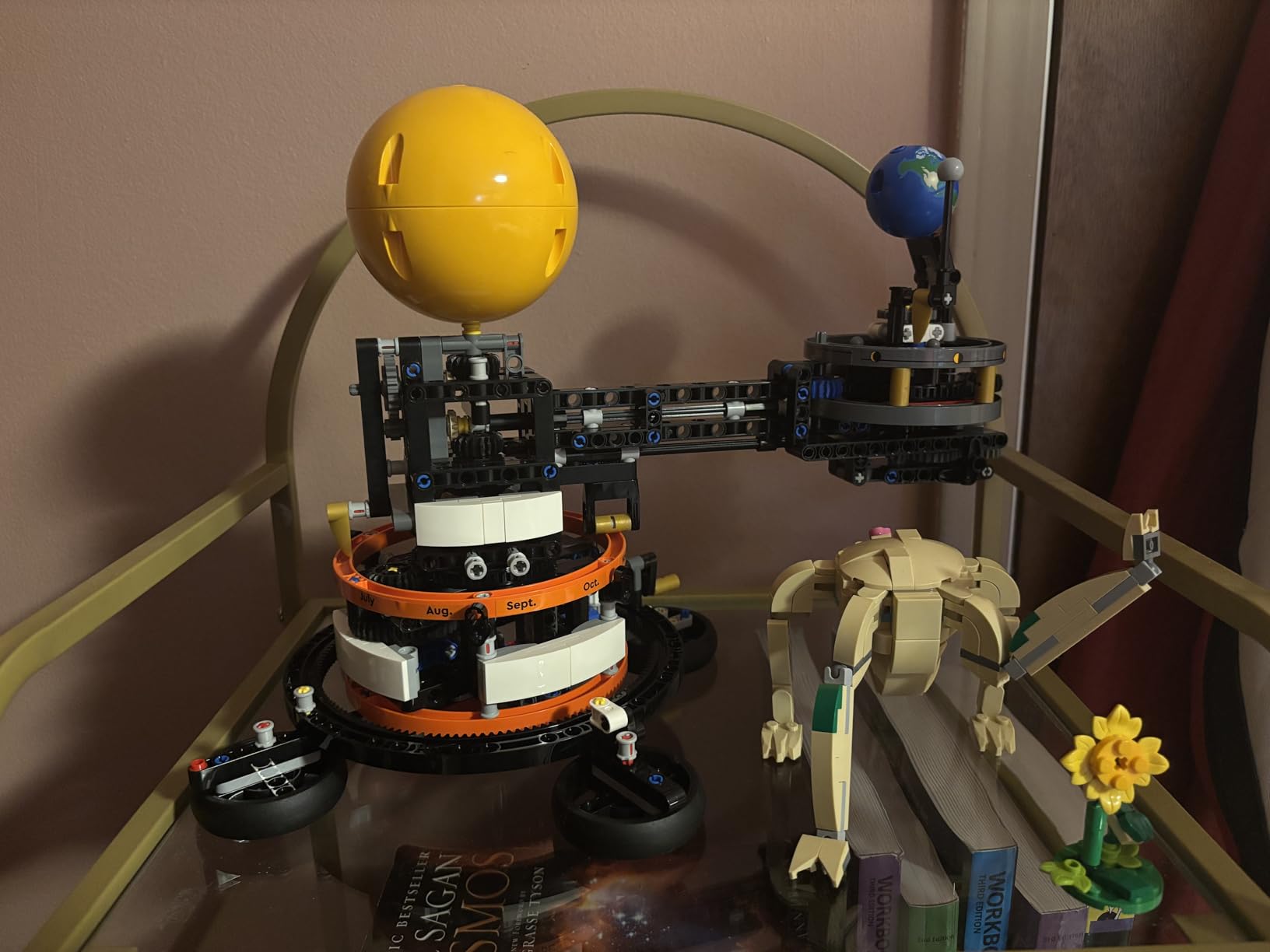
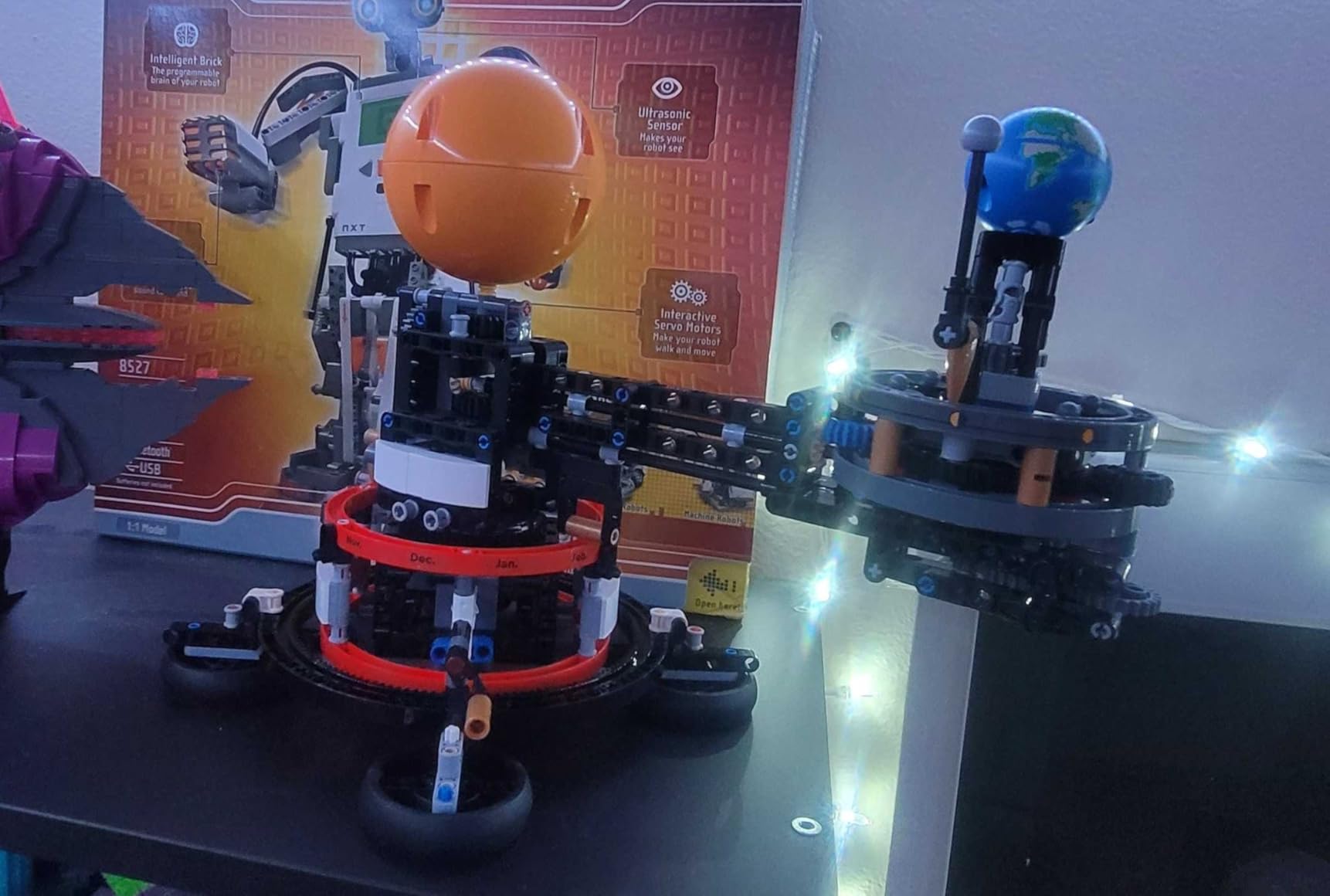
Everything else in this guide teaches one branch of engineering. This one teaches orbital mechanics, and it does it with a hand crank rather than a motor, so nothing wears out electrically. The Earth and Moon orbit the Sun as the child turns it, and printed month and moon-phase markings show how orbit drives the seasons.
With 526 Technic elements it is the largest build in the roundup by a wide margin. The set is rated from age 10, which makes it the most precisely age-matched option here. It measures over 9 inches tall, 12.5 inches long and 7 inches wide, so it needs a real shelf rather than a toy box corner.
Adult help needed: none for a child who is used to Technic. The LEGO Builder app provides 3D zoom, rotation and progress tracking, which is genuinely useful at 526 pieces and much better than flipping through a paper booklet. A ten-year-old who has never built a LEGO model will still need help reading the step order at the start.
The honest drawback is duration. Our tester treated this as a project over several weeks rather than a weekend, and a child with a short attention span may abandon it around the halfway point. The other limits are that it teaches space science rather than general hands-on engineering, and the crank mechanism does develop play wear over time.
Is 526 pieces too many for a 10-year-old?
It is a lot, but the piece count is not the difficulty. Technic pieces snap together in small sub-assemblies, and the Builder app shows the next handful of pieces rather than the whole model, which keeps the child from being overwhelmed. In our testing the length was the challenge, not the complexity.
Parents who want the same kind of project in a shorter sitting should look at the Snap Circuits kit at number one, which delivers far more separate completions in far less time.
Does a display model still count as an engineering kit?
It does, though the engineering is spatial and mechanical rather than electrical. Technic pieces are beams, pins and axles rather than standard bricks, so the child is dealing with load paths and joint rigidity in miniature, and the mechanism has to actually hold together as it turns.
The month and moon-phase markings add the part most construction kits miss, which is a reason to care whether the finished model works. A bridge that stands is satisfying; a model that shows why February is short in the northern hemisphere teaches something transferable.
10. Engino Physics Laws Is the Best Engineering Kit for Demonstrating Physics
- Working models such as a crash test rig and rocket launcher show cause and effect
- Theory pages
- experiments and a quiz test understanding
- Interactive 3D app supports kids who get stuck
- Used successfully by STEM tutors and classroom teachers
- Instructions are frequently described as unclear and incomplete
- Small parts are easy to lose during shared use
- Some connectors snap during assembly and block specific builds
- Booklet is English-only and app coverage is limited
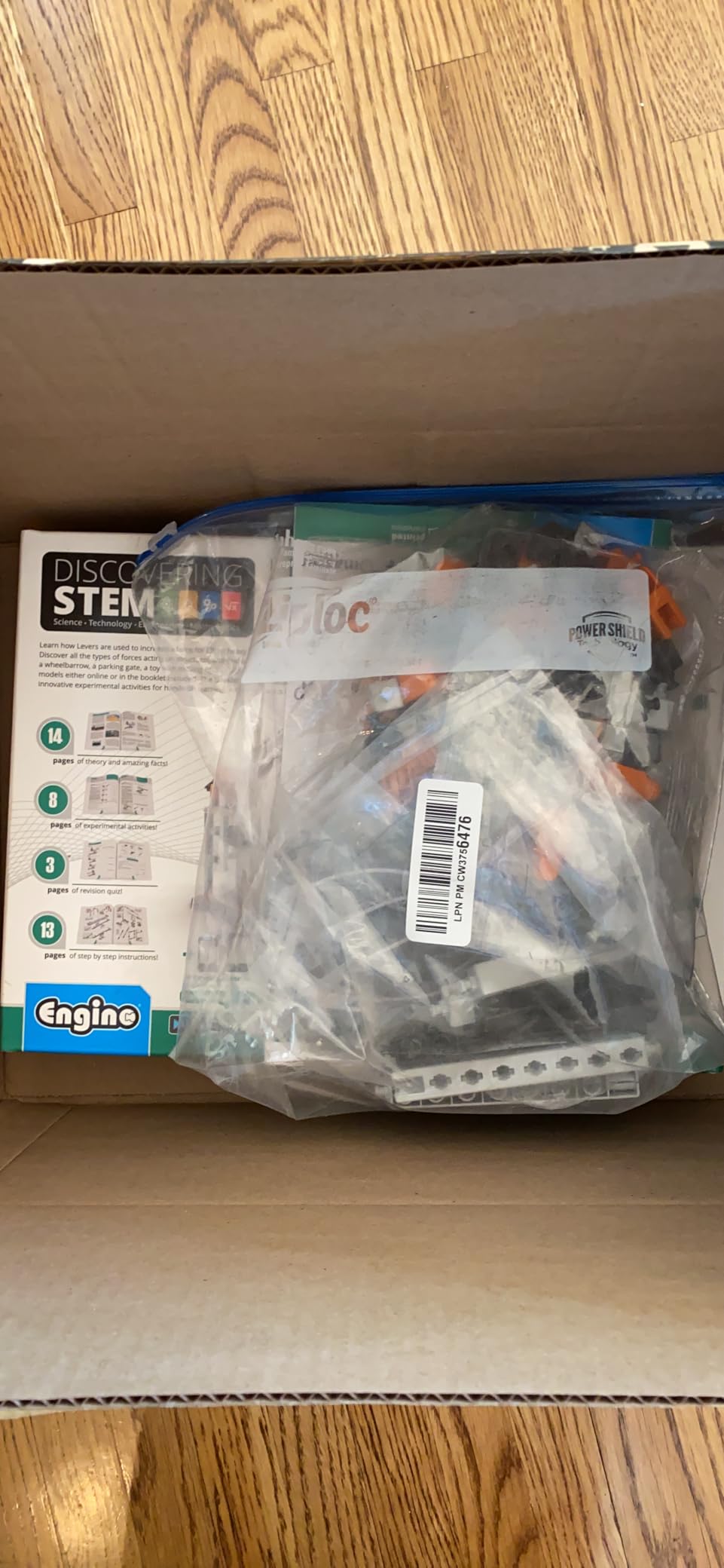
This is the kit for a child who asks why things break. Six working models include a rocket launcher, a crash test rig and a sharpening wheel, and the subject matter is inertia, friction and circular motion. Rated from age 9, it is the most compact of the three Engino sets here.
Its strongest feature is the documentation. Twelve pages of theory, facts and experiments plus a four-page quiz section mean a 10-year-old is not just assembling a shape but testing a prediction about what will happen. The crash test rig in particular makes the relationship between force and damage hard to argue with.
Adult help needed: moderate, and the reason is documentation rather than the build. Reviewers consistently describe the instructions as unclear and incomplete, which is our biggest concern with this set. Budget more time for working through steps than with the other Engino kits on this list.
Other reported drawbacks are small parts that disappear easily in a shared playroom, connectors that snap during assembly and block specific models, and an English-only booklet with limited app language coverage. It also carries the lowest review count here at 969, so there is less long-term feedback on durability than with the other picks.
Is this kit better for science or for engineering?
It sits between them, leaning toward physics. The models are mechanical rather than electrical, so there is no circuit work, but the experiments are genuine tests of force, friction and motion rather than decoration. A child who enjoys classroom science tends to stay with it longer than one who only wants to build machines.
For a child already engaged with a hands-on chemistry set, this pairs well as a mechanical counterpart. Our chemistry set guide for 10 year olds covers that side of the same interest.
How do you get past the instruction problems?
Build the two simplest models first, before opening the harder sections, and use the interactive 3D app whenever a step does not make sense from the booklet. Several parents report the app alone is enough to unstick a frustrated child.
It is also worth checking the parts box before starting and putting any snapped or missing connectors aside immediately, because a missing piece discovered halfway through a rocket launcher is the point at which most builds get abandoned.
How to Choose an Engineering Kit for a 10-Year-Old
Age labels on these kits are inconsistent in both directions. A box marked 8 plus frequently frustrates a ten-year-old within a month, while a box marked 10 plus assumes an adult is sitting alongside for most of the build. Here is how to choose around that problem.
Start from the child’s interest, not the brand. Parents consistently ask for robotics advice for a child who loves robots, which is the right instinct and the opposite of how toy aisles are usually organised. If your child dismantles appliances, pick a circuits or robotics kit. If they build with blocks or draw blueprints, pick a structural kit. If they like taking things apart to see why they work, pick a mechanical one.
Match the kit to your child’s tolerance for a long build. Our difficulty ratings map to three practical profiles. Beginner kits such as the Snap Circuits set and the Engino physics set can be finished solo with light check-ins. Intermediate kits such as the Sillbird solar robot and the two structural sets suit a child who will persevere for an hour with a diagram. Advanced builds like the 526-piece LEGO Technic model need a child who likes a project that lasts weeks.
Count the projects, not the marketing. The most useful question is how many separate completed builds the kit produces, because that is what determines how long it stays out of the cupboard. The Snap Circuits set leads on this with more than 100 circuits from one set of modules. The wooden hydraulic kit and the robotic hand each deliver a single mechanism, which is fine if the mechanism is the interest.
Decide how much adult help you can give. This is the question parents ask most often and the one almost no product page answers. Our honest ratings are: Snap Circuits needs very little help; the Smartivity hydraulic launcher and Sillbird solar robot need light help on early builds; the Mega Cyborg Hand, the Engino bridges set and the Engino physics set all benefit from an adult at the table; the mBot needs help only once coding starts.
Check what is not in the box. Batteries are the usual omission. The mBot needs four AA batteries for the robot and a CR2025 for the remote, and the Snap Circuits base kit needs alkaline cells, none of which are included. Solar kits such as the Sillbird avoid the problem entirely.
Pick by material if more than one child will use it. Engineered wood kits feel sturdier and tolerate rough handling better than ABS plastic, and wood breaks rather than shatters. That is a real reason to prefer the Smartivity kits in a shared room.
Think about whether the kit plugs in anywhere. A kit that accepts LEGO bricks or extra modules can absorb a second purchase. The mBot works with 100-plus electronic modules and LEGO pieces, and both Engino sets use a reusable component system that does not get consumed by finishing the box.
A subscription crate is worth considering when the child enjoys novelty more than depth, because a crate delivers a fresh project every month without the parent hunting for a new box. One parent in a Bogleheads STEM kit thread reported the older of two children, around ten, receiving the older-tier crate and both children liking it. The risk is level mismatch, and that is the same worry forum parents raise most often about crates. If you are unsure of a child’s level, a one-time kit is a cheaper way to test the water.
Looking past age 10? At 12 or 13 most of these kits start to feel shallow, and the natural next step is a microcontroller platform where the child writes the code that controls the hardware rather than assembling it, plus a 3D printer for anything that cannot be built from standard pieces. The mBot is the bridge to that stage, which is another argument for choosing it now.
Small Parts and Safety: What Parents of 10-Year-Olds Should Check
Almost every kit here includes small parts that are a genuine choking hazard for younger children. That matters for any family with a preschooler or early-primary sibling in the same room, since the 190 ABS pieces in the Sillbird set and the connectors in the Engino boxes are small enough to be swallowed.
Check whether the manufacturer prints a small parts warning and keep the kit in a closed storage box rather than a floor basket. The Engino sets are the safest choice here because they use non-toxic ABS and are stackable for tidier storage, while the snap-together electronics kits spread their parts across a grid where a dropped connector is genuinely hard to find.
Supervised use also matters for the launcher kits. The Smartivity hydraulic launcher throws darts and paper planes, which is harmless in a garden and a poor idea in a living room, and the Mega Cyborg Hand needs water to operate, so it belongs at a sink or outside rather than on a carpet.
Frequently Asked Questions
What are some good engineering build kits for kids?
The strongest kits for children fall into four types: circuits and electronics, mechanical and hydraulic models, structural construction with bridges and towers, and robotics or coding. Good starter picks are Snap Circuits Jr. for circuits, Engino Structures and Bridges for structural work, and Makeblock mBot for a child ready to program. The best kit for a given child is whichever type matches what they already enjoy doing unprompted.
What are some good STEM toys for a 10-year-old?
For a 10-year-old, the best STEM toys are the ones that combine a build with a test: Snap Circuits Jr. with its 100-plus circuit projects, Engino Structures and Bridges with nine real engineering models, and the Sillbird 12-in-1 solar robot with 190 parts across 12 builds. All three work independently and reuse their components, so one box keeps giving for months.
What is a good electronic gift for an 8-year-old?
The electronics kits in this guide start at age 9 or older, which is deliberate. For an 8-year-old, Snap Circuits Jr. is still marked from age 8 upward and works with no tools or soldering, so it suits both siblings. Pair it with a basic construction set for younger ages rather than a coding robot, which needs reading and screen stamina that most eight-year-olds do not have yet.
What is a good chemistry set for a 10-year-old?
Chemistry and engineering answer different questions. A chemistry set teaches reaction and measurement through safe experiments, while an engineering kit teaches load, force and design through construction. A 10-year-old who enjoys both tends to want one of each, and the two skills reinforce each other because both rely on careful procedure and honest recording of results.
How much adult help does a 10-year-old need with a STEM kit?
It depends on the kit type more than the age. Snap-together circuit kits need almost no help because nothing can be wired wrong. Structural kits rated 10 plus usually need company for the first build, since the joints take practice. Coding robots need help once programming starts, because reading a block of code is a different skill from assembling parts.
The Verdict: Which Engineering Kit Should You Buy?
If you are still unsure where to start, buy the Snap Circuits Jr. SC-100. It has the highest rating of any electronics kit here, the largest review base by a wide margin, and more than 100 projects from a single set of modules, which means it is the least likely of any kit in this guide to end up as one finished model gathering dust. It needs no tools, no soldering and very little supervision, so it works on a kitchen table while you cook.
Buy the Smartivity hydraulic launcher instead if your child prefers making things that move to things that light up, and buy the Makeblock mBot if they are already asking how to program something. For a child who builds patiently and enjoys structures, the Engino bridges set is the more educational of the two structural options, while the LEGO Technic orbital model suits a child who likes one long project with a display-worthy result.
Whatever you choose, give it a real shelf rather than a corner of the toy box. Every kit on this list is designed to be rebuilt, and a 10-year-old keeps going back to a project that is still easy to find. For activities that pair well alongside an engineering kit, our board game picks for 10 year olds cover the non-building side of a rainy weekend.