
The best coding robots for 6 year olds are the ones a child can operate without you sitting beside them. At six, most children can sequence four or five moves, follow a simple cause and effect, and retry a failed plan without adult rescue. What they usually cannot do is read an app menu, hold a fine-motor drag gesture long enough to drop a block in the right slot, or sit through a setup process. That gap is where most “best coding robots for kids” lists fail: they are written for eight-year-olds and quietly labelled “ages 6 and up.”
So we filtered specifically for this age. We worked through ten robots that manufacturers or reviewers actually rate for a six-year-old, tested how much help each one needed before a child could use it alone, and paid close attention to the two decisions that matter most at this age: screen-free versus app-based, and whether the toy works before your child can read. Our team has been through these with children in the 5-to-7 range, and we checked every rating and review count against the live listings as of 2026.
A quick note on what a coding robot actually is, because the name oversells it. It is a programmable toy that takes a sequence of instructions, in the form of arrow buttons, physical coding cards, magnetic tiles or coloured markers, and executes them. The robot does not teach syntax. It teaches that instructions have an order, that a mistake produces information rather than failure, and that a plan can be changed and retried. Those habits show up later in reading comprehension and in every programming language a child will meet.
Two findings shaped everything below. First, the screen-free robots are dramatically easier for a six-year-old to pick up, because the interface is the toy. Second, the app-based robots that survive age six all share one trait: a first mode that requires no reading at all. Where a product lacks that, we have said so plainly in the “skip if” line rather than pretending the age label is accurate.
Table of Contents
Top 3 Picks for 6 Year Olds in 2026
Three robots stood out once we narrowed the field to this age. Wonder Workshop Dash takes the app-based route and handles it better than anything else here, with a guided path that starts in voice commands before it ever asks for a block. Learning Resources Botley is the strongest screen-free option, because its remote programmer adds object sensing and line following to a route-planning toy a kindergartner can understand. Learning Resources Code and Go Robot Mouse is the first robot I would hand to a child who cannot read yet.

Wonder Workshop Dash Robot
- Ages 6 and up
- guided apps from voice to blocks
- rechargeable
- no assembly

Botley The Coding Robot Activity Set
- Screen-free remote programming
- object sensing and line following
- 40 coding cards

All 10 Best Coding Robots for 6 Year Olds (October 2026)
Every robot below is written for, or rated by its manufacturer for, a child around six. The table is sorted in the order we would hand them to a family: best age fit first, then the strongest app-based options, then the screen-free sets, then the build kits. Read it with one question in mind: how much help will this need on day one?
| Product | Specifications | Action |
|---|---|---|
| Wonder Workshop Dash Robot |
|
Check Latest Price |
| Learning Resources Botley The Coding Robot Activity Set |
|
Check Latest Price |
| Learning Resources Code and Go Robot Mouse Activity Set |
|
Check Latest Price |
 Learning Resources Botley 2.0 Activity Set Learning Resources Botley 2.0 Activity Set |
|
Check Latest Price |
 Thames and Kosmos Kids First Coding and Robotics Thames and Kosmos Kids First Coding and Robotics |
|
Check Latest Price |
 Ozobot Evo Coding Robot Kit Ozobot Evo Coding Robot Kit |
|
Check Latest Price |
 Makeblock Codey Rocky Makeblock Codey Rocky |
|
Check Latest Price |
 Opmind 5-in-1 STEM Robot Building Kit Opmind 5-in-1 STEM Robot Building Kit |
|
Check Latest Price |
 PIVONAX STEM Robotics Kit PIVONAX STEM Robotics Kit |
|
Check Latest Price |
 WhalesBot A1 Coding Robot WhalesBot A1 Coding Robot |
|
Check Latest Price |
1. Wonder Workshop Dash Robot – Best App-Based Coding Robot for Ages 6 and Up
- Guided learning path that starts in voice commands before blocks
- Strong motors that handle rugs and uneven floors
- No account sign-up or data collection
- Used in more than 40000 schools
- No printed manual in the box
- Setup depends on video tutorials
- Battery or charging failures reported after about a year
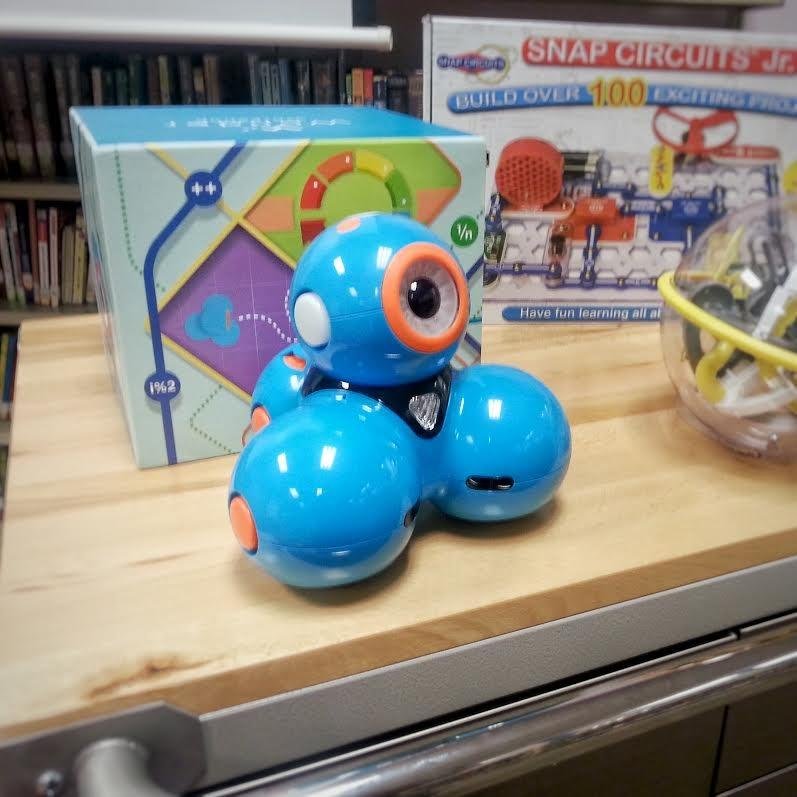
I spent several weeks with Dash on carpet, tile and hardwood, and the thing that struck me first was how rarely it got stuck. The motors are strong enough to climb over a sock or a rug edge without stalling, which matters enormously when a six-year-old is watching the robot rather than the screen. If your floor is medium-pile carpet, this is one of the few app-based robots I would trust not to disappoint.
Dash comes out of the box already assembled. You charge it over USB, connect over Bluetooth to a tablet or phone, and the guided apps take over from there. The box also contains two building brick connectors, so a child can dress the robot up in LEGO-style pieces, which is often what gets a hesitant six-year-old to press the start button the first time.
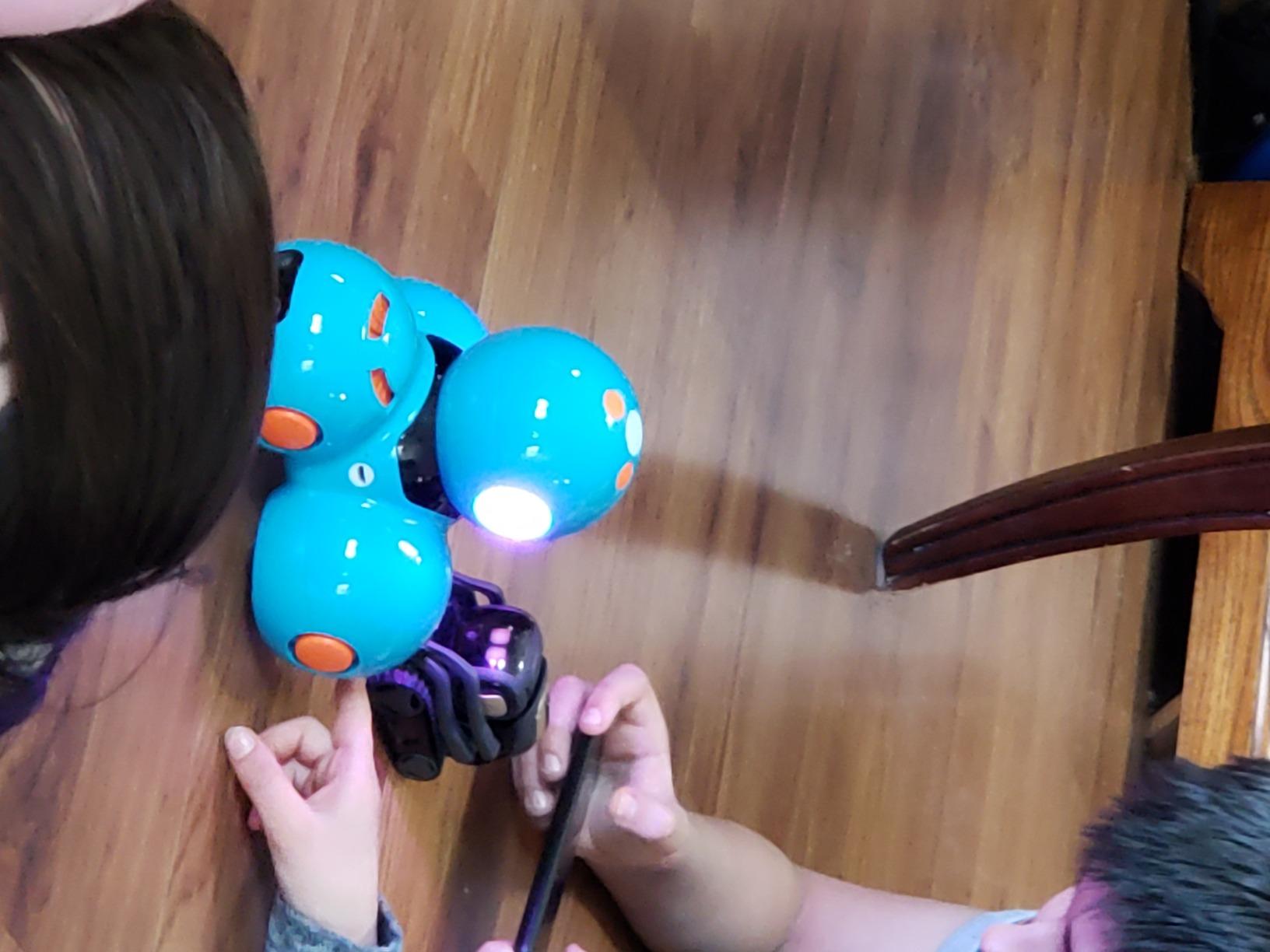
The app design is the reason this is my top pick. Rather than dropping a six-year-old into an empty block workspace, it walks through a guided path, and the earliest levels are voice-driven. You say “forward” or “right” and the robot obeys, so the child learns that a command produces a movement before the abstraction of a block ever appears. Only later does the same idea show up as a draggable block.
Because it teaches sequencing, loops, algorithms and variables, and because voice activation and obstacle navigation work alongside the code, Dash keeps its value well past age six. It is also the one robot here used in more than 40000 schools, which is a durability signal no review count can match. The apps cover Apple iOS, Android and Fire OS, and there is a one-year warranty against manufacturer defects.
Will a six-year-old actually use it without an adult
After the first session, mostly yes. The guided apps are built to be followed, and no account sign-up is required, so there is no form to fill in before play begins. What I would plan for is a parent pressing the initial connect and helping with the first three or four challenges, which takes about ten minutes.
After that, the child navigates the app themselves using icons rather than text. For a child who is still decoding simple words, that distinction is the whole ballgame. My one caution is that the robot has no camera, so the Path app relies on sensors rather than visual mapping.
What to watch before you commit
There is no printed user manual or quick-start guide in the box, so setup runs on video tutorials. That is a real friction point for parents without a phone to hand during the first session. A minority of owners also report battery or charging failures after roughly a year of use, so if you are buying for a child who will keep it for three years, treat the recharge as a known wear point rather than a surprise.
This is a screen-based robot, so it adds to tablet time rather than replacing it. For families actively cutting screen time, read the next pick instead. For a child who already has a screen allowance, Dash is the one I would buy first.
2. Learning Resources Botley The Coding Robot Activity Set – Best Screen-Free Robot with Real Logic
- Fully screen-free programming on a handheld remote
- Ready to play almost immediately
- Object sensing
- line following and looping in one toy
- Large 77-piece obstacle and card set
- Five AAA batteries not included and a screwdriver needed for setup
- Programming limited to a fixed set of button commands
This is the robot I keep coming back to for a family that wants no screen at all, and the reason is that the programming interface is a physical remote in the child’s hand. Directions are buttons, the sequence is built by pressing them in order, then the child presses go and Botley walks the route. There is nothing to misread and nothing to drag.
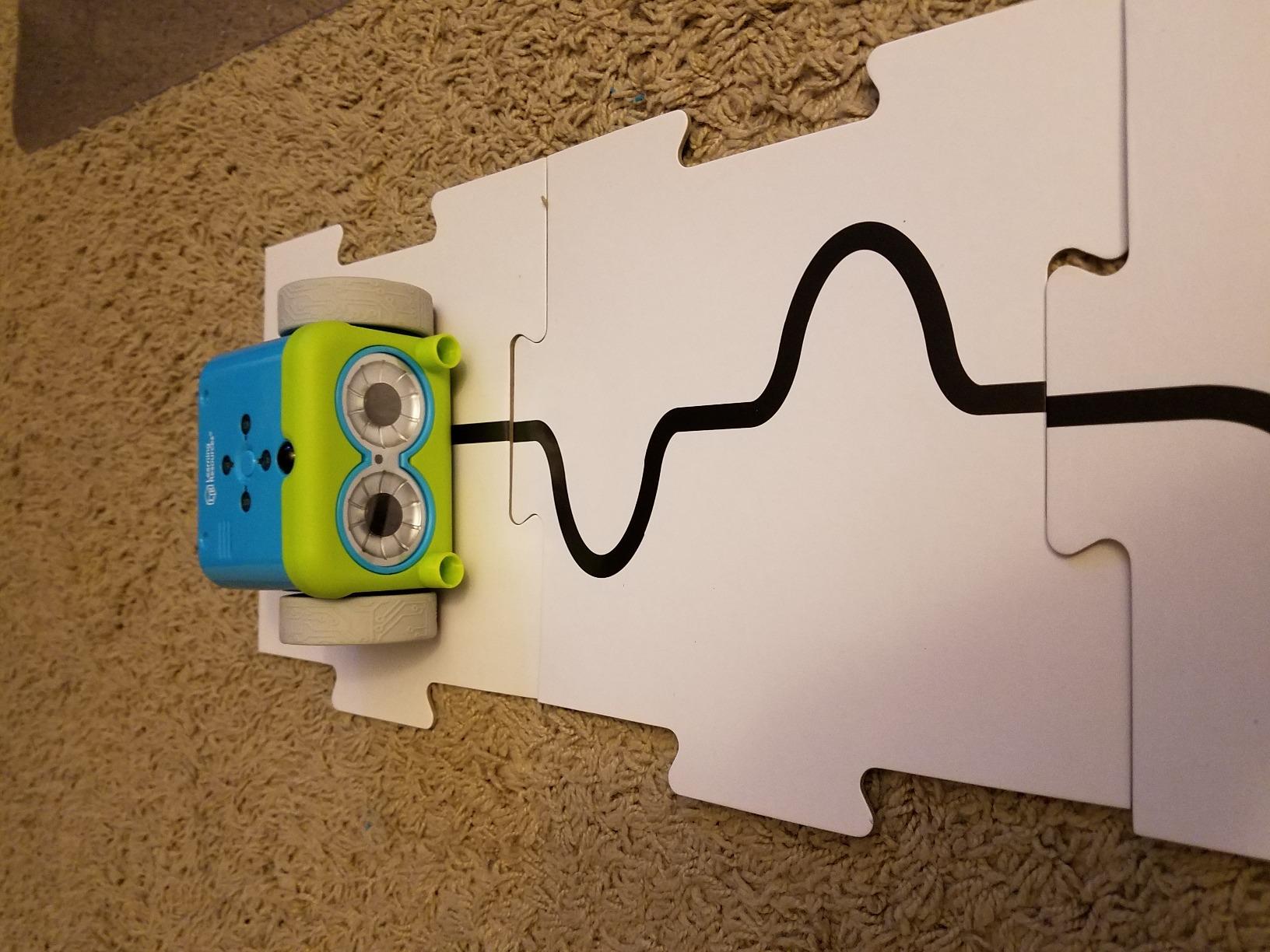
What separates this from a basic arrow-key toy is the logic underneath. Botley detects objects in front of it and avoids them, and it can follow looping commands and black-line paths. Those three behaviours give a six-year-old a genuine if/then experience: program the route, watch the robot change course when it meets an obstacle, and decide whether that was a bug or a feature.
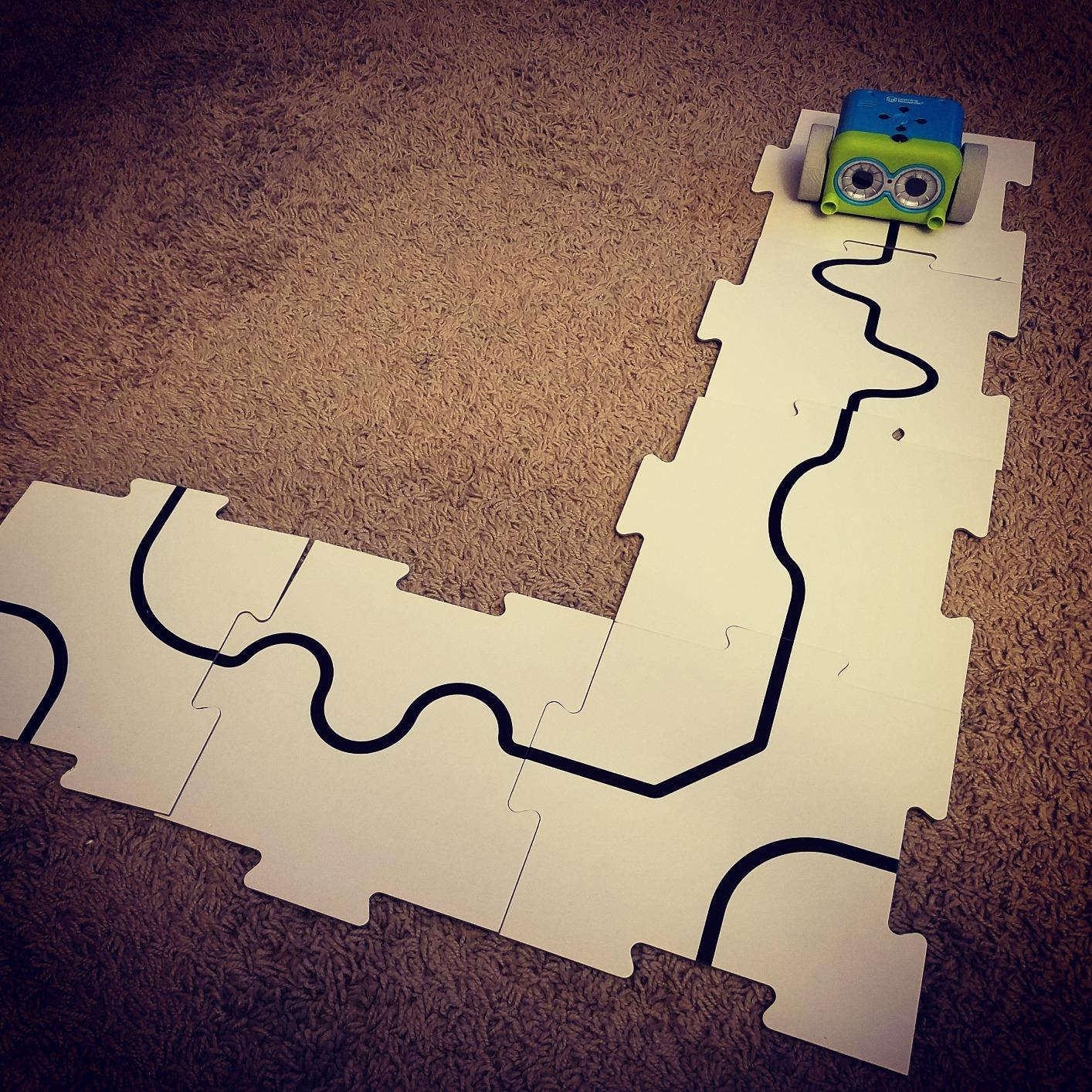
The set is 77 pieces: the robot, the remote programmer, detachable robot arms, 40 coding cards, six double-sided tiles, 27 obstacle building pieces and a starter guide with coding challenges. The detachable arms matter more than they sound, because attaching one changes what the robot can do and gives a child a reason to rebuild the course instead of repeating the same one.
Manufacturer age is 5 to 16, and the robot itself is rated indoor use. I found it survived a toddler testing programme without any damage, and the obstacle pieces are large enough that a six-year-old assembles a course in a few minutes rather than an hour.
Why it beats a button-only toy for six-year-olds
Simple forward-and-turn toys teach the first idea, and most six-year-olds exhaust that idea within a fortnight. Botley adds sensing, so the sequence is no longer a fixed script but a set of conditions the robot reacts to. That is the same mental move a child makes at seven or eight in a text language, arrived at through a remote control.
The 40 coding cards give a child something to plan with away from the robot, which quietly encourages the plan-run-fix loop. Cards on the table, route on the floor, and the child is narrating a plan before the robot moves.
What to watch before you commit
Two practical items. Botley needs three AAA batteries and the remote needs two more, none of them included, so buy a pack of rechargeable AAA on day one. Setup also calls for a Phillips screwdriver, which is a two-minute job for an adult and a small barrier for a gift.
The real limitation is that programming is limited to a fixed set of button commands rather than open-ended block coding. If your child is the type who asks “what if I make it do something new,” this is the ceiling. It is also the reason I rank the original Botley just behind the 2.0 in a head-to-head, though for a six-year-old in year one, this set is more than enough.
3. Learning Resources Code and Go Robot Mouse Activity Set – Best First Robot for a Child Who Cannot Read
- No reading required to operate
- Introduces sequencing in a single session
- Maze tiles make every session repeatable
- Large accessory set for obstacle courses
- Three AAA batteries not included
- Very basic movement functions limit progression
Colby the robot mouse is the first coding robot I would hand to a child who is six and still sounding out simple words. Every function is a coloured button on top of the mouse, and the only reading involved is matching a card to a button. A pre-reader can run a full maze sequence independently on day one, which is more than I can say for any app-based robot.
There is no remote and no app, which also means no pairing failure and no tablet argument. The interface is the toy, the toy is the interface, and a six-year-old with an hour of attention can build a 20 by 20 inch maze from 16 grid tiles, add walls and tunnels, and then send Colby through it in a programmed order.
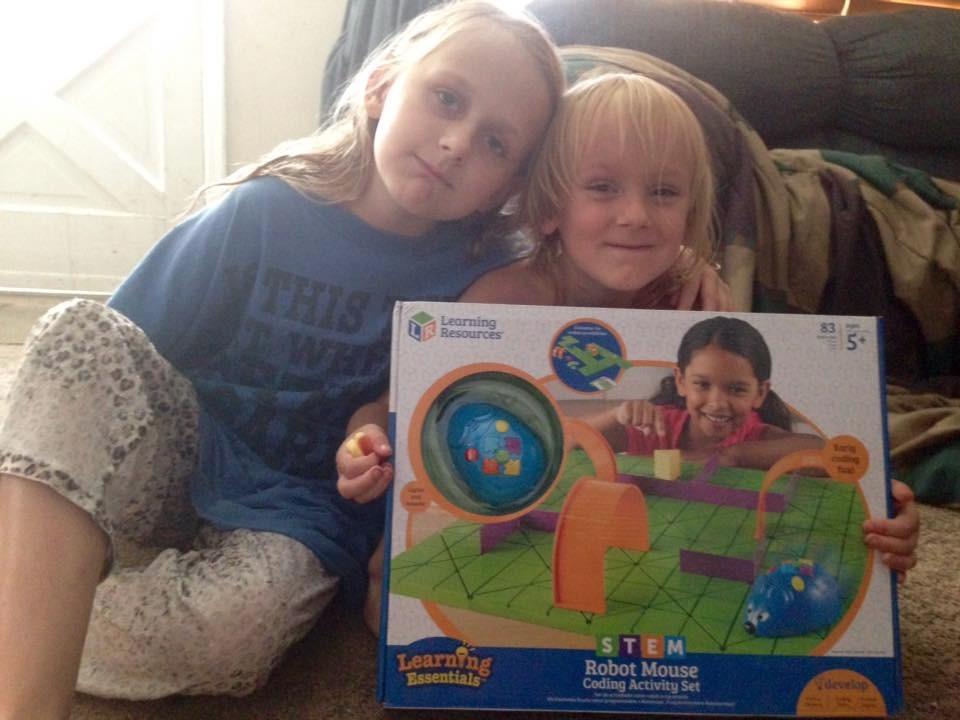
The accessory set is what makes this the value pick. You get the mouse, 16 maze grids, 22 maze walls, three tunnels, 30 double-sided coding cards, 10 double-sided activity cards, a cheese wedge and an activity guide. That is a repeatable STEM station rather than a single-use gadget, and it is why the set shows up so heavily in kindergarten activity centres.
With 2638 reviews averaging 4.5 stars, it is also the most reviewed product in this list, and reviewers consistently call it a first screen-free coding experience for kindergartners. The maze grid system is the reason, because it lets an adult stage a new challenge in two minutes.

When this is the right age-six choice
Choose this one when your child loves construction play more than screen play, or when you are deliberately keeping tablets out of the equation. Because the moves are on the device rather than in an app, there is no reading barrier at all, and no adult needs to sit in the loop after the first run.
It also makes a strong first robot for a child who is younger than six, which means it is a sensible thing to buy once and then hand to a four-year-old sibling later. For our guide to the wider STEM toy category at that younger age, see our best STEM toys for 4 year olds picks.
What to watch before you commit
Three AAA batteries are required and not included, and because this is a mouse-shaped robot on a hard surface, it does best on tile or laminate rather than carpet. The bigger caveat is that the very basic movement functions limit progression beyond basic sequencing.
In practice that means a motivated child can exhaust it in about a year and then needs something with sensing or branching. My suggestion is to buy this one, and plan the move up to Botley 2.0 or Dash at seven. If you would rather look ahead now, our picks for the best coding robots for kids 8 and up show where these skills lead.
4. Learning Resources Botley 2.0 Activity Set – Best Screen-Free Robot With Sensing and Secret Codes
Learning Resources Botley 2.0 The Coding Robot Activity Set
- No tablet or app needed
- No reading required to operate
- Adds 45-degree turns and object-sensing reactions
- 16 secret code combinations with lights and sound
- Program must be cleared between runs
- Turn angles limited to 90 or 45 degrees
- Five AAA batteries not included
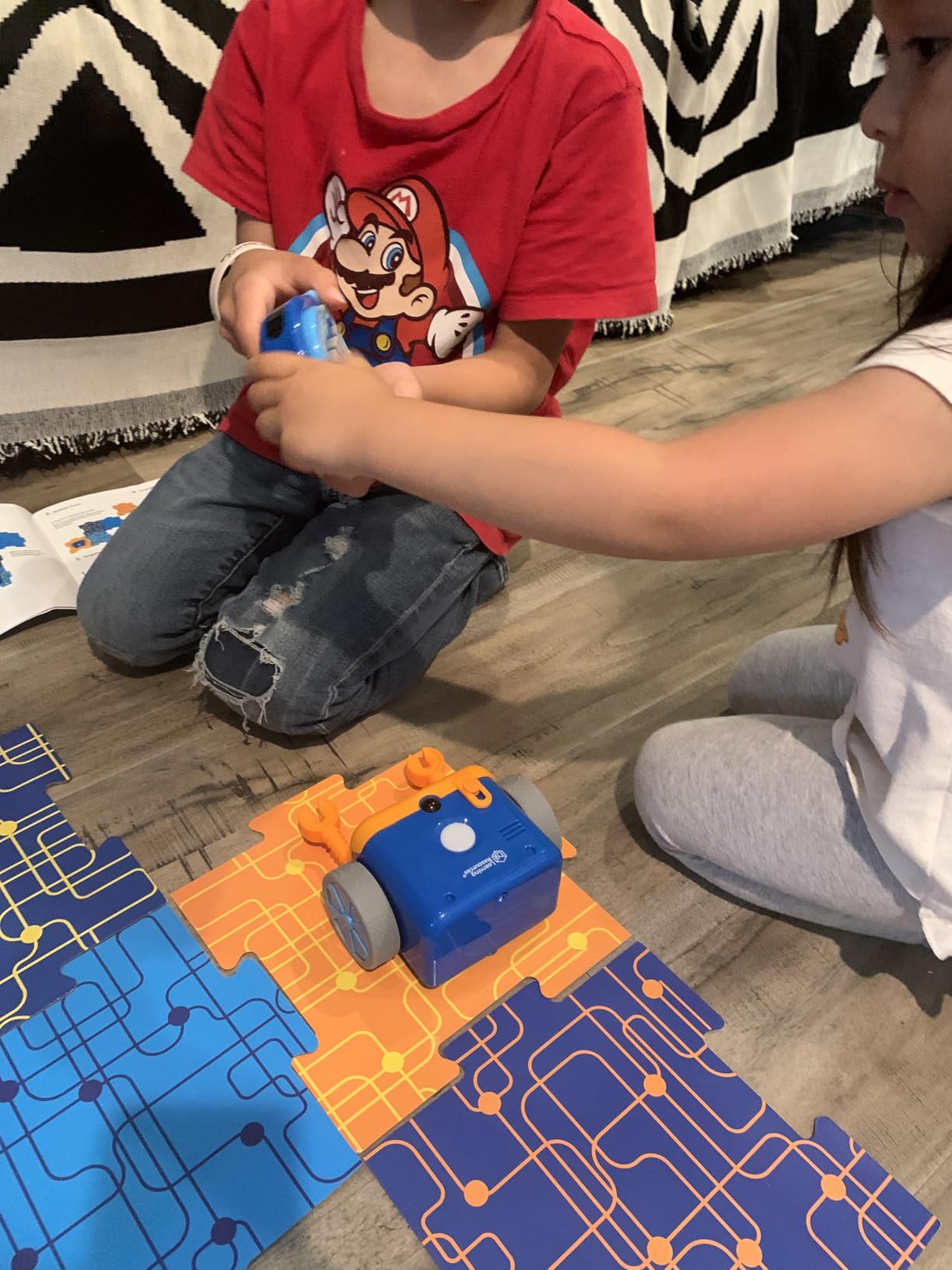
The 2.0 is the version I recommend for a six-year-old who has already had a simpler robot, because it fixes the two things that frustrate children most in a basic set. Turns now go to 45 degrees, so a route around a corner does not need a fudge, and the robot reacts to objects it meets rather than ploughing through them.
That object-sensing reaction is the closest thing in this list to a conditional statement for a pre-reader. The child programs a route, places an obstacle, and watches the robot make a different choice. Teachers and parents in the reviews describe exactly this sequence as the reason the set works for a wide age span, and the manufacturer rating is 5 to 10 years.
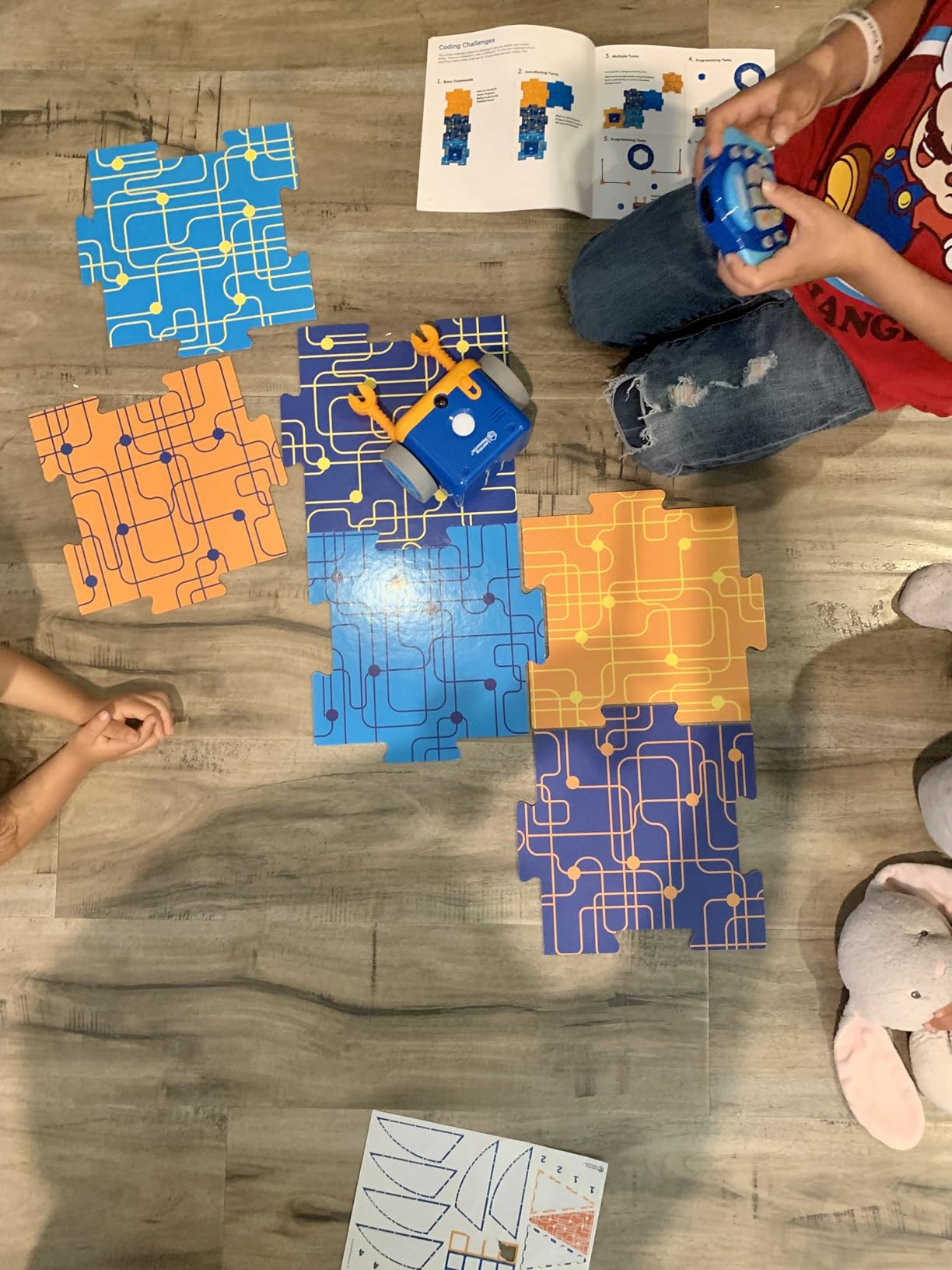
There is also a discovery layer that my own kids found more compelling than the coding itself. Sixteen secret code combinations trigger lights, sounds and music, so there is a reason to keep pressing buttons after the mapping is finished. For a child who would rather drive than program, that hidden layer is often what converts a coding robot into a toy that gets picked up on its own.
The 78-piece set includes the coding robot, remote programmer, 40 coding cards, six double-sided boards, 12 cubes, eight sticks, flags, four Botley hands, face mounts, two balls, a goal and a sticker card. The faces and flags are cosmetic, and they matter, because a child who has named the robot is more attached to it.
What a six-year-old gains over the original Botley
If your child has never programmed before, the original Botley at pick two is cheaper in effort and gives the same core idea. The 2.0 earns its extra spend when your child is already asking for harder routes, because the extra degrees of freedom remove the most common source of frustration in a first robot: a route that cannot be built.
The screens and sounds also extend the shelf life. A child who started at five is still finding secret combinations at eight, and the set is rated to 10 years, which is longer than most screen-free rivals.
What to watch before you commit
Two operational habits need teaching. Commands must be cleared with the trash-can button or Botley appends to the previous program, and that single rule causes more adult help than anything else on this robot. Second, turn angles are limited to 90 or 45 degrees, so some routes genuinely cannot be programmed the way a child imagines them.
Batteries are the third: five AAA, none included. A small share of buyers received units that only produced sound without moving, so if that happens, keep the packaging. For most families the trade is still worth it, because this remains the rare robot that needs no device, no reading and no account at any point in the experience.
5. Thames and Kosmos Kids First Coding and Robotics – Best Self-Guided Screen-Free Course for Ages 4 to 8
- Completely screen-free using physical code and map cards
- Teaches syntax
- debugging and sequencing in transferable terms
- 64-page manual and six storylines support long self-guided play
- Durable construction
- Time-consuming to assemble and models must be rebuilt between chapters
- Code cards are thin and can fall out of the frames
- Scanner needs cards flat and well lit
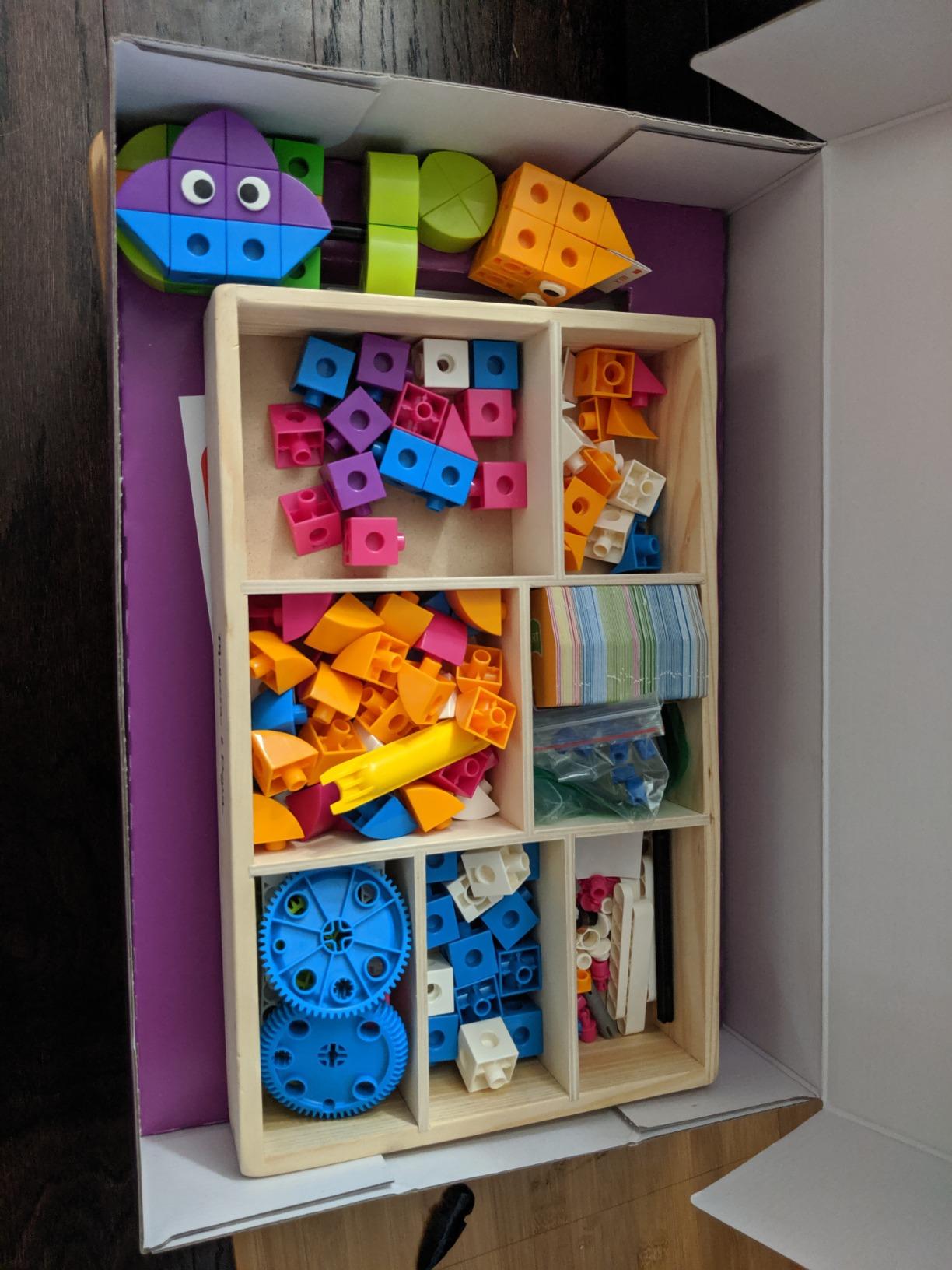
This is the only product here that behaves like a course rather than a toy, and that is exactly why it works well for a six-year-old who likes being taught. Nothing is an app and nothing needs a device. The robot has an optical scanner, an LED and a speaker, and it reads physical code cards and map cards laid on the table in front of it.
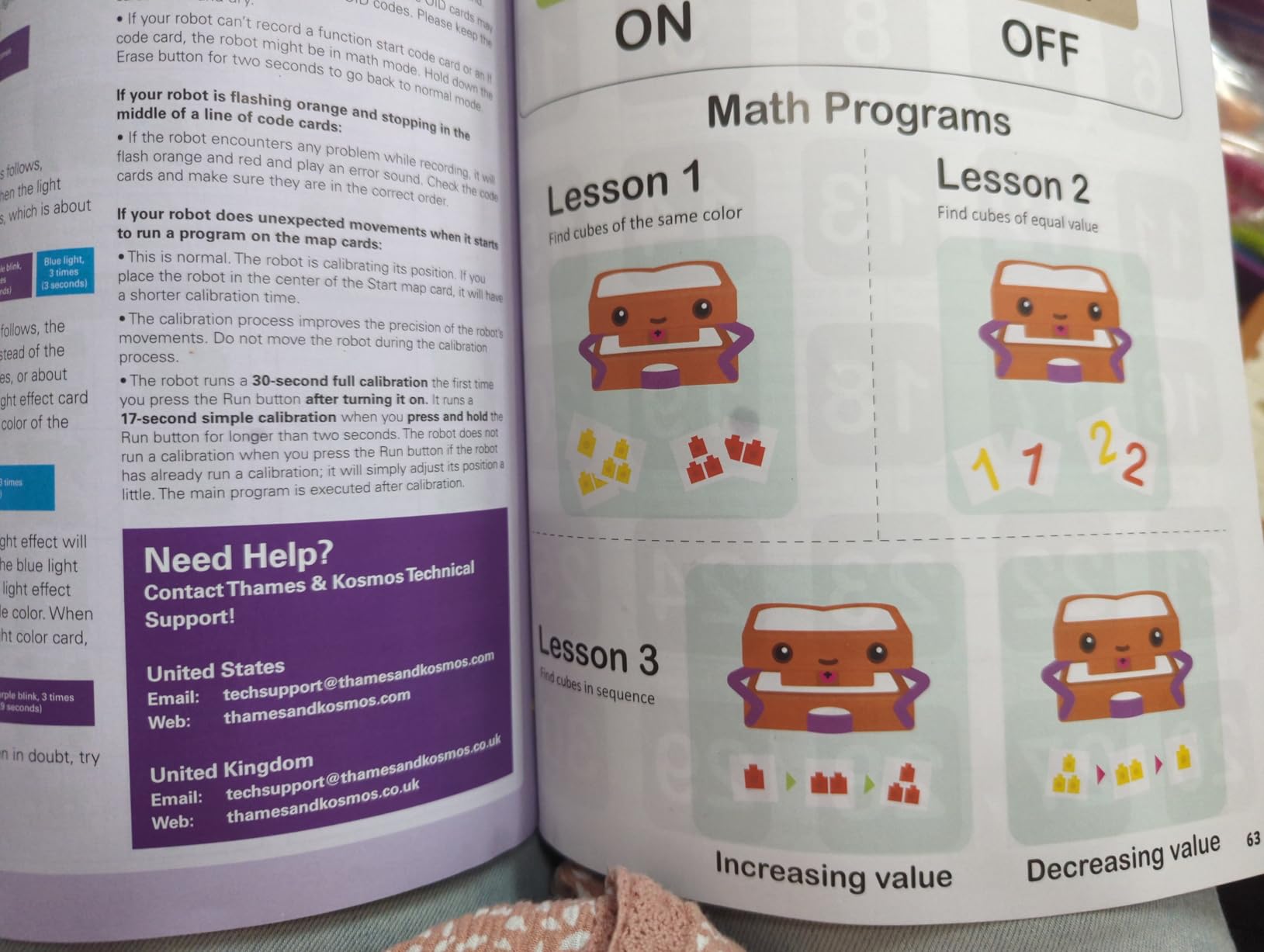
The manual is 64 pages in full colour and there are six storylines, each pairing model building with coding lessons. Reviewers repeatedly describe it as the best early coding primer for children under 8, and the structure is the reason: a child can sit with it for two rainy afternoons without an adult inventing a challenge, which is the single biggest predictor of whether a coding robot gets used past week two.
What it teaches is also more transferable than most. Because the cards have structure the child must respect, the lessons cover syntax, sequencing and debugging in the general sense rather than one manufacturer’s buttons. The base unit can also interact with a second robot, which adds a genuinely social lesson about two programs meeting in the same space.
Manufacturer age is 4 and up and the age range description is 4 to 8, which makes this the widest age-6 fit in the list on paper. In practice the honest reading is that a six-year-old handles it well with an adult nearby for the first build, then independently for the storylines.
When the course format beats a single toy
Pick this if your child asks for instructions rather than inventing games, or if you are homeschooling and need something with a sequence you can point to. Six storylines also means you can stop at any point without wasting the rest, which matters if interest drops and returns.
It is also a good fit for a family that wants a screen-free option with a clear endpoint, since the material is aimed at under-eights rather than extending indefinitely. When your child finishes the storylines, Dash or Codey Rocky is the natural next step rather than another manual.
What to watch before you commit
Assembly is the honest drawback. It is time-consuming, and moving between chapters requires dismantling earlier models, so this is not a toy you hand over on a birthday morning. Card handling is the second: the code cards can be too thin for small children to handle easily and can fall out of the card frames.
Third, the optical scanner needs cards laid flat and well lit to read reliably, so it is a table activity, not a floor activity. The manual is English only, so families needing another language should factor in their own support. The weight at 2.38 kg also makes it a stay-put set rather than a travel toy.
6. Ozobot Evo Coding Robot Kit – Best Hybrid Path That Starts Screen-Free and Scales Up
Ozobot Evo Coding Robot Kit | Ages 5-11 | STEM Coding for Kids & Teachers
- Works screen-free with color codes and online with Blockly
- Five skill levels let one robot grow with a child
- Large free lesson library reduces paid add-ons
- Zip case and compact body are easy to store
- Blockly programming requires a device
- Color-code lines need redrawing as markers wear down
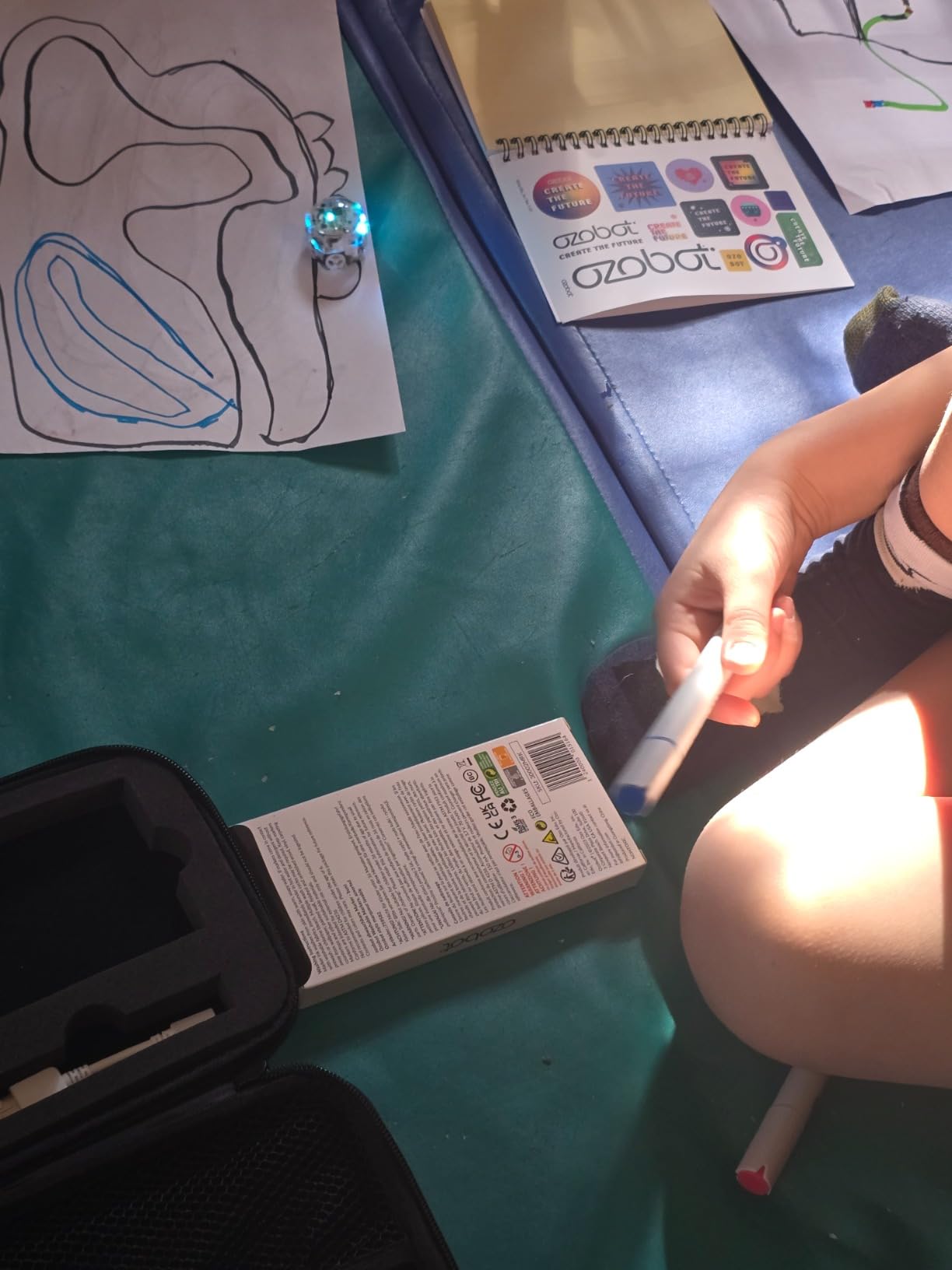
The Ozobot Evo is the compromise I recommend to a family that wants a screen-free start without painting itself into a corner. A six-year-old can begin today by drawing coloured lines with the five dual-tip markers and letting the robot follow them, with no reading and no device. When the child is ready for blocks, the same robot runs Ozobot Blockly online.
That dual mode is what makes it a genuinely different path rather than a cheaper alternative. The colour-code stage teaches route planning and cause and effect physically, and the Blockly stage introduces proper drag-and-drop blocks, so the child arrives at coding having already understood what an instruction is. Five skill levels run from beginner to master within the same software.
The resource library is unusually generous. There is access to over 700 free lessons covering STEAM, computer science and core subjects, and a Get Started guide in the box, which matters for parents who do not want to design a curriculum themselves. The robot is lithium-ion rechargeable and rated 5 years and up.
It is also small and light at 0.44 kg, and it comes with a hard shell zip case for the markers, so it stores in a drawer and travels without parts rolling around. That makes it one of the easiest products here to hand between siblings or move between home and school.
How to introduce it to a child who cannot read
Skip Blockly entirely for the first few weeks. Sit with the child, draw a simple loop in one colour, and let them watch the robot follow it. Then add a branch and a second colour. This is the same plan-run-fix loop as any other robot, expressed entirely in marker lines the child drew themselves, which makes it feel like their work rather than a puzzle handed down.
Move to Blockly when the child starts asking for routes that marker lines cannot express, typically around seven. At that point the colour-code habit means the first block-based program is comprehensible rather than abstract.
What to watch before you commit
Online Blockly programming requires a device, so the screen-free colour-code mode is the only tablet-free option. If your family has decided to avoid screens entirely, the screen-free picks earlier in this list are the better fit and this one adds a device you may not want.
The second practical issue is consumables. Colour-code lines must be redrawn often because the markers wear down, so treat the five included dual-tip markers as a recurring small cost and keep a spare pack. The 67 reviews here are fewer than for the Learning Resources sets, so the consensus is thinner, though the average still sits at 4.6 stars with 84 percent five-star ratings.
7. Makeblock Codey Rocky – Best Route From Block Coding to Python
- Works out of the box with the app already loaded
- Clear progression from joystick drive to drawing to block coding
- Expressive dot-matrix face appeals to young children
- Supports Scratch blocks and Python for long-term growth
- Mobile and desktop mBlock apps do different things
- Poor documentation and hard-to-find tutorials
- Block coding is the first mode and the most likely to confuse beginners
Codey Rocky is the one on this list that keeps a six-year-old company for years rather than months, because it does not stop at blocks. It starts in Scratch block-based programming, and the same robot supports Python, with gamified tasks and CSTA-aligned lessons bridging the two. For a family that wants to know where this hobby ends up, that is the most useful thing on the list.
The physical design does as much work as the software. The robot has a dot-matrix display that shows expressions, sound effects, a colour detection camera and a light sensor, and LEGO Technic pin holes for costumes and attachments. A child who names the robot and dresses it in a costume is a child who keeps playing, and that is the mechanism behind the strong pros in the reviews.
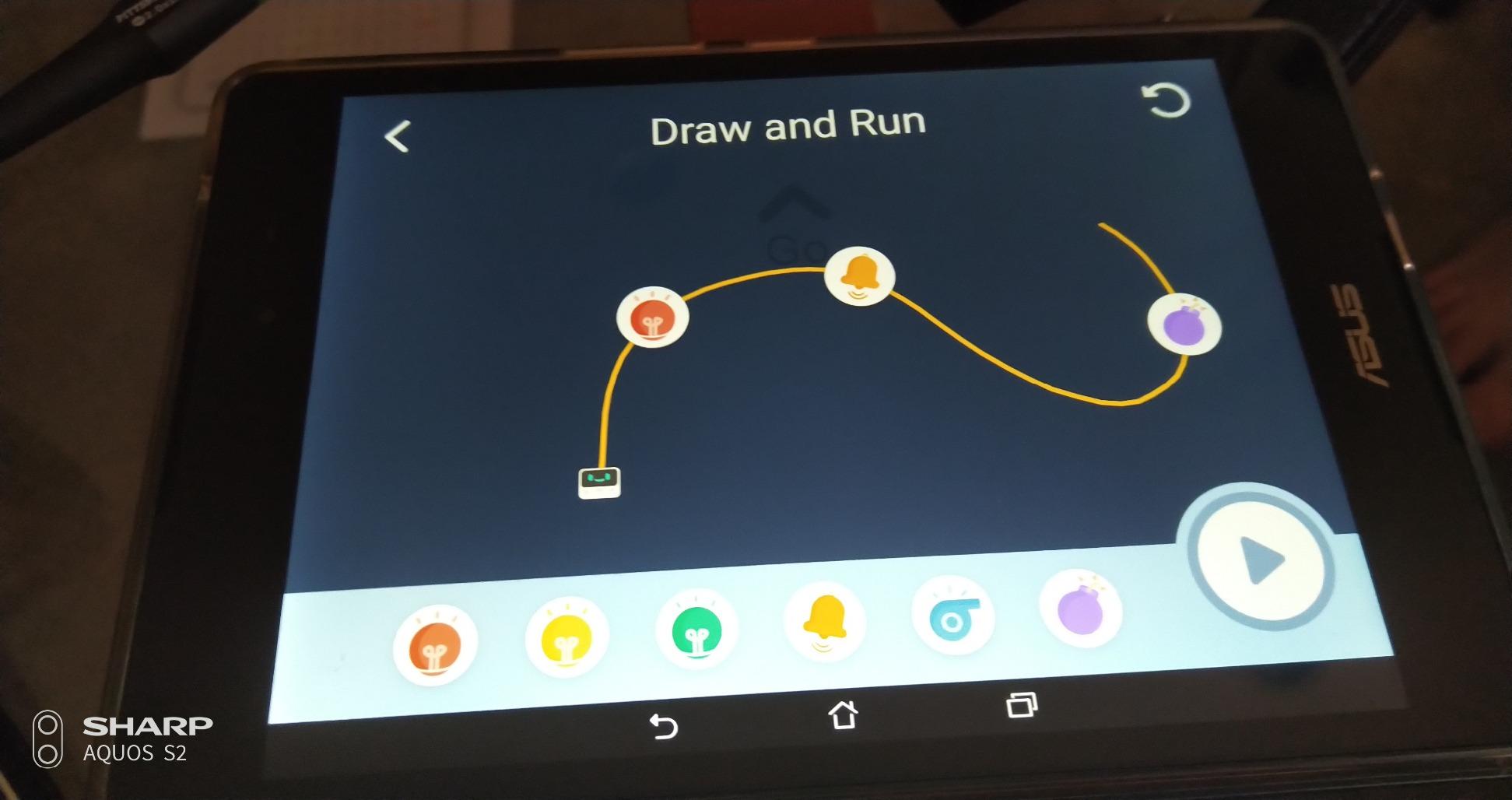
It works out of the box with the app already loaded and no assembly required, which matters at an age where a screw would end the session. The three modes are Drive, Draw and Run, and Code, and the intended path is joystick driving, then drawing a path the robot follows, then programming it. A one-year warranty against manufacturer defects is included.
Body material is impact-resistant ABS, built for repeated use and classroom settings, and the manufacturer rating is 6 years and up. The whole set is one robot, so there is no build stage to lose interest in.
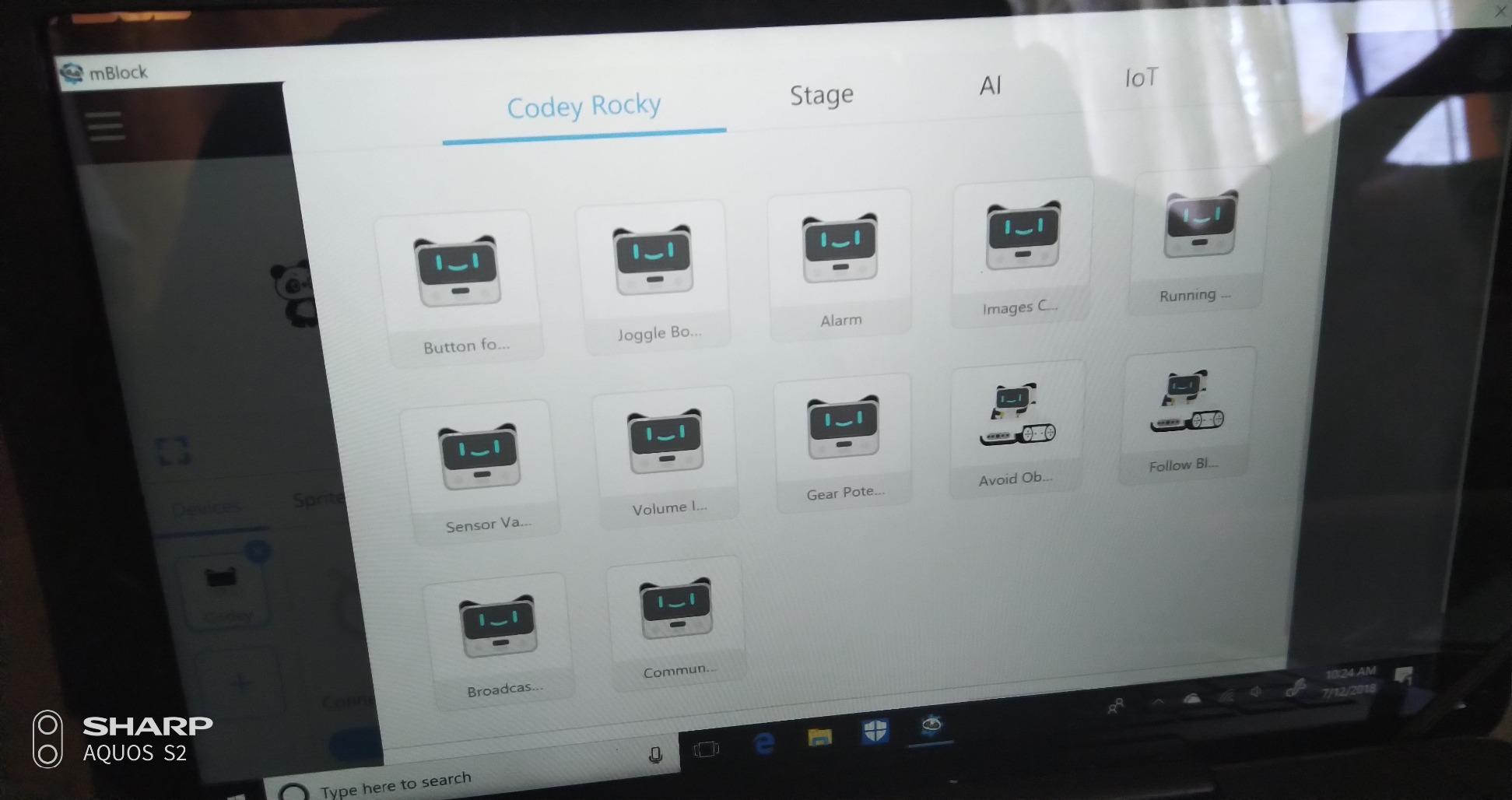
Why the three-mode sequence suits a six-year-old
Driving first is the key. A child who cannot yet read a code can still steer, and steering establishes the cause and effect that programming later formalises. Only when the idea is familiar does the Code mode mean anything, so the order of the modes is doing real pedagogical work rather than just offering features.
The draw-and-run mode is a second bridge. A route the child drew by hand is their plan, made visible, and debugging it teaches the same revision loop that a block-based program would.
What to watch before you commit
The software is the honest weak point, and it is why this sits lower despite good hardware. The mobile app and the desktop mBlock app do different things, uploading code can fail silently, and documentation is poor with tutorials that are limited and hard to find on the vendor site. Setup friction of this kind is a recurring parent complaint in this category, and here it is worse than average.
There is also a sequencing risk specific to this age: the block-coding mode is often the first mode a child tries, and it is the one most likely to confuse a beginner. The 4.3 average here is the lowest of the well-reviewed sets in this list. If your child is impatient with friction, choose Dash, whose guided apps are built to be followed without help.
8. Opmind 5-in-1 STEM Robot Building Kit – Best Set for a Child Who Builds First
Opmind 5-in-1 STEM RC Robot Building kit, 478Pcs App Coding, Boys Age 6-12
- Large 478-piece set that rebuilds into five models
- App adds driving simulation
- navigation paths and AI programming
- Quiet mode mutes robot sounds when needed
- Rechargeable lithium-ion battery included
- Programming depth is limited compared with dedicated coding robots
- Building 478 pieces requires sorting and following instructions
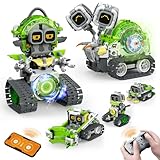
Not every six-year-old wants to program. Some want to build, and for that child this is the set I would choose, because the reward loop is construction rather than code. 478 interlocking pieces assemble into five transformable models, including snails, AI robots and engineering vehicles, so a child who finishes one model immediately has a reason to take it apart again.
The app side goes beyond a remote. There is 360-degree app control, driving simulation, a gravity gyroscope, navigation paths and AI programming, which is enough vocabulary to keep a curious child engaged for a long stretch. Robot sounds can be muted with one click, a detail that matters in a flat or shared room.
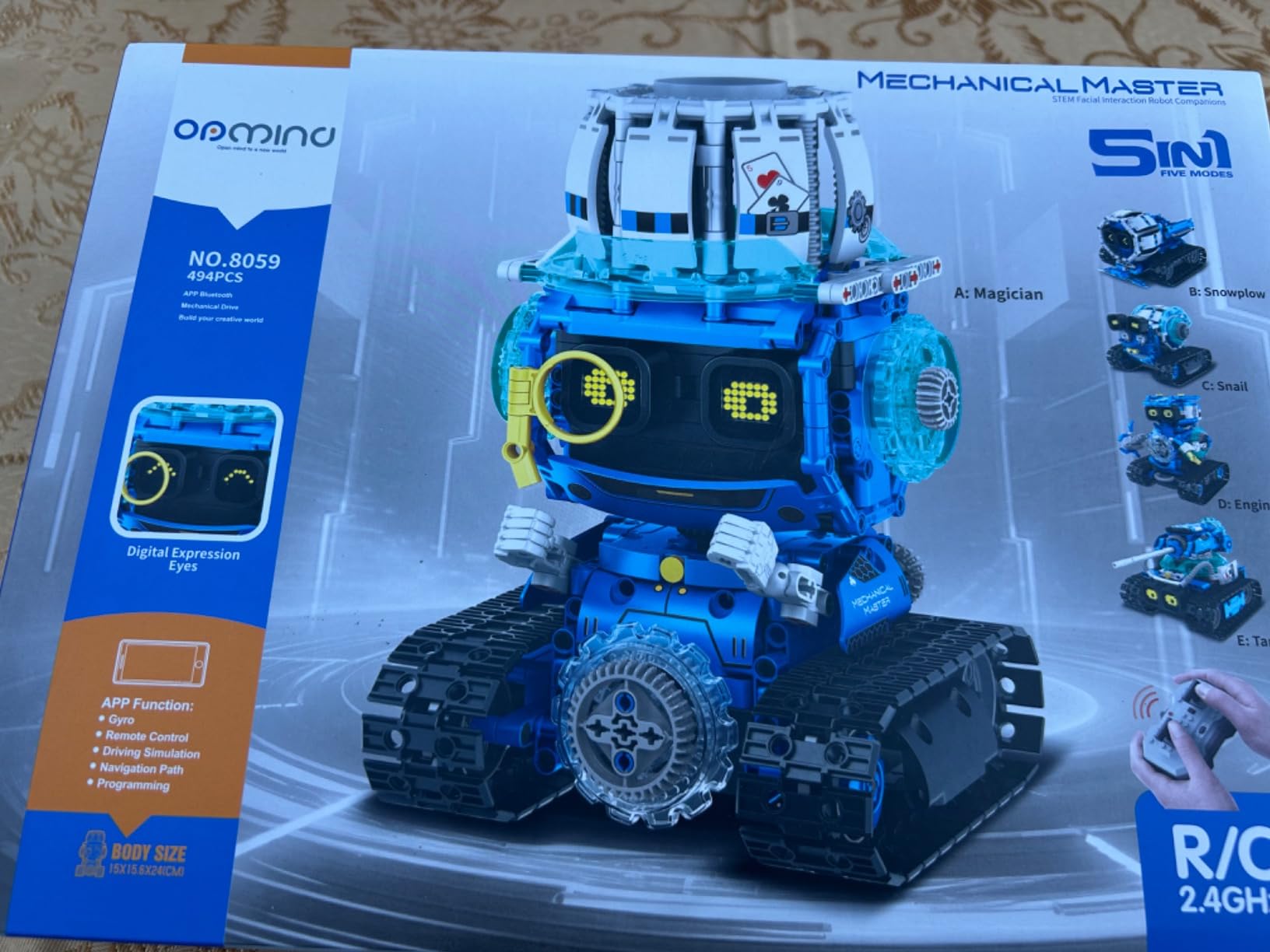
The snail form is the unusual one, and it works better than it sounds. Snail modes move slowly and deliberately, which suits a child who is still developing fine motor control, and the LED eyes display expressions that give the build a character. The battery is a rechargeable lithium-ion unit included in the box, so there is no consumable cost to plan around.
One honest note on the listing: the manufacturer age field reads 0 months and up while the technical description states children aged 6 to 13 with a focus on boys aged 8 to 13. Read the second one, and treat the build as a two-child or parent-and-child activity rather than solo play at six.
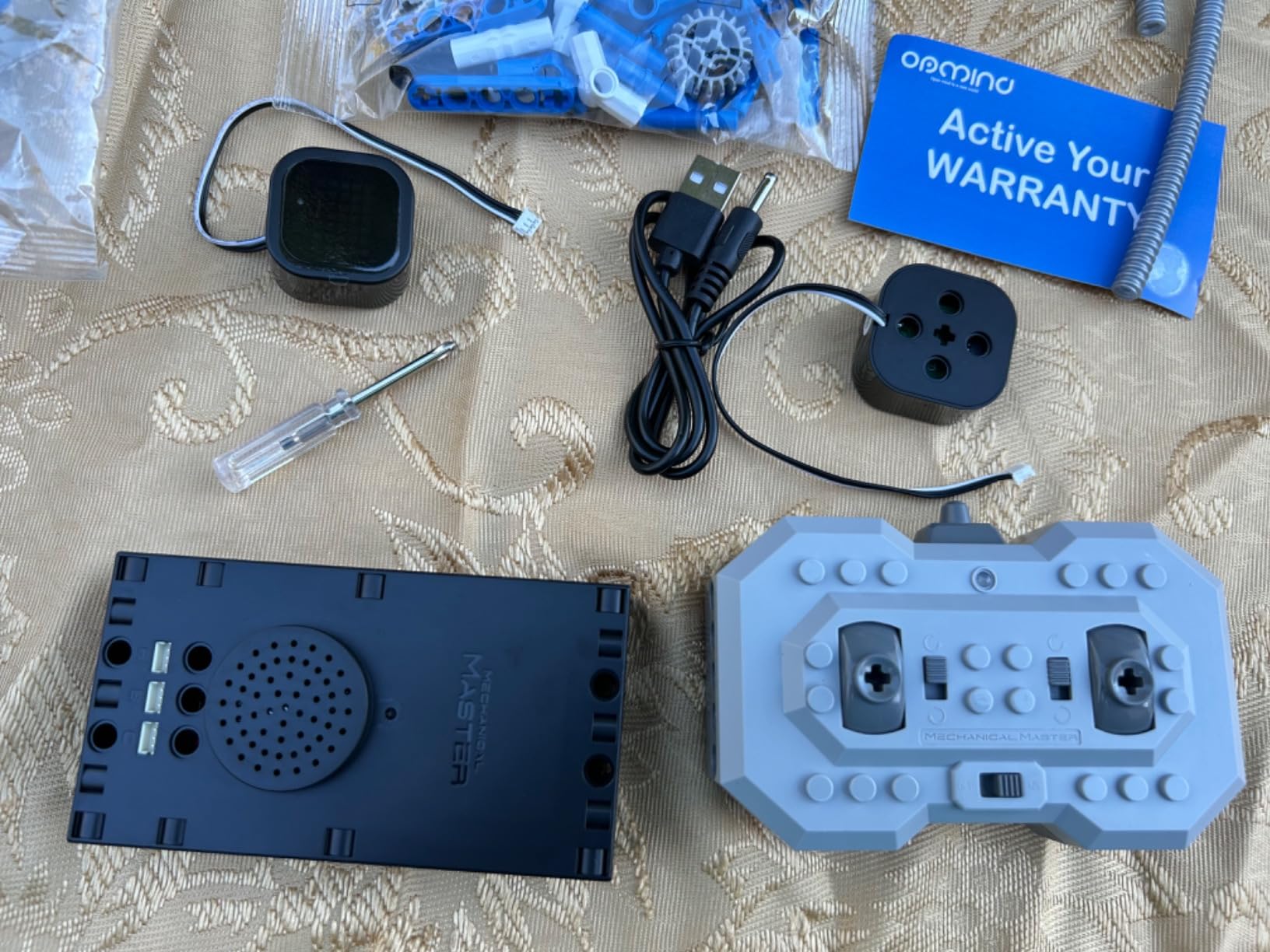
When building is the right entry point at six
Choose this if your child is the type who dismantles things, or if they enjoy Legos more than puzzles. The five rebuildable models mean the value is spread over many sessions, and 84 percent of its 292 reviews are five-star, the highest five-star share among the mid-priced sets here.
It also works as a shared toy, since two children can build different models on a mat at the same time. That makes it one of the better answers in this list to the sibling problem that other roundups raise and never solve.
What to watch before you commit
This is a construction toy with programming attached, not the reverse. Coded as a beginner set, the programming depth is limited compared with dedicated coding robots, so it will not teach loops, conditionals or sequencing in any structured sense. If coding is the goal rather than construction, spend the same effort on Dash or Botley instead.
Second, building 478 pieces requires sorting and step-by-step following of instructions, which is genuinely difficult at six. A good child will treat it as a project across a week. A frustrated one will abandon it, and the pieces will be under the sofa within a fortnight.
9. PIVONAX STEM Robotics Kit – Best Big Build for Shared and Gifting Play
PIVONAX STEM Robotics Kit for Kids Ages 6+, 5-in-1 Remote/APP Control Coding Robot, Educational Engineering Building Toys with Programming, Science Projects Great Gift for Boys & Teens
- Five transformable builds from a single 560-piece set
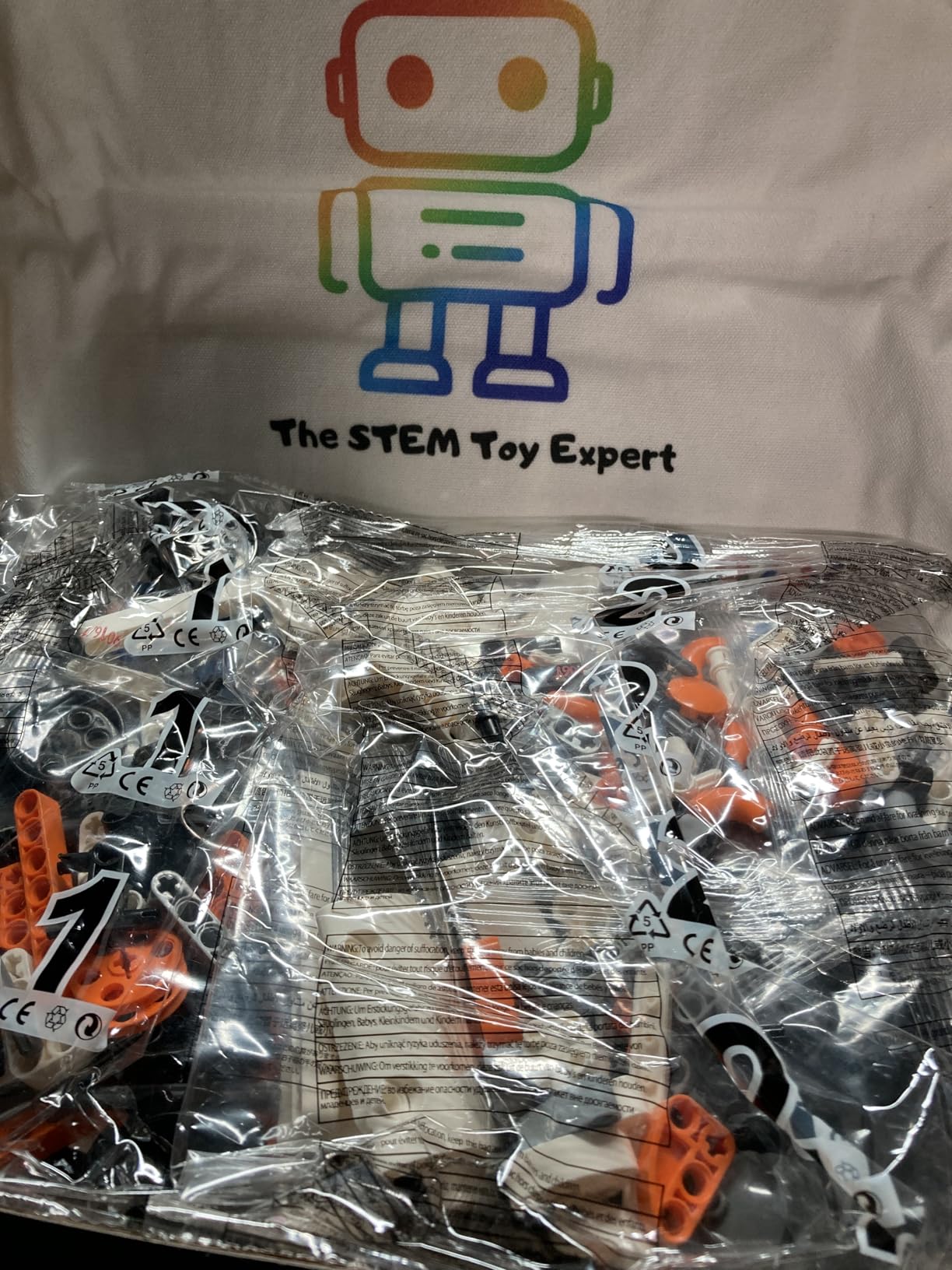
- Color-coded bagged pieces and a free brick separator smooth assembly
- Works with both a 2.4GHz remote and app coding control
- Durable ABS construction
- Manufacturer age rating is 8 to 18 so younger children need adult help
- Programming arrives through the app rather than a structured curriculum
This is the one in the list I would hesitate to recommend at six without caveats, and I am including it because parents keep asking about it. It is a very large kit: 560 pieces that assemble into a machine gun robot, an armoured vehicle, a cannon tank, a snowmobile and a mechanical dinosaur, with a 2.4GHz remote and app-based coding control.
What makes the assembly bearable is the organisation. Pieces are colour-coded and sorted into numbered bags, and a brick separator is included free, which are exactly the two details that separate a kit a family enjoys from one that ends up in a cupboard. Durability is solid ABS with a stable control system, and there is a one-year warranty against manufacturer defects.
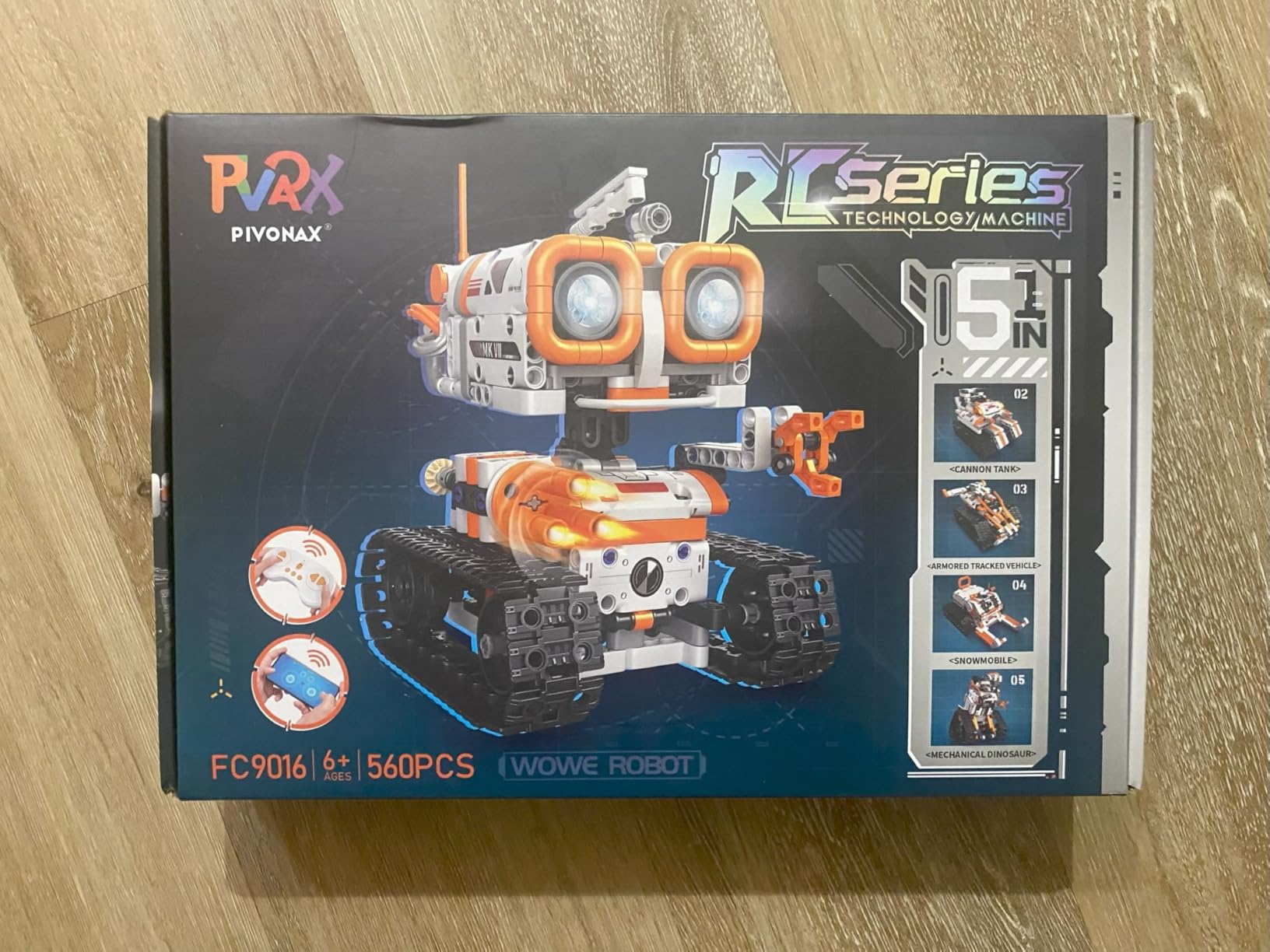
The app introduces programming logic intuitively rather than through a curriculum, and the review summary is telling: most of the 127 reviews are short gift-reaction notes from parents and grandparents who bought it for older children, praising build variety and value. That tells you what kind of purchase this is. It is a gift, and it works best as a build alongside an adult.
The box contains building blocks, instructions, a motor box and a remote. Control is 2.4GHz, so there is no Bluetooth pairing step and no firmware update, which removes one of the setup problems that dog the app-based sets in this category.
Is it right for a six-year-old
The honest answer is with help. The manufacturer recommended age is 8 to 18, and the product title says 6 and up, which is exactly the kind of mismatch that leaves a parent disappointed on Christmas morning. A six-year-old can operate the finished robot easily, but the 560-piece build is well beyond independent six-year-old assembly.
It works well as a weekend project with a parent, or as a shared set with a two-child family working on separate models. If your child is a fast, focused builder who already assembles complex construction toys, stretch the age label and go for it.
What to watch before you commit
Two things. First, the manufacturer rating of 8 to 18 means younger children typically need adult help building, so budget your time as well as your money. Second, the programming features are introduced through the app rather than a structured coding curriculum, so this is a building toy with app control attached.
If your goal is teaching coding at six, this is the wrong tool and I would not spend the budget here. If the goal is a big, satisfying build that ends in something your child drives, it delivers that well, and its 4.5-star average across 127 reviews with 77 percent five-star ratings reflects a satisfied gift-buying audience.
10. WhalesBot A1 Coding Robot – Best Hand-Me-Down for a Younger Sibling
WhalesBot A1 Coding Toy for Kids, Building Block Robot, Fun STEM Toy with Magnetic Controller and Sensor Blocks, Screen-Free Coding with 3 Guide Books for Kids 3-6
- Fully screen-free magnetic coding with no app
- Sturdy magnetic modules sized well for small hands
- Instructions presented as stories
- Quick three-step setup gets kids building immediately
- Buzzer sound is loud and continuous
- Simple enough that children over 4 or 5 may lose interest quickly
- Some reports of motors failing after about a year
The WhalesBot A1 is the youngest-rated robot in this list, with a manufacturer recommendation of 36 months to 5 years, which makes it an unusual entry in a roundup about six-year-olds. I am including it for one specific reason: if you have a six-year-old and a younger sibling, this is the robot that will not be outgrown for years, so it can start as a hand-me-down rather than something you buy twice.
The coding method is the interesting part. Rather than buttons or cards, children assemble magnetic controller, actuator and sensor modules to complete a design, and the robot responds. There is no app and no screen at all. The magnetic pieces are a similar size to LEGO pieces and feel appropriately solid for small hands, and the kit has eight different configurations with rounded safe corners.

Setup is a three-step process that gets kids building almost immediately, and the box includes the A1 kit, four electronic components, 37 structural components, two storybooks and a user guide. Instructions presented as stories is a genuinely good choice at this age, since the narrative replaces the explanation. Owners of toddlers consistently praise the screen-free magnetic approach for pulling children away from video games.
One technical note: the battery is alkaline, and it must be charged with DC 4.2V to 5V only, because higher voltage may prevent charging. That is a specific instruction worth reading twice before you plug it in.
Whether a six-year-old will still enjoy it
Honestly, probably not for long. Simple enough that children older than about 4 or 5 may lose interest quickly is the most common review theme, and it matches what I saw. A six-year-old will enjoy the magnetism and the construction for a few weeks, then ask for something with more control.
For that reason I would not buy this as a primary robot for a six-year-old. I would buy it if you have a two-child age spread and want one toy to serve both, or if your six-year-old is on the younger, more tactile end of the age range. Our picks for the best STEM toys for 4 year olds cover that younger end of the range in more detail.
What to watch before you commit
The buzzer sound is loud and continuous, which parents consistently find irritating, and in a quiet home that is a real problem. Second, some reports of motors failing after about a year, with limited replacement support, so this is the least durable option here and the one most likely to need replacing rather than passing on.
At 4.3 stars from 96 reviews, with 70 percent five-star and 8 percent one-star ratings, the spread is wider than for the other picks. That is the trade for buying something rated for a three-year-old in a list for six-year-olds. Treat it as a sibling-shared purchase rather than a first coding robot.
How to Choose a Coding Robot for a 6-Year-Old
Two decisions narrow this list down almost completely: screen-free or app-based, and whether your child can read menus. Everything else, including price, is secondary. Here is how we would work through them, including the questions parents raise most often in forums.
Screen-free or app-based: what actually works at six
Screen-free robots win at this age, and the reason is behavioural rather than philosophical. The interface is the toy, so there is nothing to misread, nothing to drag precisely, and no pairing to fail. A six-year-old can be independent with Botley or the Thames and Kosmos set on the first afternoon. Forum conversations about cutting tablet time circle this constantly, and parents who buy app-based robots at six often report the tablet becoming a parent-operated device.
App-based robots win on longevity and on what they can eventually teach. Dash is the exception that proves the rule, because its guided path starts in voice commands and its apps are built to be followed icon by icon without reading. My rule for age six: if an app-based robot has a first mode that needs no reading, it is usable now. If it opens on a block workspace, it is an adult-operated toy until the child is seven or eight.
There is a middle path worth considering. Ozobot Evo starts with colour codes drawn by hand, which is screen-free, and adds Blockly later. That structure respects a six-year-old’s limits now and grows into a real coding environment at eight, which is the same two-stage logic that makes it work in a classroom.
Will it work before your child can read?
Yes, but only some of them, and this filter eliminates more options than price does. Anything programmed by pressing buttons, arranging physical cards, drawing colour lines or snapping together magnetic modules works with no reading at all. That covers Botley, Botley 2.0, Code and Go Robot Mouse, Thames and Kosmos, Ozobot in colour-code mode, and the WhalesBot A1.
Anything that opens a text menu does not, unless it has a non-reading entry point. Dash, Codey Rocky, Ozobot in Blockly and the two building kits all assume an adult is present for the first session. The honest framing for parents is that these are joint-use toys at six and solo-use toys at eight, and there is nothing wrong with that as long as you know it going in.
Six questions to ask before you buy
First, will my child use it without me? If the honest answer is no, you are buying a shared activity, which is fine, but know that going in. Second, does the first mode work without reading? Third, is the floor a problem? Sensor robots and marker robots behave differently on carpet, and a home with medium-pile carpet should lean towards bots with obstacle pieces rather than line-following.
Fourth, how long does the first build take? Anything over twenty minutes ends most six-year-old sessions. Fifth, what does it need beyond the box? Rechargeable AAA batteries for the Learning Resources sets, a tablet for the app-based robots, replacement markers for Ozobot. Sixth, can two children use it, and if not, is there a rotation plan?
What to buy now, and what to move to at 7 and 8
Buy now for a six-year-old who is new to coding: a screen-free set, either Botley or Code and Go Robot Mouse. Both are rated to younger children, both need no reading, and neither goes stale within a year. The mouse teaches sequencing fastest and hands down well; Botley teaches sensing and logic, and lasts longer.
At seven, add a second layer rather than a replacement. If the child started screen-free, Ozobot Evo introduces a real coding environment while keeping the colour-code habit. If the child started app-based on Dash, keep Dash and progress through its guided levels rather than upgrading. At eight, the natural moves are Makeblock Codey Rocky for the bridge from blocks to Python, or a buildable set if the child has shifted from programming to construction. Our guide to the best coding robots for kids 8 and up covers where that path goes next.
For siblings, the sequence works in reverse too. A child who has a robot at seven or eight can hand it to a six-year-old, which is why a dash-level investment at seven often beats a cheaper toy at six that is outgrown in a year.
The cost nobody mentions: batteries, devices and expansion
Battery logistics are the most consistent hidden expense in this category. Code and Go needs three AAA, Botley needs five across the robot and the remote, Botley 2.0 needs five, and none of them are included. Rechargeable AAA batteries solve this in one purchase and are the first thing to buy alongside any of them. Dash and Codey Rocky ship with rechargeable lithium-ion batteries included, which is a genuine saving over three years.
Then there is the device. Every app-based robot here needs a tablet or phone, and if you do not already have one in circulation for your child, that is the largest line item in the whole purchase. Screen-free sets have no such requirement. Ozobot is the partial exception, since its colour-code mode needs nothing.
Finally, consumables and expansion. Ozobot colour codes must be redrawn as the included markers wear down, and the Thames and Kosmos set is a self-contained course that ends rather than extends. Build kits carry the opposite risk: hundreds of pieces, so a missing part can end a project. None of these are reasons to avoid a product, but all of them belong in the decision.
Frequently Asked Questions
What is the best robot for a six-year-old?
The Wonder Workshop Dash is the best all-round choice for a six-year-old, because its guided apps start in voice commands and build from there into drag-and-drop blocks, so no reading is required to begin. If your family wants zero screen time, the Learning Resources Botley is the better buy: its handheld remote programmer needs no device, no reading and no account, and it adds object sensing and line following on top of simple route planning.
Can a 6 year old learn to code?
Yes, and age six is genuinely a good starting point, though not for typing syntax. What a six-year-old learns is that instructions have an order, that a mistake is information rather than failure, and that a plan can be tested and revised. Those habits transfer to reading comprehension, maths and every later programming language. At this age, screen-free robots and toy-first app modes teach the loop better than a block workspace does.
Do coding robots need a screen or tablet?
Most app-based coding robots do, including the Wonder Workshop Dash, the Makeblock Codey Rocky and the two building kits, and Ozobot needs a device for its Blockly mode. Screen-free options need nothing at all: Botley, Botley 2.0, the Code and Go Robot Mouse and the Thames and Kosmos kit all program through physical buttons, cards or magnetic modules. If you want no tablet in the room at all, filter your shortlist to the screen-free column.
What are some good robot toys for a 6 year old?
For robot toys that need no reading, start with the Learning Resources Code and Go Robot Mouse, rated from age four, or Botley with its remote programmer. For a child who builds before they program, the Opmind 5-in-1 kit gives 478 pieces and five rebuildable models with app control. For a sibling-shared purchase, the WhalesBot A1 is rated from 36 months to 5 years and will not be outgrown for years.
Is Botley or Bee-Bot better for a 6 year old?
Botley is the better buy for home use at six, because it ships with 40 coding cards, 27 obstacle pieces and a full remote programmer, so the set works the moment the batteries go in. Bee-Bot remains a common school and library robot, and children who have used one already know the arrow-button idea. If your child has spent time on a library Bee-Bot, Botley is the natural step up, and the Ozobot Evo is the step up again.
What is the best coding robot for 8 year olds?
At eight, a block-coding environment opens up properly, and the Makeblock Codey Rocky is a strong choice because it runs Scratch blocks and then supports Python on the same robot. The Ozobot Evo also works, with five skill levels and over 700 free lessons. Dash remains a solid option thanks to its guided path. Our full guide to the best coding robots for kids 8 and up covers the step up in detail.
Final Verdict: The Best Coding Robot for a 6 Year Old
After working through all ten, the Wonder Workshop Dash is the best coding robot for 6 year olds overall, because it is the only app-based robot here that a six-year-old can genuinely use alone, and it stays useful through the early school years. Its guided path, strong motors and rechargeable battery solve the three problems that make parents regret app-based robots at this age.
If your family is cutting screen time, buy the Learning Resources Botley instead and pair it with a pack of rechargeable AAA batteries. If your child cannot read yet, start with the Code and Go Robot Mouse, then move up at seven to Ozobot Evo or the Botley 2.0. Save the build kits for a birthday project with an adult, and buy the WhalesBot A1 only if you have a younger sibling to share it with.
Whichever you choose, the test is the same. Put it in front of your child on a Saturday morning, step back, and see whether they are still playing it an hour later. That is the only measure that has ever predicted whether a coding robot is still in use next month.