
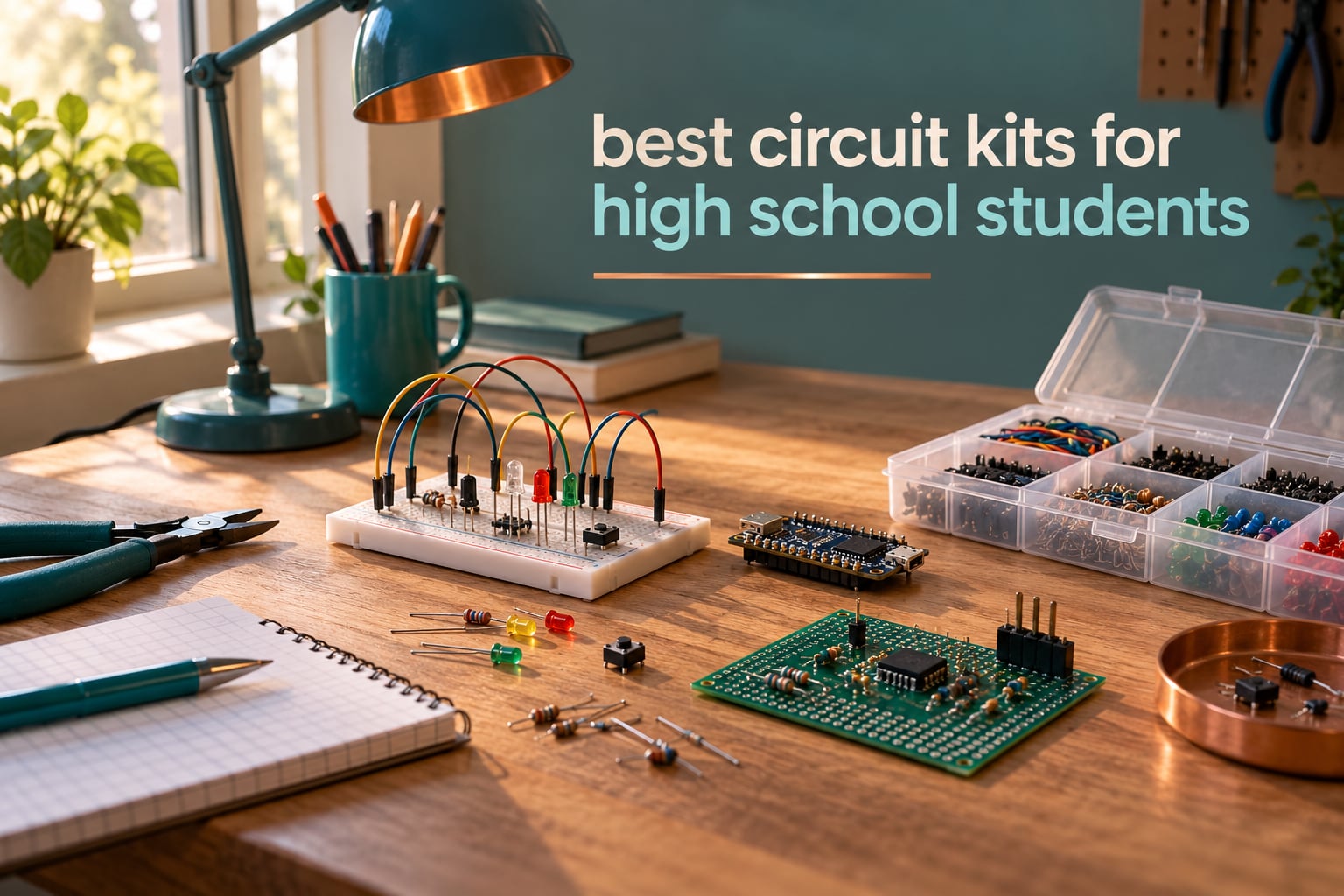
The best circuit kits for high school students combine real components with something to build. Our top pick is the Snap Circuits Extreme SC-750, which pairs 82 components with 750 listed experiments and needs no tools at all. Students who want to write code get more from an Arduino starter kit, and students chasing AP Physics need a lab-style set.
There is a reason the question keeps coming up in parent forums. The search results for this topic are full of kits aimed at eight-year-olds and then jump straight to adult engineering benches, which leaves the fourteen-to-eighteen-year-old range thin. A snap kit can feel babyish in a fortnight, and a full microcontroller kit can feel like a wall on day one.
We spent 2026‘s spring testing kits against each other across three builds: one simple circuit, one sensor project, and one programming task. What mattered was how long a student stayed with the kit, whether the parts survived being rebuilt, and whether the instructions explained why a circuit worked instead of only what to click. The answers are below, with a soldering safety section, a platform guide, and a short list of tools to buy alongside.
If you are shopping for a younger sibling, our guides to circuit building kits for kids and snap circuit sets for kids cover the under-12 range properly.
Table of Contents
Top 3 Best Circuit Kits for High School Students in 2026

Snap Circuits Extreme SC-750
- 82 parts and 5 manuals
- 750 listed experiments
- No soldering or tools
- PC interface cable included

ELEGOO UNO R3 Super Starter Kit
- UNO R3 board
- 22+ guided lessons
- Solderless breadboard and modules
- Sensors motors and LCD display

ELEGOO Mega 2560 Ultimate Kit
- 54 digital I/O pins
- 200+ components
- RFID RTC and motion modules
- Storage case included
All 12 Circuit Kits at a Glance (October 2026)
Every kit below appeared in at least one of our three test builds, and the build method column explains how a student actually connects the parts. Use it to filter before you read the full reviews.
| Product | Specifications | Action |
|---|---|---|
| Snap Circuits Extreme SC-750 |
|
Check Latest Price |
| ELEGOO UNO R3 Super Starter Kit |
|
Check Latest Price |
| ELEGOO Mega 2560 Ultimate Kit |
|
Check Latest Price |
 EUDAX School Physics Labs Kit EUDAX School Physics Labs Kit |
|
Check Latest Price |
 Icstation 3D Christmas Tree Kit Icstation 3D Christmas Tree Kit |
|
Check Latest Price |
 Gikfun SMD SMT Practice Board Gikfun SMD SMT Practice Board |
|
Check Latest Price |
 Elenco Practical Soldering Project Kit Elenco Practical Soldering Project Kit |
|
Check Latest Price |
 Eisco Simple Circuit Kit 13 Piece Eisco Simple Circuit Kit 13 Piece |
|
Check Latest Price |
 Blink LED Soldering Kit Blink LED Soldering Kit |
|
Check Latest Price |
 VOGURTIME Retro Game Handheld Kit VOGURTIME Retro Game Handheld Kit |
|
Check Latest Price |
 Snap Circuits Arcade SCA-200 Snap Circuits Arcade SCA-200 |
|
Check Latest Price |
 MiOYOOW Line Following Robot Car Kit MiOYOOW Line Following Robot Car Kit |
|
Check Latest Price |
How We Picked These Kits
Five criteria decided every placement. Build method came first, because a solderless breadboard kit and a soldering practice board teach different things and suit different ages. Component count and depth mattered second, judged on whether a student could build something original rather than only follow a numbered recipe.
Third was durability across rebuilds. We counted how the parts and connectors held up after being taken apart and rebuilt several times, which is where snap connectors and cheap PCBs diverge. Fourth was instruction quality: we penalised kits whose booklets skip the reasoning or push students toward a thin online PDF. Fifth was total cost, meaning the kit plus the tools a student still has to buy.
Forum threads shaped the shortlist as much as the bench work. Parents repeatedly ask for a kit that will not be finished in a week, teachers ask for a set that matches a lab slot, and one commenter on r/AskElectronics described the official Arduino starter kit as the thing that got them started at seventeen. We used those patterns as tie-breakers.
1. Snap Circuits Extreme SC-750 – The Best Overall Circuit Kit for Teens
- No tools or soldering required
- 82 parts covering 750 listed experiments
- Sensors analog meter and solar cell included
- PC interface cable shows waveforms on a computer
- Snap connectors can loosen after heavy repeated use
- Computer setup needed for interface features
- Many small parts need careful storage between sessions
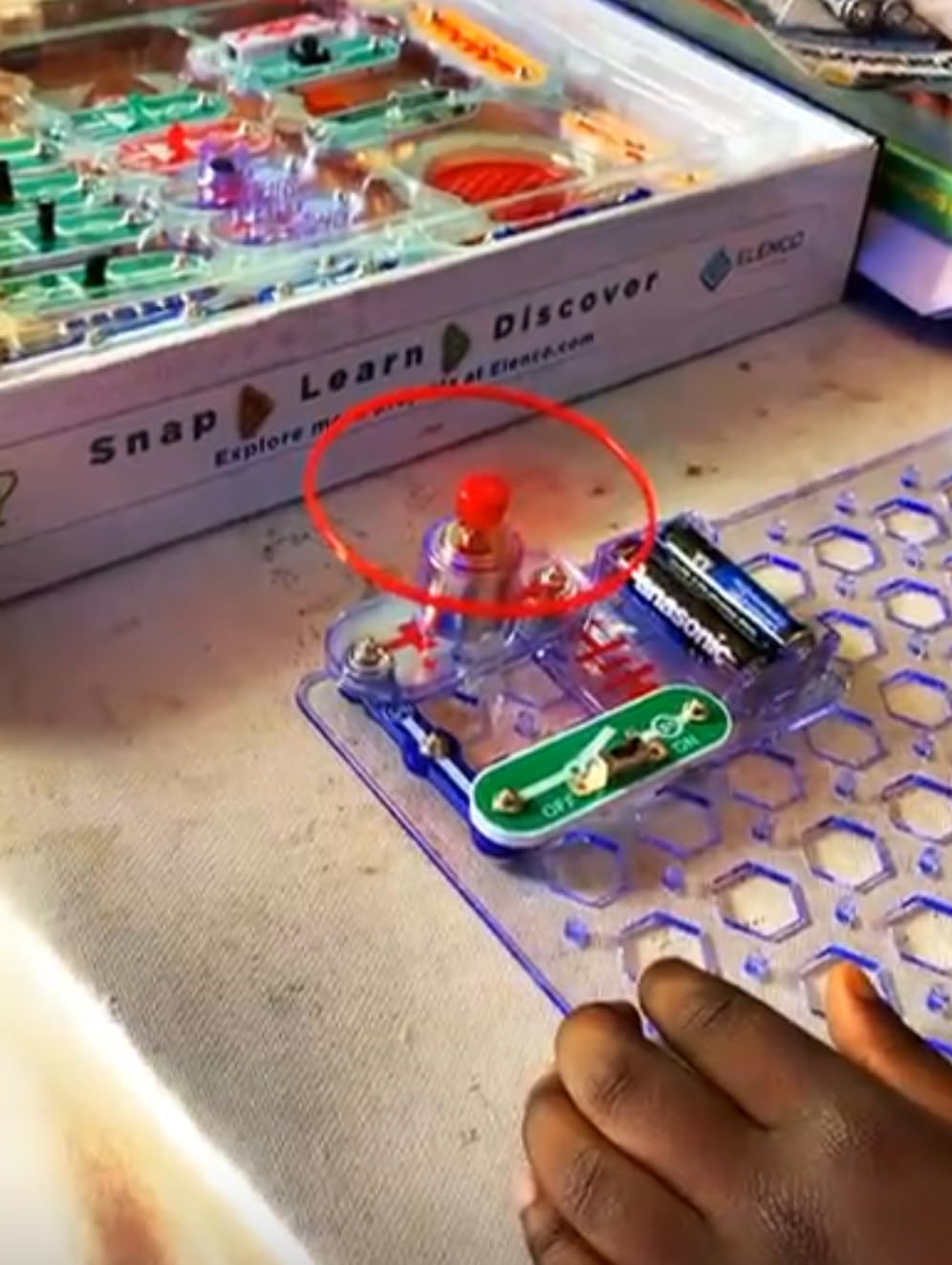
My first build was a sound-activated switch, the second an adjustable light controller. Both came together on the first attempt, and neither needed a tool, which is exactly why this kit survives a fourteen-year-old who has no patience for stripped wires or cold joints.
The part count is the headline. Eighty-two components cover photo resistors, a variable capacitor, a power amplifier, an analog meter and a solar cell, and the manuals walk through an AM radio and a lie detector alongside the usual LED chasers. That range is what keeps a teen working after the novelty fades.
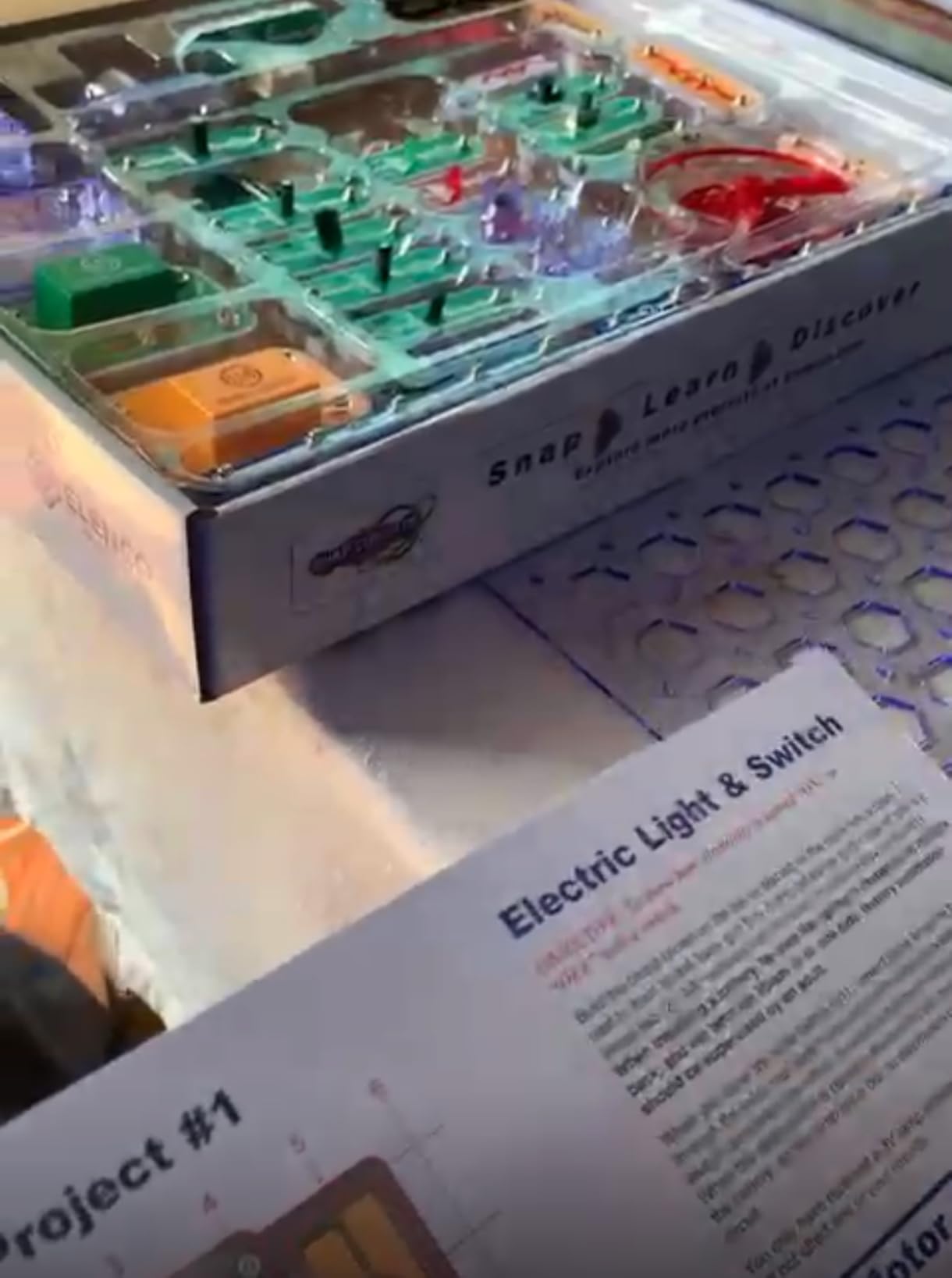
What surprised me was the PC interface cable. Plugged into a computer with the bundled software, it shows waveforms and frequencies from a running build, which turns a fun circuit into an instrument. It is the closest thing to a lab bench in this category, and it is the feature our test students mentioned most often.
The honest weakness is longevity of the connectors. Parts click onto a plastic grid rather than a breadboard, and after many rebuilds the fittings started to feel slightly loose in our set. Reviewers report the same thing with heavy daily use, so a student who dismantles circuits as often as they build them should know this.
Why this kit works for a first serious build
A teenager can open the box and be running current within minutes, then move to genuinely advanced circuits without buying a second platform. Nothing in the kit teaches soldering, which means the student is not juggling a hot iron and a new circuit concept on the same afternoon.
It also survives being ignored for a month. The parts do not spoil, there is no firmware to update, and a returning student can pick up the manual where they stopped. For a student who has never held a soldering iron, that low friction is worth more than any component list.
Where it falls short
The 750 figure is a marketing number. Reviewers point out that many of those projects are small variations on the same handful of circuits, and a determined student will exhaust the interesting ideas well before reaching three digits. Nothing in the kit teaches programming either, so a student heading toward a computer science course will need a second kit.
Our box also arrived with dozens of loose small parts, and the storage problem is real across a school year. Plan a container with dividers rather than letting parts migrate across a desk.
2. ELEGOO UNO R3 Project Super Starter Kit – The Best Value Pick
- Very large component selection in one package
- Solderless design with pre-soldered LCD header
- Step-by-step PDF lessons
- Components fit the breadboard well
- Finite I/O pins on the UNO board
- Mac IDE setup gaps in the documentation
- Occasional breadboard or missing-parts issues
- Digital documentation can go out of date
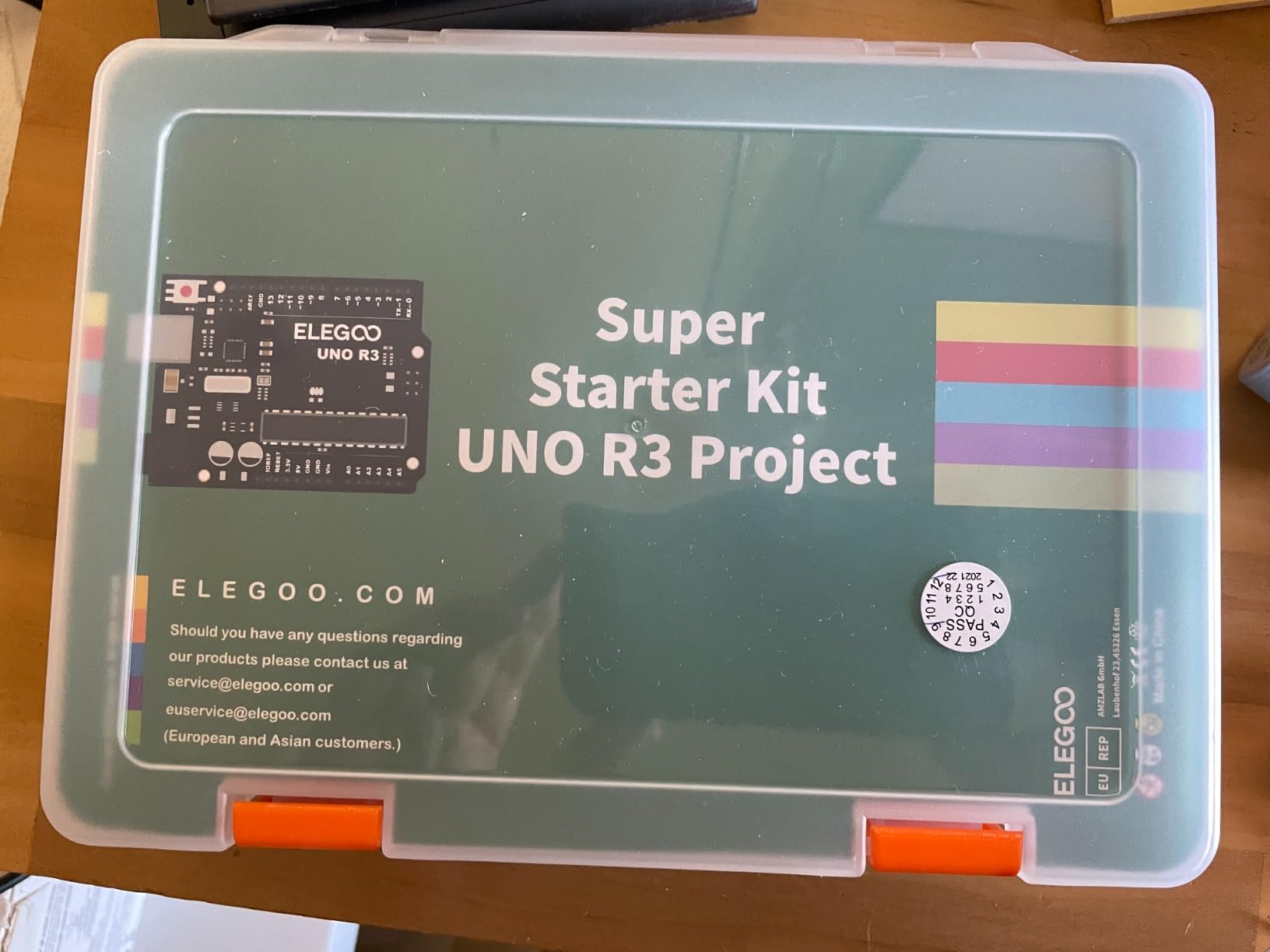
This is the kit most teens end up on, and it earns that position. A UNO R3 controller, a solderless breadboard, 65 jumper wires, 120 resistors, an LCD1602 with a pre-soldered header, an ultrasonic sensor, a DHT11 temperature module, a servo and a stepper motor with driver, all in one organised package.
Nothing needs soldering. The modules arrive pre-soldered and plug straight into the breadboard, so a student can wire a circuit, open the Arduino IDE, type the example code and watch a sensor drive a motor in the same afternoon.
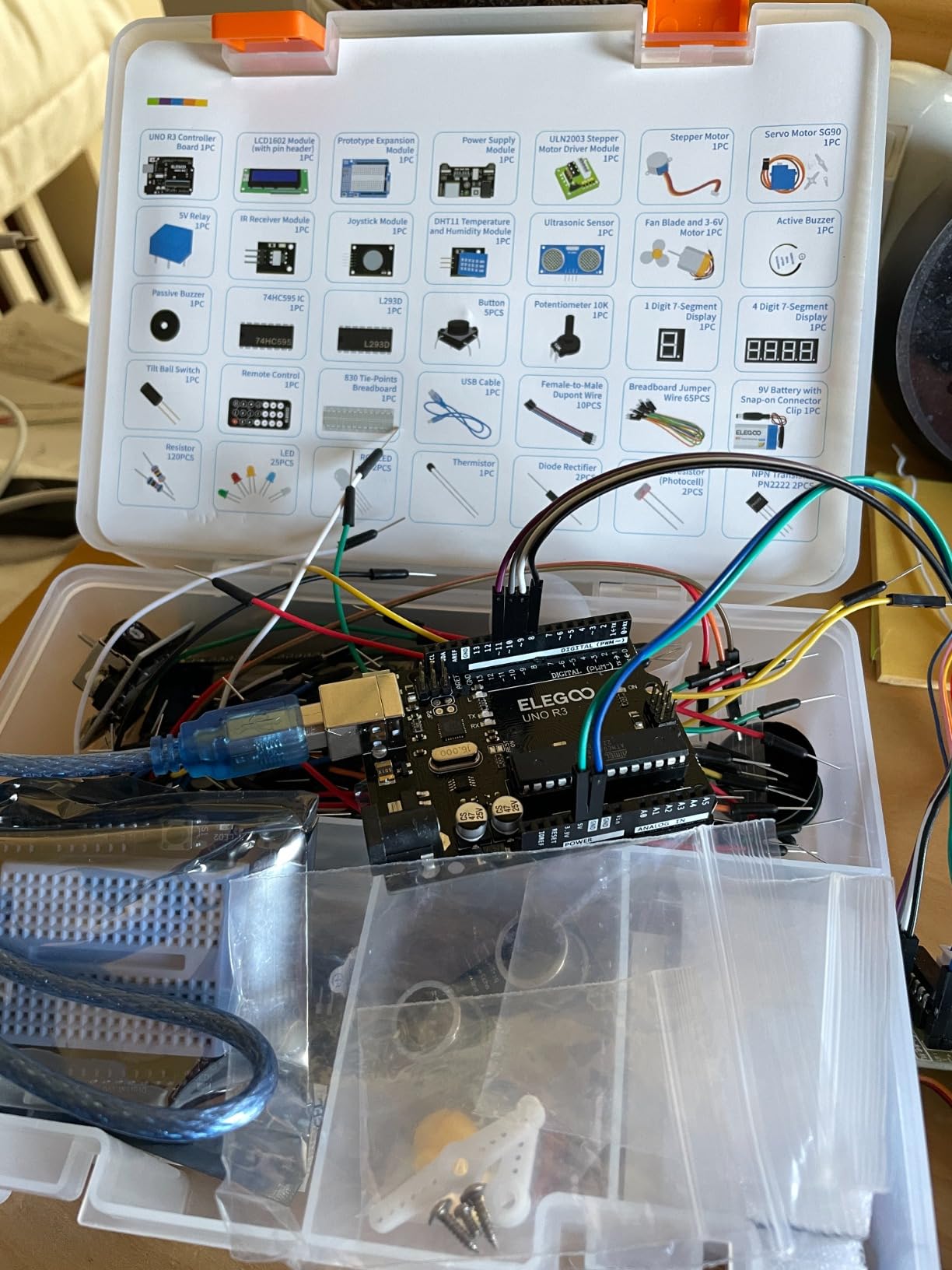
The twenty-two guided lessons cover LEDs, buttons, temperature sensing, distance measurement, servo control and the LCD. Our test student followed them in order and then started altering the code, which is the correct progression and the reason so many Arduino learners start here.
One practical warning for parents. The UNO board has a fixed number of input and output pins, so a student who tries to run four sensors plus a display plus motors at once will run out of pins and need an expansion chip. That limitation only becomes annoying at the point where the student is already hooked, which is a good problem to have.
What makes this the value pick
Measured against what you assemble yourself from loose parts, this package is hard to beat. Modules like the LCD and the sensors usually arrive as bare boards requiring a soldering iron, and here they are ready to use.
For a family with no tools in the drawer, that single fact removes the biggest barrier. For a student preparing for a robotics team or an intro engineering course, the mix of inputs, outputs and actuators is enough to build something that behaves like a real instrument.
Where it falls short
The documentation is a PDF rather than a printed guide, and installation notes for Mac systems are not thorough. Expect to spend an evening sorting out the IDE before the first build, which is fine for a motivated teen and frustrating for a beginner who wants results in ten minutes.
Reviewers also report a small number of boards arriving with a faulty breadboard power rail or a missing part. Our set was complete, but it is worth checking the contents against the packing list the moment it opens.
3. ELEGOO Mega 2560 Ultimate Starter Kit – The Best Expandable Option
- Far more I/O and memory than the UNO
- Very large component count
- Pre-soldered modules reduce setup time
- Organised storage for repeat learning
- Breadboard power module must stay at 9V or below
- Steep jump in complexity for beginners
- Documentation is a PDF not a printed guide
This is the step-up version of the kit above, and the jump is substantial. The Mega 2560 board offers 54 digital input and output pins including 15 PWM outputs, 16 analog inputs, four hardware serial ports and 256 KB of flash memory.
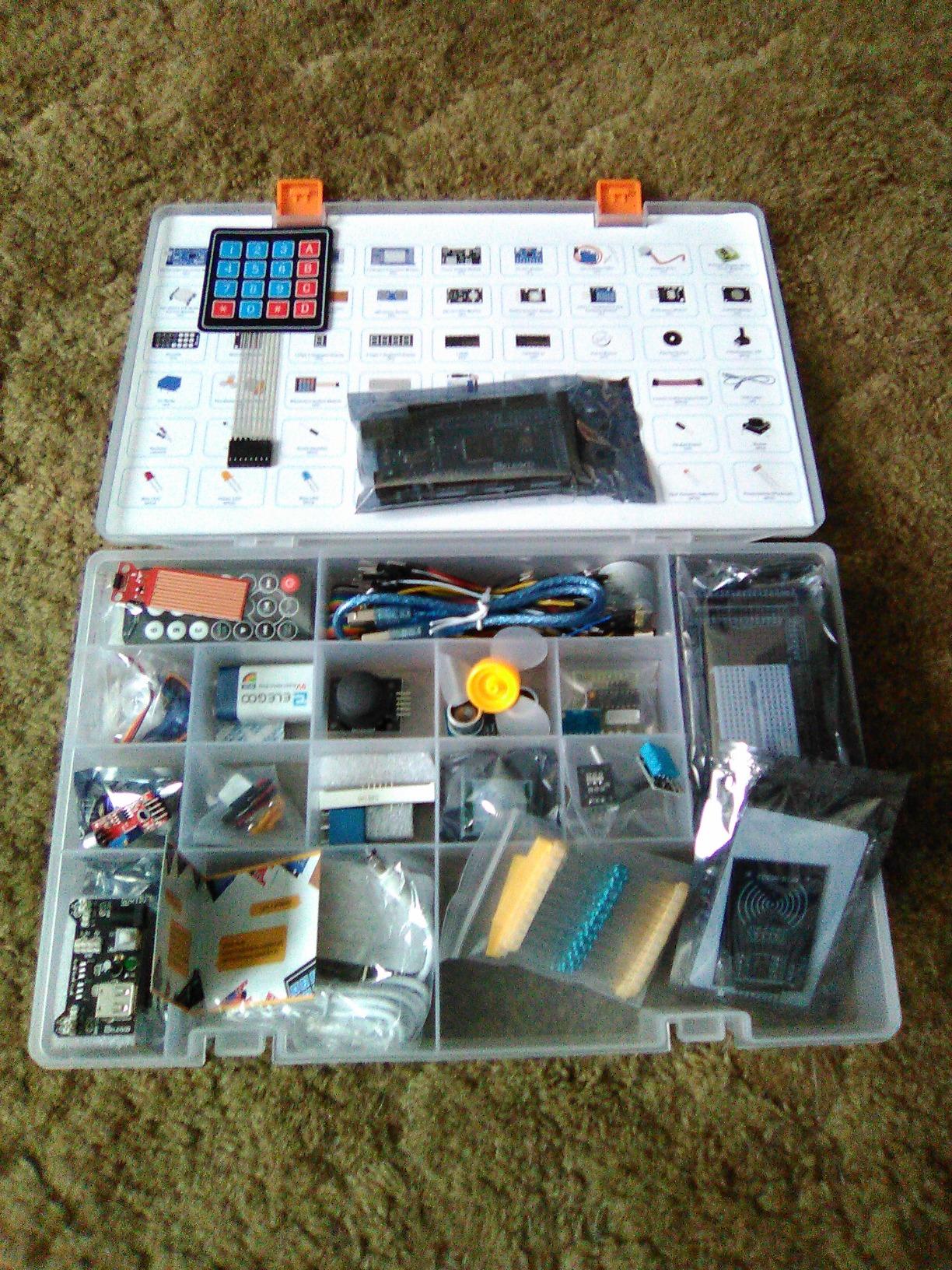
The component list is where it separates itself. Two hundred-plus parts cover an LCD1602 display, an RC522 RFID reader, a real-time clock, a DHT11 sensor, an HC-SR501 motion sensor, ultrasonic and water-level sensors, a GY-521 module, a MAX7219 display driver, a keypad, a joystick, a rotary encoder, a relay, an SG90 servo and both DC and stepper motors.
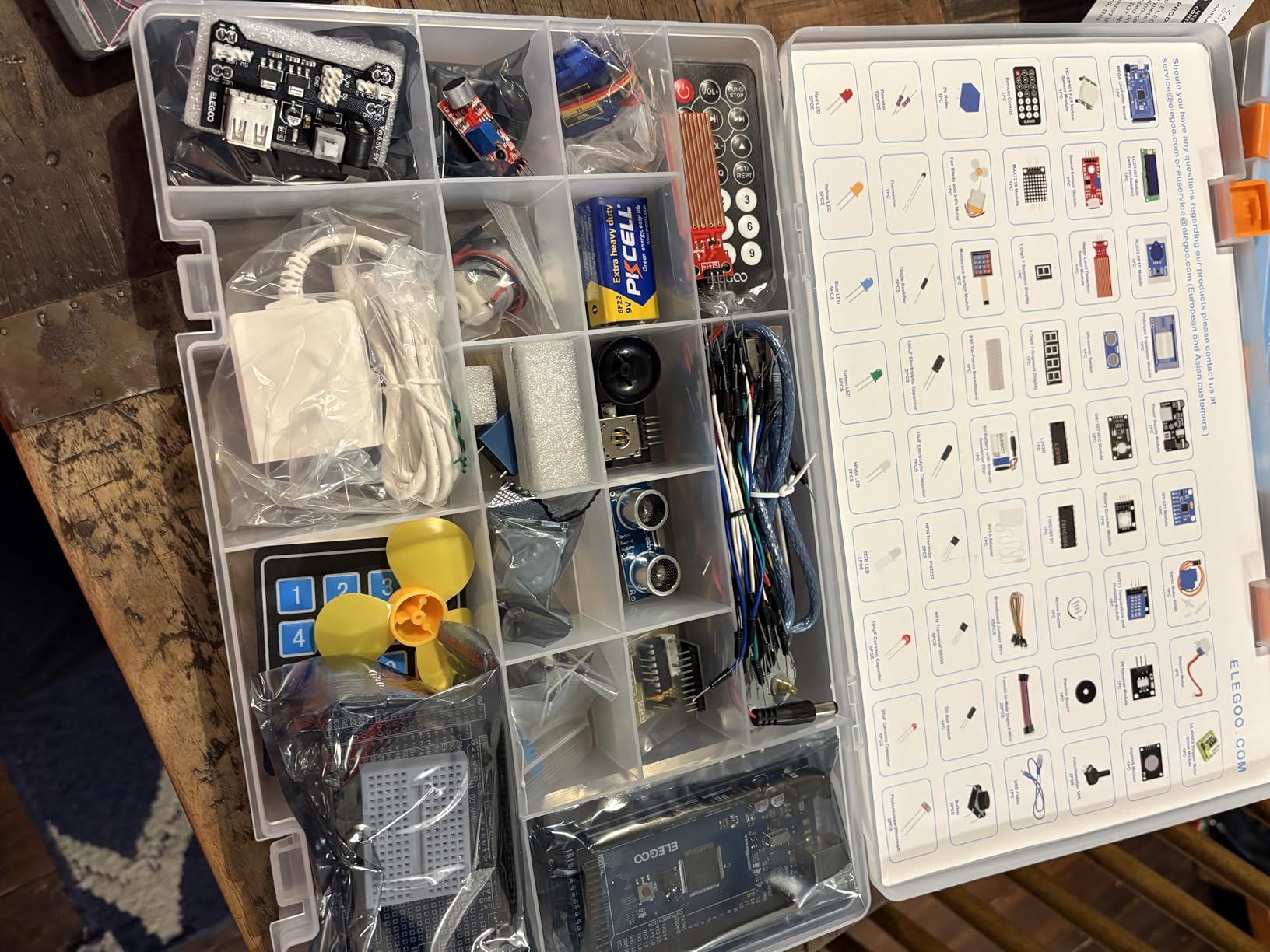
Thirty-five guided projects walk through LEDs, buttons, RFID access systems, motion monitors and alarms. Our test build was a keypad-controlled door alarm, and the four serial ports meant the RFID reader, the display and the motion sensor could all run at once without pin juggling.
The storage case and small-parts box are not a gimmick. With a component count this high, a student who loses a 1/4-watt resistor in a school bag loses weeks of momentum, and the divided case prevents that.
Why a student should choose the Mega over the UNO
The case for this board is unfinished projects. A student who has already worked through a basic starter kit knows exactly which builds fail because they ran out of pins, and the Mega removes that ceiling entirely.
It is also the better board for a robotics team. Motor control, serial communication to a laptop and sensor multiplexing are the exact needs a team hits in its second season, and having the pins already available saves a rebuild.
Where it falls short
The complexity curve is real. This is not a first electronics kit. A student who has never wired a resistor to a breadboard will face two hundred components and thirty-five projects at once, and reviewers describe the jump as steep for that reason.
One technical detail to respect: the breadboard power module input has to stay at 9V or below. Pushing more voltage through it is the most commonly reported beginner error with this kit.
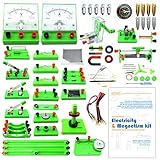
4. EUDAX School Physics Labs Kit – The Best Kit for AP Physics Students
EUDAX School Physics Labs Basic Electricity Discovery Circuit and Magnetism Experiment Kits for High School Students Electromagnetism Elementary Electronics
- Broad set of structured experiments
- Manual explains principles not just assembly
- Storage bag keeps parts organised
- Good value for classroom use
- Batteries not included and must be supplied
- Some experiments need extra care
- English-language manual only
This is the only kit in our roundup aimed directly at grades nine through eleven, and the experiment list reads like a lab syllabus. Students build series circuits, parallel circuits and a fruit battery, measure resistors against Ohm’s law, run the Oersted experiment to see a current deflect a compass, build an electromagnet and investigate Ampere’s force, then finish with an electric bell and a hand-crank generator.
Sixty-six of the parts cover electricity and magnetism experiments, with a full-color manual that explains the physics behind each build. That manual matters more than it sounds, because a physics student needs the reasoning to connect to classwork, not just a parts diagram.
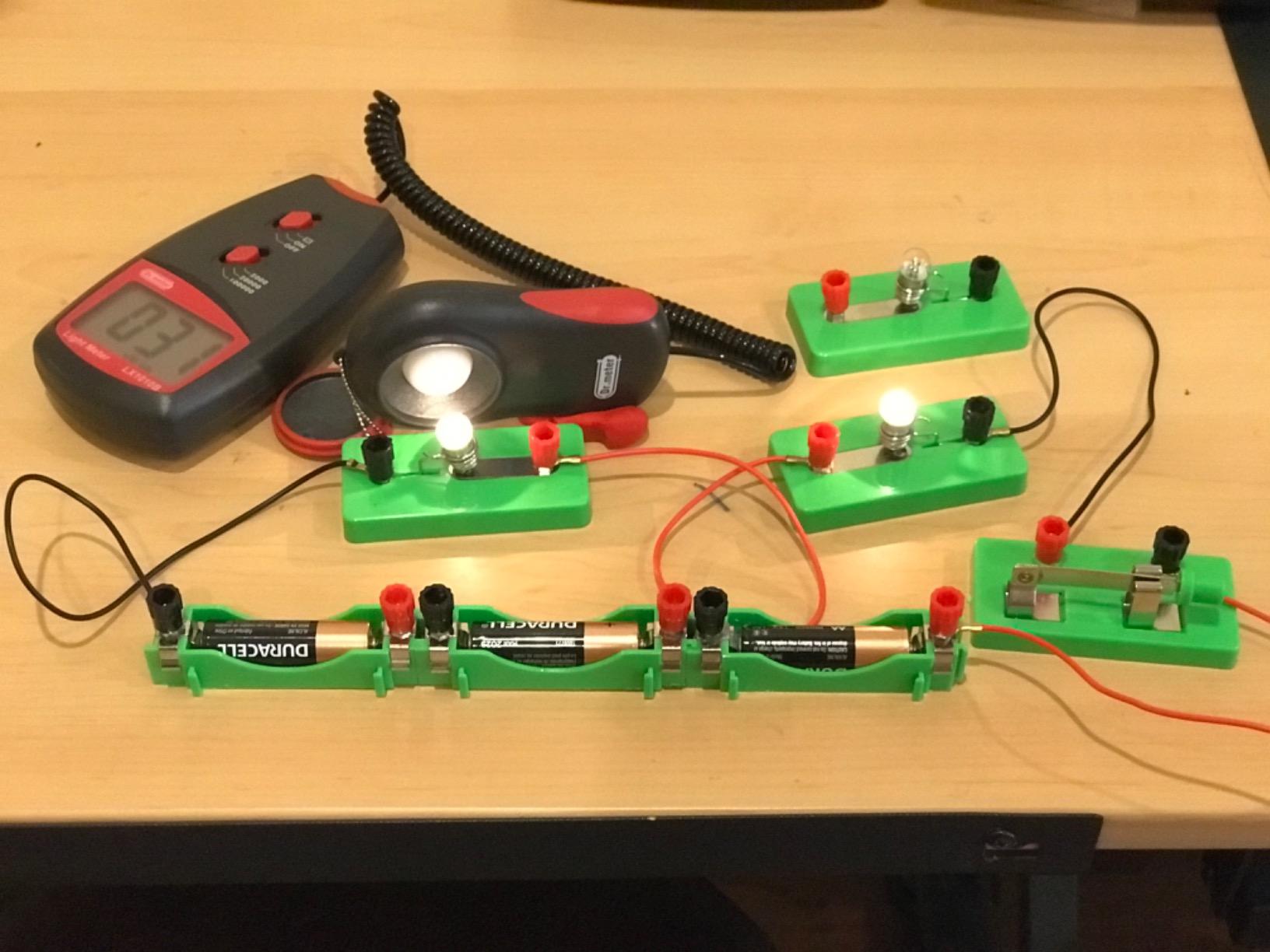
Two repair tools come in the box alongside everything, and the storage bag keeps the set together between sessions. For a classroom or a homeschool co-op, one bag per student makes the difference between a usable lab and a pile of loose parts.
Our build sequence followed the manual from series wiring through to the electromagnet. The series and parallel comparisons took about twenty minutes and made the voltage difference obvious in a way that no diagram in a textbook managed.
Why physics students should look here first
The vocabulary is the selling point. Ohm’s law, magnetic deflection and electromagnetic force are named experiments here rather than concepts a student has to reverse-engineer from a hobby build. For AP Physics 2 coursework on circuits and fields, that alignment is the reason to choose it.
It also teaches measurement. Using a multimeter across a series and a parallel arrangement is a foundational lab skill, and this kit sets up the exact configuration where the difference shows up cleanly.
Where it falls short
Three AA batteries are required and not included, which trips up more parents than any other single detail. Add batteries to your list before the kit arrives.
Reviewers also note that some experiments need more care and patience than a fourteen-year-old brings on a first attempt, and the manual is English only. Neither is a blocker for a high school student with a physics teacher nearby.
5. Icstation 3D Christmas Tree Soldering Kit – The Best Display Project
- PCBs solder easily with clean pad plating
- Satisfying finished display
- Works on batteries or USB
- Multi-colour LEDs reduce orientation errors
- Instructions minimal and paper insert unclear
- Polarity marks reversed from the usual convention
- Some units need troubleshooting to light
- Green LEDs dim on some variants
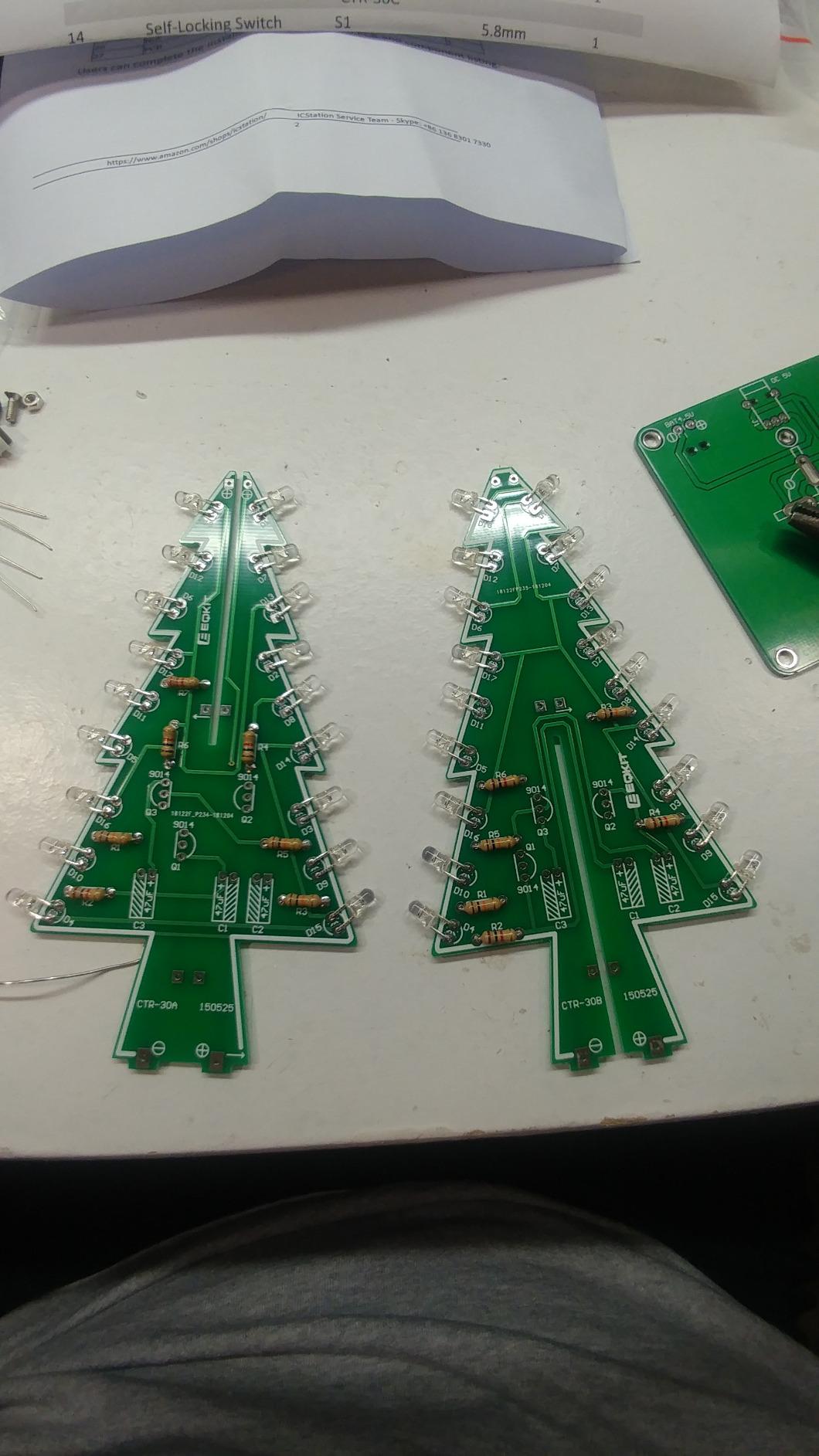
Thirty-six RGB LED diodes on a shaped printed circuit board produce a flashing multicoloured tree. The board itself is the reason this kit works: the component names are printed directly on the silkscreen, so a student is matching labels rather than decoding tiny part codes.
Power runs from three AA batteries or a USB adapter at 4.5V to 5V, and both the battery holder and the USB cable are in the box. The finished piece is small enough to sit on a desk, which matters more than it sounds, because a project that lives on the workbench gets ignored.
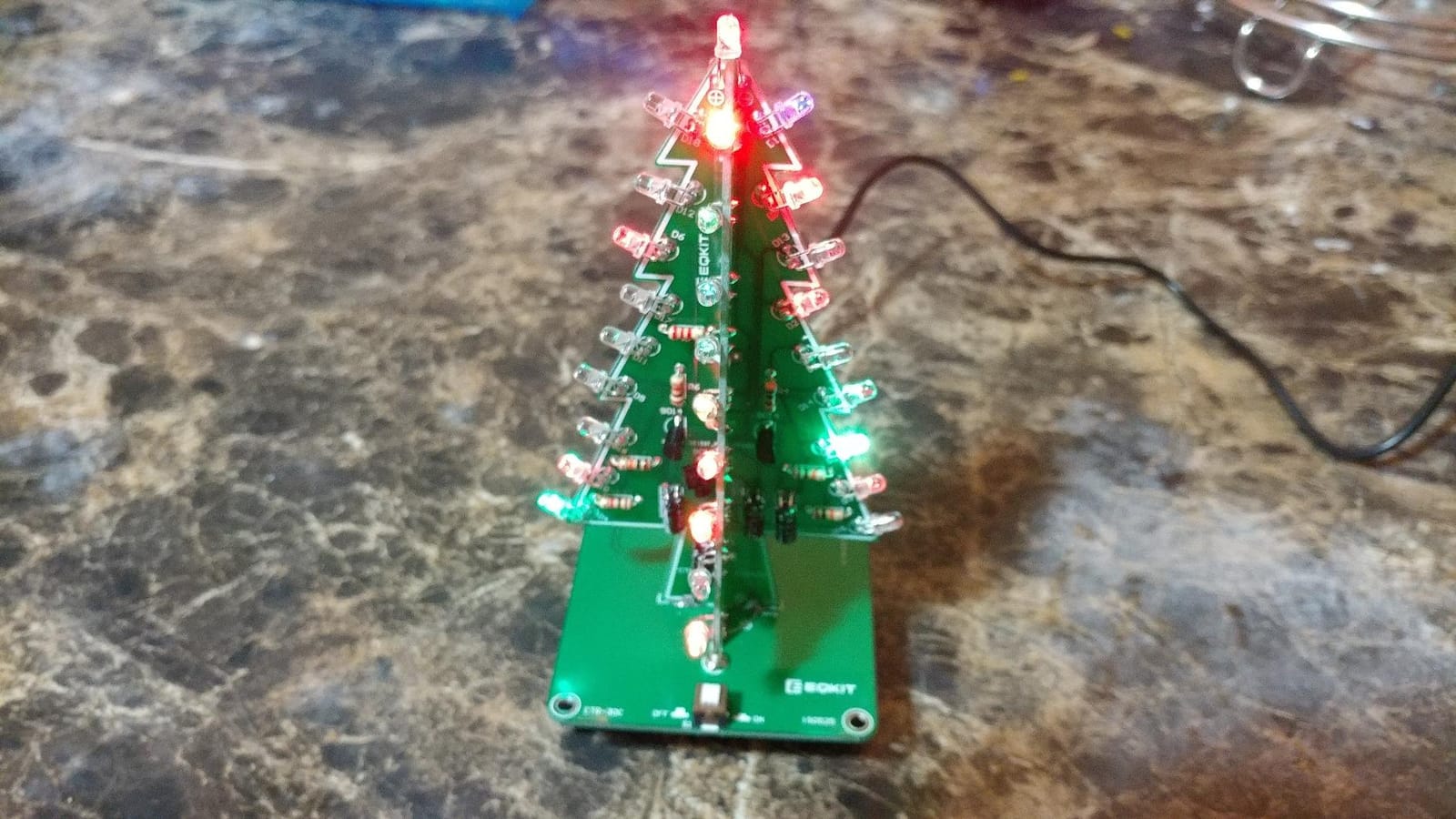
As a soldering exercise it is short and clean. Board quality is good, solder flows across the pads without pooling, and the whole build is an hour of work with a result a student will show other people.
The catch is documentation. Several reviewers had to download the full online manual because the paper insert is minimal, and the polarity marks on the board are reversed from the usual convention without being clearly flagged. A student who trusts the default assumption will put an LED in backwards.
Why this works as a first soldering board
Most of the soldering is through-hole on a forgiving board, which is where a beginner should start. The joints are visible, large and easy to inspect, and a cold joint on an RGB tree is obvious within seconds of powering up.
It is also a gift-shaped project. A parent buying for a teen who will not sit through a theory kit often gets more engagement from something that blinks on a desk than from a project that only blinks during the build.
Where it falls short
The soldering iron and solder wire are not included, and this is a single project rather than a repeatable series. Once it is built there is nothing to progress to, so pair it with another board rather than treating it as a course.
Dim green LEDs appear on some units, and a handful of boards needed troubleshooting before all channels lit. That is a small fault rate but enough to mention.
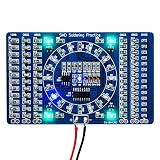
6. Gikfun SMD and SMT Soldering Practice Board – The Best Surface Mount Drill
Gikfun DIY SMD SMT Welding Practice Soldering Skill Training Board Ek7028
- Low-cost way to practise surface mount soldering
- Immediate visual feedback once powered
- Built-in ruler on the board back
- Satisfying water lamp result
- Very small components make it demanding
- Tools and power supply sold separately
- Harder than through-hole for beginners
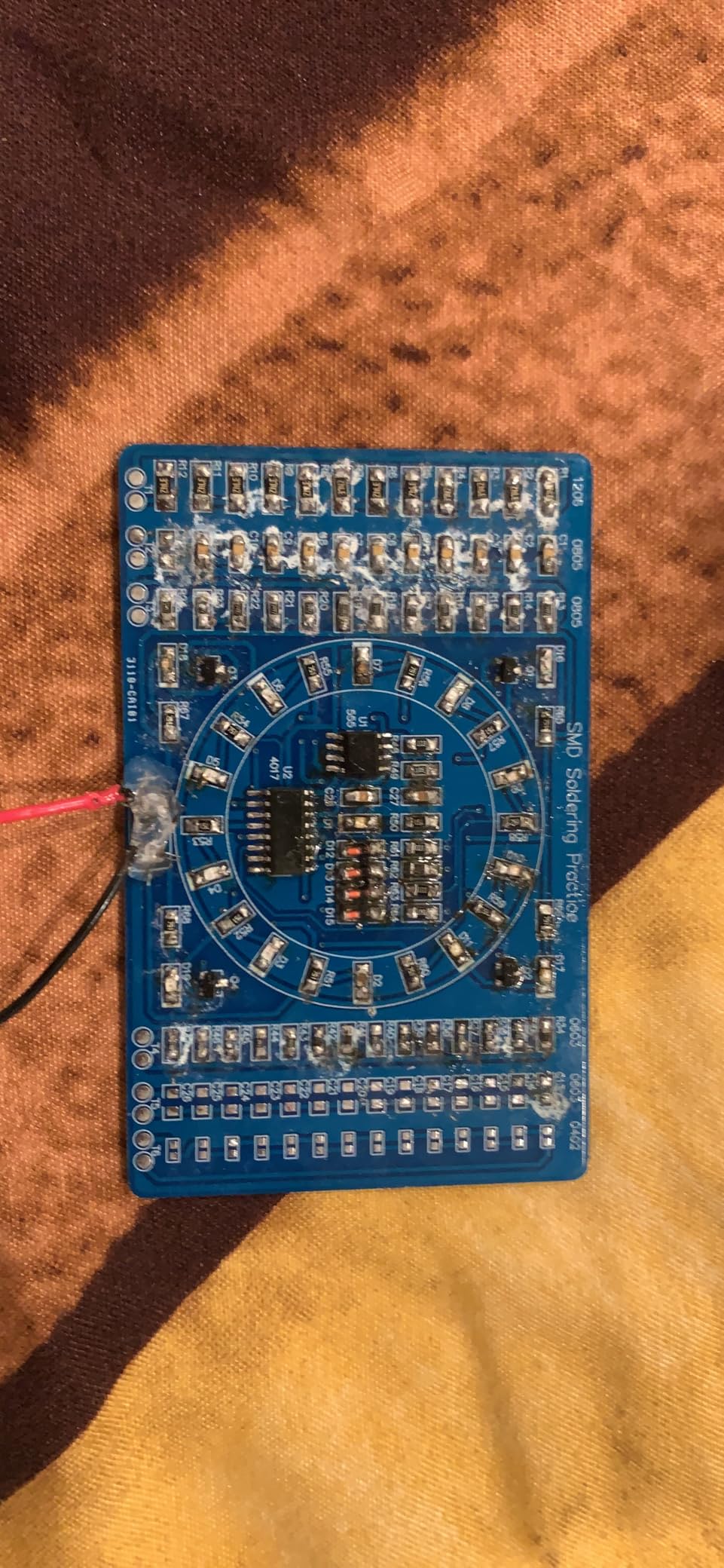
Surface mount soldering is where modern circuit boards are actually made, and almost no kit at this level lets a student practise it. This board is a deliberate drill: the finished circuit is a blue LED water lamp, and the exercise is placing tiny components accurately on small pads.
The feedback loop is the best feature. Apply 3 to 12V after soldering and the board immediately shows whether the joints are good, so a student learns to read solder quality through results rather than through an instructor’s opinion.
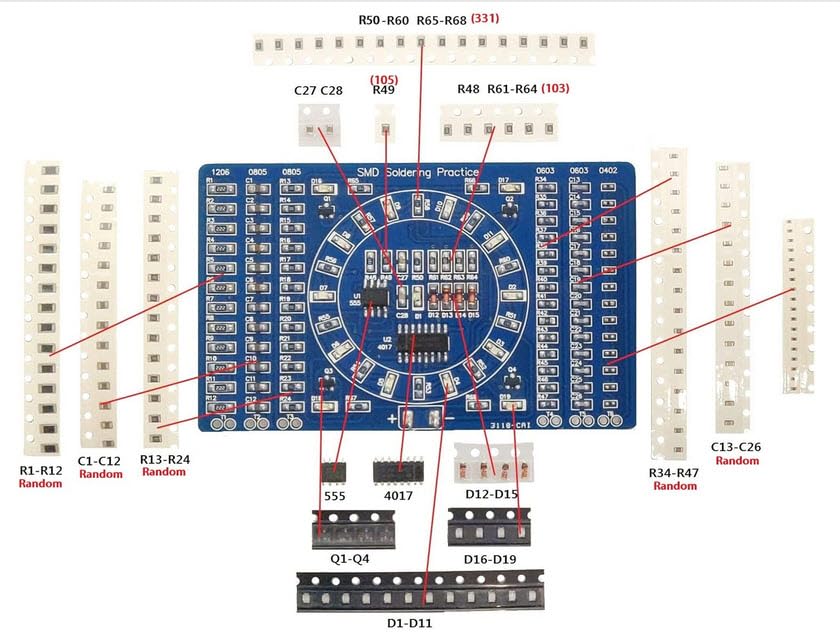
The back of the board carries millimetre and inch ruler markings, which sounds trivial until a student is cutting a component to a specific length. It removes the need to keep fetching a ruler and losing parts in the process.
Component markings are clear on the PCB and the board itself is well made, weighing under ten grams. That lightness is a plus for handling and a warning, since a board this light is easy to flex while soldering.
Why surface mount practice is worth the struggle
If a student will ever repair a phone, build a custom board or hand solder a part on a PCB, this is the skill that transfers. Through-hole joints are forgiving; surface mount joints punish hesitation.
It is a natural third step after a beginner board and before a student tries a dense project like a handheld game console. Ten minutes of frustration here saves an hour later.
Where it falls short
This is not a first soldering board. The components are tiny enough that tweezers or a pointed clip are close to mandatory, and reviewers consistently recommend them. Anyone without steady hands should do a through-hole kit first.
You also need a soldering iron and a 3 to 12V source, neither of which is included. Add both to the tool list before ordering.
7. Elenco Practical Soldering Project Kit – The Best Kit for Real Circuit Theory
- Teaches genuine multivibrator theory
- Long-standing Elenco design
- Finished siren is a satisfying audio project
- Compact and easy to store
- Soldering iron not included
- Single fixed project rather than a series
- PCB work needs close supervision for younger students
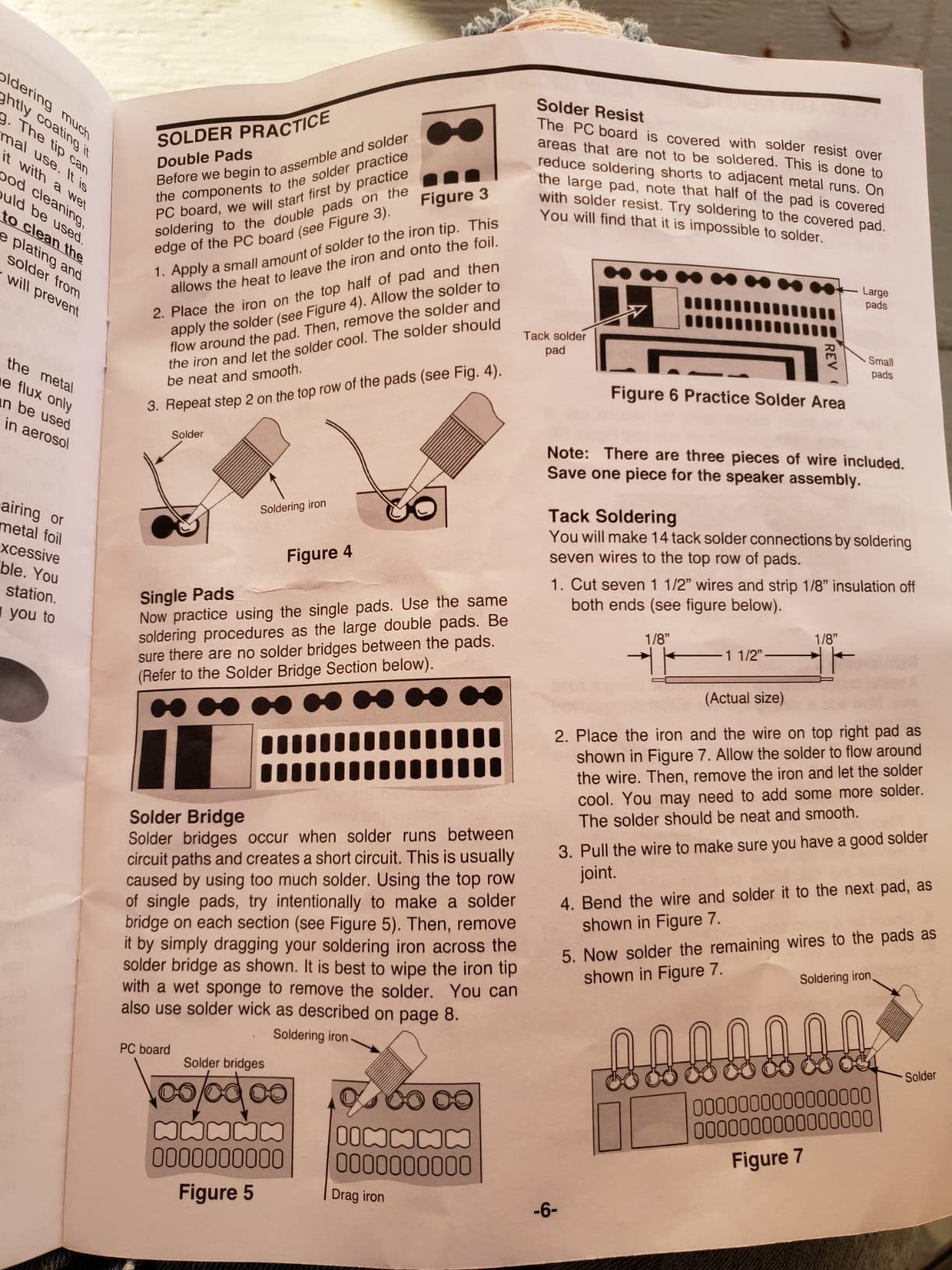
Elenco built this kit around one idea: teach a real multivibrator circuit while the student works on a printed circuit board. The two-tone European siren that comes out the other end is driven by astable and bistable multivibrators, which is genuine analog electronics theory rather than decoration.
The design has been in production for decades and is built on thirty years of engineering experience, and reviewers consistently treat that as a reason to trust the board layout. It is compact and light enough to live in a classroom toolbox between sessions.
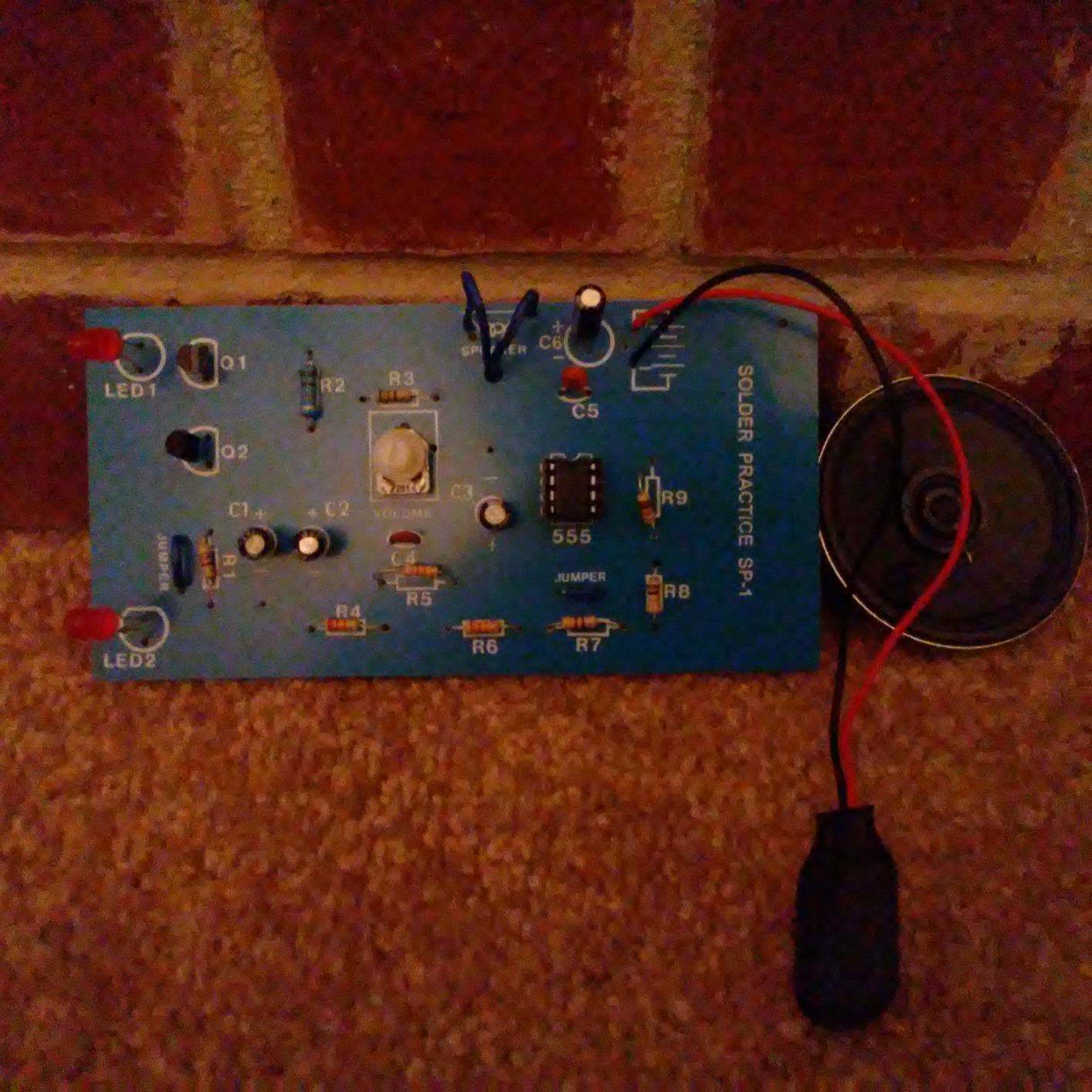
Our build took about an hour with an iron, and the finished siren has a warbling two-tone output that sounds like something from a much larger circuit. Audibly demonstrating an astable multivibrator is far more convincing than reading the waveform.
For a student who already understands series and parallel, this is the kit that shows what timing circuits do. The oscillator running is the proof that the theory is real.
Why this is the strongest theory kit here
Almost every other soldering kit in this roundup teaches assembly. This one teaches a circuit class. A student who can explain what a multivibrator does has moved past hobby electronics into the vocabulary of an intro electronics course.
It also suits an audio interest. Anyone into making noise with circuits will finish this project and immediately look for the next oscillator.
Where it falls short
No soldering iron is included, and this is one fixed project with no follow-on. There is no second board, so a student building a soldering pathway needs a beginner board alongside it rather than instead of it.
Printed circuit board work needs close supervision for younger students, and the manufacturer rating of twelve to sixteen years reflects that. For a fourteen-year-old working alongside a parent who has soldered before, it is a reasonable ask.
8. Eisco Simple Circuit Electricity Kit – The Best Kit for Series and Parallel Lessons
Eisco Simple Circuit Electricity Kit, Series & Parallel Circuits, 13 Piece
- Clear demonstration of series versus parallel
- Low cost per student set
- Experiment guide with setup help
- Suits homework and 4H projects
- Wire ends arrive unstripped
- Occasional burned-out bulbs or broken holders
- Directions are text-heavy
- Bulbs can be hard to thread into holders
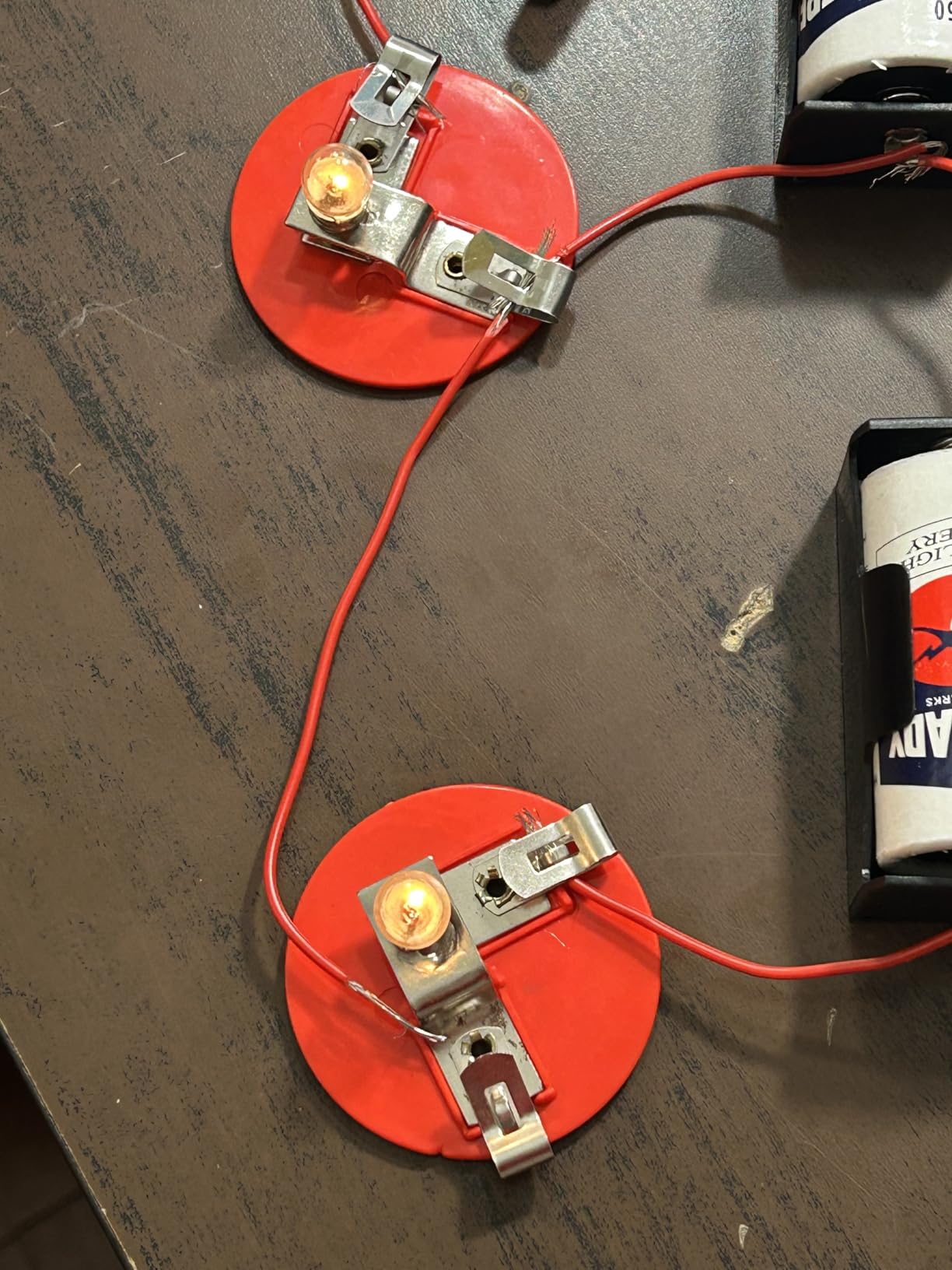
Thirteen components, two D-cell batteries, five miniature bulbs and 120 inches of wire. That is the whole kit, and it covers basic, series and parallel configurations plus the short-circuit experiments that show why a circuit needs a complete path from the negative terminal to the positive one.
The short-circuit experiments are the part most kits skip and the part a physics student most needs. Watching a bulb brighten when you add it in parallel, then dim when you add it in series, builds the intuition that a diagram alone cannot.
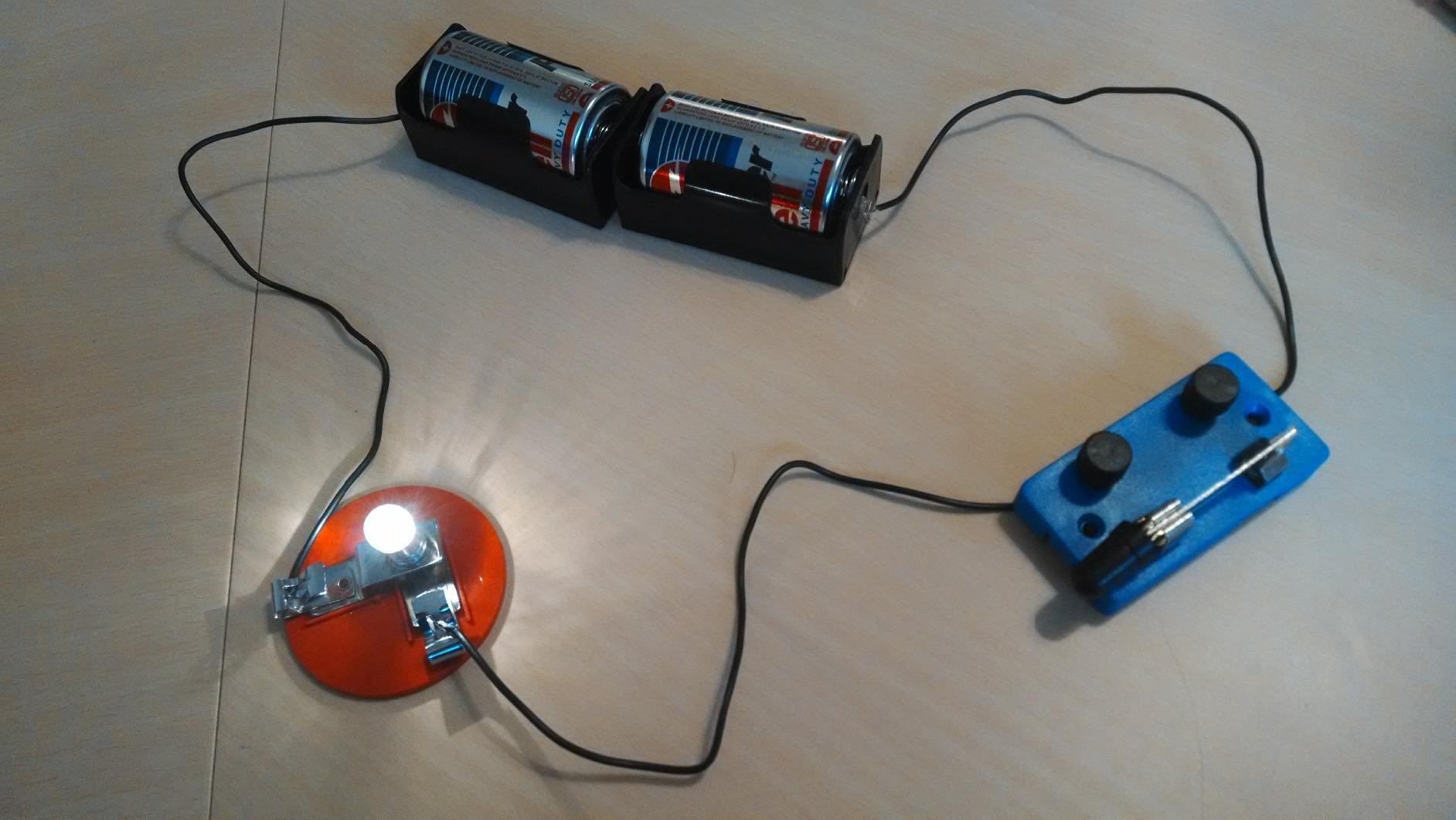
It is also the cheapest way to equip a whole class, since one set per student is affordable at this size. Teachers reviewing it for a lab slot rate the included experiment guide as helpful, even though the writing is dense.
Preparation is the main task. Wire ends arrive unstripped, so an adult should strip the ends before handing a set to a student, and that ten-minute job removes the most common source of frustration in classroom use.
Why a teen still needs a kit this simple
There is a real gap between a snap kit, which hides the circuit behind plastic, and a breadboard kit, which assumes the student already knows what a voltage rail is. This kit sits in between and makes the fundamentals physical.
For a student who bounced off Snap Circuits because nothing felt real, a bulb that visibly changes brightness is a better hook than an LED that lights up identically every time.
Where it falls short
The instructions are text-heavy with few pictures, which is the main complaint in reviews. A few bulbs are hard to thread into their holders, and occasional quality problems with bulbs and battery holders show up in the same reviews.
Many parents add alligator clip leads so smaller hands can make connections without tools. That single addition transforms the kit for younger students.
9. Blink LED Soldering Kit – The Best Kit for a First Solder Joint
- Genuinely achievable on a first attempt
- Clear step-by-step online instructions
- All parts included including the battery
- Lead-free board tolerates beginner mistakes
- Limited component explanation
- Some units ship with a broken button pin
- Single project with no progression path
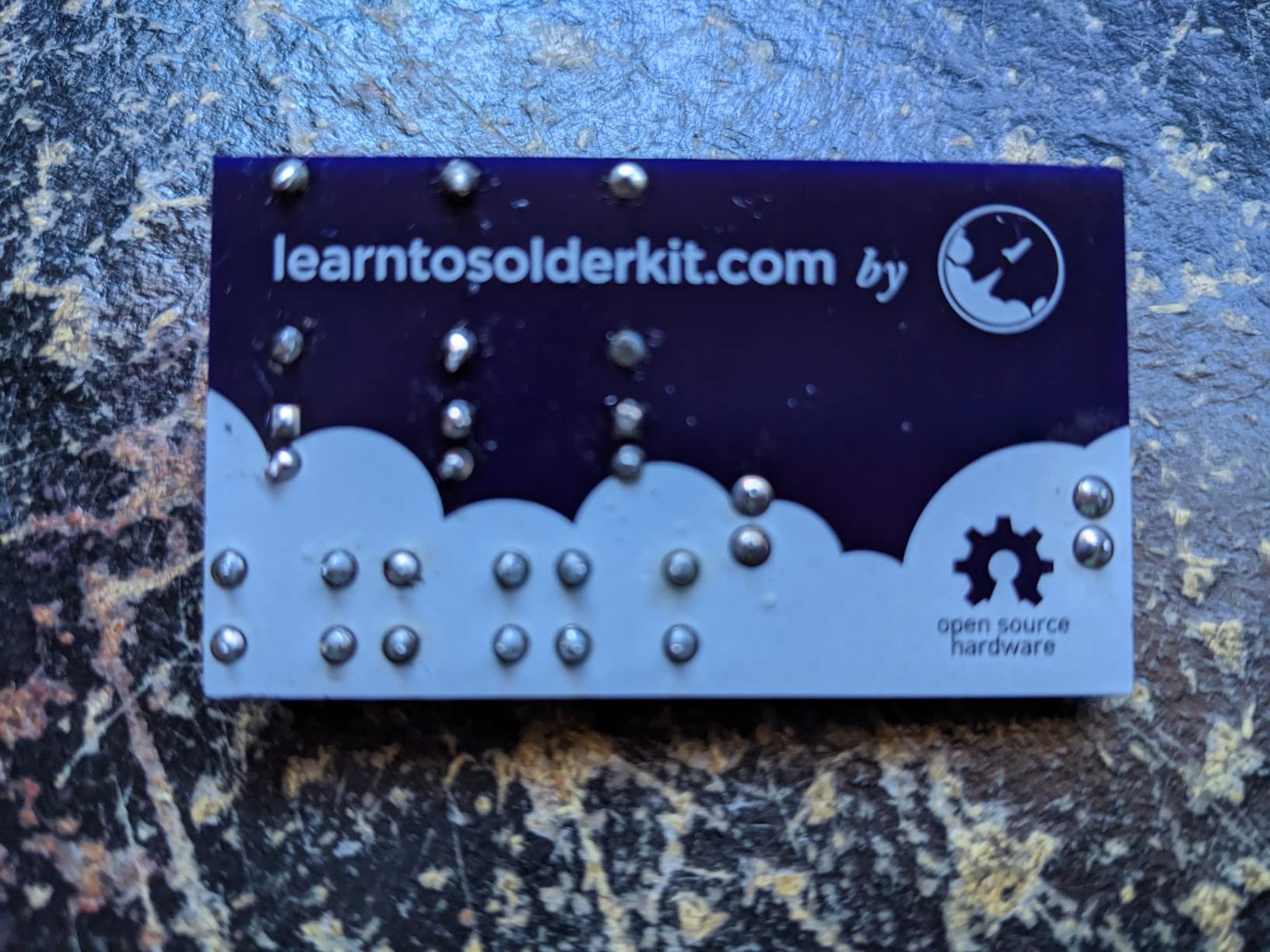
If the goal is a student finishing something on the first sitting, this is the kit. A battery, three resistors, three LEDs, three push button switches and a lead-free printed circuit board arrive in one box, and the whole build takes between thirty minutes and an hour.
The buttons drive each LED individually or all together, which gives a beginner something to experiment with after the guided build. Parents, teachers and first-time solderers report a consistent first-attempt success rate, and the low frustration factor is the point of the design.
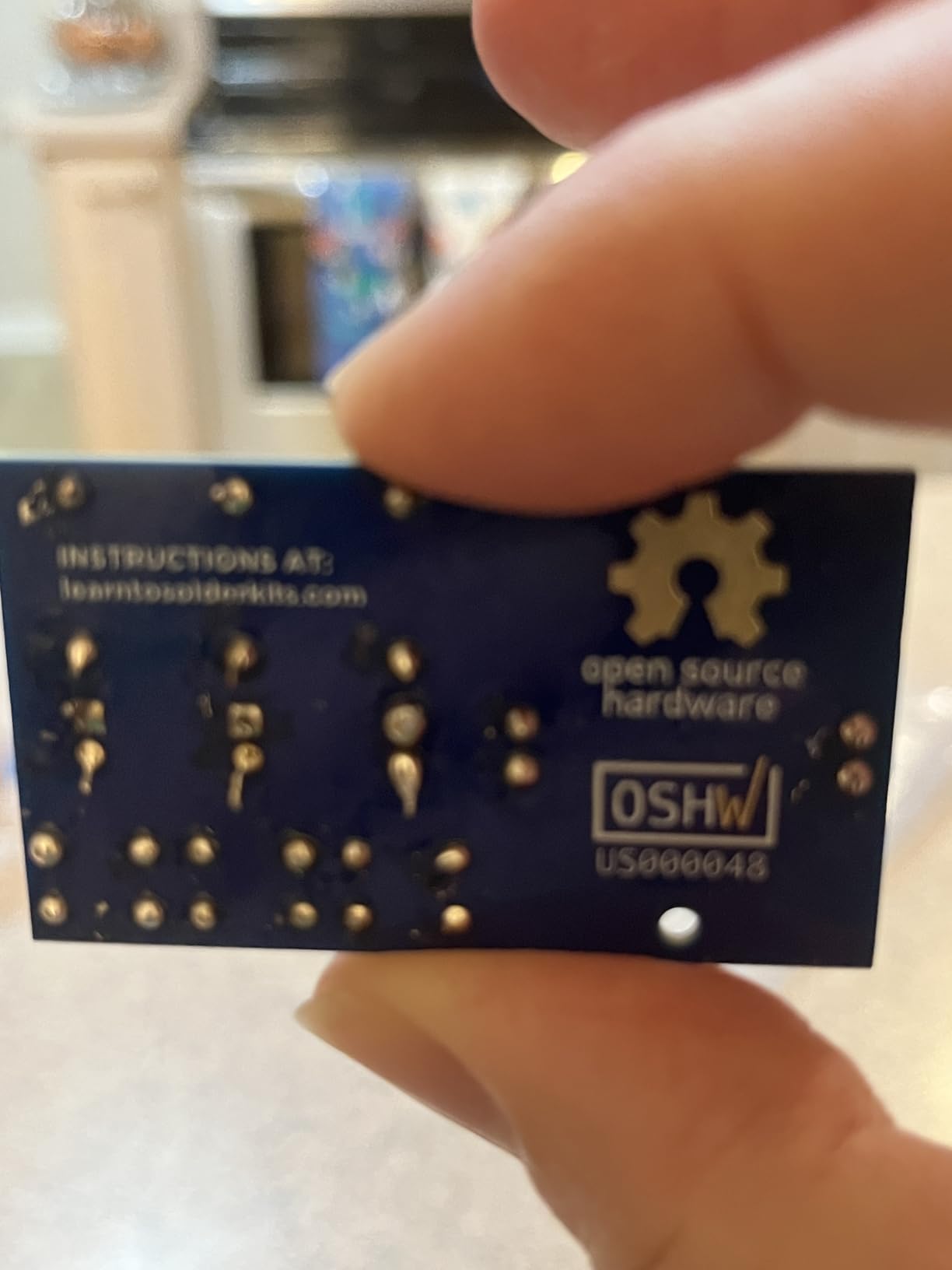
Board quality is the quiet strength here. The lead-free printed circuit board is designed to tolerate beginner mistakes, and a cold joint on this board can be reheated and fixed without damage. The step-by-step online instructions use clear pictures and diagrams.
It is also registered as open source hardware, which is a small detail with real value for a student who ends up wanting to design their own board later.
Why this is the right first soldering experience
Every joint is large, visible and forgiving, so a student learns the movement of the iron, the temperature that melts solder and the habit of reheating a joint rather than piling more metal on it. Those three habits transfer to every board that follows.
Because the battery is included, nothing needs buying before the first session. A parent can hand it over on a Saturday afternoon and be there for the first two joints.
Where it falls short
The kit teaches assembly rather than electronics theory, and reviewers make that point consistently. There is no explanation of why the resistors have those values or what the current path looks like.
It is a single project, so it does not lead anywhere on its own, and a few units arrive with a broken button pin. Buy it as step one in a sequence rather than as a course.
10. VOGURTIME Retro Game Handheld Kit – The Best Soldering Build With a Payoff
- Finished handheld is genuinely fun
- Acrylic case and buttons feel good
- Multiple power options including AAA
- Printed English manual is well made
- Dense board means a longer build
- Fine-pitch work is demanding
- Requires a separate soldering iron
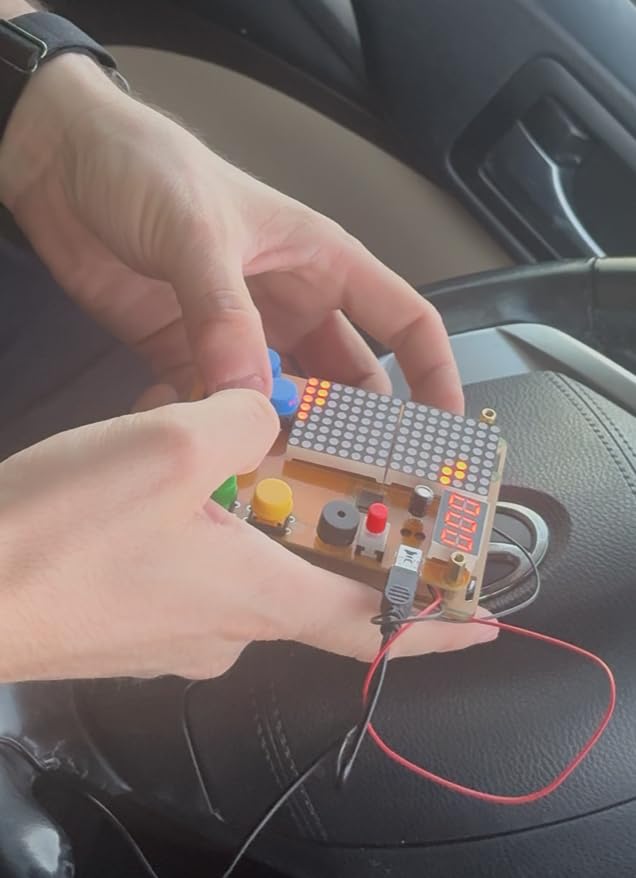
Five retro games on a single board, in a rounded acrylic case with large colourful buttons. Buyers like that the build ends in something playable rather than a static practice board, and the finished unit measures 3 by 4.2 by 0.8 inches, small enough to actually hold.
Power comes from a power bank, a 5V USB adapter or three AAA batteries, and both the USB cable and the battery case are included. Battery power means the student can take the finished project away from the workbench, which is most of the fun.
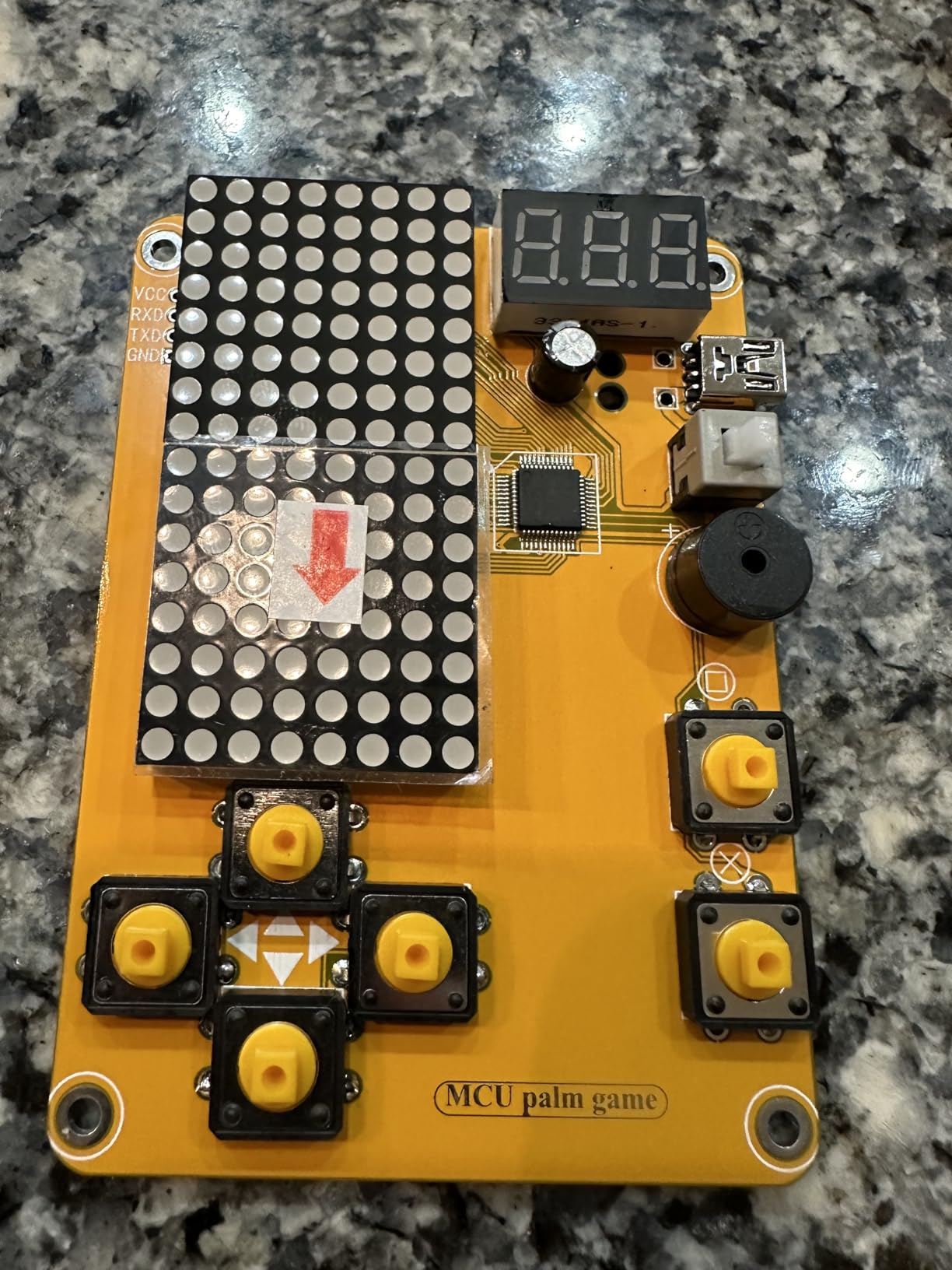
The packaging and the printed English manual both get called out as well made, which is unusual at this price and reflects a kit aimed at gifting as much as instruction.
Plan the time honestly. This is a denser board than a simple blink kit, so expect a longer evening at the iron and a need for steady hands. Reviewers consistently place it after the very first project rather than at the start.
Why a playable result changes motivation
A practice board teaches a skill and then stops. A handheld console teaches a skill and then gives the student something to show a friend, which is the stronger motivator during the teenage years when an adult’s encouragement runs out.
It also teaches enclosure work. Fitting a board into a case, getting buttons aligned and confirming the thing runs on battery power is a mechanical step most kit-based learning skips entirely.
Where it falls short
The fine-pitch work is demanding for anyone with no soldering experience, and the component density makes it a longer build. A student who has never held an iron should do a beginner board first.
You need your own soldering iron. And the five games are simple arcade routines, so a student who expected something like a handheld console should manage expectations before the first session.
11. Snap Circuits Arcade SCA-200 – The Best Kit for Games, Lights and Sound
SNAP CIRCUITS Arcade SCA-200 STEM Electronics Kit for Kids Ages 8+
- Builds 200+ projects from one kit
- No tools or soldering required
- Award-winning STEM educational toy
- Combines with other Snap Circuits kits
- Batteries not included
- Harder projects need adult help
- Batteries required for every build
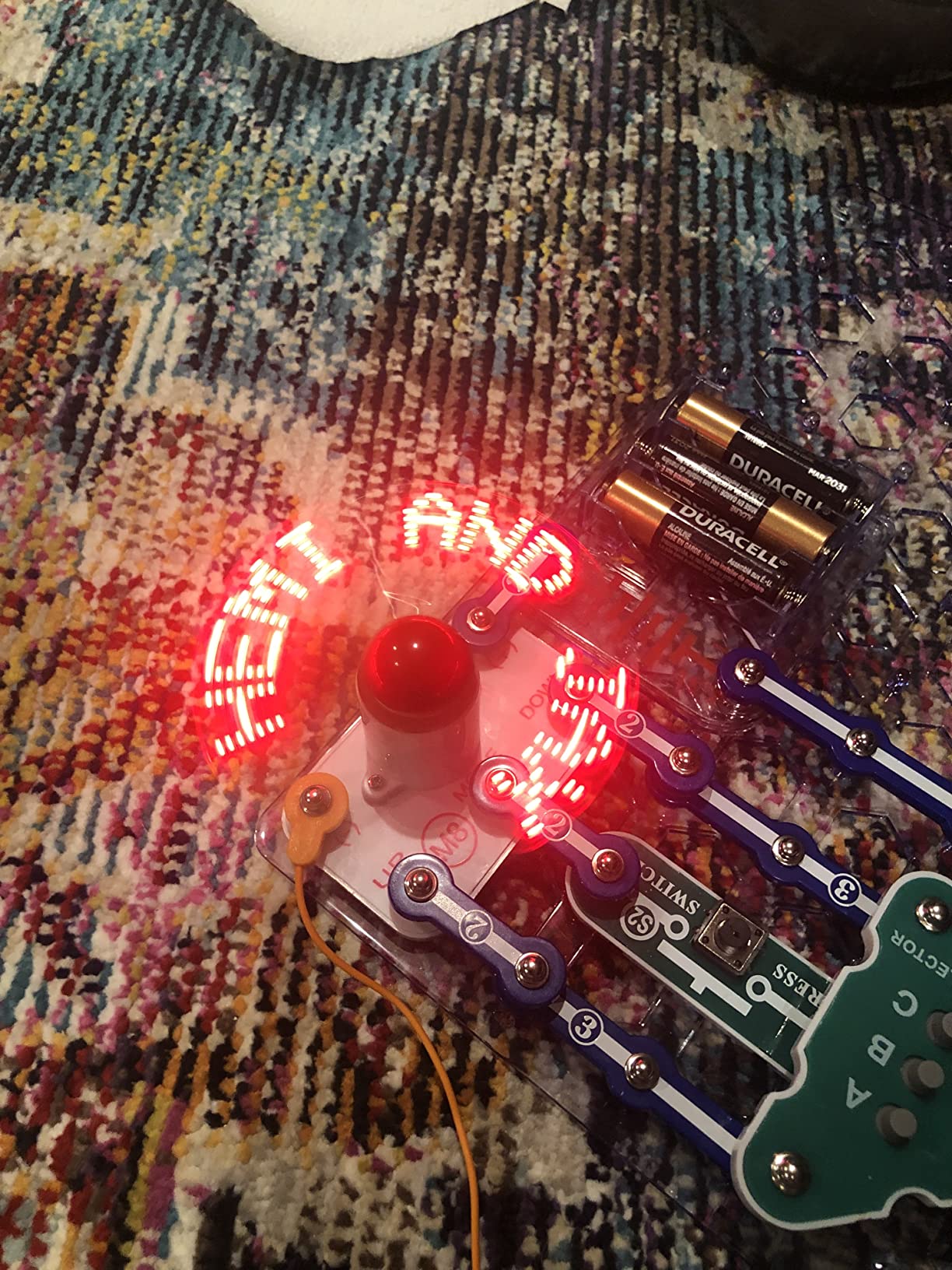
This is the smaller, more focused sibling of our top pick. Thirty-six pieces build over two hundred unique projects, including more than twenty games with sound and lights, and it carries a lifetime warranty against manufacturer defects.
Where the Extreme adds sensors and a computer interface, the Arcade concentrates on immediate payoff. Students build spinning LED messages, sound-activated toys and games with genuine audio output, all on a plastic grid with no tools required.
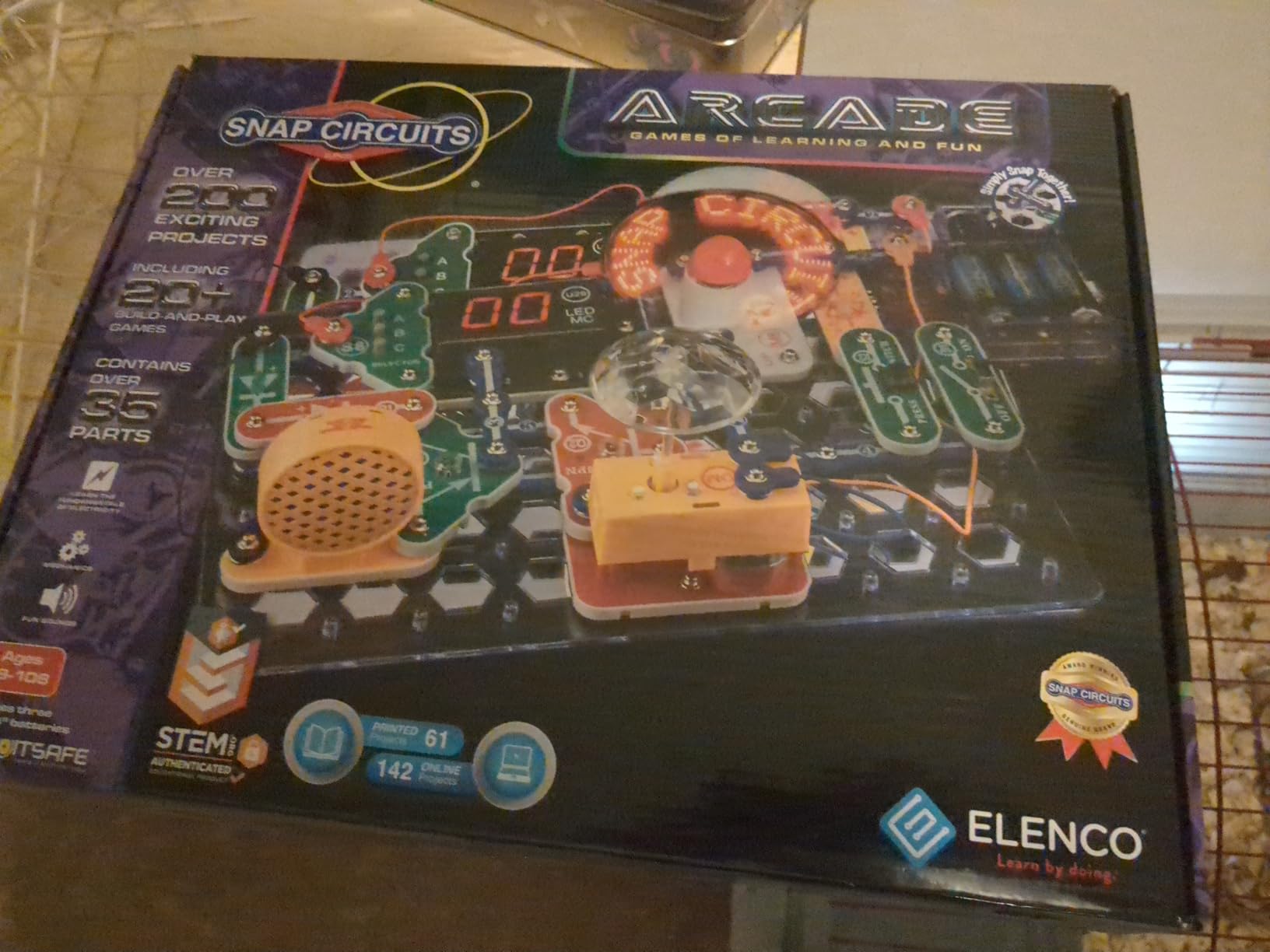
It also stacks with other Snap Circuits kits, so a student who later buys the Extreme can combine parts across both boxes. That expandability inside one ecosystem is what keeps a teen from restarting from zero.
Batteries are required and not included, which is the one complaint that appears consistently in reviews. Buy a pack with the kit.
Why this suits a student who wants to play first
Sound and motion are what pull a fourteen-year-old in. This kit puts both in the first hour, and the twenty-plus games give a short feedback loop that snap kits with only static outputs cannot match.
It is also a reasonable middle step for a family between the under-12 snap kits and the Extreme, and a good gift when you are unsure how far a student will go.
Where it falls short
Two hundred projects still contain a lot of variation on the same handful of ideas, and a determined student reaches the ceiling in a few weeks. The measurement, radio and sensor circuits that make the Extreme a long-term kit are not here.
Some of the more advanced projects need an adult alongside them, and nothing is programmable. A student heading into a coding course will outgrow it quickly.
12. MiOYOOW Line Following Robot Car Kit – The Best Kit for Robotics Preparation
- Strong hands-on soldering practice
- Teaches line-following principles with sensors
- Adjustable potentiometers for tuning
- Useful for school science projects
- Instructions unclear with blurry photos
- Gears and wheels reported as flimsy
- Requires soldering tools not included
- PCB polarity markings could be better
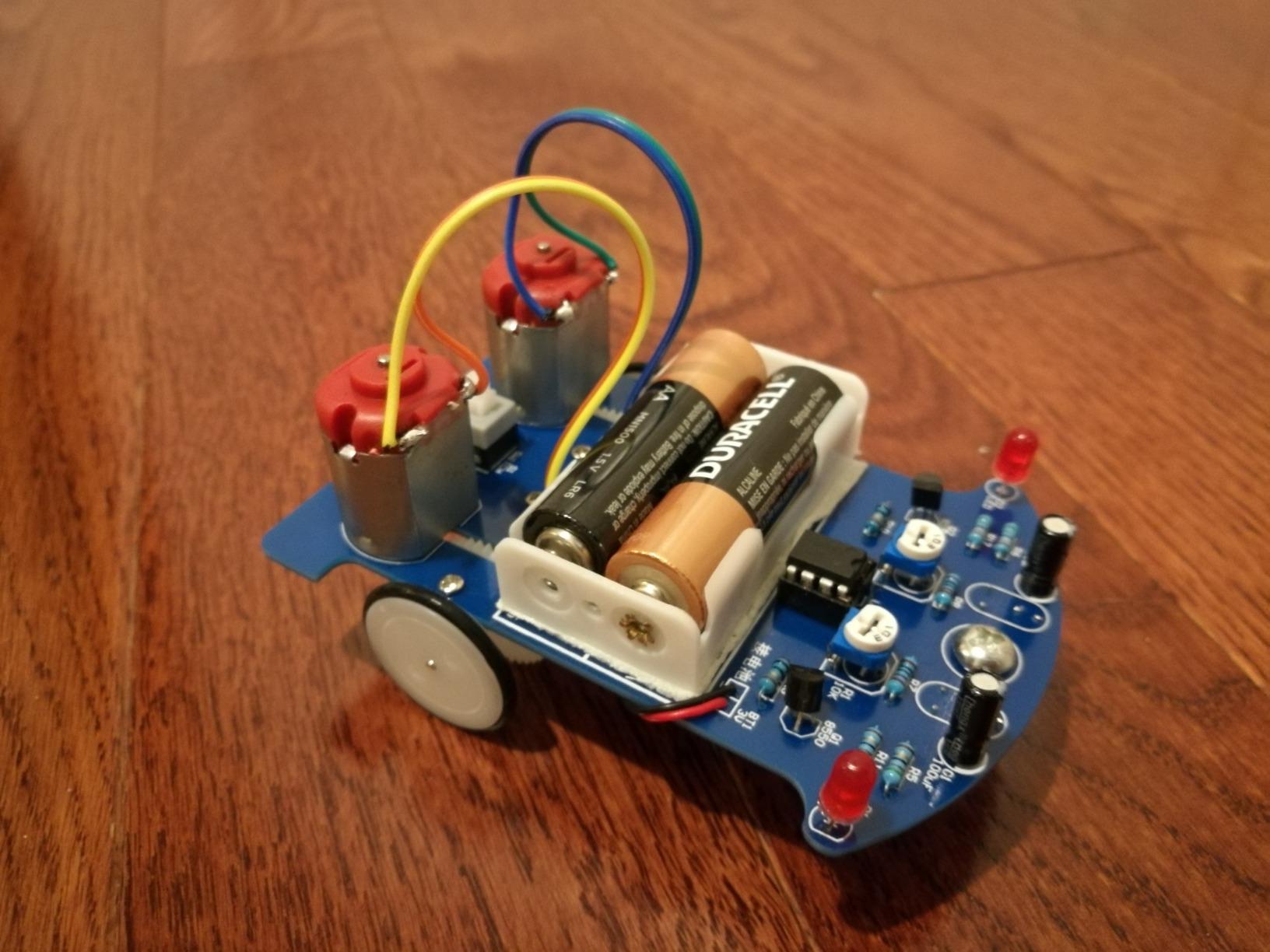
This kit builds a car that follows a black line using photoresistors and an op-amp comparing reflected light. The principle is simple enough to explain and rich enough to keep a curious student working, because the same three ideas sit underneath most line-following robots built in school robotics programmes.
Adjustable potentiometers let the student tune light sensitivity, which turns a failed build into a tuning problem rather than a dead end. Track design becomes the project: black electrical tape on the floor becomes a runway, and the student designs the course.
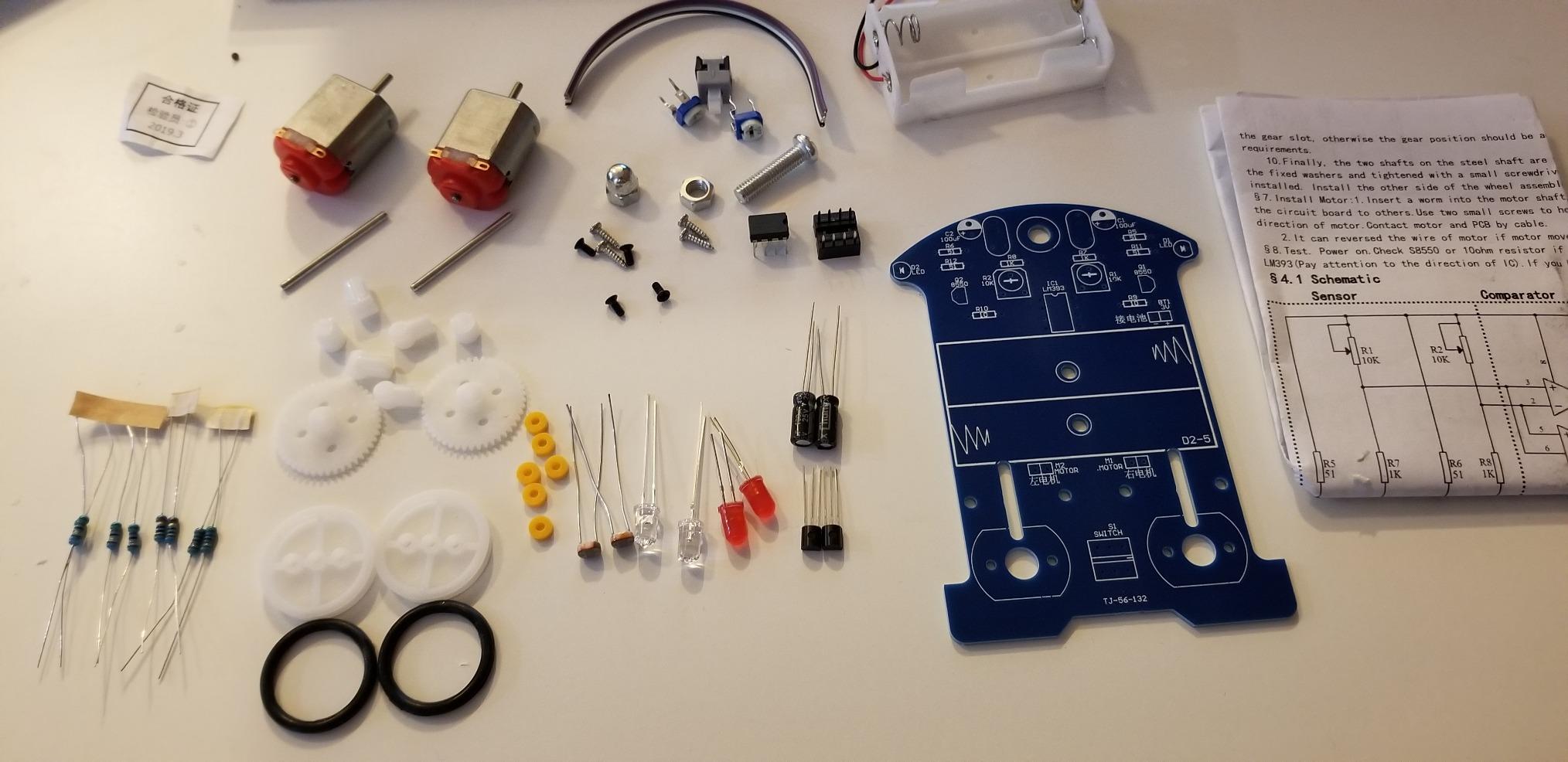
The paper manual comes with a QR code for the PDF version, which includes a schematic. That schematic is the valuable part, since it shows the actual circuit rather than just where each part goes.
This is a soldering project as much as a robotics one. The board is fiberglass, connections are labelled on the PCB, and a student finishing it has handled through-hole soldering on a board that does something visible.
Why robotics teams should start here
Sensor conditioning is the concept behind almost every competitive robot. A photoresistor feeding a comparator, with a threshold the student tunes, is the same architecture used for line followers and avoidance sensors at every level.
It is also a satisfying first robot because the result is self-evident. The car either follows the line or it does not, and the fix is always in the sensitivity setting.
Where it falls short
Build quality is the weak point. Reviewers report the gears and wheels as flimsy, with gear alignment issues that make the wheels slip, and that mechanical reliability matters more here than in a static LED project.
Instructions are unclear in places with blurry photos, soldering tools are not included, and the PCB markings for LED polarity and component orientation could be clearer. Budget for a couple of evenings rather than one.
How to Choose a Circuit Kit by Skill Level
Ages fourteen and fifteen: start with a kit that produces a visible result quickly. A snap circuit set or a basic soldering board gives a student a finished project inside an afternoon, which is what keeps them coming back. Save the microcontroller kits for later.
Ages sixteen and seventeen: this is the window for a microcontroller kit. A student who can already follow a diagram will get months of use from an Arduino starter kit, and the coding carries into computer science and engineering courses.
Ages eighteen and above, or AP Physics 2 students: choose by course goal. Electromagnetism and circuits units call for a lab-style set with measurement exercises, while a student heading into a computer science or engineering programme gains more from a microcontroller platform and its ecosystem.
One forum pattern worth copying comes from r/arduino, where experienced builders give the same advice to newcomers: get a starter kit, follow the examples that come with it, then start adapting them. That progression beats jumping straight to an ambitious build.
For context on the younger end of the range, our circuit tracer picks cover tools that let younger students follow an existing circuit rather than build one.
Soldering vs No-Solder Kits for Teens
You do not need to solder to learn electronics. Snap kits, breadboard kits and microcontroller kits cover current flow, series and parallel relationships, sensor reading and logic without a hot iron anywhere near the student, and that is enough to build genuine understanding.
Soldering changes what is possible rather than what is required. Once a student can make a permanent joint, they can build something that stays assembled, that survives being carried to class, and that looks like a real device. That is why most serious pathways reach soldering within a year.
Safety comes first, and the basics are not complicated. Work on a heat-resistant surface with ventilation, wear eye protection, and rest the iron in its stand rather than on the table. Keep the tip away from your hand and keep your hair tied back.
Adult supervision matters most for the first session. Beginners misjudge heat, drip solder and touch the tip while checking a joint. An adult who has soldered once, sitting nearby for the first hour, prevents nearly every accident that parents worry about.
A rough sequence works well. Start with a through-hole beginner board, move to a small project with a real outcome, then try surface mount practice if the student enjoys it. Add a microcontroller kit at any point, since it needs no soldering at all.
Arduino, Raspberry Pi Pico, micro:bit or ESP32: Which Platform
Arduino UNO R3 is the most forgiving starting point. The library ecosystem is enormous, most tutorials assume it, and the IDE is free. A student can find an answer to almost any problem within one search.
Raspberry Pi Pico runs MicroPython, so a student can get results with no compiler and no toolchain. It suits a teen who is stronger in Python than in C++, and the board itself costs very little.
BBC micro:bit is designed for education specifically, with a block-based editor that removes syntax errors entirely. Teachers like it for the first term of programming because beginners see movement on the display within a minute of starting.
ESP32 boards are the wireless option, with built-in Wi-Fi and Bluetooth. They are the natural pick for a project that needs to report data to a phone or reach a network, and they require more configuration than the other three.
Whichever a student starts on, the second platform is much faster than the first. Moving from Arduino to Pico usually takes an evening, because the concepts transfer even when the language does not.
What to Add Alongside the Kit
A digital multimeter is the highest-value addition. It turns a dead circuit into a diagnosis, teaches voltage and resistance measurement directly, and is required by the physics-oriented kits in this roundup.
For soldering kits, budget for a temperature-controlled soldering iron, lead-free solder, flux, solder wick and a solder sucker. None of the soldering boards here include an iron. A brass wool tip cleaner and a helping hands stand make a large difference on long builds.
Wire strippers, small side cutters and tweezers cover the rest. Tweezers matter more than expected on the surface mount and fine-pitch kits. If a younger student is using the Eisco set, add alligator clip leads so connections need no tools.
Finally, add a small parts organiser. Every kit above with more than about thirty components loses time to missing resistors, and a divided box is the cheapest fix available. Our microscope guide for middle schoolers covers similar bench setup for younger students working alongside a teen.
Frequently Asked Questions
Are snap circuits any good for a teenager?
Yes, for the first four to six weeks. Snap circuit kits teach series and parallel relationships, current flow and sensor behaviour with no tools and no risk of a burnt joint, which is why they are a strong first step. The limitation is ceiling: most kits run out of genuinely new ideas within a month. Students who finish quickly should move to a breadboard or microcontroller kit rather than buying a second snap set.
Do I need to solder to learn electronics?
No. Snap kits, solderless breadboard kits and Arduino starter kits cover the core concepts without a hot iron, including current flow, series and parallel circuits, sensor reading and logic. Soldering becomes useful when a student wants a project that stays assembled, survives being transported, or looks like a finished device rather than a breadboard prototype. Many pathways add it in the second year.
What is the best Arduino starter kit for a high school student?
The ELEGOO UNO R3 Super Starter Kit is our pick for a first Arduino platform, because the modules arrive pre-soldered and the breadboard is included, so a student can build on day one without buying tools. The ELEGOO Mega 2560 kit is the better choice if the student has already finished a starter kit, since its 54 digital I/O pins remove the ceiling that beginners hit with the UNO.
How much does a good electronics learning kit cost?
Prices span a wide range depending on the build method. Basic series and parallel kits and snap circuit sets sit at the low end, microcontroller starter kits sit in the middle, and lab-style physics sets sit higher because they include measurement components. Budget separately for a multimeter and, if you are soldering, an iron and consumables, which most kits exclude.
What are some good electrical engineering kits for beginners?
For pure circuit foundations, a series and parallel kit with bulbs and a battery is the clearest starting point because the result is visible. For programming, an Arduino starter kit with sensors and a breadboard teaches both wiring and code together. For measurement practice, a lab-style physics kit with Ohm’s law and electromagnet experiments maps directly onto school coursework. For skill, a through-hole soldering board teaches the joint itself.
Should I check my syllabus before buying a circuit kit?
Yes. Parents and students repeatedly report buying a kit the school already supplies, or one the syllabus requires, which wastes both money and desk space. Ask for the exact part number the class expects, then decide whether to match it or buy a deeper kit alongside it for home. A syllabus-matched kit is a formality; a personal kit is where the real learning happens.
Is an Arduino student kit worth it for a teen?
For most teens who already enjoy tinkering, yes. One builder on r/AskElectronics described an Arduino starter kit as the thing that got them into electronics at seventeen, and that is the common experience: the payoff is code controlling physical things. It is worth less if the student has not yet built a simple circuit, because the coding will feel like the whole task rather than half of it.
The Right Kit for Your Student
The Snap Circuits Extreme SC-750 is the best circuit kit for high school students overall, because 82 components and five manuals give a teenager months without ever touching a soldering iron. A student who wants to write code should start with the ELEGOO UNO R3 kit instead, and one chasing AP Physics should pick up the EUDAX lab set.
Whichever you choose in 2026, check the syllabus first, add a multimeter to the order, and give the student a desk with drawer space for parts. Kits that get used are the ones with somewhere to live.