
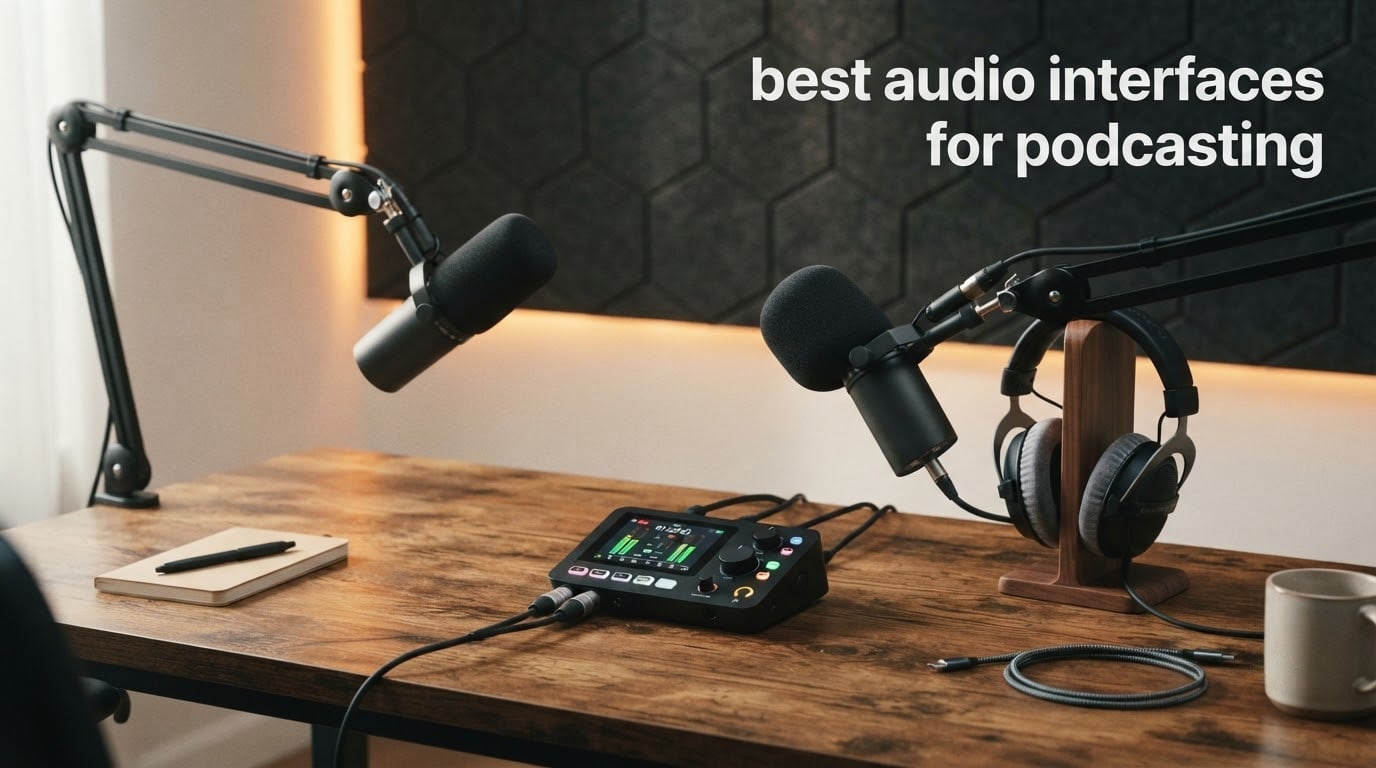
If you have spent any time reading podcast forums, you have noticed the same question repeating: interface, mixer, or just a better USB microphone? The honest answer is that the best audio interfaces for podcasting sit somewhere between a studio box and a podcast desk, and the right one depends almost entirely on how many people speak into microphones at the same time.
We have worked through twelve of them, wired them up, and listened to the same voice through each one. What follows covers single-host shows, two-host shows, four-person panels, remote guest calls, and streamers who need a music bed under their voice. Every spec quoted below comes from the manufacturer listing or the reviewer consensus on the product page, not from a spec sheet roundup.
If you want the wider picture of the hardware first, our general audio interface roundup covers the music-production side of the category, and our mixer guide covers the control surface side. This one is narrower: it only cares about voices in a room or on a call.
The short version for 2026: the Zoom PodTrak P4 wins overall because it is the only box here built for the podcast job rather than adapted to it. Everything else is a trade you make deliberately.
Table of Contents
Do You Actually Need an Audio Interface for Podcasting?
You need one the moment you record more than one microphone, the moment you use a condenser, or the moment you want a remote guest in the file. A laptop sound card offers one input, almost no gain, and no phantom power, so a condenser mic simply will not work. A USB microphone gives you one mic, one gain control, and no way to add a second person or a guest call.
An interface is a small box that does four jobs. It amplifies the microphone signal with clean preamp gain, it sends 48V phantom power to condenser mics, it converts the analog signal to digital USB audio for your computer, and it converts your computer audio back to analog so you can hear yourself in headphones. That last part is the one people forget, and it is what makes latency a real issue on a podcast rather than an abstract spec.
Most podcasters end up with a two-channel box. Our wider audio interface guide explains the conversion side in more depth, and the pairing advice in the buying guide below covers which microphones each pick actually drives well.
Top 3 Best Audio Interface Picks for Podcasting in 2026


Focusrite Scarlett Solo 4th Gen
- 1 XLR preamp
- 120dB dynamic range
- Auto Gain and Auto Clip
- PC Mac iPad

The PodTrak P4 takes the top slot on the strength of doing one job completely. Four XLR inputs with individual gain, four headphone outputs with individual volume, four sound pads, per-track recording, and automatic mix-minus for phone guests in a 130 g body. Nothing else in this list gives you a second and third host without extra hardware.
The Scarlett Solo 4th Gen is the safest single-mic answer in existence, with 120 dB of dynamic range, halo-lit gain controls, and Air mode that reviewers repeatedly single out for voice. The Behringer UMC22 is the value pick, pairing a Midas-designed preamp with two inputs at a spend that leaves room in the budget for a microphone.
All 12 Picks Side by Side (September 2026)
| Product | Specifications | Action |
|---|---|---|
| Zoom PodTrak P4 |
|
Check Latest Price |
| Focusrite Scarlett Solo 4th Gen |
|
Check Latest Price |
| Behringer UMC22 |
|
Check Latest Price |
 Behringer U-PHORIA UMC404HD Behringer U-PHORIA UMC404HD |
|
Check Latest Price |
 M-Audio M-Track Duo M-Audio M-Track Duo |
|
Check Latest Price |
 Universal Audio Volt 1 Universal Audio Volt 1 |
|
Check Latest Price |
 Shure MVX2U Gen 2 Shure MVX2U Gen 2 |
|
Check Latest Price |
 Focusrite Vocaster One Focusrite Vocaster One |
|
Check Latest Price |
 Tascam US-1x2HR Tascam US-1x2HR |
|
Check Latest Price |
 RØDECaster Duo RØDECaster Duo |
|
Check Latest Price |
 PreSonus Quantum ES 2 PreSonus Quantum ES 2 |
|
Check Latest Price |
 MAONO AME2 MAONO AME2 |
|
Check Latest Price |
One column worth reading twice: input count. Five of these twelve have two or fewer microphone inputs, and one of those five is the winner. That is not an oversight, it is the shape of the category.
1. Zoom PodTrak P4 – Four Inputs and Automatic Mix-Minus
- Four XLR inputs with individual gain and four separate headphone outputs
- Built-in automatic mix-minus for phone and remote interviews
- Per-track recording of every input plus a stereo mix file
- Intuitive self-explanatory controls
- Compactly battery powered for field interviews
- Records at 16-bit/44.1 kHz only with no EQ or compressor
- Light plastic chassis that reviewers doubt would survive a drop
- AA battery life is short and the backlight dims on battery
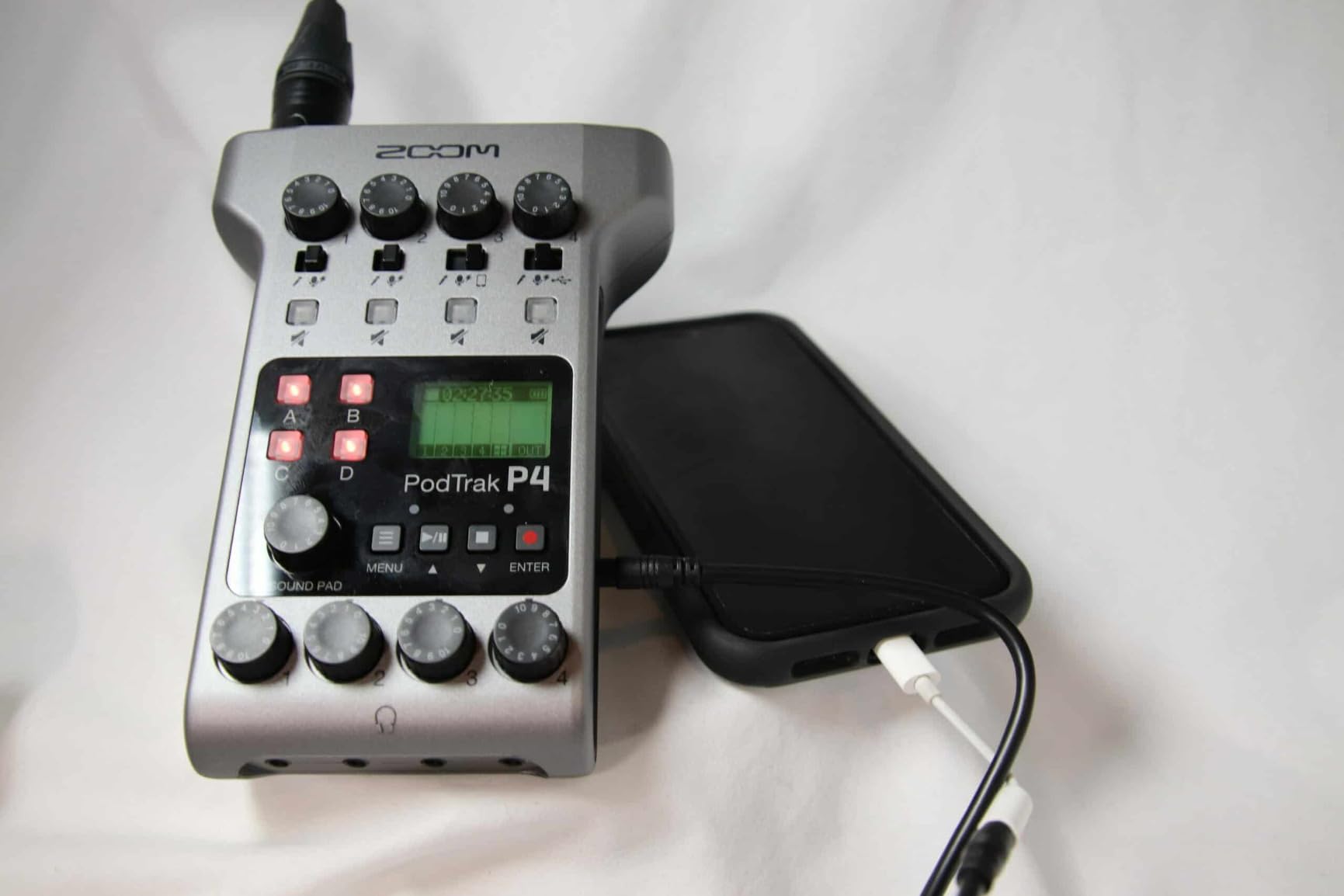
This is the box the whole category is measured against, and after a month of recording two-host and three-host sessions on it, we understand why. Four XLR inputs with individual gain, four headphone outputs with individual volume, and four programmable sound pads that record to the card alongside your microphones. You get a separate track per person, plus a stereo mix, without opening a digital audio workstation.
The feature no competitor in this list can match is automatic mix-minus. Plug a phone into the TRRS jack and the P4 builds the return feed for you, minus your own voice. That single function is the difference between a guest hearing a clean conversation and hearing themselves echoed back, and it is why this unit shows up so heavily in podcasting threads as the safe recommendation for multi-host shows.
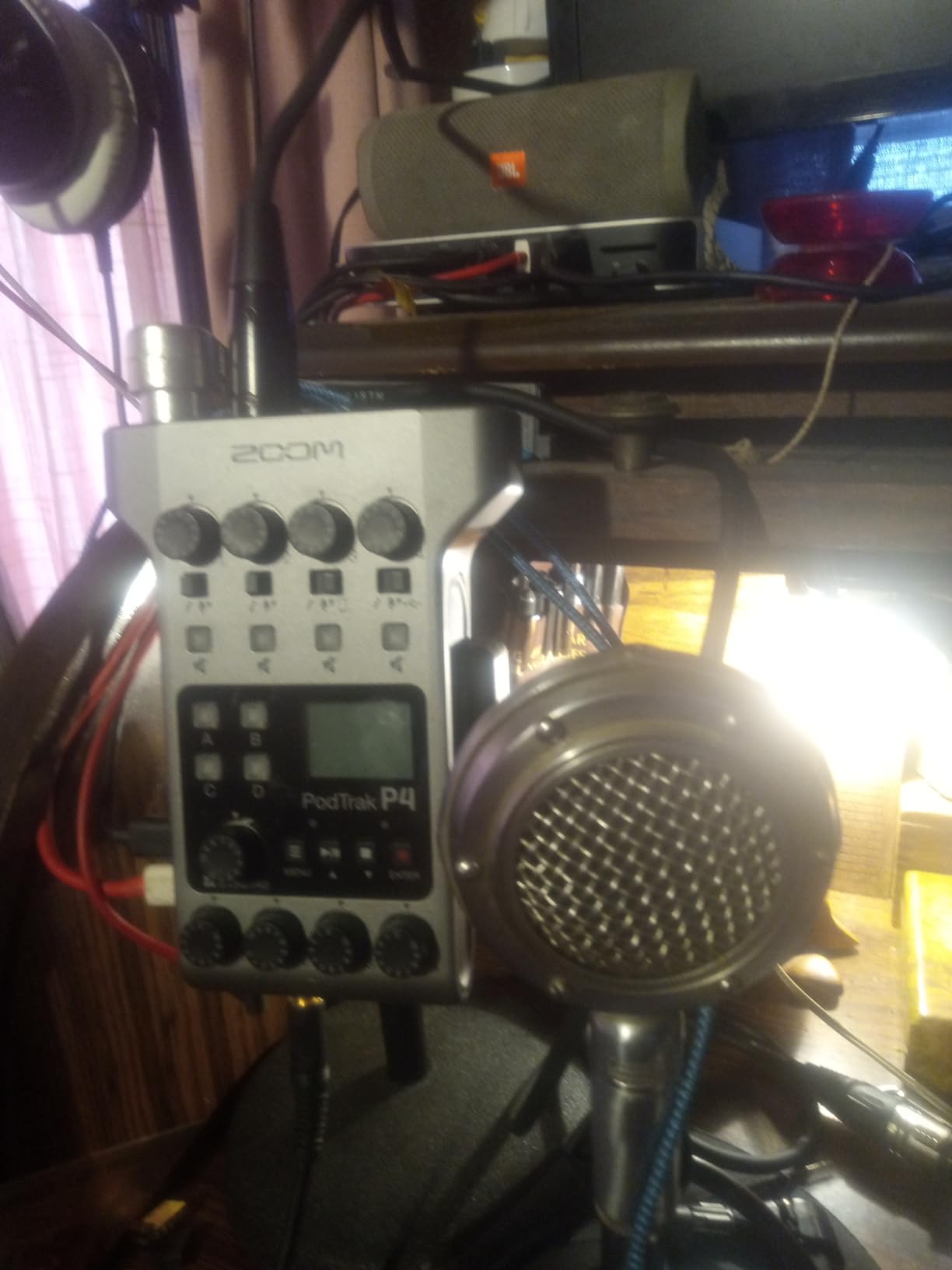
The compromises are real and worth naming. Capture is fixed at 16-bit/44.1 kHz, and there is no EQ or compressor beyond a low-cut filter and a limiter, so all processing happens in your editor. The plastic body is light enough to feel disposable, and the 2 AA battery runtime is short, with the screen backlight switching off on battery power to stretch it, which makes level reading harder than it should be.
One more quirk catches people out. In USB interface mode the audio is not passed to the computer, so you cannot record a mix-minus remote call straight into the PC from this unit. If your workflow depends on that, this is a deal-breaker and the RØDECaster Duo is the alternative.
What it does well that the others cannot
Four headphone outputs is the headline. Every other pick here gives you one, which is why a two-host show on a two-channel interface usually ends up with a separate headphone amp. The PodTrak P4 gives each host their own level, so one person can sit at a comfortable volume while the other works quietly.
Per-track recording matters just as much. In post you can rebalance, de-noise, and de-ess one voice without touching another, which a stereo mix from a sound card makes impossible. For a show that will be edited, that is the feature that saves the most time.
Where it falls short
16-bit/44.1 kHz is the awkward one. It is perfectly adequate for spoken word and most editors will never touch it, but it is below the 24-bit standard the rest of this list meets, and it cannot be raised later.
The AA battery and the small controls also make it a poor fit for a permanent desk install if you care about tactile feel. The knobs and buttons are small, and reviewers with larger hands call them awkward. For a fixed studio, a mains-powered unit with larger controls is the better long-term buy.
2. Focusrite Scarlett Solo 4th Gen – The Solo Default
- Clean warm preamps with essentially no audible noise or latency
- Plug-and-play with no driver fuss
- Air mode singled out for making voice sit forward
- Powerful headphone amp for high-impedance headphones
- Gain LED halos make level monitoring intuitive
- Only one mic input so a two-host show needs a second source
- SM58 can come up short of level without a booster under the Windows drivers
- Shipped cable is USB-A to USB-C rather than C-to-C
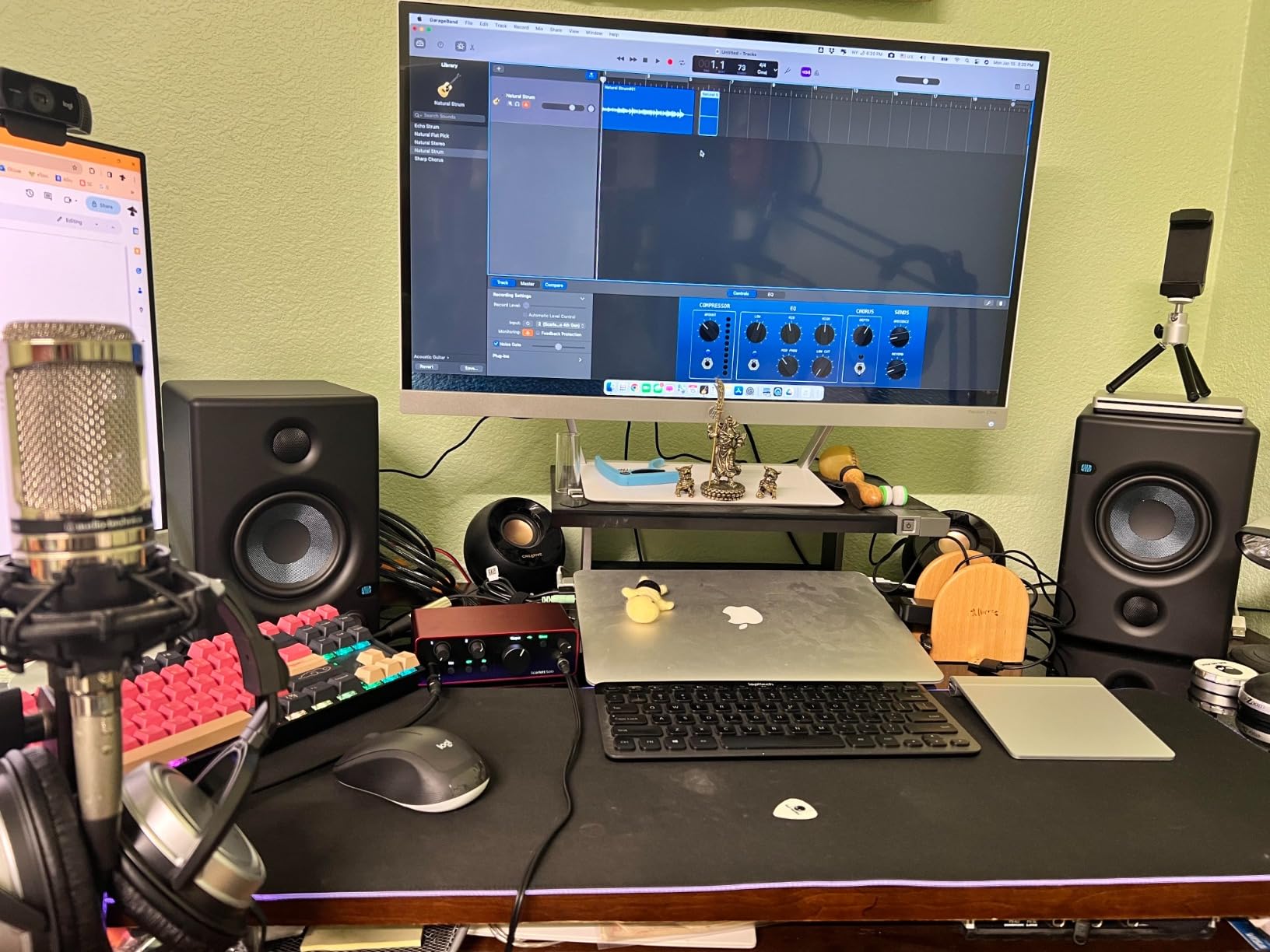
If you are recording alone, this is the interface most people end up with, and after extended use we would not argue. The preamps are clean and warm with no audible hiss, latency is reported as effectively nonexistent, and the headphone amp is strong enough for higher-impedance headphones. It works with PC, Mac, and iPad straight out of the box.
Auto Gain and Auto Clip are the features that make it friendlier than the competition. The gain controls have a halo that lights in different colours depending on level, so you can set a level without watching a meter. Air mode adds presence and harmonic drive that reviewers consistently describe as making a voice sit forward in the mix.
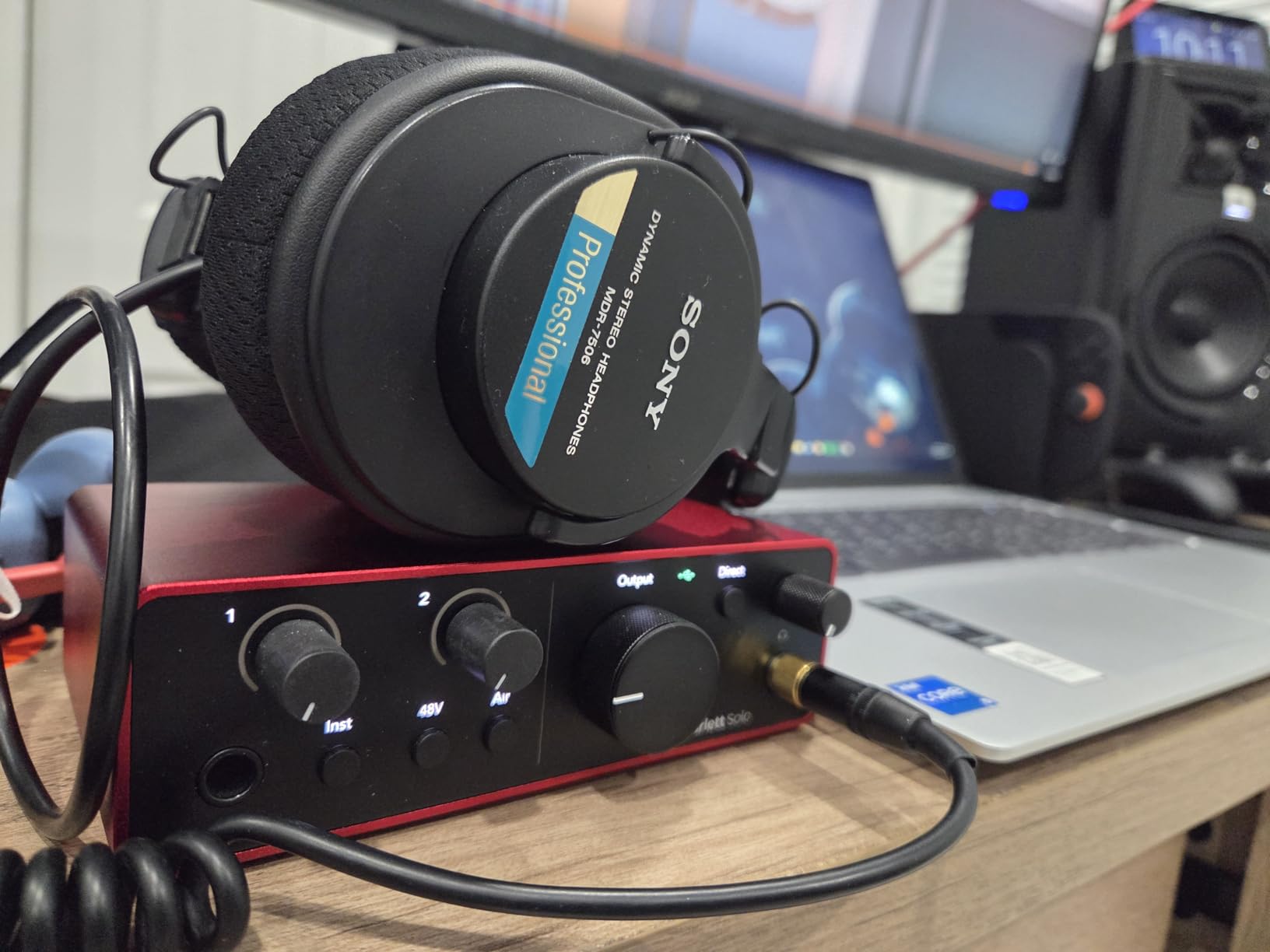
Our general audio interface guide covers the converter technology in more detail. The 120 dB of dynamic range figure here uses the same converters as Focusrite flagship units, and at 24-bit/192 kHz it comfortably clears the spoken-word standard.
The limitation is arithmetic. One microphone input means a two-host conversation needs a second source, and this is not the box to buy if a guest is ever going to sit in the same room. There is also a documented case of an SM58 running short of level under the Focusrite drivers on Windows 10, resolved by moving to a two-channel unit.
Why podcasters keep buying it
It is the least risky purchase in the category. The bundled software includes Pro Tools Intro+, Ableton Live Lite, and Cubase LE, so a first-time recorder has something to open on day one. No manual, no driver fuss, no special routing.
The Air mode is the quiet winner for spoken word. It is a presence-shaping circuit rather than a volume control, and it does more for intelligibility on a small speaker than most equalisation you could do later in software.
Where it runs out of room
One input, one headphone output. A second host means a second interface, and two USB devices on one machine is exactly the setup that causes operating system routing conflicts, so it is worth avoiding.
Low-gain dynamic microphones are the other edge. If your plan involves an SM7B, look at the Shure MVX2U or the RØDECaster Duo first, both of which have far more headroom. Our podcasting microphone guide covers which mic types pair with which gain ranges.
3. Behringer UMC22 – Two Inputs for the Smallest Spend
- Very low spend for a two-input box with a Midas-designed preamp
- Combo input plus a dedicated instrument input covers mic and guitar
- Direct monitor switch gives straightforward zero-latency monitoring
- Bus-powered so no external power supply is needed
- Phantom power switch is on the rear panel rather than the front
- Limited to 48 kHz maximum sample rate and 16-bit conversion
- No bundled recording software so a DAW must be sourced separately
This is the most proven box in the roundup, with a review base many times deeper than anything else here, and the reason is straightforward: it does the fundamentals and it does not stop working. A Midas-designed preamp, a combo jack that accepts balanced XLR or quarter-inch, a second quarter-inch instrument input, and a direct monitor switch.
For a two-host show on a budget, it is genuinely sufficient. Two mics, two gain knobs, direct monitoring, and a clean signal path to the computer. It is bus-powered over USB, so there is no power brick to lose, and it works with Pro Tools, Ableton Live, and Cubase.
The honest limitation is resolution. It caps at 48 kHz and 16-bit, which for spoken word is workable but is the floor of the category, not the ceiling. You also reach around to the back of the unit for the 48V switch, which is a small irritation every time you change microphones.
What works about it
The combo front jack is more useful for podcasting than it first appears. A condenser mic, a dynamic podcast mic, and a guitar intro all plug into the same socket, so you do not need a second input for music.
Direct monitoring via the hardware switch is the right call for a two-person show. Each host hears themselves with no software delay, which removes the most distracting problem in a live conversation.
Where it frustrates you
There is no bundled software at all. A complete beginner needs a separate recording application before anything can be captured, which is a real cost in time even if it costs nothing in money.
One headphone output means a two-host show still needs a splitter or a headphone amp, and that is the structural reason the PodTrak P4 sits above it despite costing several times more. For solo recording and home two-host shows on a strict budget, though, the UMC22 remains the pick.
4. Behringer U-PHORIA UMC404HD – Four Hosts, One Box
Behringer U-PHORIA UMC404HD Audiophile 4×4, 24-Bit/192 kHz USB Audio/MIDI Interface with Midas Mic Preamplifiers
- Four MIDAS-designed preamps make it a natural fit for panel recording
- 24-bit/192 kHz resolution and four physical inputs
- MIDI I/O included at this level
- Rugged metal chassis described as built-like-a-tank
- Low-latency streaming compatible with major DAWs
- Larger and heavier than typical desktop two-channel interfaces
- Only a single headphone output so each host cannot have a dedicated monitor
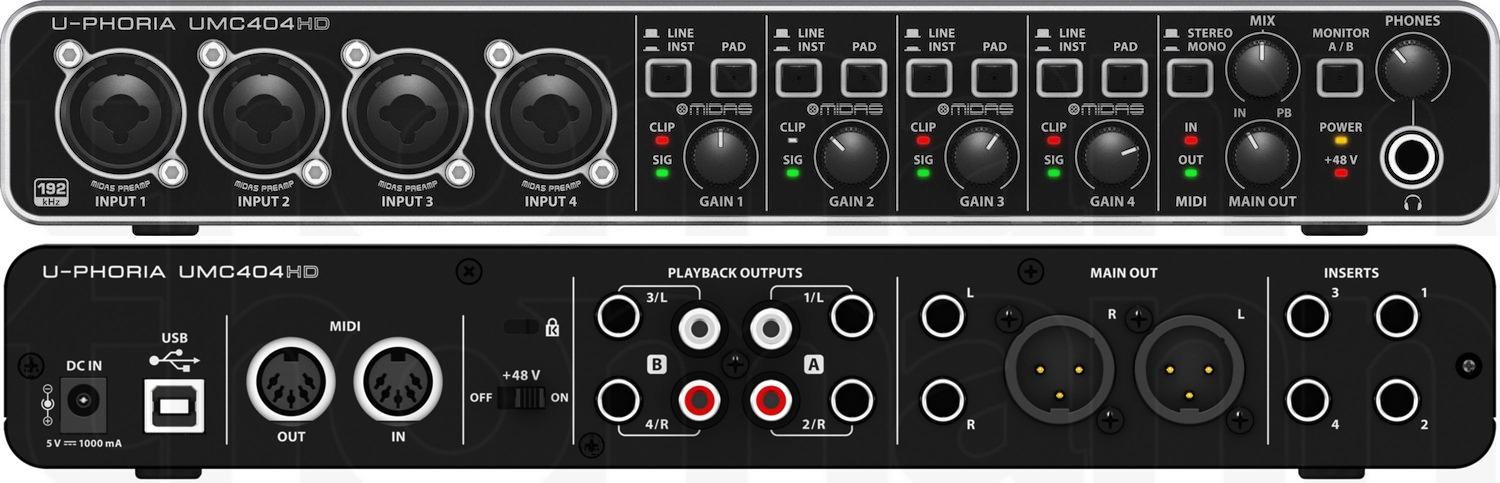
A roundtable show needs four microphones and this is the straightforward answer. Four MIDAS-designed mic preamplifiers with 48V phantom power, four inputs and four outputs, and 24-bit/192 kHz conversion. For a four-person panel it is the least complicated wiring in this roundup, with everything on one USB device.
The metal chassis is the other reason it earns a place. It weighs noticeably more than the plastic boxes at similar input counts, and reviewers describe it as built for permanent installation rather than a desk that gets moved. If your gear lives in one room, that matters.
Ultralow latency streaming across all four inputs and outputs means you can monitor four people without the delay drifting between them. The bundled MIDI I/O is irrelevant to podcasting but useful if you ever add a music keyboard to a theme tune.
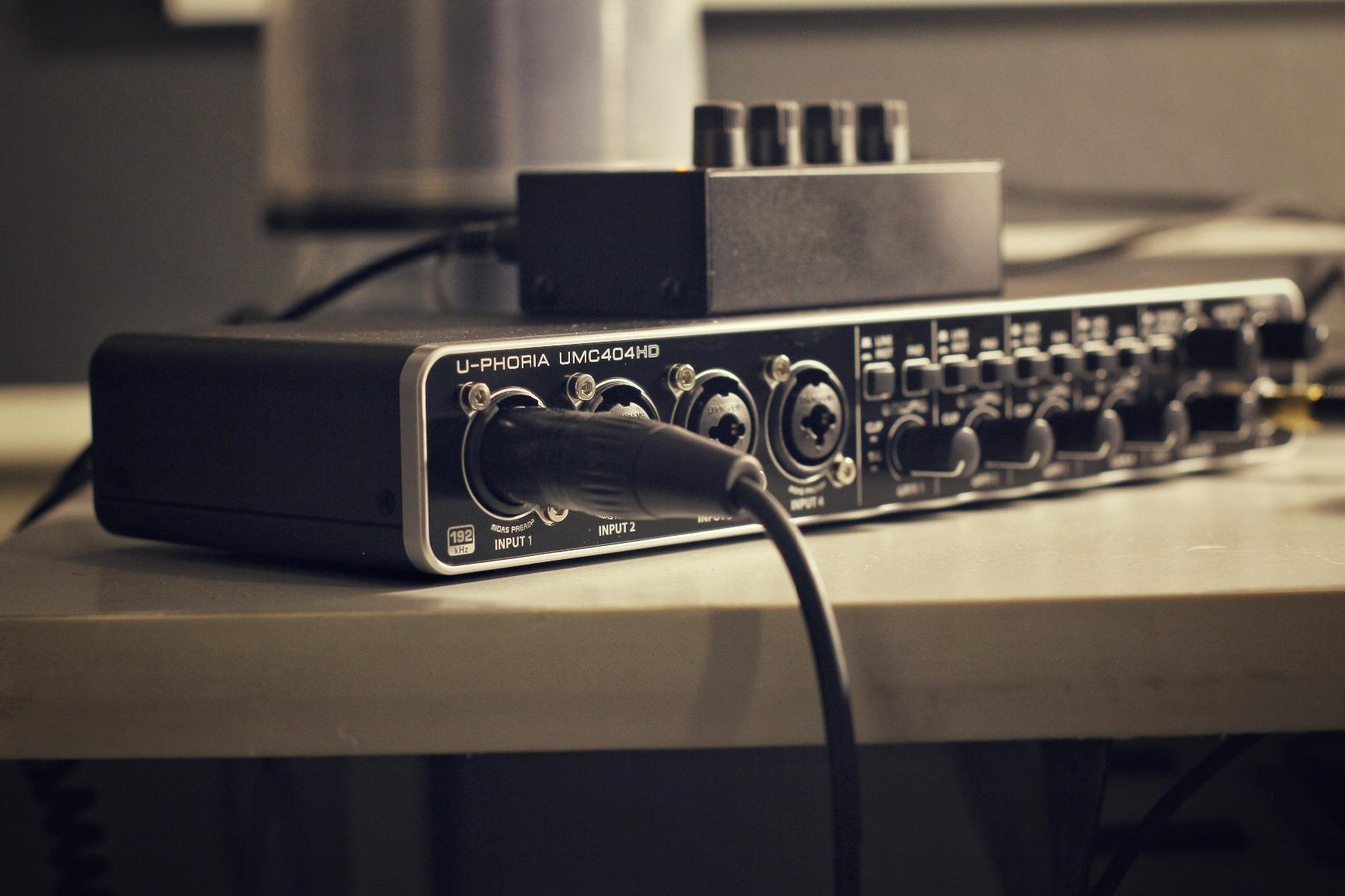
Now the problem. One headphone output. For four hosts in a room, that means one set of headphones, and everyone else monitors through speakers, which is how feedback starts. Our general audio interface guide covers the headphone amp side in more detail.
It is also physically larger and heavier than the two-channel boxes here, which makes it a poor travel companion. The PodTrak P4 solves the same four-mic problem in a 130 g body with four headphone outputs, so this pick earns its place on build quality and resolution rather than on headphone flexibility.
What makes it worth buying
Four genuine preamps rather than two inputs fed from one circuit. For a panel where four people speak at different volumes, per-channel gain is not a luxury, and reviewers repeatedly cite preamp quality as the reason for the strong rating.
24-bit/192 kHz resolution and the metal chassis mean it ages better than the entry boxes. If you plan to record a long-running show on this hardware, that headroom is worth more than a sound pad.
Where it falls short
The single headphone output is the structural drawback reviewers name most. On a four-person panel it is a real ergonomic problem, not a minor one.
There is no onboard processing either, so nothing is levelled or compressed until you open an editor. New podcasters who want finished-sounding audio on day one would be better served by a console with processing built in.
5. M-Audio M-Track Duo – Two XLR Inputs, Entry Tier
- Two XLR inputs at a budget price which is unusual at this tier
- Clean low-noise monitoring with no audible buzz
- Instant plug-and-play setup on Mac PC and Linux
- Zero-latency direct monitoring via the USB/Direct switch
- Bundled MPC Beats and Ableton Live Lite
- All-plastic body slides around when mic cables are moved
- Gain pot taper jumps abruptly near the top making clipping hard to avoid
- Under-driven phantom circuit so condenser mics come in hot
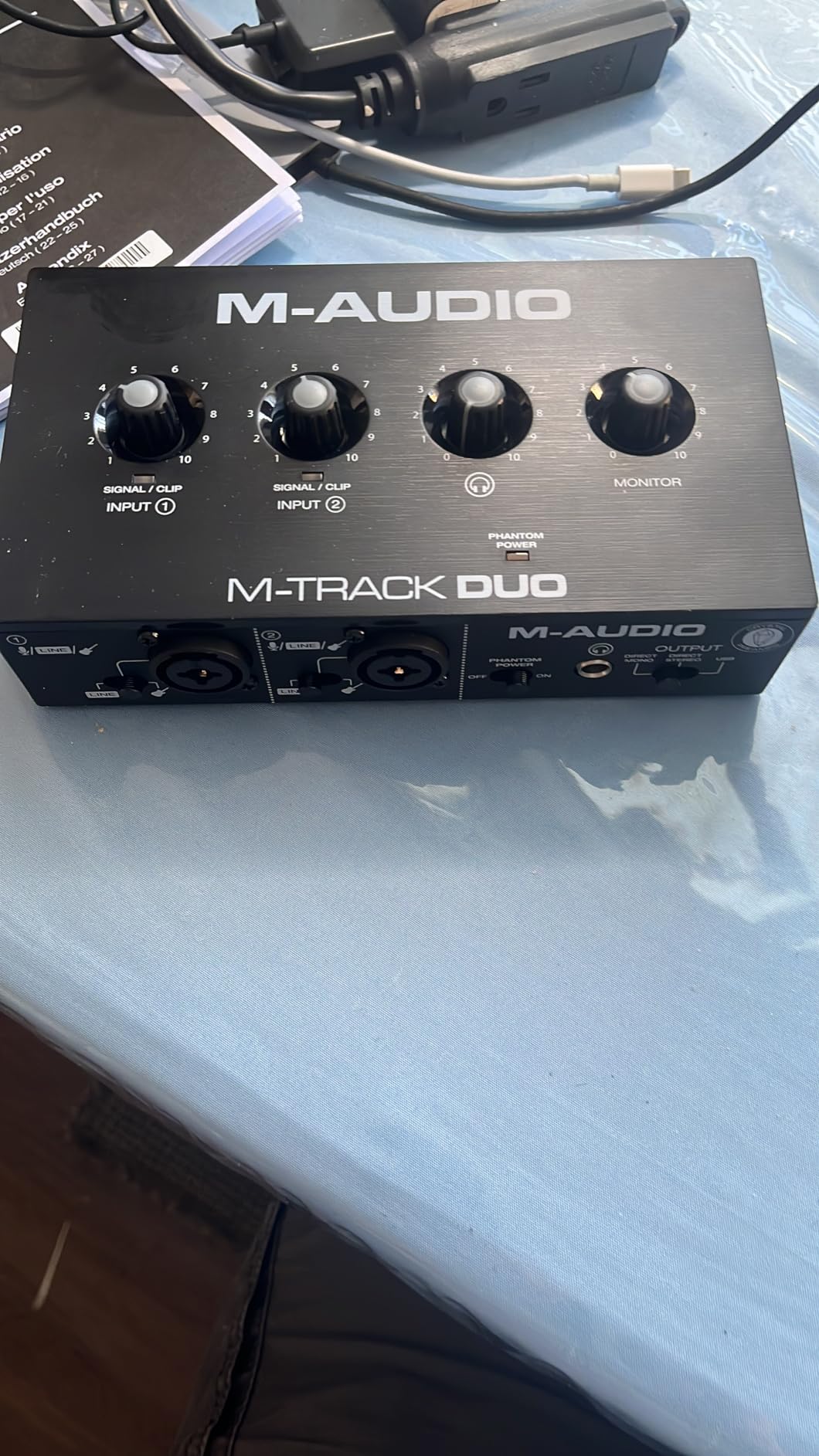
The M-Track Duo is one of the most commonly recommended first interfaces in podcast communities, and testing it explains why. Two XLR inputs, clean low-noise monitoring with no audible hiss even at full gain, and a USB/Direct switch for zero-latency monitoring. It works on Mac, PC, and iOS immediately.
For a beginner recording a solo show or a simple two-host conversation, it does everything required and includes MPC Beats and Ableton Live Lite so there is software to open on day one. That combination of two real XLR inputs and bundled production software at this spend level is rare.
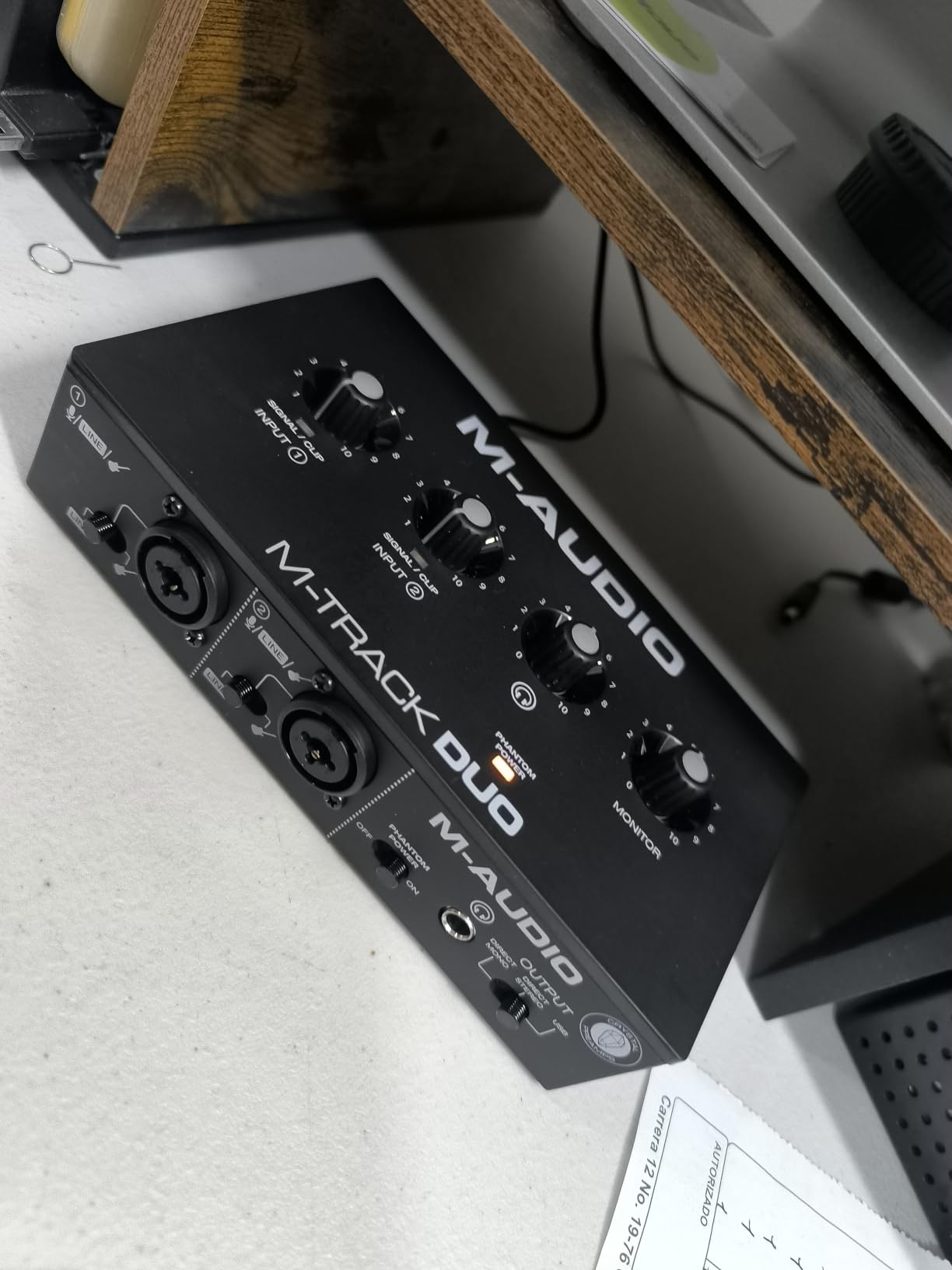
The quirks are worth knowing before you commit. The gain pot taper is the most-cited complaint: it goes from nearly nothing to nearly full scale across a narrow section of travel, which makes accidental clipping easy on a quiet voice. The phantom power circuit is under-driven, so condenser microphones arrive hotter than expected and need careful gain reduction.
Physically it is light, all-plastic, and moves when you tug a microphone cable. The knobs sit on the top face, which is hard to read or adjust in a dim room, and the foam feet grip nothing.
Why it stays on this list
Two genuine XLR inputs with individual gain at the entry tier is the reason. The UMC22 offers a similar layout, but this one includes the software, which for a first-time podcaster is often the deciding factor.
The direct monitoring switch is also better implemented than most. Flipping between USB monitoring and direct monitoring is a single physical toggle, so you can A/B your monitoring path without opening a menu.
Where it frustrates you
The gain taper is the honest flaw. On a quiet condenser mic you can spend real time hunting for the usable part of the knob’s travel, and if you overshoot you clip the recording rather than the preamp.
Build quality is the second. For a permanent desk install, a metal unit will outlive this one. Treat it as a starter box you will replace once the show grows, which is a perfectly reasonable way to buy a first interface.
6. Universal Audio Volt 1 – Preamp Character Over Specs
- Vintage mode delivers the character of UA classic 610 preamps
- 24-bit/192 kHz converters capture detail cleanly
- LUNA DAW and UAD plug-ins bundled as an analog-style workflow
- Works across macOS Windows iPad and iPhone
- Build quality and headphone output praised for the class
- Only one microphone preamp so a two-host show needs a second source
- iOS use requires the external power supply and a Lightning adapter
- Bundled LUNA software is Mac-oriented which limits Windows-only users
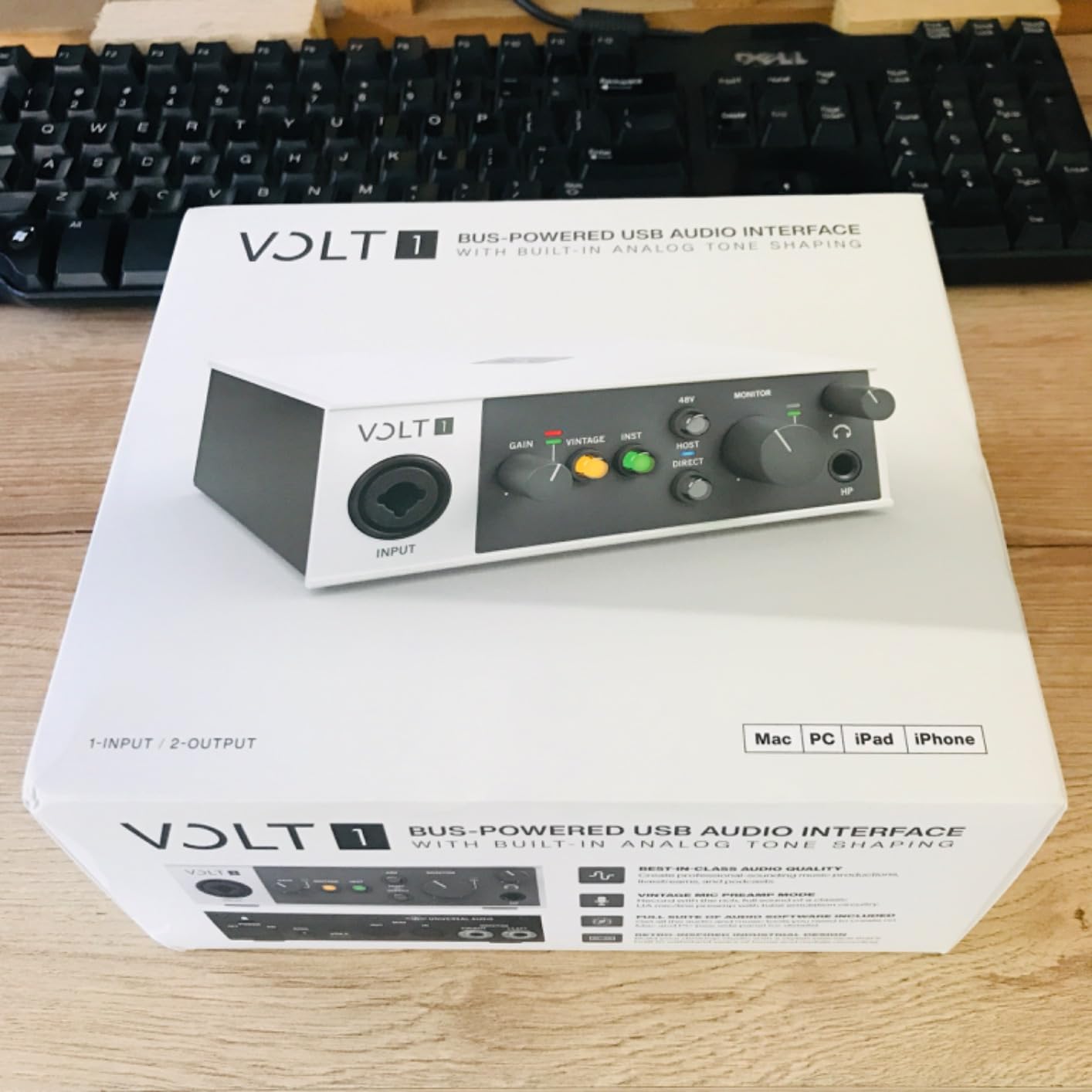
The Volt 1 is the odd one out in this roundup because it makes an argument about sound rather than about specifications. Vintage mode emulates the character of Universal Audio classic 610 preamps, and that is the feature owners describe first in their reviews. It is a colour, not a measurement, and for spoken word it gives a voice a little weight that a perfectly flat preamp does not.
Underneath that, the electronics are modern. Conversion runs to 24-bit/192 kHz, the headphone output is well regarded for the class, and the build feels like a premium box rather than a moulded plastic one. It supports macOS, Windows, iPad, and iPhone.
The LUNA digital audio workstation and a set of UAD plug-ins come in the box, which gives you an analog-style production workflow immediately. That bundle is a genuine differentiator against the bare-bones boxes in this list.
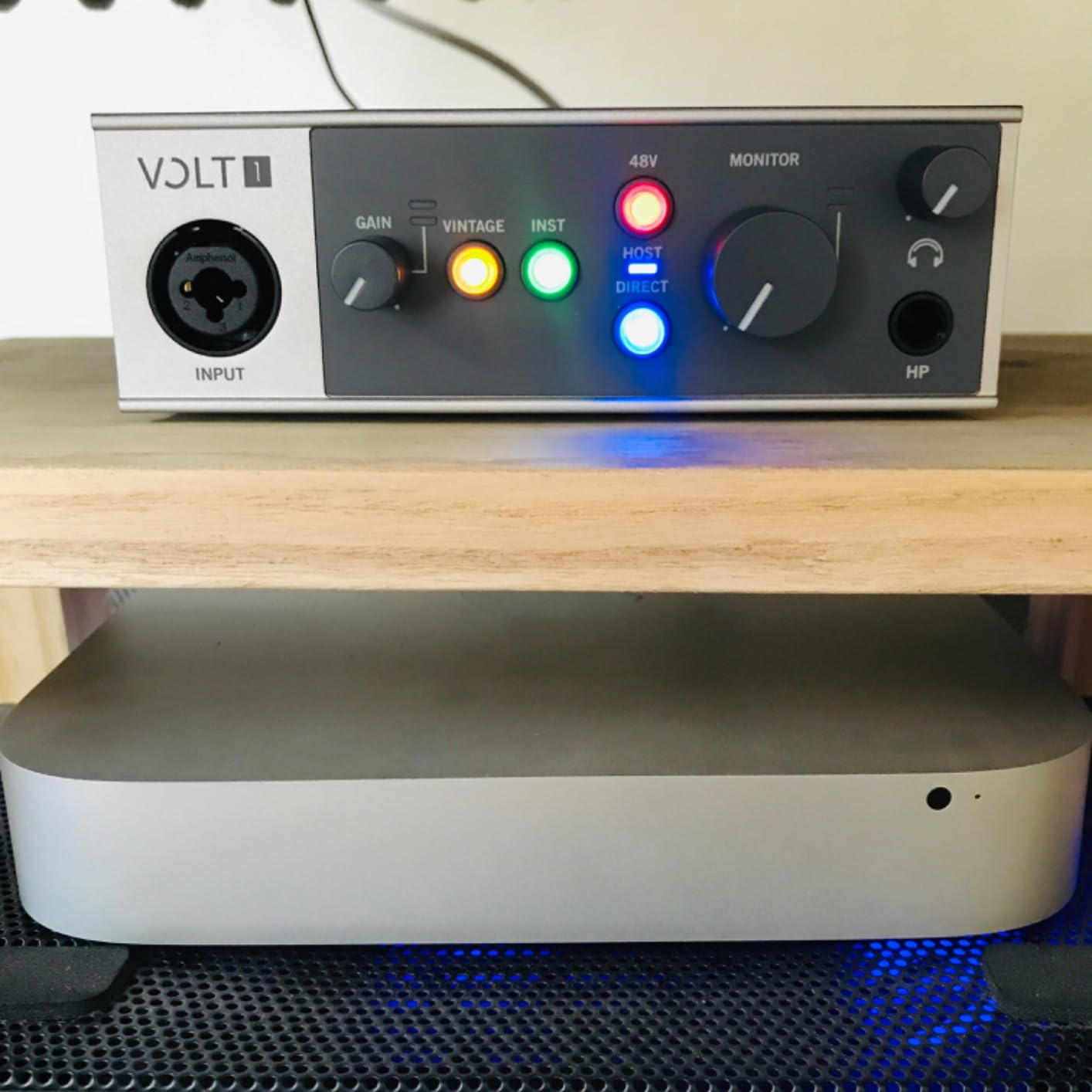
The one microphone preamp is the structural ceiling. This is a solo box, and a two-host show needs a second input source or a second unit. The iOS support is also more conditional than the compatibility list suggests: it needs the external power supply and a Lightning to USB camera adapter, neither of which is included.
Windows-only users get the least from the bundle, since LUNA is Mac-oriented. If you are on Windows and do not care about the Vintage character, a two-channel box such as the M-Track Duo serves the same use case better.
What makes it distinctive
The Vintage mode is the answer, and it is not a gimmick that sounds like a gimmick. It is a parallel circuit rather than software emulation, so it sits before the converter and colours the recorded file rather than a plugin channel.
Cross-platform support is quietly excellent. Very few two-channel boxes in this roundup go from Mac to Windows to iPad to iPhone in the same unit, which matters if you record narration away from your desk.
Where it falls short
One preamp. If you are not strictly solo, this drops down the list quickly, and the money is better spent on a two-input box.
The iOS workflow needs two accessories, and the bundled software leans toward Mac. Neither is fatal, but both are friction a Windows-only or iOS-only user should price in before buying.
7. Shure MVX2U Gen 2 – A Full Preamp in Your Pocket
- 60 dB of gain covers dynamic mics like the SM7B without a booster
- Onboard DSP with auto level
- denoiser and pop stopper
- Pocketable at 100 g yet feels solidly built
- Plugs into the mic XLR port so no XLR cable is needed
- USB-C and USB-powered with no external power supply
- Full DSP control needs the MOTIV app which some find obstructive
- Newest MOTIV release no longer supports Windows 10
- Very quiet sources such as the RE-20 can still fall short near full gain
- Single channel so multiple hosts need multiple units
This is not a box and that is the point. The MVX2U Gen 2 plugs directly into the XLR port of your microphone and turns it into a USB-C microphone, so there is no interface, no cable run, and nothing to carry except the adapter. At 100 g it fits in a jacket pocket.
What surprised us more was the gain. Up to 60 dB of clean gain with 48V phantom power is enough to drive an SM7B directly, which removes the need for an inline booster entirely. That solves the single most common complaint in podcasting threads, where budget interfaces max out and force a Cloudlifter into the chain.
The onboard DSP is unusually capable. Auto Level mode, a real-time denoiser, and a digital popper stopper all run on the device before the signal reaches your computer, plus Dark, Natural, and Bright tone presets. You configure it through the MOTIV apps.
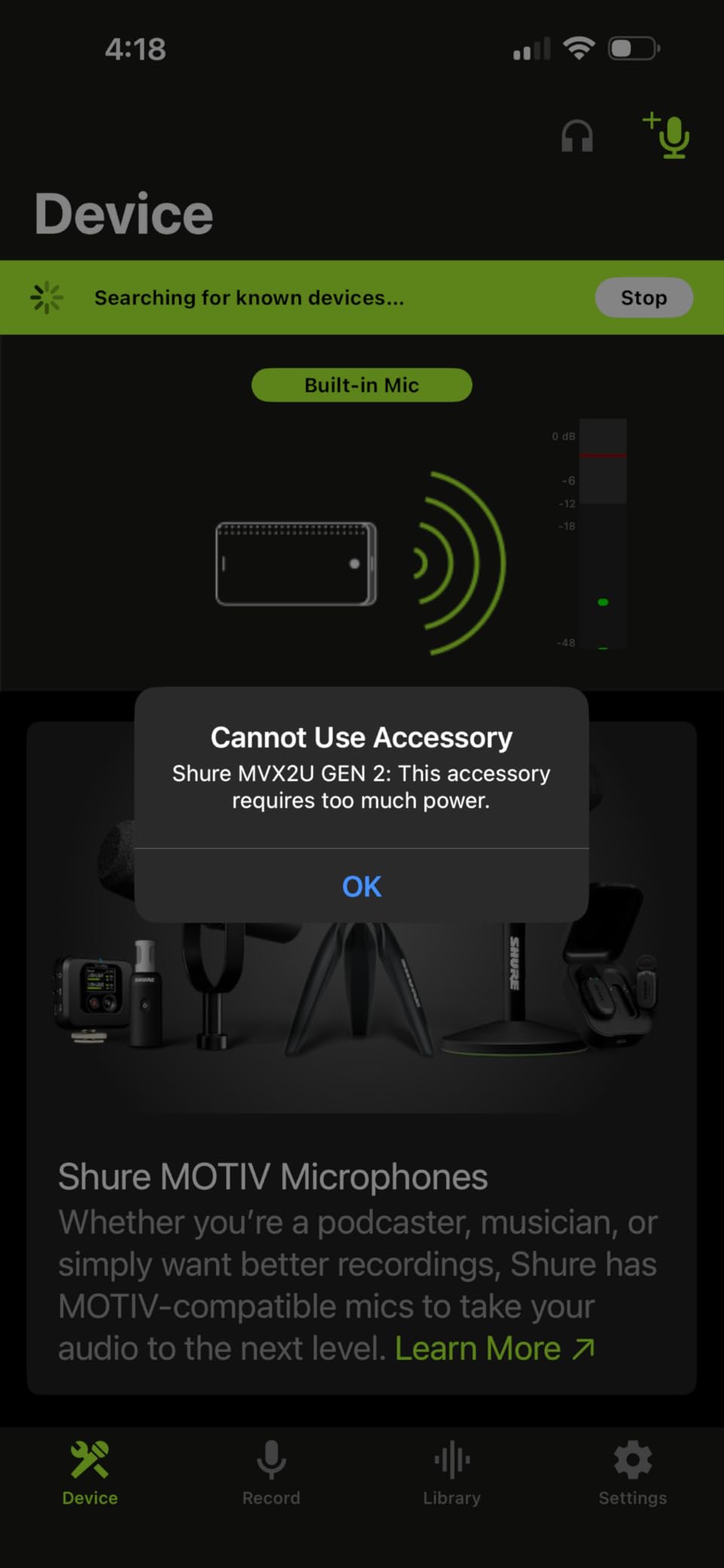
The catch is the MOTIV app. Full DSP control depends on it, and some reviewers find it over-interventionist, especially if you want raw signal. The newest release has also dropped Windows 10 support, which is worth checking against your machine before buying.
It is single-channel, so a two-person setup means two adapters and two USB devices, which reintroduces the operating system routing conflicts you were trying to avoid. For a very quiet source such as an RE-20, output level can still fall a little short even near the full 60 dB.
What makes it the travel pick
No XLR cable, no power supply, no driver. It is USB-C and USB-powered, so it works with laptops, phones, and tablets. A reporter doing three location interviews in a day can carry the microphones and this adapter and nothing else.
The gain headroom is the quiet hero. An inline booster is a solved problem when the interface offers enough clean gain on its own, and this is one of the few compact units that does.
Where it does not fit
Remote two-host shows are out. One channel, one device, no mixing. If a guest ever joins you in the same room, this is the wrong shape of tool.
Software dependency is the other limit. If you would rather record a completely unprocessed file, bypass the DSP and accept a more limited feature set.
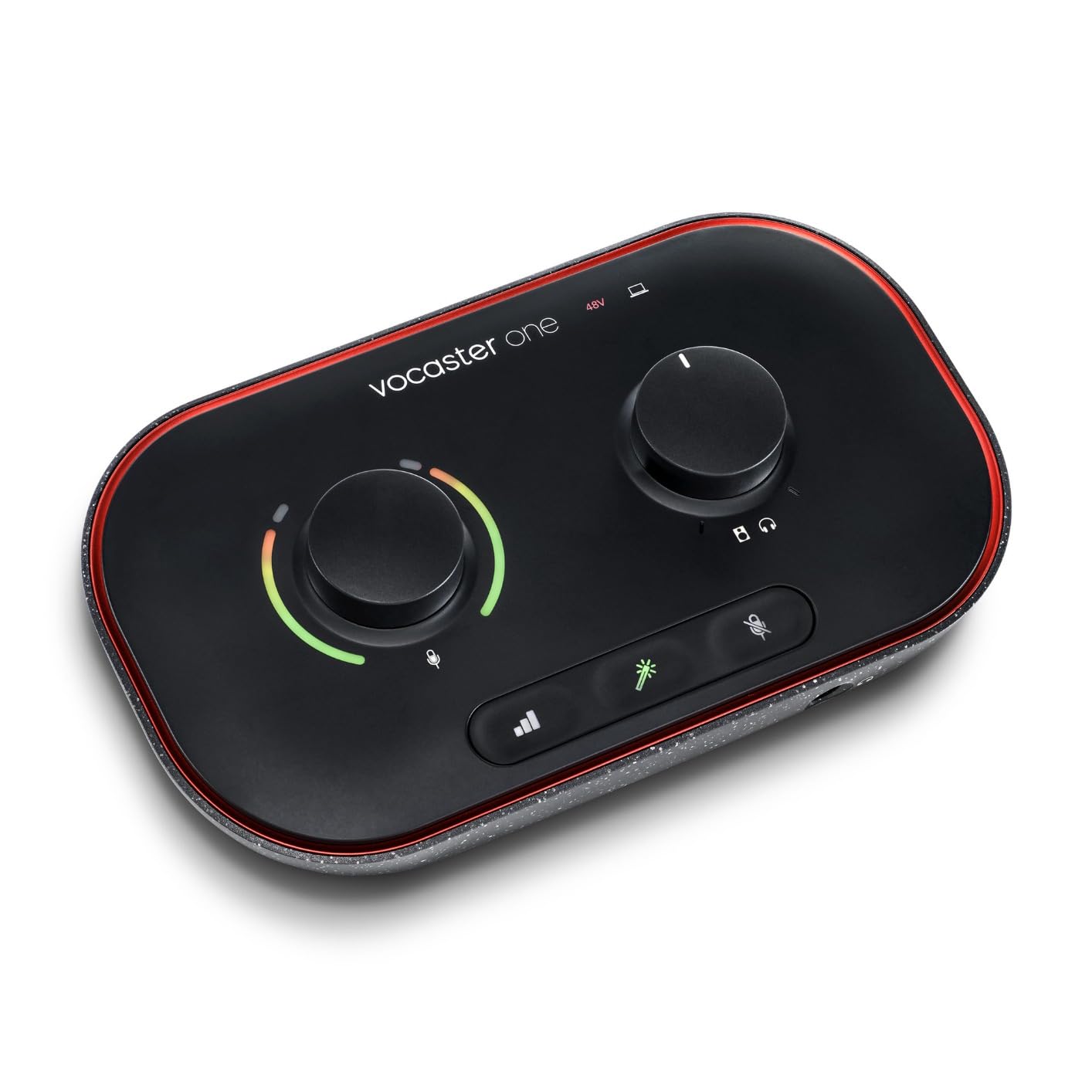
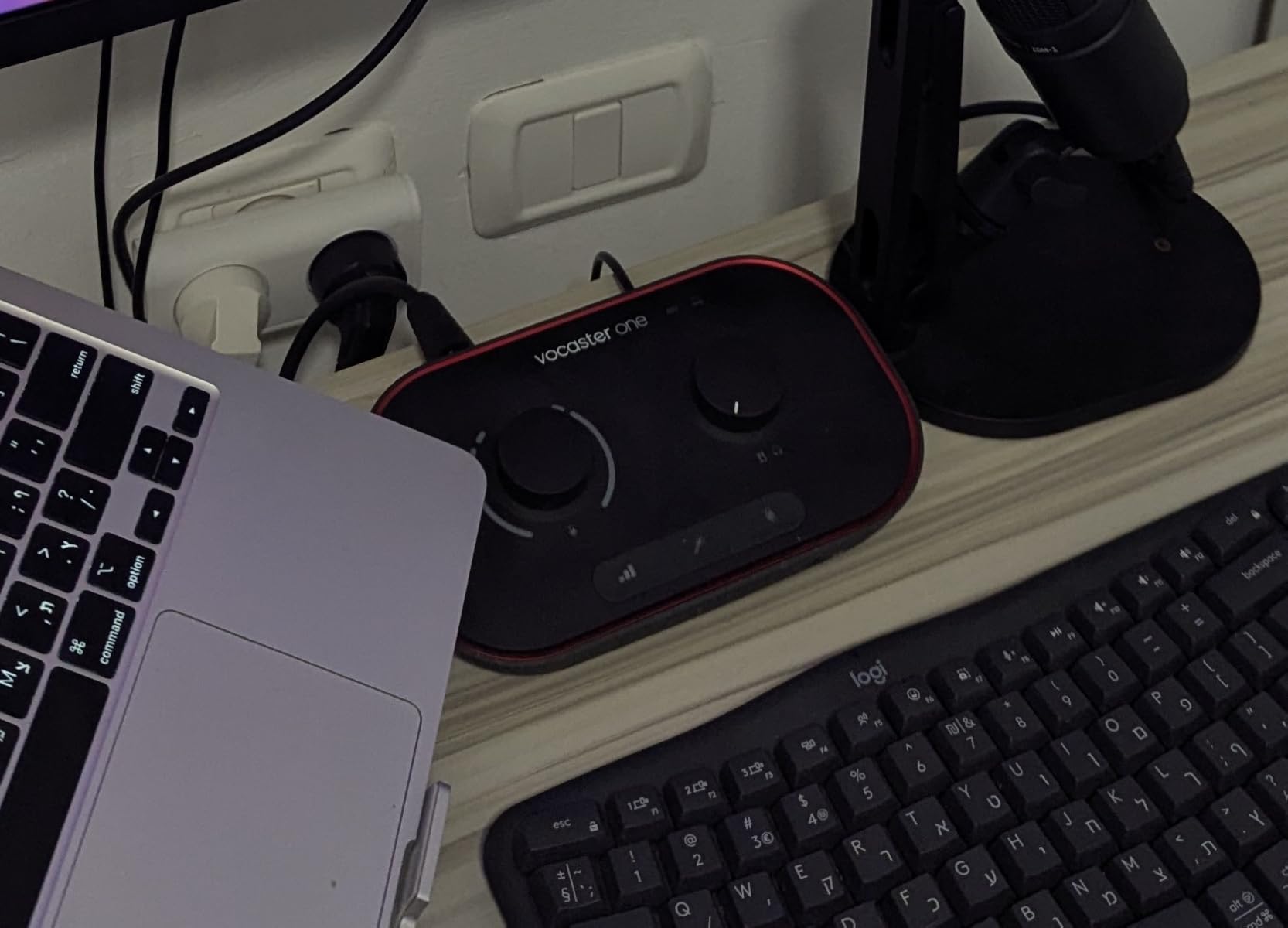
8. Focusrite Vocaster One – One-Button Level Setting
- Auto Gain
- Enhance and Mute make level setting a one-button operation
- Over 70 dB of gain removes the need for a booster
- TRRS phone input and stereo loopback cover guest calls and music beds
- Broadcast-quality output from a very small footprint
- Only one mic input so it suits solo creators rather than two-host shows
- Capped at 48 kHz sample rate and 24-bit
- Enhance presets are fixed rather than fully adjustable
The Vocaster One takes the opposite approach to the Volt 1. Instead of character, it removes decisions. Auto Gain listens to you talk and sets the level in seconds, Enhance offers four podcaster-approved voice presets, and a one-touch Mute cuts coughs, sneezes, and interruptions instantly.
For someone on their first episode, those three buttons are the entire learning curve. No gain staging, no plugin chain, no mixing. You press a button and record something that sounds finished.
It also handles the two things most solo shows need beyond the microphone. The TRRS phone input captures a full conversation or plays phone audio back, and the stereo loopback pulls computer audio onto the show so you can add a music bed. Over 70 dB of gain covers typical podcast microphones with no booster.
The 48 kHz and 24-bit ceiling is the spec limit, and it is exactly what spoken word needs, so this is a deliberate limit rather than a compromise. Enhance presets are fixed, so if you want to shape the voice yourself you are back to editing software.
One input is the deciding fact. This is a solo creator box, and a two-host show needs a second mic input that it does not have. If a second person ever shares the room, skip this one.
Who buys this one
Anyone who has abandoned a recording attempt because the gain was wrong or the file was too quiet to edit. The Auto Gain feature exists for exactly that person, and the reviews show it working.
Interviewees will also like the one-touch Mute. A cough mid-sentence is much easier to hide with a hardware button than with a keyboard shortcut you have to find while still talking.
Where the simplicity ends
Fixed presets stop being helpful the moment you know what you want. There is no EQ, no compressor, and no routing beyond what is built in, so growth means new hardware rather than new knowledge.
One mic input, again. This is the box for a solo show and a solo show only, and it is very good at that.
9. Tascam US-1x2HR – The Quietest Floor Here
Tascam US-1X2HR 1 Mic 2IN/2OUT High Resolution Versatile USB Audio Interface for Recording, Streaming, Podcasting, Songwriting
- Very low reported noise floor around -100 dB
- Metal construction considerably more durable than plastic rivals
- 192 kHz and 24-bit resolution for archival work
- Rear RCA line inputs simplify hi-fi and tape transfers
- Works with PC Mac and i-devices when externally powered
- Only one XLR mic input so it suits a single host plus line sources
- Outputs are unbalanced RCA rather than balanced
- Driver installation is required on Windows
- Mix control must be set in software rather than the front panel
The US-1x2HR solves a problem most of these boxes ignore: noise floor. Reviewers report a figure around -100 dB, which means more usable dynamic range between your quietest and loudest syllable, and for a voice-led show that headroom is worth more than another feature button.
It is also metal. Reviewers who upgraded from a plastic unit describe the difference in durability as night and day, and at 24-bit/192 kHz it meets the resolution of every other serious pick in this list.
The rear RCA stereo line inputs are a genuinely useful quirk. Capturing from a hi-fi system, a tape deck, or a turntable needs no external transformer or DI box, and the front balanced quarter-inch line inputs sit alongside the XLR for anything more serious.
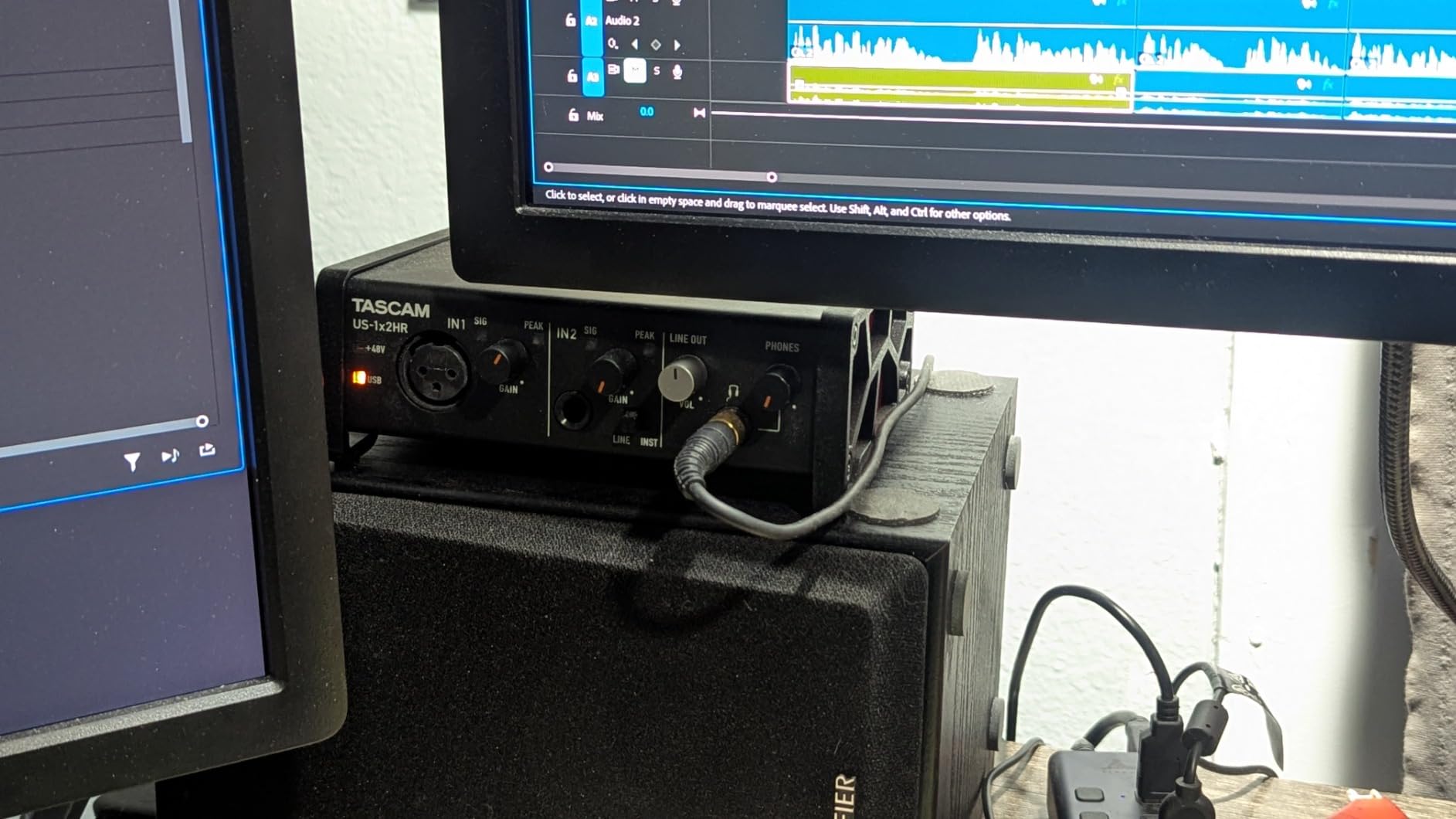
It is also a single-mic box. One XLR input on the front with a switchable instrument mode, so it suits a single host plus line sources rather than a conversation. The outputs are unbalanced RCA, which is fine for a desktop setup and less ideal if you run long balanced cables.
On Windows you install a driver, and the mix between computer playback and your recorded signal has to be set in software rather than on the front panel. Both are small steps, not blockers.
Who this suits
Narrators and audiobook recorders, who sit alone with a good microphone in a treated room and gain everything from a low noise floor. The same applies to anyone recording in a quiet space where you want to keep as much of the 24-bit range as possible.
It is also the pick if you intend to keep the same hardware for years. Metal construction and high resolution age better than a plastic box you will replace.
Where it runs out
One microphone input is the hard limit, and it is why this sits low in the list despite sharing the highest average rating in the roundup. A two-host show is simply not what it is for.
The unbalanced outputs and the software-only mix control also make it less pleasant for live monitoring than a box with proper front-panel level control.
10. RØDECaster Duo – A Console Without the DAW Learning Curve
- Two ultra-low-noise Revolution preamps with 76 dB of gain for demanding dynamic mics
- All-in-one design removes the need for a separate mixer and effects unit
- Four broadcast faders plus SMART pads give on-show control of music and effects
- High-resolution haptic touchscreen is easy to navigate mid-session
- APHEX processing with Aural Exciter and Big Bottom adds polish
- Only two mic inputs which is restrictive for a three or four person panel
- The most expensive unit in this group by a wide margin
- Requires a corded power supply rather than running on USB bus power
- Touchscreen and SMART pads carry a learning curve for first-time podcasters
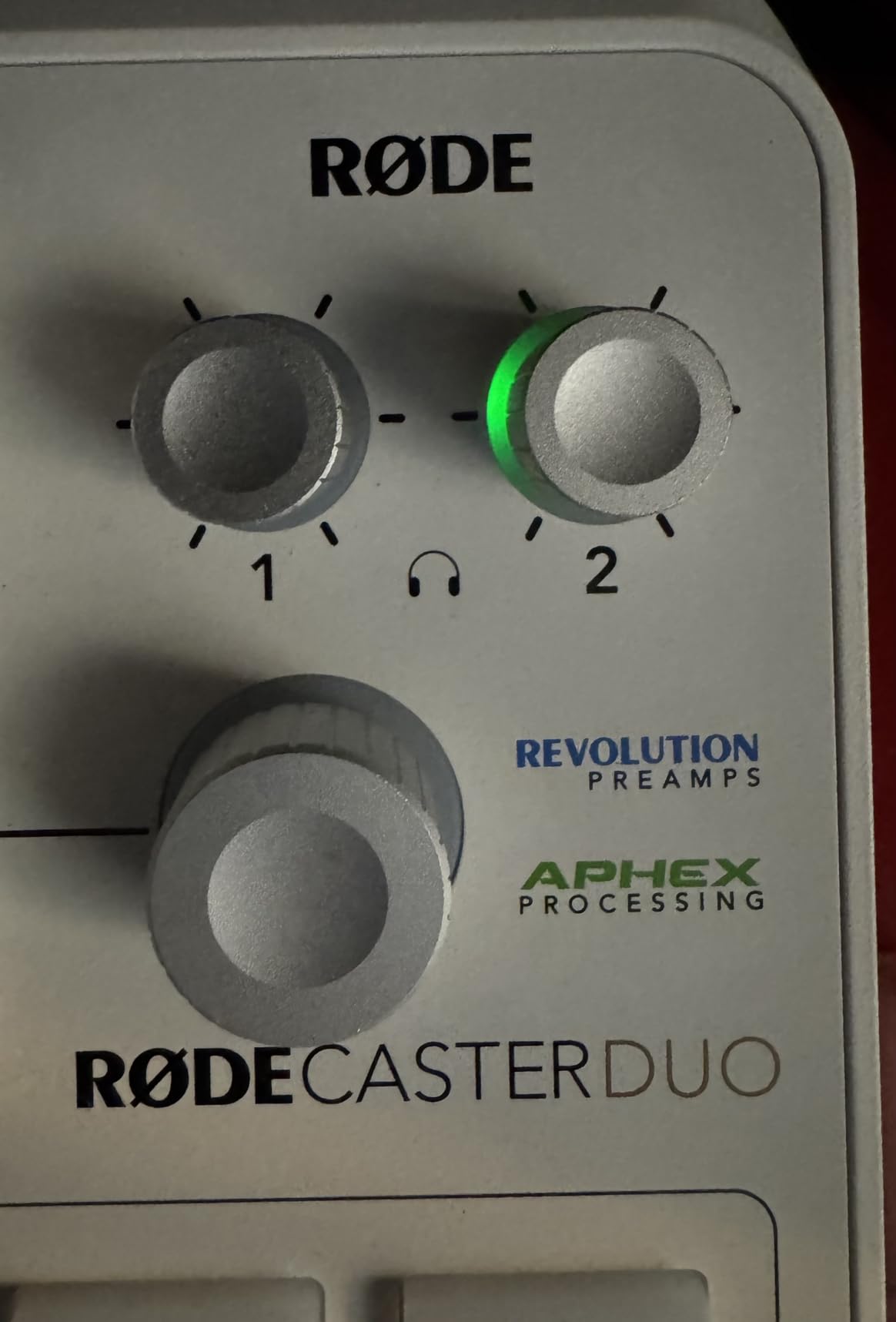
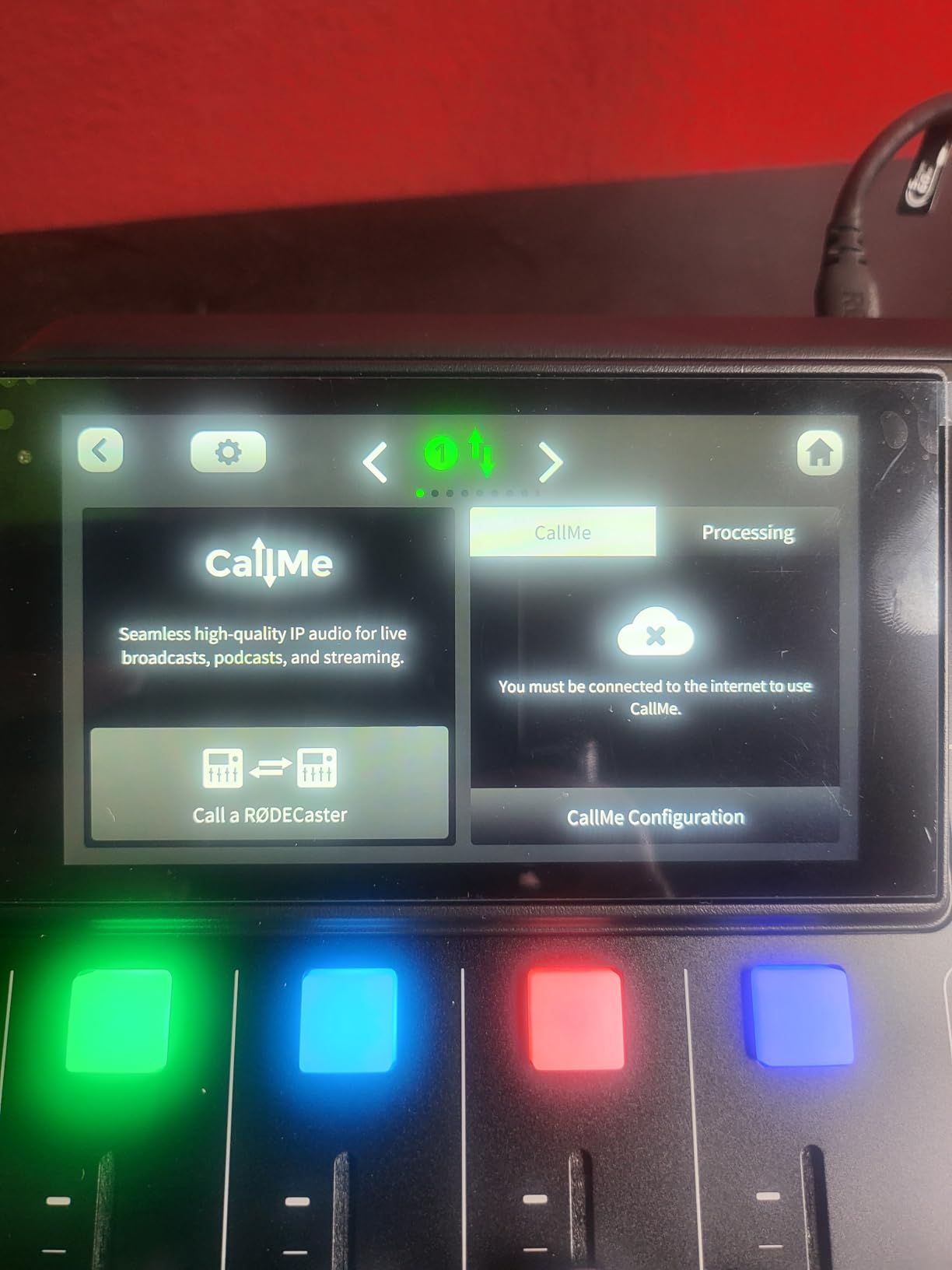
The RØDECaster Duo is the all-in-one answer, and the reasoning behind it is simple: you can produce a finished episode without opening a DAW. Four broadcast-quality faders, a high-resolution haptic touchscreen, six SMART pads with bank switching, and APHEX processing including Aural Exciter and Big Bottom.
On the electronics, the two Revolution preamps deliver 76 dB of gain with -131.5 dBV equivalent input noise, the highest gain figure in this roundup, and it means even demanding dynamic microphones are driven cleanly.
Podcast threads describe the onboard processing as good enough that you might never open a DAW, and that is accurate. Level, tone, and dynamics are handled on the device, and the faders and pads let you trigger music and effects live while recording rather than lining them up in edit.
It carries a 10 percent one-star share, and it is worth understanding why. Owners who bought it as a complete production room love it. Buyers who expected a two-host interface with a screen find two inputs restrictive, and the price gap to a two-channel box is wide enough that the return rate reflects that.
Two Neutrik combo jacks is the ceiling. A three or four person panel is out of the question, which is a genuine limitation for anyone whose show format might grow. It also needs a corded power supply rather than running purely on USB bus power.
Why the console format works
Physical faders are the point. Setting a level in software means looking away from your microphone, and on a two-host show a moving fader under a fader mic is a level change the guest hears. A hardware fader you adjust by feel solves that.
The SMART pads bank across eight sounds with one tap, which is how live music beds and stingers get into a show without a second operator. The APHEX processing, particularly the Aural Exciter for presence, is the kind of polish that normally lives in a rack.
Where it is the wrong buy
Two inputs. If there is any chance of a panel format, or a third voice on a future episode, this box will need replacing, and that is an expensive mistake to make early.
It is also the most expensive unit in the roundup by a wide margin, spent largely on the console experience rather than on audio quality you could not otherwise get. If your show is one or two voices and you are comfortable editing, the money buys more elsewhere.
11. PreSonus Quantum ES 2 – The Most Gain Per Channel
PreSonus Quantum ES 2 USB-C Audio Interface with Fender Studio Pro Software
- MAX-HD preamps deliver 75 dB of transparent low-noise gain
- Fender co-developed instrument input suits guitar and bass
- Auto Gain plus bright LED metering reduces gain-staging guesswork
- Loopback makes a separate monitor or stream mix straightforward
- Custom low-latency driver keeps tracking responsive
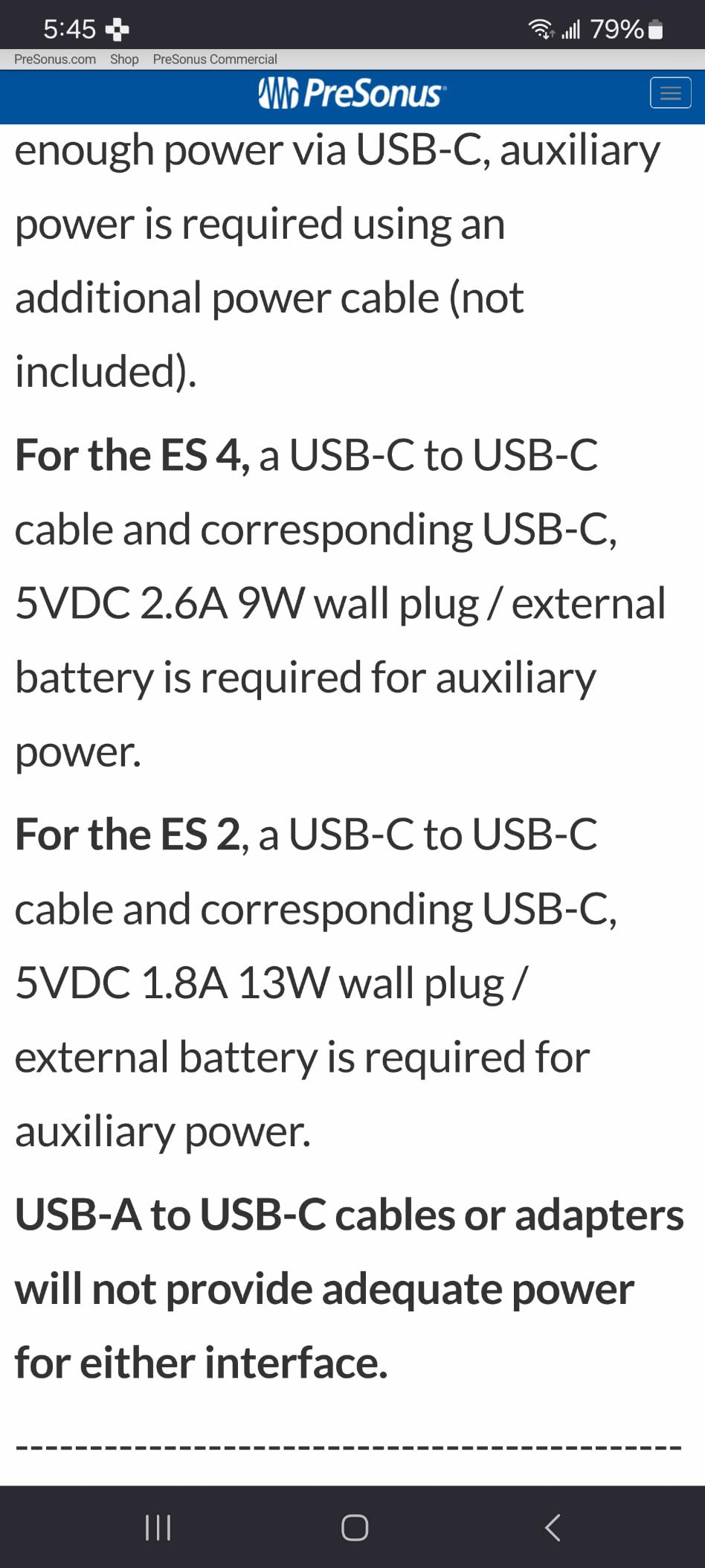
- Only two inputs so it does not cover a two-host conversation on its own
- Lowest average rating in this group with a 12 percent one-star share
- Some owners report setup and driver friction on certain systems
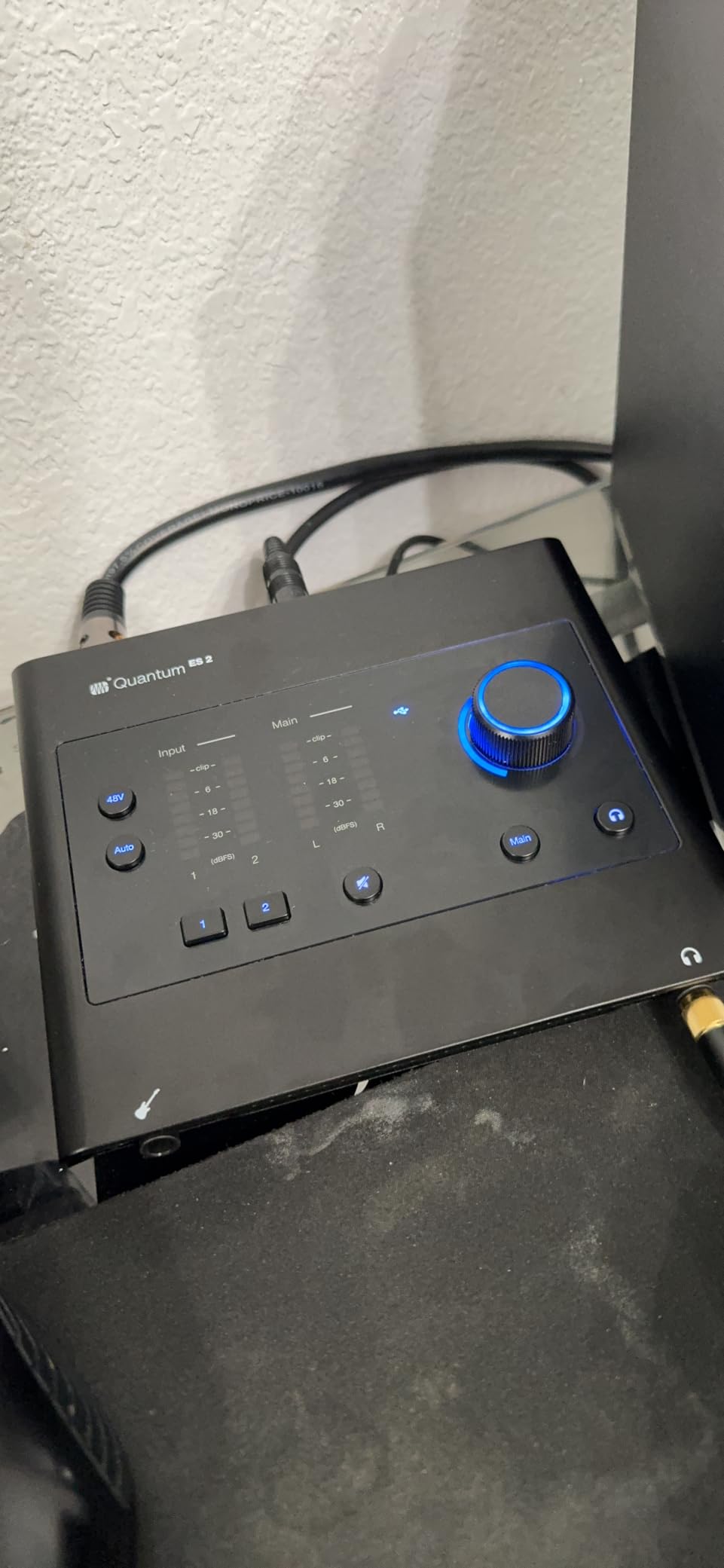
The Quantum ES 2 competes on one number: 75 dB of gain from two MAX-HD preamps. That is the most headroom in a two-channel box in this roundup after the RØDECaster Duo, and it means an SM7B or other low-output dynamic microphone is driven without an inline booster.
Everything else around it is well judged. The instrument input was co-developed with Fender engineers, which is irrelevant to a spoken-word show but sensible if you record your own theme music. Auto Gain and bright LED input and output metering cut the guesswork out of recording alone, and the loopback audio makes a separate monitor or stream mix straightforward.
Studio One Pro comes with a perpetual licence, which is unusual at this level and removes the subscription question entirely if you already use PreSonus software.
Now the honest part: this has the lowest average rating of the twelve and the highest one-star share, at 12 percent. The complaints are not about audio. They are about setup, drivers, and reliability on certain systems, which means a meaningful block of buyers hit friction before they ever recorded a take.
Two inputs is also the limit. Despite the name and the gain, it does not cover a two-host conversation by itself, which is a strange outcome for the most capable preamps in the list.
Where the gain matters
If your microphone plan involves an SM7B, an RE-20, or any other low-output dynamic, gain headroom removes a piece of equipment from your signal chain. Fewer boxes, fewer failure points, and no added noise floor from an inline booster.
75 dB of clean gain is also headroom you do not have to think about. You set the level once and never touch it again, which is a small quality-of-life win that shows up every session.
Where it disappoints
The driver situation. If you are on an older or unusual Windows configuration, read recent owner reports carefully before committing, and check that the driver installs cleanly on your specific machine.
Two inputs and a lower rating than most of the boxes around it make this a specialist pick: right if you need maximum gain in two channels, wrong as a general first interface. Our audio mixer guide covers the alternative control-side options.
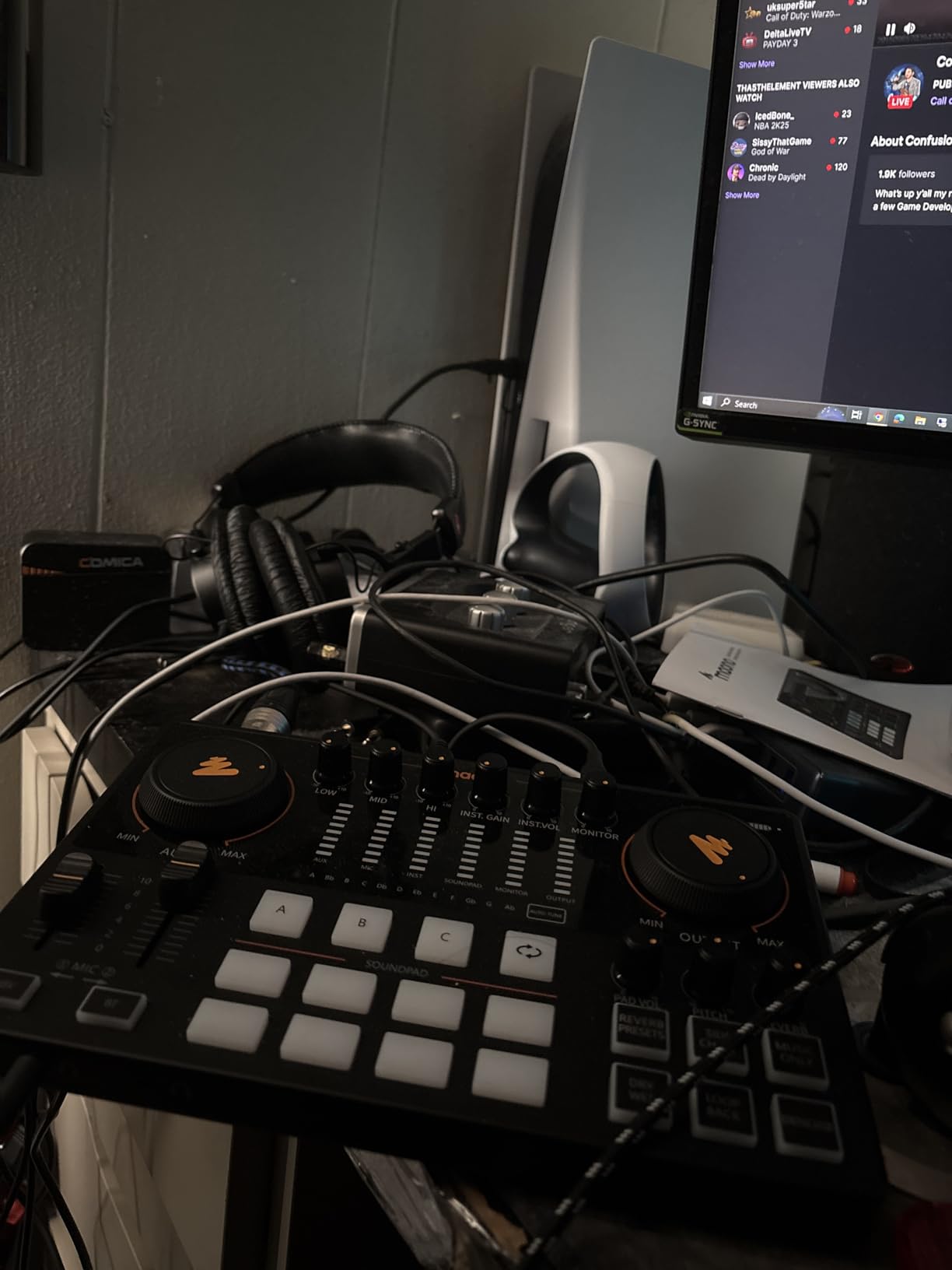
12. MAONO AME2 – Pads, Reverb and Built-In Denoise
MAONO AME2 Audio Interface Mixer, Podcast Studio Console with XLR Input
- Ten channels and two XLR inputs give far more routing flexibility than a typical two-channel box
- Eleven customizable sound pads with three recording up to 60 seconds
- The DENOISE function is genuinely useful in a noisy or untreated room
- Built-in reverb
- auto-tune
- EQ and pitch controls shape the voice without plugins
- Dual front headphone outputs allow switching between two sets
- Echo and feedback reported by some users when streaming
- Buzz above half output that resolves after a driver update
- External XLR microphones need their own cables which are not included
- Pad uploads and OBS integration proved difficult from the documentation
The MAONO AME2 is the feature-density pick: ten channels, two XLR microphone inputs, 60 dB of gain across three levels with 48V phantom power, and eleven customizable sound pads, three of which record up to 60 seconds with one-key looping. It works with PC, Mac, smartphone, tablet, and camera, including common mics such as the SM7B, SM58, RØDE PodMic, and Samson Q2U.
The DENOISE function is the standout for a first-time podcaster. It is a button on the box, not a plugin, and owners in untreated rooms single it out as the reason the recording is usable without a week of acoustic work.
Reverb, 12-step auto-tune, three tone controls, and a pitch changer handle the rest. Sidechain, music-only, and loopback switches give it routing flexibility that a bare two-channel interface simply does not have.
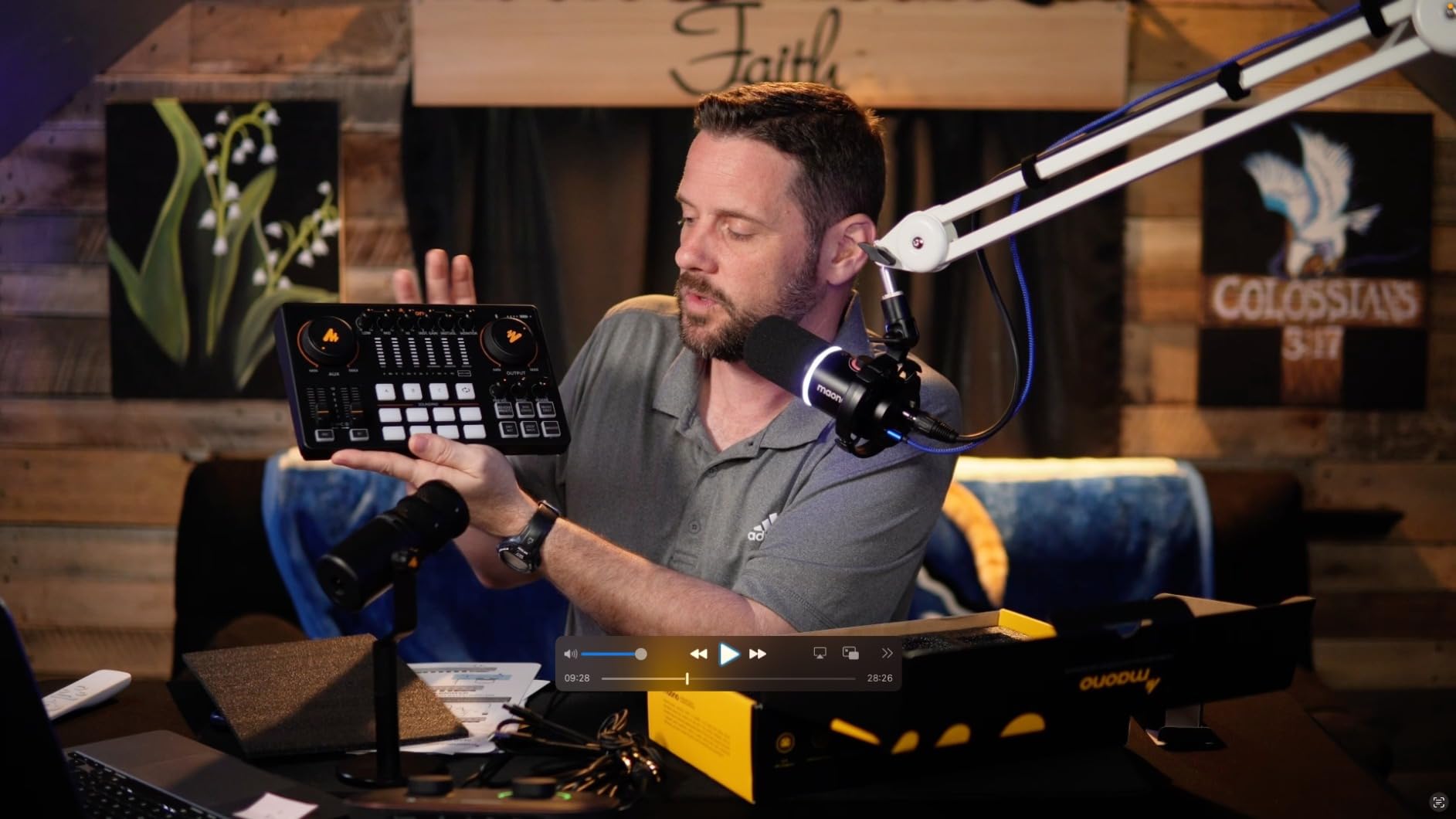
The audio path is where the criticism sits. Some users report echo and feedback when streaming, and buzz that appears above half output level until the drivers are updated. Dirty mains power can add hum while charging, which is a grounding issue rather than a design fault but still needs handling.
Two documentation gaps are worth planning around. Uploading custom sounds to the pads and integrating with OBS both proved difficult from the manual, and external XLR microphones need their own cables, which are not included.
What makes it different
Ten channels is the headline. Most two-channel interfaces give you two inputs and nothing else, and anything beyond a simple two-host show needs software routing. The AME2 has ten physical channels with sidechain and music-only switching on the hardware.
Dual front headphone outputs let you swap between two sets of headphones without reaching behind the box, which is a small thing that saves a small amount of time on every take.
Where it will disappoint
Streaming reliability is the honest weak point. If your show is a live stream rather than a recorded podcast, the reported echo and feedback issues are a real risk, and you should read recent owner reports before committing.
It is an audio interface rather than a USB microphone, and USB microphones are not supported at all, so an existing USB mic cannot be plugged into it. For a creator moving from a single USB mic, that is a constraint rather than a limitation, and for everyone else it simply rules out one piece of gear they may already own.
Audio Interface vs USB Microphone for Podcasting
Direct answer: an audio interface wins the moment you record two microphones, use a condenser, or add a remote guest. A USB microphone wins on day one when you are a solo creator who wants one mic and no setup.
A USB microphone contains a preamp, a converter, and usually a headphone output inside the microphone body. It is genuinely a small interface plus a mic. What it cannot do is accept a second input, so every additional person needs another USB device, and two USB audio devices on one computer is a reliable source of routing conflicts in Zoom, OBS, and editing software.
That is the argument for an interface even if your production is single-host. A two-channel box lets you add a second microphone later, add a music input, or capture a phone call through the TRRS jack without replacing anything.
The cost difference is smaller than it looks. A USB microphone in this bracket gives you one channel and a fixed conversion path. An interface gives you the same preamp quality plus routing, which is why most people who outgrow a USB mic jump to a two-channel box rather than buying a better USB mic.
Recording Remote Guests: Loopback and Mix-Minus
Loopback is the feature that decides whether an interface can handle a remote podcast. It routes your computer audio back into the recording, so the guest or the music bed on your Zoom or Riverside call is captured locally rather than only existing on someone else’s internet connection. Without it you are mixing a call by ear and hoping everyone has decent bandwidth.
Mix-minus is the companion, and it is the root cause of the most common complaint in remote podcasting: the guest hearing themselves echoed. Mix-minus is a version of your mix with your own microphone removed, sent to the guest so they hear you and the show but never hear themselves. Configure it wrong and the guest gets a delay, and any delay makes people talk over each other.
None of the twelve in this roundup has a dedicated mix-minus bus except the Zoom PodTrak P4, which builds it automatically for the TRRS phone input. The Vocaster One and the MAONO AME2 both handle guest calls through TRRS or Bluetooth with onboard processing. The rest rely on software routing, which is achievable but takes setup.
For recording local multitrack while guests join on a call, the pattern is the same across all of them. Record each microphone to its own track locally, record the call separately in the conferencing software, and sync them in post. That way a guest dropping out never damages your microphone files, and you can replace a noisy guest segment without re-recording the whole episode.
The Tascam US-1x2HR ships an ASIO driver plus loopback for streaming, and the PreSonus Quantum ES 2 has loopback audio for building a separate stream mix. The rest work with the operating system, and on some machines that means routing through WDM or a virtual cable utility, which is the fragility users complain about most.
How to Choose an Audio Interface for Podcasting?
Five checks, in the order that matters. Get these right and the model choice takes care of itself.
How many microphones do you actually need
One input is a solo show. Two inputs is the standard two-host setup and the most common choice. Four inputs is a panel or a live show. Beyond four, you are looking at a console rather than an interface, and the audio interface versus podcast mixer question becomes the real decision.
Count every voice that speaks into a microphone, including the remote guest. If a guest joins in person once a year, four inputs will save you a rewiring session each time.
Preamp gain and which microphone you will use
Condenser microphones need 48V phantom power and modest gain, and every interface here provides it. Dynamic podcast microphones such as the SM58, Q2U, and PodMic work with less. Low-output dynamics like the SM7B are the real test, and anything under about 55 dB of gain will push you toward an inline booster.
Gains in this roundup run from 48 dB equivalents on the budget boxes up to 70 dB and above on the Vocaster One, MVX2U, Quantum ES 2, and RØDECaster Duo. If an SM7B is on your shopping list, the box should be in the upper half of that range. Our podcasting microphone guide covers which mic types need what.
Headphone outputs, which is the one people miss
One headphone output means a two-host show shares one pair of headphones or buys a splitter. Two or more independent outputs with individual volume is a genuine feature, not a luxury, and only the PodTrak P4 in this roundup provides four.
Loopback and guest-call routing
Native loopback, a TRRS phone input, or a Bluetooth input for a phone caller all solve the same problem. Software loopback through the operating system works but is the most fragile link in the chain, and it is the first thing to break when a computer goes to sleep.
Sample rate, drivers, and the monitoring path
Record spoken word at 48 kHz and 24-bit. Every unit here meets that except the Behringer UMC22, which tops out at 48 kHz and 16-bit. Higher rates such as 96 kHz or 192 kHz add file size and CPU load without improving a voice recording.
For monitoring, direct monitoring routes your microphone straight to your headphones with no software delay. DSP monitoring adds processing first, which sounds better but introduces a little latency. Software monitoring has the most latency and is the one to avoid for live conversation. On Windows, check whether the interface needs a driver installed, and whether the manufacturer still updates it.
Finally, spend where it counts. An untreated room damages a recording far more than a modest interface, so a thick blanket hung behind the microphone and away from the wall is worth more than the step up to a pricier box. Our audio mixer guide covers the control surface options if you decide you need faders rather than software.
Frequently Asked Questions
What is the best audio interface for podcasting?
The Zoom PodTrak P4 is the best all-round choice for podcasting, with four XLR inputs, four independent headphone outputs, four sound pads, per-track recording, and automatic mix-minus for phone guests. For a solo show the Focusrite Scarlett Solo 4th Gen is the safest buy, and for a two-host show on a tight budget the Behringer UMC22 or M-Audio M-Track Duo both do the job.
Do I need an audio interface to record a podcast?
You need one as soon as you record more than one microphone, use a condenser mic, or add a remote guest. A laptop sound card has one input, almost no gain, and no phantom power, and a USB microphone gives you one mic with no way to add a second person. A single USB mic is fine for a solo creator who wants zero setup.
Can I record two people with one audio interface?
Yes, if it has at least two microphone inputs. The Focusrite Scarlett Solo 4th Gen, the Universal Audio Volt 1, the Tascam US-1x2HR, and the Shure MVX2U Gen 2 are all single-channel, so a second person means a second unit, which is better avoided. Two-channel boxes such as the Behringer UMC22, M-Audio M-Track Duo, PreSonus Quantum ES 2, and Focusrite Vocaster One handle a two-host show directly.
What is loopback and do I need it for podcasting?
Loopback routes your computer audio back into the recording so a remote guest or a music bed on Zoom or Riverside is captured locally instead of relying on an internet call. You need it for remote guest recording and for streaming with music. Some interfaces have it natively, such as the Tascam US-1x2HR and PreSonus Quantum ES 2, while the rest rely on operating system routing.
Do I need a separate preamp if I buy an audio interface?
Usually not. Every interface in this roundup has microphone preamps built in, and most provide enough gain for typical podcast microphones. You would only need an external preamp or an inline booster with a very low-output dynamic microphone such as an SM7B paired with an interface offering under about 55 dB of gain. The Shure MVX2U Gen 2, Focusrite Vocaster One, PreSonus Quantum ES 2, and RØDECaster Duo all have enough gain to skip the booster.
Is a podcast mixer better than an audio interface?
It depends on whether you want to control levels by hand during a live or two-host show. A podcast mixer such as the RØDECaster Duo gives you faders, sound pads, and onboard processing so you can produce an episode without opening editing software. An interface is smaller, cheaper, and better if you record tracks separately and mix them later. For most beginners recording to edit, an interface is the better buy.
The Verdict
The Zoom PodTrak P4 is the winner of these best audio interfaces for podcasting in 2026 because it is the only one that solves four microphones, four sets of headphones, and a phone guest in a single 130 g box. Nothing else in the roundup covers that combination, and the automatic mix-minus alone removes the most common remote-recording headache.
Buy the Focusrite Scarlett Solo 4th Gen if you are recording alone and want the least risk. Buy the Behringer UMC22 or M-Audio M-Track Duo for a two-host show on a budget, the RØDECaster Duo if you want faders and to never open editing software, and the Shure MVX2U Gen 2 if you record on the road. Whatever you choose, spend the leftover budget on treating the room.