
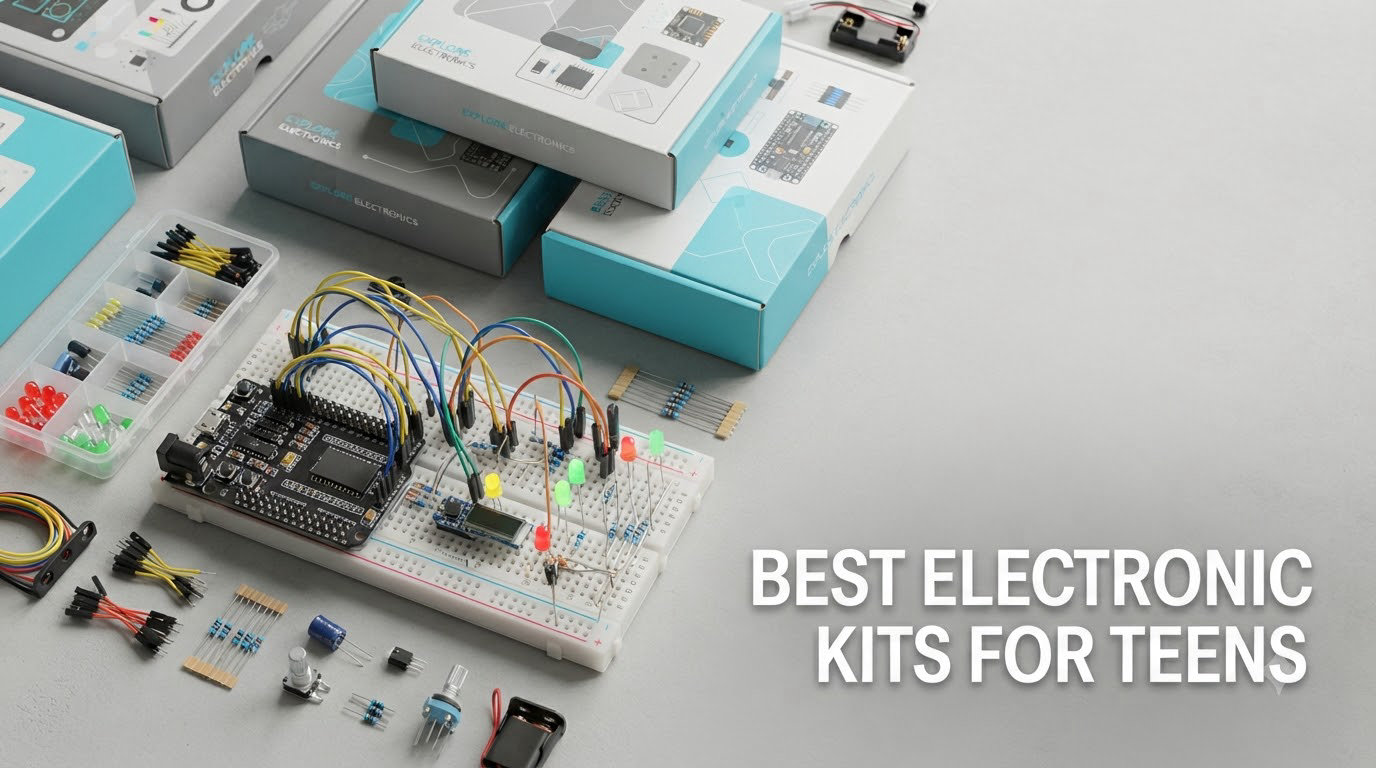
There is a version of this gift problem most parents hit around the age of eleven. The kit was a hit in week one, the manual stopped matching what was on the table by week two, and the whole thing went into a cupboard next to the batteries you forgot to buy. If you are searching for the best electronic kits for teens, that failure pattern is not a bad-luck thing. It is a design mismatch.
So here is the short answer. For most teens, the best electronic kit is a programmable one built around an Arduino-compatible board, because it is the only tier that keeps going after the guided projects run out. The Snap Circuits Classic is the right first purchase for a younger or screen-free learner, and a robot car kit is the one most likely to hold attention in a single weekend. Everything else in this list sits between those poles.
We spent weeks in 2026 going through the ten kits that parents and teens actually keep using: component counts, project counts, whether the board is genuine hardware or a clone, what arrives in the box, and what quietly does not. Every rating and review count quoted here is the current figure from the product listing. This list was last updated in October 2026, and prices move constantly, so use the buttons to check the current figure rather than trusting a number from an old article.
If you are also shopping for a first robot rather than a first circuit, our robotics learning kits for teens guide covers the programmable-robot tier in more depth, and robot building kits for teens goes deeper on the mechanical side. This article stays focused on the electronics underneath.
Table of Contents
Top 3 Best Electronic Kits for Teens in 2026
Three kits come out of ten testing at the top of this list, and they win for different reasons. One is the most proven, one is the most sensible starting point for a coding beginner, and one is the most capable when a teen has already done the basics.

Snap Circuits Classic SC-300
- Over 300 projects
- 32 snap-together parts
- no soldering
- works screen-free

ELEGOO UNO R3 Super Starter
- 22+ guided lessons
- sensors and motors included
- pre-soldered LCD

All 10 Electronic Kits for Teens Compared (October 2026)
Here is every kit in one place, ordered the same way as the write-ups below. The first three are the general-purpose options; the rest cover video-led learning, robotics, classroom use and entry-level price points.
| Product | Specifications | Action |
|---|---|---|
| Snap Circuits Classic SC-300 |
|
Check Latest Price |
| ELEGOO UNO R3 Project Super Starter Kit |
|
Check Latest Price |
| ELEGOO Mega 2560 R3 Ultimate Starter Kit |
|
Check Latest Price |
 Official Arduino Starter Kit K000007 Official Arduino Starter Kit K000007 |
|
Check Latest Price |
 ELEGOO UNO R3 Smart Robot Car Kit V4 ELEGOO UNO R3 Smart Robot Car Kit V4 |
|
Check Latest Price |
 SunFounder Elite Explorer Kit SunFounder Elite Explorer Kit |
|
Check Latest Price |
 Inventr 30 Days Lost in Space Course Kit Inventr 30 Days Lost in Space Course Kit |
|
Check Latest Price |
 Arduino Student Kit AKX00025 Arduino Student Kit AKX00025 |
|
Check Latest Price |
 SunFounder Ultimate 3-in-1 Starter Kit SunFounder Ultimate 3-in-1 Starter Kit |
|
Check Latest Price |
 ACEBOTT ESP32 STEM Learning Kit ACEBOTT ESP32 STEM Learning Kit |
|
Check Latest Price |
1. Snap Circuits Classic SC-300: The Best Electronic Kit for a Teen Starting Out
SNAP CIRCUITS Classic SC-300 STEM Electronics Kit, 300+ Projects, Ages 8+
- No soldering or tools needed
- 300+ guided projects with illustrated manuals
- Build quality that survives years of use
- Works alongside other Snap Circuits kits
- Free replacement parts for worn connections
- Manual shows what to build but not why it works
- Some snap pieces feel fragile under heavy daily use
- Box is not sturdy enough for regular transport
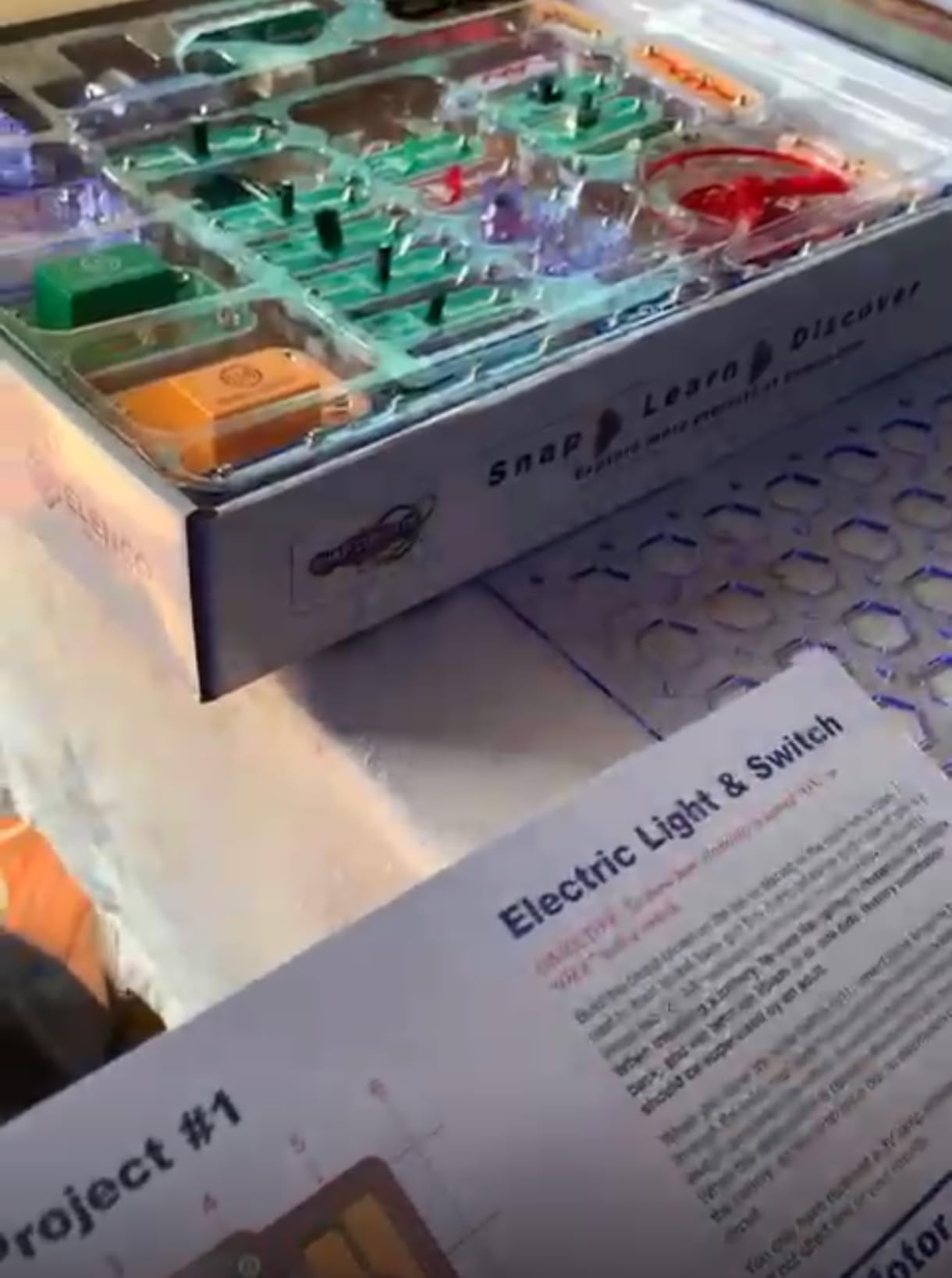
This is the kit that has survived the longest in family homes, and the review history explains why. At nearly 30,000 reviews averaging 4.8 stars, it is not an object of curiosity for a week. It gets handed to a younger sibling years later, which is the durability argument no spec sheet can make.
For a teen it works best as a two-to-three month instrument, not a forever machine. We used it to wire an AM radio, a burglar alarm and a light-sensitive lamp off the printed manual, then deliberately deviated from it. The learning is in the deviation: once you understand why the LED needs that particular resistor position, you can break the pattern.
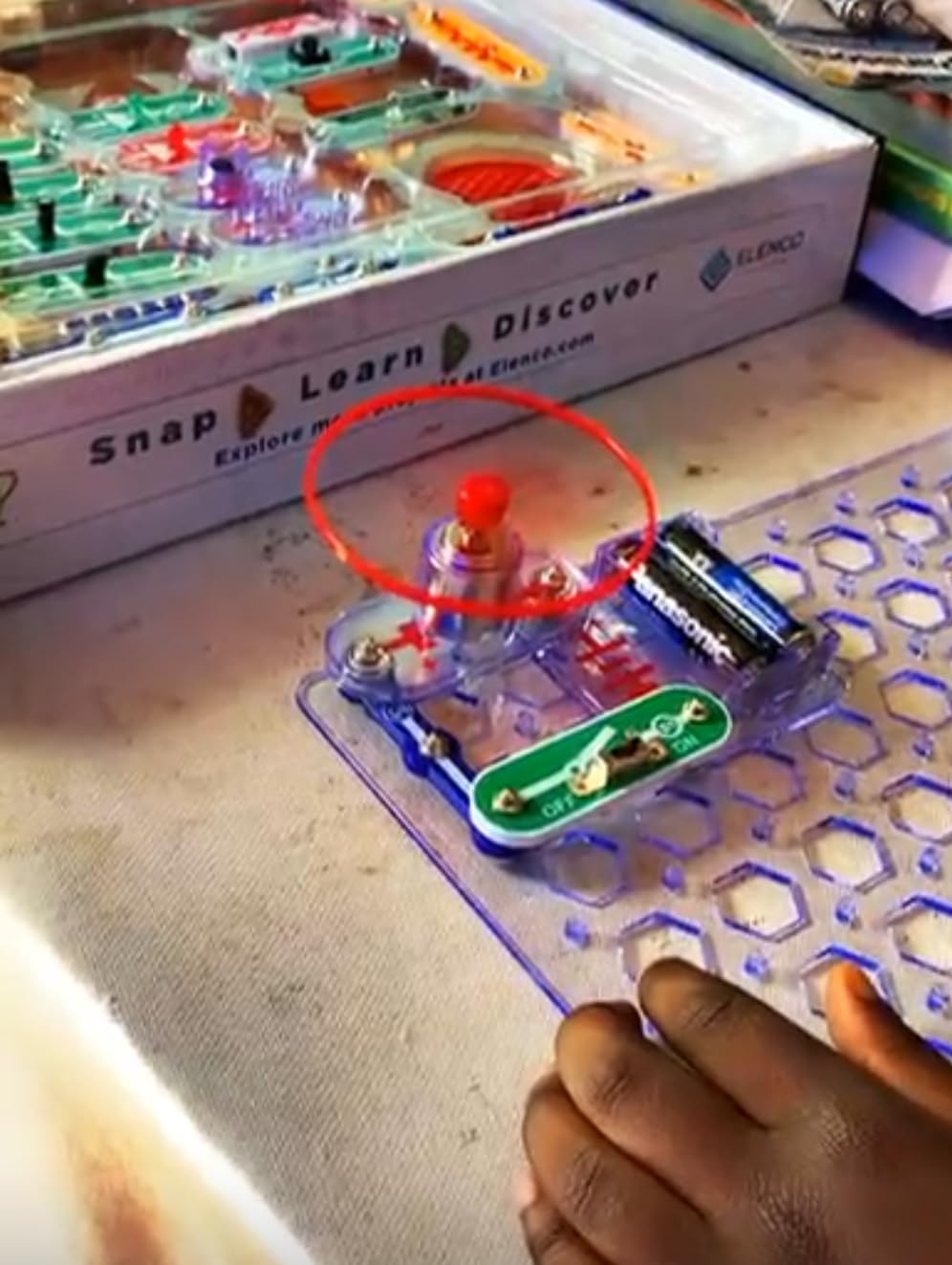
The honest limitation is pedagogical, not mechanical. The manuals show you a finished outcome and a wiring layout, and they leave the underlying theory almost entirely to you. Ask.MetaFilter parents describe the age-out point clearly, with one parent writing that snap circuits are “really great, but they might end up being a bit basic for a 10 year old.” A motivated teen will hit that ceiling quickly.
When this kit is the right call
Choose it when the teen in your house has never held a resistor, when screen-free play matters, or when the goal is sparking curiosity rather than teaching a specific skill. There is no account to create, no app to update and nothing to charge.
It also works as a shared family resource. Because the baseplate grid is a standard, parts from other Snap Circuits sets mix freely, so one kit can support two children building at the same table.
When this kit is the wrong call
Skip it if the teen already builds circuits without instruction or has asked for a soldering iron. Snap-together modules hide resistor sizing, polarity and current limits, and those are exactly the ideas a teen needs before moving to real hardware.
Batteries are required and not included, and the snap connectors are the part most likely to need replacing. Budget for a compartment storage tray on day one, or the small parts will end up under the sofa.
2. ELEGOO UNO R3 Super Starter Kit: The Best Value Electronic Kit for Teens
- 22+ guided lessons with working example code
- Wide component variety in one labeled case
- Pre-soldered LCD removes the hardest beginner hurdle
- Good component quality for the price
- Works for homeschool and STEM classrooms
- A minority of orders arrive with missing small parts or a faulty board
- UNO R3 is a compatible clone rather than official Arduino hardware
- Mac setup notes are thinner than Windows ones
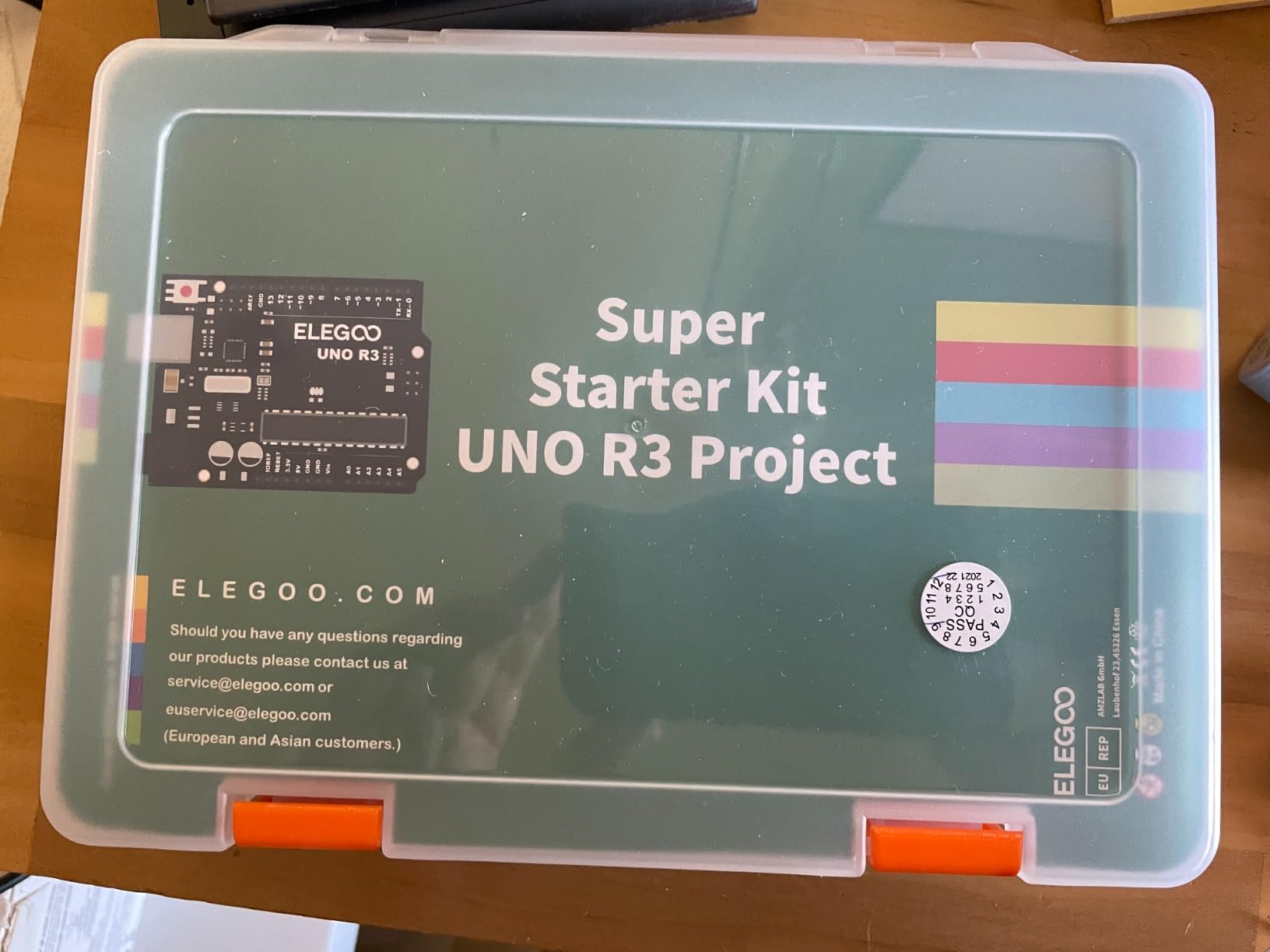
If a teen wants to write code that makes something happen in the physical world, this is the most reliable doorway. The board speaks standard Arduino, the breadboard is solderless, and the LCD arrives with its header already soldered on, which removes the single most common early frustration.
Across more than 16,000 reviews at 4.7 stars, the PDF tutorial is the part owners single out most. It walks through LEDs, sensors, motors and displays with code you can copy rather than write from scratch, and the case keeps the parts findable between sessions.
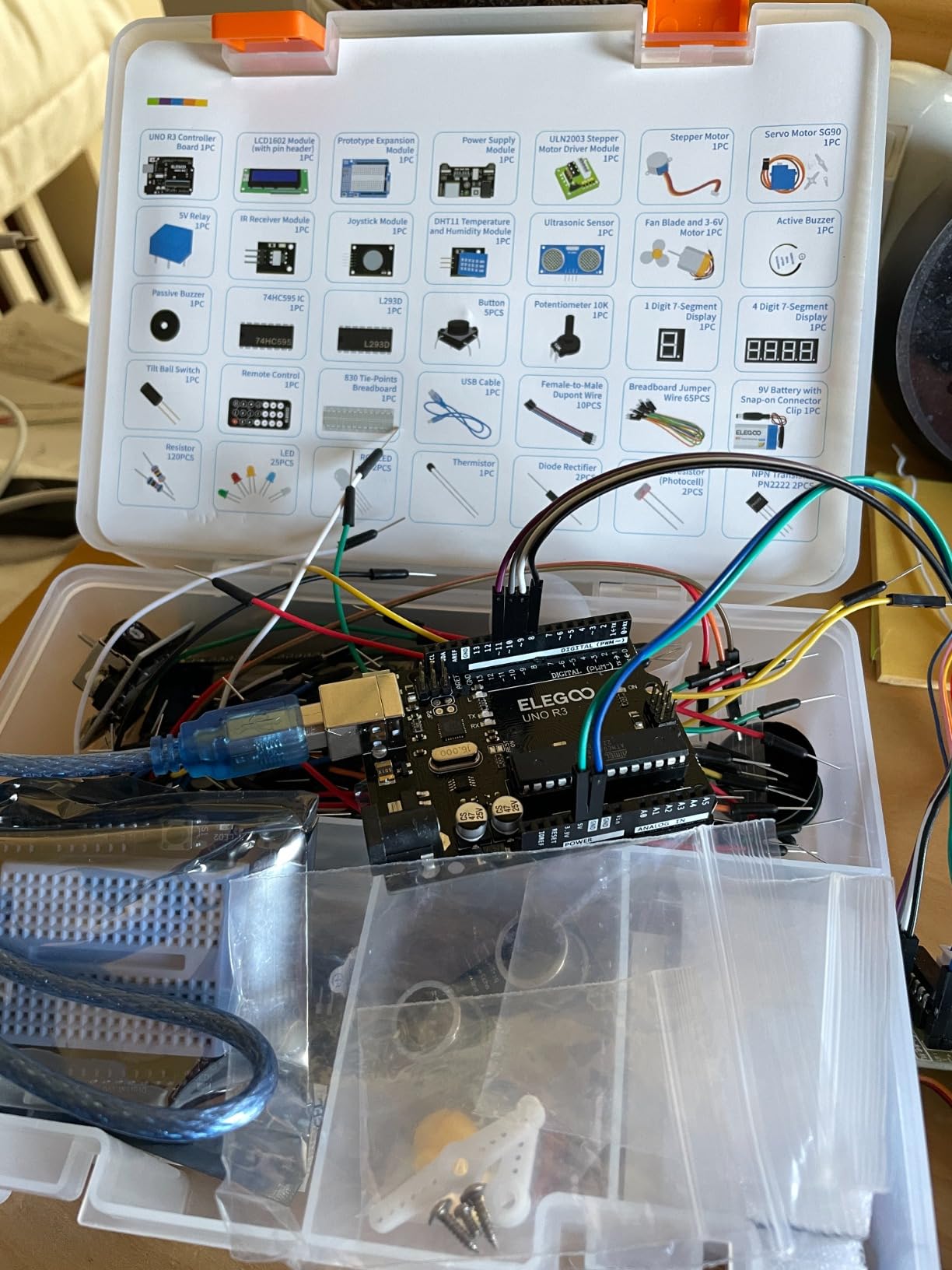
Our build sequence was temperature and humidity reading, then an ultrasonic distance alarm, then a servo sweep. Each one adds a new concept, and each takes well under an hour once the IDE is installed. A r/arduino poster described exactly this starting point, having done some Tinkercad and one robotics class but feeling shaky on electricity fundamentals. A kit with a real breadboard fills that gap faster than a simulator does.
What makes this the value pick
The component list is long enough to keep a curious teen busy for weeks without a second purchase. Ultrasonic and DHT11 sensors, an IR receiver and remote, a stepper motor, a DC motor with fan, a relay and 65 jumper wires are all in the box.
It is also the kit most likely to be shared. Two siblings can work from one box because the parts inventory is not thin.
Where it falls short
The clone board is the trade-off. It runs standard Arduino code, but you are not holding official Arduino hardware, and a small number of buyers report boards that arrived dead or missing parts. Manufacturer support appears to resolve those cases quickly.
There is no soldering and no screen requirement, but there is a screen requirement in a different sense: a laptop. This is not a solo weekend activity for a child without a computer.
3. ELEGOO Mega 2560 R3 Ultimate Kit: The Best Electronic Kit for a Teen Who Has Outgrown the Basics
ELEGOO Mega 2560 R3 Project The Most Complete Starter Kit with Tutorial
- Component count supports projects far beyond a basic starter set
- Far more I/O pins than the UNO for larger builds
- Pre-soldered modules and a storage case cut setup time
- 35+ guided lessons with example code
- Strong fit for older teens past first projects
- Volume of parts can feel overwhelming for a true beginner
- Bulk and weight make it less portable than smaller kits
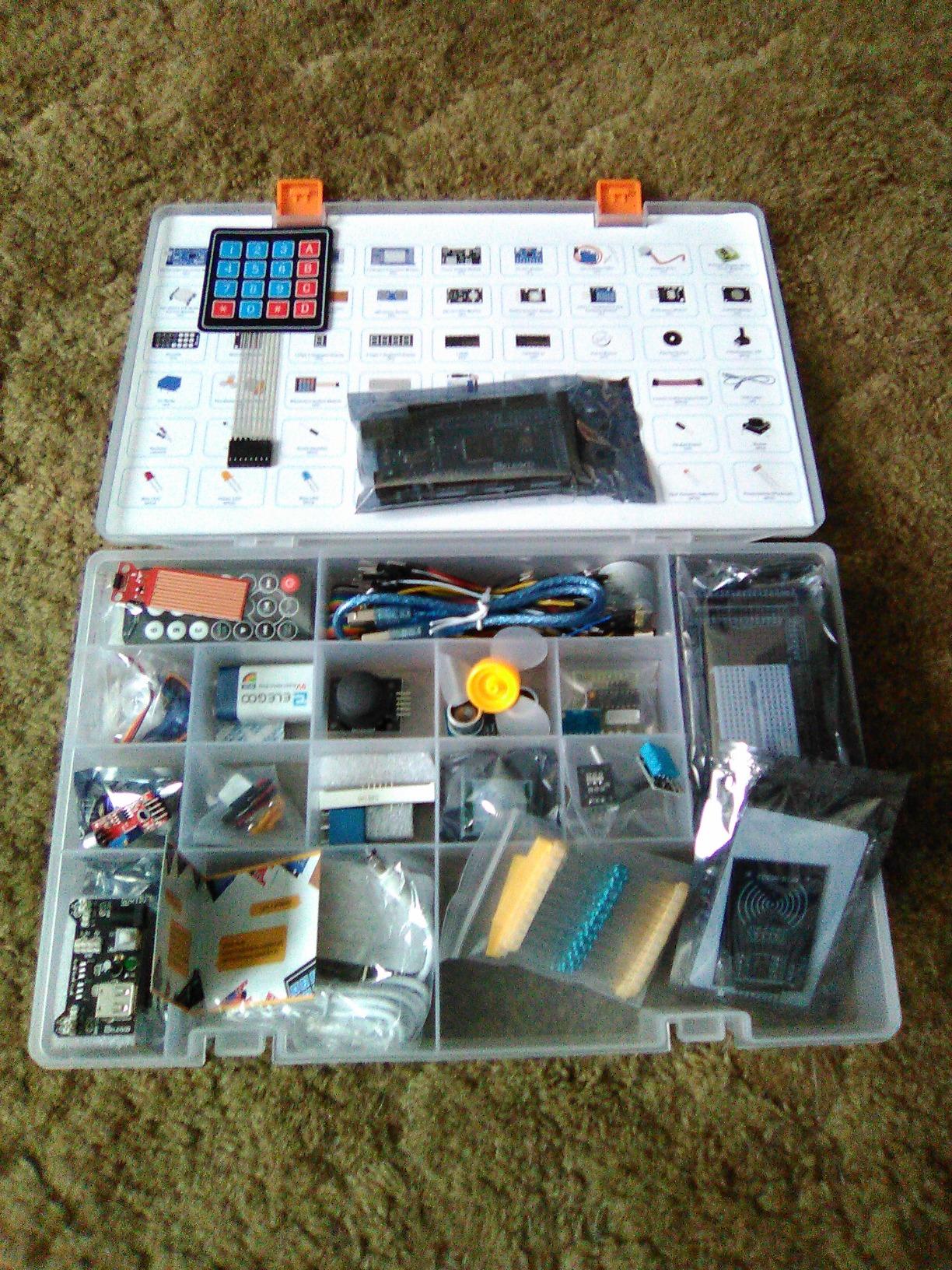
The jump from a UNO to a Mega 2560 is not a bigger box, it is a different class of machine. This board carries 54 digital I/O pins, 15 PWM outputs, 16 analog inputs, four hardware serial ports and 256 KB of flash, which means a teen can run a project with several sensors, a display and motors at the same time without running out of pins.
Reviewers consistently point at the sheer breadth: 200-plus components including an RFID reader, a real-time clock, a PIR motion sensor, an ultrasonic module, a water-level sensor, a GY-521 accelerometer and a MAX7219 display driver. At just under 8,000 reviews and 4.7 stars, the consensus is that this is the kit to buy once entry-level parts stop being interesting.
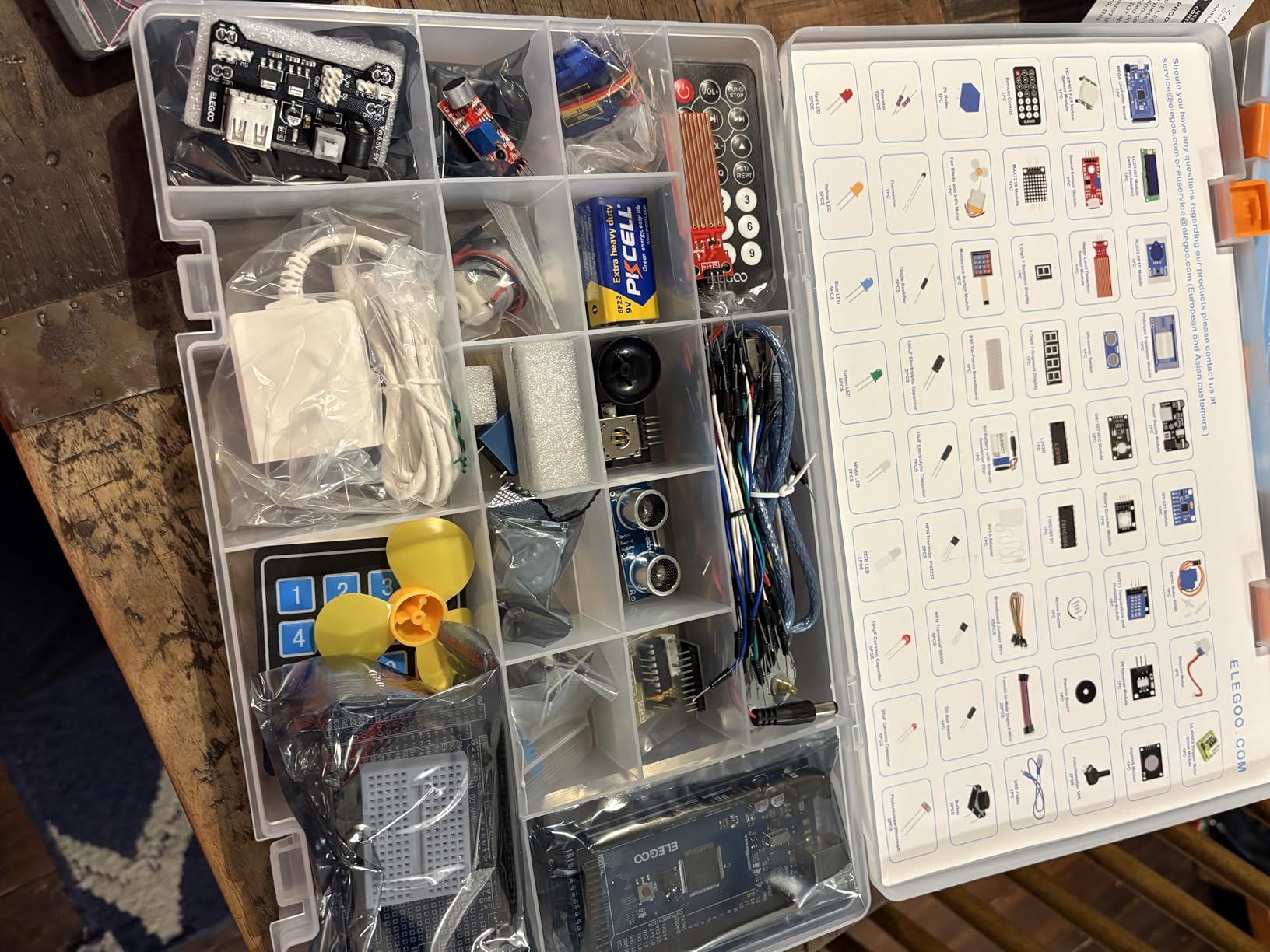
The 35 guided lessons matter more than the component count for a self-directed teen, because they turn a box of parts into a curriculum. Our own test build was a keypad-controlled access log using the RFID reader and the RTC, which is a real use case rather than a blinking LED exercise.
Why the extra pins matter
Pin count is the quiet constraint in almost every electronics project. Once a build needs a display, two sensors, a servo and a keypad, a UNO runs out of pins and the teen starts improvising with a multiplexer, which is a frustrating detour.
This kit sidesteps that entirely, so the projects get ambitious without the hardware fighting back.
Where the size becomes a problem
Two hundred components is a lot to organize, and the manufacturer lists a weight of 2.2 pounds in a 13.7 by 8.4 inch footprint. It is a shelf kit, not a travel kit.
The included storage case and small-parts box are not accessories here, they are essential. A teen who cannot find a 10K resistor in the first ten minutes will drift away from the build.
4. Official Arduino Starter Kit K000007: The Best Electronic Kit for a First Genuine Arduino Build
Official Arduino Starter Kit [K000007] – 12 DIY Projects with Electronic Components & English Projects Book – Original Kit from Italy
- Exceptionally well written and illustrated projects book
- Genuine Arduino components with reliable build quality
- Packaging feels premium and gift-ready
- Example code ships with the Arduino IDE
- Wooden base and gel panels for display work
- Priced above every other entry-level kit in this group
- Print size in the manual runs small and greyish
- 9V battery for a few projects is not included
- Limited project depth once the 15 projects are done
This is the only kit in the list built around hardware Arduino actually made, and that difference shows up in the documentation. At 4.6 stars from more than 3,700 reviews, the projects book is repeatedly described as the best-written beginner electronics manual in the category.
Fifteen projects cover a DC motor, a servo motor, a tilt sensor and LEDs on a balsa wood base with a solderless breadboard. The wood base matters more than it sounds: it lets a build become a physical object, which is the motivation that keeps some teens going.
![Official Arduino Starter Kit [K000007] - 12 DIY Projects with Electronic Components & English Projects Book - Original Kit from Italy customer photo 1](https://www.peggyomara.com/wp-content/uploads/2026/05/B009UKZV0A_customer_1.jpg)
Where it differs from every ELEGOO kit is depth of explanation. The manual does not just hand you a wiring layout, it walks through what the circuit is doing, which is exactly the gap we flagged in the Snap Circuits approach. All example code is available inside the Arduino IDE, so there is no hunting through files.
![Official Arduino Starter Kit [K000007] - 12 DIY Projects with Electronic Components & English Projects Book - Original Kit from Italy customer photo 2](https://www.peggyomara.com/wp-content/uploads/2026/05/B009UKZV0A_customer_2.jpg)
Why pay more for this one
You are paying for genuine components, a properly written manual and gift-ready packaging. If the kit is going on a birthday present that a teenager will keep rather than lose in a drawer, that presentation has real value.
It is also the safest first Arduino purchase, because every tutorial written anywhere online assumes standard Arduino hardware.
Where it falls short for a teen
Fifteen projects is not many. A teen who builds quickly will exhaust it, and the next step is buying sensors separately, which is where the total cost of ownership quietly increases.
The manual prints small and greyish, the resistor colour bands are hard to tell apart under normal light, and the jumper wires are reported as fragile. Buy a small resistor colour-code card and a pack of spare jumpers at the same time.
5. ELEGOO UNO R3 Smart Robot Car Kit V4: The Best Electronic Kit for a Teen Who Wants a Robot This Weekend
ELEGOO UNO R3 Smart Robot Car Kit V4 with Camera, Compatible with Arduino
- Pre-programmed board works straight after assembly
- FPV camera
- line tracking and obstacle avoidance all function
- Very clear labeled assembly instructions with spare fasteners
- App and IR remote both respond reliably
- Programmable in Arduino IDE and Visuino
- The bundled software has no motor speed ramping so the car starts and stops abruptly
- One expansion connector limits added sensors
- USB-C cable not included for reprogramming the camera module
- Camera mount angle sits high
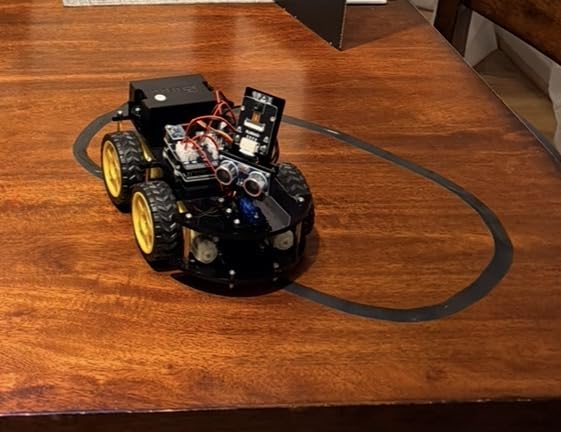
This is the kit to buy when you need a teenager hooked in a single weekend. The UNO R3 arrives pre-programmed, so the car drives before a line of code is written, and the ESP32-WROVER module streams FPV video from the chassis to a phone or laptop.
Around 4,500 reviews at 4.5 stars show parents and teachers agreeing on that. Line tracking, obstacle avoidance, auto-follow, IR remote and app control all work from the box, and the 2000 mAh rechargeable battery removes the charging anxiety that plagues other builds.
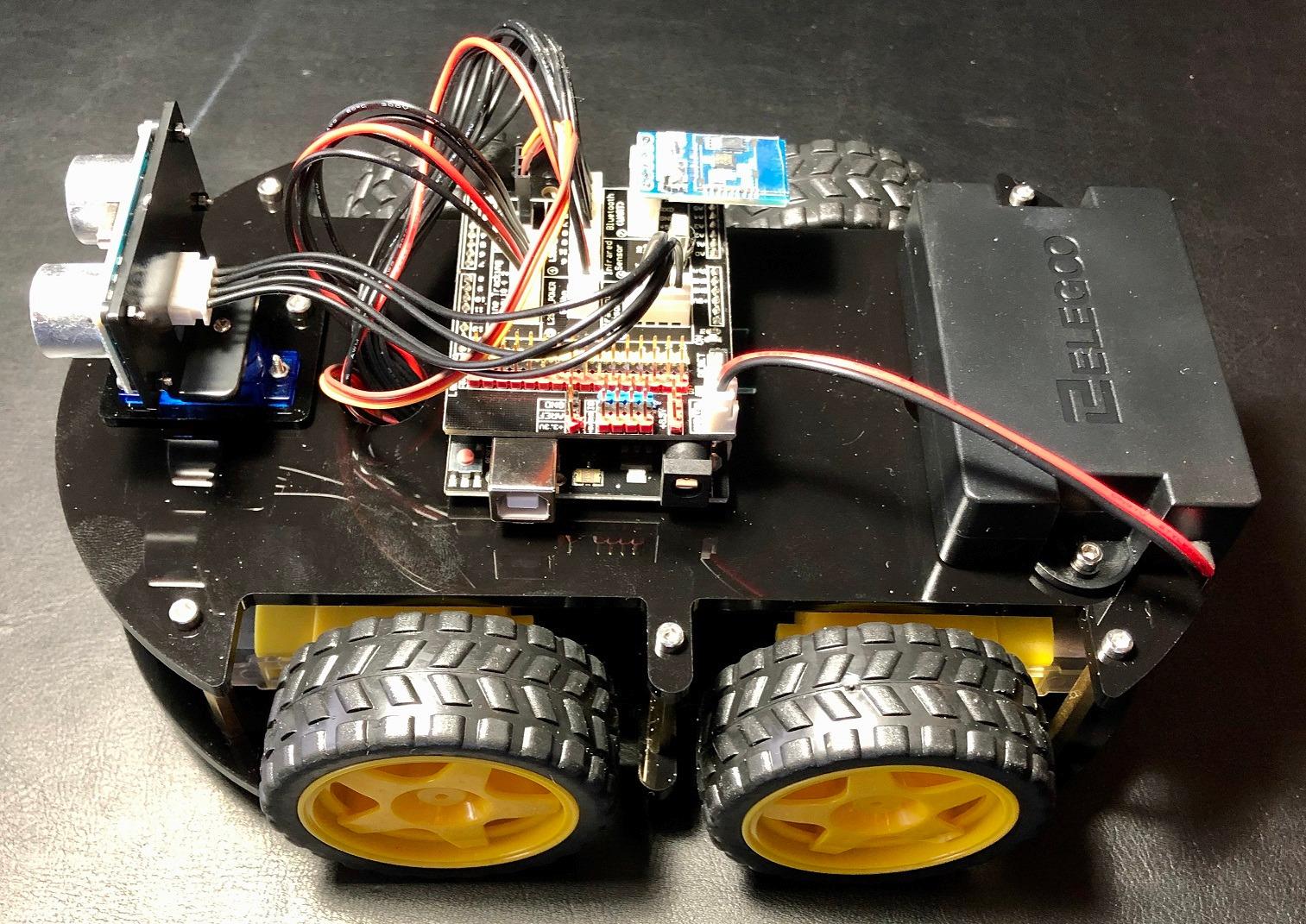
Assembly took us the better part of an afternoon with two people, and the keyed XH2.54 connectors mean the wiring cannot be inserted backwards. Spare fasteners are included, which sounds trivial until you drop a tiny screw into a rug.
What makes this the fast win
There is a visible result inside hours rather than days, and the camera gives a payoff that a breadboard never does. Teens who are not sure they want to spend a term learning circuit theory will often keep going once they can drive a camera-equipped car around a room.
It also bridges to the next tier cleanly. Visuino offers block-based programming for younger users, and the Arduino IDE opens up for anyone ready to write the speed ramping themselves.
What to fix before the first drive
Buy a USB-C cable for the camera module, because it is not in the box and reprogramming the ESP32 needs one. Check the power switch on the battery pack, since a number of buyers report units where it does nothing.
The default software drives the motors at full speed with no ramp, so the car lurches. Writing a short acceleration routine in the IDE is a genuinely good first programming exercise.
6. SunFounder Elite Explorer Kit: The Best Electronic Kit for Teens Who Learn by Watching
- Includes a genuine Arduino Uno R4 WiFi board
- 60+ free video lessons built with an experienced educator
- 300+ components covering 50 projects
- Built-in Wi-Fi and Bluetooth enable app-connected projects
- Active support forum helps beginners fix code
- Component count can be daunting as a very first kit
- Tutorial library assumes some comfort with the Arduino IDE
Some teens learn from a page and some learn from a person on a screen. This kit is built for the second group. It includes the genuine Arduino Uno R4 WiFi board, a 32-bit processor with more memory plus built-in Wi-Fi and Bluetooth, which means the same hardware can talk to a phone without an extra Wi-Fi module.
The instruction is 60-plus free video lessons, split across 30 basic, 13 fun and 8 IoT projects, with open-source code included. A review base of roughly 520 ratings at 4.7 stars reflects a smaller but consistently satisfied group who see this as a complete path rather than a box of parts.
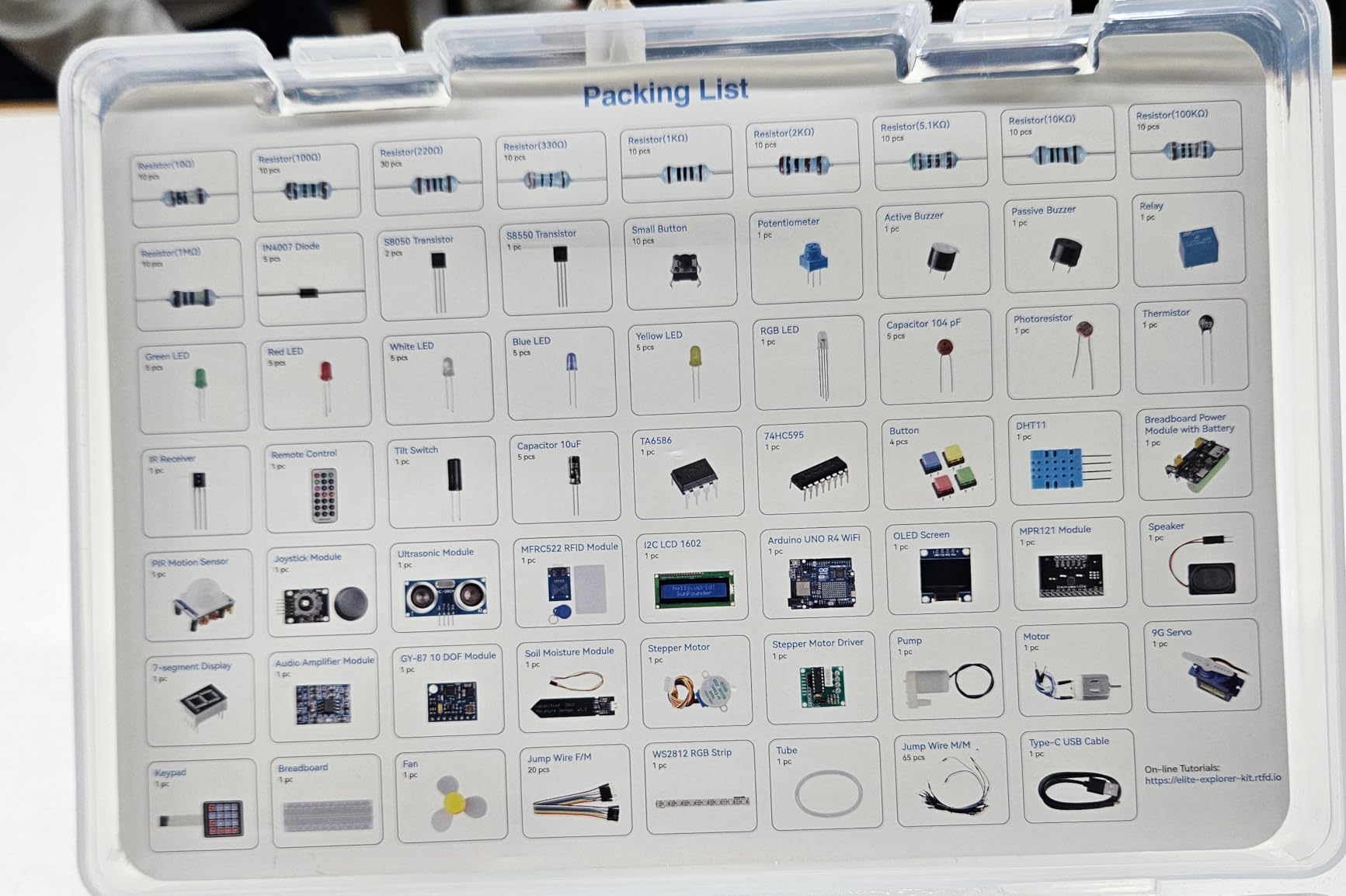
What sold us on it is the sequence. The basic track runs first, the fun track adds motion, and the IoT track arrives only once the fundamentals hold, so a teen never hits networked code before understanding the sensor driving it.
Why the real board matters
A genuine Arduino Uno R4 WiFi means the board matches every tutorial, library and support answer written for it. A r/arduino thread asking which kit to buy as a beginner landed on the same conclusion from the other direction: the problem is never the hardware, it is the gap in the fundamentals.
Built-in wireless also means projects do not need a separate ESP8266 board, which is one fewer thing to wire wrong.
Where the learning curve bites
300-plus components and an assumption that you can already navigate the Arduino IDE make this a poor choice for a total beginner. It is a strong pick for a teen who has finished one other electronics kit, not a first purchase.
The kit is RoHS compliant and rated for ages eight and up, and the video library is free, but a teen who prefers reading will move faster with a printed manual from a different kit.
7. Inventr 30 Days Lost in Space: The Best Electronic Kit for a Motivated Teen Who Quits Boring Kits
Adventure Kit: 30 Days Lost in Space | Premium STEM Coding Course for Adults & Teens | Robotics & Engineering Projects with Expert Teachers | Arduino IDE Compatible Kit
- Cinematic storyline makes the learning curve feel like an adventure
- Instruction from a NASA researcher and college educators
- Reusable parts and self-paced format suit busy teens
- Community support for troubleshooting and extra projects
- No printed manual for offline reference
- Hardware component count is lighter than component-heavy kits
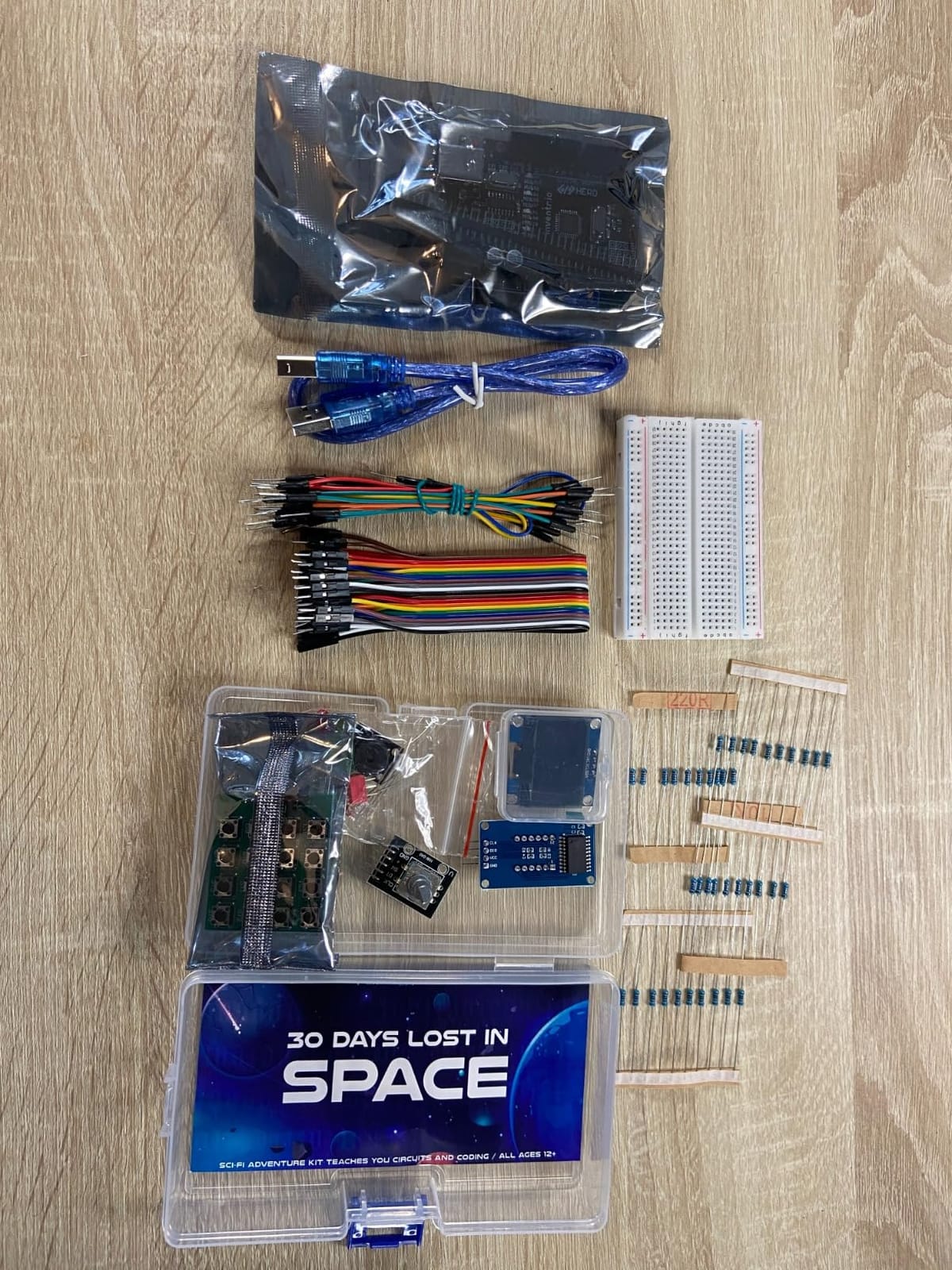
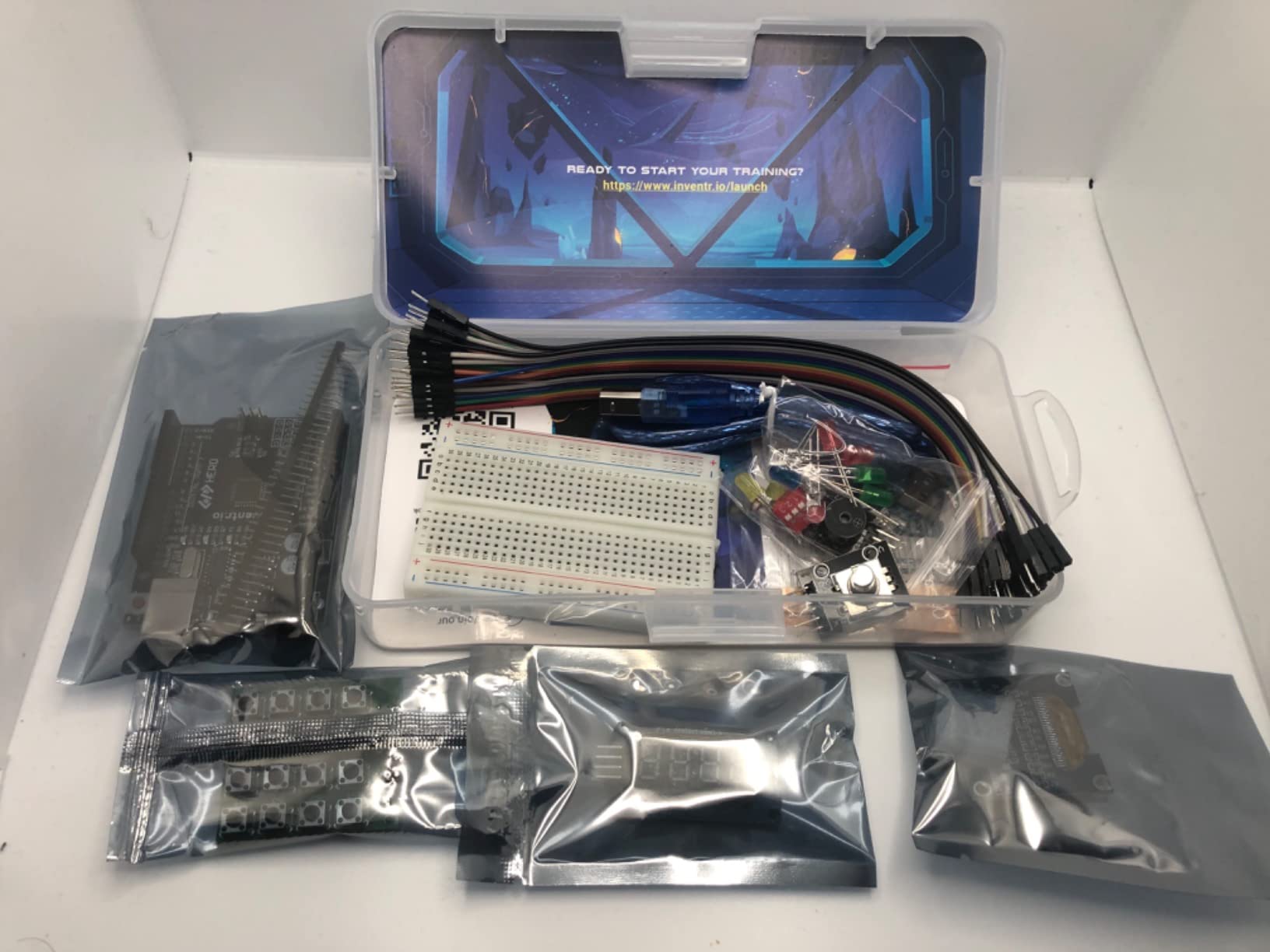
Most electronics kits are defeated by the same problem: attention runs out around project twelve. This one is built the opposite way round, as a thirty-day course with a cinematic storyline and 30-plus hours of video, pitched at roughly an hour a day and aimed at ages twelve and up.
That framing matters. The days escalate into real engineering problems, and the curriculum covers circuits, AI concepts and C++ in the Arduino IDE, so a teen ends the month able to write code rather than follow it. Roughly 370 reviews at 4.4 stars reflect buyers who commit to the daily format and find the narrative hook effective.
Access to a large maker community is included, which is the practical safety net for a self-paced course. When a lesson stalls, there is somewhere to ask rather than a manual to reread.
When this format wins
It is built for a teenager with a short attention span and a low tolerance for manual-led work. Nothing depends on a parent sitting alongside, and nothing depends on a printed book being found in a drawer.
For a self-motivated teen, a daily story with a finish line is often more motivating than an open-ended box of parts, because completion is visible.
When it frustrates
Buyers who expected a large physical inventory tend to be disappointed. The hardware here is deliberately lighter than a component-heavy kit, and the teens who like taking things apart will want more parts to fiddle with.
It is also fully digital. A teen with an unreliable internet connection or a family that prefers paper will struggle, and a printout of each day’s lesson is worth doing before day one.
8. Arduino Student Kit AKX00025: The Best Electronic Kit for a Classroom or STEM Club
Arduino Student Kit [AKX00025] – Complete STEM Learning Kit with Hands-On Projects, Sensors, Components, and Interactive Curriculum for Electronics and Programming
- Official Arduino curriculum with clear lessons and video support
- Genuine components built for classroom use
- Projects teach core concepts rather than canned exercises
- Well suited to workshops and self-paced learning
- Priced above most third-party starter kits
- Fifteen-project scope leaves room for more advanced builds
This is the kit a school club or a homeschool co-op should buy. It comes with the official Arduino interactive curriculum, step-by-step written tutorials plus video and online resources, and 15 guided projects that cover digital and analog circuits, sensors, actuators and Arduino IDE programming.
Project themes are the reason educators pick it: a working traffic light, a light-sensitive lamp and a motion-activated alarm. Those are teachable in a single session, and each one maps to a real concept rather than a decorative exercise.
![Arduino Student Kit [AKX00025] - Complete STEM Learning Kit with Hands-On Projects, Sensors, Components, and Interactive Curriculum for Electronics and Programming customer photo 1](https://www.peggyomara.com/wp-content/uploads/2026/09/B0886JS8TX_customer_1.jpg)
With 222 reviews at 4.6 stars, this is a smaller community than the ELEGOO kits attract, but the feedback is consistent: genuine components, structured lessons and classroom-ready organization. Buyers are mostly teachers and parents who specifically wanted the first-party curriculum.
![Arduino Student Kit [AKX00025] - Complete STEM Learning Kit with Hands-On Projects, Sensors, Components, and Interactive Curriculum for Electronics and Programming customer photo 2](https://www.peggyomara.com/wp-content/uploads/2026/09/B0886JS8TX_customer_2.jpg)
Why educators choose it
Everything is mapped to a lesson sequence with a matching video, which removes the preparation work a volunteer club leader would otherwise take on. The parts are genuine Arduino, so nothing gets substituted with a lookalike that behaves differently.
It is also a good fit for a science-fair project, since the sensor-driven builds produce something to demonstrate rather than a blinking light.
Where it falls short at home
It costs more than most third-party starter kits of a similar part count, and the 15-project scope is modest for a teen who is already ready for larger builds. The manufacturer age listing runs to fourteen, which is a signal to pair it with something else.
Treated as a standalone purchase for a sixteen-year-old, you are paying curriculum money for a component budget that could be larger elsewhere.
9. SunFounder Ultimate 3-in-1 Starter Kit: The Best Electronic Kit Covering Three Learning Tracks
- 192 components cover basics
- smart car and IoT tracks
- Works with both the Arduino IDE and Scratch for younger learners
- Free online tutorials and video courses
- Sensors
- motors and actuators leave experimentation headroom
- Uno board is a clone and some boards report driver issues
- Assembly documentation lags revised hardware
- Some orders arrive with missing parts and a slow IR sensor
- Not ideal without Arduino IDE familiarity
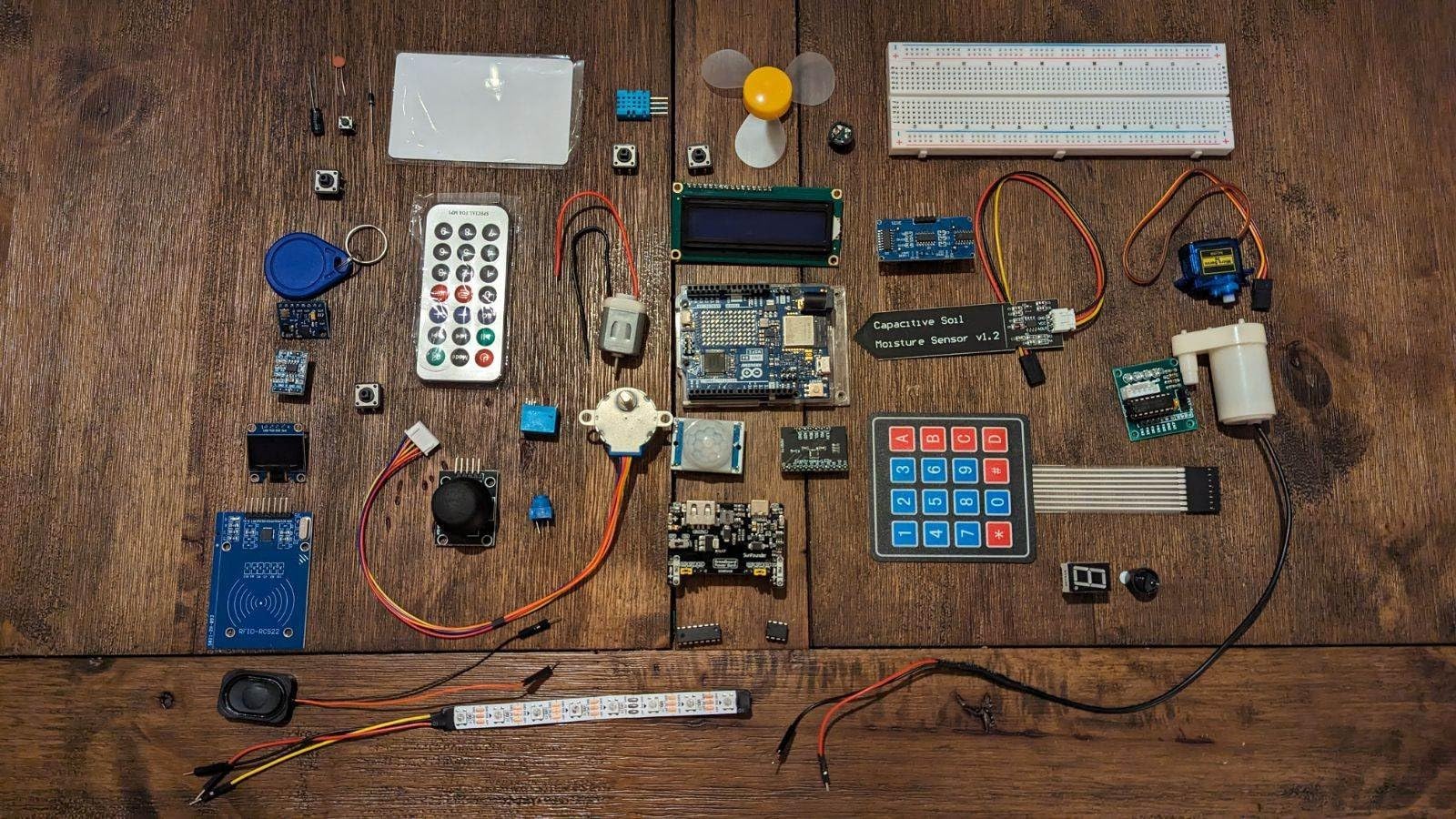
The pitch here is coverage. 192 items and 87 guided projects are spread across three separate tracks: basic circuits, a smart car, and IoT. In one box you get an Arduino-compatible Uno, an I2C LCD1602, an ESP8266, a 9G servo, an ultrasonic sensor, a line tracking module, TT motors, an IR obstacle sensor, a soil moisture sensor and a pump.
That soil moisture sensor plus pump combination is the standout for a teen project. A self-watering plant pot is a real household build, not a classroom exercise, and it is the kind of project a parent will find on the kitchen counter rather than in a cupboard.
Scratch compatibility is the underrated feature. A younger teen can start with blocks and move to text-based Arduino code on the same hardware, which removes the cliff between the two programming styles. Free tutorials and a Circuit Basics video course come included. About 320 reviews at 4.5 stars reflect generally solid satisfaction.
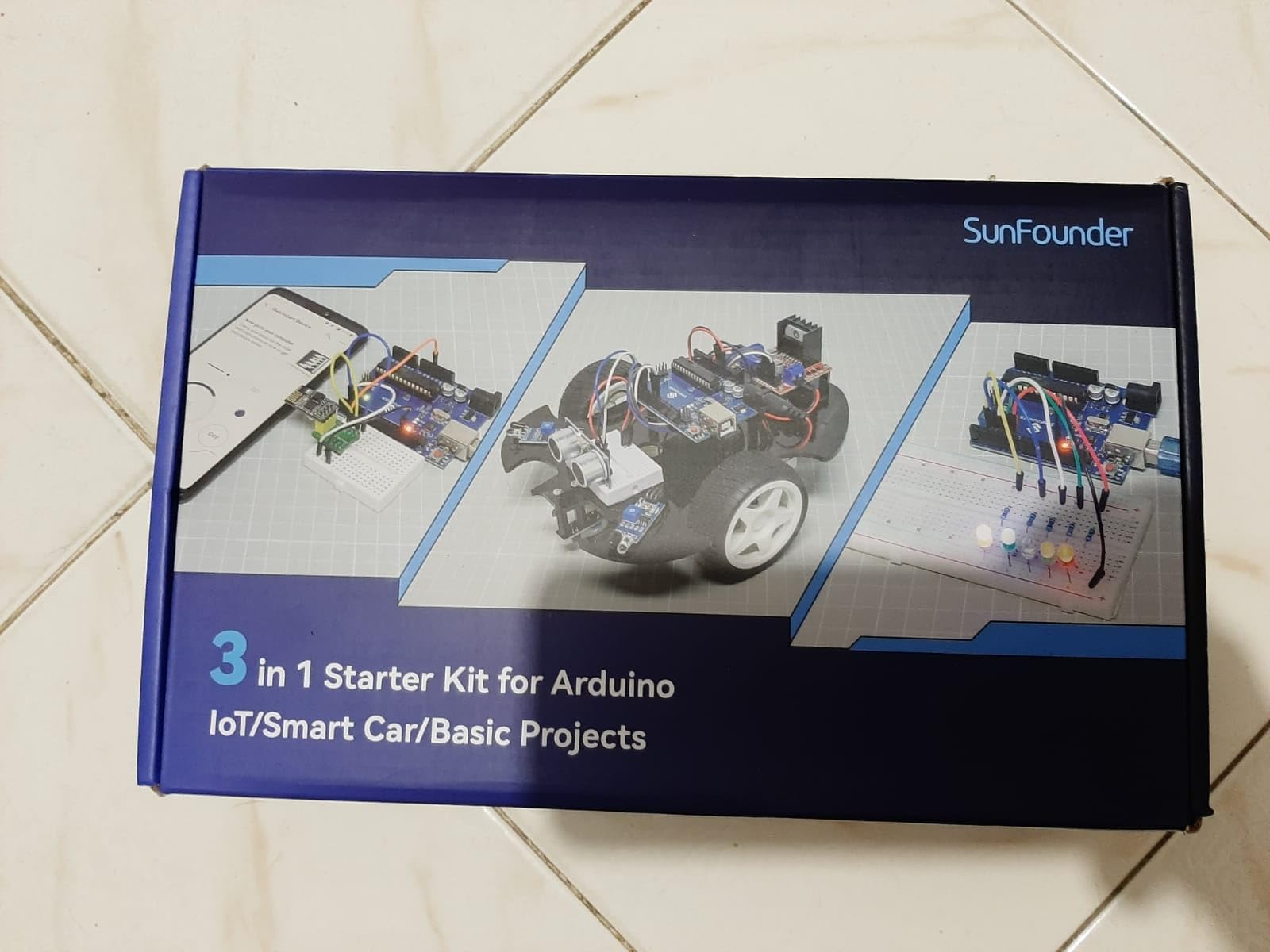
Why three tracks in one box helps
Most teens abandon a kit at the boundary between a guided project and a free build. This one hands over a second and third track instead of an empty shelf, so the transition happens on the same hardware with the same tutorials.
It is also a good value for a family with two kids at different levels, since the same components cover a block-coding beginner and a text-coding teen.
What to watch out for
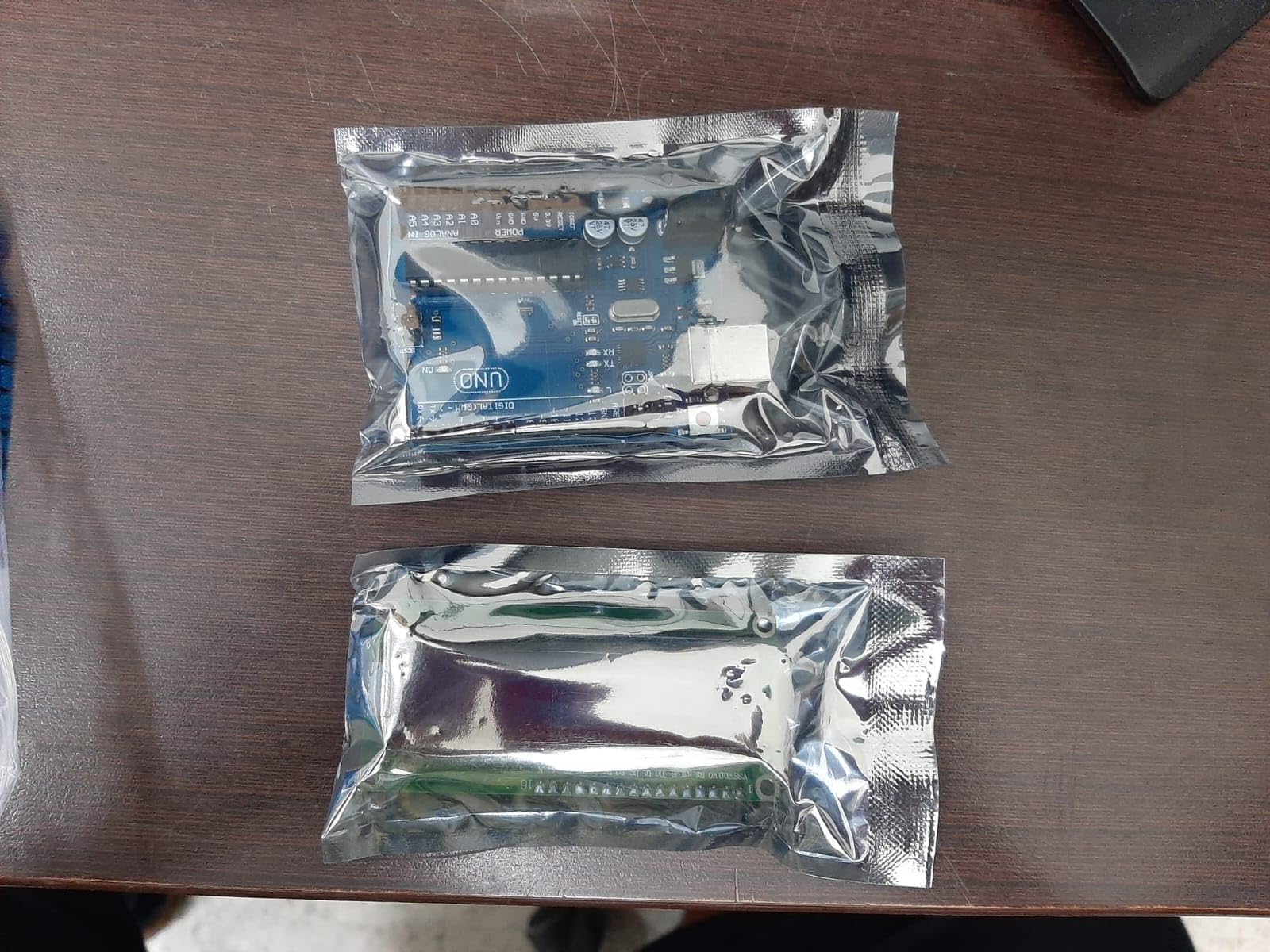
Quality control is the weak point. Buyers report missing parts on arrival, an unbranded Uno that would not communicate with a computer, and an IR sensor that degraded quickly. Inspect the box against the inventory list before the first build.
Documentation has also been revised without matching updates, so plan on following the video course rather than any printed sheet. Budget a few evenings for setup if nobody in the house has used the Arduino IDE.
10. ACEBOTT ESP32 STEM Learning Kit: The Best Budget Electronic Kit for Teens Getting Into Coding
- ESP32 board adds built-in wireless that basic UNO kits lack
- Lowest entry point here while still including sensors and motors
- 40+ tutorials that build on each other logically
- Three programming paths including Python
- Individual anti-static labeled packaging
- Board documentation and tutorial depth are thinner than Arduino-branded kits
- Some learners need extra help bridging graphical coding to real code
The reason this kit exists as a distinct option is the board. The ESP32 development board carries built-in Wi-Fi and Bluetooth, dual processor cores, which means a teen can build a networked sensor project without buying a separate wireless module, and the same board can also be programmed in Python.
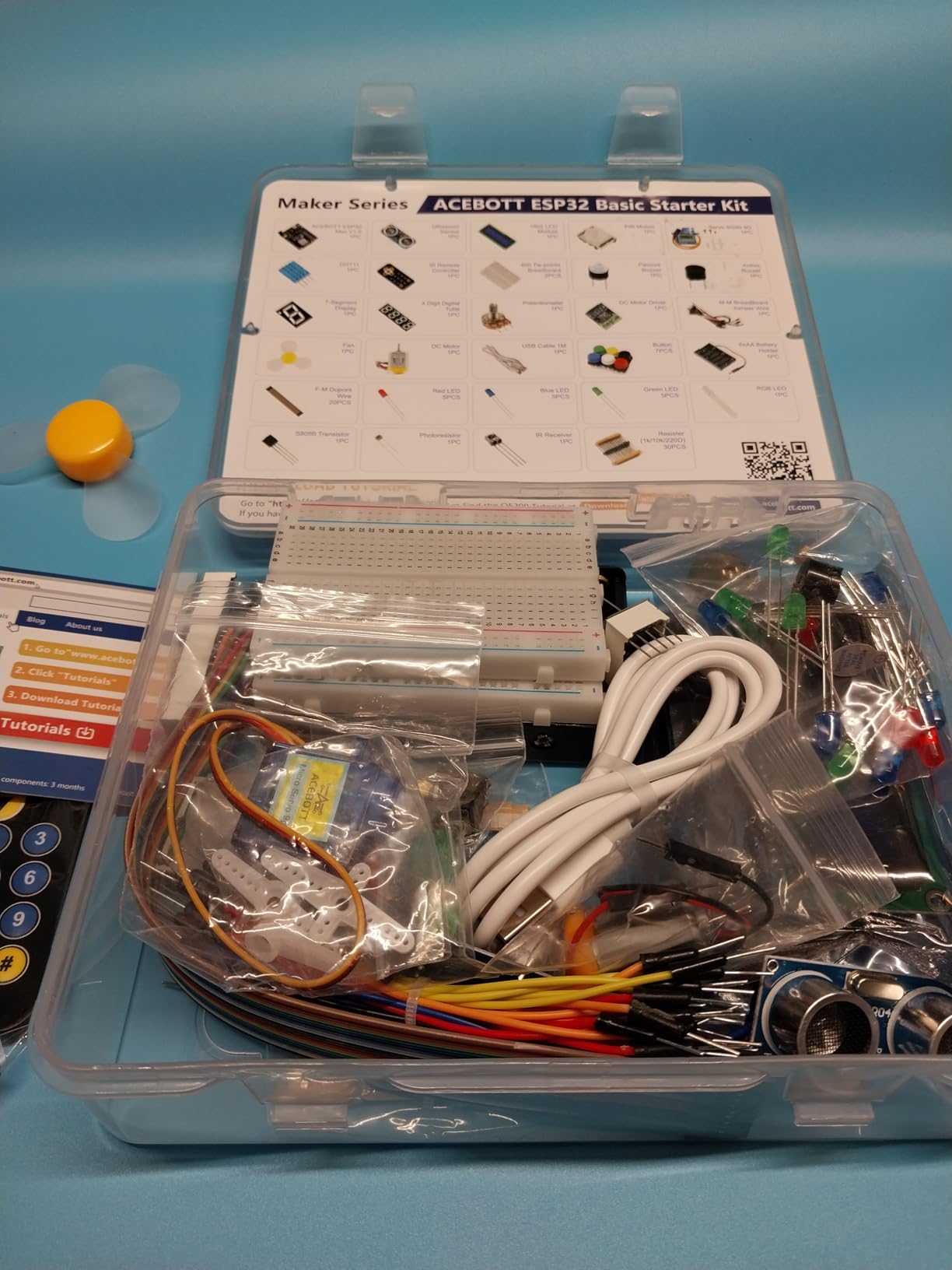
Ninety-six components cover ultrasonic and PIR sensors, motors, RGB lights, buttons and a breadboard, and 40-plus tutorials run in sequence from components to basic circuits to practical projects to IoT. Individual anti-static labeled packaging is a small touch that makes finding a part fast.
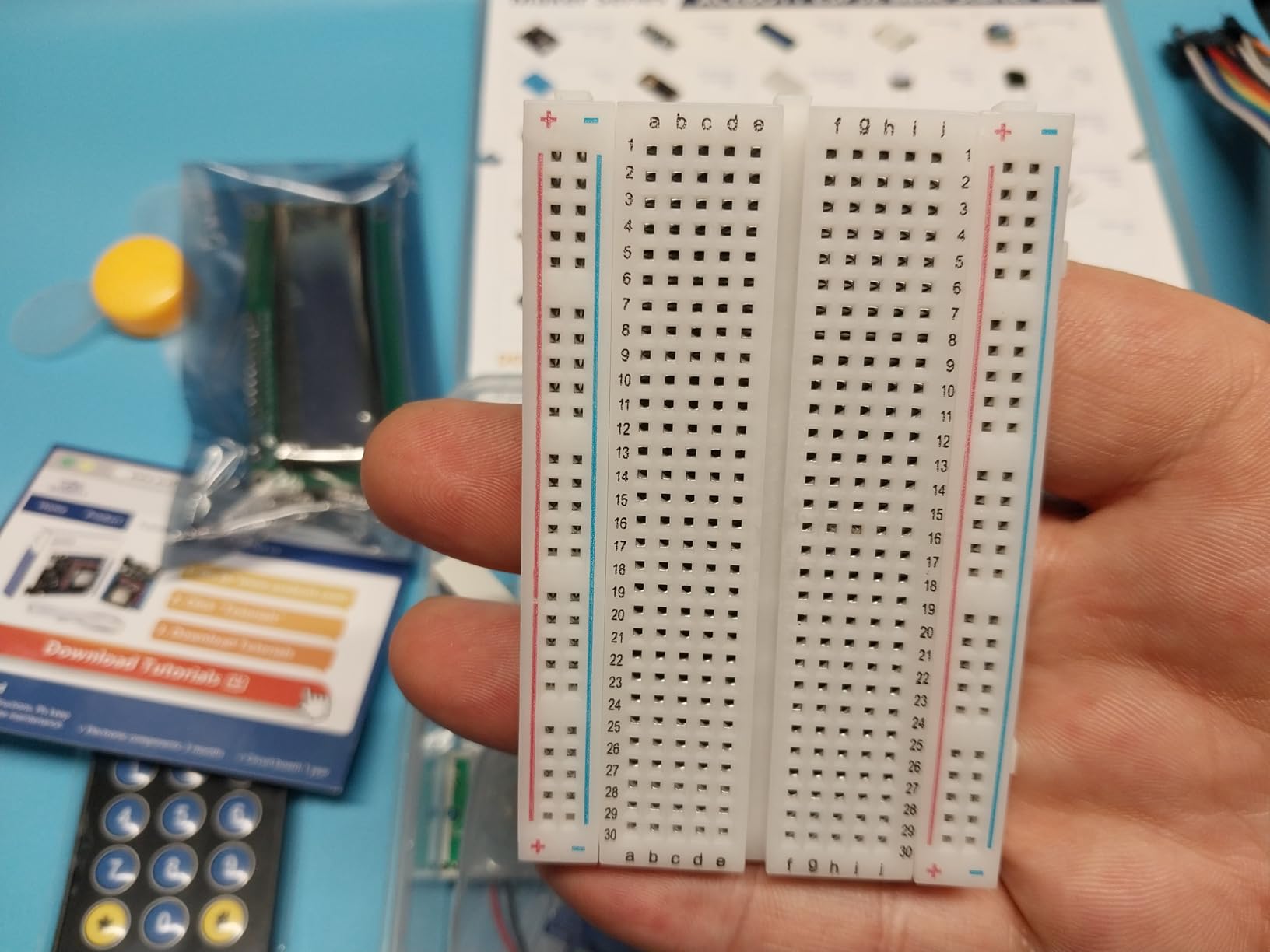
Around 182 reviews at 4.4 stars, owners treat it as a value entry into modern microcontroller work. The three programming paths matter most: a teen can start graphically, move to the Arduino IDE, and end up in Python on the same board, which is a genuine three-year runway rather than a single-step ladder.
Why the ESP32 board is the selling point
Wi-Fi and Bluetooth on board change what a first project can be. A temperature and humidity logger that posts readings to a phone needs no extra hardware, and a motion-activated alarm can trigger a notification from a different room.
The 2-year warranty is also longer than most kits in this group offer, which matters when a teen will keep the box for years.
Where you trade away
Documentation is thinner than first-party Arduino kits, and some learners report needing outside resources to bridge graphical coding and real code. Set aside time for that gap or pair it with a written guide from another source.
It is also the smallest component count on this list, so a teen who finishes the 40 tutorials fast will need to buy sensors. If the goal is many guided projects rather than a modern board, one of the ELEGOO kits is the better buy.
How to Choose an Electronic Kit for Teens
Every kit above teaches real circuits. What separates them is where a teen stops, what they can do when they get there, and how much help they need along the way. These are the four questions that decide it.
Match the kit to the age band and readiness signal
For roughly 10 to 12, a snap-together kit or a Scratch-compatible set is the right call, because the win is confidence rather than complexity. Ask.MetaFilter captures the age-out moment parents actually hit: a seven-year-old loves snap circuits, and by ten the same kit has become repetitive.
For 13 to 15, move to a breadboard or Arduino-compatible kit, where the teen must read a diagram and get polarity right. For 16 and up, the deciding factor becomes component count and pin count, which is the difference between the UNO kits and the Mega 2560.
The readiness signal is simple: if a teen asks why a component is in the circuit rather than just where it goes, they are ready for the next tier.
Screen-free kits versus app-connected kits
Snap Circuits and the official Arduino kit need no phone and no account, which is a genuine advantage for screen-time-conscious families. Programming happens on a laptop, and even there the IDE looks like 1998 on purpose.
Robot cars, ESP32 boards and the Arduino Uno R4 WiFi kit all lean on app or phone connectivity for part of the experience, and that is a fair trade for wireless projects. Some parents on the r/Anticonsumption thread frame the objection as broader than screen time: they actively avoid disposable plastic toys and prefer something that lasts. A real board, a breadboard and a case survive a hand-me-down; a sealed plastic brick does not.
What is not in the box: batteries, tools and storage
Batteries are the single most common complaint across reviews of every kit here. Snap Circuits requires batteries, and the official Arduino kit needs a 9V for a few projects that is not included. Buy a pack of AA cells and a 9V the day the kit arrives, not the day it is opened.
Storage is the second. A compartmented tray for small parts costs almost nothing and prevents the mid-build stall where a resistor goes missing. Kits with a bundled case, such as the Mega 2560 and the ELEGOO UNO kit, are worth paying extra for at this level.
Tools come third: a small screwdriver, a resistor colour-code card and spare jumper wires. None of these are glamorous and all of them prevent frustration. If you also need a kit for pure music technology rather than STEM, our beginner electronic drum kit guide covers a completely different kind of electronics purchase.
Safety rules for teen electronics work
Every kit here runs on low voltage, and that is the entire safety model. Nothing in a teen electronics kit should ever be connected to mains power, and no kit on this list requires it.
Small parts are the genuine hazard. Snap Circuits components and breadboard jumper leads are a choking risk for younger siblings, so store the kit where a toddler cannot reach it. Soldering irons do not appear in any of these ten kits, which is deliberate: they remain an adult job, and the age guidance in the manual should be followed rather than worked around.
Good light and a clear work surface are also safety items. Eye protection matters for anything that involves springs, wire stripping or cutting component legs off a strip.
Frequently Asked Questions
What are the best electronic kits for 12-year-olds?
For a 12-year-old, the best electronic kits are the no-solder or breadboard tier: the Snap Circuits Classic for a screen-free start, or a Scratch-compatible Arduino kit such as the SunFounder 3-in-1 for a child who is ready to program. At this age the goal is confidence with circuits, not complex builds, so avoid kits with two hundred components until they have finished a smaller one.
What is the best electronic kit for beginners?
The best electronic kit for a beginner is the ELEGOO UNO R3 Project Super Starter Kit, because it pairs a real breadboard with a pre-soldered LCD and 22 guided lessons with working code. Beginners fail when hardware is fiddly or instructions are missing, and this kit removes both problems before they start.
Are Snap Circuits too basic for a teenager?
Snap Circuits can be too basic for a motivated teen, but not because the kit is low quality. It is rated for ages eight and up and holds up to years of use. The limit is conceptual: the manuals show what to build without explaining why, so a curious teenager will outgrow it in a few months. Treat it as a first rung, not a final destination.
What can I make with Snap Circuits?
The Snap Circuits Classic supports over 300 projects from 32 snap-together parts, including AM radios, burglar alarms and doorbells. The advanced builds are the ones worth pointing a teenager at: the AM radio teaches oscillation, a light-sensitive alarm teaches sensors driving a switching circuit, and a touch-activated lamp teaches conductivity.
Do electronics kits need batteries?
Most do, and batteries are usually not included. The Snap Circuits Classic requires batteries, and the official Arduino Starter Kit needs a 9V battery for a few of its projects. Arduino-compatible kits with a USB connection generally power from the computer or a USB charger instead, so check the power line in the product specifications before buying batteries.
Is Arduino too hard for a teenager?
Arduino is not too hard for a teenager, but jumping straight into a full kit can be. The difficulty is usually the electronics fundamentals rather than the code. Starting with a guided kit that has a solderless breadboard, pre-soldered modules and example code removes most of the friction, and a teen who finishes one such kit is ready for a Mega 2560 or an ESP32 board with confidence.
The Best Electronic Kits for Teens, Final Word
The single most common mistake with these gifts is buying for the weekend rather than for the year. The best electronic kits for teens all share one trait: a path out of the guided projects. Pick the Snap Circuits Classic for a younger or screen-free learner, the ELEGOO UNO R3 for a coding beginner, and the Mega 2560 once the first kit is finished. Add a battery pack and a compartmented storage tray on the same order, and the kit has a far better chance of still being open in 2026 than it would on its own.