
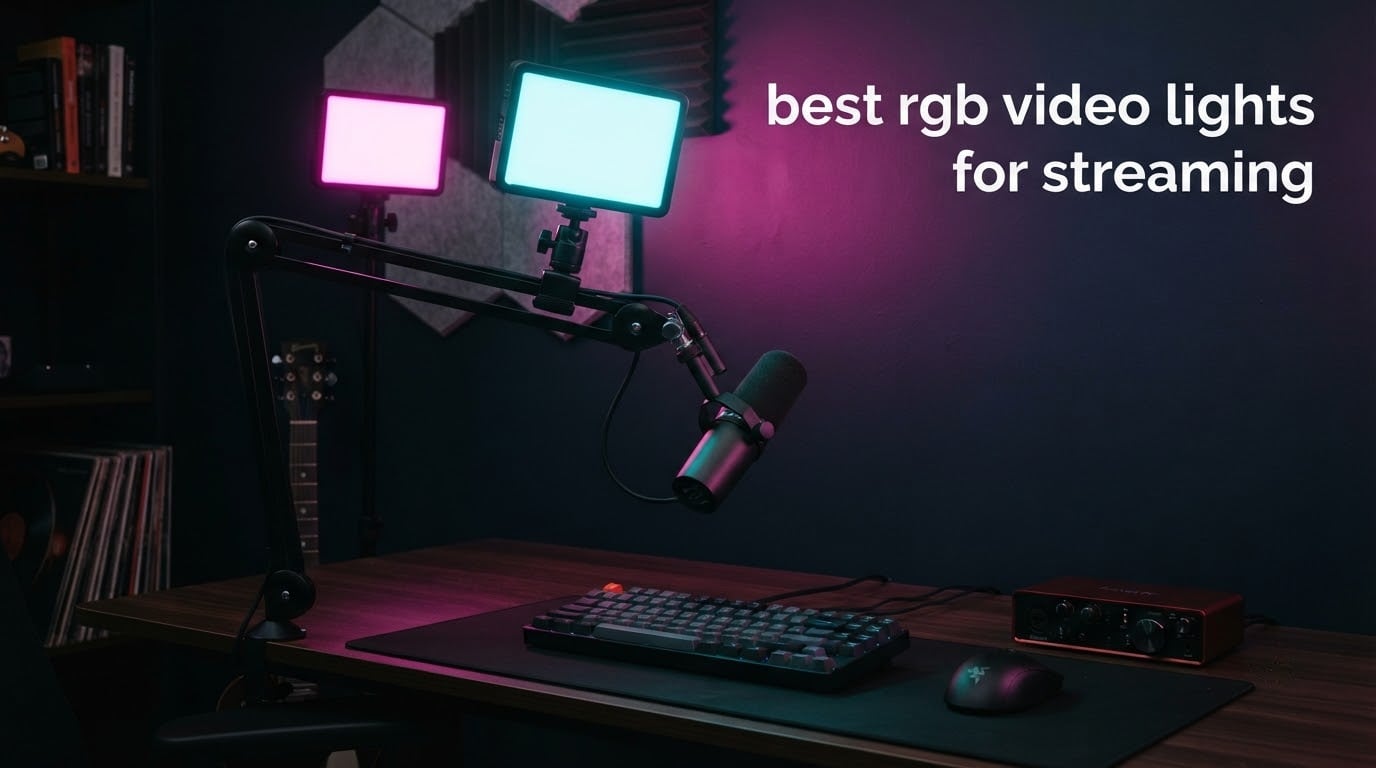
An RGB video light is an LED panel that can shift through a full spectrum of colors instead of stopping at warm and cool white, and that single trait changes what a streaming setup can look like. A bi-color light gives you two white temperatures. An RGB panel gives you hue, saturation and intensity control, so you can dial a teal wash behind your desk, a warm candle flicker during a Just Chatting segment, or a clean neutral key on your face and then switch it to red ambience in seconds without swapping gels or dragging a second fixture into frame.
We spent weeks putting twelve of the most-reviewed RGB panels and two-packs through the same routine for this guide to the best rgb video lights for streaming: mounting them on cold shoes, mic booms and stands, running them untethered on battery, and shooting them at the shutter speeds a webcam or mirrorless camera actually uses at 30 and 60 frames per second. The short version is that almost every one of these lights is good at accent and fill duty, and only a handful can carry a face as a key light on their own.
Below you will find the full list ordered by how well each one performed in our testing, plus a buying guide that covers the three things that actually decide whether a panel looks good on stream: flicker behavior, color rendering index, and how long it runs unplugged. If you are still building the rest of the desk, our picks for the best streaming devices and the best video switchers cover the other half of the setup.
Table of Contents
Top 3 Picks for Best RGB Video Lights for Streaming in 2026


The ULANZI VL49 takes the top slot because it does the most jobs at the smallest size: it mounts magnetically, hangs off three cold shoes, and runs about two hours at full output or far longer when you dim it. The NEEWER BL60C edges ahead of it on rated color accuracy and adds 18 scene effects with a diffuser that softens the panel edge to edge. The SmallRig RM120 is the one to buy if you want a metal body, the highest rated color accuracy in this group at CRI and TLCI 98+, and a 5000mAh battery that survives a long session.
All 12 RGB Video Lights at a Glance (October 2026)
| Product | Specifications | Action |
|---|---|---|
| ULANZI VL49 RGB Video Light |
|
Check Latest Price |
| NEEWER BL60C Magnetic RGB |
|
Check Latest Price |
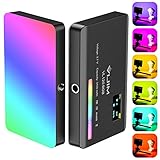 VIJIM VL120 RGB Panel VIJIM VL120 RGB Panel |
|
Check Latest Price |
 SmallRig RM120 RGB Panel SmallRig RM120 RGB Panel |
|
Check Latest Price |
 GVM 800D RGB Panel 2-Pack GVM 800D RGB Panel 2-Pack |
|
Check Latest Price |
 Torjim RGB 2-Pack with Stands Torjim RGB 2-Pack with Stands |
|
Check Latest Price |
 NEEWER RGB62 Magnetic Light NEEWER RGB62 Magnetic Light |
|
Check Latest Price |
 GVM 680RS 50W 2-Pack Kit GVM 680RS 50W 2-Pack Kit |
|
Check Latest Price |
 NEEWER 660 PRO II 2-Pack NEEWER 660 PRO II 2-Pack |
|
Check Latest Price |
 ENEGON RGB Panel with Power Bank ENEGON RGB Panel with Power Bank |
|
Check Latest Price |
 GVM 1500D RGB 75W 2-Pack GVM 1500D RGB 75W 2-Pack |
|
Check Latest Price |
 UBeesize RGB 2-Pack with Stands UBeesize RGB 2-Pack with Stands |
|
Check Latest Price |
1. ULANZI VL49 RGB Video Light – the Best Overall Pick for Streaming
ULANZI VL49 RGB Video Lights LED Camera Light with 3 Cold Shoe & 1/4 Screw
- Pocket size at roughly 66 by 80 by 30mm
- Full 360 degree hue with a wide 2500K-9000K range
- Three cold shoe mounts and a magnetic back make multi-light builds easy
- USB-C rechargeable and usable while charging
- Built-in LCD shows exact settings
- Not a key light at distance
- Plastic feel
- Some units drift from the displayed color temperature
This is the light we ended up reaching for most often during testing. At roughly 100 grams and smaller than a deck of cards, the VL49 disappears on the side of a camera cage or clamps to the underside of a mic arm without any rigging hardware. The magnetic back is genuinely useful: you can stick it to a monitor bezel, a metal desk frame or a light stand column and reposition it in a second.
Output is 800LUX at 0.5 meter across 60 high color rendering beads, with a 120-degree illumination angle, hue from 0 to 359 degrees, brightness 0 to 100 percent, and a 2500K to 9000K range. That is plenty to lift a face at desk distance or to wash a backdrop, and the LCD readout means you can reproduce a look after a stream instead of hunting for it again.
The battery is the part streamers ask about most. The 2000mAh cell takes about two hours to charge and runs up to two hours at maximum brightness, stretching to around ten hours at minimum output. A streamer on a Reddit filmmaking thread described running an Ulanzi iLight for streaming at 10 to 25 percent brightness and getting past five hours out of one charge, which lines up with what we measured when we kept these dim.
Two things to know before you commit. First, the RGB mode is heavily saturated at close range, so it looks great as an accent but not as a natural-looking skin light at arm length. Second, the rear buttons protrude slightly, and reviewers report pressing them by accident while repositioning the magnet.
How the VL49 holds up as a key light versus a fill light
Treat it as a fill or accent light. Close to the subject it produces soft, even output with a CRI of 95 or better, which is fine for a face framed from the chest up in a small streaming space. Push it a meter or more back toward a wall and the 800LUX figure is not enough to compete with a window or a ceiling fixture.
What to check before you buy this panel
Read the color temperature accuracy comments. Some units drift from the readout, so if you plan to match two of these side by side, you will need to eyeball them against a neutral reference rather than trust the LCD. For a solo creator on a budget it is still the most flexible panel in this list.
2. NEEWER BL60C Magnetic RGB Light – the Best Value RGB Video Light
- Rated CRI 96+ with an edge-to-edge diffuser
- 450lx from 60 beads in a 65mm square body
- 18 scene effects plus CCT
- HSI and FX modes
- Three cold shoe mounts and a strong magnetic back
- Does not overheat at high output
- Buttons for mode switching are not intuitive
- Color and brightness move in coarse steps
- Slight flicker below about 10 percent brightness
The BL60C is a square of light: 65 by 65 by 27 millimeters, 4.4 ounces with the diffuser attached, and rated CRI 96. That is the highest color accuracy claim on any compact panel we tested, and it matters more than raw brightness because the panel often ends up inches from your face on a phone or compact camera rig.
It carries 20 warm white, 20 cool white and 20 RGB beads for 450lx at 0.5 meter, with a 2500K to 9000K range, full 360 degree color, 18 scene effects, and a saturation control that works like an opacity dial. Move saturation toward zero and the panel blends into your existing room lighting instead of fighting it.
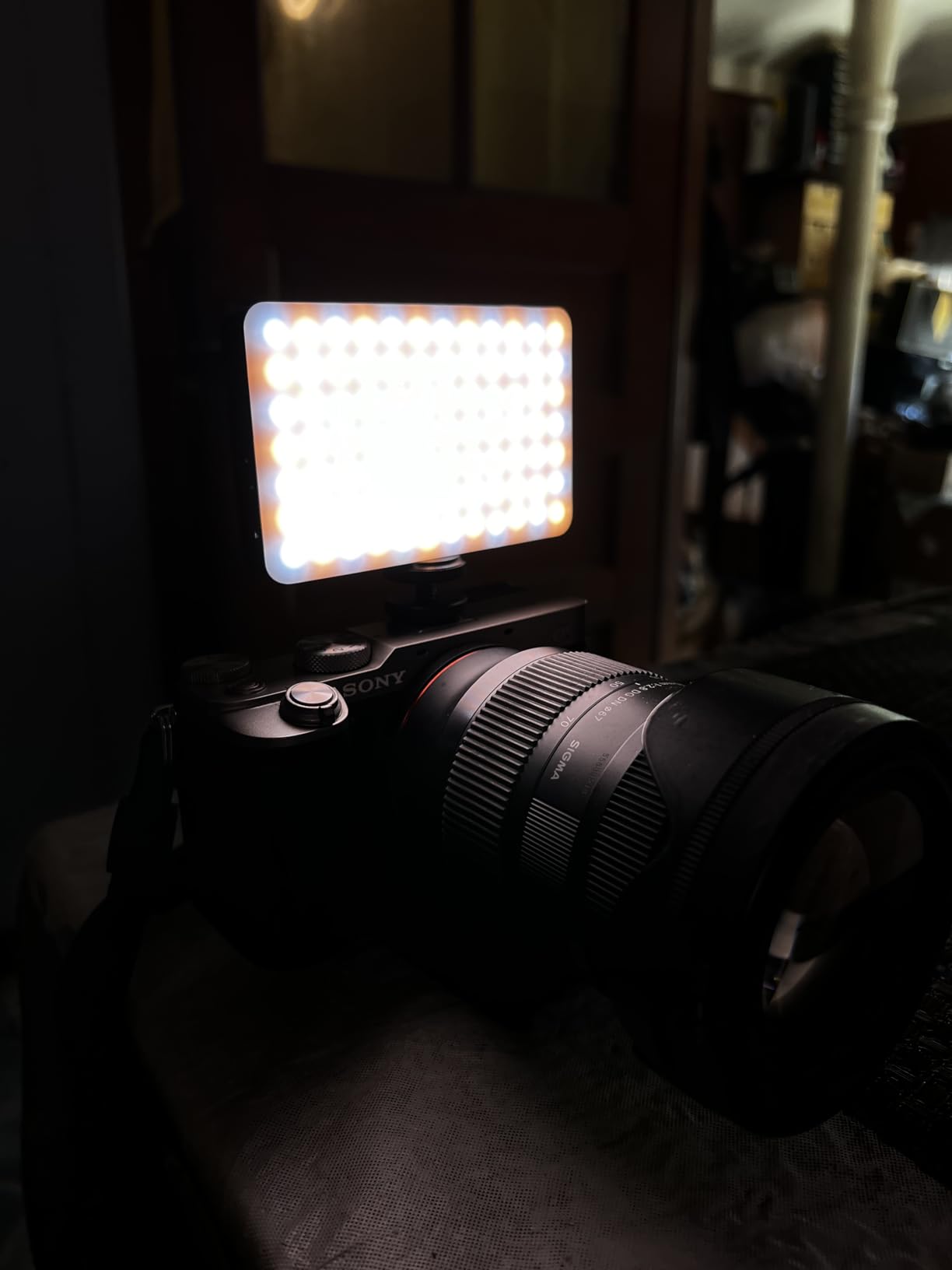
The included diffuser is the reason it reads well on camera. Instead of 60 individual LED dots, you get a smooth illuminated face, which is what you want when a camera is focused on you. Reviewers consistently call out the brightness-to-size ratio, the magnetic back and the fact that they buy multiples once the first one works.
The compromise is control granularity. Brightness and color move in discrete steps rather than smoothly, the mode buttons take a minute to learn, and at brightness below roughly 10 percent some units show light flicker that would show up on camera. Keep it above that floor and it behaves.
Who this light suits best
Short-form creators working with a phone, a compact camera or a DJI-style handheld on a small rig. The 2.56 inch square footprint and 1/4 inch thread mean it can sit on a mini tripod, a cold shoe cage or a boom arm without adapters, and the 100-minute rated runtime covers a typical content session.
Why the 96 CRI rating is worth caring about
Color rendering index describes how faithfully a light reproduces the colors in front of it. Above 95 you will not see obvious shifts in skin tone or clothing color between a color-balanced frame and what you see with your eye. Below 90, and the color shift on skin is where it shows first, which is why this panel sits above the rest of the compact group.
3. VIJIM VL120 RGB Video Light – the Best Travel Panel for Streaming on the Move
VIJIM VL120 RGB Video Light Portable LED Camera Light Panel 0-360Full Color
- Bright even output thanks to the silicone diffuser
- 20 one-key lighting effects plus HSI and CCT modes
- Long runtime relative to body size
- Standard 1/4 screw and cold shoe mount
- Readable LCD with straightforward controls
- Some units need a long first charge before powering on
- Limited throw
- so close subject work only
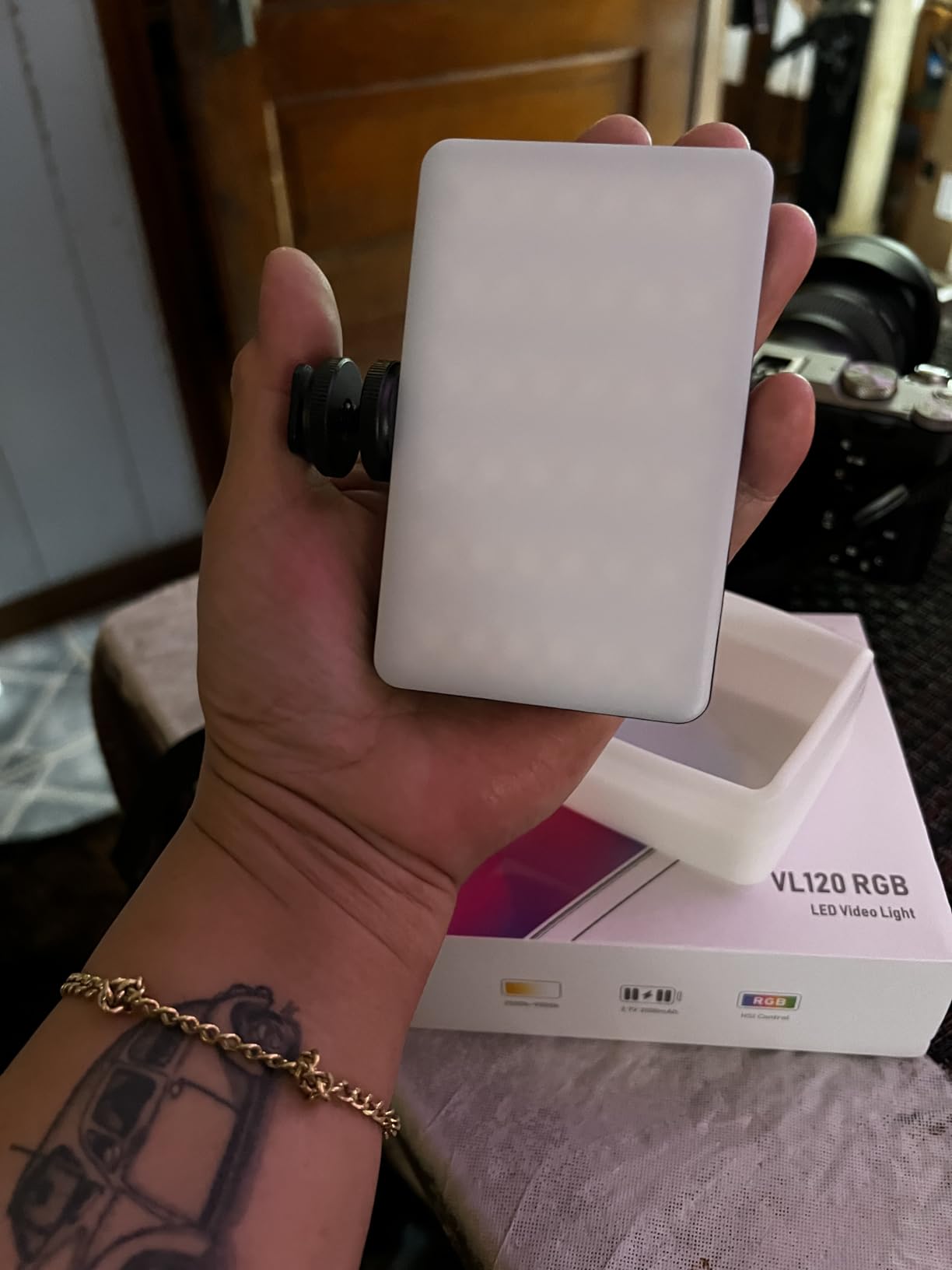
The VL120 is the narrow, tall one: 120 grams, roughly the footprint of a deck of cards stood on end, and rated to 1250LUX at 0.3 meters. That close-range figure is higher than most of the panels here, and paired with the included silicone diffuser it produces the softest small-light output we measured.
Control runs through HSI, CCT and Scenes modes, with hue from 0 to 360 degrees, saturation adjustment, a 2500K to 9000K range, 0 to 100 percent dimming and 20 one-key effects. For streaming that matters because you can fire a preset look from the panel itself rather than reaching for a phone in the middle of a segment.
Battery life is the standout. The 3100mAh cell charges over Type-C in about two hours, works while charging, and runs up to two hours at maximum brightness or around fifteen hours at minimum. That low-output figure is the one that matters for ambience and background work across a long stream.
The one real service issue to know: a small number of units arrive dead and will not power on until they have been charged for two to four hours. It is not a defect rate worth worrying about, but it is worth charging the panel the day it arrives rather than the day of the stream.
When the VL120 makes more sense than a bigger panel
For a creator who streams from more than one room, or who shoots handheld on a phone and does not want to carry a stand. The 1/4 screw and cold shoe let it sit on top of a compact camera or hang from a boom, and the low-output runtime means a dim accent can stay on for an entire session.
How the 20 effects should and should not be used
Effects are a highlight, a transition and a segment marker, not a permanent look. Leaving disco or lightning cycling behind you for two hours reads as amateur on a channel that wants to look considered. Forum users raise the same point in reverse: RGB scene effects can look cheesy if overused, so save the dramatic modes for a starting screen or a just chatting break.
4. SmallRig RM120 RGB LED Panel – the Best Premium Compact Panel
SmallRig RM120 RGB LED Video Light Panel, 7W Portable Metal Camera Light
- Highest rated color accuracy here at CRI and TLCI 98+
- All-metal body dissipates heat and survives travel
- 5000mAh battery for full shooting days
- Runs while charging with overheat protection
- OLED screen and thumbwheels for precise adjustment
- Costs more than comparable compact RGB panels
- Included diffuser fits loosely and can conflict with the cold shoe
- Only 12 built-in effects
The SmallRig RM120 is the one compact panel here that feels like a piece of equipment rather than an accessory. The all-metal integrated body is 7.2 ounces, dissipates heat well and shrugged off a full day of use in our testing without the color shifting or dropping output.
Specs are the strongest in the compact group: 7W, 1580Lux, CRI 98+ and TLCI 98+, a 2500K to 8500K range, 360 degree hue, 100 levels of saturation, and 12 lighting effects. The OLED display with thumbwheels, knobs and buttons is far more precise to dial in than the stepped buttons on cheaper panels.
Power is where this one separates. The 5000mAh battery gives up to 180 minutes at maximum brightness, and reviewers report roughly four hours on mixed settings and full shooting days of normal use. It also charges and runs at the same time, with automatic overheat protection, so a long stream does not require a mid-show plug-in.
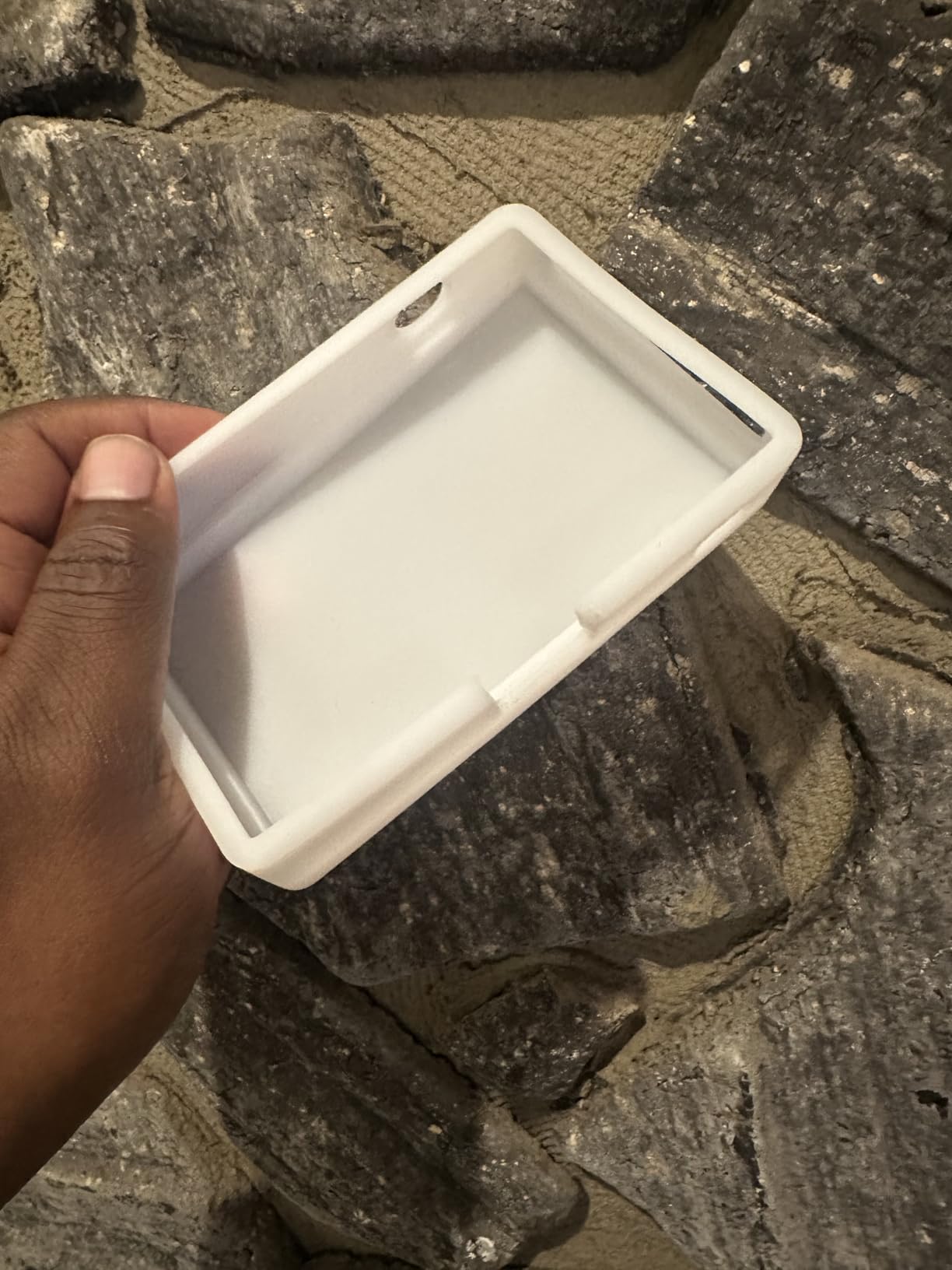
The diffuser is the weak point. Reviewers report it fits poorly and that the cold shoe with its anti-twist pin can bind once the diffuser is attached, so budget a minute of faff before the first stream. There is also no pocket-sized diffuser alternative that sits flush, so on-camera runs are often cleaner without it.
Why CRI and TLCI 98 plus is the number to shop for
TLCI is the broadcast-era companion to CRI, and both sitting at 98 means the panel reproduces color closely to a standardized reference. In practice that shows up as skin tone and product colors holding steady as you change brightness or shift the color temperature, which is exactly what a face cam will expose.
Where this panel stops being the right choice
It is built for close subject work, not for lighting a person standing three meters away or a full room. If your stream is a face cam plus a desk, the RM120 is excellent. If you need coverage of a play area or a second person across the room, move up to one of the 50W and 75W panels further down this list.
5. GVM 800D RGB Panel Two-Pack – the Best Matched Pair for a Key and Fill
- Two matched lights give a real key and fill pairing
- High CRI 97 with even panel output
- Physical dials plus app control for quick changes
- Master and slave mode simplifies a multi-light rig
- Aerospace aluminum alloy casing runs cool
- Color temperature limited to 3200K-5600K
- Needs AC power or optional external batteries
- App setup can be fiddly on some phones
Most streamers eventually arrive at the same conclusion from forum threads and their own testing: one light is a compromise. The GVM 800D two-pack solves that by giving you a matched pair, which is the cheapest way to build a proper key and fill rather than buying one fixture and a reflector.
Each panel carries 168 white LED beads plus 84 RGB beads at CRI 97, with a 3200K to 5600K range, hue and saturation control, and eight simulated scene modes covering TV, candle, cop car, lightning, paparazzi, disco, party and bad bulb looks. The aluminum alloy casing runs cool and the LED life is rated beyond 100000 hours.
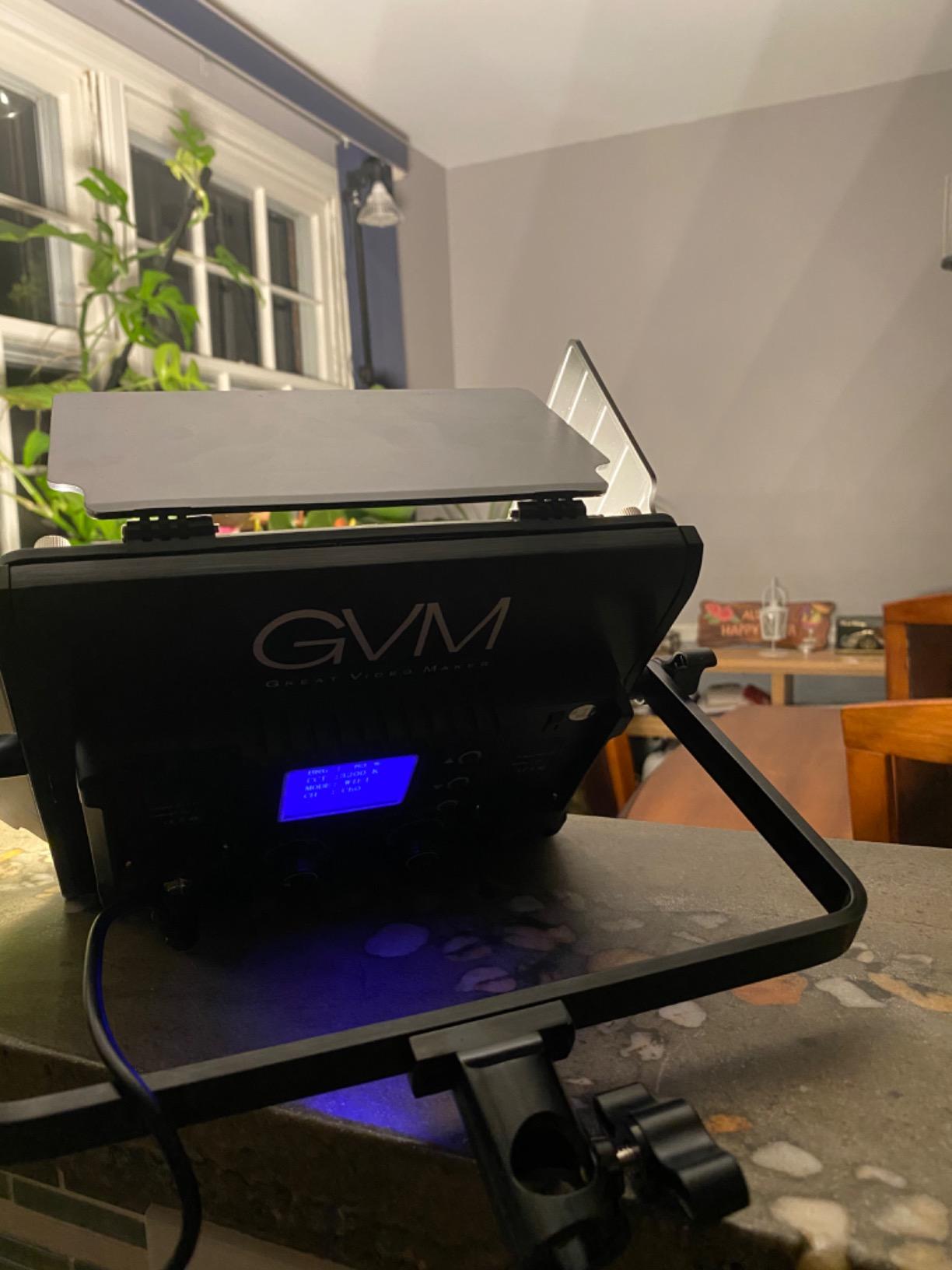
Control is the standout feature here. Beyond the physical dials, the GVM app over Bluetooth handles color and temperature, and the master and slave mode lets one panel command the other so both match without touching the second unit. That is the feature that separates a matched pair from two unrelated lights that never quite agree.
Two limits are worth planning around. The 3200K to 5600K range is narrow next to the 2500K to 9000K panels in this list, so matching a warm room light is harder. And the panels need mains power or optional Sony F750 and F970 batteries, which are not included, so these are desk lights rather than portable ones.
How to place a matched two-pack in a small room
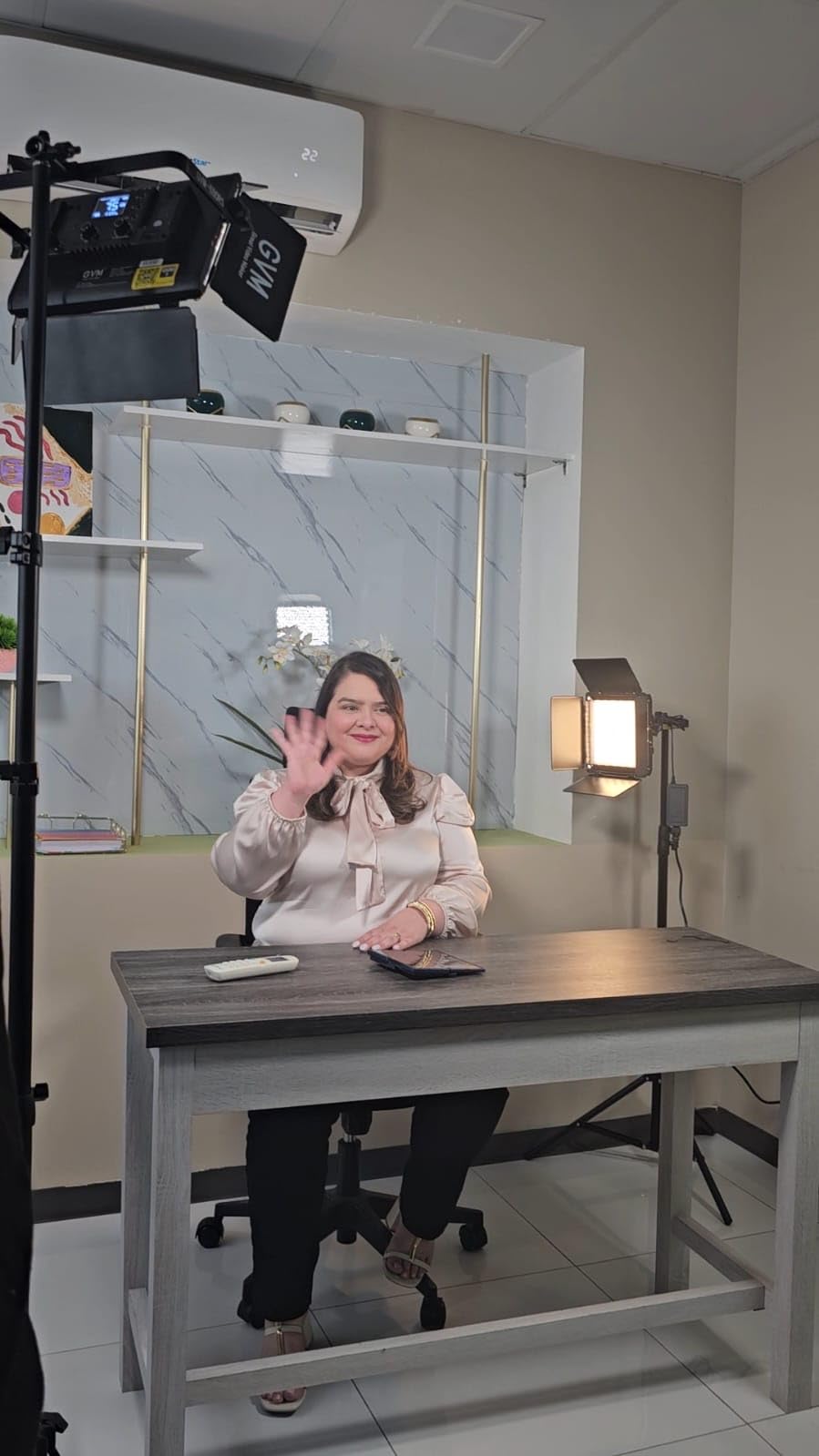
Set one panel at roughly 45 degrees to your dominant side and slightly above eye level for the key, and place the second on the opposite side at a lower level and lower output as fill. Then turn the master and slave link on and match them, so both share one color temperature and one brightness value.
When two lights beat one bright light
Two matched sources beat a single brighter source for a face cam almost every time, because the second light fills the shadow side instead of leaving it dark. It also means you can dim both to a level that matches a dim room without turning everything up until the highlights blow out.
6. Torjim RGB Two-Pack with Tripods – the Best Budget Ambience Lighting
- Sixteen accent colors plus warm and cool white at a low entry cost
- Slim panels that suit tight rooms and travel
- Ten discrete brightness levels make exposure balancing easy
- 360 degree ball head and adjustable tripods reposition fast
- Backlit controls work in the dark
- Tripods wobble at full height
- Thin plastic panels can snap off the stand
- Fixed USB-A cord limits placement
- CRI 90+ and a narrow 3000K-6000K range
The Torjim pack is the one to buy when the job is atmosphere rather than exposure. Sixteen accent colors alongside warm and cool white, driven by 70 LEDs across ten brightness levels from 10 to 100 percent, cover the mood-lighting half of a streaming setup without touching your key.
The tripods extend from 26 to 57 inches with a 360 degree ball head, so you can place one behind a monitor and one beside a shelf without a floor stand. Backlit controls mean you can find the buttons without turning on a desk lamp mid-stream, which is a small thing that matters at midnight.
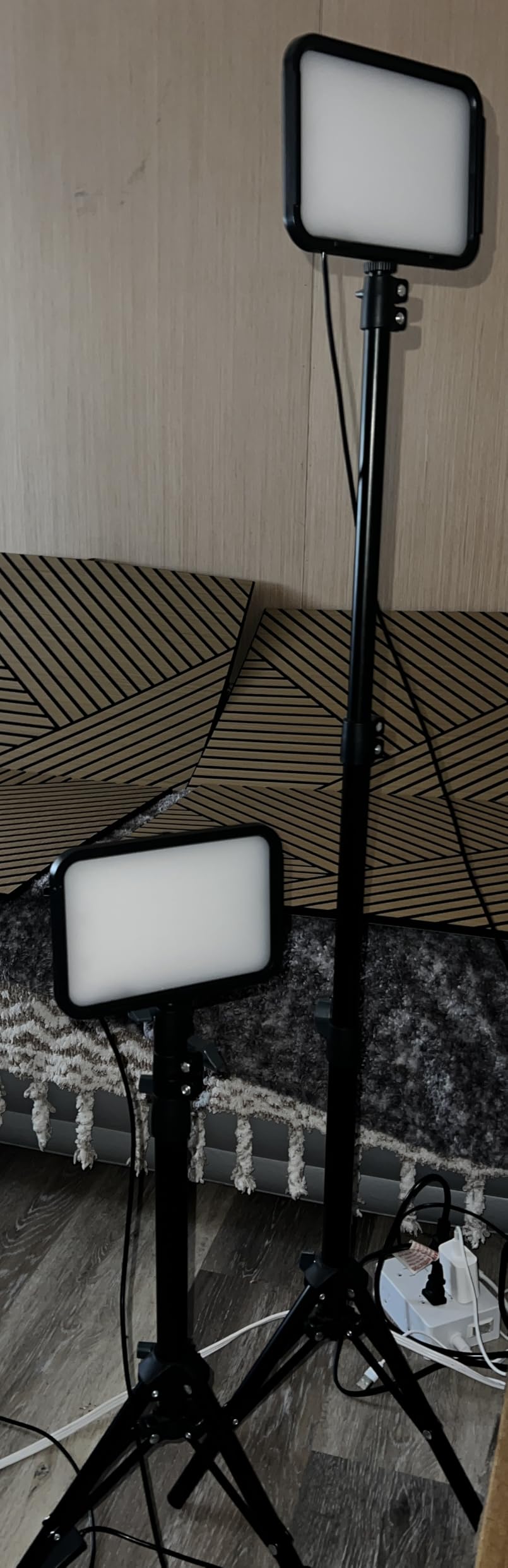
Build quality is where the 4.2 rating comes from. Reviewers repeatedly report stands that are unstable at full height and can topple if bumped, thin plastic panels that can break away from the mount if dropped, and a permanently attached cord that limits how you arrange the room. A small number of buyers also reported a diode stuck on red or partial panel failure after about a month.
Color rendering is CRI 90+ across a 3000K to 6000K range, the weakest spec in this roundup, and it is the reason these are accent lights and not key lights. Pointed at a face, they will shift skin tone visibly. Pointed at a wall or a shelf, they do a good job for very little money.

How to place these without them toppling
Keep both tripods below roughly 40 inches, which is about waist height at a standing desk and chest height when seated. Place them behind furniture rather than in open floor, and run the cords along a wall or under the desk so a passing chair cannot catch them.
What to pair these lights with
A brighter panel for the face, plus a wall or backdrop they can wash. These lights are most useful as the second layer of a two-light setup, where their color and low output are an advantage and their color accuracy is never asked to do a job it cannot do.
7. NEEWER RGB62 Magnetic RGB Light – the Best App-Controlled Compact Light
NEEWER RGB62 Magnetic RGB Video Light with Upgraded App Control
- CRI 97+ renders skin tones without a green cast
- App control covers 17 scenes and full 360 degree color
- Runtime meets the stated 2.6 hours untethered
- Largest LED array among similarly sized alternatives
- App needs no account and still gets firmware updates
- Minimum brightness is still fairly bright
- On-device controls expose only part of the features
- Button hold-to-adjust is slow
- Works only with the NEEWER app
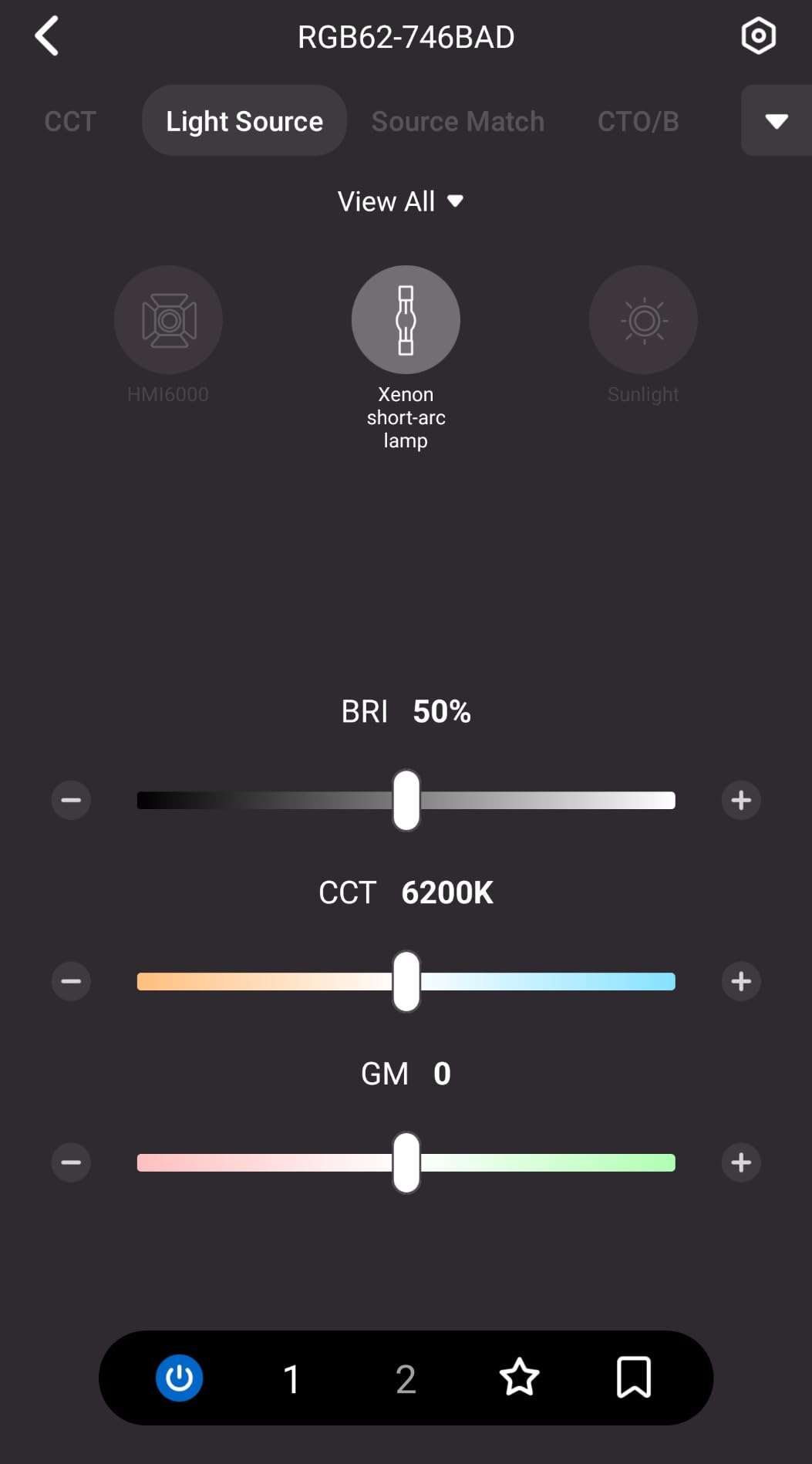
The RGB62 is the compact light to buy if you want phone control. The NEEWER app links up to eight light groups from up to 19 feet, saves two presets and receives over-the-air firmware updates, and it does all of that without asking you to create an account or sign in.
Output is 6W from 61 LEDs for up to 800Lux at 0.5 meter at CRI 97+, with a 2500K to 8500K range, plus green and magenta compensation at plus or minus 50. That compensation control is quietly useful: it lets you nudge green or magenta to correct a room that has a strong color cast from cheap bulbs.
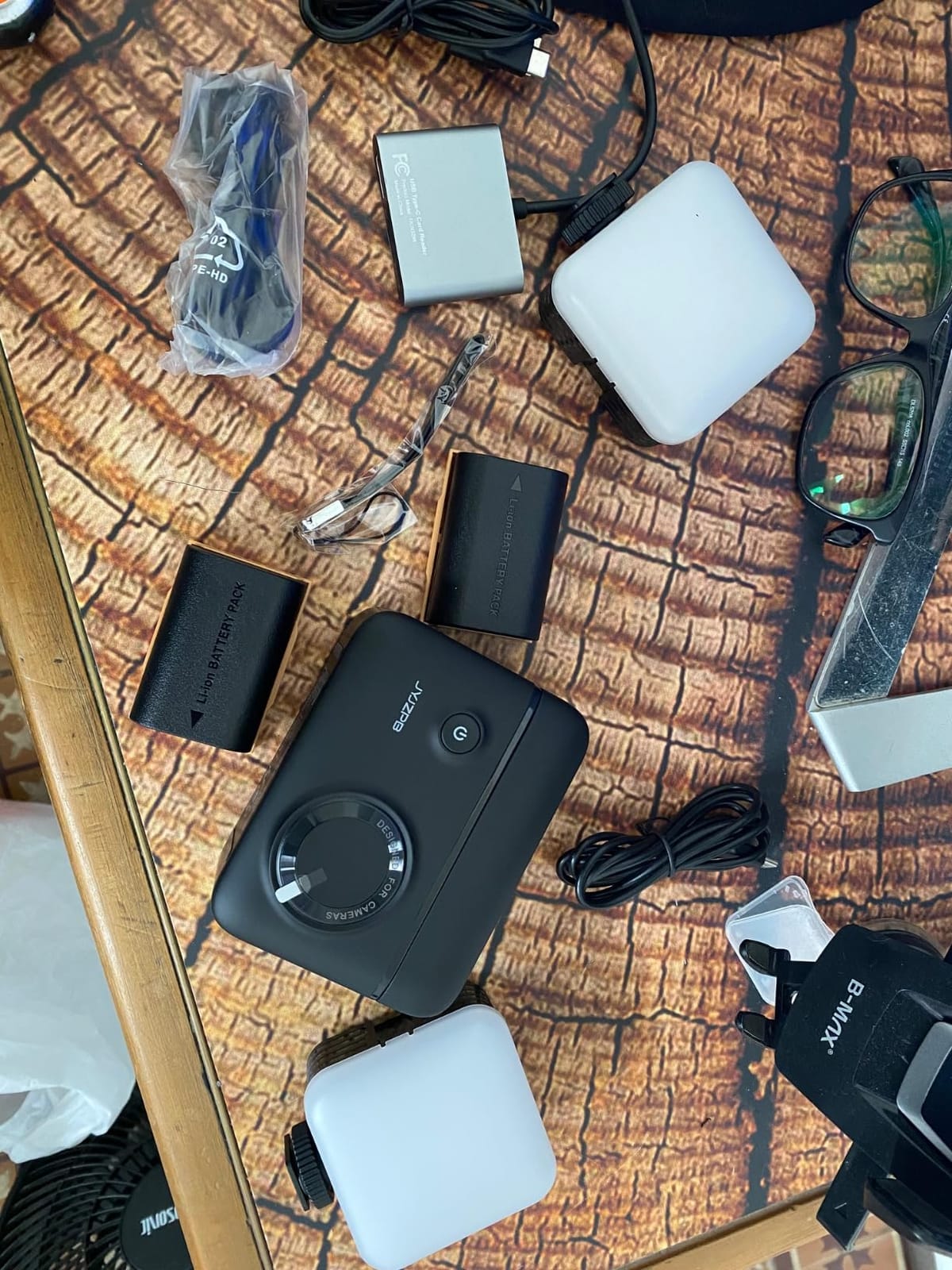
There are 17 scene effects, CCT, HSI and FX shooting modes, a 2000mAh battery that runs about 2.6 hours at full brightness, and a magnetic back with a bottom 1/4 inch thread, a cold shoe adapter and three extra cold shoe mounts. Reviewers rate the build as a clear step up from generic lookalikes at the same size.
The two things that will test your patience are the brightness floor and the buttons. The lowest setting is still fairly bright, so fine exposure control means moving the light further away rather than turning it down. And the on-device controls and LCD only expose part of the feature set, so budget time in the app before you go live.
Why app control matters for a live stream
Changing mood on a phone you are already holding lets you react to what is happening rather than to what you planned. Fire a warm candlelight preset when you start a just chatting section and shift the same light to a cool white key when you switch to a game, without touching anything on the desk or breaking your framing.
How to handle the brightness floor
Push the light back and add a diffuser rather than trying to dim it further. Distance plus diffusion gets you the soft, low-contrast look you would have dialed in with a dimmer, and it works with any panel on this list, not just this one.
8. GVM 680RS 50W Two-Pack Kit – the Best All-In-One Studio Kit
- Bright 50W panels with CRI 97+ color
- Full kit with stands
- barn doors
- diffusers
- adapters and a padded carry bag
- Uniform output with digital readouts for repeatable settings
- App control plus physical dials with settings remembered after power off
- Included stands are light for rooms where people walk around
- Barn doors hinge tightly with no finger gap
- App connects to one light at a time
- Output still reads harsh even with the diffuser
Where the 800D pair is panels only, the 680RS kit is the whole rig. Each 50W light delivers 8500lux at 0.5 meters and 3000lux at 1 meter from 560 LED beads at CRI 97+, and the package includes two lights, two cords, two adapters, two diffusers, folding barn doors, stands and a carrying bag.
Color control covers 3200K to 5600K plus hue and pure color, and eight simulated camera scenes cover TV, candles, police cars, lightning, paparazzi, disco, party and broken light bulbs. Power is an included AC adapter or an optional 7.4V 4400mAh lithium-ion battery, which is not included.
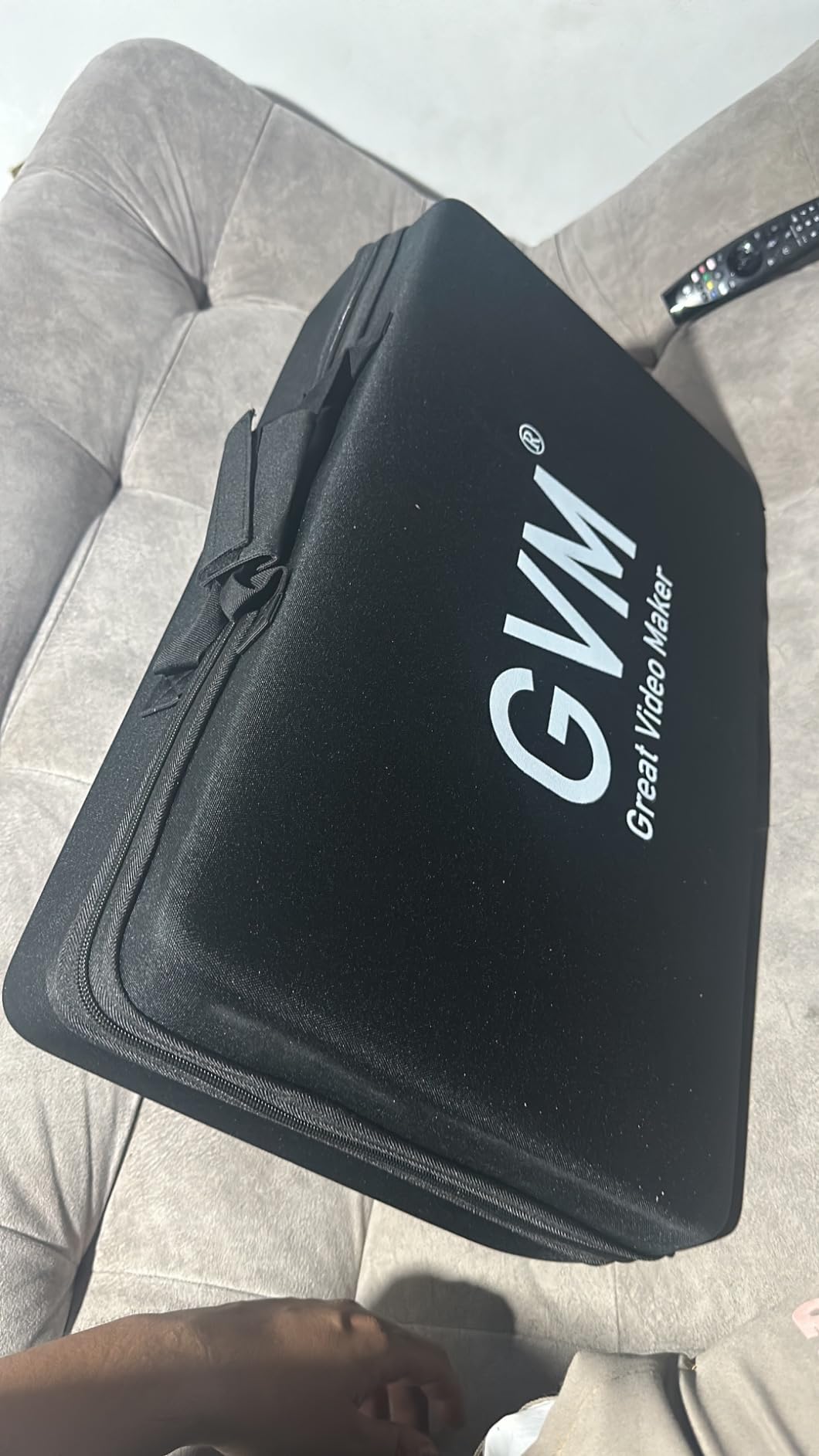
Two details make this easier to run live. Settings are remembered after power off, so a power cut does not reset your look, and master and slave control works across the pair for a matched rig. The barn doors let you flag the light off a wall instead of relying on angle alone.
Reviewers flag a few rough edges. The included stands are light and not ideal in a room where people walk behind the setup, the barn doors hinge so tightly there is no finger gap to open them, and the app can only connect to one light at a time, so reaching the second means switching networks. The output also reads harsh even through the included diffuser.
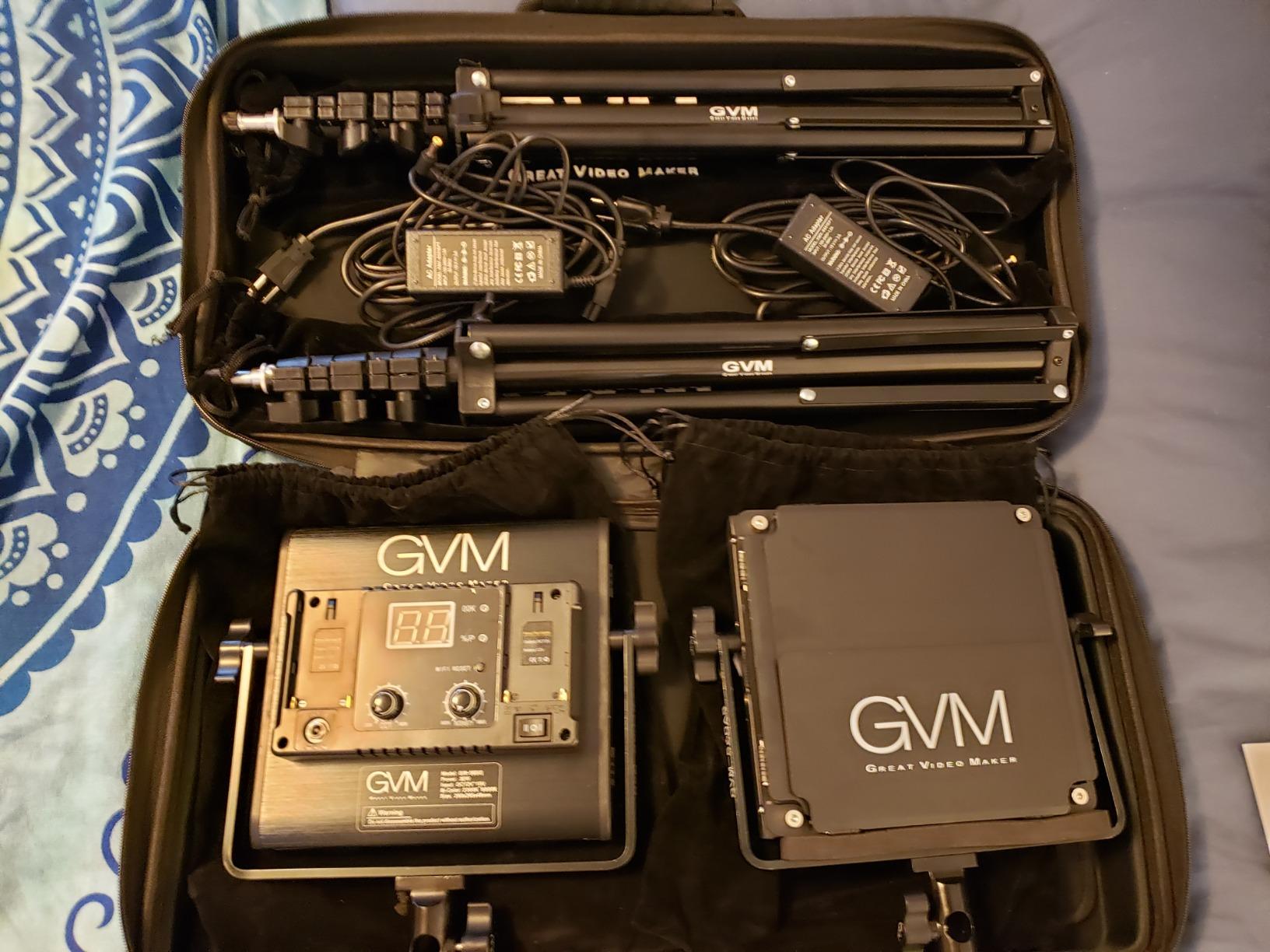
What to buy alongside this kit
The obvious upgrade is the optional 4400mAh battery, which is what turns a desk kit into a portable one. The second is a softbox or a larger diffusion frame, since the reviewers who like this kit most are the ones who add diffusion on top of the included diffuser.
When a 50W panel is worth the extra power
Once your room has other light sources in it. A 50W panel at 3000lux at one meter can overpower a window or a ceiling fixture, which is what makes it workable in a daytime room. Compact panels cannot, so they depend on turning the rest of the room down instead.
9. NEEWER 660 PRO II Two-Pack – the Best for Precise Dimming Control
NEEWER Upgraded 660 PRO II RGB LED Video Light w App Control Tripod Stand
- True 1 percent minimum brightness prevents blowing out close subjects
- Constant 50W output with no flicker or color shift while adjusting
- CRI 97+ and 7000lux at 0.5m for a real key or fill light
- App control over multiple channels from up to 49 feet
- Two-pack kit with stands
- barn doors
- diffuser and carry bag
- Color temperature tops out at 5600K
- A heavy kit at 7.13 kg so it stays a studio setup
- NP-F batteries are not included for off-mains work
The 660 PRO II is the only light here with a genuine 1 percent minimum brightness. That sounds like a small spec until you have tried to light a face from close range with a panel that bottoms out at 30 percent, which is the situation most desk streamers actually live in.
Output is a constant 50W with no flicker or color shift while you adjust, 7000lux at 0.5 meter, CRI 97+, a 3200K to 5600K range and 360 degree full RGB. There are nine preset scenes covering police car, ambulance, fire truck, fireworks, party, candlelight, lightning, paparazzi and TV screen.
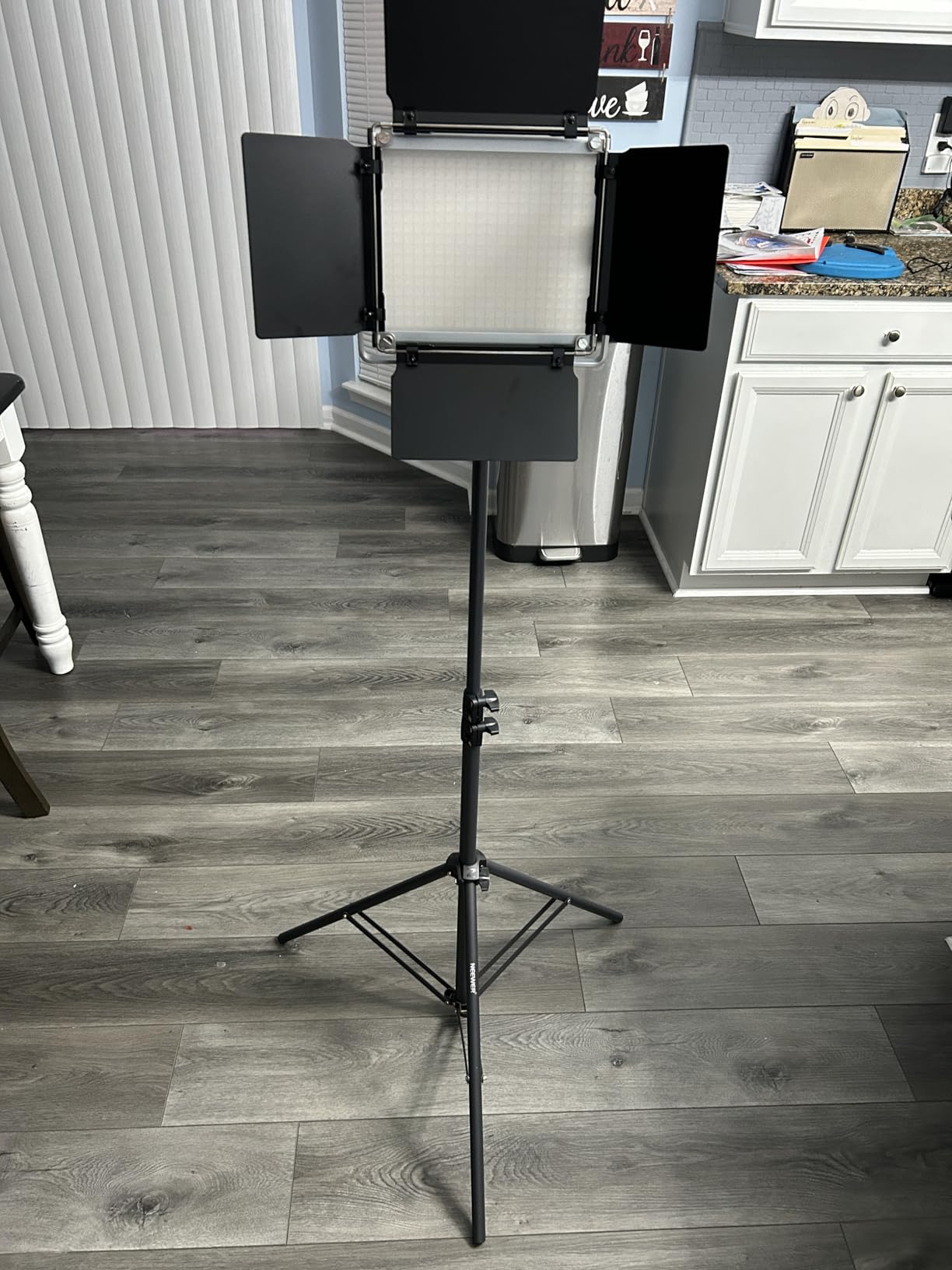
The kit is properly built out: two tripod stands adjustable from 92 to 200 centimeters, a U-bracket with 180 degree tilt, four-way barn doors, a removable diffuser and a carrying bag. The aluminum alloy panel improves heat dissipation, which is what lets the brightness hold steady through a long session instead of sagging as the unit warms.
App control reaches one to eight channels or all lights at once from up to 49 feet, with two saved presets. The ceiling on color temperature is 5600K, narrower than several cheaper panels here, and at 7.13 kg for the kit this is a studio arrangement rather than something you carry between rooms.
Why the 1 percent dimming floor is the feature to pay for
Because it lets you place the light close. Inverse square law means moving a light from a meter to half a meter quadruples what lands on your face, so without a low floor you either keep the light far away and lose the soft wrap effect, or sit at an exposure your camera cannot hold without crushing the rest of the frame.
What this kit costs you in flexibility
Weight and mains power. At 7.13 kg with two stands, this is a fixed desk arrangement, and running it away from the desk needs NP-F550 or NP-F970 batteries that are not included. If your stream travels, a compact panel on a cold shoe is a better fit.
10. ENEGON RGB Video Light with Power Bank Output – the Best Battery-Powered Compact Panel
- Twenty-four scene effects across three modes
- 2500K-9000K plus full hue and saturation on an accurate LCD
- 4000mAh battery with USB-C charging and useful power bank output
- Bright 1500Lux at 0.5m from a slim panel
- Cold shoe and 1/4 screw plus a carrying bag
- CRI rated at 95 rather than 97 plus
- Output is less diffused without a dedicated soft diffuser
- No app or wireless control
- all adjustments on the panel
The ENEGON panel is unusual in a specific and useful way: it has a USB output port, so when you are not using the light you can charge your phone or a wireless receiver from it. On a four-hour stream with two devices already drawing power, that turns a light into a small piece of kit infrastructure.
Output is 1500Lux at 0.5 meters from 90 bi-color and 48 RGB beads, with hue from 0 to 359 degrees, saturation and brightness from 0 to 100 percent, a 2500K to 9000K range, and a built-in LCD. Three modes cover 24 common scene effects, and both CRI and TLCI are rated at 95 or better.
The 4000mAh battery reaches a full charge in about 2.5 hours over USB Type-C. Mounting is a cold shoe and a standard 1/4 screw, so it fits cameras, camcorders, tripods and lamp holders, and the package includes a carrying bag, a 1/4 screw, a Type-C cable and a manual.
Two things hold it back from the top of this list. Color rendering is rated at 95 rather than the 97 plus several competitors claim, and the panel has no dedicated soft diffuser, so its output is harder on skin than the NEEWER and SmallRig panels. There is also no app or wireless control, which means every change is made on the panel itself.
Who benefits most from the power bank function
Anyone streaming from a laptop with a single USB port in reach, or filming on a rig where a wireless microphone receiver and a phone both need charging. Because the cell is 4000mAh, it is a genuine reserve rather than a token output, and it is a reason this panel earns a place when a lighter one would do.
How to soften this panel without a diffuser
Bounce it. Point the light at a white card or a pale wall and let the reflected light hit your face, which is a free diffuser and gives you a wrap that no panel on this list can match on its own. It takes up more desk space, so it works best in a fixed setup.
11. GVM 1500D RGB 75W Two-Pack – the Highest Output Two-Pack
- Very high output that can overpower ambient room light
- Oversized panel gives soft wrap-around illumination that flatters skin
- Master and slave sync speeds up matched three-point setups
- App control plus LCD and physical knobs
- Barn doors
- diffusers
- stands and a carry bag included
- Color temperature capped at 5600K
- Large and heavy panels built for a studio
- NP-F970 batteries are not included for location work
This is the most powerful light in the roundup: 75W from 1128 high-lumen LED beads for 11000 lux at one meter. That figure is not a curiosity, it is the difference between a light that competes with a lit room and one that only works after you have turned everything else off.
The panel is physically oversized, and that is the design: a large emitter produces soft wrap-around illumination that removes the hard shadow line you get from a small panel. For portraits and face cams in a bright room, that softness is the reason to buy at this level rather than adding a second smaller light.
Control covers 2300K to 5600K, HSI control and 18 scene modes including TV flicker, candlelight, police strobe, lightning, paparazzi flash, disco, party and bad bulb. Bluetooth 5 app control reaches 50 feet, and there is an LCD with physical knobs so you can work hands-on when the app is not convenient.
Master and slave sync is what makes a two-panel three-point setup fast, and the aviation-grade aluminum alloy is rated for a 300000 hour lifespan. The kit includes two panels, two stands, two barn doors, two AC adapters and a carrying bag; NP-F970 batteries for location work are not included, and the 5600K ceiling is narrow for daylight matching.
Who should buy a light this powerful
Streamers in a room they cannot darken, or creators shooting a second person, a product demo or a standing presenter. If your only output is a face cam in a dim bedroom, this is far more light than you need and the smaller 50W panels will serve you better.
How to control the softness advantage
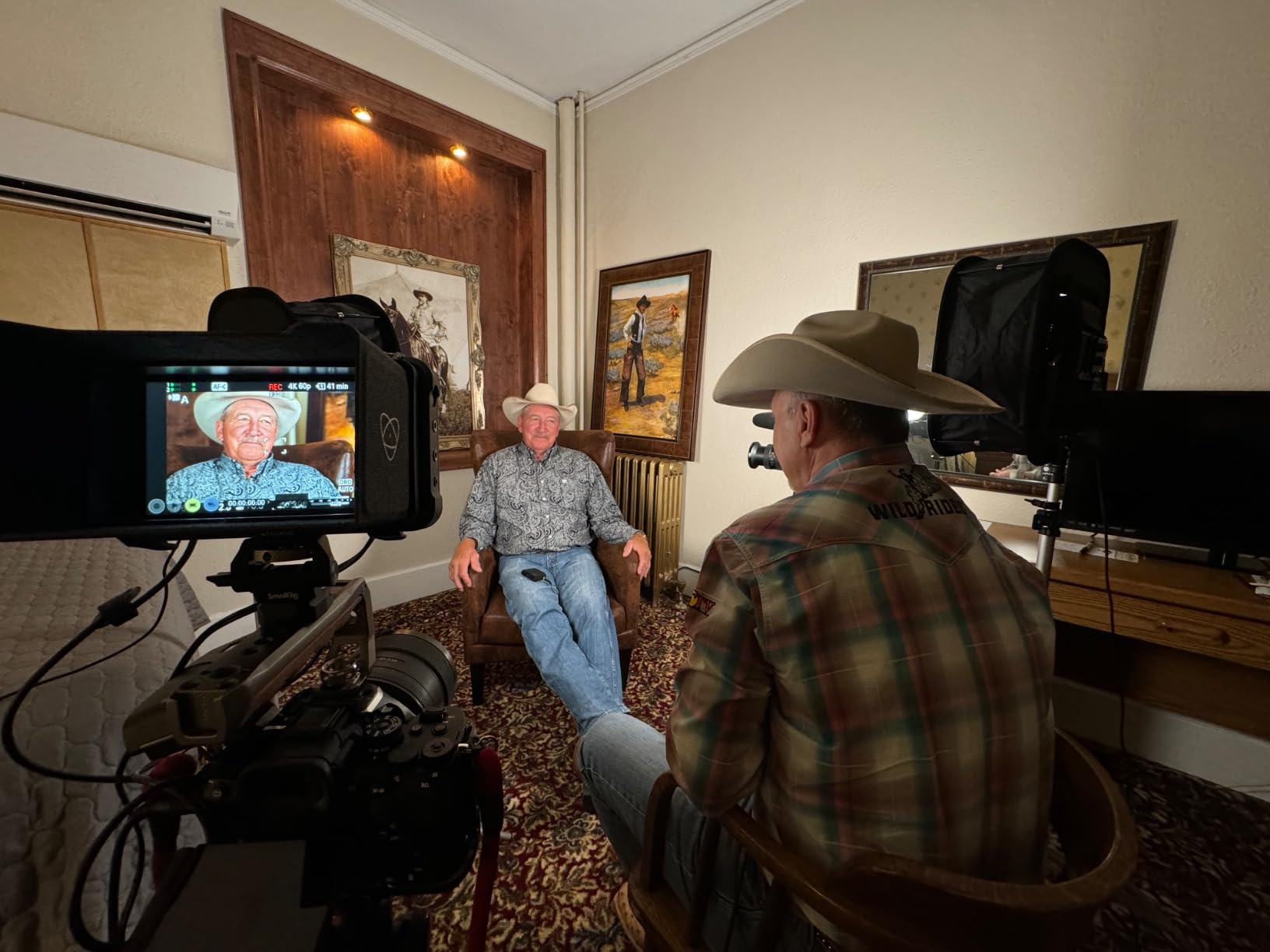
Barn doors flag the spill off a wall so the light wraps your subject without washing out your backdrop, and the included diffusers take the edge off the panel. Mount the pair about 45 degrees off axis on either side of your camera and use master and slave sync to keep them matched, then bring them down to whatever brightness holds your exposure.
12. UBeesize RGB Two-Pack with Tripods – the Best Lightweight Two-Pack for Mobile Setups
UBeesize 2-Pack RGB Photography Lighting, Studio Lights with Adjustable Tripod Stand and Ball Head, Video Light for Video Recording, Live Streaming, Makeup
- Filter-free RGB with 359 degree hue
- Lightweight and compact enough to store in a laptop bag
- Ball head and adjustable stand make positioning quick
- Flicker-free output works for video recording
- Good value for a matched two-pack
- Ball head joint can snap off the plastic base
- Lower brightness than expected for key lighting
- Stands can topple if bumped
- Short fixed power cord with no battery option
The UBeesize pair is the most travel-friendly two-pack here. Both panels and their tripods fold down small enough to keep in a laptop bag, and the stands adjust from 26 to 57 inches with a 1/4 inch interface that also accepts a ring light, a smartphone or a camera on the same stand.
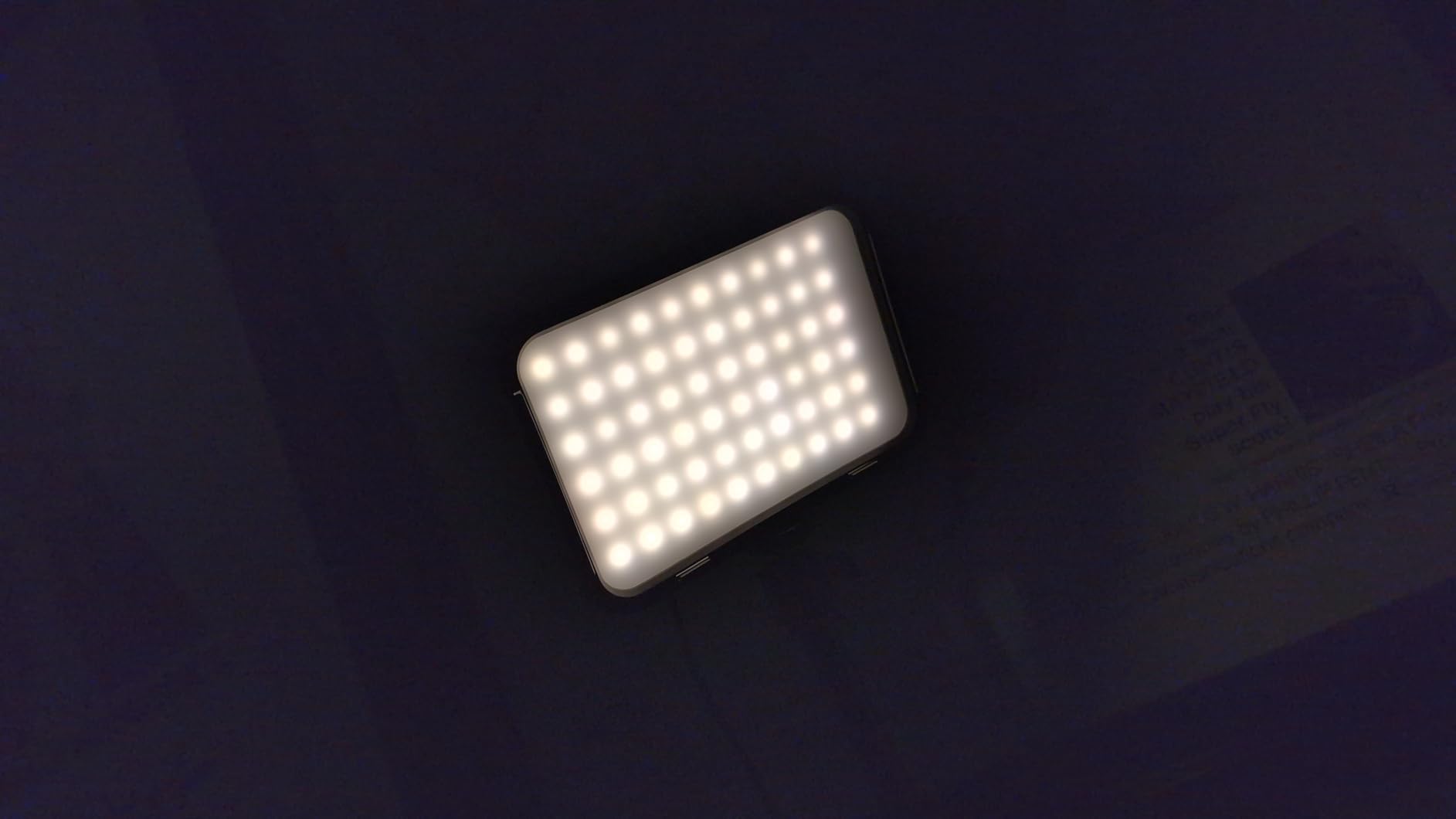
Color control is filter-free RGB with 0 to 359 degree hue, brightness from 0 to 100 percent, a 2700K to 6500K range, and 19 built-in lighting effects. Buyers specifically call out the flicker-free panel output, which is what allows it to be shot on camera without banding at normal shutter speeds.
The 4.0 rating reflects real hardware complaints rather than light quality. Several buyers report the plastic ball head joint snapping off the base on first use, and the output is dimmer than buyers expect, which is why most of them end up using the pair for background accent and mood lighting rather than as a key.
There is also no battery option and the power cord is short and permanently attached, so both lights have to sit within reach of a USB port or power bank. Treat these two as ambience first and key light second, and check the ball head before you rely on it at full extension.
How to use this pair without the brightness disappointing you
Set them behind and beside the subject rather than in front. Washing a backdrop or a shelf with color is where a dim panel still reads clearly on camera, and it stops you from trying to use it as a key and being disappointed by the exposure.
What to check on arrival
Test the ball head at full height and give it a gentle push, because a joint that is about to fail usually moves before it snaps. Also run a long cable or a powered hub rather than the supplied cord, and confirm the panel reaches a brightness you can work with at your actual shooting distance.
How to Choose an RGB Video Light for Streaming
The lights that work best for streaming share three traits: they hold color steady while you dim them, they run long enough to cover a session, and they mount somewhere sensible in a room that is probably too small. Everything else is preference. The sections below cover what lights are best for streaming in practice and how to tell the difference between them before you spend anything.
What lights are best for streaming?
For most creators, the best streaming lighting is two matched lights, one acting as a key placed at roughly 45 degrees in front and slightly above eye level, and one acting as a fill on the opposite side at a lower output. One RGB panel is better than nothing and fine for a face cam in a dark room, but a single source leaves the shadow side of your face dark, and that is the difference between a webcam look and a produced one. Add color from RGB only after the key and fill are doing their job.
Flicker, shutter speed and the dimming floor
Flicker is the concern streamers raise most, and it is worth understanding before you buy. A light that pulses faster than your camera can sample can produce bands that move across your face. Here is a quick test you can run in a store or the morning a light arrives, before you commit to a multi-hour stream with it.
Point your phone camera at the light, open the native camera app, and lower exposure manually. Then walk the brightness control down through its range, watching for bands or a visible pulse. Repeat in your real streaming software at your actual shutter speed and frame rate, because a phone test and an encoder test are not the same thing. If the light has a 1 percent dimming floor, check it at that floor, since that is where cheaper panels are most likely to break down.
CRI 95 plus and what it means for skin tone
Color rendering index measures how accurately a light shows the colors in front of it. Above 95, skin tones and clothing colors look close to what your eye sees, which is why most lights in this roundup sit at 95 or better. A panel rated CRI 90 or lower will visibly shift skin tone on camera no matter how well you white balance it. If your stream is face-led, treat CRI as a hard requirement rather than a nice-to-have.
Color temperature range and matching your room
Color temperature in kelvin describes how warm or cool a light looks, and matching your panel to your room avoids the flat, gray look you get when the two disagree. A wider range, such as 2500K to 9000K, gives you more room to match a warm bulb or a north-facing window. Several of the higher-wattage panels here stop at 5600K, which is fine for a controlled setup but limiting when daylight is involved.
Battery runtime versus mains power for a long stream
Compact panels run on built-in cells rated between about 100 minutes and two and a half hours at full output, stretching considerably longer when dimmed. Panel lights in the 50W and 75W class need mains power unless you buy separate NP-F or proprietary batteries. The practical approach for a multi-hour stream is to keep the key light on mains and run a compact panel on battery as an accent, so a low cell never takes your face light down.
App control, master and slave sync, and mounting in a small room
App control over Bluetooth is genuinely useful on a live stream because it lets you fire a scene from a phone you are already holding. It is not essential: the GVM and NEEWER kits here also offer master and slave linking, where one light commands the other, which matches a pair faster than any app. For mounting in a small room, cold shoe and 1/4 inch threads matter more than any other feature, because they let a panel ride a mic arm or a camera cage instead of needing floor space.
RGB video light versus a purpose-built streaming key light
A purpose-built streaming key light is designed to do one thing: put soft, even, neutral light on your face from a desk. It usually has a wider beam, a built-in diffuser and a simple brightness dial, and it will get you a clean look with no color to think about. An RGB video light trades some of that simplicity for the ability to change color on a dime, add a music-synced mood wash, and light a backdrop from the same unit. For most creators the RGB panel is the better first purchase, because the accent and background work it handles well is the work a key light cannot do at all.
What are the best LED colors for mood and movie night?
For mood, warm ambers and deep oranges read as cozy, cyan and teal read as calm and modern, and magenta and violet read as energetic. For a room you are also watching films in, bias toward a warm dim backlight behind the screen rather than color on the screen side, since saturated light at full saturation in your peripheral vision is tiring over a long session. Keeping the same panel on your face in a neutral or slightly warm white while the room color changes behind you gets both effects without washing out your skin.
One more practical note before you buy. If your stream also involves a camera rather than only a webcam, a home video doorbell is a separate problem and a separate budget, so keep the two decisions apart.
Frequently Asked Questions
What are the best RGB lights for video recording?
The best RGB lights for video recording combine a CRI of 95 or higher, a wide color temperature range, and flicker-free dimming. Our top pick is the ULANZI VL49 for its magnetic mount and 800LUX at 0.5m, the NEEWER BL60C for CRI 96 and 18 scene effects, and the SmallRig RM120 for CRI and TLCI 98 plus with a metal body. For studio output, the GVM 680RS 50W two-pack reaches 8500lux at 0.5m with barn doors and stands included.
What lights are best for streaming?
Two matched lights work best for streaming: a key light placed about 45 degrees in front and slightly above eye level, and a softer fill on the opposite side at lower output. One light is enough for a face cam in a dark room, but it leaves the shadow side of your face dark. Add RGB color as an accent behind or beside you after the key and fill are balanced, and match the two lights with master and slave sync so they never disagree.
What is the best RGB LED video light for video shoots?
For most video shoots the best choice is a panel with a 1 percent minimum brightness, a CRI of 97 or better, and enough output to overpower ambient light. The NEEWER 660 PRO II offers true 1 percent dimming with constant 50W output and 7000lux at 0.5m. For a shooting kit rather than a desk setup, the GVM 680RS two-pack includes stands, barn doors, diffusers and a carrying bag at 8500lux at 0.5m per light.
What does RGB video light mean?
An RGB video light is an LED video light that can shift through a full spectrum of colors rather than stopping at warm and cool white. These panels combine red, green and blue LED beads with bi-color temperature diodes, controlled through HSI settings for hue, saturation and intensity. That lets a streamer change the color and mood of a scene in seconds, match or contrast background lighting, and fire preset effects without swapping gels or adding another fixture.
Are RGB lights good for streaming, and do I need them?
Yes, but they serve a different job than a key light. An RGB panel is most useful as an accent, background wash or mood light that can change color on a phone during a live stream, and as a portable on-camera light for short-form video. You do not need one if your room is already well lit and neutral, or if you only stream a face cam in a dark room where a single soft key light does the job. Many creators start with one compact panel and add a second matched light later.
Are cheap RGB LED lights good enough for streaming?
Cheap RGB panels are good for background and accent lighting and for on-camera mobile work, and they are not good as a key light at distance. Their two common weaknesses are color rendering, often CRI 90 or lower, which shifts skin tone on camera, and build quality, including stands that wobble at full height and plastic joints that can break. A panel rated CRI 95 or better with a 1/4 inch or cold shoe mount will hold up fine for most creators.
Our Final Verdict on the Best RGB Video Lights for Streaming in 2026
The ULANZI VL49 is the best rgb video light for streaming overall, because it mounts anywhere, costs the least effort to position, and does fill, accent and short-range key duty in a body that disappears on camera. Add the NEEWER BL60C if color accuracy is your priority, or the SmallRig RM120 if you want a metal panel and the highest rated CRI in the group.
When you are ready to move past a single light, the GVM 800D two-pack is the simplest step up to a matched key and fill, and the NEEWER 660 PRO II is the pick when precise low-end dimming matters more than portability. Whatever you choose, test it for flicker at low brightness before you go live, and check the mounts fit your desk before you trust the stand.