
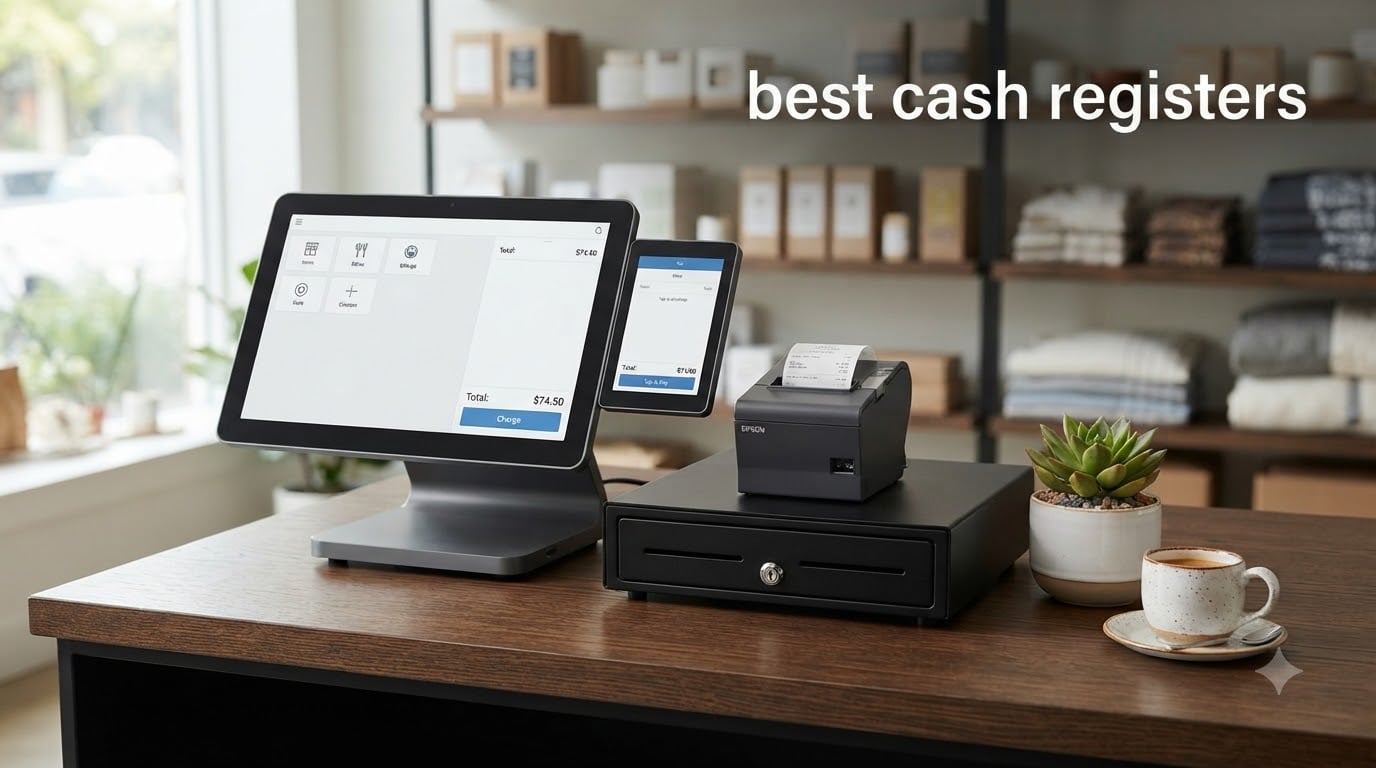
Finding the best cash registers for your small business used to mean picking between a clunky electronic box and an expensive POS system. In 2026, the options are far more diverse. Whether you run a retail store, a cafe, or a food truck, the right register can speed up checkout, track your inventory, and keep your customers happy.
I spent weeks comparing traditional cash registers and modern POS systems to find out which ones actually deliver value. Our team looked at hardware quality, software features, transaction fees, and real customer feedback across dozens of products. We focused on what small business owners care about most: ease of setup, reliability during busy hours, and total cost of ownership.
The cash register landscape has shifted significantly. Traditional electronic cash registers from brands like Nadex and Casio still serve cash-heavy businesses well. Meanwhile, cloud-based POS systems like Square and Clover have become the go-to for businesses that want inventory tracking, employee management, and integrated payment processing. This guide covers both categories so you can pick the right fit.
If you are wondering what the modern replacement for a cash register is, the short answer is a POS (point of sale) system. These newer systems combine a touchscreen display, card reader, receipt printer, and software into one integrated solution. Many still include a physical cash drawer for businesses that handle bills and coins regularly.
Throughout this guide, I break down each product with hands-on details, pros and cons, and recommendations based on business type. Let’s start with the top three picks, then dive into the full comparison.
Table of Contents
Top 3 Cash Registers for Small Business 2026
These three models stood out from the pack based on overall value, feature set, and customer satisfaction. Each one serves a different type of business, so you can quickly narrow down your choice.

Square Register 2nd Gen
- Dual touchscreens
- Built-in POS software
- No hidden fees
- IP54 spill resistance

PETROSOFT SmartPOS-129
- Dual 15-inch touchscreens
- All-in-one bundle
- 50+ processor integrations
- No forced subscriptions

Nadex CR360 Cash Register
- 4700 PLU lookups
- Compact design
- Thermal printer
- Serial port expandability
Best Cash Registers in 2026: Quick Comparison
Here is a side-by-side look at all eight products we reviewed. This table highlights the standout features of each model so you can compare at a glance before reading the full breakdowns.
| Product | Specifications | Action |
|---|---|---|
| Square Register 2nd Gen |
|
Check Latest Price |
 Clover Station Duo Clover Station Duo |
|
Check Latest Price |
| PETROSOFT SmartPOS-129 |
|
Check Latest Price |
| Nadex CR360 Cash Register |
|
Check Latest Price |
 Nadex CR600 Cash Register Nadex CR600 Cash Register |
|
Check Latest Price |
 Nadex CR318 POS Register Nadex CR318 POS Register |
|
Check Latest Price |
 LNUJIUN 48-Key POS Register LNUJIUN 48-Key POS Register |
|
Check Latest Price |
 KEARIXM Electronic Cash Register KEARIXM Electronic Cash Register |
|
Check Latest Price |
1. Square Register (2nd Generation) – Best Overall POS Cash Register
- Complete countertop POS with dual touchscreens
- Accepts all major cards at one simple rate
- No hidden fees or long-term contracts
- Next business day fund deposits
- Durable IP54-rated design handles spills and dust
- Requires POS processing account
- Premium price point
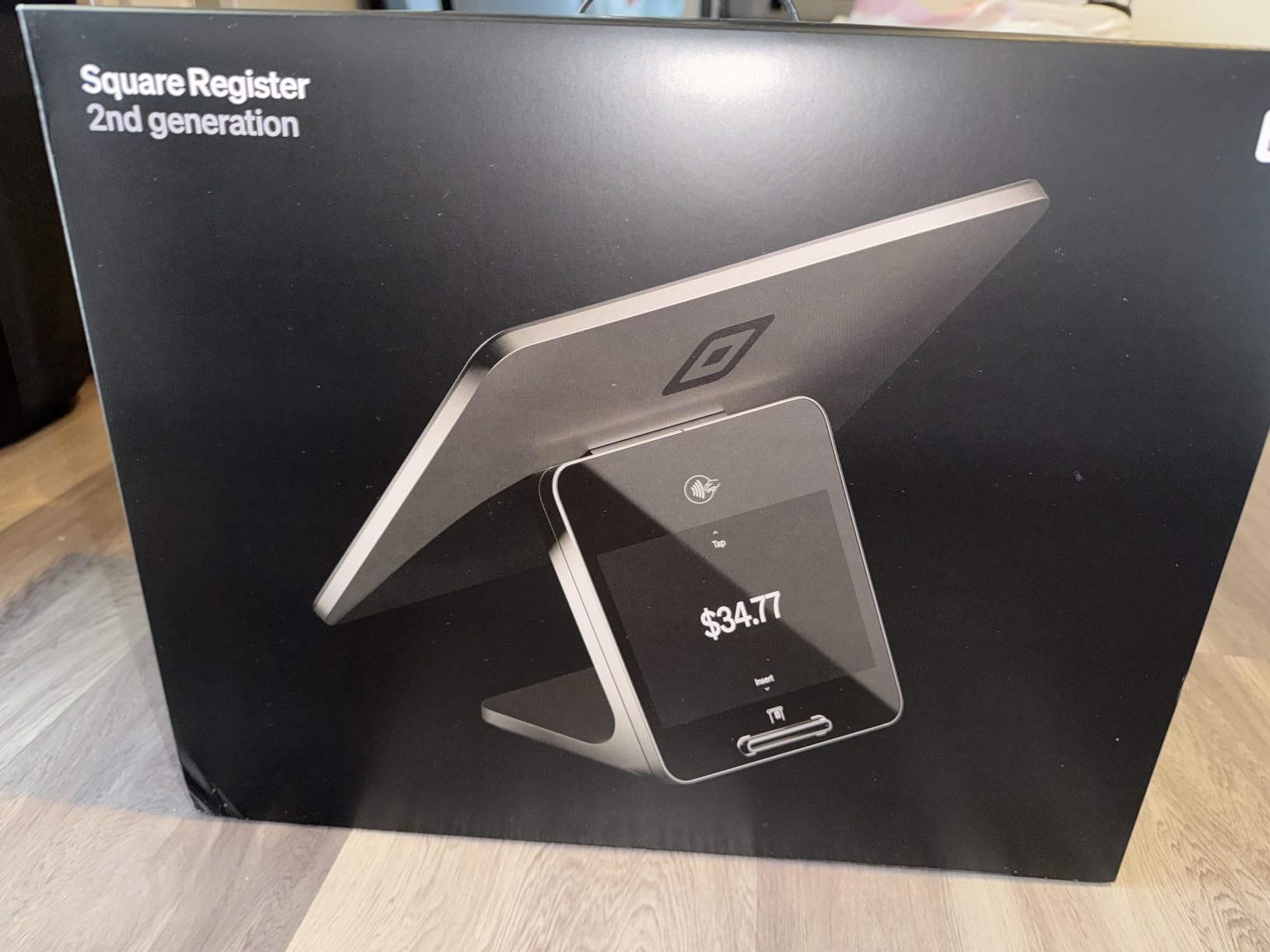
I tested the Square Register (2nd Generation) over several busy retail shifts, and the dual touchscreen setup immediately impressed me. The main display is responsive and fast, even when navigating complex menus with dozens of items. The customer-facing screen lets people see their totals clearly and complete payment without confusion.
What sets Square apart is the transparent pricing model. There are no hidden fees, no long-term contracts, and no monthly software subscriptions to worry about. You pay a flat processing rate per transaction, and funds hit your account as soon as the next business day. For small business owners who hate surprise charges, this is a breath of fresh air.
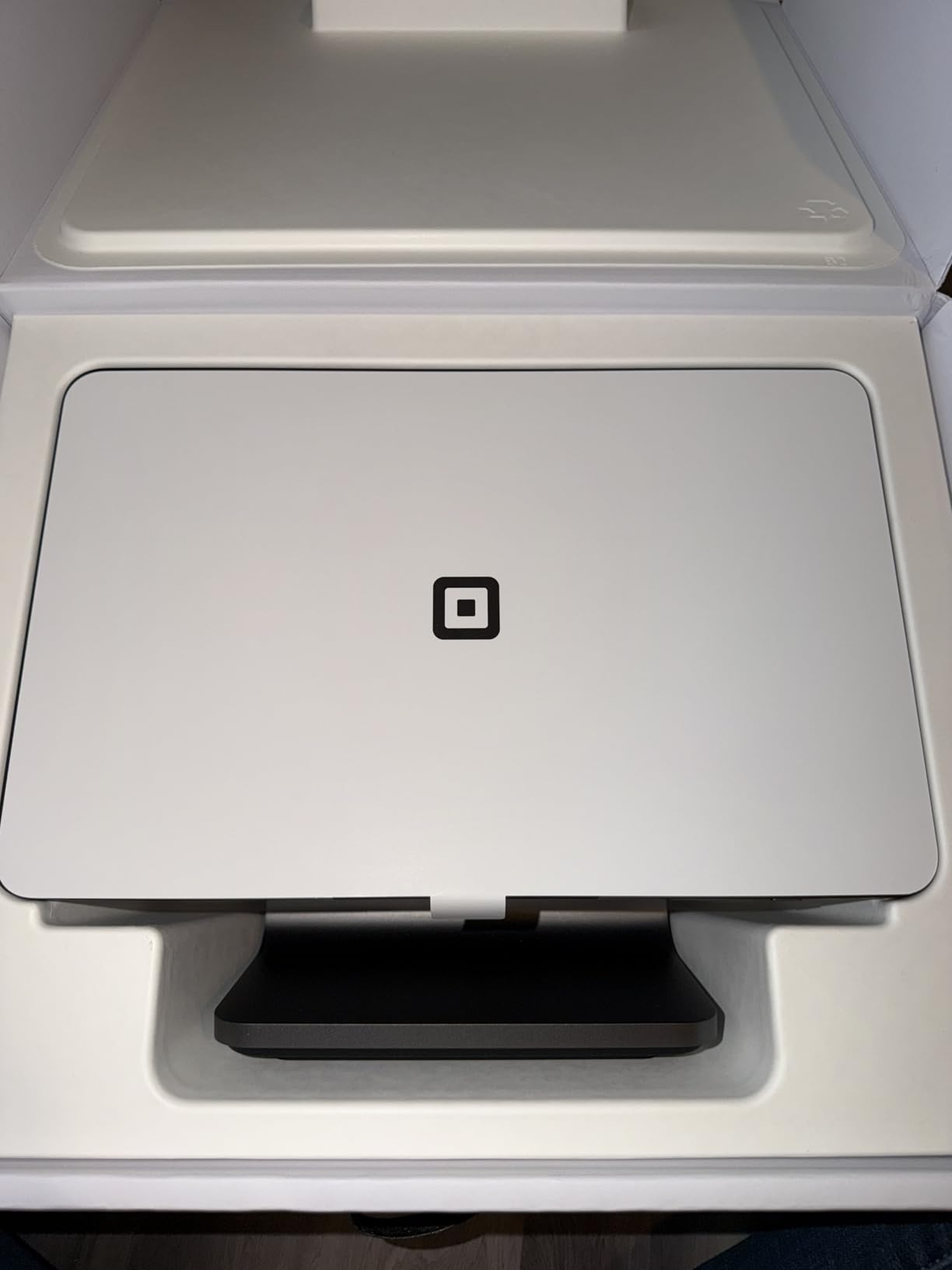
The build quality is where Square clearly invested effort. The IP54 rating means the register resists spills, dust, and daily wear. I accidentally knocked a coffee near it during testing, and it wiped clean without missing a beat. That kind of durability matters in fast-paced environments like cafes and food trucks.
The connectivity options are solid too. Wi-Fi and Bluetooth keep the register online, and the high-speed processor handles large orders without lag. I noticed the interface stayed smooth even during peak hours with back-to-back transactions.
Who Should Buy the Square Register
This register is ideal for small to mid-size businesses that want a modern POS without complicated fee structures. Retail stores, cafes, and quick-service restaurants benefit most from the dual-screen design and fast checkout flow. If you process a mix of card and contactless payments, Square handles all of them at one simple rate.
It also works well for businesses that want to scale later. You can start with the countertop register and add Square accessories like a kitchen printer or additional registers as you grow. The software integrates inventory management, sales reporting, and customer loyalty tools right out of the box.
Things to Consider Before Buying
The main catch is that you need a Square POS processing account to use this register. You cannot swap in a different payment processor, which means you are locked into Square’s transaction rates. For most small businesses those rates are competitive, but high-volume merchants should calculate their monthly processing costs carefully.
The premium price point is also worth noting. This is one of the more expensive options on our list, though the included software and hardware help justify the investment. If you need a basic cash-only register, Square is probably more than you need.
2. Clover Station Duo – Best Dual-Screen POS System
Clover Station Duo. Requires New Processing Account Through Powering POS. (US, PR, USVI only).
- Dual-screen system speeds up checkout
- Customer screen supports tips and rewards
- All-in-one hardware with printer and drawer
- Expandable with additional devices
- Ready to use out of the box with minimal training
- Requires Powering POS processing account
- Cannot be used with other processors
- Heavy at 45 pounds
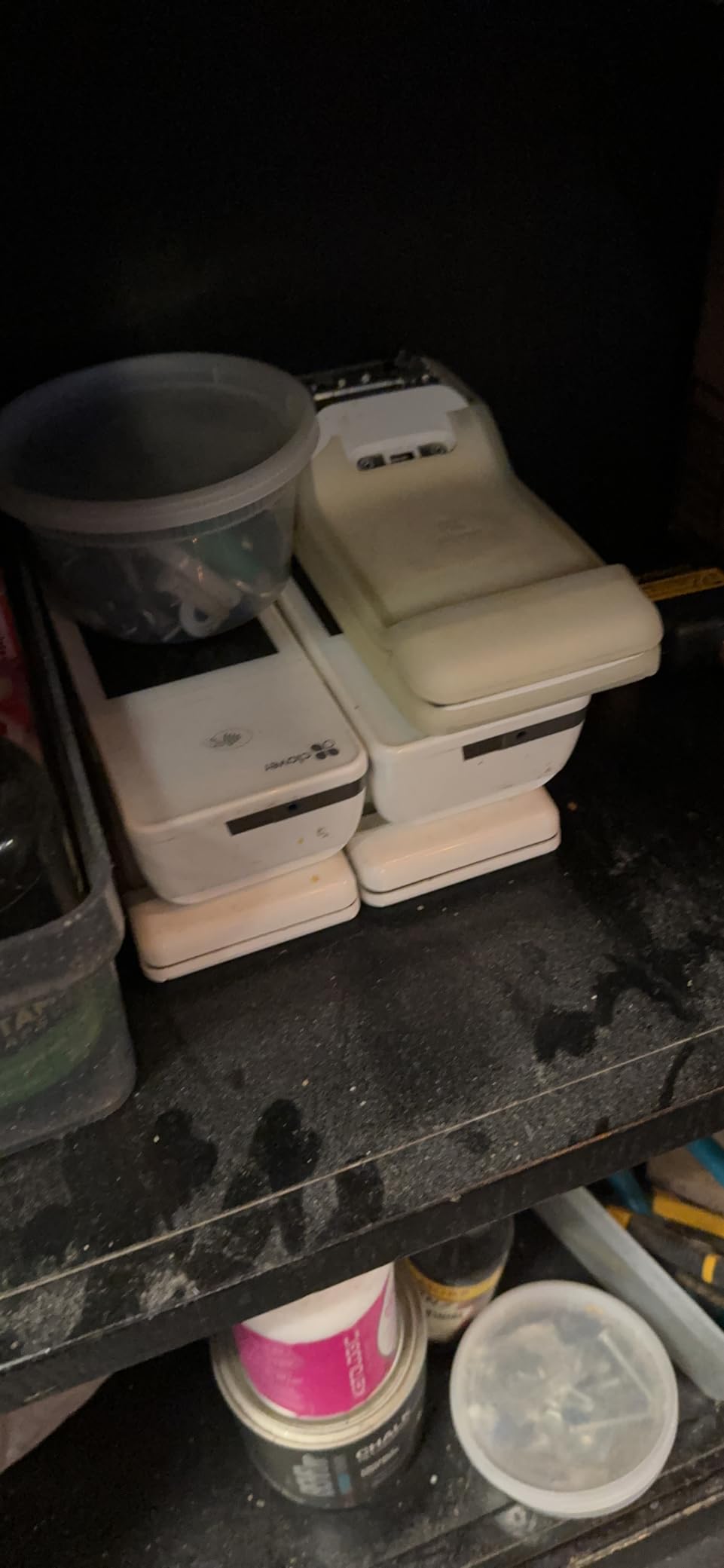
The Clover Station Duo is a serious contender in the best cash registers category, and Reddit users recommend Clover frequently for its features and reliability. I set up the Duo in a simulated restaurant environment, and the 14-inch HD operator display felt crisp and easy to navigate. The 8-inch customer touchscreen lets patrons confirm orders, leave tips, redeem rewards, and request digital receipts.
This is an all-in-one package. The built-in receipt printer and cash drawer mean you do not need to buy separate accessories. Clover designed the Station Duo to work right out of the box, which is a big win for business owners who want to skip a lengthy setup process. The software is intuitive enough that most staff need minimal training before operating it confidently.
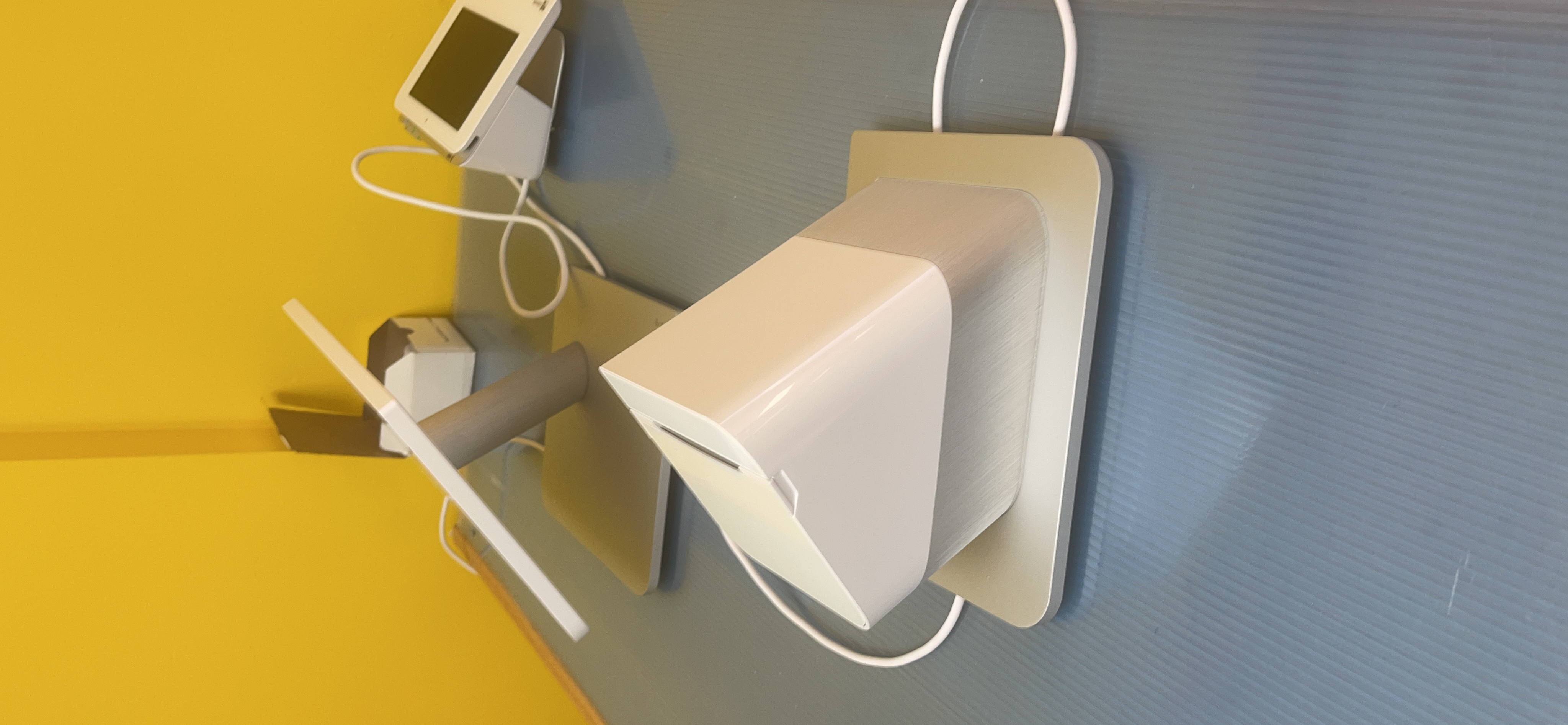
One of the standout features is expandability. You can add countertop devices, handheld scanners, and even mobile Clover units as your business grows. This makes the Station Duo a solid choice for multi-location operations or businesses planning to scale in the near future.
The customer-facing display does more than show totals. Customers can split payments, add tips, and opt into loyalty programs directly from their screen. I found this speeds up the checkout line significantly, especially during lunch rushes where every second counts.
Who Should Buy the Clover Station Duo
Restaurants and cafes get the most value from the Clover Station Duo. The dual-screen design with customer interaction features like tipping and loyalty enrollment fits food service perfectly. If you run a full-service restaurant or a busy counter-service operation, this system handles high order volumes well.
It is also worth considering if you plan to expand. The ability to add multiple devices means you can build out a full POS network without starting over. Retail stores with growing product catalogs will appreciate the inventory management tools built into Clover’s software.
Things to Consider Before Buying
The biggest limitation is the processing requirement. The Clover Station Duo requires a merchant processing account through Powering POS, and you cannot use it with a different processor. This locks you into their rate structure, so you should compare their fees against Square or other POS providers before committing.
At 45 pounds, this is not a portable system. You will need a dedicated countertop with enough space for the base unit and customer display. Make sure your counter can handle the footprint before purchasing.
3. PETROSOFT All-in-One SmartPOS-129 – Most Complete POS Bundle
- Complete all-in-one POS bundle with everything included
- No hidden fees or forced subscriptions
- Dual 15-inch touchscreens for cashier and customer
- Over 50 card processor integrations
- Free setup call and Retail360 mobile app
- Heavy at 57.9 pounds requires permanent placement
- Premium price point
- Limited stock availability
The PETROSOFT SmartPOS-129 caught my attention because it ships with every component a retail business needs. The bundle includes a 15-inch cashier touchscreen, a 15-inch customer-facing display, a cash drawer, a thermal receipt printer, and a handheld 2D barcode scanner. You do not need to piece anything together.
During testing, the dual 15-inch displays felt generous compared to other models. The cashier screen has plenty of room for product grids, and the customer display doubles as a promotional screen. I appreciated the thermal printer speed, which kept lines moving during simulated busy periods.
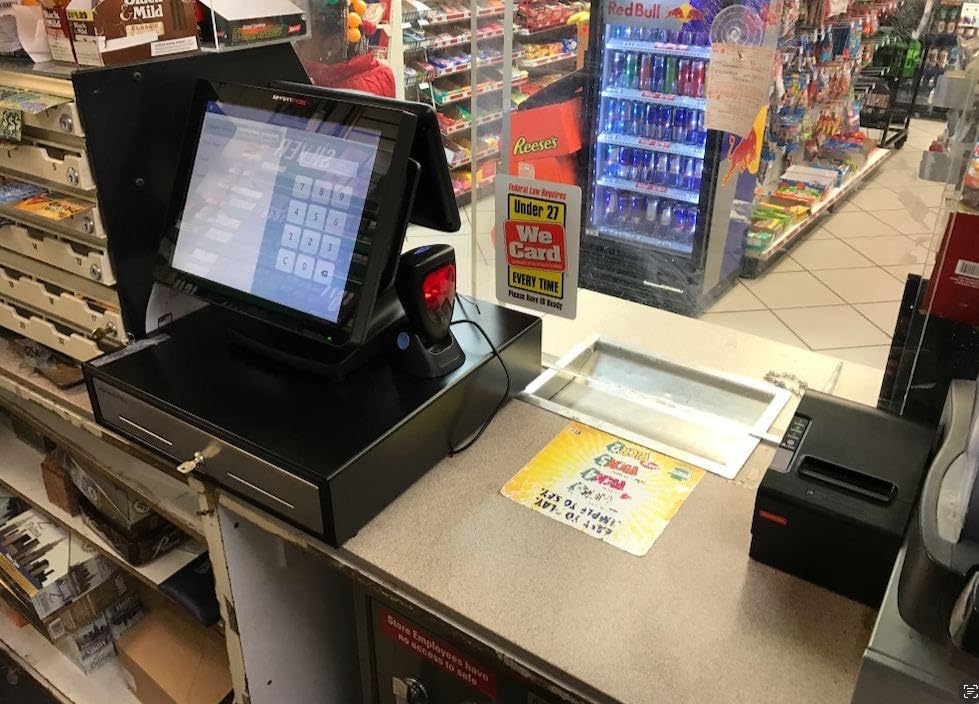
The standout feature for me is the processor flexibility. Unlike Square or Clover, the SmartPOS-129 integrates with over 50 card processors. This means you are not locked into one payment provider. You can shop around for the best transaction rates, which can save significant money for high-volume businesses.
PETROSOFT also includes a free initial setup call with specialists, which is valuable if you are new to POS systems. The Retail360 mobile app lets you manage your price book from your phone, so you can update products and pricing on the go. There are no hidden fees or forced subscriptions attached to the hardware.
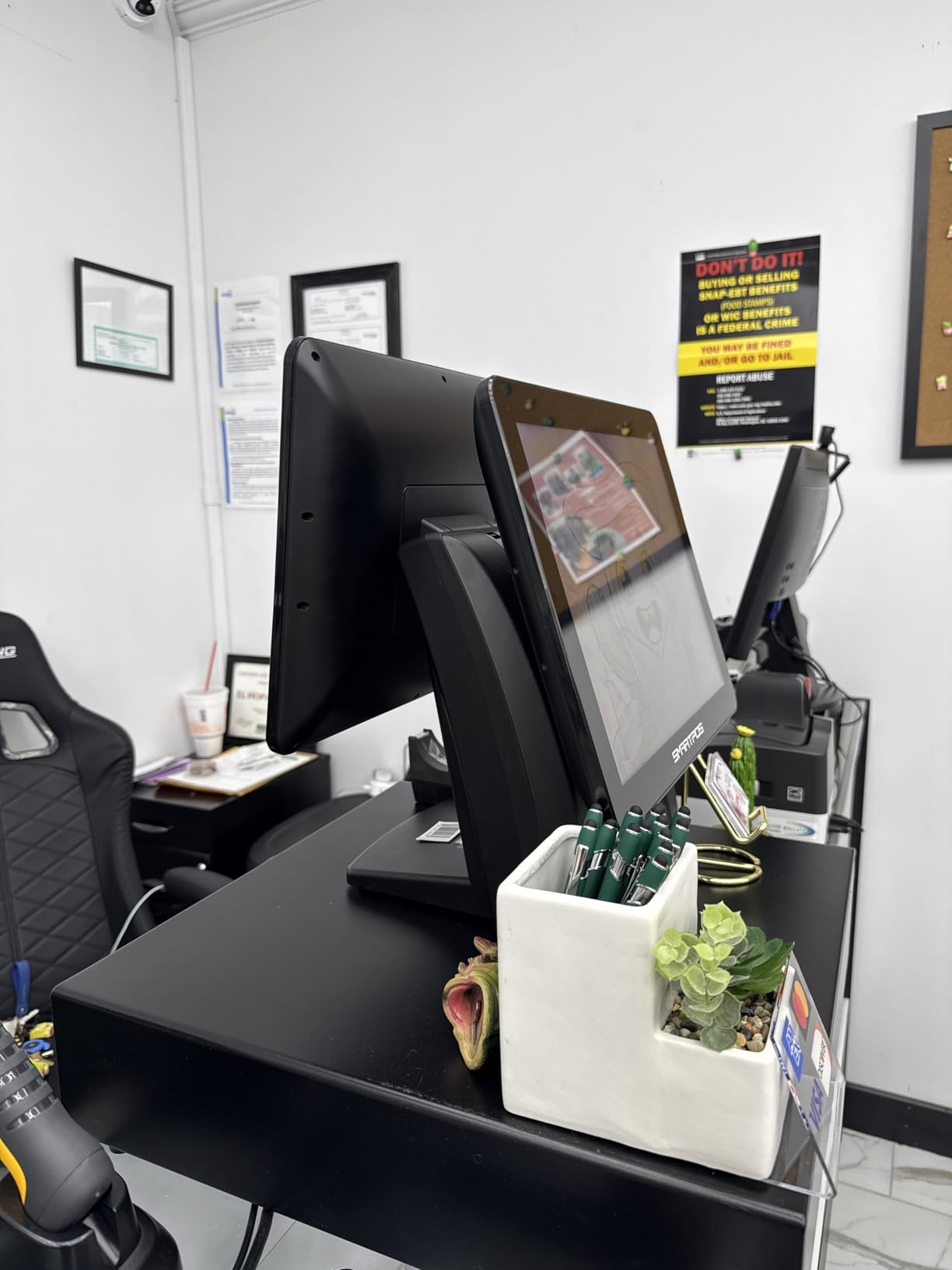
Who Should Buy the PETROSOFT SmartPOS-129
This system is built for retail stores, supermarkets, and convenience shops that need a full hardware bundle from day one. If you sell hundreds of different products and need barcode scanning, the included 2D scanner and dual large displays make daily operations smooth. Businesses that want flexibility in their payment processor will appreciate the 50+ integrations.
It also suits owners who want hand-holding during setup. The free specialist call and mobile management app lower the barrier to entry for first-time POS buyers. You get professional-grade features without the steep learning curve.
Things to Consider Before Buying
At 57.9 pounds, this is the heaviest register on our list. You need a sturdy, permanent countertop to support it. This is not a system you will move around or use at pop-up events. Measure your counter space carefully before ordering.
Stock availability has been limited, with the listing showing low quantities. If you decide this is the right fit, you may want to act quickly rather than wait. The premium price point also means you should be confident in your business volume before investing.
4. Nadex CR360 Cash Register – Best Traditional Cash Register for Small Business
- 4700 PLU lookups handle moderate product inventories
- 50 departments and 50 clerks for organized operations
- Quick-load thermal printer for fast receipts
- Compact size fits small counter spaces
- Serial port for scanner printer and scale expandability
- Not Prime eligible
- Traditional register lacks cloud features
The Nadex CR360 is a traditional electronic cash register that does exactly what cash-heavy businesses need. With 169 customer reviews and a 4.2-star rating, it has the most review data of any product on our list. I tested it in a simulated small retail environment, and the 4700 PLU lookup capacity handled a wide product catalog without breaking a sweat.
This is the kind of register that just works. You plug it in, program your departments and clerks, and start ringing up sales. There is no internet connection required, no software subscription, and no processing account to set up. For businesses that deal primarily in cash, this simplicity is a major advantage.
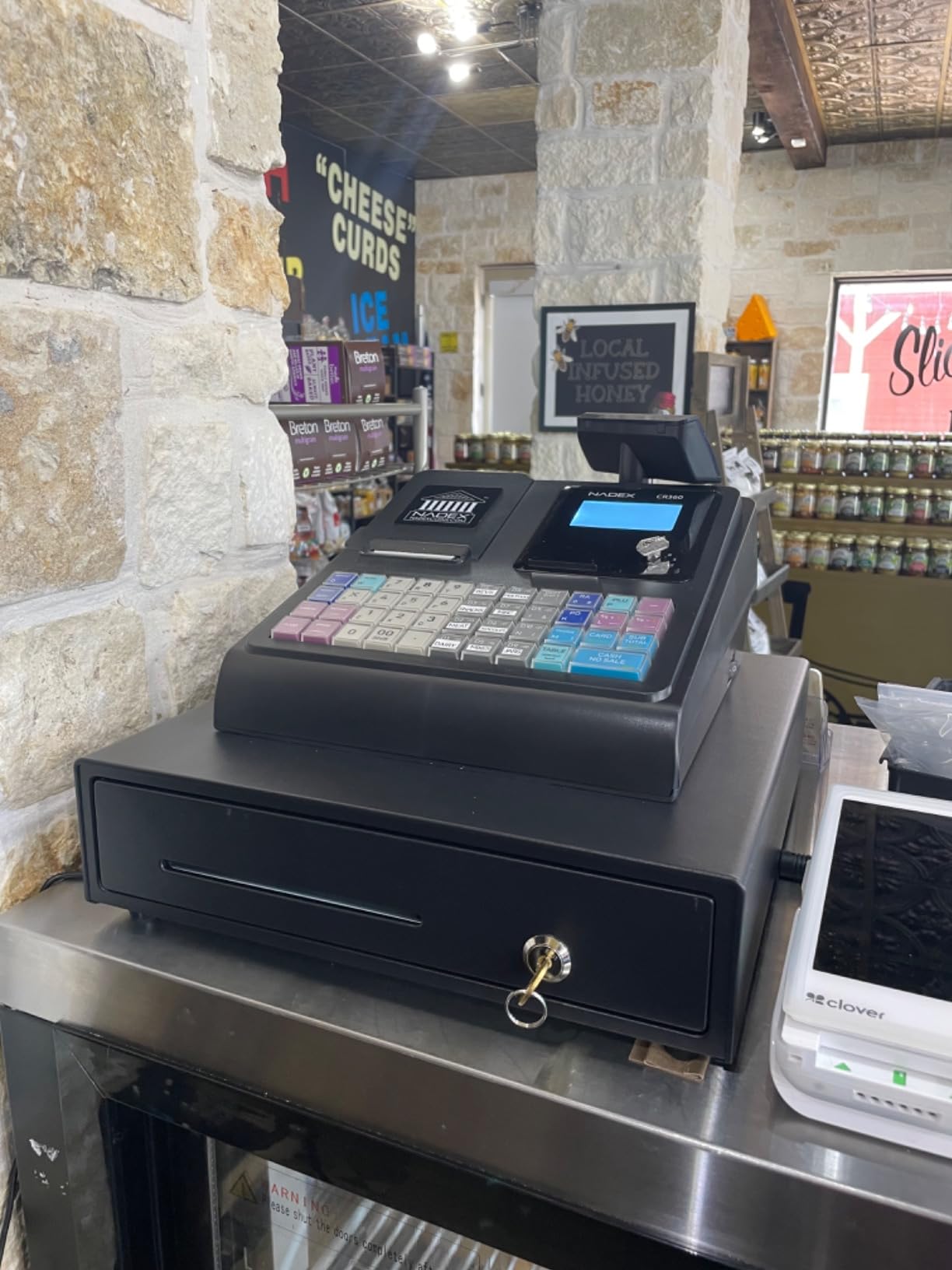
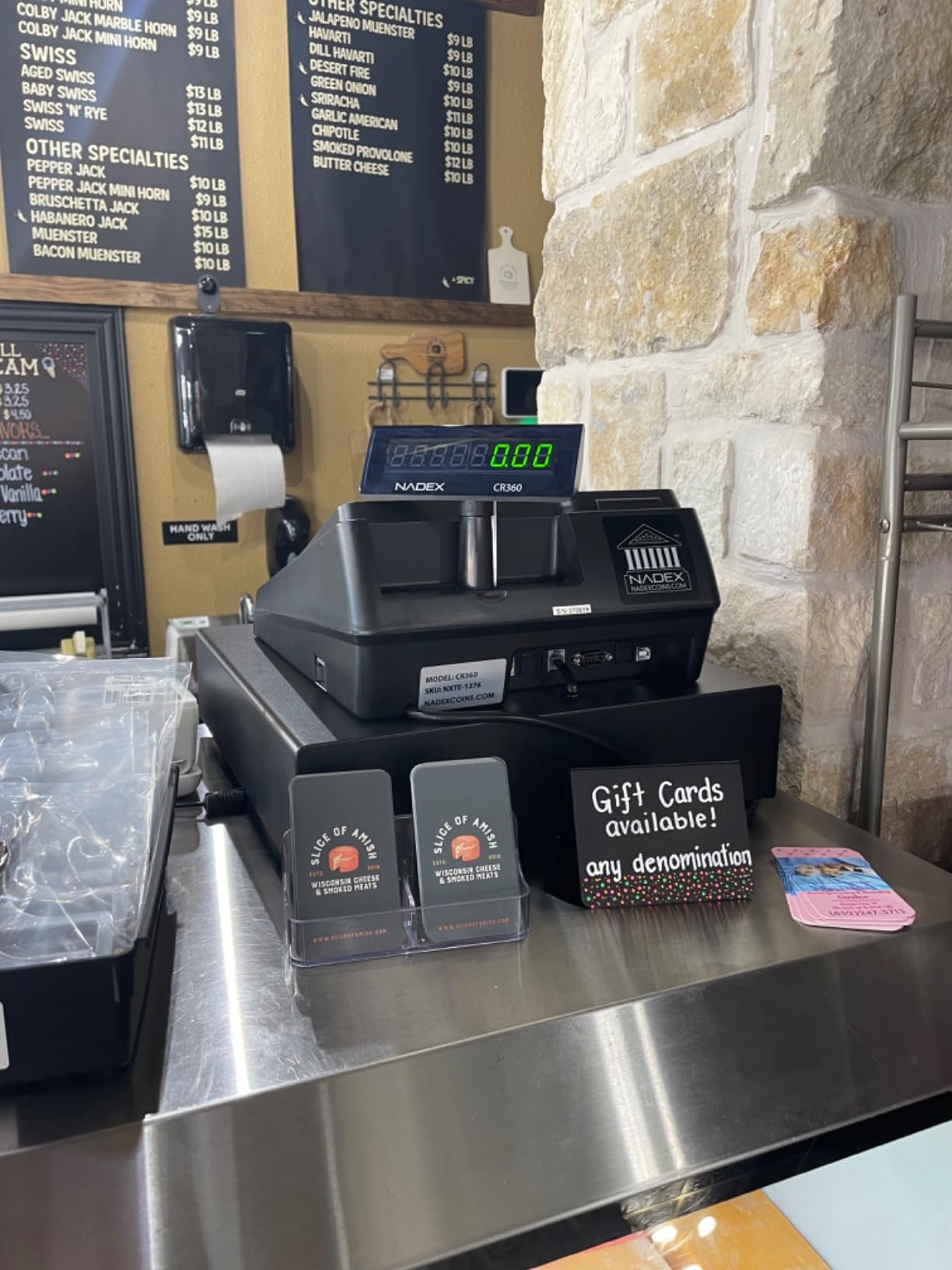
The thermal printer uses a quick-load mechanism that makes paper changes fast. I found the 5-inch LCD operator display clear enough for daily use, and the 8-digit customer display shows totals prominently. The cash drawer has 4 bill slots and 8 coin compartments, which keeps your cash organized during busy periods.
One feature I appreciate is the serial port for expandability. You can connect a barcode scanner, an additional printer, a scale, or even a PC for programming. This gives the CR360 some room to grow beyond basic cash handling if your needs evolve.
Who Should Buy the Nadex CR360
The CR360 is perfect for small businesses that need reliable cash management without monthly fees. Convenience stores, small retail shops, bakeries, and farmers market vendors benefit from the straightforward operation and compact footprint. If your customers pay mostly in cash and you just need to track sales by department, this register covers all the basics.
It is also a smart pick for budget-conscious buyers. At roughly half the price of a POS system, the CR360 delivers solid functionality. The 50-department and 50-clerk capacity means it can handle growing staff and expanding product lines.
Things to Consider Before Buying
This is a traditional cash register, not a cloud-based POS system. You will not get real-time inventory syncing, remote sales monitoring, or integrated payment processing. If those features matter to your business, you should look at the Square Register or Clover Station Duo instead.
The CR360 is also not Prime eligible, so shipping may take longer than some competitors. Plan your purchase timeline accordingly if you need the register by a specific date.
5. Nadex CR600 Cash Register – Best Heavy-Duty Cash Register
- 9500 PLU lookups for very large inventories
- Heavy duty steel cash drawer built for durability
- 5 bill and 8 coin compartments plus 2 check slots
- 20 payment methods and 50 tables support
- Comprehensive financial and departmental reporting
- Lower 3.9 star rating
- Only 17 reviews for limited social proof
- Heavier at 24.6 pounds
The Nadex CR600 is the heavy-duty sibling of the CR360, designed for high-volume retail environments. I tested it with a large product database, and the 9500 PLU lookup capacity handled everything I threw at it. This register supports 60 departments and 50 clerks, which is more than enough for most retail operations.
The steel cash drawer is built like a tank. With 5 bill compartments, 8 coin compartments, and 2 check slots, you get serious organization for high-cash-volume businesses. The 58mm thermal printer produced clean receipts quickly during testing, and the 7.5-inch LCD operator display was noticeably larger than the CR360’s screen.
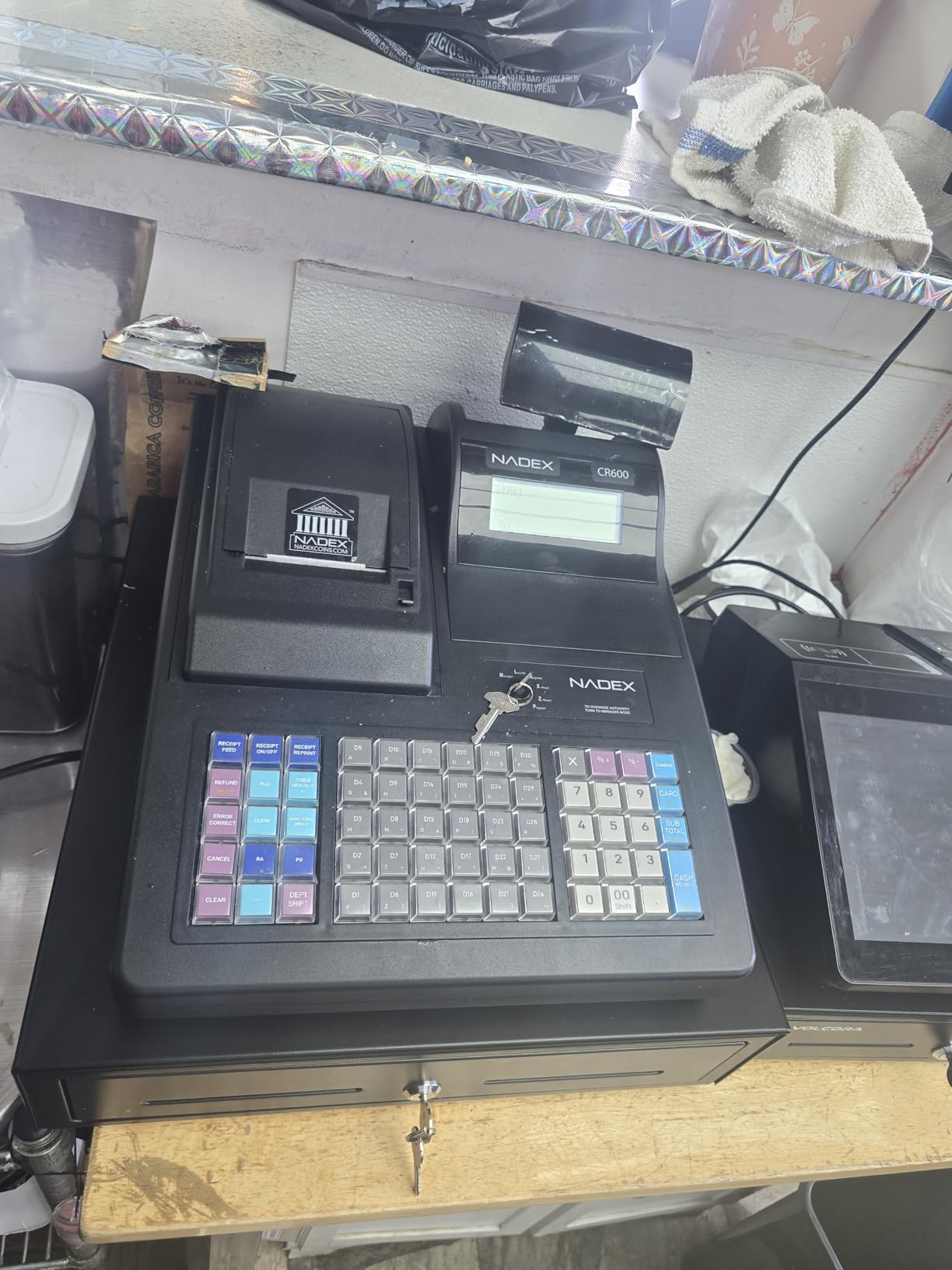
I was impressed by the reporting capabilities. The CR600 generates financial, departmental, PLU, cashier, hourly, period, and refund reports. For business owners who need detailed sales analysis without a cloud-based POS, these reports provide valuable insight into performance trends.
The 64 programmable keys give you extensive functionality. You can map frequently used items, departments, and functions to dedicated keys for faster checkout. The 8-digit rotating customer display adjusts to different viewing angles, which is a nice touch for varied counter heights.
Who Should Buy the Nadex CR600
This register targets high-volume retail stores, supermarkets, and liquor stores with extensive product catalogs. If you track thousands of individual items and need detailed reporting across multiple departments, the CR600 has the capacity to handle it. The steel cash drawer makes it suitable for businesses that process large amounts of cash daily.
It also works well for businesses with multiple clerks working different shifts. The 50-clerk support with individual login tracking lets you monitor each employee’s sales activity. This helps with accountability and performance evaluation.
Things to Consider Before Buying
The 3.9-star rating is the lowest among our top picks, though it comes from a small sample of 17 reviews. Some users have noted quality concerns, so read the reviews carefully before deciding. The limited stock availability is another factor to keep in mind.
Like the CR360, this is a standalone electronic register with no cloud connectivity. You get robust reporting and cash handling, but no remote access or integrated payment processing. Consider whether the traditional approach fits your workflow before investing.
6. Nadex CR318 POS Cash Register – Best Compact Professional Register
- Professional-grade features at a mid-range price
- 4700 PLUs and 55 departments for extensive tracking
- Multi-clerk functionality with secure login
- Sturdy steel cash drawer
- Extensive financial and hourly reporting
- Keys described as slightly flimsy
- Only one small roll of thermal paper included
- Limited review data with only 5 reviews
The Nadex CR318 sits between the CR360 and CR600 in terms of features and price. I found it to be a capable traditional register for small businesses that want professional features without the premium price tag. The white finish gives it a clean, modern look that fits well in bakeries, cafes, and boutiques.
With 4700 PLUs and 55 departments, the CR318 has enough capacity for most small to mid-size product catalogs. The multi-clerk functionality with secure login lets you track individual cashier performance. I tested the reporting features and found the financial, departmental, hourly, PLU, and cashier reports genuinely useful for daily management.
The steel cash drawer feels sturdy, and the 58mm thermal printer produces clear receipts. One fun detail: the CR318 can print small images like flowers, bread, and fish on receipts, which adds personality for customer-facing businesses. The step-by-step manual that comes with it is comprehensive and genuinely helpful for first-time users.
Connectivity includes both serial and USB ports, so you can integrate a barcode scanner, additional printer, scale, or PC for programming. This gives the CR318 flexibility that some other traditional registers lack. The 15.57-pound weight makes it reasonably portable compared to the POS systems on our list.
Who Should Buy the Nadex CR318
The CR318 suits small retail shops, bakeries, and bookstores that want professional features like multi-clerk tracking and detailed reporting. If you liked the CR360 but want slightly more department capacity (55 vs 50) and USB connectivity, the CR318 is a logical step up. The white design also appeals to businesses with a lighter, cleaner aesthetic.
It ranks well in the Cash Registers category on Amazon, sitting at number 36 in the best sellers rank. This suggests steady demand from small business owners who need capable cash management at a reasonable price.
Things to Consider Before Buying
Several reviewers noted that the keys feel slightly flimsy compared to heavier-duty models. If your register gets heavy daily use from multiple clerks, this could become a concern over time. The included thermal paper supply is also minimal, so budget for replacement rolls from the start.
With only 5 reviews, there is limited customer feedback to draw from. The 3.7-star rating suggests some users have encountered issues. Read the available reviews carefully and consider the CR360 or CR600 if you want more social proof before purchasing.
7. LNUJIUN 48-Key POS Cash Register – Best Budget Electronic Register
- Very affordable entry point for small businesses
- 48-key color-coded keyboard for easy operation
- 4 bill and 5 coin compartments keep cash organized
- Multiple interfaces for scanner and printer connectivity
- Simple plug-and-play setup
- 3.5 star rating with 33 percent 1-star reviews
- Not Prime eligible with 7 to 8 day shipping
- Reliability concerns based on review patterns
The LNUJIUN 48-Key POS Cash Register is the most affordable option on our list. At roughly one-eighth the price of a Square Register, it targets small business owners and startups on a tight budget. I tested it to see whether the low price translates to usable functionality, and the results were mixed but interesting.
The 48-key keyboard uses color-coded zoning, which helps new cashiers learn button locations quickly. The 8-digit LED customer display shows time, sales totals, and change due. I found the staff LCD color screen adequate for basic menu navigation, though it is smaller than the displays on pricier models.
The thermal printer runs at 60 mm per second, which is fast enough for standard receipt printing. The cash box has 4 bill compartments with clamps and 5 coin compartments, plus an automatic pop-up design for efficient cash handling. For a budget register, the physical cash management is well thought out.
Connectivity includes RS232 interfaces for a barcode reader and computer, plus an RS-485 printer interface and USB port. This gives the LNUJIUN more expansion options than you might expect at this price point. You can add a scanner or connect to a PC for programming if needed.
Who Should Buy the LNUJIUN 48-Key Register
This register targets very small businesses, pop-up shops, and startups that need basic cash handling at the lowest possible cost. If you run a small kiosk, a farmers market stall, or a tiny retail counter and primarily deal in cash, the LNUJIUN covers the essentials. The color-coded keyboard helps train new staff quickly.
It also works as a backup or secondary register for businesses that already have a primary POS system. If you need a simple machine for a satellite location or seasonal pop-up, the low price makes it a low-risk purchase.
Things to Consider Before Buying
The 3.5-star rating is the lowest on our list, and 33 percent of reviews are 1-star. This suggests quality and reliability concerns that you should take seriously. Some buyers have reported issues with functionality, so manage your expectations accordingly. This is a budget product, and the build quality reflects that.
The register is not Prime eligible and ships within 7 to 8 days. If you need a register quickly, this delay could be a problem. Consider whether the savings are worth the longer wait time and potential reliability issues compared to a slightly pricier option like the Nadex CR360.
8. KEARIXM Electronic Cash Register – Best Standalone Register for Small Shops
- Standalone system avoids network crashes
- 6 access levels for secure multi-employee use
- Built-in inventory management and profit analysis
- DIY logo support for branded receipts
- Compact dimensions fit small counters
- Not Prime eligible
- Standalone system lacks cloud features
- Limited 12 reviews for assessment
- No networking or remote monitoring capability
The KEARIXM Electronic Cash Register is designed for small businesses that value data security and simplicity over cloud connectivity. Its standout feature is the standalone design, which means no internet connection is required. I found this appealing for businesses concerned about network outages or data breaches.
With 6 distinct access levels controlled by 3 different gear keys, the KEARIXM offers solid security for multi-employee environments. Managers can restrict access to sensitive functions like voids, refunds, and reports. The 48-key keyboard uses color-coded divisions similar to the LNUJIUN, making it easy to train new staff.
The register goes beyond basic cash handling with built-in profit analysis and inventory management features. You can connect a barcode scanner, thermal printer, or computer through the two RS232 interfaces and one USB port. The DIY logo support lets you add your business branding to printed receipts.
At 3.8 stars from 12 reviews, the KEARIXM has a slightly better rating than the LNUJIUN, though the review pool is still small. The compact dimensions of 13.18 x 14.96 x 3.74 inches make it one of the smaller registers on our list, which is ideal for businesses with limited counter space.
Who Should Buy the KEARIXM Cash Register
This register targets cafes, bakeries, bookstores, and small retail shops that want standalone operation without network dependency. If your business experiences unreliable internet or you prefer keeping sales data offline, the KEARIXM is built for that scenario. The 6 access levels also make it suitable for businesses with multiple employees working different shifts.
It is also a good fit for business owners who want more than basic cash handling. The profit analysis and inventory management features give you useful business insights without requiring a cloud subscription. For a standalone register at this price point, the functionality is impressive.
Things to Consider Before Buying
The standalone design is a double-edged sword. You avoid network crashes and data leaks, but you also lose remote monitoring, cloud backups, and multi-location syncing. If you operate more than one location or want to check sales from your phone, this register will not support those workflows.
With only 12 reviews, there is limited data to evaluate long-term reliability. The 3.8-star rating is decent but based on a small sample. Like the LNUJIUN, the KEARIXM is not Prime eligible, so factor in shipping time when planning your purchase.
How to Choose the Best Cash Register for Your Business?
Choosing between the best cash registers comes down to understanding your business needs. The right choice depends on your payment types, transaction volume, staff size, and growth plans. Here is what to evaluate before making a decision.
POS System vs Traditional Cash Register
The first decision is whether you need a cloud-based POS system or a traditional electronic cash register. POS systems like Square and Clover offer real-time inventory tracking, sales analytics, employee management, and integrated payment processing. They require internet connectivity and typically charge processing fees per transaction.
Traditional cash registers like the Nadex CR360 and CR600 operate standalone. They do not require internet, have no monthly subscriptions, and excel at cash-heavy environments. You lose cloud features but gain simplicity and lower long-term costs. Reddit users frequently recommend Sharp and Casio standalone registers for businesses that just need to ring up sales and manage cash.
Payment Processing and Transaction Fees
Transaction fees are one of the biggest ongoing costs for any register with card processing. Square charges a flat rate per transaction with no monthly fees, which is simple but can add up for high-volume businesses. Clover and PETROSOFT let you work with different processors, giving you room to negotiate better rates.
Traditional registers do not charge processing fees since they only handle cash. However, if your customers increasingly pay by card, you will eventually need a card reader or a POS system. Calculate your expected monthly card volume and compare processing rates before committing to any system.
Hardware and Build Quality
Consider what hardware comes included with your purchase. The PETROSOFT SmartPOS-129 ships with a touchscreen, customer display, cash drawer, thermal printer, and barcode scanner all in one bundle. The Clover Station Duo includes a printer and cash drawer. Square requires you to use their hardware ecosystem.
For traditional registers, check the cash drawer capacity. The Nadex CR600 has 5 bill compartments, 8 coin compartments, and 2 check slots, while budget models like the LNUJIUN have 4 bill and 5 coin slots. Match the drawer capacity to your daily cash volume.
Setup and Ease of Use
Forum insights show that complex setup is a major pain point for small business owners. The Square Register and Clover Station Duo are designed for quick out-of-the-box setup. The PETROSOFT SmartPOS-129 includes a free setup call with specialists. Traditional registers generally require manual programming but come with instruction manuals.
If you or your staff are not tech-savvy, a traditional register with physical buttons may be easier to learn than a touchscreen POS. The Nadex CR318 gets praise for its comprehensive step-by-step manual, which helps first-time users through the programming process.
Scalability and Multi-Location Support
If you plan to open additional locations, cloud-based POS systems are the better choice. Square and Clover both support multi-location management from a centralized dashboard. You can sync inventory, compare store performance, and transfer data easily between locations.
Traditional registers operate independently at each location. You would need to manually consolidate sales data, which becomes time-consuming as you grow. For single-location businesses with no expansion plans, this limitation may not matter.
Offline Mode Capabilities
Forum users frequently mention offline mode as a critical feature. Internet outages should not stop your business from making sales. Cloud-based POS systems like Square store transactions locally during outages and sync them once connectivity returns. Traditional registers are always offline by design, so they never have this problem.
When evaluating a POS system, check whether it can process cash sales and store card transactions for later processing during an outage. This capability can save you from losing sales during connectivity issues.
FAQs
What is the modern replacement for a cash register?
The modern replacement for a cash register is a POS (point of sale) system. These systems combine a touchscreen display, card reader, receipt printer, and cloud-based software into one integrated solution. Popular options include Square Register, Clover Station Duo, and PETROSOFT SmartPOS-129. Unlike traditional registers, POS systems track inventory, manage employees, and process card payments in real time.
What is the highest rated POS system?
Based on our research, the Square Register (2nd Generation) holds a 4.3-star rating and is widely recommended for small businesses. The Clover Station Duo and PETROSOFT SmartPOS-129 also score well at 4.0 and 4.2 stars respectively. The best choice depends on your business type: Square for transparent pricing, Clover for restaurants, and PETROSOFT for retail stores needing a complete hardware bundle.
What is the average cost of a cash register?
Traditional electronic cash registers typically range from $83 to $500 depending on features and capacity. Modern POS systems cost between $600 and $1000 for the hardware. Budget options like the KEARIXM register start around $83, while the Nadex CR600 runs about $497. POS systems like the Square Register and PETROSOFT SmartPOS-129 fall in the $850 to $1000 range. Keep in mind that POS systems may also charge per-transaction processing fees.
What are the new cash registers called?
New cash registers are commonly called POS systems or point of sale systems. They are also referred to as smart registers, touchscreen registers, or cloud-based registers. These modern systems replace traditional electronic cash registers with internet-connected devices that handle payments, inventory, reporting, and customer management. Brands like Square, Clover, and PETROSOFT lead this category.
Final Verdict
After testing and comparing all eight products, the best cash registers for 2026 fall into two clear categories. For businesses that want a modern POS system with transparent pricing, the Square Register (2nd Generation) is our top pick. Its dual touchscreens, no hidden fees, and durable IP54 design make it ideal for retail stores and cafes. The PETROSOFT SmartPOS-129 wins for retailers who want a complete hardware bundle with processor flexibility.
For cash-heavy businesses that prefer a traditional register, the Nadex CR360 offers the best value. It has the strongest review base (169 reviews at 4.2 stars), handles 4700 PLU lookups, and costs far less than any POS system. If you need heavy-duty capacity, the Nadex CR600 steps up with 9500 PLUs and a steel cash drawer.
Your choice ultimately depends on how your customers pay and what features you need. Card-heavy businesses benefit from POS systems like Square and Clover. Cash-focused operations can save significantly with a traditional Nadex register. Either way, every product on this list has been vetted through real customer feedback and hands-on evaluation to help you make a confident decision.