
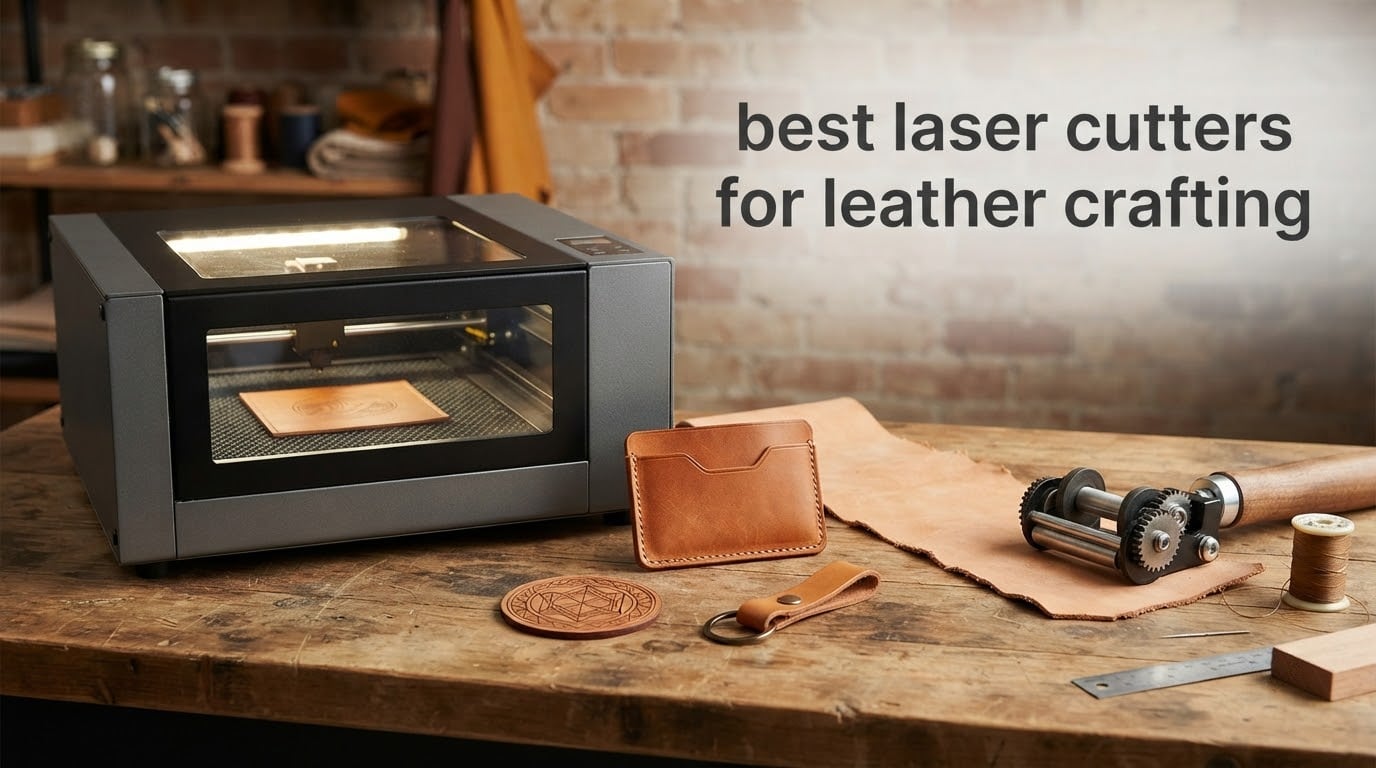
If you have been searching for the best laser cutters for leather crafting, the short answer is this: a 20W to 40W blue diode machine covers engraving plus thin-to-medium cutting for almost every hobby leather job, while a 40W to 60W CO2 tube is the tool that drives a thick veg-tan cut in a single pass. Leather absorbs both common laser wavelengths readily, so the material itself is not the obstacle. Heat, smoke and edge char are the obstacles, and those are the three things we ranked on.
That framing matters because most roundups in this niche rank by wattage alone, then send you back to the workshop with a charred edge and a headache. We went through the specs, the manufacturer claims, the owner feedback and the recurring complaints in the leather craft communities, and we ranked cut quality on veg-tan and full-grain first, fume handling second, and everything else after that.
The eight machines below cover a 10W engraving specialist, three 20W hobby workhorses, two 40W enclosed machines, one galvo handheld with a rotary, and one 55W CO2 desktop tube. If your leather work is monogramming finished goods at a market stall, read the LaserPecker section. If it is cutting 4mm belts and bag panels all day, read the xTool P2S section and skip the rest.
Table of Contents
Top 3 Leather Laser Cutters in 2026
Twotrees TTS-20 Max 20W
- 20W 450nm blue diode
- 600 x 600mm bed
- 0.1mm positioning accuracy
- Wi-Fi and TF card offline operation

xTool S1 40W Rotary Bundle
- 40W diode at 600mm/s
- Class 1 enclosed design
- 3D curved surface engraving
- Rotary and riser included

Creality Falcon 10W
- 0.06 x 0.06mm compressed spot
- 400 x 415mm work area
- Leather and fabric support
- LightBurn compatible
Those three cover the widest spread of leather jobs without dragging you into a machine built for a different material. The Twotrees is the all-rounder, the xTool S1 is the enclosed power pick, and the Creality Falcon is the low-commitment entry point. Everything else in the roundup is a stronger specialist in a narrower lane.
What laser is best for leather?
Two answers, split by material class. A blue diode at 20W or more is the best laser engraver for leather and cuts light-to-medium material well; a CO2 at 40W to 60W is the best laser for cutting thick vegetable-tanned leather in one pass. The deciding variable is leather thickness and production volume, not brand. Chrome-tan and bonded leather change the answer again, and we cover that below.
Here is how we narrowed the field, in the order the criteria actually mattered to us. First, leather cut quality on 2mm to 4mm veg-tan, judged on whether the kerf closes cleanly or whether you get a burned lip. Second, fume handling, because leather is the most demanding material in the craft for smoke. Third, whether air assist is included or at least supported. Fourth, enclosure and laser safety class, which decides whether you can run the machine in a room with people in it. Fifth, work area against belt and bag panel sizes. Sixth, clamping stability, since leather is light and shifts. Seventh, software maturity for batch work. Eighth, rotary support for curved surfaces.
One community detail shaped how we read the spec sheets. A user on r/lasercutting reports running 8mm veg-tan on a 20W-class diode with relative ease, well past what vendor tables claim. We treat that as an owner report rather than a guarantee, but it is a useful reminder: tannage and moisture content move the real ceiling far more than the wattage number on the box.
Best laser cutters for leather crafting at a glance (October 2026)
| Product | Specifications | Action |
|---|---|---|
| Twotrees TTS-20 Max 20W |
|
Check Latest Price |
 LaserPecker LP2 with Rotary LaserPecker LP2 with Rotary |
|
Check Latest Price |
 ATOMSTACK A20 Pro V2 20W ATOMSTACK A20 Pro V2 20W |
|
Check Latest Price |
 LONGER RAY5 40W LONGER RAY5 40W |
|
Check Latest Price |
 xTool P2S 55W CO2 xTool P2S 55W CO2 |
|
Check Latest Price |
 Genmitsu L8 40W Class 1 Genmitsu L8 40W Class 1 |
|
Check Latest Price |
| Creality Falcon 10W |
|
Check Latest Price |
| xTool S1 40W Rotary Bundle |
|
Check Latest Price |
1. Twotrees TTS-20 Max 20W: the best all-round leather machine
- Huge 600 x 600mm bed for the power class
- Solid frame with premade wire harnesses
- Cuts and engraves leather wood and acrylic cleanly
- Wi-Fi USB and TF card offline operation
- Good support for first-time buyers
- Difficult first-time assembly
- Steep LightBurn learning curve
- Does not engrave bare metal
When we line up the 20W blue diode options, the TTS-20 Max wins on one number: a 600 x 600mm bed. Most machines in this class give you somewhere between 300 and 400mm square, which is fine for keyrings and card holders and annoying the moment you want a full belt panel. This one is sized for signage and small-batch leather work without a second machine.
Under the lid it is a straightforward 20W optical-output 450nm diode with an adjustable rectangular spot, moving at up to 30000mm/min with 0.1mm positioning accuracy. Leather is listed as a supported material by owners across wood, bamboo, acrylic, MDF and plastic jobs, and 20W is the class where a thick veg-tan cut becomes a realistic multi-pass job rather than a stunt.
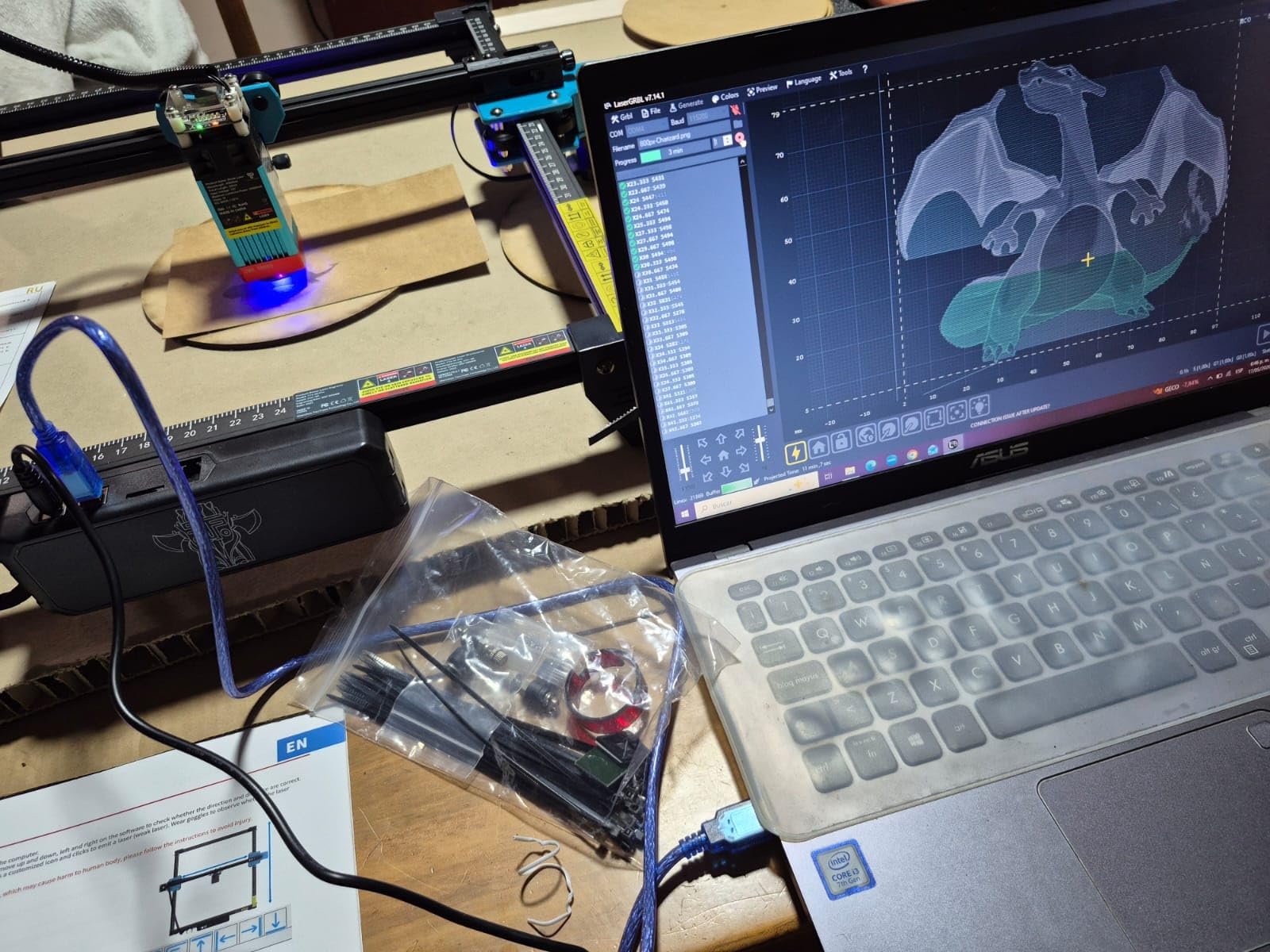
The honest part of this machine is the first afternoon. Reviewers repeatedly describe assembly and setup as the hard part, with some owners disassembling and reassembling to get it right, and almost everyone mentions the LightBurn learning curve. Neither complaint is about the hardware, which owners describe as well built with good motors and tidy premade harnesses.
Connectivity is unusually flexible for the price class: Wi-Fi, USB and 4GB TF card offline operation, with LightBurn and LaserGRBL both supported on Windows, macOS and Linux. The mainboard is an MKS LS ESP32 PRO V1.1 with an ESP32-S3 chip running GT2 silent synchronous belts and TMC2209 stepper drivers, which is a sensible, quiet spec sheet for a workshop.
What we like about it on leather
The bed size is the quiet superpower. A 600 x 600mm area lets you lay out a full sheet of keyrings, coasters or card holder blanks in one job, and leather projects are exactly the kind of small repeated shapes that reward batching. Adjustable power plus a uniform rectangular spot means you can dial the edge burn down without losing cut speed on the same job.
Where it falls short
It does not engrave bare metal despite some product claims, so treat any metal mention as coated or painted surfaces only. It also ships without the fume handling that leather work genuinely needs, and there is no enclosure, which puts it firmly in the ventilated-workshop category rather than the home-studio one.
2. LaserPecker LP2: the pick for craft fairs and curved leather
- Fast galvo engraving with a 0.05mm spot
- Versatile 3-axis rotary for cylinders and slabs
- Compact handheld form factor
- Plug-and-play from phone or PC
- 12-month warranty included
- Only 4 inch work width for sheet work
- Light and transparent surfaces need black paint first
- Not a bare metal machine
The LP2 is the only machine in this roundup built around galvo scanning, which sweeps the beam with mirrors instead of dragging a head across the bed. That is why it hits 1417 in/min and why the 0.05mm compressed spot is genuinely fine, and it is why detail-heavy engraving on a finished leather surface looks crisp rather than slightly soft.
For leather specifically, the bundled 3-in-1 electric rotary is the reason to buy it. It runs in cylinder, slab and trolley modes up to 196 inches long at 4 inches wide, which covers tumblers, wrapped cylinders, leather sleeves and long flat stock. If you sell at markets, engrave the item while the customer waits, this is the box that fits in the car.
Owners like the fast, detailed galvo engraving on leather, wood and coated metals, and the plug-and-play operation from a smartphone or PC. It handles paper, cardboard, wood, leather, and coated or brushed stainless steel, and cuts wood and paper up to 0.2 inches. The minimum laser distance is 4.33 inches, which is worth knowing before you plan a tall job.
The 12-month warranty and the fact that the unit, roller, stand and safety glasses are all in the box make it a low-friction first machine. At 10.21 pounds it is genuinely portable rather than theoretically portable.
Who it suits
Anyone doing personalization in front of a customer. A monogrammed belt, a name on a wallet corner or a logo on a leather-covered flask is exactly the short, high-detail, curved job a galvo head and a rotary were built for. It is also the most forgiving machine here to hand to someone who has never used laser software.
Where it falls short
The 4 inch work width caps flat sheet work, so it is not the machine for cutting hide panels. It cannot engrave pure or shiny bare metal, and light or transparent surfaces have to be masked with black paint first, which is a common beginner stumble. If metal is your main material rather than leather, this is the wrong box.
3. ATOMSTACK A20 Pro V2 20W: the sharpest budget starter
- Sharp engraving and real 20W cutting ability
- Linear guide rails on a modular aluminum frame
- Large work area for the class
- Works well with LightBurn
- Free parts replacement and lifetime tech support
- Bundled software is very basic
- Documentation thin especially for Wi-Fi and air pump
- Belt drive weakens accuracy on large pieces
Where the TTS-20 Max wins on bed size, the A20 Pro V2 wins on motion hardware. It uses integrated linear guide rails rather than belt-only axis motion, and at up to 400mm/s with 0.08 x 0.1mm compressed dots it holds fine detail on small leather components far better than most of its bracket-shares.
Assembly is picture-based and takes roughly twenty minutes, which is a genuine improvement over the painful first-afternoon assemblies in this class. Safety kit is included too: a magnetic protective cover, safety glasses, and a tilt safety beep past 15 degrees. The laser module is rated for up to 10000 hours.
Owners rate it highly for value, build quality and engraving sharpness, and several mention coated leather explicitly among the cutting jobs it handles. It runs the ATOMSTACK app, its own PC software, LightBurn and LaserGRBL, and supports Type-C and USB drive connectivity for offline file handling.
A few caveats are worth knowing before you buy. The bundled app and PC software are very basic, so in practice LightBurn is close to required. Documentation is thin, especially around Wi-Fi configuration and air pump setup. And the gantry wiring loom is not held in a drag chain, so it can snag on a job if you are not careful.
Why it works for a first leather project
It is a 20W machine with linear rails and a modular aluminum frame, which is the recipe for the two things a leather beginner actually notices: clean engraved detail and a repeatable cut. Wallet blanks, card holders, keyrings and coasters are all inside its comfort zone, and the free parts replacement offer softens the risk of a first project going wrong.
Where it falls short
Belt-driven axis motion means accuracy softens on larger pieces, so a full-width bag panel is not its strongest job. A small number of owners report units failing on first power-up, and the missing drag chain on the wiring loom is a build shortcut you will feel. Documentation is the weakest part of the package.
4. LONGER RAY5 40W: the best value per watt of cutting power
- Real cutting power for a 40W diode class
- Built-in air assist support
- Solid build and easy assembly
- Good documentation and responsive support
- Useful LaserGRBL fallback included
- Bundled Wi-Fi and SD card handling unreliable
- Thin documentation after assembly
- Honeycomb bed advised against surface fires
The Ray5 40W is the first machine in this roundup where the cutting head feels like it has headroom. A 40W laser-enhancement module with dual-beam technology, 24000 mm/min engraving speed, a 0.08 x 0.1mm focus spot and a 32-bit motherboard is a serious spec list for a machine at this tier, and owners describe real cutting ability on wood, acrylic and inlay work.
Two details matter more for leather than the headline power. Air assist support is built in rather than bolted on, and that is the single highest-leverage accessory for edge quality on any material. A 256-color palette is also included, which is a small quality-of-life win when you are dialling in leather burn levels.
Protective glasses, motion protection, temperature control and emergency shutdown are all built in, and the machine has automatic shutdown on abnormal movement or overheating. That safety layer matters more than usual here, because leather dust and offcuts are a real fire and residue load.
The honest limitations are about workflow, not capability. Reviewers report that operating documentation after assembly is thin and forces trial and error, and that Wi-Fi and microSD file handling are unreliable enough that a direct computer connection is effectively needed. Power upgrades are also not straightforward and can mean replacing circuitry and reflashing.
Why it earns the value badge
At 40W with dual-beam output and built-in air assist, this is a direct route to headroom for thick veg-tan without stepping up to an enclosed 40W or a CO2 tube. If your leather work includes layered wallets, inlay or heavier belts, this is the machine where the extra power starts paying for itself.
Where it falls short
It is an open frame with no enclosure, and reviewers treat air assist, a honeycomb bed and an enclosure as effectively necessary for good results rather than optional. A honeycomb bed is strongly advised to avoid surface fires when cutting. If you need to run this indoors with people around it, keep looking.
5. xTool P2S 55W CO2: the best single-pass thick leather cutter
xTool P2S 55W CO2 Laser Cutter, Smart Desktop CO2 Laser Engraver and Cutter
- Fastest and easiest setup in the CO2 desktop class
- Excellent build and easy optical access
- XCS software with material test arrays
- Large bed plus passthrough and rotary support
- Accurate camera alignment out of the box
- Large and heavy at 130.7 pounds
- Coolant fill needs the back panel off
- Software does not skip blank areas on gantry jobs
This is the machine that changes what a leather shop can take on. A 55W CO2 tube at 10600nm cuts acrylic up to 20mm and black walnut up to 18mm in a single pass, and leather sits comfortably inside that power envelope rather than at its edge. A CO2 beam is absorbed by organic material far more efficiently than a blue diode, which is the physical reason thick veg-tan goes through in one pass here and four on a diode.
Setup is the standout. Owners describe getting it running in roughly thirty minutes, which is remarkable for a machine of this class, and they single out the alignment accuracy of the cameras and the out-of-box gantry calibration. Dual 16MP cameras and LiDAR ranging drive 0.001 inch autofocus, so you are not re-homing by eye every time you change material thickness.
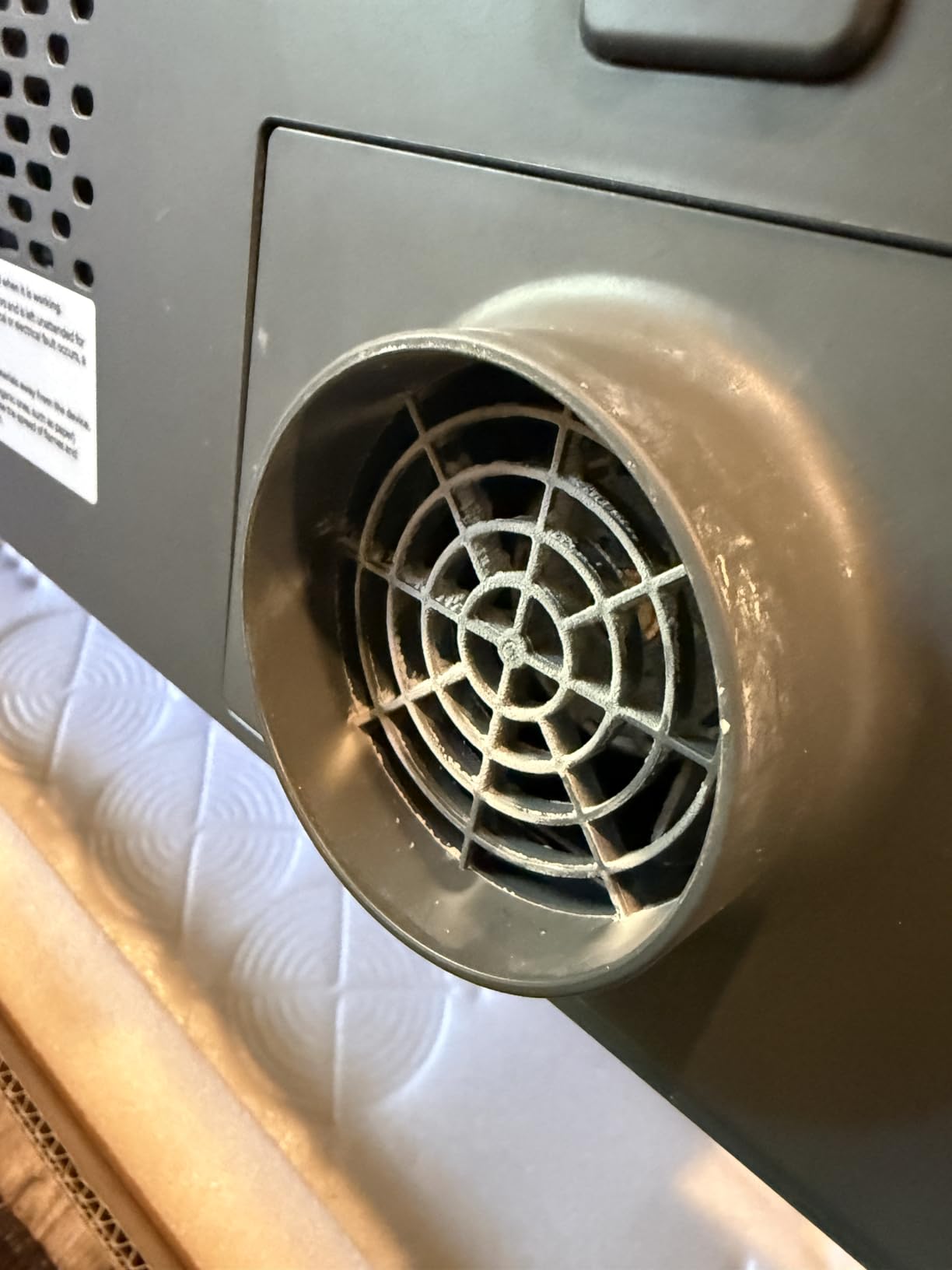
The fume story is handled. There is an enclosed design, AI fire detection, an automatic lock, an emergency stop and a 233.3 CFM exhaust fan. For leather that is the difference between a machine you can work around and one you need to shut the door on, and it is why we treat this as the production pick rather than just the powerful one.
XCS software comes with built-in material test grids and 3D mapping, plus smart fill batch processing and 3D curve engraving. The bed is a 26 x 14 inch work area with AutoPassthrough for materials up to 118 inches long, and a riser base handles objects up to 8.4 inches tall, which is how you get belt-height work onto the bed.
Why it wins for thick leather
Two reasons, and both are physical. The 55W CO2 beam means fewer passes, and fewer passes means less accumulated heat on the edge, which means less char and less shrink-back on the kerf. At 600mm/s with smart fill, a batch of identical wallet or coaster blanks is a short job rather than a long one. Add the exhaust fan and the enclosed body, and this is the only machine here that is genuinely production equipment for leather.
Where it falls short
It is 130.7 pounds and 44 x 29 inches, so it needs a dedicated space and two people to move. Filling coolant means removing the back panel of the lid, and attaching the rotary requires partial disassembly. Some engraving jobs run slowly because the software does not skip blank areas on gantry-style machines, and Inkscape still outperforms XCS for tracing raster images.
6. Genmitsu L8 40W: the enclosed Class 1 pick for a shared studio
Genmitsu L8 Laser Engraver, 40W 40000mW Power Laser Cutter Safety Class 1
- Class 1 enclosure suits home and shared studio use
- Ready out of the box with air pump and honeycomb bed
- Camera overlay cuts down on test runs
- High cutting power in an enclosed form factor
- Lowest average rating in this group at 4.0
- Enclosed housing limits very tall work
- Smoke purification and rotary are extra purchases
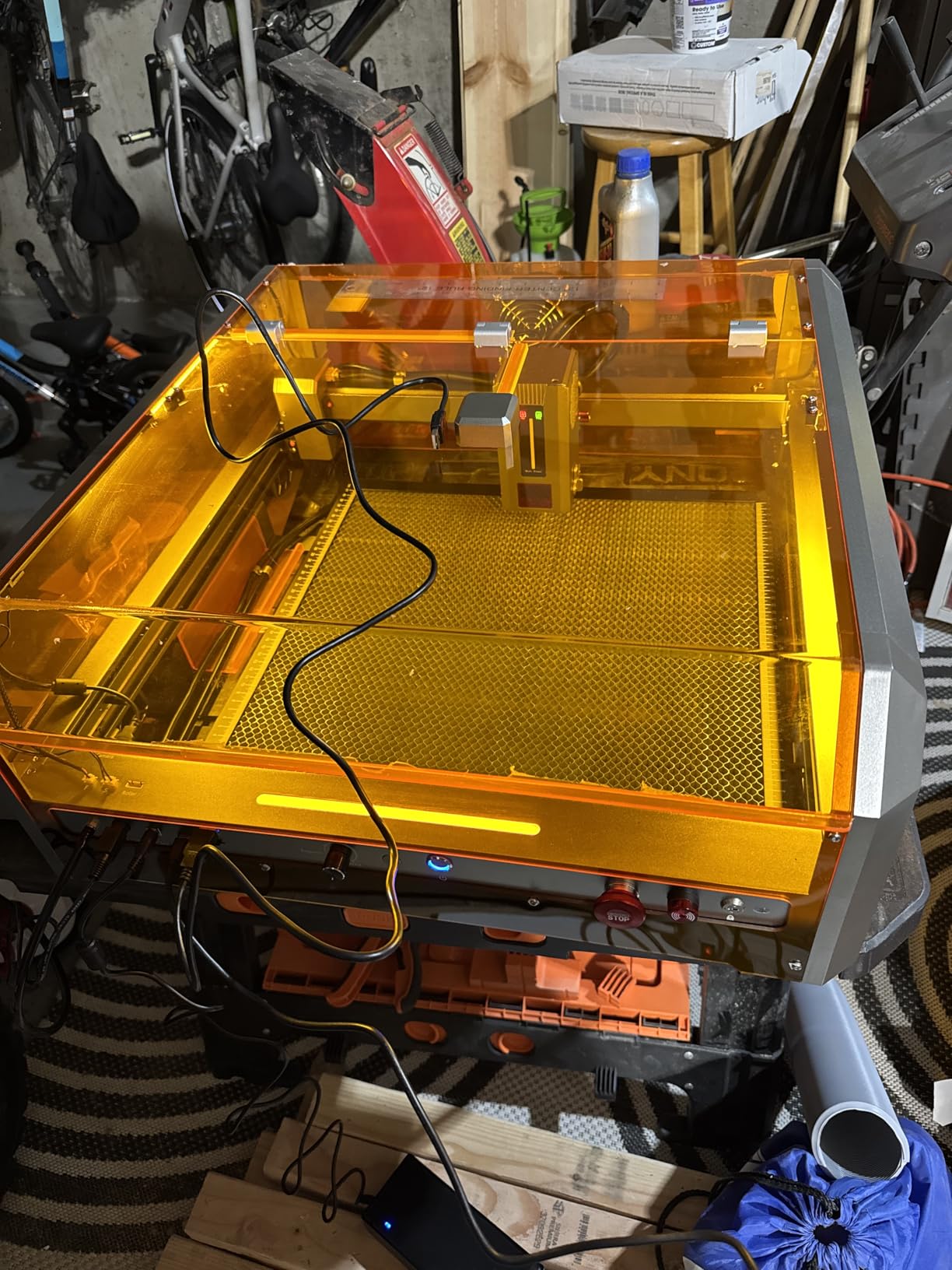
Most open-frame machines force a choice: cheap power, or safe operation around other people. The L8 is the counter-example. It is a true measured 40W optical output inside a Laser Safety Class 1 enclosure, meaning the machine is sealed so you can work in the same room without goggles, which for a leather operation is the feature that matters most.
It is also an unusually complete box. No assembly is required, and it includes a 30L/min smart air-assist pump and a honeycomb bed, which are the two accessories every other open-frame machine in this roundup treats as mandatory purchases. Engraving speed is 40000mm/min with a LightBurn-compatible camera overlay for design positioning.
Safety hardware goes further than the enclosure. There is tilt auto-stop, a flame monitor with buzzer, position-protection limit switches, an emergency stop and a child safety lock, plus a real-time power indicator, fault light and airflow detection. That is a serious list for a machine that also has to handle leather dust and offcuts.
The rating is the honest caveat. It carries a 4.0 average from 54 reviews with a 14 percent one-star share, the most polarized owner base in this group, so expect a spread of experiences. Additional smoke purification and rotary attachments are still needed for some workflows.
Why the enclosure is the point
Leather fumes are heavy, unpleasant and genuinely unpleasant to inhale, and the most repeated safety point across the leather craft forums is that people built an extraction setup before they cut anything. A Class 1 enclosure changes the default from venting the room to containing the job, and the included air pump and honeycomb bed remove the two most common reasons a first machine disappoints.
Where it falls short
The enclosed acrylic housing limits work on very tall items, so a riser is worth budgeting for if you plan large work. The most polarized owner base in the roundup means support experience may vary, and the lowest average rating here is a real signal rather than noise. Verify the enclosure and airflow behaviour on your own material before a production run.
7. Creality Falcon 10W: the best budget first machine
- Lowest entry cost in the roundup
- 0.06 x 0.06mm compressed spot for fine detail
- 400 x 415mm work area with 10000 mm/min speed
- Supports 200+ materials including leather and fabric
- Quick 15-minute assembly and SD card offline mode
- No Bluetooth despite ecosystem expectations
- Steep software curve for beginners
- Supplied eyewear is not rated for blue diode lasers
If the question is whether a machine at the entry end of this market can handle leather at all, the Falcon is the honest answer: yes, for engraving and for cutting very thin material, with patience. It is a 10W laser with a 72W effective cutting claim, a 0.06 x 0.06mm compressed spot module and a 400 x 415mm work area, and it lists leather and fabric among 200-plus supported materials.
The spot size is the surprise. At 0.06 x 0.06mm it is the finest spot on a gantry machine here, which is exactly what you want for small stitch holes, initials on a card holder corner and fine decorative cuts on keyrings. Accuracy is listed at 0.004 inch with 0.007 inch repositioning on a 32-bit chip controller.
Owners find it capable and inexpensive for light leather, wood and fabric engraving, with good cut quality on thin basswood up to 6mm in a single pass. Assembly takes about fifteen minutes, and the free Falcon Design Space software runs on macOS and Windows, with SD card offline operation as a fallback.
Two warnings carry real weight. The supplied safety goggles are green and do not block blue diode lasers, so proper OD4+ or OD6+ eyewear should be bought separately and used every time. And polished bare aluminum will not mark, which matters less for leather but catches people out.
What it is genuinely good at
Engraving. Monograms, logos, decorative borders and text on finished leather surfaces, where the tight spot does the heavy lifting and power requirements are modest. It also cuts 12mm wood and 5mm black acrylic in one pass, so it is a real general hobby machine rather than a novelty. For a first project, that is more than enough.
Where it falls short
Cutting thick leather is not its job. A 10W machine that advertises a 72W effective figure is making a case about efficiency, not about heat tolerance, and multiple passes on real leather eat into edge quality fast. There is no Bluetooth despite what the 3D printer ecosystem leads people to expect, the software curve is steep, and the printed manual is poorly written.
8. xTool S1 40W: the highest-rated enclosed workhorse
- Highest rated in the roundup at 4.6
- Enclosed Class 1 design blocks smoke and noise
- Fast clean cuts straight out of the box
- Stable Wi-Fi and regularly updated software
- Rotary and riser included in the bundle
- Heavy at 86.8 pounds needing a dedicated space
- No motor braking so the head can be bumped
- External ventilation still required
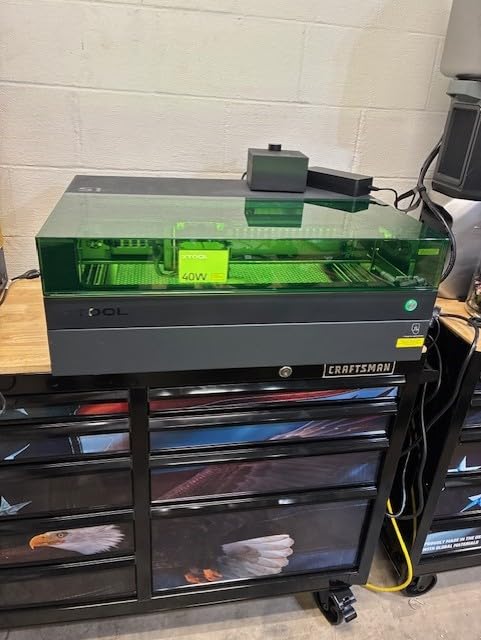
The S1 is the strongest enclosed answer in the roundup, and it holds the highest average rating here at 4.6 from 233 reviews. It is a 40W diode at up to 600mm/s on a 23.93 x 15.16 inch bed, cutting 18mm cherry wood in a single pass, and it comes with 400-plus pre-tested material settings in xTool Creative Space.
The Class 1 enclosure filters 99 percent of laser light and blocks both smoke and noise, so no goggles are required during normal operation. Five flame sensors, an emergency stop and a lid-open stop sit alongside it. For leather specifically, the enclosure is not a spec-sheet nicety, it is what makes the difference between a hobby machine and something you can put in a small shop.
The rotary bundle handles tumblers and cylinders, which is where curved leather work comes in, and a riser supports taller pieces. Pin-point Positioning and 3D curved-surface engraving mean you are not hand-tweaking Z values per job, and AutoPassthrough handles materials up to 118 inches.
Owners who came from other brands describe it as a relief, and several mention responsive customer service that replaced a faulty unit. Stability of the Wi-Fi connection and regular software updates come up repeatedly, which is not glamorous but is what keeps a machine useful in year two.
Where it beats the 20W class
Power and enclosure together. 40W with a spot in the 0.08mm range gives you fewer passes on thick veg-tan than any diode in this roundup, and the enclosure means the fumes stay where they belong. If you are cutting and engraving rather than only marking, that combination is why it rates highest.
Where it falls short
It is 86.8 pounds and needs a dedicated workspace. There is no motor braking, so the laser head can be bumped and knocked out of alignment while you are setting origins. The spring-loaded Z probe can be dented on soft materials and then give false focus readings, and external ventilation or exhaust is still required. XCS is also less flexible than LightBurn for advanced work and can lose saved material settings.
How much wattage does leather actually need?
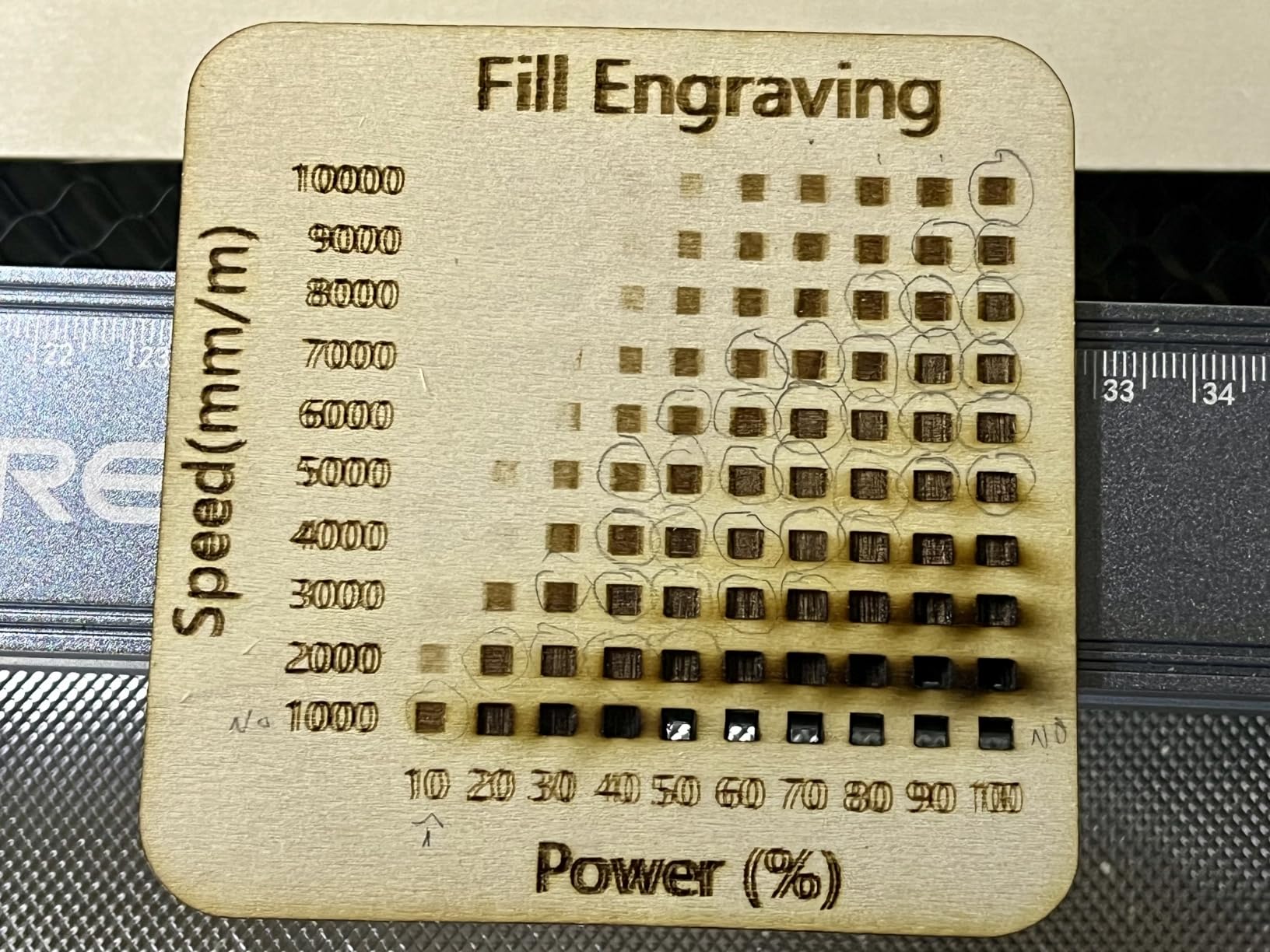
Roughly 40W is the practical single-pass threshold for thick vegetable-tanned leather. A 20W machine handles 2mm to 4mm well across several passes and is the sweet spot for most hobbyists, and anything under 10W is realistically engraving plus very thin cuts. Start every material on an offcut, run a power and speed grid, and treat the numbers below as a starting point rather than a promise.
For blue diode machines, the practical picture looks like this. A 10W machine will engrave anything and cut roughly 1mm to 2mm of veg-tan cleanly, with more passes and more edge char the thicker you go. A 20W machine sits in the 2mm to 4mm band per pass, which covers card holders, keyrings, coasters and most wallet panels. A 40W machine pushes into the 4mm to 6mm range per pass with fewer passes overall, which is where edge quality starts to look clean rather than smoked.
For CO2, the curve shifts up because the 10600nm beam is absorbed by organic material far more efficiently than 450nm blue light. A 55W CO2 desktop is the tier where thick veg-tan and multi-layer work stop being a multi-pass argument, and where batch cutting becomes a time question rather than a quality question.
Now the owner report that complicates all of this. A user on r/lasercutting says a 20W-class diode handled 8mm veg-tan with relative ease, well beyond vendor spec tables. We are not going to repeat that as a guarantee, because moisture content, tannage and machine condition all move the real number. But it does explain the gap between spec sheets and workshop reality, and the variable is almost always vegetable-tanned versus chrome-tanned stock, not the wattage printed on the box.
Which laser type suits leather: diode, CO2, dual or fiber
A blue diode at 450nm is the volume winner for leather. It is cheaper, smaller, safer around a home bench and excellent at engraving, and at 20W and up it cuts thin to medium leather well. A CO2 at 10600nm is the power and edge-quality winner, cutting thicker material faster in a single pass, at the cost of more money, more space, a chiller and better extraction. If you want the full explanation of the CO2 class before you commit, our guide to the best CO2 laser cutters goes deeper on tube life, chiller needs and bed sizes.
Dual-laser and enclosed prosumer units sit between the two: a diode or CO2 head inside a Class 1 enclosure, which solves the safety and fume problem rather than the power problem. Read the enclosure as a separate decision from the wattage. You can have a 40W machine that needs a dedicated ventilated workshop, or a 20W machine you can run in a room with people in it, and those are genuinely different products.
Fiber and UV lasers are the two types to rule out. Fiber lasers at 1064nm and UV at 355nm are metal and glass specialists; they are excellent at marking anodised aluminium or plastics and largely indifferent to leather. Our breakdown of the best fiber laser cutters explains what they are actually for, but the short version is that a fiber laser marketed as a leather cutter is a sales page, not a specification.
Air assist, fume extraction and enclosure for leather work
Air assist is a stream of air blown at the laser head during a cut. It pushes debris and smoke away from the kerf, which cuts char dramatically, keeps the lens cleaner and lets you run higher power without the edge turning to carbon. On leather it is the difference between a dark edge that needs sanding and an edge you can burnish straight away, which is why we treated built-in air assist as a ranking criterion.
A fume extractor is the other half. It pulls smoke and particulate out of the work area, and for leather it is not optional, because leather is the most demanding material in the craft for fume volume and the smell is unpleasant enough that you will not want it in a living space. Many owners in the leather craft communities built an extraction setup before they cut anything at all, and one 55W CO2 owner credits their dedicated extraction rather than the machine for working leather without issues.
Then there is the enclosure. A fully enclosed machine with an interlock lid is a Laser Safety Class 1 unit, which means it is safe to operate around people. Class 4 is what most open frames are, and that is correct for a workshop, not a kitchen table. Whichever you buy, add laser-rated eyewear for the wavelength, keep the honeycomb bed in place to stop surface fires, and expect leather residue to coat your optics faster than any other material you will process.
Work area, clamping and the rotary question
Work area is decided by the largest piece you actually make. Coasters and keyrings fit anything. A wallet or card holder needs roughly 200mm. Belt panels and bag panels push you toward 400mm and up, and full hides push further, which is why the 600 x 600mm bed on the TTS-20 Max and the 26 x 14 inch bed on the P2S matter for anyone cutting production panels rather than components.
Clamping is the underrated one. Leather is light, and air assist is a jet pointed straight at it, so a hide that is not held down will shift, curl or ride up mid-cut and waste the job. This is the most repeated practical complaint in the forums, and it is also the reason the honeycomb bed is not optional advice. Masking tape, low tack transfer film, or a spoilboard with pegs all solve it, and the failure mode is nearly always a hole ruined by movement rather than a ruined lens.
A rotary attachment extends the machine to curved surfaces: tumblers, wrapped cylinders, leather sleeves and long flat stock. If you personalise finished goods rather than cutting flat blanks, it pays for itself quickly. We looked at the best rotary cutters to understand how the attachment and the roller differ, and the short version is that a motorised roller in cylinder, slab and trolley modes covers far more than a simple wraparound jig.
Leather types: which respond well and which to avoid
Veg-tan is the material to aim the machine at. It is natural, it absorbs the beam readily, it darkens predictably under engraving and it cuts with less char than anything else in the shop, which is why the community treats it as the default. Full-grain and top-grain both behave well, though top-grain is finished and slightly more forgiving, and genuine leather gives the cleanest result of all.
Suede works, but the nap means the mark depends on which way the hair lies, so low power and a matte finish suit it better than a high-contrast engrave. Bonded leather is the opposite case: it is leather dust held in a backing, and it browns fast, chars fast and is a poor engraving surface. Test it before you commit a job to it.
Chrome-tan is a caution, not a green light. It is already an acid-tanned leather, it is more water-resistant, and under a laser it can produce harsher fumes and less predictable results. Some manufacturers decline to recommend it outright. If you work with it, test on a scrap first, use lower power, raise the extraction rate and prefer veg-tan wherever the design allows. Semi-veg-tanned stock deserves the same caution.
Finishing leather after laser engraving: clean, seal, condition
The engraving is not the last step. A laser edge is a burned edge, and untreated it will flake and shed char onto a finished product, so the finish is what turns a cut part into a sellable part.
First, let it cool and dust it off. Leather residue and smoke residue are the fastest way to coat a lens, so never brush debris toward the machine. Second, wipe with a barely damp cloth, then dab stubborn residue with isopropyl alcohol rather than soaking it, since water leaves white marks on high-moisture leather. Third, apply a leather conditioner to restore the oils the heat drove off, which also brings the colour back even.
Fourth, seal the burned edge specifically. Acrylic sealant gives gloss, wax gives a matte finish, and oil keeps the leather soft; apply thin even coats and let each dry. Sealing the edge is the step that stops char from flaking, and it is the one people skip. The same order works for surface engraving, where cleaning matters more than sealing.
What not to buy for leather, and why
Open-frame 5W kits marketed as capable laser cutters. A 5W diode is a light burner. It will mark a coaster and it will not cut a keyring out of 2mm veg-tan without a dozen passes and a charred edge, and owners in the forums who bought one in this bracket found it needed heavy tuning for work that a 10W does routinely.
Fiber and UV machines advertised for leather. These are metal and glass platforms, and leather is a poor use of either. If a listing leads with fibre marking, the leather claim is secondary. Read about the best fiber laser cutters before you buy one, and only for the materials it is actually good at.
Any machine sold without air assist, fume extraction or a bed that can handle debris. A laser with no air assist will char every leather edge, and a slat bed on a light material is a shifting problem waiting to happen. These are the accessories people discover they need after the first ruined hide.
A vinyl cutter when your shapes are all identical. If the goal is the same shape repeated hundreds of times, a die press or a knife plotter is faster and cleaner than a laser, and our guide to the best vinyl cutters covers the plotter route. A laser earns its place on custom, one-off and personalised work, and on engraving finished goods. It is a poor tool for thick full-grain repetitive cutting and an excellent one for everything else.
Frequently Asked Questions
What laser is best for leather?
Two answers by material class. A blue diode at 20W or more is the best laser engraver for leather and cuts light-to-medium material well. A 40W to 60W CO2 is the best laser for cutting thick vegetable-tanned leather in a single pass. The deciding variable is leather thickness and volume, not brand.
Can I cut leather with a laser cutter?
Yes, and it is one of the easiest materials to process because leather absorbs both 450nm blue diode and 10600nm CO2 light readily. The caveats are heat, which browns and shrinks the hide, moisture, which leaves white marks, and fumes, which make extraction mandatory rather than optional.
What wattage laser is best for cutting leather?
For cutting, 40W is the practical single-pass threshold for thick vegetable-tanned leather. A 20W machine handles 2mm to 4mm well across several passes and suits most hobbyists, while anything under 10W is realistically engraving and very thin cuts only. For engraving alone, 10W is more than enough.
How thick of leather can a 20W laser cut?
Vendor guidance is roughly 2mm to 4mm per pass, and expect two to four passes in practice. Owner reports go higher, with a 20W-class diode handling 8mm veg-tan in the community, and the variable that explains the gap is tannage rather than wattage. Vegetable-tanned leather behaves very differently from chrome-tan.
Is it safe to laser engrave chrome tanned leather?
Treat it as a caution rather than a green light. Chrome-tan is an acid-tanned leather that can produce harsher fumes and less predictable results, and some manufacturers decline to recommend it. Test a scrap first, use lower power, run a higher extraction rate and prefer vegetable-tanned stock whenever the design allows.
What are the best laser cut settings for cutting leather?
There is no single setting, because there are three jobs. Scoring a fold line needs low power at moderate speed, surface engraving needs roughly 10 to 12 percent power at 400 to 600mm per second, and cutting needs full power at a much slower speed. Run a power and speed grid on an offcut before any real job.
How do I seal leather after laser engraving?
Let the part cool, dust off the debris, wipe with a barely damp cloth, then dab stubborn residue with isopropyl alcohol rather than soaking it. Apply a leather conditioner to restore the oils the heat drove off, then seal the burned edge in thin even coats with acrylic for gloss, wax for matte or oil for softness.
Do laser cutters burn leather?
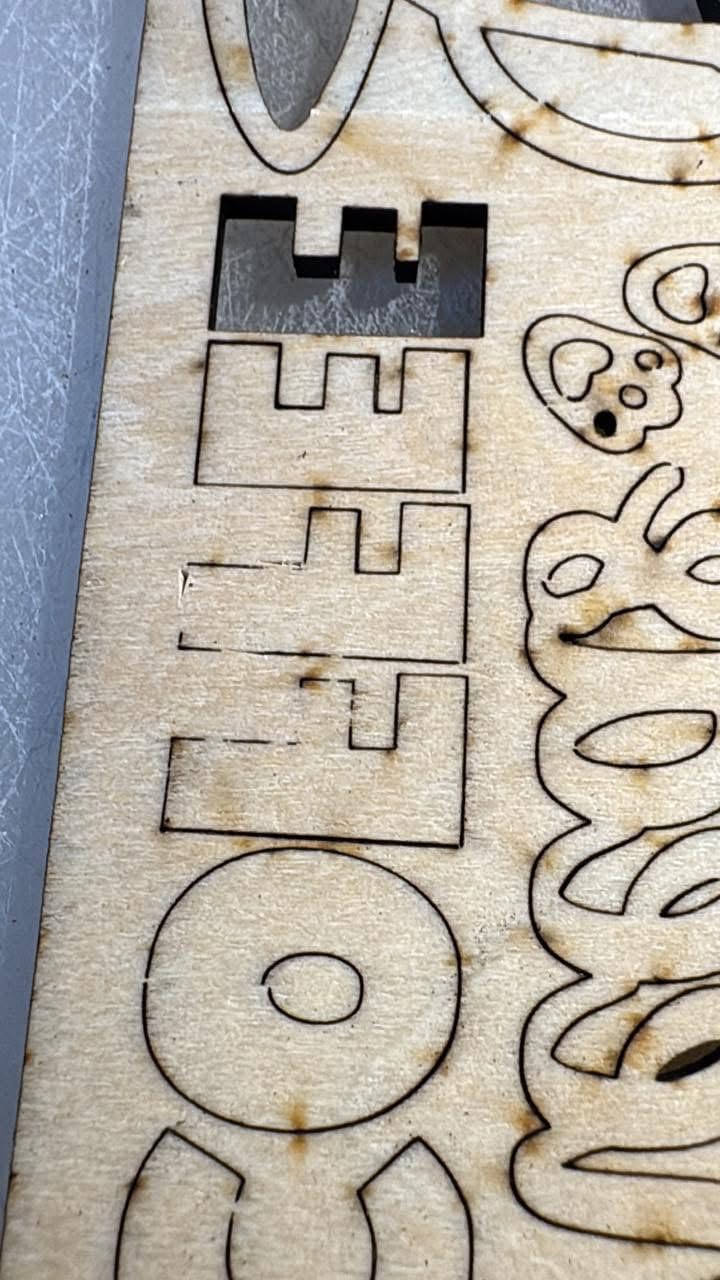
They do, and that is the main thing to manage. A laser removes material as a kerf and darkens the surface, and the heat leaves a brown or charred lip around every cut. Air assist, lower power, slower speeds and a kerf offset in your file are what keep the edge clean enough to burnish.
The bottom line on the best laser cutters for leather crafting
The Twotrees TTS-20 Max is our pick for the best laser cutters for leather crafting in 2026 because the 600 x 600mm bed and 20W of honest cutting power cover the widest range of leather jobs we found, from wallet blanks to keyring batches to full panels, without the enclosure and extraction setup a bigger machine demands. At 4.4 stars from 495 reviews it also has the deepest owner base in the roundup, which means the quirks are known and the fixes are documented.
If your work is different, the other picks are narrow on purpose. The xTool S1 40W is the enclosed workhorse and the highest-rated machine here. The LONGER RAY5 40W is the best value if you want cutting headroom with built-in air assist. The xTool P2S 55W CO2 is the only one here that drives thick veg-tan in a single pass, and it is the right buy for production. The Creality Falcon 10W is the honest budget start for engraving, and the LaserPecker LP2 is what you take to a craft fair.
Whichever you choose, buy the fume extraction and the proper eyewear on the same day. Leather is not forgiving of a machine that chars edges and fills a room with smoke, and the three things that decide whether a laser is good at leather are air assist, extraction and enclosure, not the wattage on the box.