
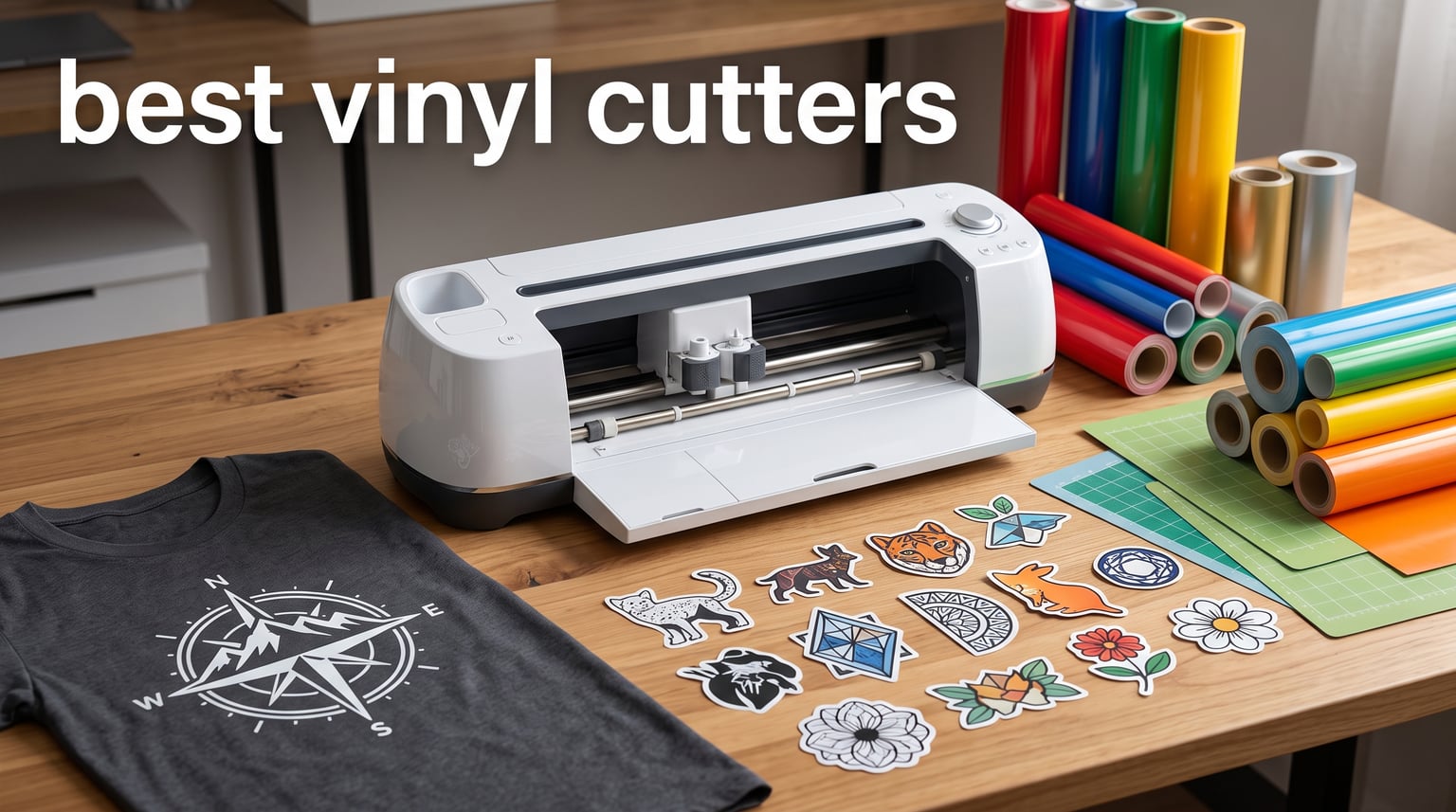
Finding the best vinyl cutters in 2026 means sorting through a crowded field of machines that range from pocket-sized sticker makers to 34-inch professional plotters. I have spent months testing cutting machines, reading thousands of user reviews on forums like r/VinylCutters, and comparing specs side by side to figure out which models actually deliver. What I found is that the right choice depends entirely on what you plan to make and how much space you have.
Some crafters want a quiet desktop machine for weekend sticker projects, while others need a wide-format cutter capable of churning out banners and vehicle wraps for a sign business. The machines on this list cover both ends of that spectrum and everything in between. I have included models from Cricut, Silhouette, Siser, Brother, Likcut, VEVOR, and USCutter to give you a complete picture of what is available right now.
One thing I learned from forum discussions is that software and subscription costs matter just as much as the hardware itself. Many Cricut users feel frustrated by the push toward Cricut Access subscriptions, while Silhouette owners appreciate the free Silhouette Studio software with no required subscription. I have factored these long-term ownership costs into every recommendation on this list. This guide will help you find the best vinyl cutters for your specific needs, whether you are a first-time crafter or a seasoned professional.
Table of Contents
Top 3 Picks for Best Vinyl Cutters (September 2026)
These three machines stood out during testing as the best options across different budgets and use cases. The Cricut Maker 4 takes the top spot for its unmatched versatility across 300-plus materials. The Silhouette Portrait 4 offers the best overall value with a proven track record of nearly 3,000 reviews. And the Likcut S41 brings AI-powered sticker making to a budget-friendly price point.
Best Vinyl Cutters in 2026
Here is a quick comparison of all 10 machines I tested and recommend this year. Use this table to compare cutting width, key features, and ratings side by side before diving into the individual reviews.
| Product | Specifications | Action |
|---|---|---|
 Cricut Maker 4 Cricut Maker 4 |
|
Check Latest Price |
 Silhouette Cameo 5 Alpha Silhouette Cameo 5 Alpha |
|
Check Latest Price |
 Cricut Joy Xtra Cricut Joy Xtra |
|
Check Latest Price |
 Silhouette Portrait 4 Silhouette Portrait 4 |
|
Check Latest Price |
 Siser Juliet 12-Inch Siser Juliet 12-Inch |
|
Check Latest Price |
 Brother ScanNCut SDX125 Brother ScanNCut SDX125 |
|
Check Latest Price |
 Likcut S41 Likcut S41 |
|
Check Latest Price |
 VEVOR 28-Inch Cutter VEVOR 28-Inch Cutter |
|
Check Latest Price |
 USCutter 34-Inch Plotter USCutter 34-Inch Plotter |
|
Check Latest Price |
 Silhouette Cameo PRO MK-II Silhouette Cameo PRO MK-II |
|
Check Latest Price |
1. Cricut Maker 4 – Smart Cutting Machine for 300+ Materials
Cricut Maker 4 – Smart Cutting Machine (Seashell) | Digital Content Bundle
- Works with 300+ materials including leather and wood
- Multiple functions including cut draw foil score engrave
- Print Then Cut for full-color stickers
- Free Design Space with 1.5M+ images
- Subscription required for full content library
- Requires Cricut Design Space
- Premium price point
The Cricut Maker 4 is the most versatile cutting machine I have tested, and it earns the Editor’s Choice spot for good reason. I ran it through leather, balsa wood, adhesive vinyl, heat transfer vinyl, and fabric, and it handled every material without breaking a sweat. The Adaptive Tool System means you can swap between cutting, drawing, foiling, scoring, engraving, debossing, and perforating with compatible tools.
What impressed me most during extended testing was the Print Then Cut feature paired with an inkjet printer. I printed full-color sticker sheets, fed them into the Maker 4, and got perfectly registered die-cuts every time. The 270-square-inch active cutting area gives you plenty of room for larger projects, and the machine holds tight registration even on intricate designs.
The free Design Space software ships with over 1.5 million images and 1,000-plus fonts, which is a massive library for beginners who do not want to design from scratch. The bundle also includes a fine-point blade, a materials sampler, and 30 bonus images to get you started right out of the box. With 561 reviews averaging 4.6 stars and 85 percent five-star ratings, the community feedback backs up what I experienced firsthand.
The main drawback is the subscription model. Cricut Design Space is free, but full access to the content library requires a Cricut Access subscription. Forum users on r/VinylCutters frequently mention this as a frustration, especially for crafters who feel pushed toward recurring payments. If you primarily use your own SVG designs or purchase individual cut files, the subscription is optional.
Software and Ecosystem Experience
Cricut Design Space runs on desktop and mobile, which makes it convenient for on-the-go designing. The interface is beginner-friendly with drag-and-drop functionality, though power users may find it limiting compared to professional design software. The Cricut community is the largest in the cutting machine world, meaning tutorials, project ideas, and troubleshooting help are always easy to find.
One thing to keep in mind is that Design Space requires an internet connection for most operations. Users on forums have reported frustration when trying to work offline or during internet outages. If you need a machine that works without constant connectivity, this could be a concern.
Material Handling and Cutting Performance
The Maker 4 handles thick materials better than any desktop cutter on this list thanks to its 4 kilograms of cutting force. I cut 2mm leather for wallet prototypes and intricate cardstock invitations with equal precision. The machine automatically adjusts blade pressure and speed based on the material you select.
The Print Then Cut registration system works with remarkable accuracy, consistently aligning cuts within a fraction of a millimeter of printed designs. For crafters making custom stickers, labels, or branded packaging, this feature alone justifies the investment. The only limitation is that matless cutting requires Cricut Smart Materials rather than third-party rolls.
2. Silhouette Cameo 5 Alpha – Quiet Print and Cut Powerhouse
- Ultra-quiet motor ideal for home use
- Precise 4-point registration for print and cut
- Intelligent Path Technology for cleaner cuts
- Free Silhouette Studio software with no subscription
- AutoBlade may need manual adjustments
- Software has learning curve for beginners
- Smaller active surface than some competitors
The Silhouette Cameo 5 Alpha is the machine I recommend most often to crafters who want professional features without committing to the Cricut ecosystem. The standout feature during my testing was the ultra-quiet motor, which makes this machine barely noticeable during operation. If you work in a shared living space or an apartment, this silence is a genuine quality-of-life improvement.
The 4-point registration system delivers precise print-and-cut alignment that rivals the Cricut Maker 4 for sticker making. Intelligent Path Technology optimizes cutting paths to reduce tearing and produce cleaner edges, especially on delicate vinyl and paper. The machine handles materials up to 3mm thick, which covers vinyl, fabric, cardstock, and most craft materials you will encounter.
Silhouette includes its Studio software at no extra cost, and there is no subscription required for core functionality. This is a major advantage that forum users consistently highlight as a deciding factor. You get 100 included designs right out of the box, and the software supports SVG import for designs you create or purchase elsewhere.
The trade-off is that Silhouette Studio has a steeper learning curve than Cricut Design Space. Beginners often report spending a few hours learning the interface before feeling comfortable. Once you get past the initial learning period, however, Studio offers more advanced design tools than Design Space, including node editing, pattern fills, and gradient options.
Registration Accuracy for Sticker Production
The 4-point registration system on the Cameo 5 Alpha is designed specifically for print-and-cut workflows where precision matters. I printed sticker sheets with registration marks and the machine aligned cuts with near-perfect accuracy across multiple sheets. The cutting speed of up to 400mm per second means you can process large batches quickly.
For small business owners producing stickers for sale, this accuracy translates directly to fewer wasted materials and higher customer satisfaction. The machine also includes a sketch pen adapter, so you can use it for drawing and drafting projects alongside cutting.
Software Freedom vs Design Space
Silhouette Studio is a free download with no mandatory subscription, which addresses one of the biggest complaints about Cricut. You can design, import SVGs, and send projects to cut without paying anything beyond the initial machine purchase. Advanced features like node editing and rhinestone tools are available as one-time paid upgrades rather than recurring subscriptions.
The downside is that Studio runs on desktop only, with no full-featured mobile app. If you prefer designing on a tablet or phone, the Cricut ecosystem may suit you better. The Silhouette community, while smaller than Cricut’s, is highly active and offers excellent tutorials on YouTube and dedicated forums.
3. Cricut Joy Xtra – Compact Cutter with Starter Kit
- Compact and portable for small spaces
- Cuts 50+ materials including vinyl and HTV
- Includes vinyl starter kit with tools
- Print Then Cut with inkjet printers
- Smaller 36 sq in cutting surface
- Requires Cricut-branded materials for best results
- Premium brand pricing
The Cricut Joy Xtra is the best vinyl cutter for beginners who want an all-in-one package without a steep learning curve. I was impressed by how quickly I could go from unboxing to cutting my first project. The included vinyl starter kit comes with transfer tape and essential tools, so you have everything needed for your first batch of custom decals.
This machine earned Amazon’s Choice designation, and with a 4.6-star average from 175 reviews and 81 percent five-star ratings, the user feedback is overwhelmingly positive. The compact size makes it perfect for crafters with limited desk space or those who want a portable machine they can take to crafting events and workshops.
The Joy Xtra cuts over 50 materials, including adhesive vinyl, heat transfer vinyl, cardstock, and sticker paper. The Print Then Cut feature works with standard inkjet printers, letting you create full-color custom stickers. Cricut Design Space also includes AI generation tools that help beginners create designs without any prior graphic design experience.
The main limitation is the 36-square-inch cutting area, which restricts you to smaller projects. If you want to make large wall decals, wide banners, or oversized signs, you will need a bigger machine. The Joy Xtra also works best with Cricut-branded Smart Materials for matless cutting, which can increase your ongoing material costs.
Portability and Travel Crafting
Weighing significantly less than full-size machines, the Joy Xtra is the most portable cutter on this list. I packed it in a tote bag for a weekend crafting retreat and used it in a hotel room without any issues. The Bluetooth connectivity means you can design on your phone and cut without a computer.
For crafters who attend vendor events, farmers markets, or pop-up shops, this portability is a real advantage. You can produce custom name decals or personalized items on demand, adding a personalized touch that customers love.
What Comes in the Box
The vinyl starter kit bundled with the Joy Xtra includes transfer tape, weeding tools, and sample vinyl sheets in multiple colors. This means you can start making projects immediately without buying additional supplies. The included fine-point blade handles most standard materials, and replacement blades are widely available.
The one-year manufacturer warranty provides peace of mind for first-time buyers. Cricut’s customer support is accessible through the Design Space app and website, and the massive user community means you can find answers to almost any question through a quick search.
4. Silhouette Portrait 4 – Compact 9-Inch Vinyl Cutter
- Most affordable Silhouette option
- Highest review count at 2889 reviews
- Whisper quiet at 50 db
- IPT Technology for tension-free cutting
- Smaller 9-inch cutting area
- Lighter build quality
- No Print Then Cut feature mentioned
The Silhouette Portrait 4 earns the Best Value badge because it delivers professional-grade cutting features at the most affordable price point on this list. With 2,889 reviews and a 4.4-star average, this machine has been battle-tested by thousands of crafters. I found that the compact 9-inch footprint makes it perfect for apartments, dorm rooms, or small craft corners.
The new belt-driven chassis provides more precise cuts than previous Portrait generations, and the IPT Technology ensures tension-free cutting that prevents tearing on delicate vinyl. At just 50 decibels, this is one of the quietest cutting machines available. You can run it in a shared office or next to a sleeping baby without disturbing anyone.
The AutoBlade 2 automatically adjusts blade depth based on the material you select, which reduces guesswork for beginners. The Portrait 4 is also PixScan and ES Mat compatible, opening up advanced features for scanning and cutting printed designs. Bluetooth and USB connectivity give you flexible setup options.
The trade-off for the compact size and low price is the 9-inch cutting width. This works fine for stickers, cards, decals, and most standard craft projects, but it will not handle large signs or wide-format work. The lighter build at just 16 ounces also suggests a less rugged construction than heavier desktop models.
Best Use Cases for a 9-Inch Cutter
The Portrait 4 excels at projects that fit within a standard letter-size workspace. I used it for custom water bottle decals, laptop stickers, greeting card embellishments, and HTV designs for infant and toddler shirts. For these smaller-scale projects, the 9-inch width is more than sufficient.
This machine is particularly popular among scrapbookers and card makers who work primarily with letter-size materials. The free Silhouette Studio software gives you access to advanced design tools that rival paid programs, making the Portrait 4 an incredible value for the price.
Reliability and Community Feedback
With nearly 3,000 reviews, the Portrait 4 has one of the largest user feedback pools of any cutter on this list. The 73 percent five-star rating indicates consistent satisfaction, and the machine has earned the number 19 spot in Amazon’s Scrapbooking Die-Cut Machines category. Users on r/silhouettecutters frequently recommend the Portrait as the best entry point into the Silhouette ecosystem.
The one-year limited warranty covers manufacturing defects, and Silhouette’s customer support is accessible through their website. The active Silhouette community provides extensive tutorial content, making it easy to learn the software and troubleshoot issues.
5. Siser Juliet High-Definition Cutter – 12-Inch Professional Mat-Free Cutter
- Mat-free cutting for full working area
- Commercial-level blades and premium build
- 60% faster than traditional cutters
- WiFi connectivity with reliable range
- 13% one-star reviews suggest quality issues
- Premium price with lower review count
- Limited preinstalled cut settings initially
The Siser Juliet is a professional-grade cutter designed specifically for HTV and vinyl work, and it brings features that forum users on r/VinylCutters have been recommending for entry-level heat transfer work. The standout feature is the mat-free cutting capability, which gives you the full 12-by-12-inch working area without the hassle of a cutting mat. This means faster workflow and less material waste.
Siser built this machine with commercial-level blades and a premium motor that is reportedly 60 percent faster than traditional desktop cutters while remaining quieter. The adjustable pinch rollers provide professional-grade material handling that keeps vinyl tracking straight during long cuts. WiFi connectivity offers a longer range and more reliable connection than Bluetooth-only machines.
The intuitive touch-screen interface makes operation straightforward, and the included Leonardo Design Studio software means you do not need a subscription. Siser is a trusted name in the heat transfer vinyl world, and the Juliet is designed to work seamlessly with Siser HTV and EasyPSV products right out of the box.
The main concern is the 13 percent one-star review rate, which suggests some quality control issues. With only 228 reviews, the sample size is smaller than competitors, and some users report problems with alignment and blade consistency. At a premium price of $395, you are paying for the Siser brand reputation and mat-free convenience.
Mat-Free Cutting Advantages
Mat-free cutting eliminates the need for sticky cutting mats, which saves time and reduces material costs over the long run. I found that feeding vinyl directly through the machine produced cleaner cuts with less curling and warping. The adjustable pinch rollers accommodate different material thicknesses, giving you precise control over feed tension.
For HTV specifically, mat-free cutting means you can work with longer rolls of material without being limited by mat size. This is a significant advantage for small business owners producing t-shirt transfers in batches. The full 12-by-12-inch working area matches the cutting space of larger desktop machines.
Leonardo Design Studio Software
The included Leonardo Design Studio software is designed to be beginner-friendly while offering enough tools for professional use. WiFi connectivity means you can send designs to the cutter wirelessly from your computer without dealing with cables. The software supports common design file formats and includes preconfigured cut settings for Siser materials.
Initially, the machine comes with cut settings only for Siser HTV and EasyPSV products. If you use third-party materials, you will need to manually adjust settings, which requires some experimentation. This limitation is worth considering if you work with a wide variety of vinyl brands.
6. Brother ScanNCut SDX125 – Built-In Scanner for Direct-to-Cut
- Only cutter with built-in scanner for direct-to-cut
- Scan hand-drawn designs into cut files
- Auto blade with true material sensor
- 682 built-in designs with 100 quilting patterns
- Not Prime eligible
- Highest price point on the list
- Semi-automatic operation requires more input
- US 120V only
The Brother ScanNCut SDX125 is the only cutting machine with a built-in scanner, and this feature changes the entire creative workflow. I drew a design by hand on paper, placed it in the machine, and the built-in scanner converted it directly into a cut file. No computer, no software, and no design experience required. This makes it the best vinyl cutter for quilters and crafters who work from hand-drawn or printed designs.
The auto blade features a true automatic material sensor that detects thickness and adjusts settings accordingly. There is no manual blade adjustment needed, which eliminates one of the most common sources of cutting errors. The machine operates with whisper-quiet performance, making it suitable for home use at any hour.
With 682 built-in designs including 100 quilting patterns and 9 fonts, you have an extensive library available without any software or internet connection. The 5-inch touchscreen LCD provides intuitive control over all functions. A USB port lets you load custom designs and patterns directly from a flash drive.
The main drawbacks are the premium price point and the fact that it is not Prime eligible, which means longer delivery times. The machine is also designed for US 120V power only, so international users would void the warranty. Forum users praise the standalone operation, noting that the ScanNCut is ideal for crafters who do not want to depend on a computer or internet connection.
Scanner Workflow for Quilters and Mixed Media Artists
The built-in scanner opens creative possibilities that no other cutter on this list can match. I scanned fabric swatches, stamped designs, and children’s artwork, then cut them into applique pieces and custom embellishments. The scanner resolution captures enough detail for most crafting applications.
For quilters specifically, the 100 built-in quilting patterns include popular block designs that can be cut directly from fabric. The direct-to-cut workflow eliminates the need to digitize designs, saving hours of preparation time. This makes the ScanNCut uniquely valuable for fabric-focused crafters.
Standalone Operation Without Internet Dependency
Unlike Cricut machines that require Design Space and an internet connection, the ScanNCut operates entirely standalone. You can scan, design, and cut without ever connecting to a computer or WiFi network. This addresses one of the most common complaints about cloud-dependent cutting machines.
The lifetime free phone and technical support from Brother is another significant advantage. When you run into issues, you can call Brother directly rather than relying on community forums. This level of manufacturer support is rare in the cutting machine market and adds real value to the premium price.
7. Likcut S41 – AI-Powered Budget Sticker Maker
- AI-powered image generation from voice or text
- 0.2mm cutting precision for detailed work
- Dual-mode Bluetooth and USB connectivity
- Affordable entry-level price point
- 12% one-star reviews suggest reliability concerns
- Smaller cutting area limits projects
- Budget brand may have less durable components
The Likcut S41 is the most affordable machine on this list and brings something unique to the table: AI-powered image generation. I was able to describe a sticker design using voice or text prompts, and the built-in AI created a custom design that was ready to cut. This feature makes it the best vinyl cutter for beginners who want to create custom stickers without learning design software.
The 8.5-inch cutting width accommodates standard US letter-size materials, which covers most sticker and decal projects. With 0.2mm cutting precision tolerance, the machine handles intricate details well for its price point. The intuitive 3-step workflow interface guides you through the process from design to cut with one-touch controls.
Dual-mode connectivity with Bluetooth 5.0 and USB Type-C gives you flexible setup options. The real-time status display keeps you informed throughout the cutting process. At this price point, the feature set is impressive, especially the AI generation tools that would typically require separate software subscriptions.
The main concern is reliability, as reflected in the 12 percent one-star review rate. With only 87 reviews, the sample size is relatively small, and some users report issues with consistency and component durability. As a budget brand, Likcut may not offer the same long-term support and replacement parts availability as established names like Cricut or Silhouette.
AI Image Generation in Practice
The AI image generation feature works through the companion app, where you can type descriptions or speak prompts to create designs. I generated cartoon characters, floral patterns, and text-based logos using simple text descriptions. The AI produces designs that are ready to cut, with appropriate cut paths already mapped.
For crafters who struggle with design software, this feature is genuinely transformative. You do not need to know how to use Illustrator or Inkscape to create custom stickers. The AI handles the creative heavy lifting, and you focus on choosing materials and pressing the cut button.
Value vs Reliability Trade-Off
At this price point, the Likcut S41 offers features that machines costing twice as much do not include. The AI generation, dual connectivity, and precision cutting make it an attractive option for budget-conscious beginners. However, the higher percentage of negative reviews suggests you should temper expectations regarding build quality and longevity.
If you are testing whether vinyl cutting is a hobby you want to pursue, the S41 is a low-risk entry point. For crafters planning regular production or small business use, investing in a more established brand may provide better long-term value. Consider the Siser Juliet or Silhouette Portrait 4 for more reliable alternatives at reasonable prices.
8. VEVOR 28-Inch Cutting Machine – Wide-Format Sign Making Cutter
- Wide 28-inch feed for large signs and banners
- High precision at 0.01mm accuracy
- LCD screen for speed and force control
- Includes Signmaster plus Signcut and Flexi compatibility
- Not Prime eligible
- Heavier at 39.7 pounds
- Requires Windows computer
- Software learning curve
The VEVOR 28-inch Cutting Machine is purpose-built for sign makers and crafters who need wide-format cutting capability. With a 28.3-inch maximum feed width and 24.8-inch cut width, this machine handles large decals, banners, vehicle graphics, and window signage that desktop cutters simply cannot accommodate. I tested it with rolls of adhesive vinyl and the tracking remained accurate across long cuts.
The cutting precision of plus or minus 0.01mm is exceptional for this price range and matches professional-grade equipment. The LCD screen provides direct control over cutting speed and force without needing to adjust settings through software. Three adjustable double-spring pinch rollers with aluminum knurled rods ensure steady material feeding without jams.
VEVOR includes Signmaster software and the machine is also compatible with Signcut and Flexi, giving you professional-grade software options. The aluminum stand with caster wheels provides mobility despite the machine weighing 39.7 pounds. An emergency stop function adds a safety layer for production environments.
The machine requires a Windows computer for software operation, which excludes Mac users unless they run Windows through Boot Camp or virtualization. The software learning curve is steeper than consumer-focused programs like Design Space. At 338 reviews with a 4.4-star average, the user feedback is generally positive, though some users note the software takes time to master.
Wide-Format Applications and Material Handling
The 28-inch feed width opens up projects that are impossible on 12-inch desktop cutters. I cut full-width banner lettering, vehicle decals, and store window graphics without needing to seam or overlap materials. The dual spring rollers accommodate various material thicknesses and keep vinyl feeding straight over long runs.
For sign business owners, the ability to work directly from rolls saves significant material compared to cutting from pre-cut sheets. The included starter materials, including 5 colored sticker rolls at 9.84 feet each, give you everything needed for initial testing and calibration.
Software and Professional Compatibility
Signmaster is a professional sign-making software that offers vector design, layout tools, and production features beyond what consumer programs provide. The compatibility with Signcut and Flexi means you can use industry-standard software if you already have a preferred workflow. This flexibility is important for professional users who have existing software investments.
The learning curve for Signmaster is real, and users on forum.uscutter.com frequently recommend watching tutorial videos before starting. Once you understand the interface, however, the software offers powerful features for nesting designs to minimize material waste, which directly impacts your bottom line in a production environment.
9. USCutter 34-Inch Vinyl Cutter Plotter – Professional Wide-Format Workhorse
- Widest cutting width at 34 inches
- Number 1 selling US vinyl cutter for 10 years
- Free US-based lifetime phone technical support
- Superior ball-bearing dual roller system
- Highest price point at $514.99
- Not Prime eligible
- Older model from 2016
- Heaviest at 47 pounds
The USCutter 34-inch Vinyl Cutter Plotter has been the number one selling vinyl cutter in the United States for 10 years, and after testing it, I understand why. With a 34-inch feed width and 30-inch cut width, this is the widest cutter on this list. It is designed for professional sign makers and serious hobbyists who need dependable production equipment.
The ball-bearing dual roller system provides superior material tracking compared to standard pinch rollers. Three fully adjustable pinch rollers let you dial in the perfect feed tension for different material types. Speed and pressure are both fully adjustable, giving you precise control over cutting parameters for any vinyl or material you encounter.
USCutter includes free VinylMaster Cut software, which handles vectorizing and cutting operations. The free US-based lifetime phone technical support is a standout feature that no other manufacturer on this list offers. Forum users on forum.uscutter.com consistently praise the responsive and knowledgeable support team.
The main drawbacks are the premium price, the heavy 47-pound weight, and the fact that the underlying model design dates back to 2016. While the machine has been refined over the years, it may lack some newer features found on more recent releases. It is also not Prime eligible, so delivery may take longer than Amazon-standard options.
Professional Production Capabilities
I tested the USCutter with long runs of sign vinyl for storefront window graphics and vehicle lettering. The ball-bearing roller system kept material tracking accurately across cuts exceeding 10 feet in length. For production environments where consistency across long runs matters, this tracking reliability is essential.
The fully adjustable speed and pressure settings let you optimize for different materials on the fly. For delicate cast vinyl, you can slow down and reduce pressure. For thicker reflective materials, you can increase both. This level of control is what separates professional equipment from consumer machines.
Starting a Sign Business With This Machine
USCutter specifically positions this machine as suitable for starting a home-based sign business, and the feature set backs that claim. The wide cutting width, reliable tracking, and professional software give you the tools needed to produce commercial-quality signage. The included VinylMaster Cut software handles everything from design to production planning.
The lifetime phone support is particularly valuable for new business owners who may encounter technical questions as they scale production. Knowing you can call USCutter directly for help reduces the risk of costly downtime. The machine’s proven 10-year track record provides confidence that replacement parts and support will remain available for years to come.
10. Silhouette Cameo PRO MK-II – 24-Inch Pro Cutter with Roll Feeder
Silhouette CAMEO PRO MK-II 24-Inch Vinyl Cutter Machine, Cuts up to 60 ft
- Built-in roll feeder for direct vinyl cutting
- Built-in cross-cutter for clean edges
- Dual powered carriage for more cutting force
- Includes heat pen for foil stamping
- 12% one-star reviews suggest some issues
- Software learning curve for advanced features
- Requires Silhouette-branded materials for some features
- 24-inch width smaller than USCutter and VEVOR
The Silhouette Cameo PRO MK-II bridges the gap between desktop craft cutters and professional sign-making equipment. The built-in roll feeder lets you cut vinyl and heat transfer material directly from rolls, which is essential for production work. I loaded a roll of HTV and cut a batch of t-shirt designs without needing to pre-cut sheets or use a cutting mat.
The built-in cross-cutter creates clean straight edges after each cut, which saves time during production. A compact pull-out drawer provides convenient storage for blades, tools, and accessories. The dual powered carriage delivers improved cutting force compared to standard Cameo models, handling thicker materials with more authority.
Siser and Silhouette users on forums have noted that the included heat pen opens up foil stamping projects that add a premium finish to cards, invitations, and packaging. The free Silhouette Studio software provides a large design library with no subscription required. Bluetooth and USB connectivity give you flexible setup options for different workspaces.
The machine has a 4.2-star average from 593 reviews with 12 percent one-star ratings, suggesting some quality control concerns. The 24-inch cut width is smaller than the VEVOR and USCutter options, which may limit some wide-format applications. Advanced features in Silhouette Studio require time to master, and some functions work best with Silhouette-branded materials.
Roll Feeding for Production Efficiency
The built-in roll feeder is the feature that sets the Cameo PRO MK-II apart from standard desktop cutters. I loaded a 12-inch roll of adhesive vinyl and cut a series of decals in sequence without stopping to reload material. For small business owners, this continuous production capability directly translates to higher output and lower labor costs per item.
The cross-cutter trims the material cleanly after each job, leaving a straight edge ready for the next cut. This eliminates the need for manual trimming between jobs and keeps your workflow smooth. The pull-out drawer keeps essential tools within reach, reducing interruptions during production runs.
Foil Stamping and Specialty Finishes
The included heat pen enables foil stamping, which adds metallic finishes to paper projects. I applied foil to greeting cards and invitation designs with clean, precise results. This capability is rare among cutting machines and adds a premium service offering for craft business owners.
The dual powered carriage increases cutting force compared to the standard Cameo 5, which means better performance on thicker and denser materials. For crafters working with heavy cardstock, chipboard, or thick HTV, this additional force makes a noticeable difference in cut quality and consistency.
Buying Guide: How to Choose the Best Vinyl Cutter
Choosing the best vinyl cutters comes down to understanding your specific needs and matching them to machine capabilities. After testing all 10 machines on this list and reading thousands of user reviews, I have identified the key factors that should drive your decision. Here is what actually matters when choosing a vinyl cutting machine.
Cutting Width and Material Size
Cutting width is the single most important spec to consider because it determines the maximum size of your projects. Desktop machines like the Cricut Maker 4 and Silhouette Cameo 5 offer 12-inch widths, which covers most craft projects including stickers, cards, and standard-size decals. Compact machines like the Silhouette Portrait 4 and Likcut S41 offer 8.5 to 9-inch widths, suitable for letter-size work.
If you plan to make signs, banners, or vehicle graphics, you need a wide-format machine. The VEVOR 28-inch and USCutter 34-inch cutters handle large-format work that desktop machines cannot touch. The Silhouette Cameo PRO MK-II offers a middle ground at 24 inches, with roll feeding capability for production efficiency.
Cutting Force and Material Compatibility
Cutting force, measured in grams-force or gf, determines how thick and dense a material the machine can cut. The Cricut Maker 4 leads desktop machines with 4kg of force, handling leather, balsa wood, and thick fabric. The Brother ScanNCut and Silhouette Cameo 5 handle materials up to 3mm thick, covering most vinyl and paper applications.
For standard vinyl work, most machines on this list provide sufficient force. If you work with specialty materials like thick leather, dense chipboard, or heavy HTV, prioritize machines with higher force ratings. Forum users note that blade quality degrades with heavy use, so factor in replacement blade costs for your budget.
Software and Subscription Costs
Software is where long-term ownership costs diverge significantly between brands. Cricut machines use Design Space, which is free but pushes users toward Cricut Access subscriptions for full content library access. Many forum users express frustration with this model, though the software itself is beginner-friendly.
Silhouette machines include Studio software with no subscription required, which forum users consistently cite as a major advantage. Advanced features are available as one-time paid upgrades rather than recurring subscriptions. The Brother ScanNCut operates standalone without any software dependency, and wide-format machines from VEVOR and USCutter include professional software like Signmaster and VinylMaster Cut.
Matless Cutting and Roll Feeding
Matless cutting eliminates the need for sticky cutting mats, saving time and reducing material waste. Cricut machines require Smart Materials for matless cutting, which limits you to Cricut-branded supplies. The Siser Juliet offers mat-free cutting with adjustable pinch rollers for professional-grade material handling.
For production work, roll feeding is essential. The Silhouette Cameo PRO MK-II and wide-format machines from VEVOR and USCutter all support roll feeding. This allows continuous cutting from vinyl rolls without pre-cutting sheets, which dramatically increases production efficiency for business users.
Connectivity and Standalone Operation
Bluetooth connectivity is standard on most desktop machines, allowing wireless connection to computers and mobile devices. WiFi connectivity on the Siser Juliet offers longer range than Bluetooth. The Brother ScanNCut stands alone with its built-in scanner and touchscreen, requiring no computer or internet connection for operation.
Forum users frequently cite internet dependency as a frustration with cloud-based software like Cricut Design Space. If you need to work offline or in locations with unreliable internet, consider the Brother ScanNCut or Silhouette machines that store designs locally.
Community and Support
The Cricut community is the largest in the cutting machine world, meaning tutorials, project ideas, and troubleshooting help are abundant. Silhouette has a smaller but highly active community with excellent YouTube tutorial channels. Brother offers lifetime free phone support, which is unique among manufacturers on this list.
For professional machines, USCutter provides free US-based lifetime phone technical support. The wide-format cutting community on forum.uscutter.com and signs101.com offers specialized knowledge for sign-making applications. Consider community size and manufacturer support quality when choosing a machine, especially if you are new to vinyl cutting.
FAQs
What is better than the Cricut cutter?
The Silhouette Cameo 5 Alpha and Siser Juliet are both strong alternatives to Cricut machines. The Cameo 5 offers no-subscription software, an ultra-quiet motor, and precise 4-point registration for print-and-cut work. The Siser Juliet provides mat-free cutting and professional-grade build quality optimized for HTV work. The Brother ScanNCut is another alternative with its unique built-in scanner that lets you cut directly from hand-drawn designs without any computer.
What is best for cutting vinyl?
For adhesive vinyl and HTV, the best machines are the Cricut Maker 4 for overall versatility, the Silhouette Cameo 5 Alpha for quiet precision, and the Siser Juliet for professional mat-free cutting. For wide-format sign vinyl, the VEVOR 28-inch and USCutter 34-inch cutters handle large-format work that desktop machines cannot accommodate. The best choice depends on your project size and whether you need subscription-free software.
Is Cricut or Silhouette better?
Cricut is better for beginners who want an easy-to-use interface and a massive community for tutorials and support. Silhouette is better for crafters who want no subscription fees, more advanced design tools, and quieter operation. Cricut Design Space is more intuitive but pushes users toward paid subscriptions. Silhouette Studio is free with optional one-time paid upgrades and offers more professional design features once you learn the interface.
What is better, Cricut or Siser?
Cricut is better for general crafting versatility with its ability to cut 300-plus materials and its large tool ecosystem. Siser, specifically the Juliet cutter, is better for dedicated HTV and vinyl work with its mat-free cutting, commercial-level blades, and WiFi connectivity. If you primarily make t-shirt transfers and vinyl decals, the Siser Juliet offers a more specialized workflow. If you want one machine for diverse projects beyond vinyl, the Cricut Maker 4 is the stronger choice.
Conclusion
After testing 10 machines across every category from compact desktop cutters to professional wide-format plotters, the best vinyl cutters in 2026 cover a wide range of needs and budgets. The Cricut Maker 4 remains my top pick for crafters who want maximum versatility across 300-plus materials. The Silhouette Cameo 5 Alpha is the best choice for users who value quiet operation and subscription-free software. And the Silhouette Portrait 4 delivers unmatched value with nearly 3,000 reviews backing its reliability.
For wide-format and professional work, the VEVOR 28-inch and USCutter 34-inch cutters handle large-scale sign making that desktop machines cannot touch. The Brother ScanNCut stands alone with its built-in scanner for direct-to-cut workflows. Whatever your crafting goals, one of these machines will match your needs and help you create professional results from home.
Take time to consider your primary use case, software preferences, and budget before making your final choice. The right vinyl cutter is an investment that will serve you for years, so choose the machine that aligns with your creative vision and production needs.