
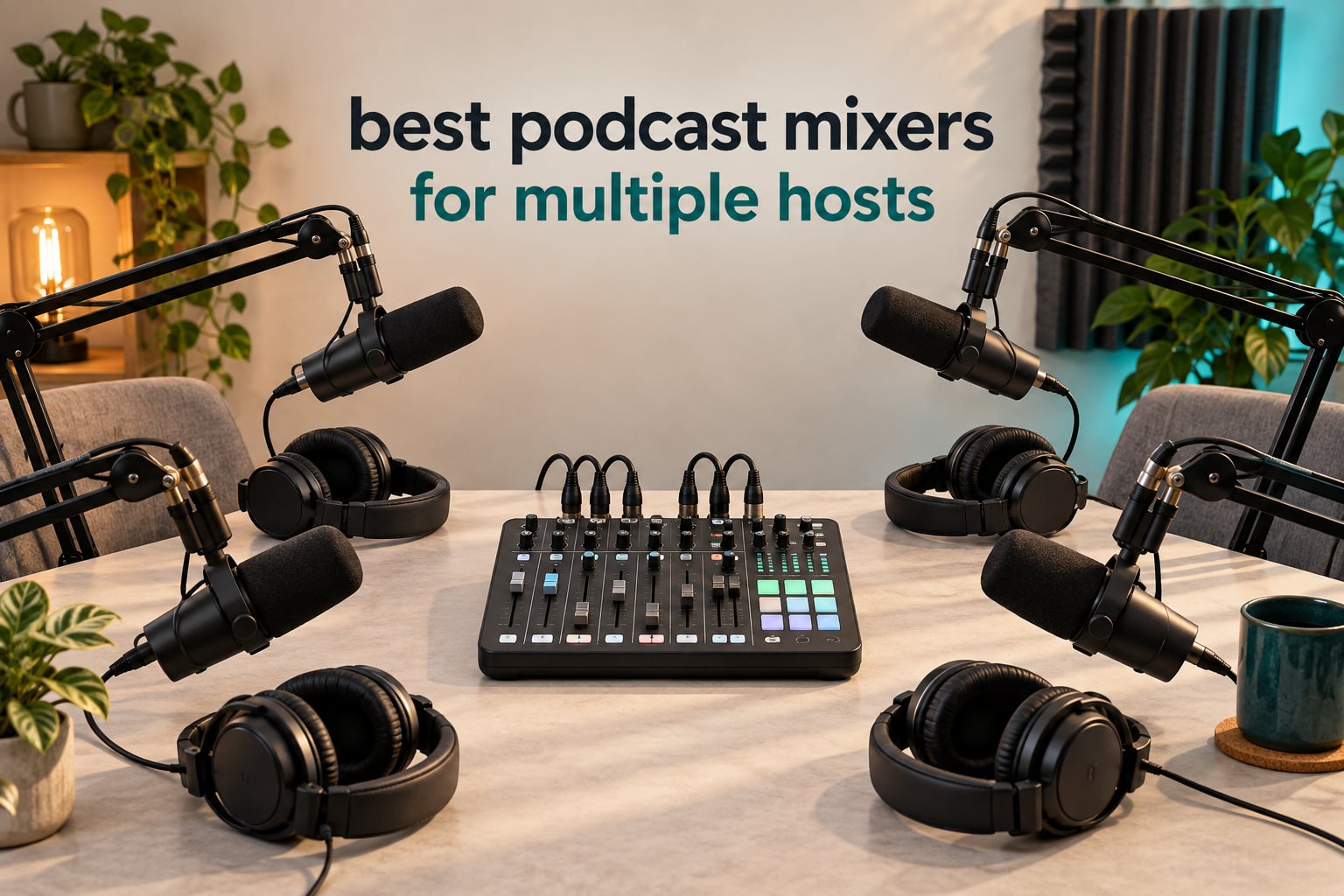
If two or more people are speaking into microphones in the same room, you need one box that accepts every mic, gives every person their own headphone feed, and records each voice on a separate track. That is the whole job. Choosing among the best podcast mixers for multiple hosts comes down to three numbers: how many XLR inputs, how many headphone outputs, and whether the box records on its own or needs a computer.
We put eight of these units through multi-host sessions, mostly three- and four-person tables, and in one case a five-person panel. The short version: four XLR inputs and four headphone outputs is the real target for almost every multi-host show in 2026, and the differences that actually matter show up in preamp gain, mix-minus routing, and whether the recording survives a computer crash.
What surprised us most is how often the wrong box gets recommended. A two-channel audio interface solves a solo recording problem, not a conversation. A field recorder solves portability but often gives you two headphone jacks. And a hardware mixer is genuinely unnecessary if every guest joins remotely, because remote recording software already captures a separate local track per speaker. We explain where each of those lines falls further down.
Table of Contents
Quick Picks: Best Podcast Mixers for Multiple Hosts (September 2026)


RODECaster Pro II
- 4 studio preamps
- APHEX voice processing
- 8 SMART pads
- Standalone SD recording

Zoom LiveTrak L-8
- 8 channels
- 12-track 24-bit/96kHz capture
- Per-channel EQ
- Records SD and USB
Here is the same set as a flat list, one line each:
Zoom PodTrak P4 – Best for four hosts on a budget: four XLR inputs, four headphone outputs, and standalone recording with no computer.
RODECaster Pro II – Best for a four-person panel that wants broadcast-ready voices: clean preamps, APHEX processing and eight SMART pads.
Zoom LiveTrak L-8 – Best value for a show that might grow: eight channels and 12-track capture at 24-bit/96kHz.
Tascam Mixcast 4 – Best for remote guests: Bluetooth input, an Aux input with mix-minus and 14-track SD recording.
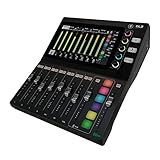
Mackie DLZ Creator – Best for panel discussions where people talk over each other: AutoMix manages levels for up to four mics.
Tascam Model 12 – Best for five or more sources: twelve real input channels, but only two headphone jacks.
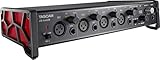
Tascam US-4x4HR – Best for a software-first studio start: four preamps and phantom power, with no mixer built in.
Zoom PodTrak P4next – Best for on-location recording: compact body, 48kHz/24-bit capture and AI noise reduction.
Two hosts? Almost anything here works. Four hosts in one room? You need four of everything, and that rules several options out immediately. Six or more people? You are past what a single podcast console is built for, and the answer is a full mixing desk instead.
All Eight Mixers Side by Side
| Product | Specifications | Action |
|---|---|---|
| Zoom PodTrak P4 |
|
Check Latest Price |
| Rode RODEcaster Pro II |
|
Check Latest Price |
| Zoom LiveTrak L-8 |
|
Check Latest Price |
 Tascam Mixcast 4 Tascam Mixcast 4 |
|
Check Latest Price |
 Mackie DLZ Creator Mackie DLZ Creator |
|
Check Latest Price |
 Tascam Model 12 Tascam Model 12 |
|
Check Latest Price |
 Tascam US-4x4HR Tascam US-4x4HR |
|
Check Latest Price |
 Zoom PodTrak P4next Zoom PodTrak P4next |
|
Check Latest Price |
Read that table by column, not by row. The headphone-output column splits the field in half: the Tascam Model 12 has two, the Zoom LiveTrak L-8 has four but only three independent mixes, the Tascam US-4x4HR has none at all, and the rest give every host their own feed with their own volume control. For a four-person table, that one column decides more purchases than any other.
The power column matters just as much. Five of these eight run on mains power and live on a desk. The two Zoom PodTrak recorders run on AA batteries, which makes them the easiest to carry to a rented room, a hotel table or an outside location without hunting for an outlet, and the LiveTrak L-8 also runs on battery power for rehearsal rooms and small live sessions.
1. Zoom PodTrak P4 – Four Hosts, Four Headphone Jacks, No Computer Needed
- Roughly 70dB of preamp gain per input so dynamic mics work without an external booster
- Every host gets a headphone output with its own volume control
- Automatic mix-minus for phone and remote call-in interviews
- Records each input to its own track plus a stereo mix
- Weighs 130 g and runs on 2 AA batteries
- AA battery life is short so a long session needs USB or power bank power
- Onboard processing is limited to a low-cut filter and a limiter
- Records 16-bit/44.1kHz only
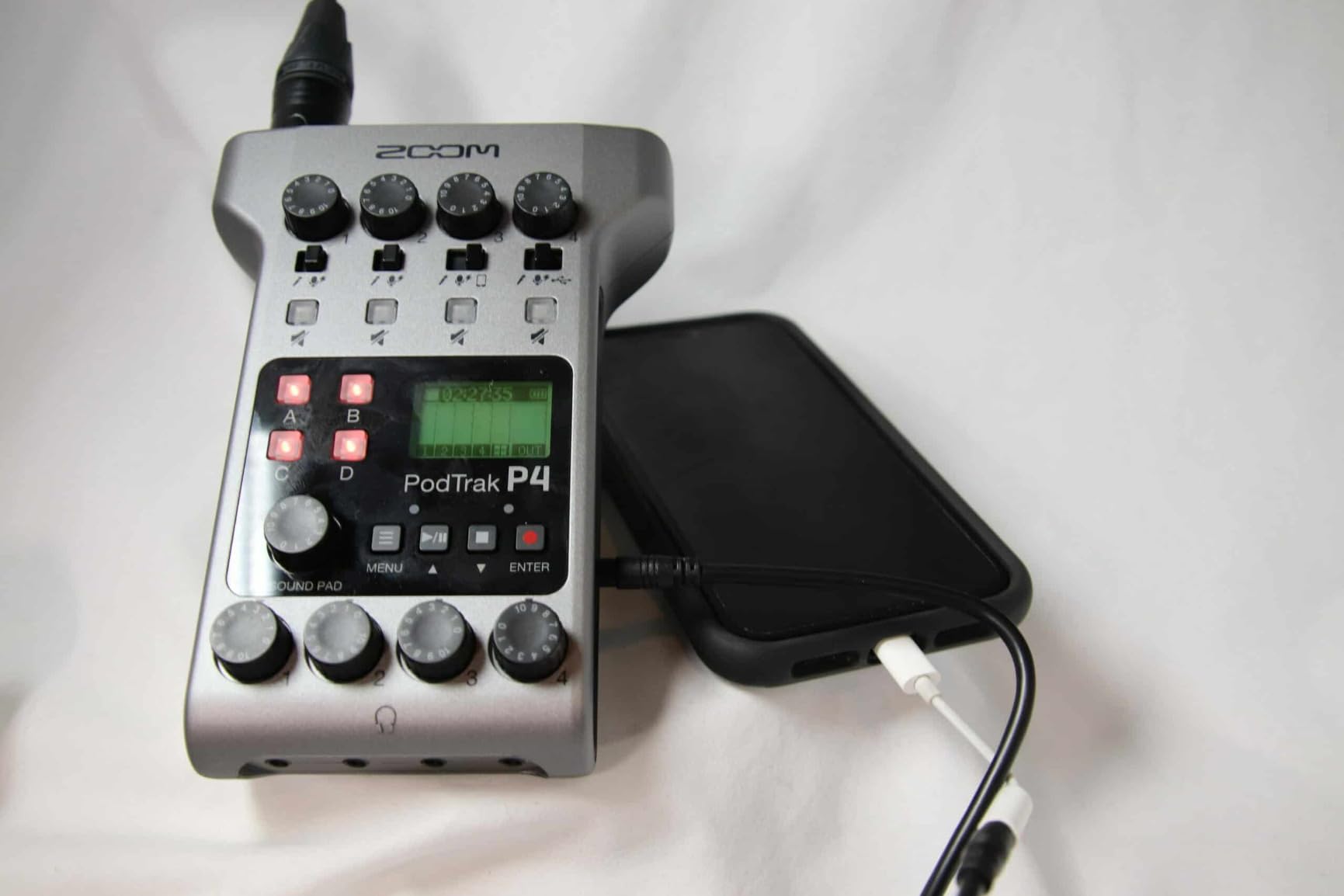
This is the unit we keep coming back to for four-person shows. It weighs 130 g, measures 6.1 by 4.41 by 1.85 inches, and it does the one thing most podcasters actually need: four XLR inputs paired with four headphone outputs, each with independent volume. Every host hears themselves properly and nobody shares a jack.
In a three-person session, two Shure SM58s and one much lower-output dynamic all sat comfortably on the same gain range without an external booster. The headroom is generous for a device this small, and that is the quiet reason it works so well with the mismatched microphones co-hosts tend to accumulate over the years.
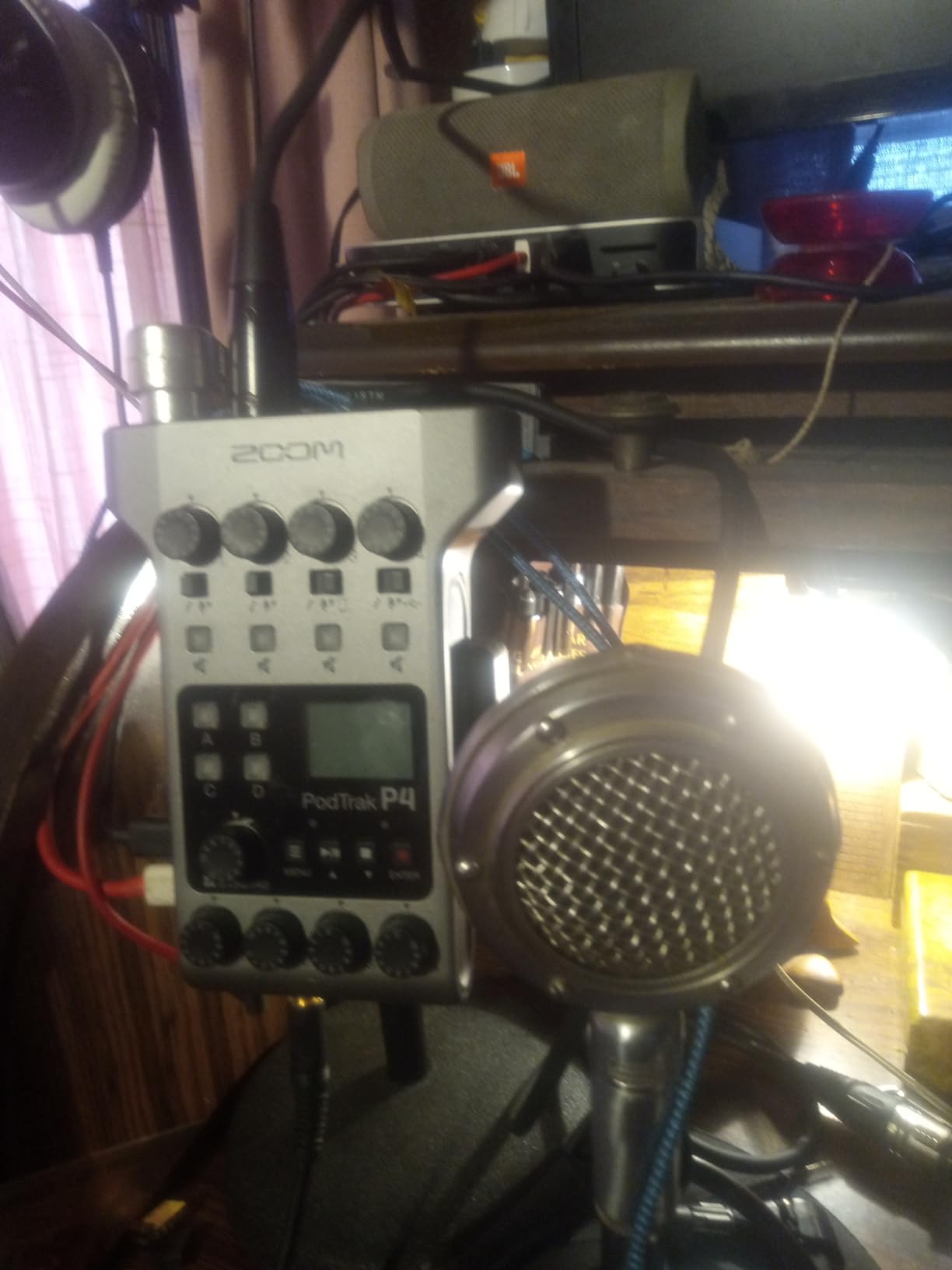
The four programmable sound pads are more than a party trick. Assign an intro sting, a jingle and an outro once, then trigger them live and the raw track already has them baked in. Multitrack recording for every input and every pad happens automatically, so the file you import is already split per host.
Mix-minus is handled for you. The unit provides automatic mix-minus for phone interviews and accepts a TRRS connection plus a USB audio interface mode for remote interviews, which is the feature that stops a guest hearing themselves echoed back down the line. It also works as a 2-in/2-out USB audio interface, so the same box works for a call and for a two-person recording session.
Who this podcast mixer suits
Two or three co-hosts recording in one room, on a budget, with no interest in routing audio through software. It is also the strongest choice for a show that records in different places each week, because the whole thing fits in a jacket pocket. The backlit monochrome LCD shows record time, channel levels, master level and battery, which is everything you need to monitor a live take.
It is equally good as a second recorder. Recording to SD card while a computer captures the USB feed gives you a redundant copy, which is cheap insurance on a show with a deadline.
Where it falls short
Battery life is the headline drawback. The specification is up to 3.5 hours on two AA batteries, and in practice most owners power it from USB or a power bank for anything longer. The screen backlight also dims quickly on battery power, which makes level-watching harder in a dark room.
Onboard processing is minimal: a low-cut filter and a limiter, with no EQ or compressor. That is not a problem if you edit in software, and it does mean a mediocre microphone will not be rescued by the hardware. Recording at 16-bit/44.1kHz also leaves quality on the table next to the newer recorders, and the USB mix-minus path does not pass audio to the computer, so the SD file has to be imported manually.
2. RODE RODEcaster Pro II – The Broadcast Console for a Four-Person Panel
- Preamps run high-demand microphones such as the SM7B without an external booster
- Onboard EQ with compression and a noise gate get a broadcast-ready voice
- Records multitrack to computer or microSD or USB and works fully standalone
- Handles mics and phones and computers together over USB and Bluetooth
- Large touchscreen makes the workflow logical once learned
- Steep learning curve with a full session of setup before it feels natural
- Reports of USB 1 port connection problems
- Bluetooth to a phone drops after a few hours and needs reconnecting
This is a box that most obviously replaces a mixer, an interface, a sound board and part of the software chain at once. It measures 12.01 by 10.63 by 2.36 inches and weighs 2 kg, so it is a permanent desk fixture rather than a portable recorder.
The four preamps are the reason people with audio-engineering backgrounds rate it so highly. They run demanding dynamic microphones such as the SM7B cleanly, which removes the cloudlifter-style extra box that low-output mics normally demand. On top of that sit APHEX broadcast voice processing presets, so the raw capture already sounds like a finished broadcast before you open an editor.
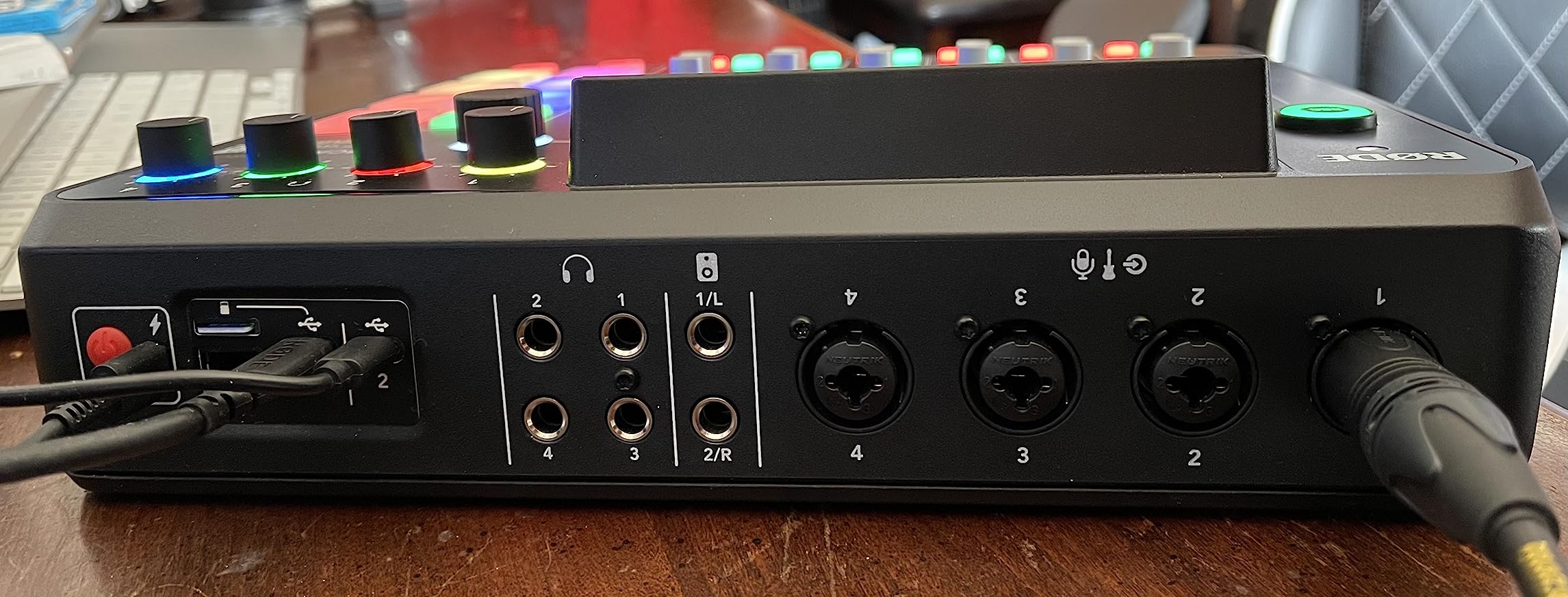
Eight customizable SMART pads cover music, sound effects and mix-minus phone calls. Multitrack recording goes to your computer, a microSD card or a USB drive, and the unit works standalone with no computer attached at all, which is what makes it a genuine all-in-one production studio. Connectivity covers Bluetooth, Wi-Fi and dual USB-C, so you can wire two computers at once and still bring in a phone as a source.
Nine channels and a frequency response listed at up to 20 kHz are the headline numbers here, with a noise level given as 76 dB. The four headphone outputs have independent volume for each host, which is what a four-person table needs.
Who this podcast mixer suits
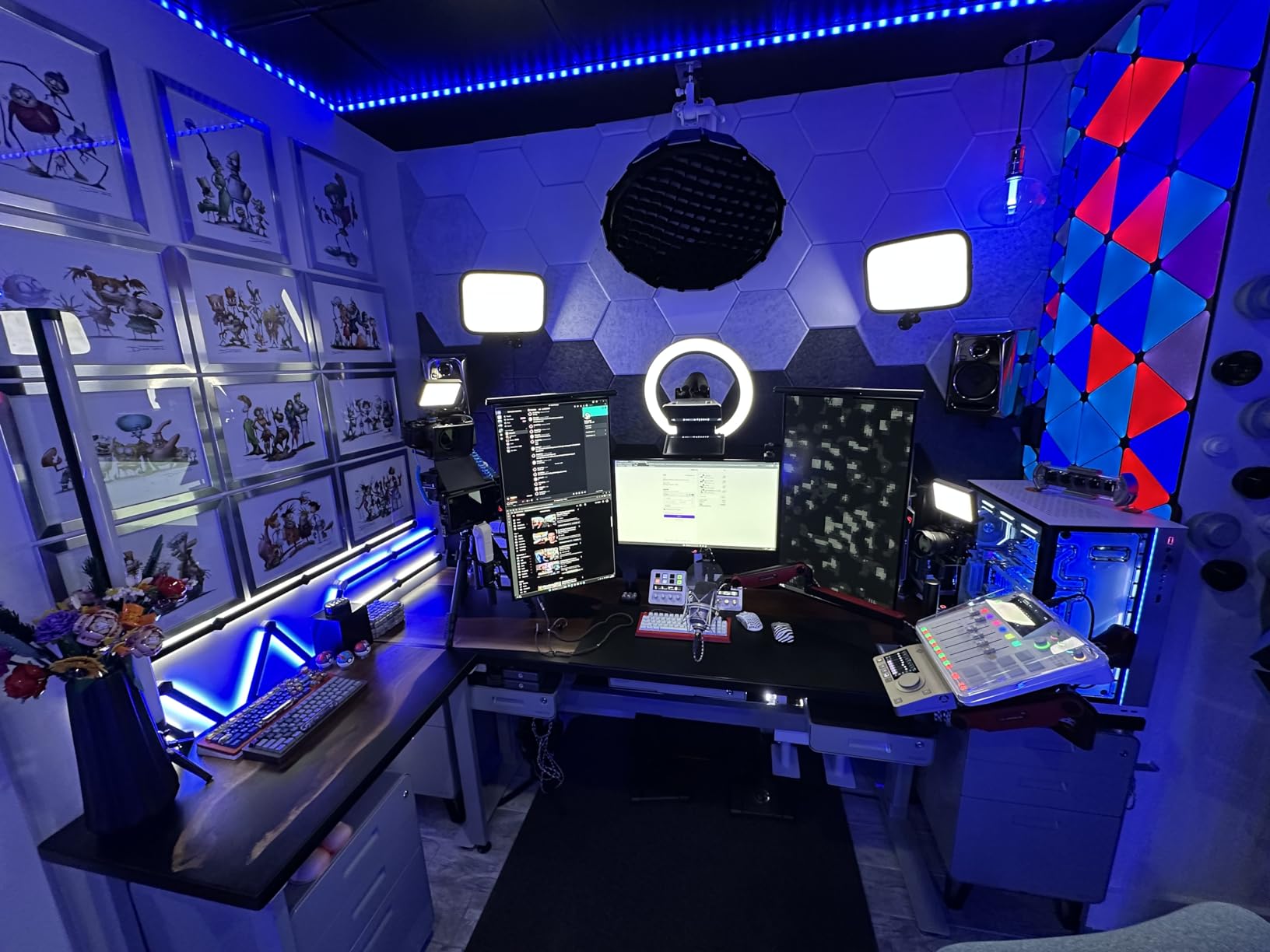
A production team recording a panel format where voices need to sound consistent with very little post-production. It is also a good fit for a network or agency running several shows from the same room, because the processing is repeatable rather than dependent on whoever is editing that week. RODE support replacing a failed unit outright is the kind of after-sales experience reviewers single out, and that matters for a device at this level.
Where it falls short
Budget realistically for the learning curve. A full session of setup is normal before it feels productive, and multitrack sessions can be hard to map onto the right channels in a DAW afterwards. There are also reported USB 1 port connection problems, including units that never powered on, and Bluetooth audio to a phone dropping after a few hours and needing a manual reconnect every session.
Bluetooth monitoring is basic and latency-prone, so it is fine for bringing audio in and wrong for monitoring through. The company is also publicly vague about internals and open APIs, which matters if you ever want to automate the box. Video pros we read for context reached the same verdict from a different angle: this is not the purchase for occasional casual interview calls, it earns its place when four or more hosts sit at the same table.
3. Zoom LiveTrak L-8 – Eight Channels When the Panel Might Grow
Zoom LiveTrak L-8 Battery Powered Mixer/Recorder for Musicians & Podcasters
- Eight channels give far more headroom than most four-host podcast mixers
- 12 tracks captured simultaneously at 24-bit/96kHz
- Three-band EQ and effects on every channel cut outboard processing
- Dual recording to SD card and computer for redundant capture
- Battery powered and light at 1500 g
- Maximum gain of +54dB is lower than podcast-focused recorders offer
- Four headphone outputs share three independent monitor mixes
- The channel count adds complexity for a simple two-host show
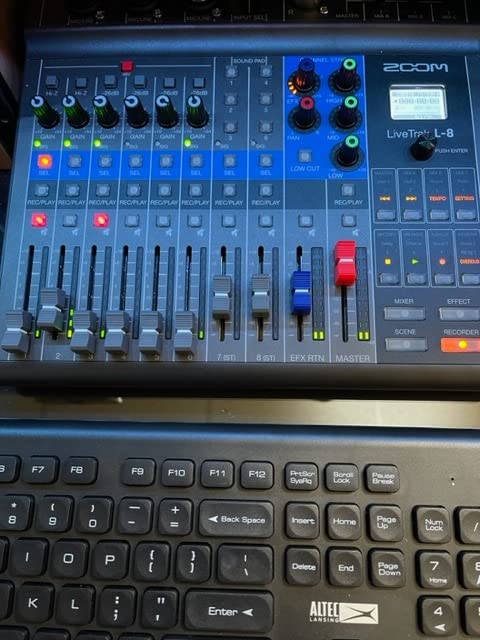
The L-8 is the growth option. Eight channels in total, built from six combo inputs plus two stereo inputs, and it captures 12 tracks simultaneously at 24-bit/96kHz straight to an SD card. For a show that is reliably four people now and occasionally six later, that headroom is the reason to buy it.
Six preamps with a noise floor listed at -121dBu and up to +54dB of gain handle a wide spread of microphones cleanly. Three-band EQ and onboard effects sit on every channel, so a host with a brighter mic can be tamed without leaving the desk.
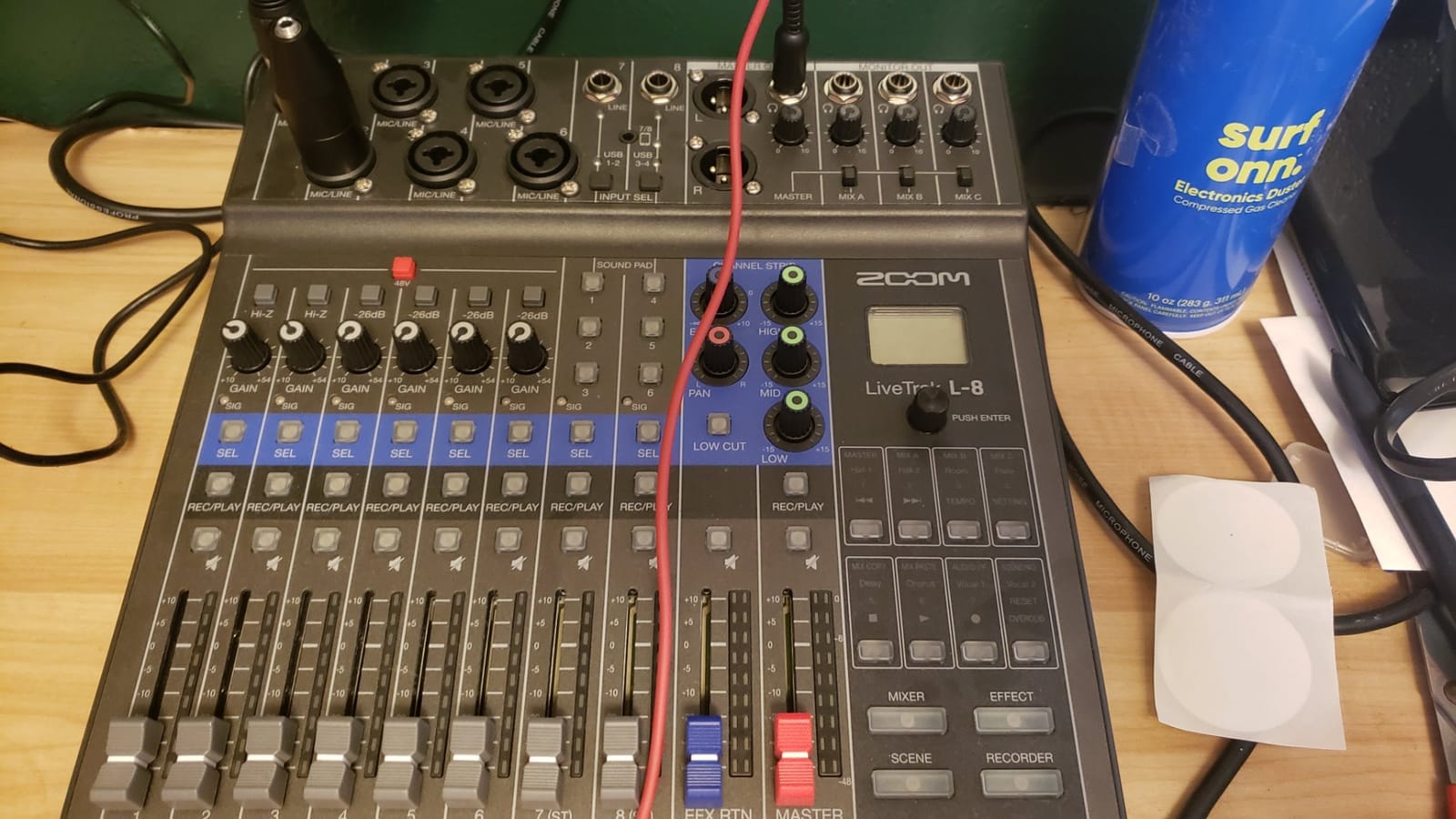
It records to the SD card and to a computer over USB at the same time. For anyone who has lost a session to a software crash, recording the same material twice to two different places is the cheapest insurance in this whole roundup. Sound pads, a phone input and a USB audio interface are all included, and the unit runs on battery power.
At 1500 g and 11.1 by 10.55 by 2.91 inches it is a portable desk box rather than a pocket device, and the same hardware serves rehearsal rooms and small live sessions.
Who this podcast mixer suits
Shows that mix podcasting with music or that keep a spare instrument channel warm. It is also our pick when the number of speakers is genuinely uncertain, because eight channels means you can bring in a music bed, a phone guest and four microphones without an external switcher.
Owners with more than three people in the room consistently point to the 12-track capture and the per-channel processing as the deciding features rather than the channel count on its own.
Where it falls short
The gain ceiling is the number to check before you buy. A maximum of +54dB is lower than the +70dB per input the two Zoom PodTrak recorders offer, and that gap shows with very low-output dynamic microphones. If your co-hosts all use SM7B-class mics, look elsewhere or budget for inline boosters.
The monitoring detail that catches people out is the mix count: four headphone outputs, but only three independent monitor mixes. One pair of headphones has to run a mix shared with someone else, which is fine for a music session and awkward in a conversation where one host needs more of their own voice. For a simple two-host show the eight-channel feature set is also more than you will ever touch.
4. Tascam Mixcast 4 – Touchscreen Workflow and the Biggest Pad Bank
TASCAM Mixcast 4 Podcast Streaming Mixer, Recorder, and USB Audio Interface — Four XLR/TRS Mic Inputs, Touch Screen and Editing Software Included
- Four XLR/TRS inputs paired with four individual headphone outputs
- 14-track direct-to-SD recording keeps every host isolated
- Eight banks of illuminated customizable sound pads
- Bluetooth input plus an Aux input with mix-minus for phone guests
- Bundled Podcast Editor handles track arming and pad assignment
- Corded electric power only so it never leaves the desk
- Bulky 14.76 inch wide footprint for a four-host recorder
- Onboard processing is lighter than a dedicated broadcast console
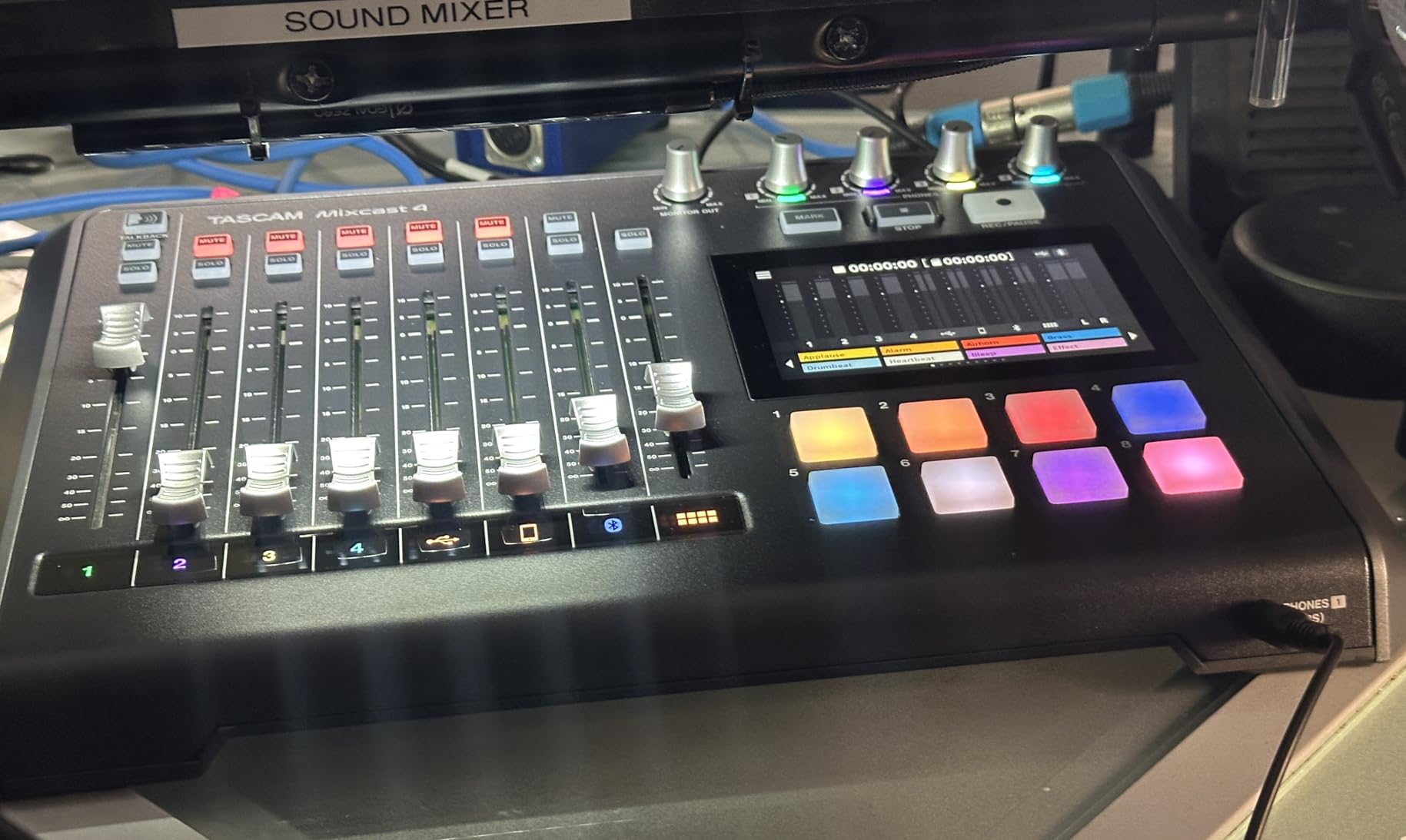
The Mixcast 4 does three jobs in one box that other setups split across two: mixer, standalone recorder and USB audio interface, with a touchscreen on top. Four XLR/TRS mic inputs and four individual headphone outputs make it immediately ready for a four-person table with no configuration.
The Bluetooth audio input plus an Aux input with mix-minus is the standout for remote guests. The mix-minus bus means a caller on a phone or laptop hears the show without hearing themselves, which is the single most common cause of echo complaints on call-in shows.
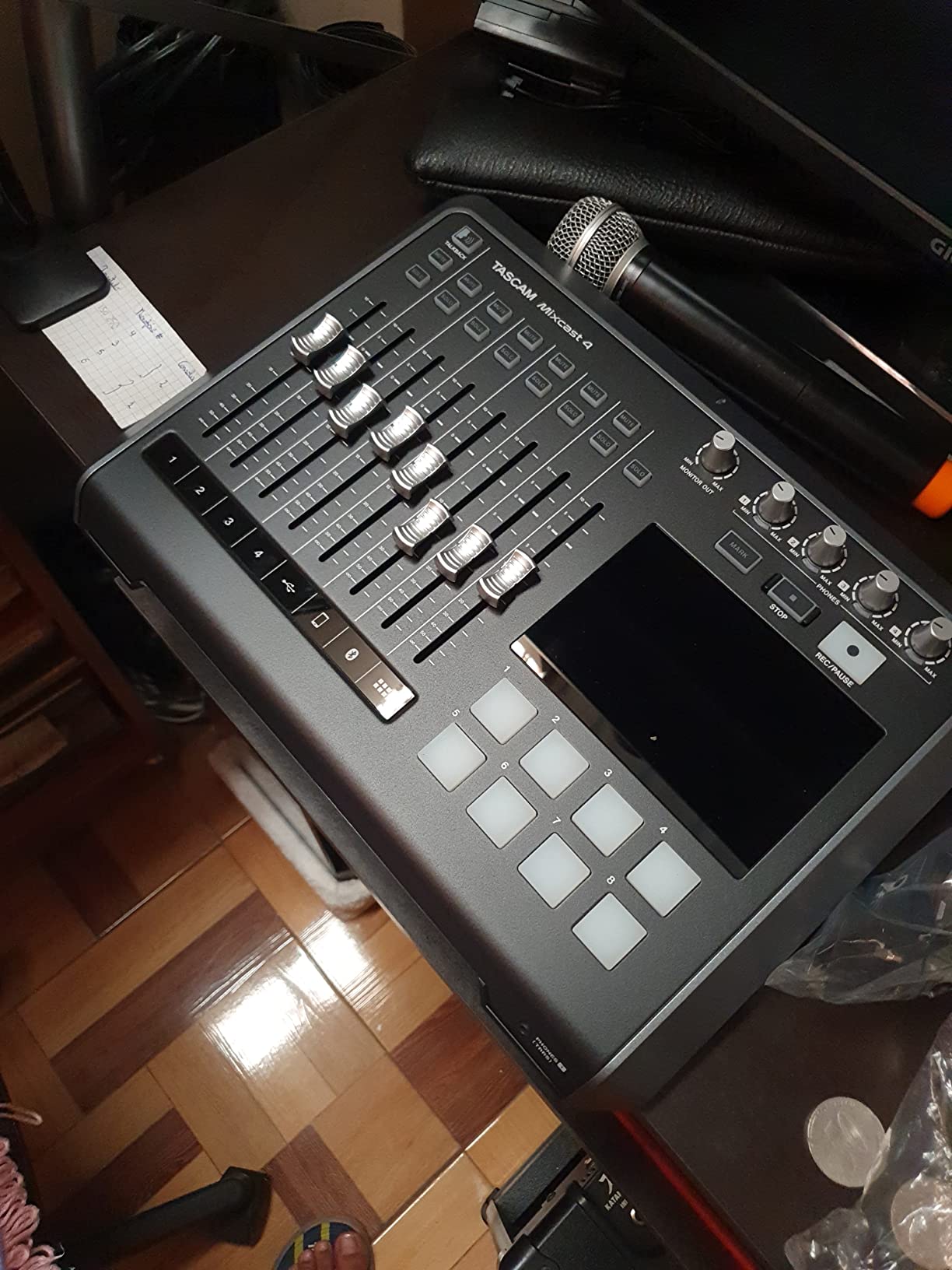
Eight banks of illuminated, fully customizable sound pads give you more triggering capacity than the four pads on either Zoom PodTrak, and they are visible in a dim room. Recording 14 tracks direct to the SD card keeps every host on an isolated file for post-production, and the bundled Tascam Podcast Editor covers track arming and sound pad assignment so you are not hunting through menus.
The touchscreen keeps every audio-related operation on one device with no menu diving, and USB connectivity both adds computer sounds and acts as a USB audio interface when you want software in the loop.
Who this podcast mixer suits
A four-host show that regularly brings on a remote guest by Bluetooth or phone, and that wants pads for a live intro and stingers. The 14-track SD recording is the quiet strength here, because a show that will not use a live production software still gets cleanly separated tracks to edit.
It is also a good fit for hosts who dislike the mouse-and-window workflow of software mixing. Everything is on the unit, which reduces the number of things that can go wrong mid-session.
Where it falls short
It is corded electric, mains powered, and therefore a desk fixture rather than a field recorder. At 2550 g and 14.76 inches wide it is the widest of the four-headphone-output options here, and that footprint matters in a small home studio.
Onboard processing is lighter than the broadcast chain in the RODE unit, so expect to do EQ and compression work in post. Configuring the sound pads and effects in Podcast Editor also has a real learning curve the first time you set it up.
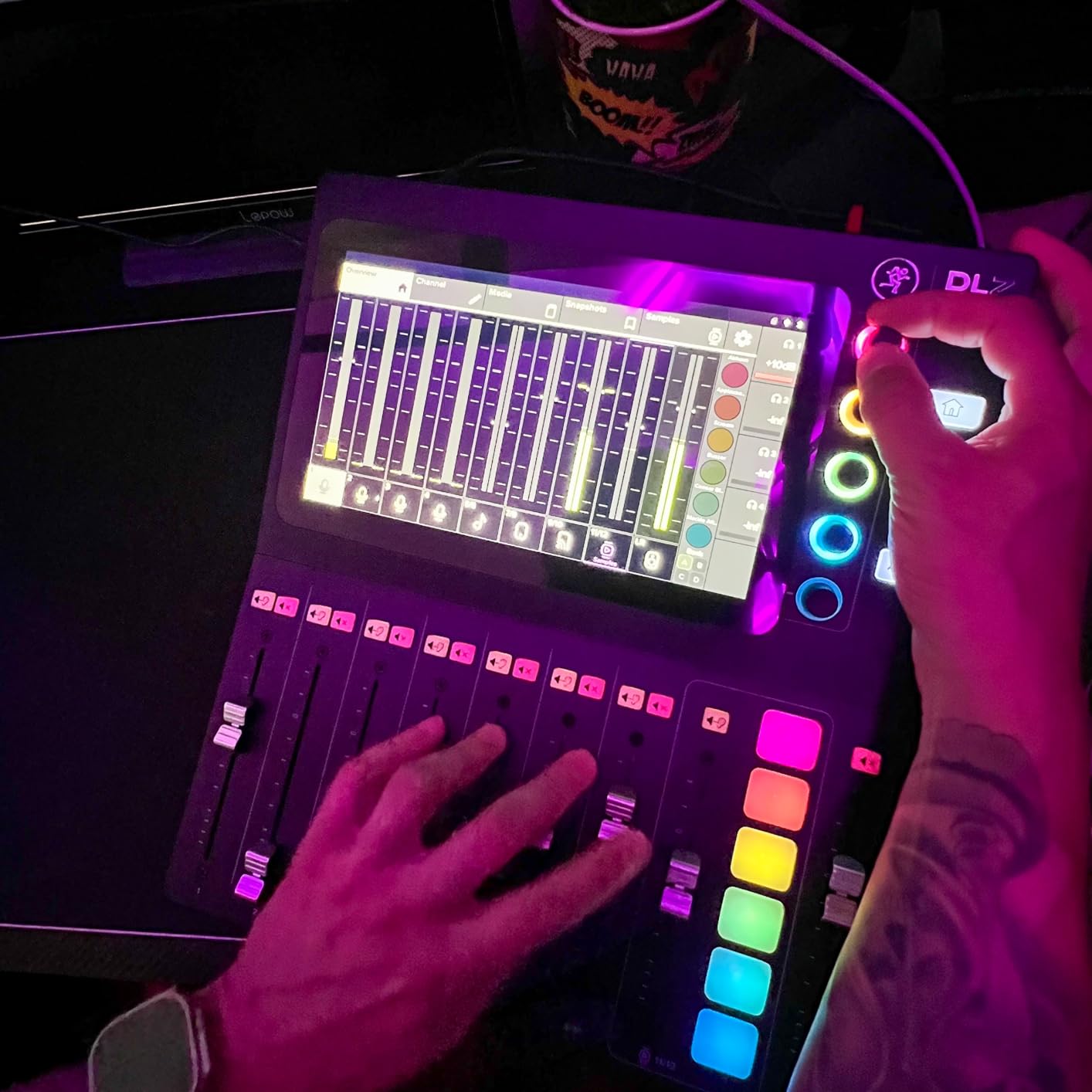
5. Mackie DLZ Creator – AutoMix for Overlapping Panel Speech
- AutoMix manages levels for up to four mics when people talk over each other
- Three control modes let a beginner start simple and advance on the same box
- A 10.1-inch touchscreen is unusually legible mid-show
- Up to four customized headphone mixes for hosts and guests
- Records multitrack to computer over USB-C or straight to SD
- Lowest average rating in the set with a comparatively high one-star share
- Heaviest and largest box here at 9.1 pounds and 15 by 13 inches
- Mains powered only so it stays on the desk
The DLZ Creator attacks a problem the other boxes leave to you: overlapping speech. AutoMix automatically manages levels for up to four mics, raising the channel of whoever is talking and holding the others down. For a roundtable where three people talk over each other constantly, that is a genuine time saver rather than a gimmick.
A 10.1-inch touchscreen is unusually legible at a glance while recording, which matters more than it sounds when you are also watching four people instead of a screen. Three control modes, Easy, Enhanced and Pro, change what the touchscreen shows as your skill grows, so the box does not need replacing when you get better.
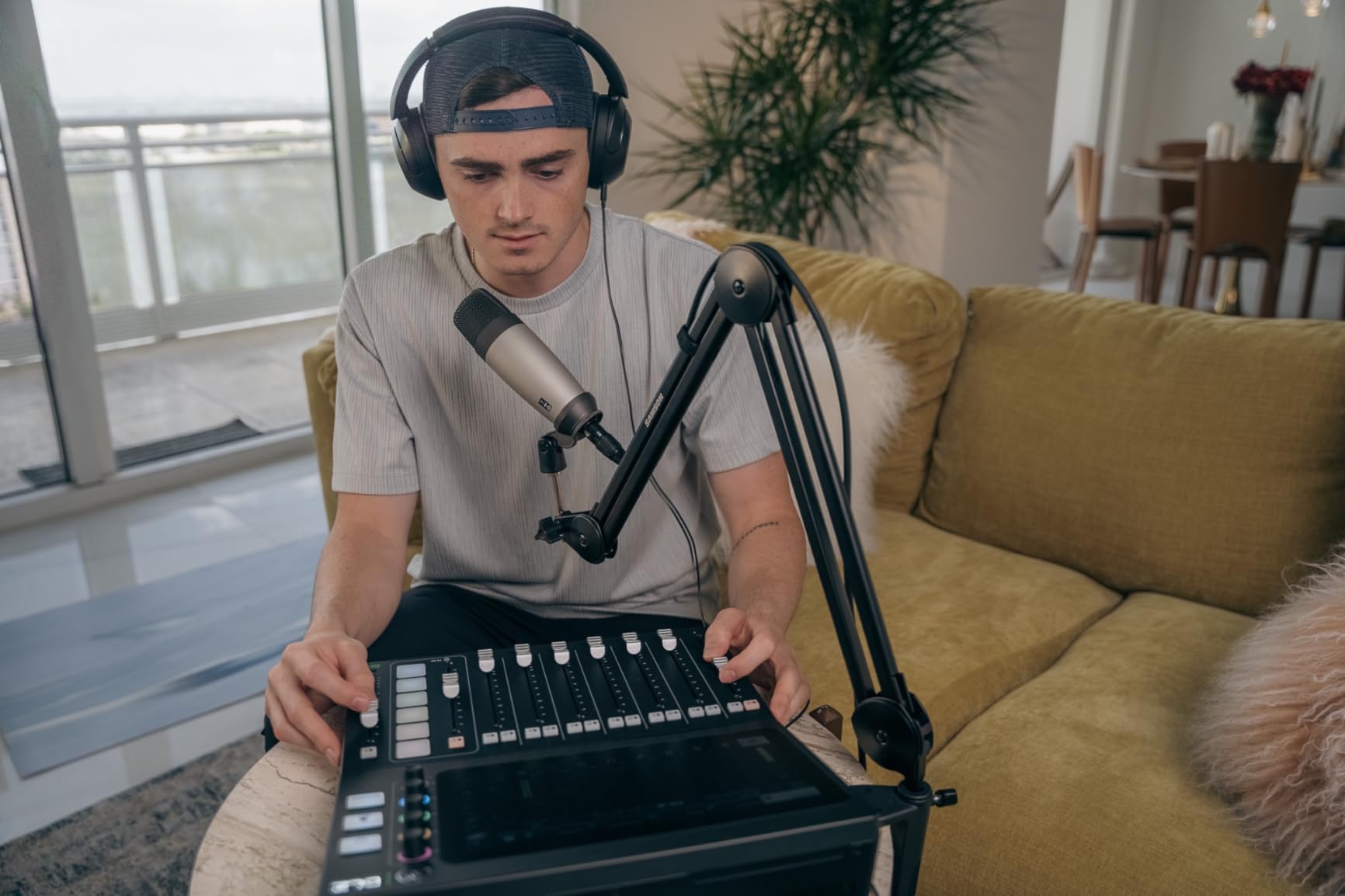
Up to four customized headphone mixes mean each host and guest can have their own blend rather than sharing one. Multitrack recording goes to a computer over USB-C or directly to an SD card, so the same unit works as a podcast mixer, a streaming device and an audio interface across 12 channels.
AutoMix is not the only answer to panel levels, and it is worth knowing that a hardware mixer solves ordering, not room sound. A treated room still matters more than any console.
Who this podcast mixer suits
Panel discussion formats and roundtable interviews with four speakers in the room, particularly if the participants are not all experienced at talking into a microphone. The three control modes also make it a reasonable first hardware mixer for a host who is not sure how deep they want to go.
If you want the automatic level matching without the desk footprint, the same problem is being discussed at length in the r/podcasting community, where AutoMix for panels of guests with one anchor is a recurring topic. That thread is a useful sanity check before committing.
Where it falls short
The rating is the lowest in this set, and the one-star share is comparatively high, which usually points at the premium not translating into a proportional step up in audio quality. It is also the heaviest and largest box here, at 9.1 pounds across a 15 by 13 inch footprint, and mains powered, so it stays on the desk permanently.
The honest caveat is the review base. With 82 ratings, the long-term reliability record is simply unproven, and that matters for a device you would use for years rather than one you are testing. We would want to see a larger body of owners before recommending it over a console with thousands of ratings behind it.
6. Tascam Model 12 – Twelve Channels but Only Two Headphone Jacks
Tascam Model 12 All-in-One 12-track Digital Multitrack Mixing and Recording Studio, Mixer, USB Audio Interface and DAW Controller
- Twelve real input channels leave room for mics plus music and playback and remote sources
- 1-knob compressor and 3-band EQ on every input module
- 12 in / 10 out USB interface makes it a DAW controller and a standalone recorder
- Metal body that feels like a permanent studio fixture
- Only two headphone outputs so more than two hosts need extra monitoring hardware
- Largest and heaviest box here at 13.3 pounds and 18 by 16 inches
- Mains powered desktop design with no touchscreen and no sound pads
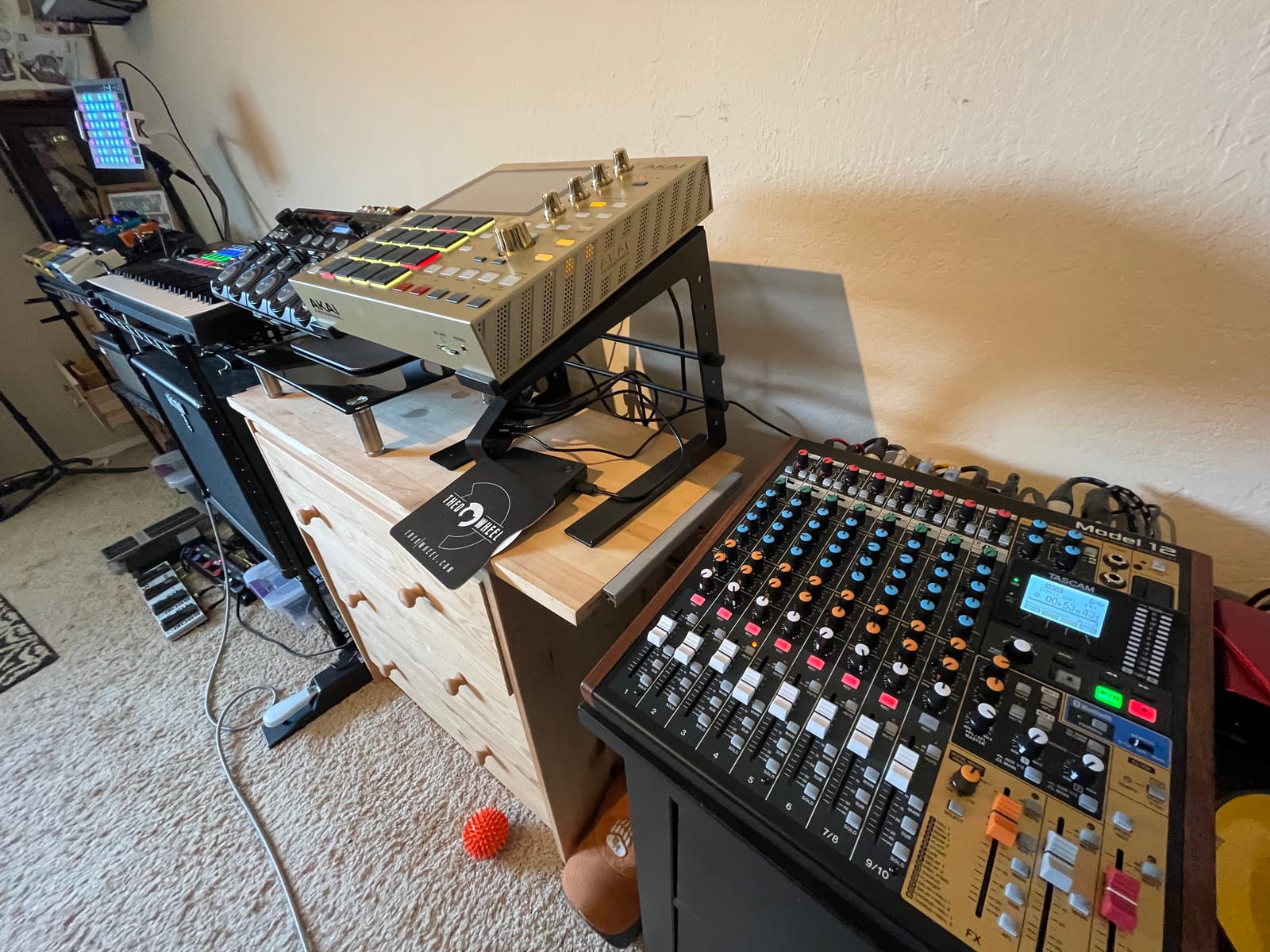
The Model 12 is a small studio centre rather than a podcast-specific box, and for five or more sources that is exactly the point. Twelve input channels, twelve-track onboard multitrack digital recording, and a 12 in / 10 out USB audio interface for DAW connectivity, all in one unit.
Every input module carries a 1-knob compressor and a 3-band EQ, so per-channel processing needs no outboard gear. For a show with mixed-source material, microphones, playback beds, a phone guest, that processing is what keeps the session manageable.
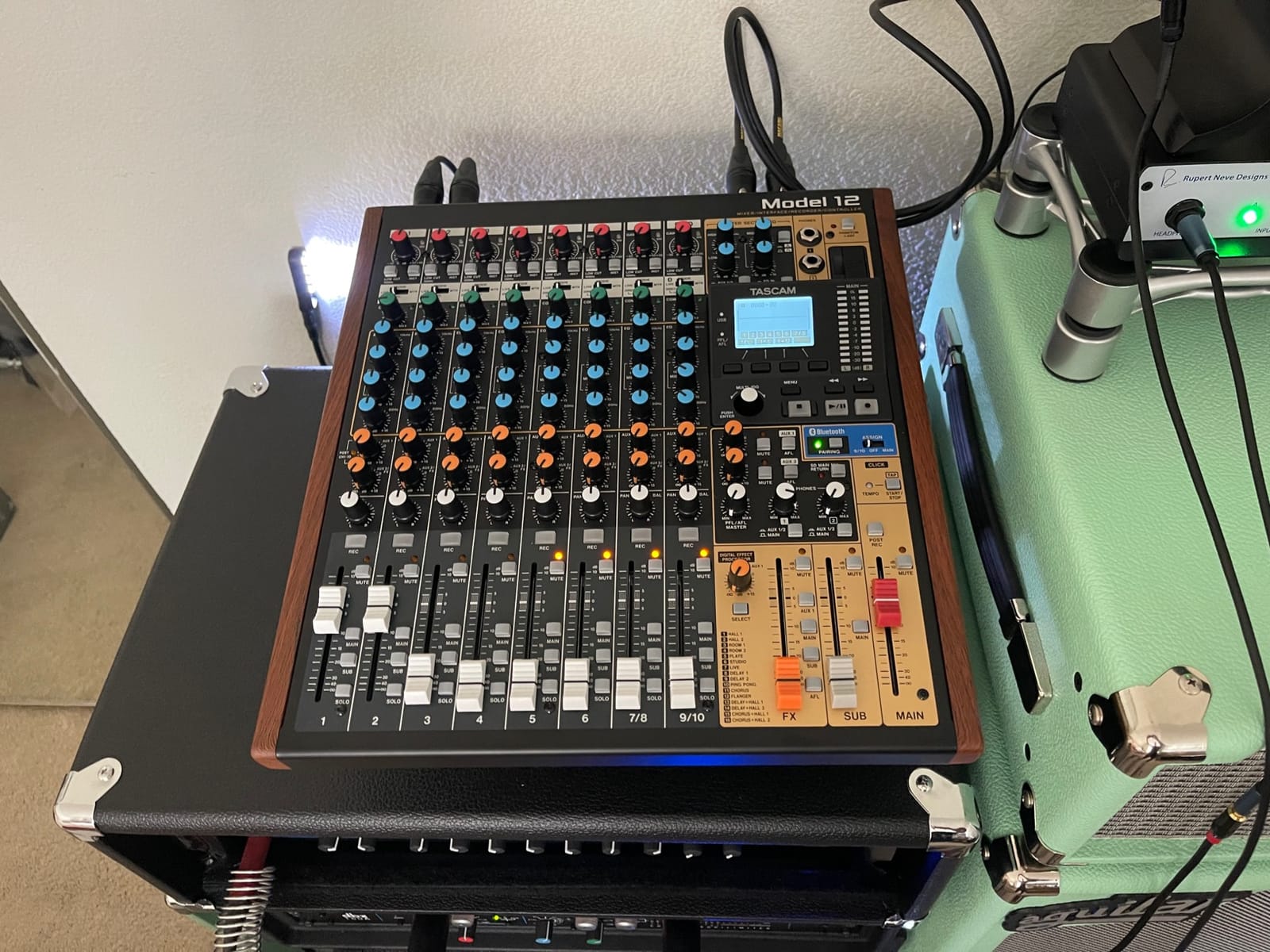
A click output with tap tempo and onboard MIDI make it useful for scoring and tracking sessions too, and the metal body at 13.3 pounds is built to stay put. Dual headphone outputs have individual volume and source selection.
Those two headphone outputs are the number to hold onto. Out of the box this mixer monitors two people, not five.
Who this podcast mixer suits
A five- or six-person roundtable, or any show that needs far more input channels than speakers. Twelve channels means microphones, a music bed, a remote feed and playback all arrive as separate inputs instead of being crammed into a stereo aux.
It is also the natural choice for a host who produces music and speech on the same desk, since the same box covers both. For DAW-based editing it behaves as a proper control surface, not a one-trick recorder.
Where it falls short
For a three- or four-host podcast, the dual headphone outputs are a genuine deal-breaker without adding a headphone amplifier or a small splitter, and that extra cost erodes the value argument. It is also the largest and heaviest box here, at 13.3 pounds across 18 by 16 inches, and it is mains powered with no touchscreen and no pads for triggering sound live.
Its DAW-control focus also means less turnkey podcast software than a dedicated podcast console, so expect more setup work before the first episode.
7. Tascam US-4x4HR – Four Preamps and No Mixer at All
Tascam US-4x4HR 4 Mic 4IN/4OUT High Resolution Versatile USB Audio Interface for Recording, Streaming, Podcasting, Songwriting
- Four XLR/TRS combo inputs with Ultra-HDDA preamps cover a four-host table
- 48V phantom power on every mic input
- Up to 24-bit/192kHz maximum sample rate
- Buffer size selectable from 4 samples for low latency
- Light at 454 g and works with Windows and Mac and iOS and iPadOS
- No onboard mixer or headphone splits or pads or recording
- No per-host headphone monitoring so extra headphone amps are needed
- Not a standalone recorder so a computer crash ends the session
This one is deliberately different. It is an audio interface, not a mixer: four XLR/TRS combo inputs with Ultra-HDDA mic preamps and 48V phantom power on every mic input, at 24-bit/192kHz maximum sample rate. Four real preamps is the number a four-host table needs, and condenser microphones work without an extra phantom supply box.
The driver is the story here. Buffer size is selectable from 4 samples, which gives low latency monitoring and stability on a Windows setup, and the interface supports Windows, Mac, iOS and iPadOS, which widens the remote guest options considerably.
At 454 g and 5 by 13 by 3 inches it is small enough to live next to a laptop and light enough to move to a different table. The TRS line inputs on channels one and two also accept guitar, so a musician doubling as a podcaster can use the same box for both.
What it does not have is the entire point of a podcast mixer. There is no onboard mixer, no headphone splits, no sound pads and no standalone recording. Everything happens in software on the computer, and everything you have on the previous mixer you are used to has to be rebuilt there.
Who this podcast mixer suits
A host who already records in a digital audio workstation and just needs four good preamps, phantom power and a low-latency driver. It is a sensible first step for a two-person show that will grow to four, because nothing about it has to be replaced when the third host arrives.
If your monitoring is already handled, this is the strongest audio quality per dollar in the roundup. The Ultra-HDDA preamps and 192kHz support are the spec that actually improves the recording.
Where it falls short
There is no per-host headphone monitoring at all, so separate headphone amplification is needed to keep more than one guest comfortable. There is no standalone recording either, so a computer crash ends the session with no backup. The 12% one-star share is the second highest in this set, with driver and connection stability the usual complaints, so check the driver against your operating system before committing.
Buying this and expecting a podcast mixer is the most common mistake in this category. It is an interface, and the software becomes your mixer.
8. Zoom PodTrak P4next – Compact Recorder with AI Noise Reduction
Zoom PodTrak P4next Podcast Recorder with 4 Inputs + AI Noise Reduction
- AI noise reduction samples the room before you speak and cleans background noise
- 48kHz/24-bit recording is a clear upgrade over the original P4
- Four mic inputs with up to +70dB gain for demanding microphones
- Tone Enhancement and one-touch COMP make a mid-priced mic sound broadcast-ready
- Records each track individually which makes multi-guest editing simple
- No simultaneous recording to a USB drive and microSD so a card failure loses the session
- Small monochrome screen is hard to read at a glance
- Built-in compressor and limiter are harsh out of the box
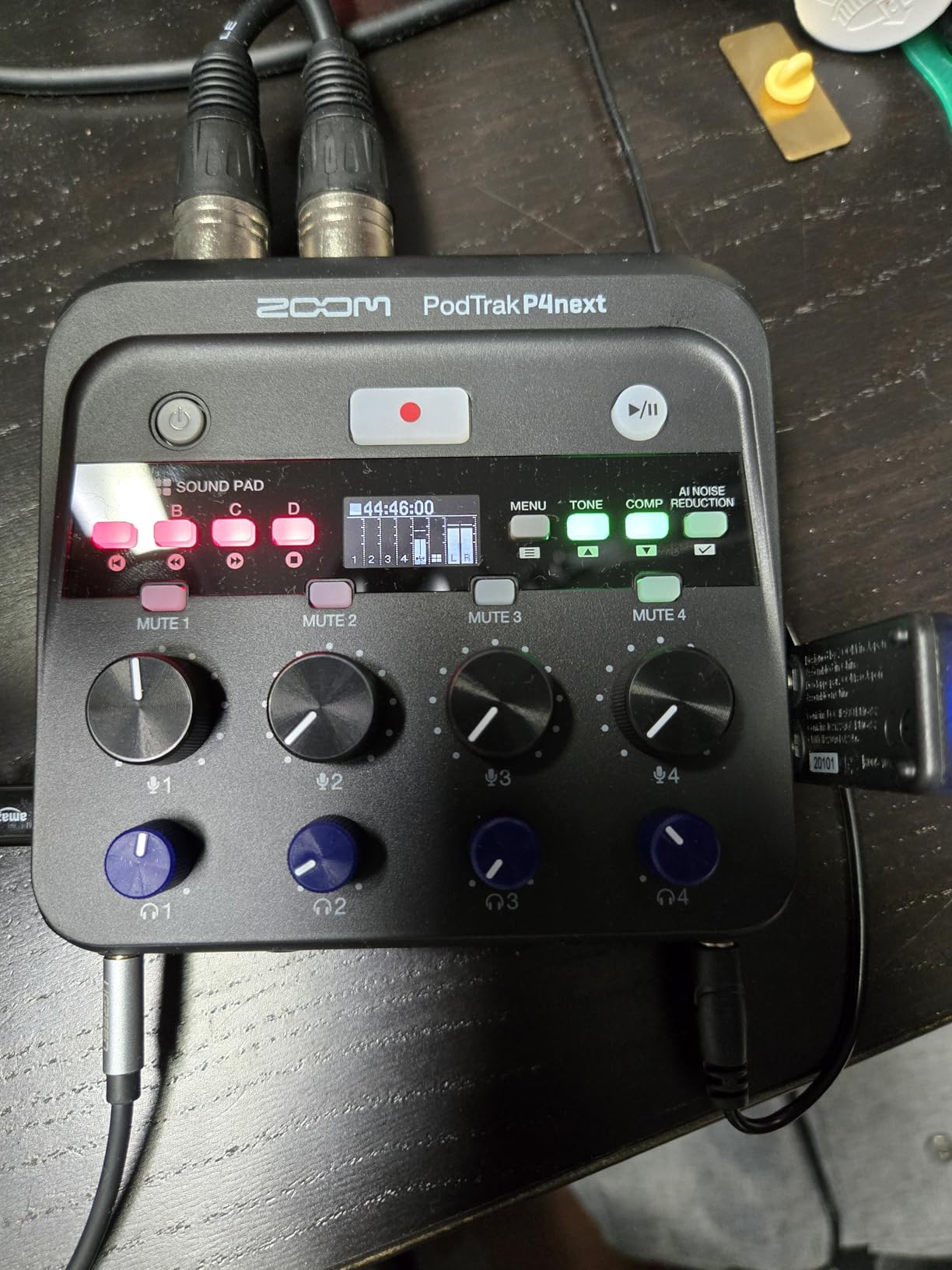
The P4next is the current-generation take on the same four-host idea, and the headline addition is AI noise reduction. It samples the room before you speak and then cleans background noise while keeping the voice natural, which in a treated-ish home room is the difference between usable and not.
Recording moved to 48kHz/24-bit from the 16-bit/44.1kHz of the original P4, which is a real quality gain for spoken word. Four XLR inputs offer up to +70dB of gain per mic input, four headphone outputs have separate volume controls, and each track records individually so multi-guest editing stays simple.
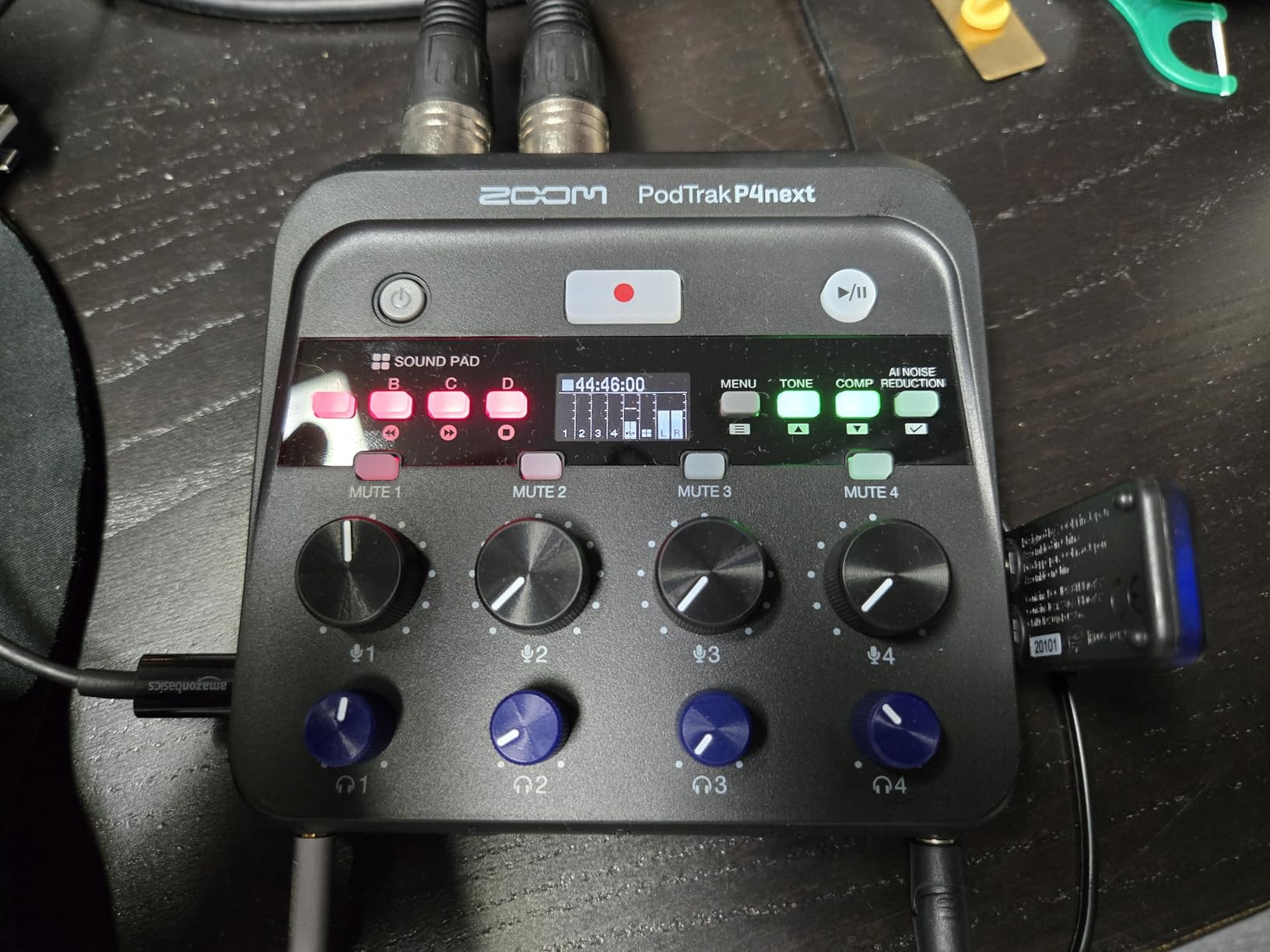
Sound pads cover the intro, jingle and outro work, and the phone input handles call-in guests plus the option to capture audio straight into video with no syncing. WAV format to microSD gives up to 510 minutes of recording time, and it runs on AA batteries with AC or power bank alternatives.
Tone Enhancement and a one-touch COMP setting are aimed squarely at a mid-priced microphone that would otherwise need help. Buyers producing spoken word consider these genuinely effective rather than cosmetic.
Who this podcast mixer suits
A compact four-host recorder you can ship to a different city. At roughly a quarter the size of a typical desktop mixer, buyers are replacing larger units for travel, and the four headphone outputs mean everyone still monitors properly once you arrive.
It is also a strong second recorder to sit alongside a larger console, giving you a small independent capture of the same session.
Where it falls short
The absence of redundant dual-destination recording is the main documented drawback: it records only to microSD despite having a second USB-C port, so a card failure ends the session. The small monochrome screen also forces you to lean in to check levels, and the built-in compressor and limiter are harsh out of the box and need adjustment.
A small number of reviewers report muffled, lispy results with a Shure SM58, so if your co-hosts all use SM58s, test before committing. Editing is computer-based only, and this is not a music recorder, where the limited input options show.
How Many Mixer Inputs Do You Actually Need?
Count speakers in the room, not total people involved in the show. A remote guest joining a call does not consume an XLR input in any of these units, because the call comes in over Bluetooth, an Aux input, a TRRS jack or a USB return. Two hosts need two XLR inputs and two headphone outputs. Four hosts need four of each, and that is where most wrong purchases happen.
Five or more in the room is a different problem. A podcast console with four combo inputs cannot be stretched to six, and the honest options are a larger desk such as the Model 12 or linking two smaller recorders so each handles its own people and you combine the tracks in software. Cascading works because the tracks stay isolated, but it doubles your monitoring and gain-staging work.
Phantom power, usually 48V, is the feature to check if any host owns a condenser microphone, because a condenser with no phantom supply is a silent microphone. The Zoom PodTrak P4 supplies phantom power on its four inputs and the Tascam US-4x4HR provides 48V on every mic input. For the larger consoles, check the channel spec sheet for the specific model you are buying rather than assuming.
Gain staging is where mismatched co-host microphones cause real problems. Three friends often arrive with three different dynamic microphones, and low-output models such as the SM7B need far more preamp gain than a broadcast dynamic. Both Zoom recorders run to roughly +70dB of gain per input, and the RODE’s four preamps are noted for running demanding mics such as the SM7B without an external booster. The LiveTrak L-8 tops out at +54dB, which is lower, and an inline booster may be needed there. Across audio engineering communities the practical rule is simple: check the gain figure against your quietest microphone, not your loudest.
One headphone output per host is not a luxury. If two people share a feed, each hears the other person at full level in their ears, and the natural reaction is to talk louder, which is exactly the dynamic you do not want in a conversation. A feed per person also lets a host set their own level, which is how a quieter co-host gets heard without being pushed by the loud one. Using Bluetooth headphones for monitoring is a mistake regardless of mixer, because the latency makes it impossible to speak in time with the conversation. Wired headphones only, on every one of these devices.
Mix-Minus in Plain English for Remote Guests
Mix-minus, also called a minus-one bus, is a second audio feed that contains everything except the person it is sent to. A guest on a call hears the hosts and the music but not their own voice. Without it, a guest on speakers or a laptop hears themselves a fraction of a second late, which they read as a fault and try to fix by talking more quietly or more loudly. The result is the echo and doubling that make remote interviews sound unusable.
Setting one up is three steps. Route the remote guest’s return audio into an input that is not feeding the main program output, such as a Bluetooth channel, an Aux input or a phone or TRRS input. Build a separate mix from that input plus everything else, and send only that mix back to the guest. Confirm by having the guest speak: their own voice should vanish from their own ears while the hosts stay.
Of the units here, the Zoom PodTrak P4 does this automatically for phone interviews and remote interviews through its TRRS jack and USB interface mode, the Tascam Mixcast 4 provides mix-minus on its Aux input alongside Bluetooth, and the RODE assigns SMART pads to mix-minus phone calls. The Model 12, the L-8, the DLZ Creator and the Tascam US-4x4HR have no dedicated mix-minus bus, so a remote guest on any of those needs a software or hardware route built around them.
Mixer vs Audio Interface vs Recorder
These three get conflated constantly, and the confusion is the source of most mismatched purchases. An audio interface converts microphones to a signal your computer can record, and stops there. The Tascam US-4x4HR in this roundup is the clearest example: excellent preamps, no mixer, no pads, no monitoring splits and no standalone recording.
A recorder captures audio to its own storage with no computer involved, and usually adds a small mixer so levels can be set on the device. The two Zoom PodTrak recorders and the Tascam Mixcast 4 sit here, and this is why they keep working when software fails.
A podcast mixer combines both: multiple mic preamps, a headphone output per person, onboard processing such as a gate, compressor, EQ and de-esser, multitrack recording to SD, and a USB connection to a computer. The RODE RODEcaster Pro II, the Zoom LiveTrak L-8, the Tascam Model 12 and the Mackie DLZ Creator all live here. If your show has two or more people in one room, this is the category you are shopping in.
One practical reason to favour this category for multi-host work: a unit with onboard multitrack recording keeps capturing when the software does not. A crash, an update or a wrong sample rate setting then costs you a click rather than the episode, and you still have a usable file to salvage.
What Else You Need to Finish a Multi-Host Setup
A mixer is the control surface, not the whole rig. Four hosts also need four XLR microphones, either dynamic broadcast models or a good condenser, four pairs of closed-back wired headphones, four boom arms, four pop filters, and enough XLR cable to reach the mixer. If the microphones differ wildly in output level, an inline booster for the quietest one may save you a much more expensive mixer upgrade later.
On room treatment, spend proportionally. A four-host setup in an untreated room will sound worse on an expensive console than the same four hosts in a treated room on a simple recorder, because the mixer cannot fix a reflective space. Heavy duvets on the wall behind the table and absorption behind each speaker position deliver more improvement per unit spent than any preamp difference in this roundup.
On the wider category, it is worth being clear that a hardware mixer and an audio interface solve different problems. Our guide to the best commercial mixers covers the desk-style side of the same question for anyone who needs far more channels than a podcast console offers, and our picks for the best vortex mixers cover the small-capacity end of the mixer category for a completely different job.
When You Do Not Need a Hardware Mixer
If every guest joins remotely and nobody shares a room, you probably do not need any of these. Remote recording software captures a separate local track for each participant on their own machine, which gives you isolated files that are often cleaner than a shared room capture. That removes the entire reason a hardware mixer exists, which is separating voices in one space.
There is a second, quieter version of the same conclusion. One r/podcasting poster described a three-person show built from a GoXLR Mini, an Shure SM7B and an Audio-Technica ATR2100x, and the real question in that thread was simply whether a two-channel interface could take more than two XLR inputs. The answer is no, but the more useful answer is to keep the microphones you already own and buy the smallest mixer with enough inputs for all of them, which is exactly what four of the units here are for.
Buy hardware when people share a room, when you want a recording that survives a software failure, or when live level control matters more than software flexibility. Skip it when the show is remote-only, or when the person on the other end is a guest rather than a host.
One last honest check before you buy. Reviewers with an audio engineering background working on a three-person conversation with SM7B microphones describe the RODE as the heart of a working setup, and the same group treats a four-channel recorder as fully sufficient for a three-host table. Both are right. The decision comes down to how many people are in the room and how little you want to depend on software, not on how serious the show is.
Frequently Asked Questions
What are the top 5 podcast mixers?
The top five for multi-host use are the Zoom PodTrak P4 for four hosts on a budget, the RODE RODEcaster Pro II for broadcast-ready panel voices, the Zoom LiveTrak L-8 for eight channels of headroom, the Tascam Mixcast 4 for remote guests, and the Mackie DLZ Creator for panel discussion with AutoMix. All five provide four mic inputs; the first three also record standalone.
How many XLR inputs do I need for a podcast?
Count the people speaking in the same room. Two hosts need two XLR inputs and two headphone outputs. Three or four hosts need four of each, and that is the real minimum for a multi-host show. Remote guests joining by phone or Bluetooth do not consume an XLR input. Five or more people in a room means a larger desk or two linked recorders.
What do I need for a 4 person podcast?
You need a mixer or recorder with four XLR mic inputs, four headphone outputs, and multitrack recording so each host gets an isolated file. Add four XLR microphones, four pairs of closed-back wired headphones, four boom arms, pop filters, XLR cables, and acoustic treatment on the wall behind the table. Bluetooth headphones will not work for monitoring because of latency.
Do I need a mixer or an audio interface for podcasting?
A solo recording needs an audio interface, which converts microphones for your computer. A multi-host show in one room needs a mixer or podcast recorder, which adds per-host headphone monitoring, level control and standalone multitrack recording. If every guest joins remotely and software records a local track per person, you may need neither.
What is mix-minus and do I need it?
Mix-minus is a second audio feed that contains everything except the person it is sent to, so a remote guest hears the show without hearing themselves echoed back. Without it, call-in guests get echo and doubling. You need it whenever a guest joins by phone, Bluetooth, TRRS or a computer call, and the Zoom PodTrak P4, the Tascam Mixcast 4 and the RODE RODEcaster Pro II handle it for you.
What equipment do I need to set up a podcast for two people?
Two hosts need two XLR microphones, two pairs of closed-back wired headphones, and either a two-input interface or a four-input podcast mixer with at least two headphone outputs. A four-input mixer is the better buy because it handles a third or fourth host later without replacing anything. Add boom arms, pop filters, cables and some acoustic treatment behind the speaking positions.
Which Podcast Mixer Should You Buy?
Two hosts on a tight budget, or any show that records away from a desk, should take the Zoom PodTrak P4. Four hosts who want broadcast-ready voices and heavy onboard processing should look at the RODE RODEcaster Pro II. When the panel might grow past four people, the Zoom LiveTrak L-8 gives you eight channels, and when remote guests are constant, the Tascam Mixcast 4 has the most flexible call-in routing with Bluetooth and an Aux input.
Everything else in this roundup fits a narrower brief: the Mackie DLZ Creator for panel discussion with AutoMix, the Tascam Model 12 for five or more sources, the Tascam US-4x4HR for a software-first studio, and the Zoom PodTrak P4next for compact on-location work. Whichever you choose, buy it for the number of people in the room and the number of headphone outputs, not for the features list. That is how the best podcast mixers for multiple hosts earn their place in a working show, and it is the one decision in this roundup that is genuinely hard to reverse once your show has a format built around it.