
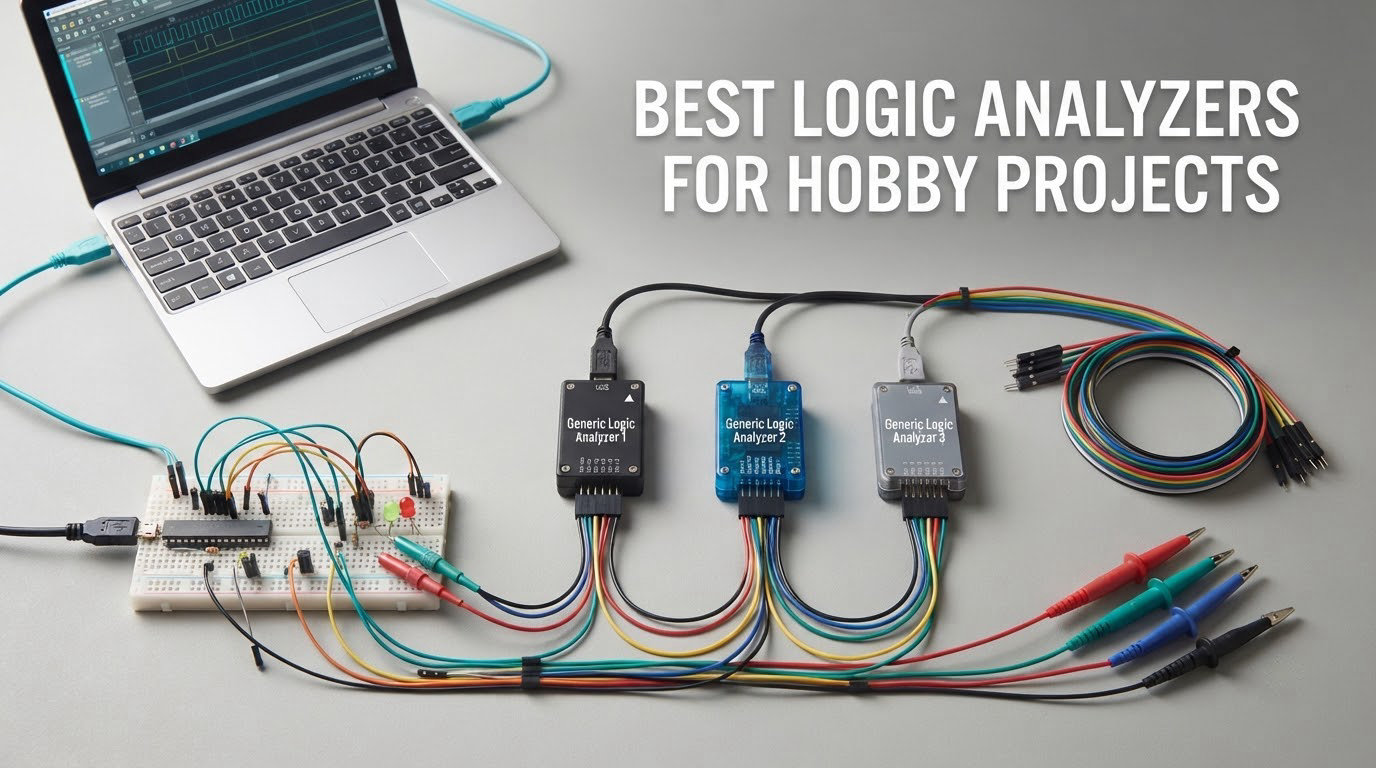
There is a particular kind of afternoon that every hobbyist eventually hits. Your board is built, the firmware flashes without errors, the datasheet says the sensor should answer on the I2C bus, and nothing happens. No error, no crash, just silence. A multimeter tells you the supply rail is fine. A print statement in your loop tells you the driver never returned. What you need is to see the actual bits moving between the microcontroller and the sensor, timed to the microsecond.
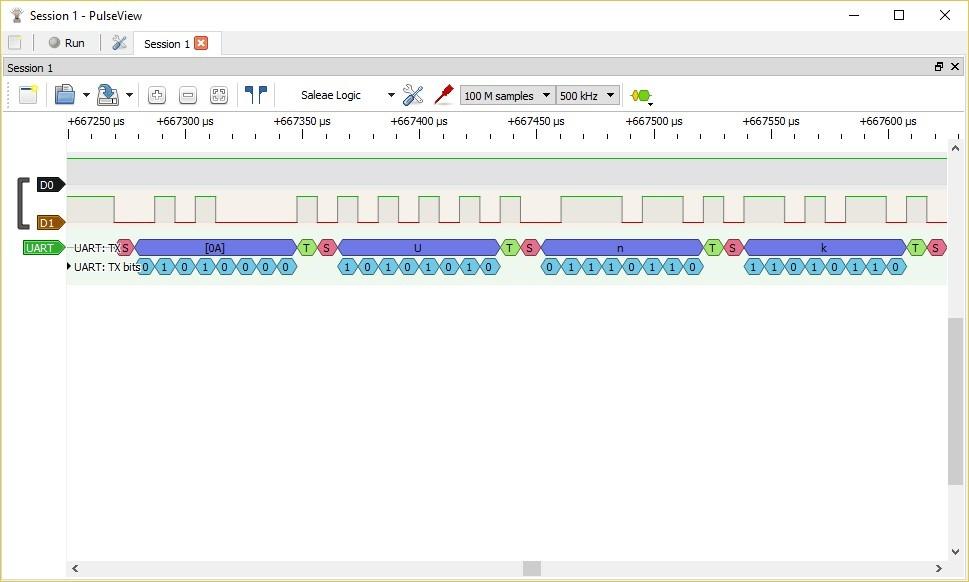
That is the whole job of a logic analyzer. It samples the voltage on several digital lines millions of times per second, records those samples into a memory buffer, draws each channel as a high and low trace over time, and runs decoder plugins over the capture to turn raw bits into readable I2C addresses, SPI bytes and UART text. A logic analyzer is not a faster multimeter. It answers a different question: not what is the voltage right now, but what did this bus actually say.
Choosing among the best logic analyzers for hobby projects in 2026 is easier than the forums make it sound. Almost every hobbyist ends up on one of four tiers: a bare 24 MHz eight-channel USB stick, an eight-channel kit with proper clips and a breadboard adapter, a mid-range analyzer with real triggering and buffered capture, or a professional box with analog channels and sixteen digital inputs. We put all ten instruments below through their paces and narrowed it to a single sensible default.
A note on scope: this is about digital capture. Where a product also carries analog inputs, we say so, but an analog probe channel is not a substitute for an oscilloscope. We explain that difference properly in our guide to first hobby instruments and in the buying guide below.
Table of Contents
Top 3 Picks for Hobby Logic Analyzers (October 2026)

HiLetgo 24MHz 8-Channel USB Analyzer
- 8 channels at up to 24 MHz
- TTL input from -0.5V to 5.25V
- Works with PulseView and Saleae Logic software
- Selectable rates from 25KHz to 24MHz

innomaker LA1010 16-Channel 100MHz
- 16 channels at 100 MHz per channel
- 30+ protocol decoders
- KingstVIS software included
- Windows macOS and Linux
Comidox 24MHz 8-Channel Debug Tool
- 8 channels up to 24 MHz
- Saleae Logic and PulseView compatible
- Automatic UART SPI and I2C decode
- 0V-5.5V input range
Best Logic Analyzers for Hobby Projects in 2026
Every analyzer below was judged on the same four things: whether it enumerates reliably on a normal computer, whether its decoders correctly label a real I2C or UART capture, how much usable sample rate remains once you clip it to a circuit, and how much of the frustration lands on you at setup. Headline sample rate turned out to be the least useful of those signals on its own.
| Product | Specifications | Action |
|---|---|---|
| HiLetgo 24MHz 8-Channel USB Logic Analyzer |
|
Check Latest Price |
| innomaker LA1010 16-Channel 100MHz Analyzer |
|
Check Latest Price |
| Comidox 24MHz 8-Channel Debug Tool |
|
Check Latest Price |
 Saleae Logic Pro 8 Saleae Logic Pro 8 |
|
Check Latest Price |
| Saleae Logic 8 |
|
Check Latest Price |
 Saleae Logic Pro 16 Saleae Logic Pro 16 |
|
Check Latest Price |
 EspoTek Labrador EspoTek Labrador |
|
Check Latest Price |
 Digilent Digital Discovery Digilent Digital Discovery |
|
Check Latest Price |
 DSLogic Plus DSLogic Plus |
|
Check Latest Price |
 LONELY BINARY 24MHz Analyzer Kit LONELY BINARY 24MHz Analyzer Kit |
|
Check Latest Price |
1. HiLetgo 24MHz 8-Channel USB Logic Analyzer – The Default First Buy
HiLetgo USB Logic Analyzer Device with EMI Ferrite Ring USB Cable 24MHz 8CH 24MHz 8 Channel UART IIC SPI Debug
- Affordable entry point that decodes real bus traffic
- Recognised by PulseView and Saleae Logic software
- Handles 5V 3.3V 2.5V and 2.0V targets
- USB powered with no separate supply
- No on-board capture buffer at full rate
- Jumper wires only with no proper probes
- WinUSB driver install is a hurdle for newcomers
- Inputs are series-resistor protected only
This is the analyzer we hand to a friend who has just discovered that a logic analyzer is not a toy. It is an eight-channel, 24 MHz USB stick that enumerates as a Saleae Logic clone, which means the free sigrok PulseView software opens it as soon as you install the WinUSB driver, and the polished Saleae Logic software opens it too if you prefer a guided interface. That dual-software compatibility is the feature that makes it the safest first purchase in this list.
Reviewers describe the same experience repeatedly: clip it on, run a capture, and the I2C decoder labels an address and a register write within a few minutes. Several owners report using it to isolate an SPI bus bug on an Arduino board that had resisted days of print-statement debugging. The listed input range of -0.5V to 5.25V with a high threshold starting at 2.0V means it reads cleanly across 5V, 3.3V, 2.5V and 2.0V systems, which covers essentially every hobby target.
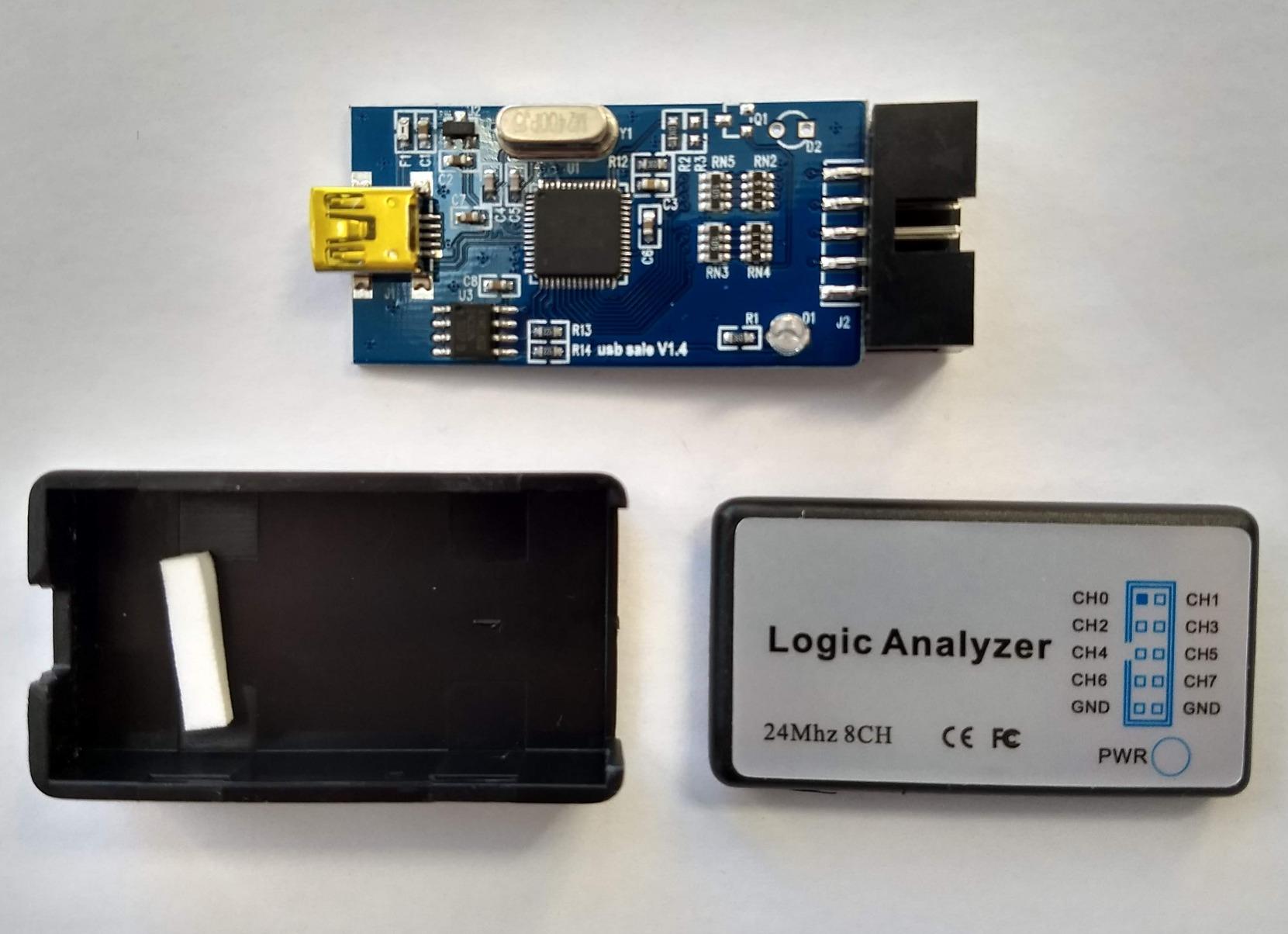
The real limitation is architectural, and it is shared by every analyzer in this price class. There is no on-board capture memory, so raw samples stream over USB to the host. Run it at the full 24 MHz and any other USB-heavy activity on the same machine can cause the capture to lock up, and on some laptops with proprietary hub drivers it fails to enumerate at all. Reviewers’ fix is unglamorous: use a plain USB port on a desktop, and drop to 12 MHz or 8 MHz for interactive work.
Input protection is equally thin. The channels are bare microcontroller I/O pins behind a series resistor, with no over- or under-voltage clamping to speak of. That is fine on a 3.3V bench breadboard. It is not fine across a mains-side or a battery pack, and the supplied accessories are jumper wires rather than probes, so expect to buy proper hook clips before anything gets fiddly.
When this is the right buy
Buy this one if your traffic is I2C at 100 or 400 kHz, UART at 115200 baud, or SPI at a few megahertz, and if you want to learn protocol decoding on hardware that costs less than a sandwich. The selectable rate list runs from 24 MHz all the way down to 25 kHz, so slow sensors and button lines are comfortable to look at with the display zoomed sensibly.
It also works as a second or travel unit. The whole thing weighs 0.07 kg and draws power from the USB port, so it lives in a laptop bag and comes out when a board on someone else’s bench misbehaves.
When to step up instead
Step up if you need more than eight channels live at once, if your SPI clock runs fast enough that 24 MHz sampling leaves too few points per bit, or if you are capturing a signal that can damage unprotected inputs. For the first case, the LA1010 below gives you sixteen channels. For the second, look at the DSLogic Plus with its FPGA triggering and 400 MHz buffered mode.
One more honest note on community experience. A long-running thread on r/AskElectronics about budget analyzers contains the view that a Cypress FX2 device running PulseView is impossible to beat, and plenty of owners of far more expensive hardware agree. That consensus is why this stick sits at the top of the list rather than a professional box.
2. innomaker LA1010 16-Channel 100MHz Analyzer – Thirty-Plus Decoders
- 16 channels give far more headroom than 8-channel clones
- Bundled English manual and software are well written
- Color-coded connectors match software channel colors
- UART decoding working within about ten minutes
- Broad protocol library including CAN MIDI and Modbus
- Display refreshes in one-second or longer intervals
- Unnumbered grabber leads are hard to track past 6 channels
- Dated USB-B port and an optical disc in some packages
- A small number of packages arrived with no detectable output
Most hobby projects do not have one busy bus. They have an I2C sensor, a UART link to a module, an SPI display and a couple of chip-select lines, all alive at the same time. That is where eight channels becomes the ceiling and sixteen channels becomes comfortable, which is exactly what this unit gives you at 100 MHz per channel.
The bundled KingstVIS software is the quiet strength here. It installs its own drivers, ships with an English-language manual that is unusually well written for this class of product, and decodes more than thirty protocols including I2C, SPI, UART, CAN, Modbus, MIDI, DMX512, I2S, JTAG, LIN, 1-Wire, SMBus, SDIO and PS/2. Owners report getting a UART decode running in roughly ten minutes from a cold start, which is faster than most of the hobby clones once driver wrangling is counted.
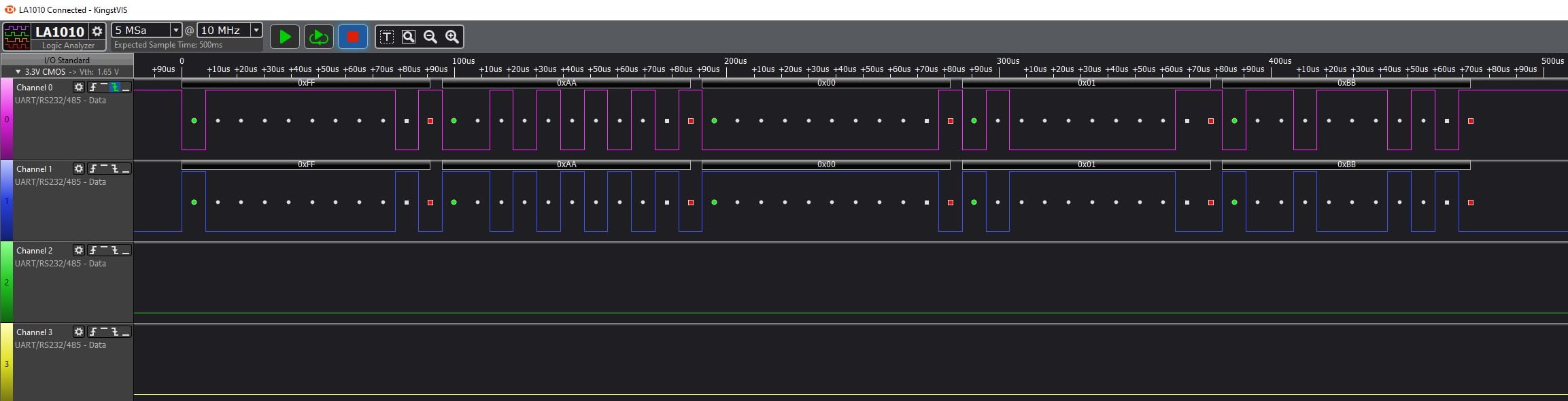
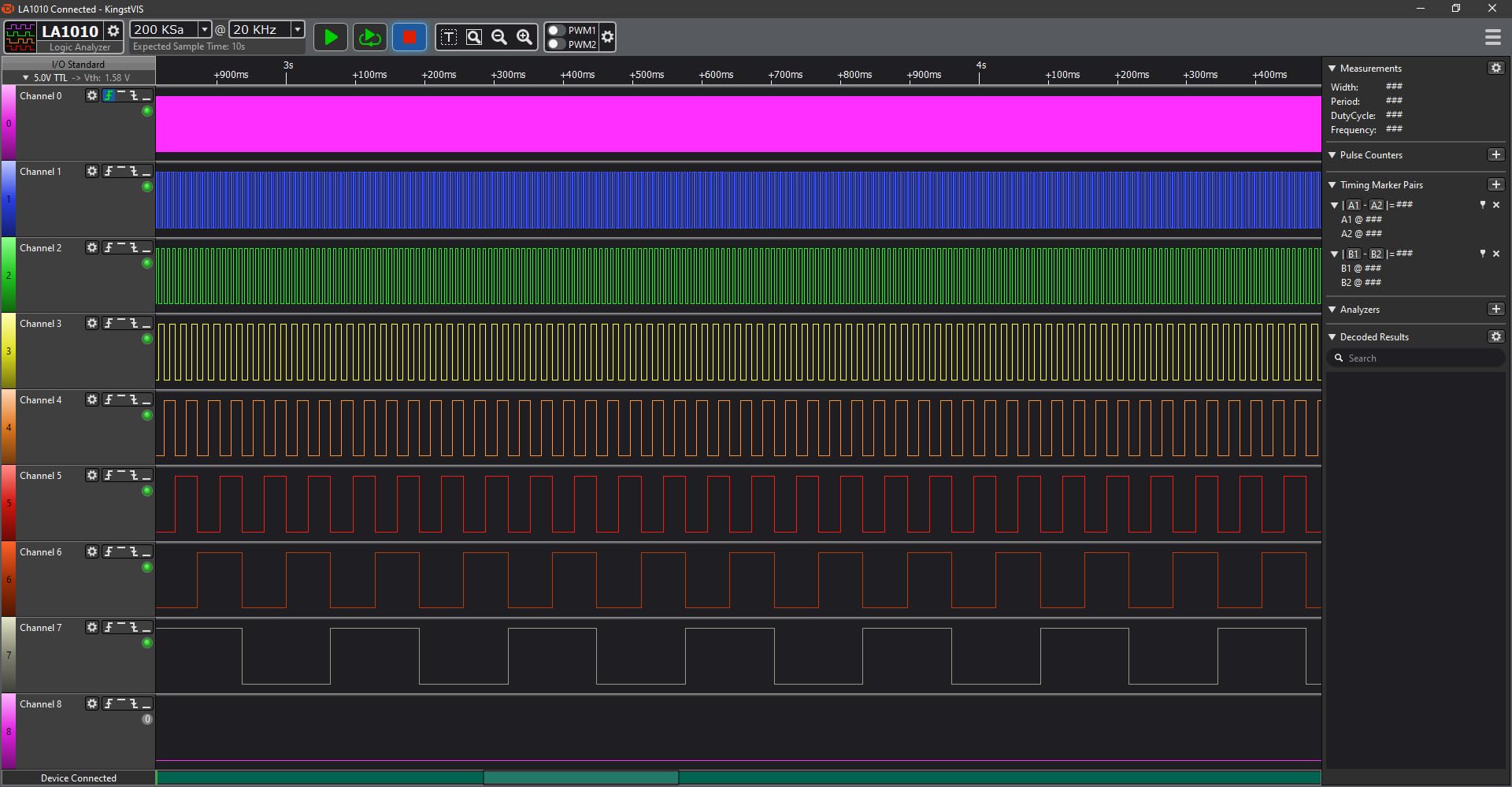
The frustrating part is the display. It does not stream smoothly. The real-time view refreshes on a one-second or longer interval, so it feels like a refreshing instrument rather than a live scope view, and the timeline text is small enough that payload detail gets hard to read when zoomed out. None of that matters once you stop recording and start reading a finished capture, which is what you do nine times out of ten.
Two smaller issues show up in reviews. The grabber leads are unnumbered and their colours do not always match the connector wires, so beyond six or seven channels you need your own labelling habit. And the port is an older USB-B, with an optical disc included in some packages that no current computer can read.
When sixteen channels pays off
The sweet spot for this analyzer is a microcontroller bring-up where several peripherals share a board. Watching I2C, SPI, UART and two chip-selects together turns a guess into a picture. A small percentage of owners also received packages that produced no detectable output at all, so treat the first capture as a quick acceptance test rather than assuming a dead board.
It runs on Windows, macOS and Linux, which matters more than it sounds if you keep your bench on a laptop rather than a tower.
What the extra sample rate really buys
A hundred megasamples per second is not just a bigger number than 24. It is the difference between guessing at a signal and reading it. At higher rates you can drop the sample rate in the software and still see a clean, stable trace, which turns a marginal capture into a readable one.
The honest catch is that you are buying channels and headroom, not analog capability. If your problem is a 5V signal with a visible overshoot ring on a falling edge, this will not show it to you in detail. For that, the Saleae boxes and the Digilent below both carry real analog inputs.
3. Comidox 24MHz 8-Channel Debug Tool – The Straightforward Clone
Comidox USB Logic Analyzer 24MHz 8 Channel Debug Tool for Arduino ARM FPGA
- Recognised as a Saleae Logic clone
- Works with both Saleae Logic and PulseView
- 8 channels cover typical Arduino ARM and FPGA buses
- Automatic UART SPI and IIC decoding
- Useful as a second portable unit
- No on-board capture buffer at full sample rate
- Fixed 1.5V threshold is inflexible with mixed logic levels
- Minimal documentation
- Dupont lines only with probe hooks sold separately
If you already have PulseView installed and you want a second analyzer for a second bench, this is the same silicon in a different box. The CP317 presents as a Saleae Logic clone, so the software you already know opens it with no configuration, and the package includes the analyzer, a USB cable and ten Dupont lines. That is the whole kit, and it is enough to start.
Reviews read like the other 24 MHz sticks in this class: dependable for low-speed UART, SPI and I2C work, instantly usable with existing software, and a second unit rather than a first purchase. The listing describes the same selectable rate ladder as the HiLetgo, down to 25 kHz, and a 0V to 5.5V range with a fixed 1.5V logic threshold.
That fixed 1.5V threshold is the one detail worth pausing on. A fixed midpoint suits a 3.3V system and a 5V system about equally well, but a 1.8V rail can sit close enough to the threshold that edges get marginal. If your project runs on 1.8V parts, an analyzer with an adjustable threshold is the safer purchase.
Documentation is minimal, and the free-software path means you inherit the setup steps that the community complains about most: installing the WinUSB driver with Zadig, and occasionally trying a different USB port when enumeration fails. Budget an afternoon for the first capture rather than an evening.
When this makes sense
It makes sense when you want a cheap second unit, when you are working at a desk rather than travelling, or when you are setting up a teaching bench where the total cost per student is the number that decides the project. Three or four of these on a classroom table add up to less than one professional analyzer.
It also makes sense for anyone who learns better by reading documentation on the software side. The analyzer is standard; all the depth is in PulseView and the Saleae Logic interface.
Why the HiLetgo edges it out
The two are close, and on a raw spec sheet you could argue either way. The HiLetgo wins on the details that shape a first session: a stated input range down to -0.5V, a high threshold from 2.0V rather than a single fixed midpoint, selectable rates, and an included ferrite-beaded USB cable that reduces noise on the capture.
Both share the same structural weakness, which is the honest reason not to treat either as a precision instrument. There is no capture buffer, so the host computer is part of the signal path.
4. Saleae Logic Pro 8 – Digital and Analog in One Handheld Box
Logic Pro 8 (Black) – Saleae 8-Channel Logic Analyzer – Compatible with Windows, Mac, or Linux – Easy to Use, Ultra-Portable, Saves Time & Frustration
- Eight digital and eight analog channels in one compact unit
- 500 MS/s digital and 50 MS/s analog capture
- Polished software with streamed real-time viewing
- Strong support and a large extension community
- Compact with all probes included
- Very high cost for a hobbyist bench
- Freezes and USB disconnections reported at full 500 MS/s
- Some community extensions no longer compile
- Long stiff included USB cable
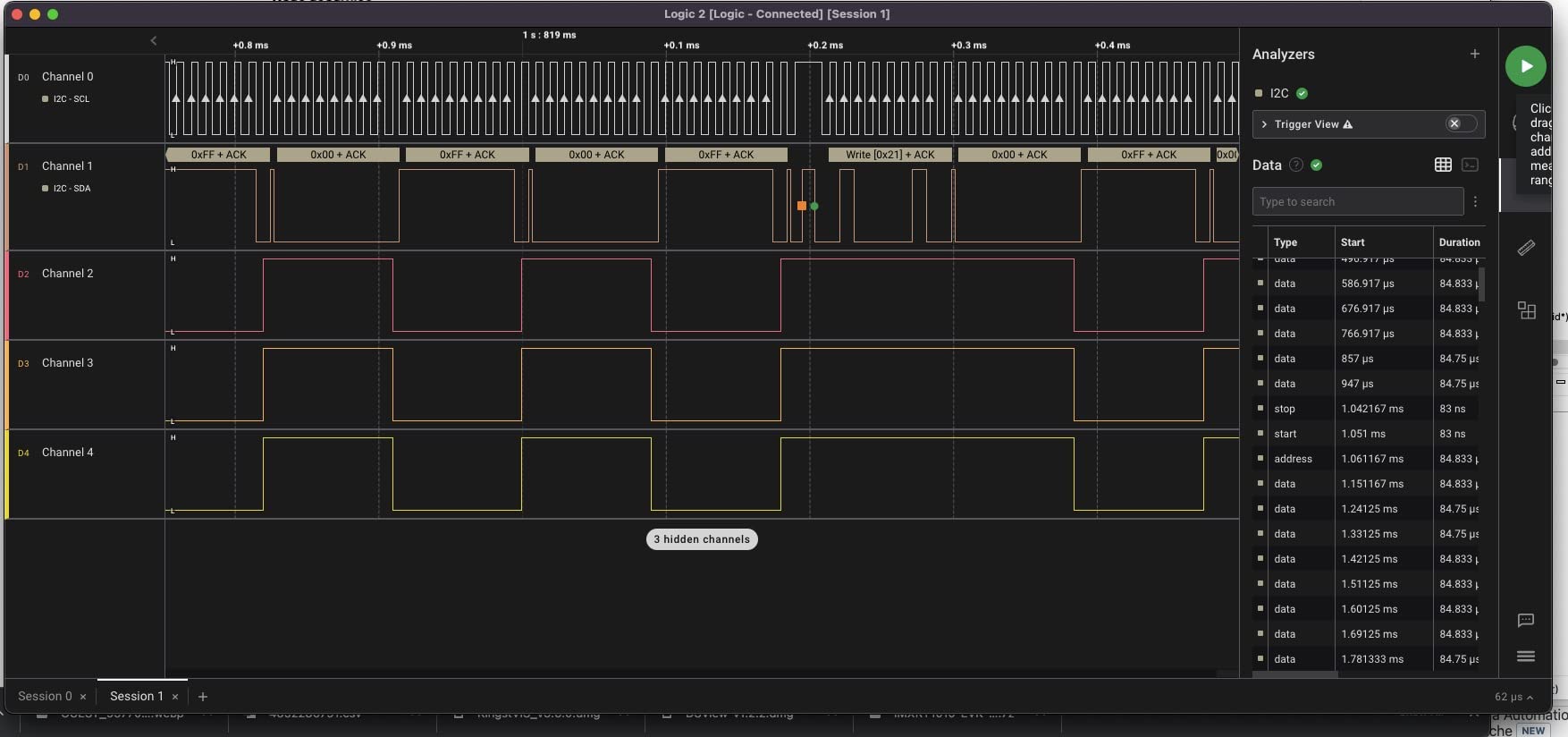
The Logic Pro 8 is the box people mean when they say a professional logic analyzer. Eight inputs can each be assigned as a digital channel or as an analog channel at up to 50 MS/s, digital capture runs at up to 500 MS/s, and captures stream over USB 3.0 into your computer’s memory with more than ten billion digital samples available. For someone who wants to look at a 1 MHz clock waveform and a bus transaction in the same view, that flexibility is the whole argument.
Reviews are unusually warm at 4.8 across 60 ratings, with 90% of them at five stars. Owners doing RS-485 troubleshooting, CAN work and flash-chip SPI sniffing describe it as reliable, intuitive and well supported. The software streams in real time rather than refreshing in chunks, which is the difference you feel most on a slow signal.
The criticisms are consistent and mostly about cost rather than capability. One reviewer hit repeatable freezes and USB disconnections when sampling at the full 500 MS/s and returned the unit, which is worth knowing: the fastest setting is not always the stable one on a given host. A few community extensions no longer compile against current software versions, and the included USB cable is long and stiff enough to tug on a breadboard.
There is also no NIST-traceable calibration certificate available, so this is not the instrument for formal compliance work. For a hobby bench, that is rarely a factor.
Where the analog channels pay
Analog inputs are the reason to reach past a 24 MHz stick. Power-on resets, brownout behaviour, a ringing clock edge and a slow I2C line are all visible as shapes, not just as high and low. Several reviewers specifically call out the analog channels helping with power sequencing.
Twenty-three-plus protocol decoders cover the digital side, and the streamed real-time view means you can watch a live bus while your firmware runs rather than only analysing captures recorded after the fact.
Whether a hobbyist should buy it
Probably not as a first instrument, and it is worth saying plainly. The same debugging session that takes an afternoon on the HiLetgo takes minutes here, and the extra capability is real, but you are paying a professional instrument’s cost to debug a sensor bus.
Buy it if you already own an oscilloscope and have outgrown one, if your work involves failing power sequences, or if you reverse-engineer hardware where you cannot guess which lines matter. It weighs 0.5 kg and measures 8.9 by 4.9 by 2 inches, so it stays portable despite the weight.
5. Saleae Logic 8 – The Polished Software Experience
- Eight digital and analog channels in a portable package
- 100 MS/s digital rate suits I2C SPI and UART work
- Software is simple stable and cross-platform
- Very large captures stream to PC memory
- Costs several times more than capable 24 MHz clones
- Analog section limited to 10 MS/s for slower signals
- Not ideal for high-speed analog work without the Pro models
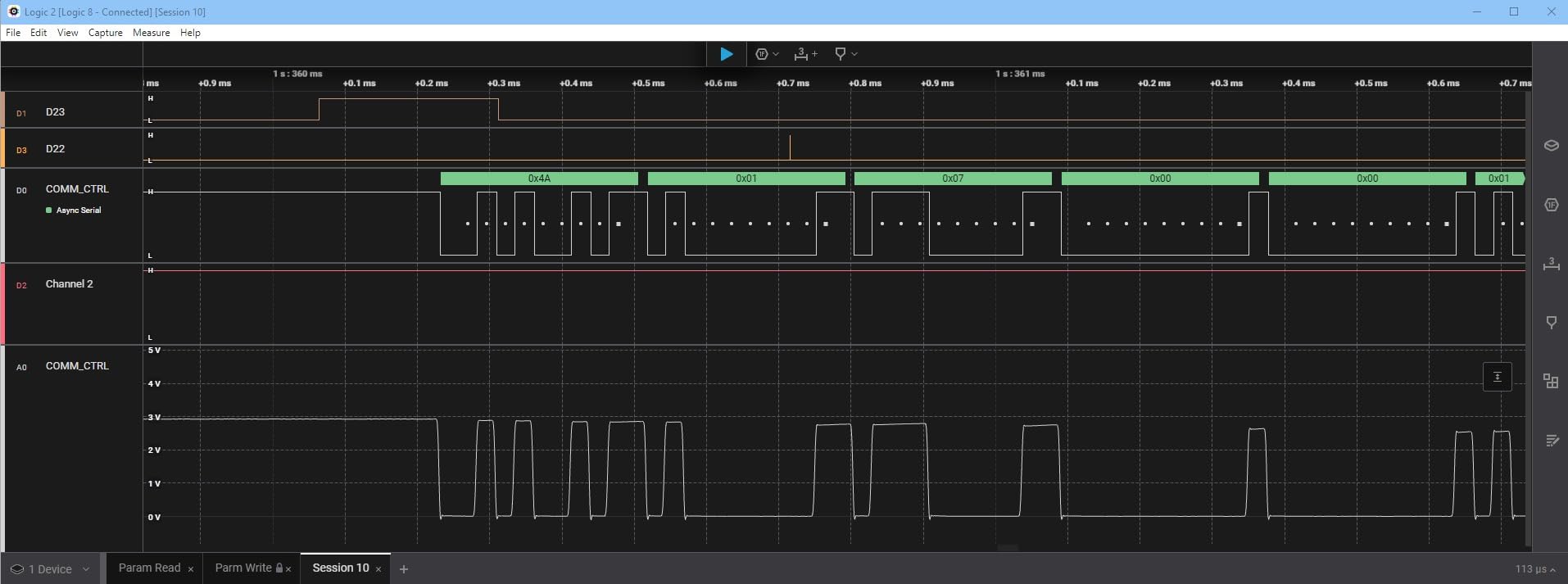
The Logic 8 is the same idea as the Pro 8 with less speed under the hood: eight multi-use digital and analog inputs, up to 100 MS/s digital sampling and 10 MS/s analog, streaming over USB 2.0 into computer memory. The software is identical in feel, which is the argument. Buyers consistently describe the interface as simple, stable and identical across Mac, Windows and Linux.
At 4.5 across 91 ratings with 76% five-star reviews, the feedback pattern is acceptance rather than excitement. People buy it for the software quality and the support, and they accept the cost difference against a 24 MHz clone as the price of not fighting drivers.
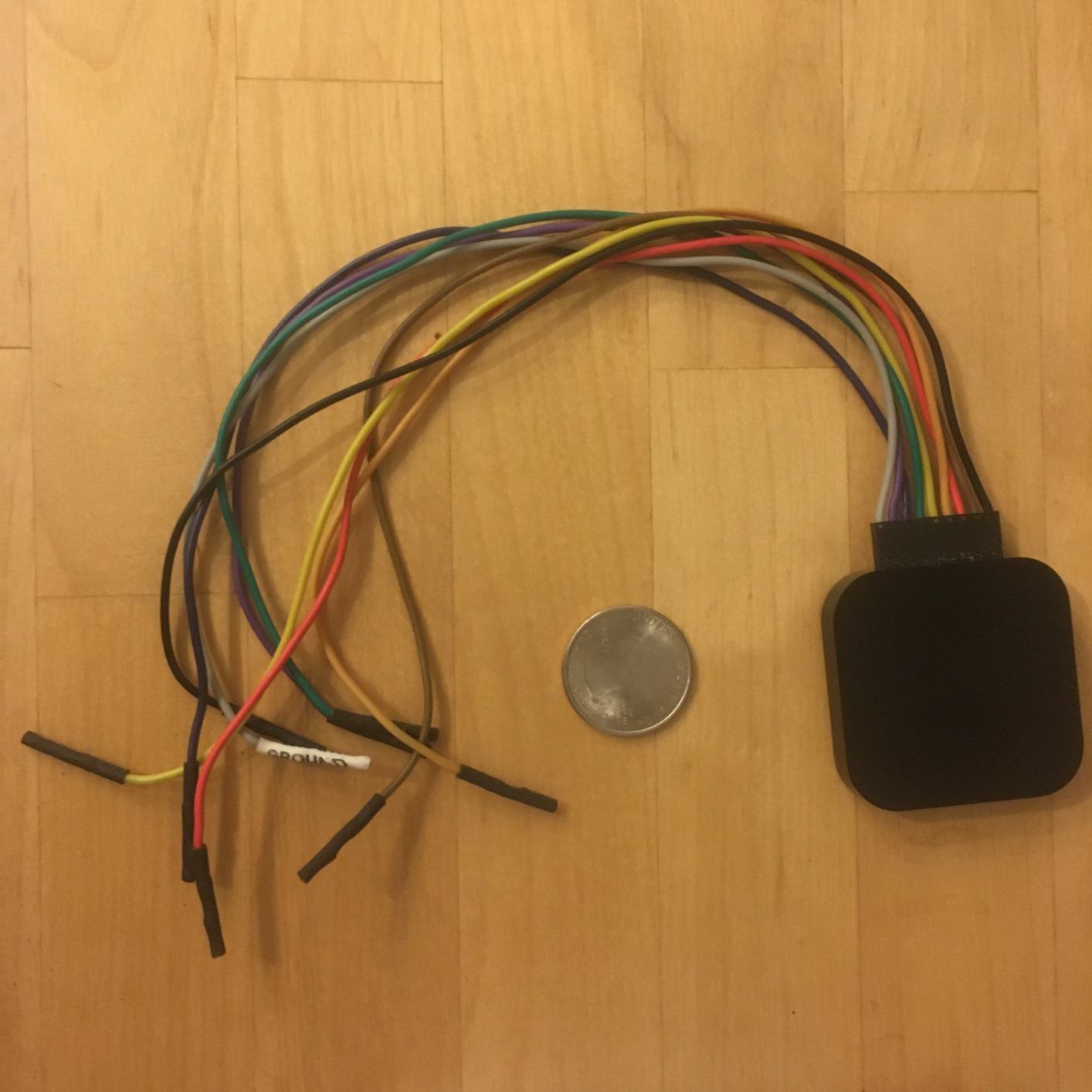
What you give up is bandwidth. A hundred megasamples per second is plenty for I2C, SPI and UART at any speed a hobbyist runs, but the analog section at 10 MS/s is slow enough that a 1 MHz signal with visible overshoot will look soft. Reviews are candid about this: the commonest note is that the box is not ideal for serious analog work without moving up to the Pro line.
The unit is battery powered, measures 9.5 by 5 by 2 inches and weighs 0.5 kg, so it packs like a small instrument rather than a dongle. Twenty-three-plus protocol analyzers cover I2C, SPI and the rest of the usual suspects.
Who this is for
The Logic 8 fits the person who wants to open a capture and immediately see a labelled I2C transaction, with a saved setup and a stable application across three operating systems. If you switch between a Windows work laptop and a Mac at home, that consistency is the thing you are actually buying.
It is also a good first Saleae if you think you will grow into the hardware later, since the software carries over.
Where the money goes
The premium over a 24 MHz stick buys you analog channels, a much larger sample rate, a real capture pipeline that streams to system memory, and support. It does not buy you more channels, because eight is eight. If sixteen lines at once is the problem, the innomaker LA1010 or the DSLogic Plus is the smarter target.
Reviewers who also own lower-cost hardware frequently say they reach for this one for day-to-day work anyway. That is the clearest summary of what the software is worth.
6. Saleae Logic Pro 16 – Sixteen Channels for Power Sequencing
Logic Pro 16 (Black) – Saleae 16-Channel Logic Analyzer – Compatible with Windows, Mac, or Linux – Easy to Use, Ultra-Portable, Saves Time & Frustration
- Sixteen digital plus sixteen analog channels
- 500 MS/s capture isolates timing and bit-order bugs
- Logic 2 software is fast and stable
- Color-coded cables with clips and a carrying case
- Bundled configuration saves setup time
- Highest cost in the lineup
- Software still cannot group channels into a bus vector
- Some reviewers report missing repeat and protocol triggers
- Heavy RAM use needs a 32 GB host machine
Sixteen digital inputs and sixteen analog inputs in a 10.9 by 7.4 by 3 inch box is a different instrument class from everything else here. Reviewers working on power sequencing and board bring-up describe the analog half as the reason to buy it, because you can watch a supply rail ramp, a reset line assert and an enable pin rise in one time-aligned view instead of probing them one at a time with a multimeter.
The rating is 4.8 from 35 ratings with 92% at five stars, and the praise is specific rather than generic. Owners call the 500 MS/s digital capture decisive for pinning down signal inversion, bit-order and timing bugs, and they rate the Logic 2 software as fast and stable on current Apple Silicon and Windows machines.
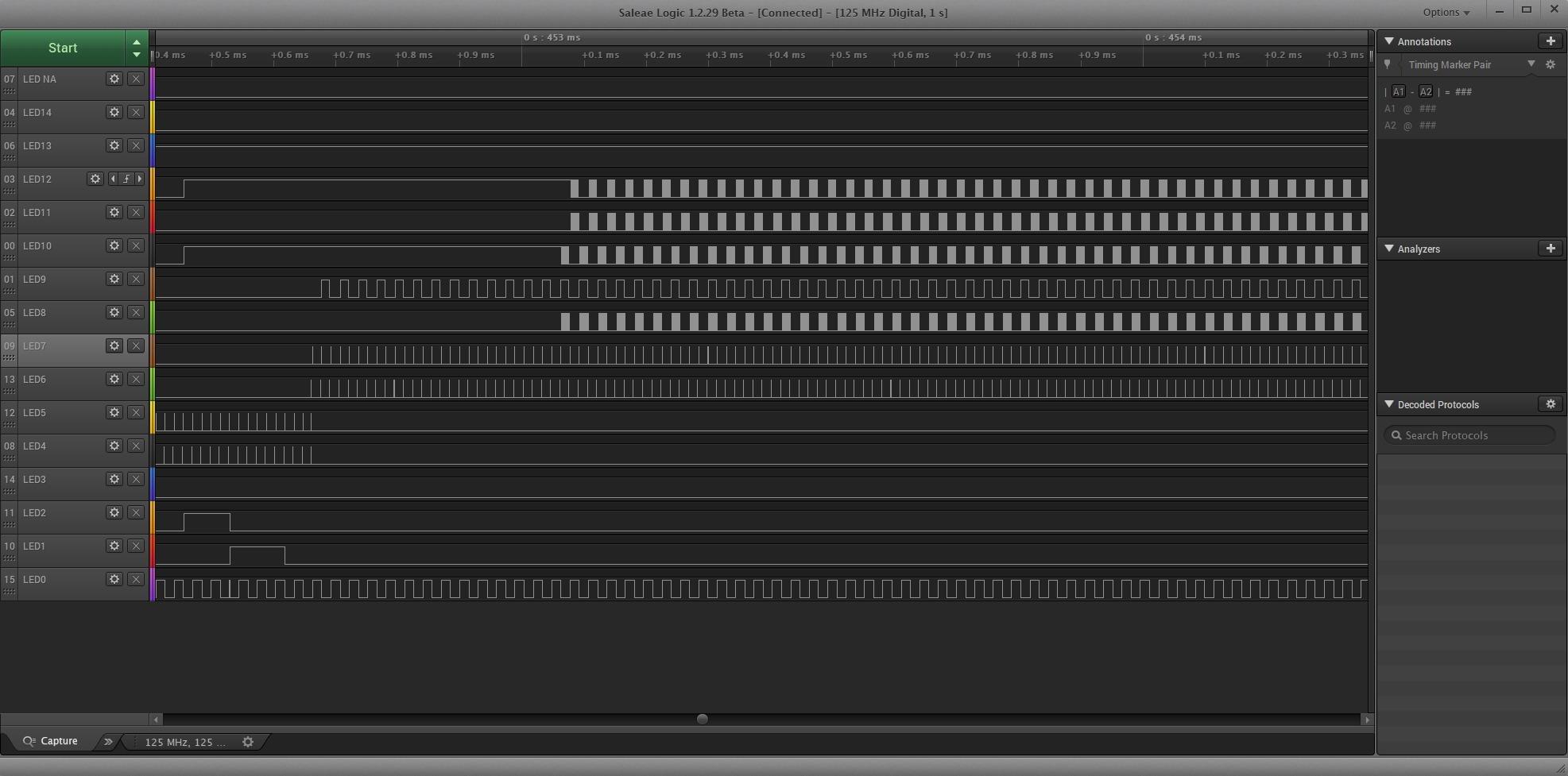
The criticisms are equally specific. Cost is the first one and no amount of context changes it. Second, the software still cannot group selected channels into a named bus vector, which is an odd gap at this level. Third, at least one reviewer was disappointed by the trigger options compared with cheaper hardware that offers more pattern triggers, which is a real caution for anyone buying specifically to catch a rare event.
Large captures also press hard on the host. Owners report needing 32 GB or more of system memory to work comfortably, so check your machine before you blame the device. As with the Pro 8, no NIST-traceable calibration certificate is available for formal testing.
When sixteen channels is the whole point
There are hobby projects where eight channels is a real wall. A single board with two I2C buses, a UART console, SPI flash and four chip-selects will not fit in eight channels at once. A multi-rail power sequencing board with sixteen signals to qualify is the same problem at a larger scale.
This is that instrument. Sixteen analog channels also make it possible to qualify every rail and control line on a complex board in a single run, which no other box in this list does.
Who should pass on it
Anyone debugging one sensor, one display or one serial link. You would be solving a channel-count problem you do not have, at a cost that buys professional capability, using hardware whose fast modes want a fast host machine.
For most hobbyists the honest comparison is with the Digilent Digital Discovery, which also carries a pattern generator and reaches 800 MS/s across 32 digital channels at a lower tier, with a steeper software curve as the trade.
7. EspoTek Labrador – Five Instruments in a Pocket Device
- Five instruments in one postage-stamp-sized unit
- Open-source hardware and software with Linux AppImage
- Handles audio slow UART I2C and I2S links well
- USB powered and highly portable
- Simple setup and calibration
- Modest 750 ksps bandwidth against real scopes
- Android app is buggy with crashes and input lag
- Pin spacing does not align with common breadboards
- Limited documentation and a thin quick-start guide
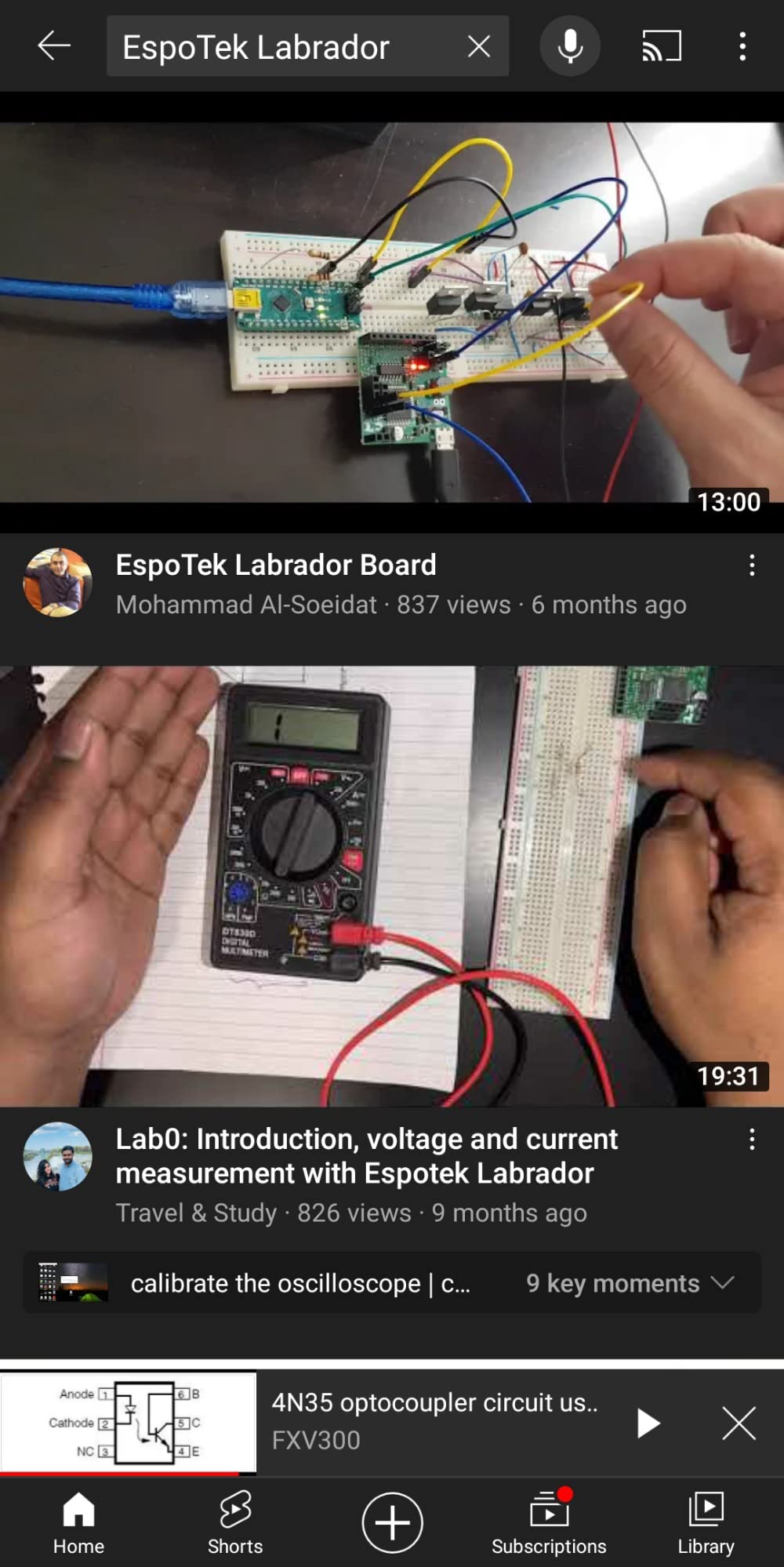
The Labrador is a logic analyzer in the same way a Swiss Army knife is a screwdriver. It is a two-channel oscilloscope at 750 ksps, a two-channel arbitrary waveform generator, a 4.5V to 15V power supply with closed-loop feedback, a multimeter, and a two-channel logic analyzer with serial decoding at 3 MSPS per channel. It weighs 20 g and draws power over USB.
For a hobbyist who wants to sniff a slow I2C sensor, verify a UART handshake and check a supply rail without carrying three boxes, that is genuinely useful. Reviewers doing audio work, slow UART, I2C and I2S links on a breadboard rate it well, and several found setup and calibration surprisingly simple.
Sentiment splits at 4.2 from 171 ratings, with 65% five-star but a real 8% one-star share. The reasons are consistent. The 750 ksps bandwidth is modest, and reviewers who also own a bench scope at many times the cost see a clear gap in features and resolution. The Android app is buggy, with crashes and noticeable input lag. The board’s pin spacing does not line up with common breadboards, so power pins may need bending to reach.
One strong negative review argues it is not a true time-referenced oscilloscope at all, which is a fair challenge if you bought it expecting a scope. The two-channel logic analyzer section is the honest reason to consider it, and it is a capable one for slow buses.
Why open hardware matters here
The Labrador’s hardware and software are open source, which is the strongest reason to like it. Schematics are published, the software runs on Windows, Mac and Linux as an AppImage, and there is an install script for Raspberry Pi. Several owners are explicit that they chose it for that reason.
It is also the answer for a hobbyist who wants a second headless capture point. It can be driven from a Raspberry Pi, which no other box in this list is designed to do, so logging an I2C sensor to a Pi is straightforward.
When the two channels stop being enough
Two channels is the hard limit here, and on a board with a clock, a chip-select and two data lines you are out of room. Anyone needing more lines is better served by a 24 MHz eight-channel stick at a similar tier, which trades the multimeter and the generator for usable channel count.
Our starter set roundup covers the same instinct, buying one device that covers several jobs, and the Labrador fits that pattern well for low-speed digital work.
8. Digilent Digital Discovery – Analyzer Plus Pattern Generator
Digital Discovery: Portable USB Logic Analyzer and Digital Pattern Generator
- Thirty-two digital channels at up to 800 MS/s
- Built-in 16-channel pattern generator at up to 100 MS/s
- Combines analyzer protocol analyzer static I/O and supply
- Free WaveForms software for Windows Mac and Linux
- Includes 2x6 and 2x16 flywire cable assemblies
- WaveForms has a steeper learning curve than simple analyzer software
- Analog input bandwidth is limited against dedicated scopes
- Small published user base means less guidance
- Costs well above 24 MHz clones for pure protocol work
The Digital Discovery is the only instrument here that can both watch a bus and drive one. Thirty-two digital channels sample at up to 800 MS/s, and a built-in 16-channel pattern generator can output patterns at up to 100 MS/s. It also works as a protocol analyzer, a static I/O driver and a power supply output, all in a 3 by 6 by 8 inch package weighing 6.4 ounces.
For someone building a board, that is a genuinely different capability. You can stimulate a device under test with a known pattern and watch the response, rather than only inferring the stimulus from firmware. The free WaveForms software runs on Windows, Mac and Linux, and two flywire cable assemblies are included.
What the 4.1 rating tells you
With 19 ratings and a 4.1 average, the distribution is the story: 54% five-star, 23% four-star and 23% two-star, with no three-star reviews at all. That is a bimodal response. Buyers who need the pattern generator love it; buyers who only need to sniff a bus find it excessive and the software demanding.
WaveForms is a professional acquisition suite, not a hobby utility. If you are comfortable learning a deeper tool, that is a feature. If you want to open a capture in a minute, it is friction.
When a hobbyist should and should not buy it
Buy it if you are designing a board rather than debugging one, if your device-under-test needs a stimulus, or if you need more than sixteen lines of digital capture in a single run. Nobody should buy it to check one I2C address.
Two cautions from reviews: analog input bandwidth is limited compared with dedicated scopes, and the published user guidance is thin because the review base is small. The instrument is capable; the learning support around it is the weak point.
9. DSLogic Plus – FPGA Triggering and 400MHz Buffered Captures
DreamSourceLab DSLogic Plus USB-Based Logic Analyzer with 400MHz Sampling Rate, 256Mbits Memory, USB 2.0 Interface, 16 Channels
- Real FPGA-based triggering a clear step above clone hardware
- Sixteen channels in both stream and buffered modes
- Threshold adjustable in 0.1V steps from 1.8V to 5V targets
- DSView is a polished sigrok fork with nearly 100 decoders
- Time-measuring cursors and quality coax leads with pin sockets
- No analog channels at all
- DSView differs from PulseView in places and its light theme is too bright
- Documentation is soft and contains errors
- Triggering is only excellent in buffered mode
- Some packages arrive without the advertised case and with poor clips
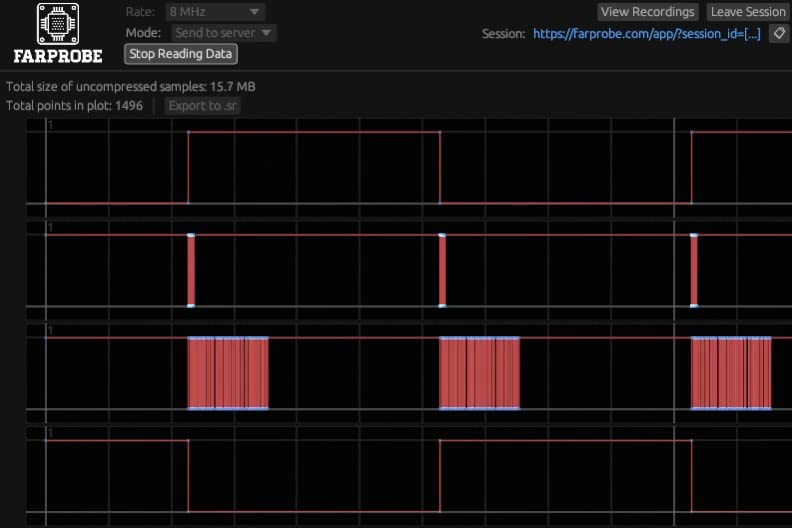
This is the pick for anyone who has hit the wall of a 24 MHz clone and found that a fast SPI clock produces garbage. The DSLogic Plus samples 16 channels in two modes: buffer mode uses 256Mbit of on-board SDRAM to hold 400 MHz across four channels, 200 MHz across eight, and 100 MHz across all sixteen. Stream mode over USB 2.0 Type-C gives 100 MHz on three channels and still delivers up to 16G samples of depth.
The feature that separates it from every other value-tier analyzer is FPGA-based triggering. Reviewers repeatedly describe it as a step above the cheap clone devices, because the trigger is real rather than a crude pattern match. One owner credits it with finding a missing signal between an STM32 and a Raspberry Pi.
Two modes means two different behaviours, and that catches people out. Triggering is excellent in buffered mode, which is where the on-board memory does its work. In streamed mode you are back to host-dependent behaviour. Use the buffered mode whenever you are hunting a rare event, which is the exact job triggering exists for.
DSView is a polished sigrok fork with nearly 100 protocol decoders and it works on Mac, which the original PulseView does not. It also differs from PulseView in places, and its light display theme is far too bright for long sessions. The documentation is soft and contains errors, so budget time to read the software rather than the manual.
Why the adjustable threshold matters
Threshold sets the voltage above which the analyzer calls a line high. This unit adjusts it in 0.1V steps, so you can match it to a 1.8V core, a 3.3V rail or a 5V signal. Fixed-threshold clones force you to hope the midpoint works for every net you clip, which is fine on one project and frustrating on the third.
The physical design helps too. Shielded fly wires, a unibody aluminium case, and quality coax leads ending in pin sockets that plug straight into a breadboard. Those details matter because parasitic inductance in cheap flying leads will corrupt a fast signal no matter how good the analyzer is.
Where it stops
There are no analog channels, and some buyers wish there were at this tier. If your problem is a digital bus, that omission costs you nothing. If you are chasing a ringing clock edge, you need the Saleae boxes or a real scope instead.
At 4.6 from 37 ratings, this is well regarded inside the community. It sits in the gap between a clone and a Saleae, and for FPGA and moderately fast SPI work it is the instrument the gap was built for.
10. LONELY BINARY 24MHz Analyzer Kit – Best Accessories for Beginners
LONELY BINARY Logic Analyzer Kit, 8 Channel 24MHz USB with Breakout Boards
- Accessory-heavy kit: clips alligator clips adapter and breakout
- 8 channels at 24 MHz matches standard hobby capability
- Works on Windows Mac Linux and Ubuntu
- Both USB-A and Type-C cables plus a storage container
- 24 MHz ceiling limits it to slower buses
- Not every order includes the listed storage container
- Open-source software means occasional driver friction
- No documentation of its own
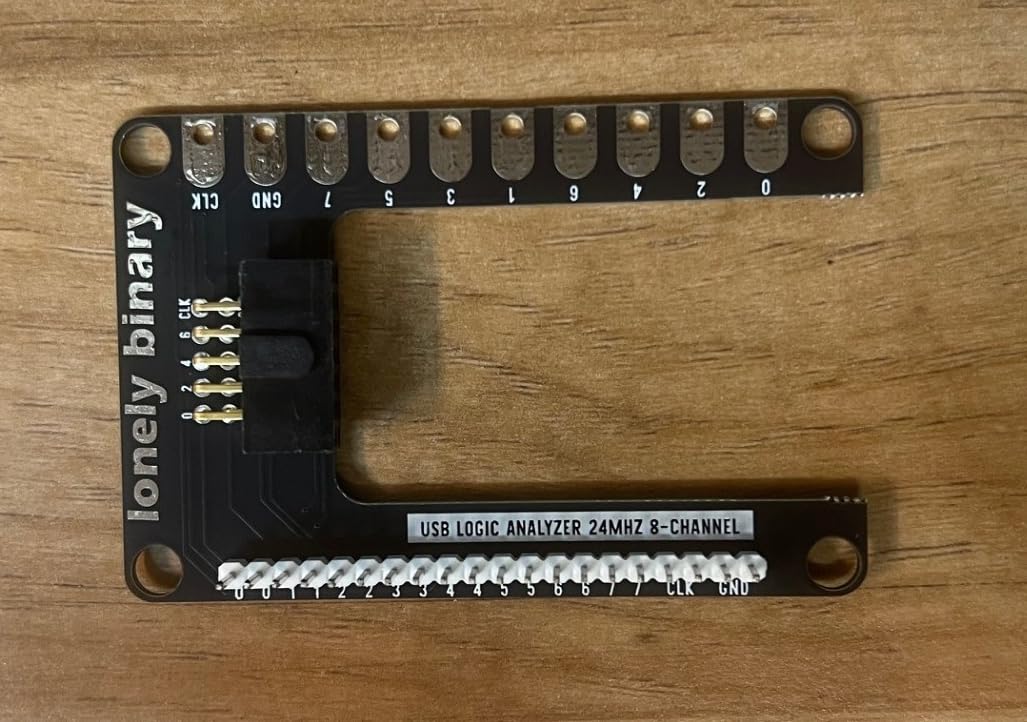
The hardware here is a familiar 8-channel 24 MHz stick, and the interesting decision is everything that comes with it. A logic level expansion board breaks all eight channels out to 2.54mm male pins and alligator clip pads. A logic level breadboard adapter gives you a solder-free connection straight to a breadboard. You also get ten test clips, five alligator clips, jumper wires, both USB-A and Type-C cables and a storage container.
That matters more than it sounds. A large share of frustration with cheap analyzers is not the electronics, it is the connection: one clip slipping off a header ruins a capture and takes ten minutes to repeat. Reviewers single out the breadboard adapter and breakout board as the reason this kit is easier to use than a bare stick.
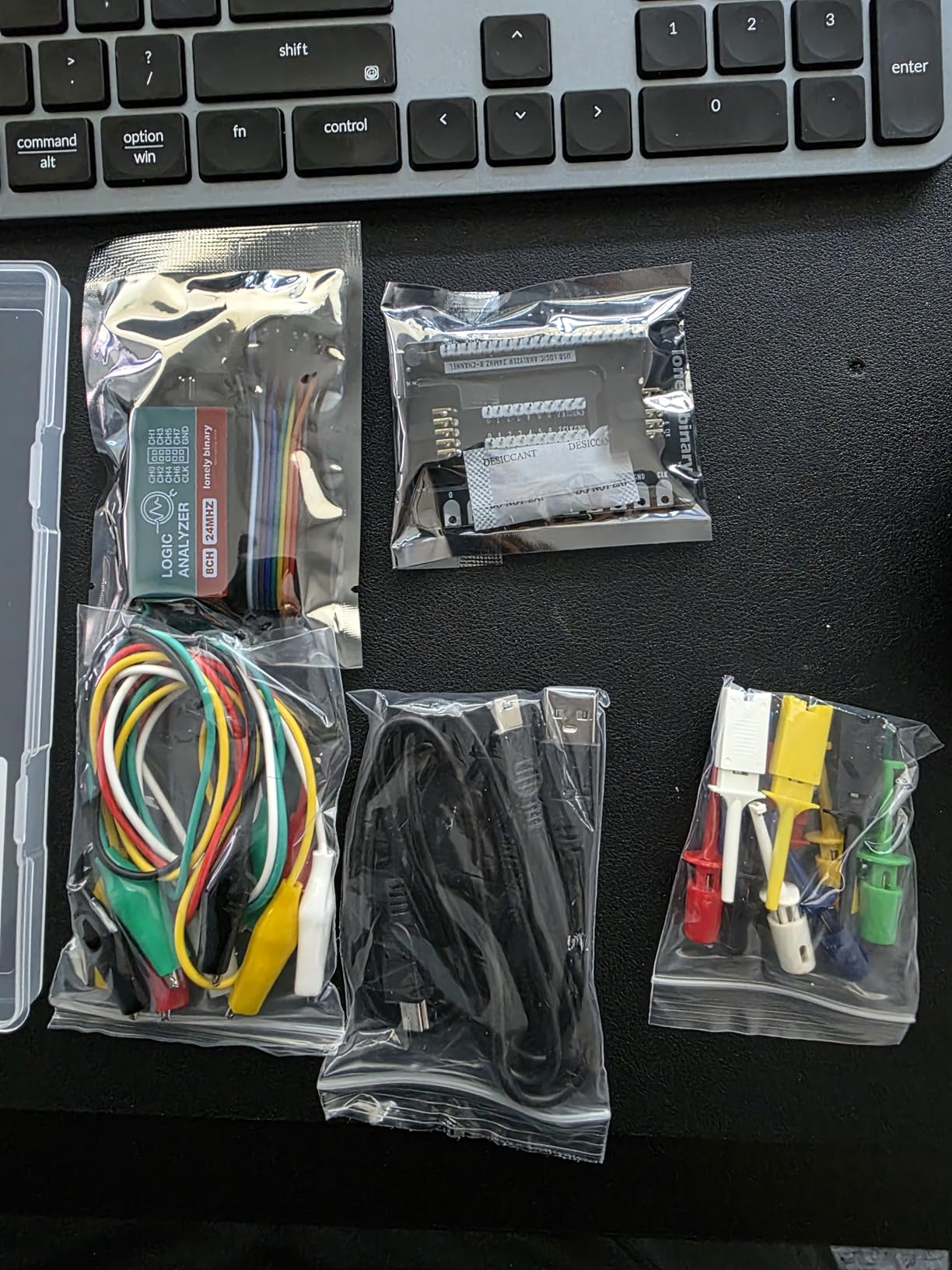
The 4.2 average from 70 ratings, with 67% five-star but 12% one-star, reflects two specific complaints. The first is missing accessories: some orders arrive without the storage container despite it being listed. The second is the 24 MHz ceiling, which is the shared limit of the class rather than a fault of this kit.
Running open-source software means inheriting the usual driver steps. The kit works on Windows, Mac, Linux and Ubuntu, but the software documentation is somebody else’s, so expect to read the community project docs rather than a manual in the box.
Why accessories are the deciding factor
For a first purchase, the thing that decides whether you succeed is whether you can attach all eight channels to a live circuit without a fight. This kit answers that with an adapter, a breakout, pin sockets and a pile of clips. A bare stick answers it with eight loose Dupont wires and patience.
Both USB cable types is a small, thoughtful addition that removes the single most common first-day problem, which is a cable you do not have.
When to buy the bare stick instead
Buy a plain 24 MHz stick instead if you already own good probe hooks, if you need a second throwaway unit, or if you are building a classroom bench where per-student cost dominates. The analyzer half of this kit performs the same as every other 24 MHz device in the list; you are paying for the connectors.
And if you know your bus runs faster than about 12 MHz, skip this tier entirely. Nothing in a 24 MHz analyzer class will give you enough points per bit there, and the DSLogic Plus is the honest upgrade.
How to Choose a Logic Analyzer Without Regret
Sample rate is the number vendors shout about and the one beginners misread. The rule of thumb is simple: you want at least eight to ten sample points per bit, so a capture needs roughly ten times the clock rate of the bus. A 24 MHz analyzer therefore reads SPI cleanly to about 2 to 3 MHz in practice, and degrades past that. Community consensus on r/AskElectronics and in the Hackaday logic probe thread matches the reviews here: these clones are dependable for I2C and most UART work, and start to struggle as clocks climb.
Channel count is the second filter, and it is the one people get wrong by buying too few. Count the lines you need alive at the same moment, not the ones you might one day want. Two I2C buses plus a UART plus SPI plus two chip-selects is eight lines before you have started. A commenter in the vcfed forums describing logic probe versus logic analyzer work notes that analyzers are enough for most hobby traffic, which matches what we saw across these ten units.
Logic level tolerance deserves more attention than any list gives it. Check the input range against the highest voltage in your circuit and check the threshold against the lowest. A 5V tolerant input reads everything from 1.8V up; a fixed 1.5V threshold may not resolve a 1.8V rail cleanly; an adjustable threshold in small steps handles everything but only a few products in this list offer it.
Ground reference is the safety item nobody mentions until something goes wrong. A multi-channel analyzer usually shares one common ground, which means every probe clip is referenced to the same point. Clip that ground to the wrong rail and you have connected two parts of your circuit together, which on a battery-powered board can be the whole board. Connect ground first, before any signal clip, and connect it to the system ground of the circuit under test, not to a supply rail. If your analyzer offers per-channel ground, that risk drops considerably.
Software deserves to be a first-class criterion, because it is where your time goes. sigrok with PulseView is free, open source, cross-platform, and reads most 24 MHz clones directly after a WinUSB driver install. Saleae Logic software is polished and streams in real time, and it reads the same clones. DSView is a sigrok fork with nearly a hundred decoders and adds adjustable threshold support. WaveForms is a professional suite with a steeper learning curve. The recurring complaint in every forum thread we read is not the decoders, it is that PulseView cannot find the device on the first run and the fx2 driver choice is not obvious.
Do you need an oscilloscope instead? If you are chasing analog behaviour, ringing, overshoot, noise, a power rail that sags under load or anything that is not a clean digital level, you need an oscilloscope. A logic analyzer is strictly digital and its analog channels on the Saleae units exist for context, not for precision analog work. A poster on the Arduino forum asking what scope to buy gets the standard answer: a logic analyzer with protocol decoders solves bus problems far faster than a bench scope, and you will still want a scope for the analog half. Many hobbyists run both, and the cheapest useful pairing is a 24 MHz stick plus a modest two-channel scope. If you are assembling that first bench rather than filling an existing one, start with the starter instruments we recommend for beginners and add the analyzer once you have something to capture.
Can a Raspberry Pi do the job? Yes, for headless logging. Sigrok has drivers for the Pi’s GPIO, so you can capture a bus and write it out without a desktop attached, which is exactly what the open-source EspoTek Labrador in this list is built for. It is a good fit for long unattended I2C logging, and a poor fit for interactive debugging where you want a display and a trigger.
What about USB protocol analyzers like the Bus Pirate or a ScanaQuad? Those are a different tool. A logic analyzer watches traffic passively, which is what you want when something is misbehaving. A protocol analyzer or bus pirate can also talk back, inject requests and act as a device on the bus, which is what you want when the device under test is not responding because it needs a valid query first. They get confused constantly in forum threads, and buying one when the problem is a bus that is already speaking solves nothing.
One last filter: capture buffer. A 24 MHz clone streams straight to your computer with no on-board memory, so a busy USB bus can stall the capture. An analyzer with on-board SDRAM captures independently of your computer and can record a rare event that happens while you are not looking. That is the difference between an analyzer you use and an analyzer you trust to catch a once-a-day fault.
Finally, think about what else lives on the same bench. A logic analyzer tells you what a digital bus said, but many hobby projects also need to characterise the power feeding that bus, and our power quality analyzer guide covers that separate category of instrument. The two tools answer different questions and earn their own bench space.
Frequently Asked Questions
How much does a logic analyzer cost?
Hobby logic analyzers come in four practical tiers. Generic 8-channel 24 MHz USB clones are the cheapest and handle I2C, UART and moderate SPI. Bundled kits add clips, a breadboard adapter and a breakout board for a modest step up. Mid-range analyzers with 16 channels, on-board capture memory and FPGA triggering sit well above that. Professional boxes with analog inputs and 500 MS/s digital sampling cost several times more again. For a first instrument on I2C and UART work, the entry tier is genuinely enough.
Why are logic analyzers so expensive?
The cost tracks three things: input protection on every channel, the amount of on-board capture memory, and the software. A cheap stick uses bare microcontroller pins behind a series resistor, streams every sample to your computer, and relies on free open-source software. A professional box adds protected inputs, on-board memory, analog channels, hardware triggering and a polished suite with support. You pay for hardware safety and capture reliability, not for the ability to see bits.
Can I use my Raspberry Pi as a logic analyzer?
Yes. The sigrok project has drivers for the Raspberry Pi GPIO, so you can capture digital signals and decode them on the Pi itself, with no desktop attached. That makes it a good fit for logging an I2C sensor or a serial link for hours without supervision. For interactive debugging where you want a live display, a trigger and a decoder view, a USB analyzer with software on your laptop is still more convenient. The EspoTek Labrador in this roundup is built to run on a Pi directly.
What is the best budget oscilloscope for hobbyists?
For most hobby work, a modest two-channel scope with enough bandwidth for microcontroller signals is enough, and the logic analyzer in this list covers the digital half of the problem far better. A common pairing is a 24 MHz eight-channel USB logic analyzer for bus debugging and a compact two-channel scope for analog behaviour. Do not buy a scope to decode I2C, because an analyzer will read the transaction and label the bytes in seconds, which a scope cannot do.
Do I need a logic analyzer or an oscilloscope?
You need an oscilloscope when the problem is analog: ringing, overshoot, a sagging supply rail, noise or a signal that is not a clean digital level. You need a logic analyzer when the problem is digital: a bus that is not answering, a byte with the wrong value, a chip-select that fires at the wrong moment. Many hobbyists own both. If your circuit is a microcontroller talking to a sensor, start with the analyzer.
Conclusion: The One Analyzer to Buy First
If you take one recommendation from this roundup, take this one. The HiLetgo 24 MHz eight-channel USB analyzer is the best logic analyzer for hobby projects for a simple reason: it decodes real bus traffic correctly, it works with both free open-source PulseView and the polished Saleae Logic software, it reads 5V, 3.3V, 2.5V and 2.0V targets, and it has more published user experience than anything else in this list. Its limits, no on-board buffer and thin input protection, are limits you can plan around; a broken capture that stops reproducing is much harder to plan around.
Buy the innomaker LA1010 instead if eight channels is not enough and you want thirty-plus decoders in one box. Buy the LONELY BINARY kit if you want proper clips and a breadboard adapter in the same delivery. Move up to the DSLogic Plus when a fast SPI clock outruns a 24 MHz ceiling and you need real FPGA triggering with on-board memory. The Saleae units and the Digilent Digital Discovery make sense when your work reaches analog behaviour or board-level stimulus, not before.
Whatever you pick, connect ground first, clip only to circuits you own, and give the open-source software an honest afternoon before you judge it. The 2026 roundup will keep up as new hardware lands.