
The best Arduino starter kits for teens are the ELEGOO UNO R3 Project Super Starter Kit for most families, the ELEGOO Mega 2560 Project The Most Complete Starter Kit for older teens who want room to grow, and the official Arduino Starter Kit K000007 when documentation matters more than component count.
That is the short answer. The rest of this guide explains why, and covers nine more kits worth knowing about, all checked against the same questions: does it work without a soldering iron, is there enough material to keep going past the guided lessons, and will a twelve year old actually finish something in the first week.
Most of the people buying an Arduino kit are not buying it for themselves. A parent, a grandparent or an aunt opens the box, and the teen who will actually use it has never held a breadboard. That changes how you should choose, because the failure mode is rarely a bad circuit. It is an untouched box sitting in a cupboard after two months, and the forums fill with teenagers describing exactly that.
Our approach was to read the component lists, the tutorial claims and the review patterns for each kit, then match them to the age of the teen who will receive it. If you want the wider picture of hands-on STEM gear for this age group, our guide to the best robotics learning kits for teens covers the robot-building side of the same hobby.
One note before we start. Almost every kit on this list is an Arduino-compatible board rather than a board made by Arduino itself. In practice the clone Uno R3 runs identical code in the Arduino IDE, and regulars on r/arduino confirm this constantly. What you give up is not function, it is documentation polish and the sense that the gift is the official article. We cover that in more detail further down.
Table of Contents
Top 3 Best Arduino Starter Kits for Teens in 2026
These three cover the realistic range of teen buyers. The Super Starter Kit handles the standard twelve-to-fifteen-year-old case, the Mega 2560 bundle is the one to buy for a teen who builds fast, and the official K000007 is the pick when a printed book and a genuine board are the deciding factors.



Official Arduino Starter Kit K000007
- Genuine Arduino board
- 12 projects
- Printed projects book
All 12 Arduino Starter Kits for Teens Side by Side (October 2026)
The table below lists every kit in this roundup with the two or three facts that decide the purchase. Scan the lesson counts first, because a kit with twelve lessons runs out at about the same point a teen loses interest.
| Product | Specifications | Action |
|---|---|---|
| ELEGOO UNO R3 Project Super Starter Kit |
|
Check Latest Price |
| ELEGOO Mega 2560 Project Most Complete Kit |
|
Check Latest Price |
| Official Arduino Starter Kit K000007 |
|
Check Latest Price |
 ELEGOO UNO R3 Most Complete Starter Kit ELEGOO UNO R3 Most Complete Starter Kit |
|
Check Latest Price |
 Vilros Arduino Uno Starter Kit Vilros Arduino Uno Starter Kit |
|
Check Latest Price |
 Kuman Arduino-Compatible R3 Starter Kit Kuman Arduino-Compatible R3 Starter Kit |
|
Check Latest Price |
 LAFVIN Project Super Starter Kit LAFVIN Project Super Starter Kit |
|
Check Latest Price |
 Smraza Beginner Starter Kit for Arduino Smraza Beginner Starter Kit for Arduino |
|
Check Latest Price |
 SunFounder Elite Explorer Kit with Uno R4 WiFi SunFounder Elite Explorer Kit with Uno R4 WiFi |
|
Check Latest Price |
 Inventr 30 Days Lost in Space Adventure Kit Inventr 30 Days Lost in Space Adventure Kit |
|
Check Latest Price |
 KEYESTUDIO 48 Sensor Modules Kit KEYESTUDIO 48 Sensor Modules Kit |
|
Check Latest Price |
 Ardest Ultimate STEM Mega2560 Kit Ardest Ultimate STEM Mega2560 Kit |
|
Check Latest Price |
1. ELEGOO UNO R3 Project Super Starter Kit: the best Arduino starter kit for most teens
ELEGOO UNO R3 Project Super Starter Kit with PDF Tutorial for Beginners
- Very wide component selection so projects need no extra parts
- Step-by-step PDF tutorial covers wiring code and testing
- No soldering needed thanks to plug-in modules and a pre-soldered LCD
- UNO R3 board performs equivalently to a genuine Arduino
- Neatly organized case with an illustrated component list
- macOS IDE setup guidance is thinner than the Windows instructions
- Supplied jumper wires can be fragile and break at the tips
- Limited I/O pin count once tutorials outgrow the built-in ports
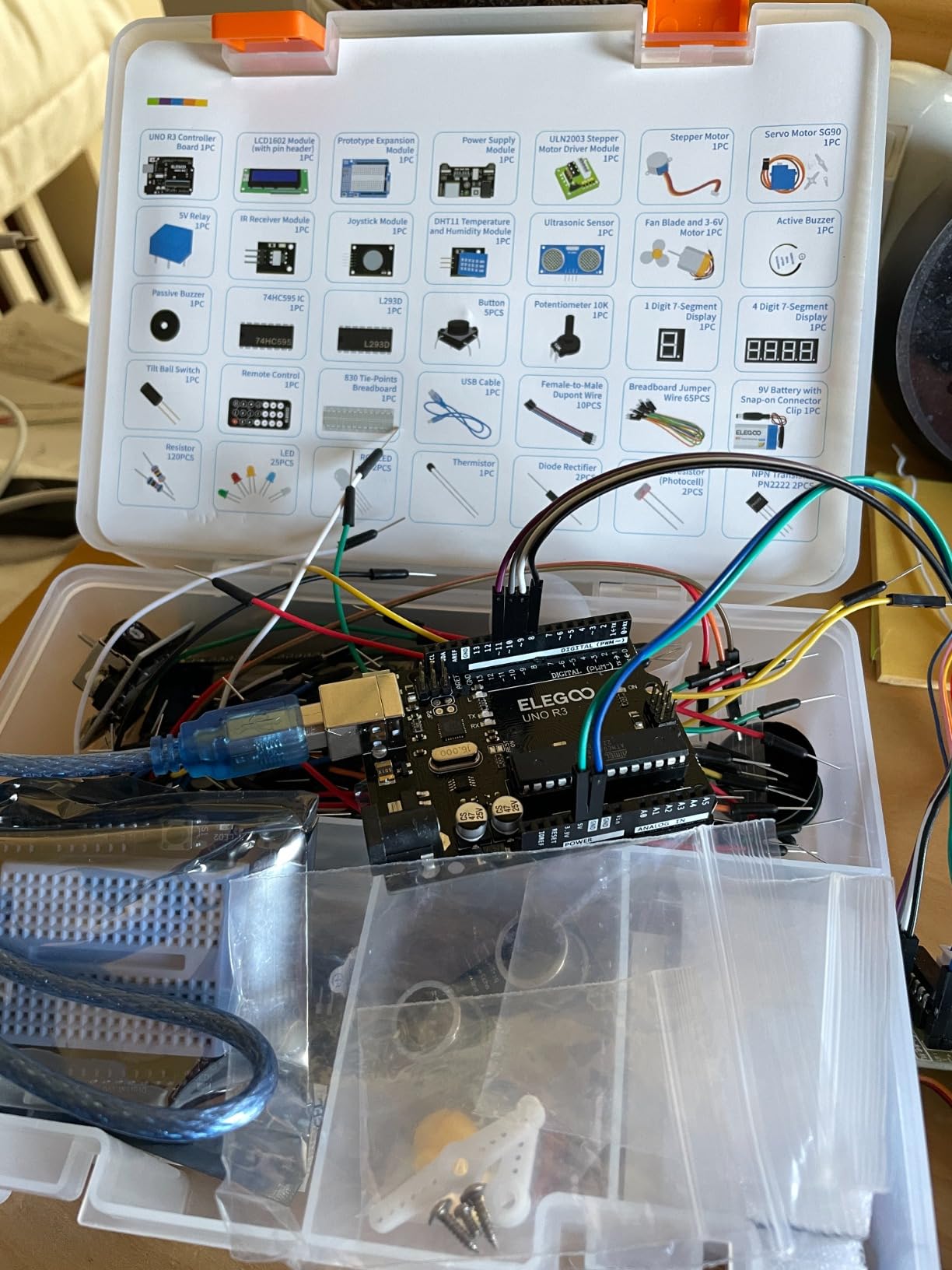
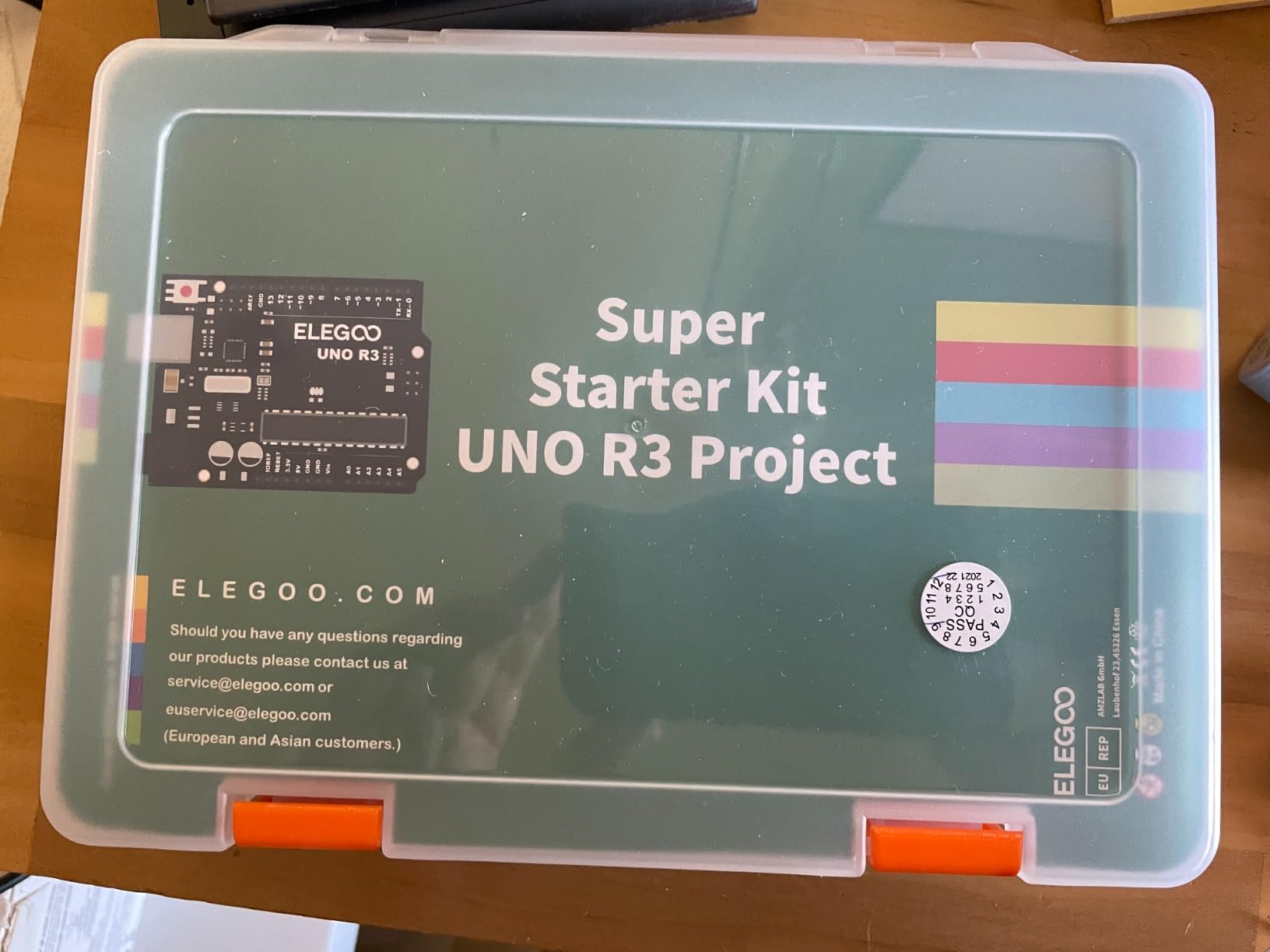
This is the kit we hand to most families. It is model EL-KIT-003, it weighs 1.2 pounds, and it ships with an UNO R3 controller running an ATmega328P at 16 MHz with 2 KB of SRAM. The board is 8.3 inches by 5.5 inches by 1.97 inches, which matters more than it sounds, because a kit that fits on a desk is a kit a teen will keep using.
What convinced us is the balance of the component list. You get an LCD1602 module with the pin header already soldered on, a breadboard expansion power supply, a joystick module, an IR receiver and remote, an SG90 servo, a stepper motor, an ultrasonic sensor, a DHT11 temperature and humidity sensor, a 5V relay, a DC motor with fan blade, a seven-segment display, a 74HC595 shift register IC, 120 resistors and 65 jumper wires. That is enough hardware for a teen to build something they chose rather than something they were told to build.
The tutorial runs to more than 22 hands-on projects and the example code walks through digital output, analog sensing, timing, motor control and display functions, so the difficulty ladder is real rather than decorative. Regulars on r/arduino consistently tell beginners to buy a kit instead of assembling parts individually, because a first set of projects touches fifteen to twenty different components and not every one of them has a standard pinout.
Two things to know before you commit. The first is that this is a clone UNO R3 board, and users report identical behaviour in the Arduino IDE for learning and hobby work. The second is the documentation gap on Mac setup, which reviewers flag directly and which has cost beginners an afternoon of frustration that has nothing to do with electronics.
What to check before you buy this for a 12 or 13 year old
Confirm your teen has a computer that can run the Arduino IDE, and that the USB cable in the box reaches the desk comfortably. A few buyers report a breadboard power module with a dead short on one rail, so plug in the board and test the rails before the first lesson, not the third.
Then decide who handles the IDE install. The tutorial assumes more setup help than a motivated twelve year old will give it, and the Mac path is the one the guide covers least well.
Where it stops being enough
The UNO runs out of I/O pins once a teen starts a project with an LCD, a servo, a sensor and a shift register all running at once. That is the moment to move up rather than to start improvising wiring.
The component quality at the small end is entry-level too. Fragile jumper wire tips and a handful of defective modules show up often enough to be worth a quick check on arrival, and the resistors are thin enough that they can be hard to seat in the breadboard.
2. ELEGOO Mega 2560 Project The Most Complete Starter Kit: best value for a teen who builds fast
- Large pin count and memory suit bigger builds than an UNO
- 200+ components support 35+ guided projects
- Pre-soldered modules and storage case cut setup time between lessons
- Wide variety of sensors displays and motors included
- Heavier and bulkier than entry-level UNO bundles
- Advanced sensor modules are hard to read without guidance
This is model EL-KIT-008, rated for ages 13 and up, and it is the kit we would buy for a fourteen or fifteen year old who blew through the Super Starter Kit projects in a fortnight. The Mega 2560 R3 board gives 54 digital I/O pins including 15 PWM outputs, 16 analog inputs, four hardware serial ports and 256 KB of flash, and the manufacturer lists a one year warranty.
The box is 13.7 by 8.4 by 1.85 inches and weighs 2.2 pounds. That bulk is the trade: it is a bigger object to store between sessions, but the storage case is the reason the extra volume is worth tolerating.
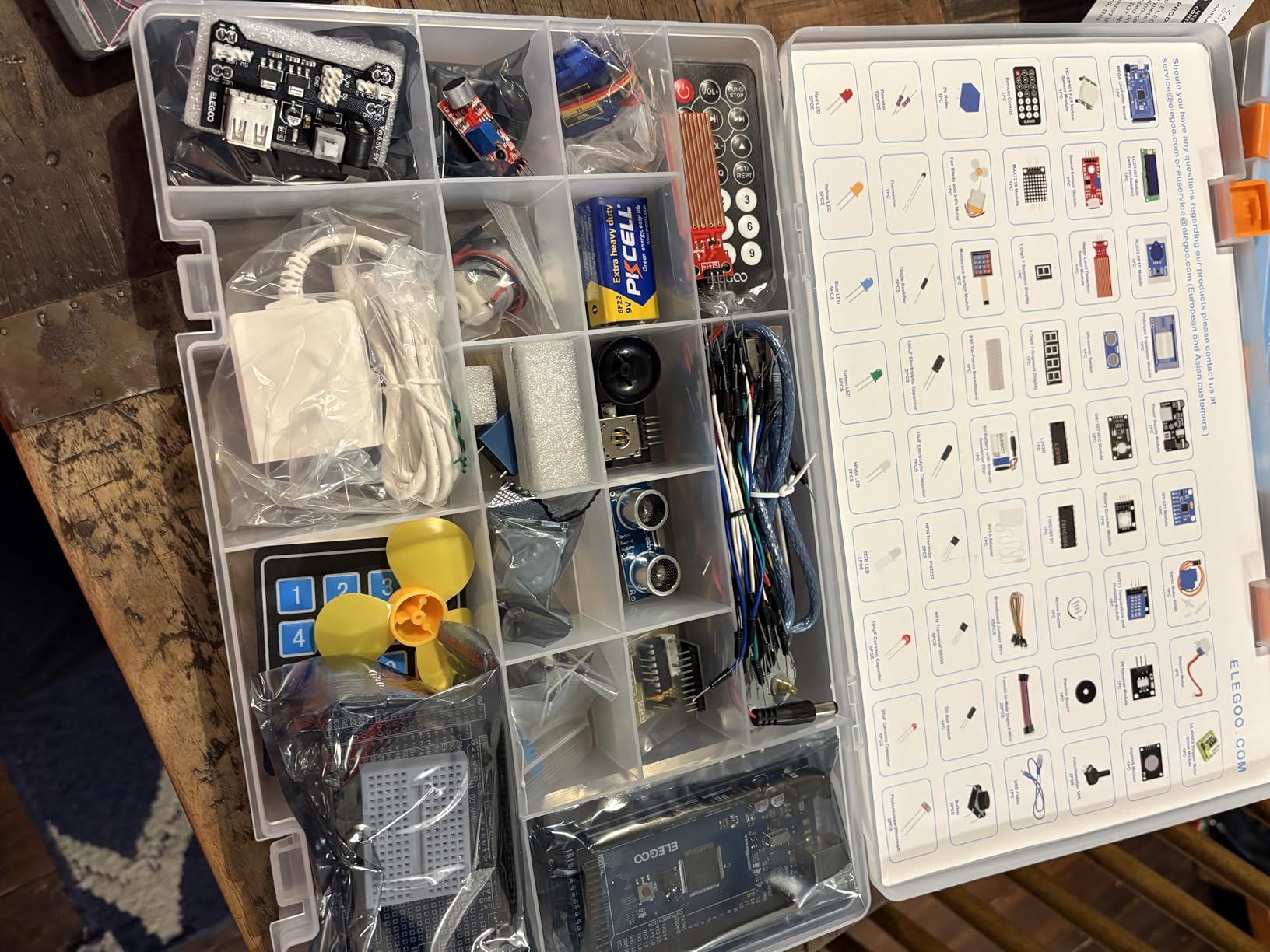
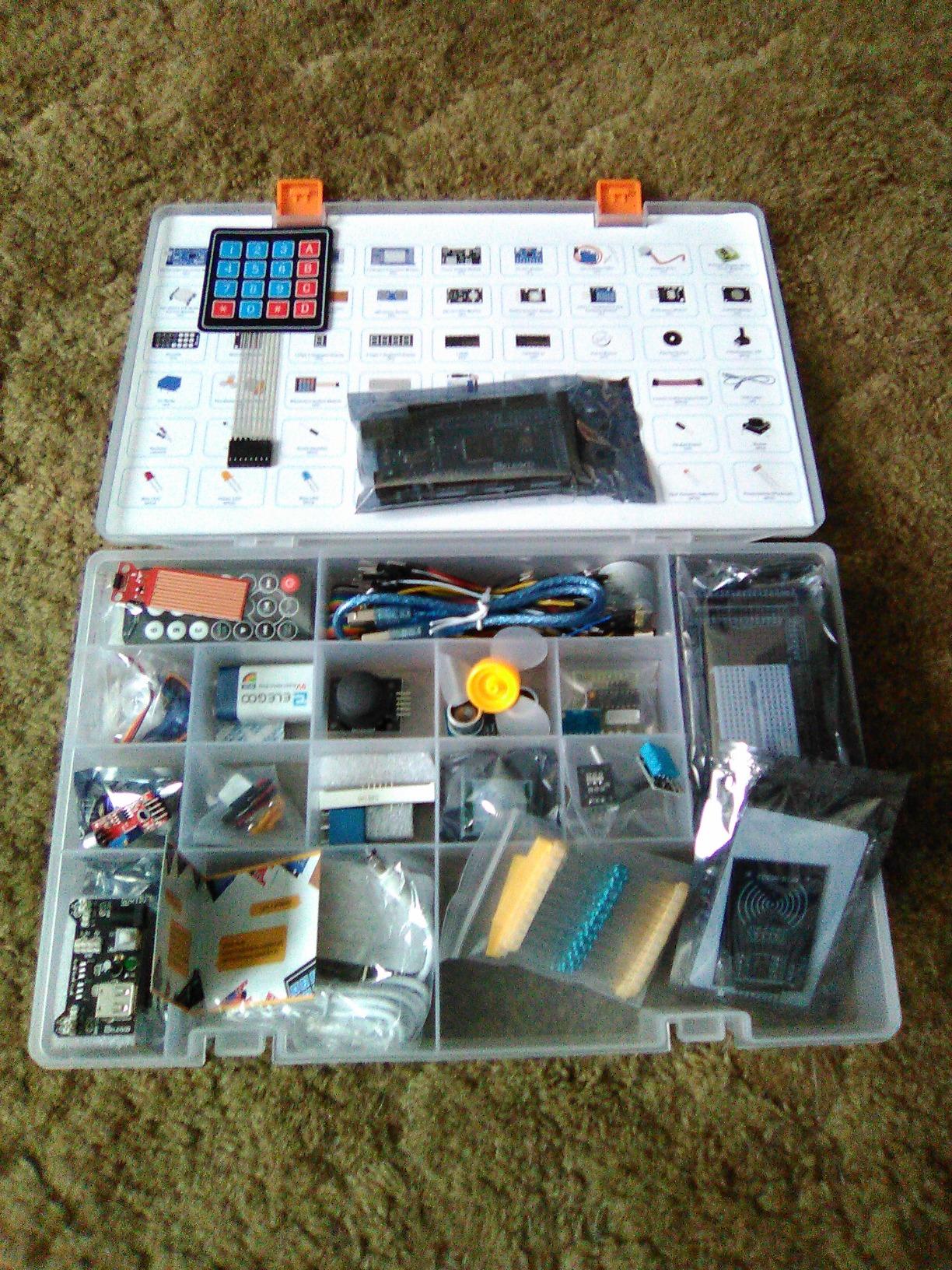
The component list reads like a small parts catalogue. You get an LCD1602, RC522 RFID reader, real-time clock, DHT11, HC-SR501 PIR motion sensor, ultrasonic and water-level sensors, GY-521 accelerometer, MAX7219 display driver, keypad, joystick, rotary encoder, relay, SG90 servo, stepper motor and DC motor, plus 65 jumper wires and a full spread of resistors from 10 ohm to 1 megohm.
More than 35 guided projects are claimed, and the included code lets a teen adjust sensor thresholds, timing, display text and motor behaviour rather than just running a fixed script. Buyers repeatedly single out the organized case and pre-soldered modules as what makes repeated learning sessions practical instead of annoying.
Why the extra pins matter more than the extra parts
A Mega 2560 lets a teenager run four hardware serial ports at once, which means a display, a sensor, a servo set and a second microcontroller can all live on one board. That headroom is the single change that moves a teen from following wiring diagrams to designing their own circuits.
If your teen is under thirteen, weigh this against the Super Starter Kit. More components and more pins do not help a beginner who is still checking polarity, and the advanced modules here are genuinely hard to interpret without guidance.
What to watch out for
Some units report a defective breadboard, so test the rails and a few rows before the first build. The jumpers are thin at the tip and can crease, and a loose jumper is the classic cause of a project that mysteriously refuses to work.
There is also a USB port fitment quirk worth checking on arrival: a few units ship with a connector that is tight in the port, and replacing that cable is a far easier fix than it looks if it comes up.
3. Official Arduino Starter Kit K000007: the pick when documentation is the deciding factor
- Genuine original Arduino components with high build quality
- Step-by-step English projects book with diagrams and schematics
- All project sketches included in the Arduino IDE examples folder
- Wooden base gives the board and breadboard a stable mount
- Packaging and organization well suited to gifting
- Book print is small and low-contrast
- Wooden mounting base is thin
- Limited scope once all projects are finished
This is the real thing, model K000007, with components sourced from Italy, a 30 day manufacturer defect warranty and a box that measures 6.3 by 9.06 by 1.77 inches at 836 grams. For a gift that has to feel official, there is no substitute. Buyers confirm the Arduino board is genuine when they open the box.
Parts and instructions cover 15 projects, with 12 hands-on builds using a DC motor, a servo motor, a tilt sensor and LEDs. Every sketch is already in the Arduino IDE examples folder, so nothing has to be downloaded or emailed, which removes a support request that other kits generate constantly.
![Official Arduino Starter Kit [K000007] - 12 DIY Projects with Electronic Components & English Projects Book - Original Kit from Italy customer photo 1](https://www.peggyomara.com/wp-content/uploads/2026/05/B009UKZV0A_customer_1.jpg)
The projects book is the reason to consider it. It pairs pictorial diagrams with schematics, so a teen learns to read both representations, and it explains what a circuit is doing rather than only which hole goes where. That habit of asking why is the difference between a teen who can adapt a tutorial and one who cannot.
The wooden base is a small touch that gets more appreciation than you would expect. It holds the board and breadboard in a fixed relationship, so a circuit does not slide apart mid-build.
![Official Arduino Starter Kit [K000007] - 12 DIY Projects with Electronic Components & English Projects Book - Original Kit from Italy customer photo 2](https://www.peggyomara.com/wp-content/uploads/2026/05/B009UKZV0A_customer_2.jpg)
Is the official kit worth it for a teenager
Worth it when documentation is the deciding factor, when the gift needs to carry the official name, or when your teen is the kind who reads manuals instead of watching videos. The quality gap in the board and the core components is real and noticeable.
Less compelling when the goal is keeping a teen busy for months, because the component set is small by design. Once the projects are finished the kit feels limited next to a bundle with 200 pieces.
Two practical catches to plan around
A 9V battery is needed for some projects and is not in the box, so add one to the shopping list. Several reviewers also note that the resistor color bands are hard to distinguish without a multimeter, which is exactly the point at which you will want one.
The book typography is small and faint, and the jumper wires are inexpensive. If the reader in your house is the one using it, check that they can read the print comfortably first.
4. ELEGOO UNO R3 Most Complete Starter Kit: the most sensors on an UNO board
ELEGOO UNO R3 Project Most Complete Starter Kit, Compatible with Arduino
- Very large component count across 63 types
- Organized storage case and small-parts box
- UNO R3 board performs equivalently to a genuine Arduino
- Tutorial clearly written in English
- 9V power supply and battery included
- Bare relay module has short pins and sits loosely
- Thin jumpers break easily
- Weak MOSFET transistors run hot on the DC motor lesson
Model EL-KIT-001 is the awkward middle option, and for some teens it is the right one. It is an UNO R3 board carrying 200+ components across 63 item types, with more than 30 guided projects, a one year manufacturer warranty and a stated recommended age of 13 and up.
It is also the only kit in this roundup that ships with a 9V power supply, a 9V battery and a breadboard power module already in the box, so a family does not need a second purchase before the first lesson. That single detail removes a real source of day-one frustration.
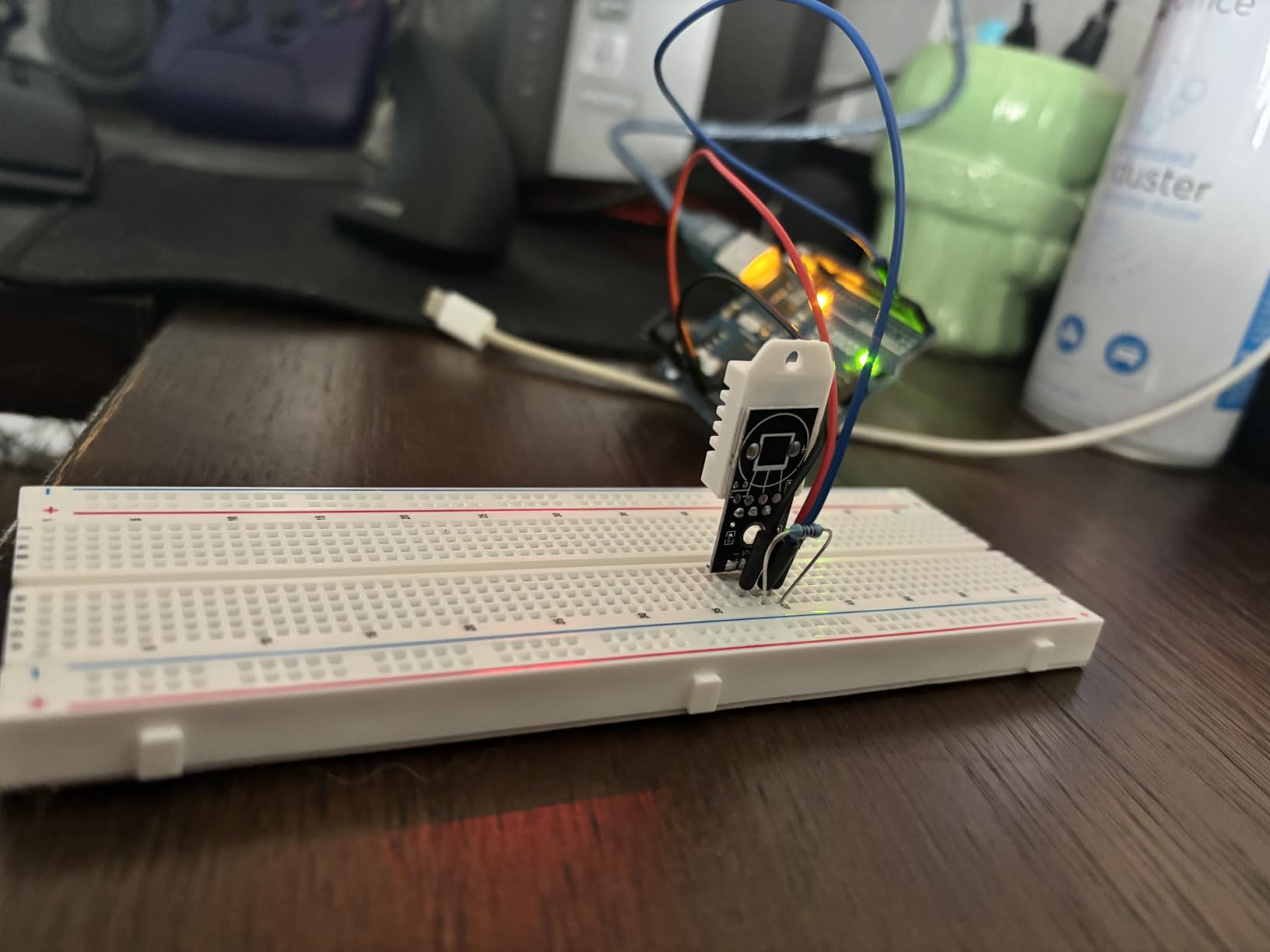
Every component in the bundle has been checked by at least one experienced reviewer who found it functional, which is not true of most kits at this size. The sensor list includes an RC522 RFID reader, a real-time clock, an HC-SR501 PIR, an ultrasonic sensor, a DHT11, a GY-521 accelerometer, a MAX7219, keypad, rotary encoder, SG90 servo, stepper motor with ULN2003 driver, DC motor, 5V relay, IR receiver and a water level sensor, with 120 jumper wires.
The tutorial is written in clear English and the code is meant to be edited, not just run, with adjustable sensor thresholds and motor behaviour. One reviewer noted the guidance occasionally omits a detail such as a ground jumper on the DC motor lesson, so it is worth reading ahead rather than following blind.
How this compares with the Super Starter Kit
Same board family, far more sensors. If your teen’s interest is in sensors, displays and radio rather than motors and buttons, this bundle is the stronger pick, and the 30+ project count outlasts the 22+ in the Super Starter Kit.
If motors and mechanical builds are the goal, the Mega 2560 bundle offers the pin headroom to run several at once. The trade is the UNO’s smaller pin count sitting under a much larger parts pile.
Where it falls short
The bare relay module has short thin pins and does not seat securely on a breadboard, which is a genuinely annoying failure to hit mid-project. The MOSFET transistors are weak enough to overheat on the standard DC motor lesson, so treat that as a demonstration circuit rather than something to leave running.
Thin resistors that are poorly gripped by the breadboard, jumpers that break at the tip, and a USB cable shorter than ideal are the other recurring notes. The 9V battery lead also needs handling as hazardous waste at end of life, which matters if your teen is responsible for the recycling.
5. Vilros Arduino Uno Starter Kit: the best choice for a manual-first learner
- Genuine Arduino Uno board verified as authentic
- Excellent 72 page full-color manual with 2D 3D and schematic views
- Solid breadboard thick USB cable and 6 foot cable
- 12 circuits give a gentle well-sequenced introduction
- Manual contains errors on the photoresistor and relay projects
- Example sketches must be downloaded separately
- DC motor leads are poorly soldered
Some teens learn by reading and some learn by watching. This kit is built for the first group. The Vilros bundle ships a 72 page full-color instruction manual that shows each project in 2D layout, 3D depiction and schematic form, and the manual is the most-praised feature across the reviews.
The board is a genuine Arduino Uno R3 with 32 KB of storage, and the component list is 190 pieces: a shift register, two P2N2222A transistors, two 1N4148 diodes, a DC motor with wires, a small servo, a 5V relay, a TMP36 temperature sensor, a 6 foot USB cable, 65 jumper wires, a photocell, a tri-color LED, 10 red and 10 yellow LEDs, a 10K trimpot, a piezo buzzer, two 12mm buttons, and 45 each of 330 ohm and 10K resistors.
![Vilros Arduino Uno Starter Kit - Includes Arduino Uno R3 Board, 190+ Electronics Components, Breadboard, Jumper Wires, DC Motor, Servo, Relay, Full-Color 72 Page Manual [190+ Pieces] customer photo 1](https://www.peggyomara.com/wp-content/uploads/2026/09/B00BT0NDB8_customer_1.jpg)
Twelve circuits give a deliberately gentle introduction rather than a headlong tour of sensor types, and a rigid mounting tray holds the board and breadboard together. At 1.2 pounds and 9.84 by 6.61 by 2.36 inches it is a comfortable kit to keep on a desk.
Reviewers confirm the Uno board is authentic, which is unusual at this point in the list. Several also note the cable is genuinely thick and the breadboard feels solid, both of which sound trivial until a build stops halfway through because the lead frayed.
![Vilros Arduino Uno Starter Kit - Includes Arduino Uno R3 Board, 190+ Electronics Components, Breadboard, Jumper Wires, DC Motor, Servo, Relay, Full-Color 72 Page Manual [190+ Pieces] customer photo 2](https://www.peggyomara.com/wp-content/uploads/2026/09/B00BT0NDB8_customer_2.jpg)
Which teen is this built for
A teen who reads a printed manual for pleasure, and a parent who wants to sit down and work through a project with them. The multi-view circuit depictions also teach schematic reading, which is a transferable skill that most breadboard kits never attempt.
It is a good fit for a beginner who needs a shorter project list. Twelve well-sequenced circuits take weeks rather than months, which suits a younger teen better than a huge parts count they have no guidance for.
What to correct before wiring up
The manual has documented errors: the photoresistor project shows wrong power connections, and the relay project has the transistor and diode orientation wrong. Check those two against a schematic before power is applied.
No complete sketches are printed in the manual, so example code has to be downloaded separately, and a few units arrive without the 72 page manual at all. Verify the manual is in the box on arrival, along with the DC motor lead solder joints, which reviewers describe as weak.
6. Kuman Arduino-Compatible R3 Starter Kit: the best value per component for a classroom
- Very good value for the number of components included
- Board works reliably as an Arduino-compatible clone
- Components packed with no bent pins
- Manufacturer support is fast and sends replacements
- Good fit for classrooms ordering several units
- No printed instructions
- Lesson documents arrive by email request not in the box
- Some jumper wires in a batch had no continuity
The Kuman K4-US is a 44 piece set at 16 ounces, and it is the one in this roundup we would put in the hands of a small group. Classroom buyers care about breadboard quality, consistent component supply and consistency between units, and multiple-unit ordering is where this kit scores well.
The free PDF tutorial covers 23 lessons and the CD carries project introductions and source code. The board runs reliably as an Arduino-compatible clone in the Arduino IDE, which is the single most important thing for a kit you intend to deploy across several teens at once.
Components arrive in a clear-lidded plastic package with no bent pins, and manufacturer support is fast enough that buyers with defective jumper wires or a faulty module report replacements arriving quickly. The one year warranty is a modest but real commitment.
Where a 12 year old will struggle
Documentation is the weak point, and it is a significant one. There is no printed manual at all, and the lesson documents are provided by email request rather than sitting in the box, which is a deal-breaker for a younger teen who needs to work independently.
The diagrams are also described as confusing, and no datasheets or pin diagrams are included for the parts, so a teen cannot look up what a module does. The included 1602 LCD display needs a pin header soldered by the user, which puts a soldering iron on the critical path for what is otherwise a cheap and capable kit.
What a parent should know before choosing it
This is the right kit when a group is learning together and an adult is setting up the workspace. It is the wrong kit for a solo twelve year old who needs printed guidance, because the documentation simply is not there.
If you do choose it, budget an afternoon for the email request and download the full lesson set before the kit is opened. Several buyers rely entirely on outside online resources to fill the gap, which works for a motivated older teen and fails with a younger one.
7. LAFVIN Project Super Starter Kit: the most versatile kit that still arrives pre-soldered
LAFVIN Project Super Starter Kit for R3 Mega2560 Mega328 Nano with Tutorial Compatible with Arduino IDE
- Wide range of components for the price
- Includes more than 20 lessons plus code libraries and datasheets
- Pre-soldered LCD 1602 header removes the soldering bottleneck
- Servo stepper and DC motors with LCD and 7-segment displays
- Documentation is thinner than the larger ELEGOO kits
- Component quality is entry-level
LAFVIN model LA-010 is a 1.4 pound kit that runs on Windows, macOS and Linux in the Arduino IDE, and it earns its place here for one reason above all others. The LCD 1602 module ships with its pin header already soldered, so a thirteen year old can plug it into a breadboard without an iron ever appearing.
The tutorial provides more than 20 lessons along with code, libraries and datasheets, which puts the documentation above several pricier kits in this roundup. Component coverage includes servo, stepper and DC motors, the LCD 1602 and 4-bit 7-segment displays, plus the standard passives.
Ratings sit at 4.7 across 742 reviews, and the feedback pattern is consistent: buyers like the breadth for what they paid, and there is very little commentary on build quality because there is very little to say. That is its own kind of signal for a first kit.
Where this fits against the ELEGOO bundles
It works on UNO R3, Mega2560 and Mega328 Nano boards, so it pairs well with a larger kit later rather than locking a teen into one platform. The included datasheets are the part most likely to be quietly useful a year from now.
The honest comparison is against the ELEGOO Super Starter Kit, which has more projects, more components and a stronger community. Where LAFVIN wins is on documentation depth relative to its tier and on the pre-soldered display.
What to expect in build quality
Component quality is entry-level, so expect thin jumper tips and the same small-parts frustrations that come with any low-cost bundle. The limited commentary on this point should not be read as evidence of exceptional quality.
It also carries a compatibility list that names the sensor, actuator and display types it supports, so a parent can check a specific project idea against the box before buying. That published list is more useful than it sounds when you are comparing six near-identical kits.
8. Smraza Beginner Starter Kit: the smallest kit that still supports a real first build
Smarza Beginner Starter Kit for Arduino with Control Board & Breadboard
- Low entry cost covering the most used components
- Breadboard holder gives a stable base for circuits
- Parts combine into 16 distinct lessons
- PDF tutorial includes instructions software libraries and sample code
- Component selection is narrower than comprehensive kits
- Documentation is thinner and assumes some electronics familiarity
The Smraza S19s weighs 10.6 ounces and measures 5.9 by 4.1 by 2 inches, which makes it the smallest kit here. It is also the fastest to set up, and that is not a small advantage when the real problem is getting a first build finished.
Sixteen lessons are built from the included parts, centred on a 5V relay, an LM35 temperature sensor and a DC motor. The PDF tutorial carries instructions, software, libraries and sample code, and a breadboard holder base gives the circuit a stable base to sit on.
A teen who finishes all sixteen projects has touched the core loop of Arduino work: read a sensor, make a decision in code, drive an output. That is the actual learning outcome, and a smaller box delivers it with less hunting for a missing component.
Why smaller can be the right call
Abandonment happens when a box overwhelms. A teen opening 200 anonymous components loses the thread; a teen opening sixteen coherent projects usually finishes them, and finishing is what produces the confidence to ask for a bigger kit three months later.
The holder base matters more than it looks. Circuits that slide across the desk generate false failures, and a false failure is the fastest way to convince a beginner that electronics is not for them.
Where the limit shows
The component range is narrower than any comprehensive kit, and there is no LCD, no RFID reader and no PIR sensor in the box. Once the sixteen lessons run out there is nothing to improvise with until something is added.
The documentation is also thinner and assumes some prior electronics familiarity, which is a real problem for a twelve year old meeting a breadboard for the first time. Pair it with a beginner-friendly written guide or video series rather than handing it over alone.
9. SunFounder Elite Explorer Kit: the best pick for a teen who will not read a manual
- Original Arduino Uno R4 WiFi board with built-in WiFi and Bluetooth
- Very large component count for the price
- Structured 50 project curriculum with 60+ free video lessons
- RoHS certified with support and troubleshooting forums
- Heavy focus on the Uno R4 platform
- Large component count can overwhelm a total beginner
This is the only kit in the roundup built around a genuine Arduino Uno R4 WiFi board, with a 32-bit processor, more memory than an R3, built-in WiFi and Bluetooth, two USB ports and two processors. If a teen has asked about internet-connected projects, this is the box that answers the question.
Alongside it you get more than 300 components, 50 projects split into 30 basic, 13 fun and 8 IoT builds, and more than 60 free video lessons co-created with educator Paul McWhorter. There is a one year guarantee, RoHS certification, and technical support with troubleshooting forums attached.
Project code is Arduino C++, and the kit is also compatible with Uno R3 and Nano boards, so it does not close off the other kits on this list. IoT projects connect through the Arduino IoT Cloud to third-party apps, which is a genuinely different skill from a blink program.
What the board choice changes for a teen
The R4 WiFi is a real upgrade in headroom, so a project that would stall on an UNO runs here. It is also the natural landing spot for a teen who finishes the basics and wants data leaving the board rather than sitting on a serial monitor.
Code written for an R3 generally transfers, but the R4 is a different target, so a teen who plans to follow tutorials written specifically for the classic UNO will need to adapt a few board selections. That is a useful skill to learn early rather than a reason to avoid it.
Where it falls short
More than 300 components can overwhelm a total beginner, and the platform focus means using another Arduino board takes extra learning. For a teen aged thirteen or under, the sheer volume is the main risk, and the video curriculum is what prevents it becoming a problem.
Buyers also note the C++ learning curve is daunting for some, which is fair. The Arduino language is C++ with a learning-friendly wrapper, so a teen who has only ever written Python may need a short introduction to what a variable and a function actually are.
10. Inventr 30 Days Lost in Space: the pick when structure beats parts
Adventure Kit: 30 Days Lost in Space | Premium STEM Coding Course for Adults & Teens | Robotics & Engineering Projects with Expert Teachers | Arduino IDE Compatible Kit
- Cinematic 30 day storyline makes learning feel like an adventure
- Instruction from a NASA researcher and college educators
- 30+ hours of video covering AI circuits and C++
- Self-paced at about one hour a day with reusable parts
- Requires a consistent daily commitment to follow the storyline
- Digital course is needed to get full value
- Not designed for children under 12
Most kits are a box of parts with a document beside them. This one is a course that happens to include a box of parts. Thirty-plus hours of premium video lessons run through a cinematic thirty-day storyline, taught by a NASA researcher and college educators, covering AI, circuits and C++ coding in the Arduino IDE.
It is aimed at teens and adults, with a recommended age of 12 and up, and the structure is about one hour a day, self-paced, with reusable parts. That daily rhythm is the point: a storyline creates a reason to come back to the desk tomorrow.
Buyers also get access to a maker community of more than 700,000 members for support and feedback, and reviewers frequently cite that community as a genuine advantage over a self-contained kit.
For a teen who abandons self-directed projects because there is no next step, this is the most direct fix on the list. The narrative does for motivation what a component list cannot.
Who should and should not buy this
Buy it for a fourteen to seventeen year old who finishes things when a reason to finish is supplied, and who is comfortable watching video rather than reading. A teen who already writes code and wants to experiment freely will find a rigid storyline slower than working at their own pace.
Skip it for a twelve or thirteen year old starting from zero, since the age floor is 12 and the C++ content assumes a starting point. The hardware is Arduino IDE compatible, but the course is written for an older learner.
What to plan around
The daily time commitment is the main drawback, and a busy fortnight can break the storyline completely. If the household cannot support roughly an hour a day, read the full course outline first so the family knows what the schedule actually costs before it starts.
The digital course is also required to get full value from the hardware, and the warranty is one year. None of that is a problem for a self-motivated teen, and it is a poor fit for a casual gift that might sit unopened until a school term ends.
11. KEYESTUDIO 48 Sensor Modules Kit: the best value for pure sensor variety
- Excellent value with 48 distinct sensor and module types
- Works with Mega 2560 Uno R3 Pro Micro Leonardo and Raspberry Pi
- Per-sensor tutorials with wiring diagrams and test code
- Packaging suited to classroom lab or hobbyist use
- Does not include an Arduino controller board
- Only Arduino instructions are supplied
- Some listings carry irrelevant specification fields
This one behaves differently from everything else on the list. The KEYESTUDIO KS0349 is 48 sensor and module pieces with no controller board in the box at all, which means it is a companion purchase rather than a first kit. Read that before anything else, because it is the most common complaint and the easiest to avoid.
Where it is genuinely strong is breadth per unit. Forty-eight distinct sensor and module types cover most mainstream sensing and actuation, and they work with Mega 2560, Uno R3, Pro Micro, Leonardo and Raspberry Pi boards, so the same box serves several platforms.
Each sensor has a project page on the manufacturer’s wiki with the wiring method and test code, which lowers the barrier for a teen who wants to see one specific phenomenon rather than follow a curriculum. Ratings are 4.5 across 165 reviews with most buyers at five stars.
When this makes sense to buy
Buy it as the second purchase, once a teen has one of the ELEGOO or Vilros bundles and has started asking about a specific effect. Forty-eight modules is a far larger catalogue of things to experiment with than any single starter kit can carry.
It also works well for a small group that already has boards, since a lab or classroom shelf full of identical Uno clones can then be filled with a shared sensor library rather than eight duplicate bundles.
What to plan around
An Arduino board has to be purchased separately, which makes this a two-item shopping decision and one that catches people out at the checkout. Nothing in the box will light up on its own.
Only Arduino instructions are provided even though the modules work with Raspberry Pi and other platforms, so anyone using a different board is on their own. Some listings also carry specification fields unrelated to the hardware, so rely on the module count and the wiki rather than on the detail table.
12. Ardest Ultimate STEM Mega2560 Kit: the pick for a soldering-ready builder
- Mega2560 gives far more I/O pins and memory than an Uno
- 50 kinds of parts across more than 180 components
- Over 33 projects included
- Breadboard and jumper wires included
- Free technical support by email
- Documentation is thin and poorly written
- Header strips may not match the listed quantities
- Several components are not used in any project
This is the largest and lowest-rated kit in the roundup, and both facts are worth understanding before buying. The Ardest bundle ships an Arduino Mega2560 controller, more than 180 components across roughly 50 kinds of electronic parts, and more than 33 guided projects, at 650 grams.
The part list is the strongest argument for it. An LCD1602 display, servo, stepper motor, sensors, breadboard, jumper wires, resistors, capacitors and transistors cover a very wide spread of practical electronics, and free technical support is available by email.
It runs on Windows, macOS and Linux with three USB ports and 256 KB of memory, and the Mega2560 silkscreen pin labels are a genuine trip hazard for anyone reading the board for the first time.
Who this suits
A teen who has already finished a beginner kit and now wants to build things that are mechanically and electrically more serious. The Mega2560 board plus LCD1602, servo and stepper motor is a real robotics parts list rather than a demonstration set.
It is the right pick for a family where soldering has already been introduced, or where an older teen aged 15 or above is being supervised at the iron. Several modules in this bundle, including the LCD1602 and the accelerometer, need headers soldered on before they are usable.
Where it falls short
Documentation is the decisive weakness, and it is not a minor one. The guide is thin, written in poor English, and glosses over the step of soldering headers onto the LCD and accelerometer, which is exactly the step a beginner cannot improvise.
The PDF guidance is also provided by email request rather than in the box, and the supplied header strips may not match the quantities or lengths listed in the inventory. Several included components are not used in any of the projects, breadboard connector alignment is inconsistent, and a non-working RGB LED has been reported.
How to Choose an Arduino Starter Kit by Age Band
Ages twelve to thirteen, fourteen to fifteen, and sixteen to seventeen need different things from a starter kit, and the gap between the youngest and oldest bands is wider than most lists suggest. The youngest group needs a working build this week and printed or video guidance they can follow alone. The oldest group needs pin headroom and parts that can support a project with a motor, a display and a sensor running together.
For twelve and thirteen year olds, buy the ELEGOO UNO R3 Project Super Starter Kit or the Smraza Beginner Starter Kit. Both fit on a desk, both work solderless, and both have a short enough project list that a younger teen can finish it. The Super Starter Kit is the stronger default because its 22+ lessons come with a step-by-step tutorial that assumes less.
For fourteen and fifteen year olds, buy the ELEGOO UNO R3 Most Complete Starter Kit or the Mega 2560 Most Complete Kit. These teens can handle a larger parts count and want sensors, displays and radio rather than a fixed set of demonstrations. The Mega 2560 is the one to pick if the projects involve anything that moves.
For sixteen and seventeen year olds, buy the SunFounder Elite Explorer Kit with the Uno R4 WiFi board, or the Inventr 30 Days Lost in Space course. Both reach past the breadboard into wireless and structured work, and both suit a teen who can be left to follow a curriculum independently.
Homeschool families should note that the Arduino Uno R3 and the C++ language map onto most school STEM curricula, and that a solderless kit lets several children share one box on different days. Classroom buyers in our guide to the best robot building kits for teens should prioritise breadboard quality and supply consistency over documentation, since the adult is usually teaching the group. If the goal is a gift that arrives with no assembly decision at all, our best gel nail kits for teens guide makes the same case in a completely different category: pick the one where nothing has to be set up before the fun starts.
Uno R3 vs Mega 2560 vs Uno R4 WiFi: Which Board Should a Teen Start On
For a beginner aged twelve or thirteen, an Uno R3 is the right starting board. It is 16 MHz with 2 KB of SRAM and 32 KB of flash, it is the target every Arduino tutorial is written against, and almost every example sketch on the internet assumes its pin layout. Starting on anything faster does not make a beginner learn more, and a beginner who never finished a blink program has nothing to apply a faster board to.
A Mega 2560 earns its place when pin count is the constraint. It has 54 digital I/O pins including 15 PWM outputs, 16 analog inputs, four hardware serial ports and 256 KB of flash, so a project with a display, several sensors, servos and a second microcontroller can all live on one board. Teens hitting that limit are usually building robots, and a robot with a tangled mass of jumper wires is where projects actually get abandoned.
The Uno R4 WiFi is the choice when data has to leave the board. It has a 32-bit processor, more memory than an R3, and built-in WiFi and Bluetooth, so an IoT project can reach a phone or a cloud service without an extra shield. It is a better board and a steeper first step, so treat it as the second board unless the teen specifically wants internet projects.
One technical point that catches families out on day one. Clone boards often use a CH340 USB-to-Serial converter rather than an FTDI chip, and the driver for that converter has to be installed separately, particularly on macOS. If the IDE cannot find the port, install the CH340 driver before assuming the board is faulty, and on Mac check the port list after installing rather than before.
Soldering, Safety and the 12 Year Old Rule
Most Arduino starter kits need no soldering at all, and that is the single biggest parent safety preference expressed in the forums. A solderless breadboard, pre-soldered module headers and plug-in sensors mean nothing in a normal lesson needs an iron, and every kit in this roundup except the Kuman and the Ardest works that way out of the box.
Two kits break that rule. The Kuman Arduino-Compatible R3 Starter Kit includes a 1602 LCD display that needs a pin header soldered by the user, and the Ardest Ultimate STEM Mega2560 Kit requires headers soldered onto the LCD and the accelerometer, though its documentation glosses over the step. Neither is a deal-breaker for an older supervised teen, and both are poor choices for a twelve year old.
The rule we would give a parent is simple. Under fourteen, no unsupervised iron, full stop. Over fourteen, an iron with a proper stand, ventilation, a heat-resistant mat and an adult in the room, and only on projects where the guide genuinely requires it. Everything on the breadboard path runs on 5V logic, which is why we would steer a young teen away from mains voltage entirely rather than trying to supervise around it.
Static is the other everyday concern. Grounding yourself by touching a metal object before handling a board costs nothing and prevents the most common cause of a dead microcontroller, and it is worth mentioning to a teen once rather than every time.
Three Projects in Your First Hour
Most kits are abandoned before the guided lessons end, and the cause is usually the first hour rather than the tenth week. A box that produces a working result the same evening gets opened again. These three builds are available in almost every kit on this list, and together they cover the core loop of the whole hobby.
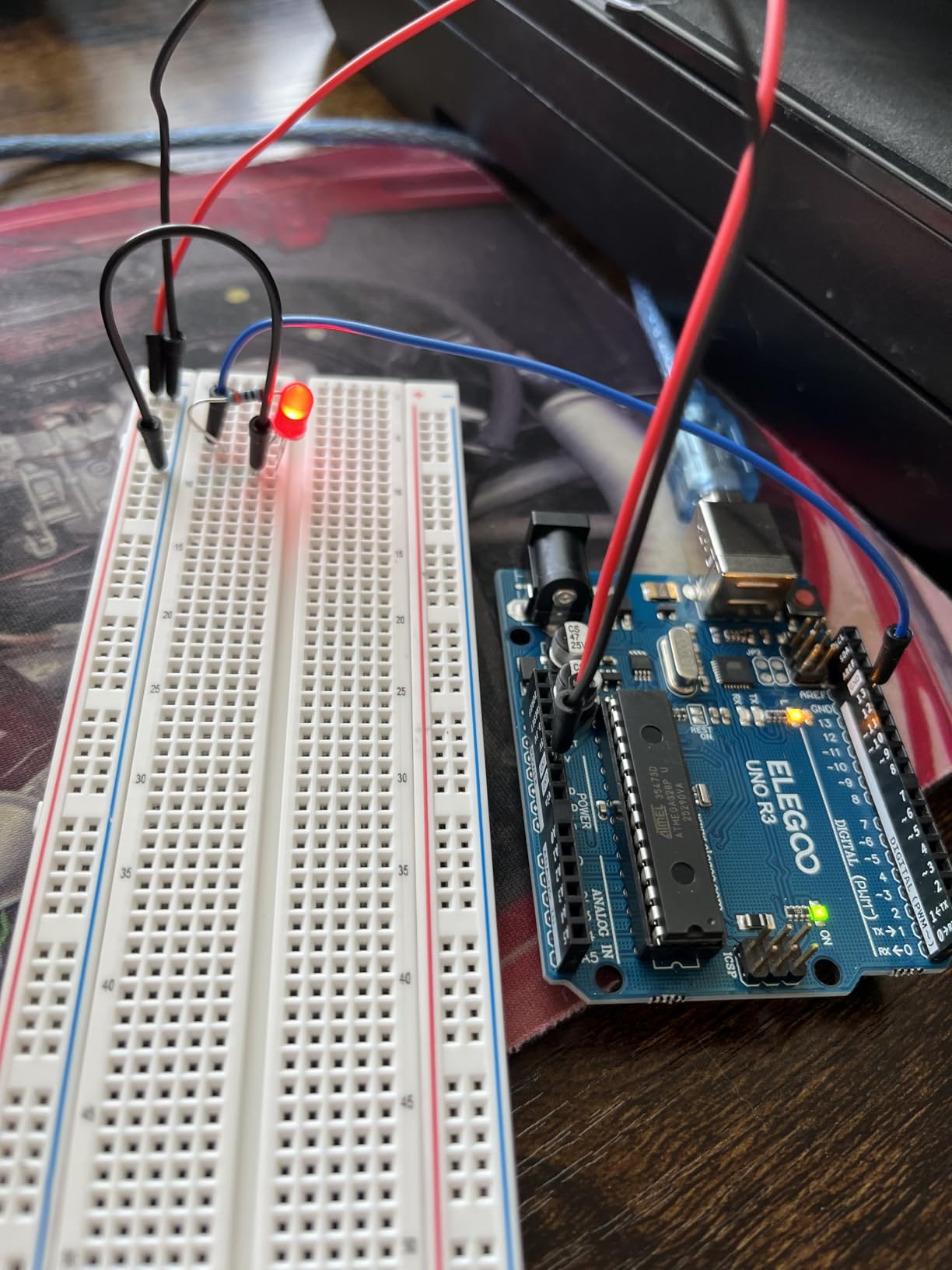
First, the blink, roughly ten minutes. One LED, one 220 ohm resistor, two jumper wires and a five line sketch. The point is not the light, it is proving that the toolchain works end to end, so a teenager learns to trust the process before anything goes wrong.
Second, temperature on the serial monitor, roughly twenty-five minutes. The DHT11 in the ELEGOO, Vilros and Smraza kits, or the TMP36 in the Vilros bundle, feeds a reading into the IDE. This is the first build where something the teen cannot see becomes something they can read, and it makes a physical concept visible.
Third, a PIR motion alarm, roughly forty minutes. An HC-SR501 sensor drives an LED or a buzzer through a resistor, with a short delay in the code. It is in the ELEGOO Mega 2560 and Most Complete kits, and it is the first build that responds to the room, which is usually the moment the hobby clicks.
Do all three in the first session and put the parts back in the case afterwards. The storage case included with the larger ELEGOO kits is not a minor accessory, because putting everything away is what makes the second session happen.
What to Add After the First Month
Add a multimeter first. It is the single most useful purchase after a kit because it answers the question every beginner eventually asks, which is whether a component or a wire is actually working. A basic model is enough for a teen to measure voltage, check continuity and read a resistor band properly, and the official Arduino kit reviewers specifically note that reading color bands is much easier with one.
Second, a small-parts organiser with labelled compartments. Losing a single 220 ohm resistor ends a build, and hunting for it across a kitchen table is a common cause of the two-month abandonment pattern. Segmented trays solve it for almost nothing.
Third, a soldering iron with a stand, once a teen is old enough and supervised. This is the point where the Kuman and Ardest bundles finally complete themselves, and where a teen who began solderless starts building circuits that stay fixed rather than circuits held together in a breadboard.
Fourth, sensors. The KEYESTUDIO 48 module set is the efficient route if a teen wants to experiment widely, and adding a display or a second board is the right move once the UNO runs out of pins. A second UNO R3 or a Mega 2560 also solves the problem of two sessions fighting over one board.
Official Arduino vs Clone Kits: What Actually Changes
Choosing between a genuine Arduino board and a clone is a documentation question more than a hardware one. Clone Uno R3 boards run the same ATmega328P, load the same code in the same Arduino IDE, and users report identical behaviour for learning and hobby work. The genuine Vilros and Arduino K000007 boards are physically better made, but the difference a beginner feels day to day is small.
What genuinely differs is support. The official K000007 ships every project sketch inside the Arduino IDE examples folder and a printed book with both pictorial diagrams and schematics, so nothing has to be downloaded, emailed or guessed. Clone kits lean on a PDF, and the best of them, like the ELEGOO Super Starter Kit with 22+ lessons and illustrated component lists, come close.
The other real difference is component count. Official kits are deliberately small and are finished quickly. Clone bundles routinely carry 200 or more parts because that is what makes them good value, and the trade is that a teen has to be given some structure to avoid being overwhelmed by the sheer volume of choices.
Our rule is simple. Buy official for a first kit when documentation and gifting matter. Buy a clone bundle when staying engaged for months matters more. Most families end up doing both, starting with a bundle and adding an official board later.
Frequently Asked Questions
What is the best Arduino starter kit?
The best Arduino starter kit for most teens is the ELEGOO UNO R3 Project Super Starter Kit. It pairs a UNO R3 board with more than 22 guided lessons, a solderless breadboard and pre-soldered modules, so a first working build is possible the same evening without a soldering iron. Older teens who outgrow it move to the ELEGOO Mega 2560 Most Complete Kit.
Which Arduino is best for beginners?
An Uno R3 is the best starting board for a beginner aged twelve or thirteen. It runs at 16 MHz with 2 KB of SRAM and 32 KB of flash, and it is the target almost every Arduino tutorial is written against. A Mega 2560 is better once pin count is the constraint, and an Uno R4 WiFi is better once the project needs to send data off the board.
What age to start Arduino?
Twelve is a reasonable starting age for Arduino, and the ELEGOO Mega 2560 and Most Complete kits are both rated for ages thirteen and up. Below twelve, the official Arduino Starter Kit K000007 carries a 0 to 12 age rating. Older teens can start anywhere on this list, provided they can install the Arduino IDE and handle a breadboard confidently.
Can a 13 year old learn Arduino?
Yes. The Arduino language is C++ with a beginner-friendly wrapper, and a 13 year old can be productive within a week by wiring an LED and a resistor on a breadboard and uploading a blink sketch. The genuine barriers are setup rather than ability, so plan who installs the IDE and, on a Mac, who installs the CH340 driver that many clone boards need.
Do Arduino starter kits need soldering?
Most do not. The ELEGOO, Vilros, LAFVIN, Smraza, SunFounder, Inventr and KEYESTUDIO options in this roundup work solderless out of the box, using pre-soldered module headers and plug-in sensors. Two exceptions need an iron: the Kuman K4-US, whose 1602 LCD needs a header soldered, and the Ardest Mega2560 kit, which needs headers on the LCD and accelerometer.
What should I add to an Arduino kit after the first month?
Add a multimeter first, because it answers whether a component or wire is actually working. Next add a small-parts organiser with labelled compartments so resistors are not lost, then a supervised soldering iron if your teen is old enough. After that, extra sensors or a second board, since an Uno runs out of I/O pins once a display, servo and sensor are all running together.
Final Verdict
The ELEGOO UNO R3 Project Super Starter Kit is our pick for the best Arduino starter kits for teens in 2026, because it produces a working build on the first evening and has enough parts and lessons to hold attention for months. Buy the ELEGOO Mega 2560 Most Complete Kit when the teen builds faster than the projects run out, and the official Arduino Starter Kit K000007 when documentation and authenticity decide it.
Whichever you choose, buy it with the teen rather than for them, and set aside an hour for the three builds above. That first hour does more for keeping the kit alive than any amount of extra hardware ever will.