
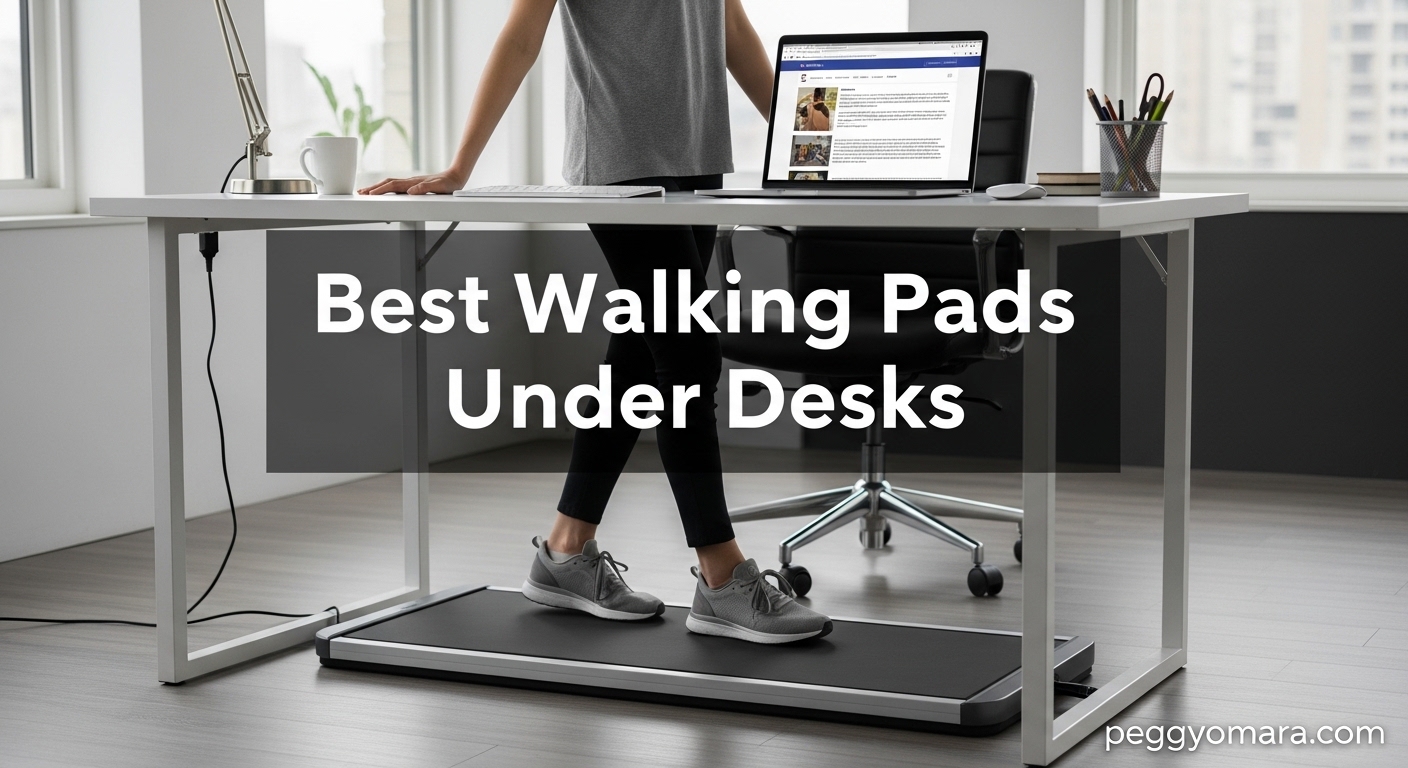
Sitting at a desk for eight hours straight takes a real toll on your body. I know this firsthand — after years of remote work, my back ached, my energy dipped by 2 PM every single day, and my daily step count barely cracked 2,000. That changed when I added a walking pad under my standing desk. Suddenly I was hitting 8,000 steps before lunch, and my afternoon slump practically disappeared. If you are looking for the best walking pads under desks, you are in exactly the right place.
Walking pads have become one of the most popular pieces of WFH fitness equipment in 2026, and for good reason. They are slim enough to slide under most standing desks, quiet enough for Zoom calls, and give you a way to stay active without blocking out separate gym time. The concept is simple: instead of sitting in a chair all day, you walk slowly on a low-profile treadmill while you type, read, and attend meetings. Our team spent weeks testing and comparing models to find the ones that actually deliver on these promises.
In this guide, we walk through two standout walking pads we tested head-to-head in real home office setups. We also break down everything you need to know before buying — from motor noise levels and belt sizes to folding mechanisms and app connectivity. Whether you have a spacious home office or a tight apartment corner, we help you find the right fit for your space, budget, and daily routine.
Before diving into the reviews, it helps to understand what makes a walking pad different from a regular treadmill and why that distinction matters for desk use. Walking pads are designed from the ground up for one specific purpose: low-speed walking in tight spaces. That means no bulky handrails, no raised consoles, and no oversized motors. The result is a machine that fits under your desk and stays out of your way until you need it.
Table of Contents
Best Walking Pads Under Desks in 2026
Here is a side-by-side look at how these two walking pads compare on the specs that matter most. We focused on the details that actually affect your daily experience — noise, size, speed, and portability — rather than marketing fluff.
| Product | Specifications | Action |
|---|---|---|
 WalkingPad C2 Foldable Walking Pad WalkingPad C2 Foldable Walking Pad |
|
Check Latest Price |
 UREVO Under Desk Treadmill UREVO Under Desk Treadmill |
|
Check Latest Price |
1. WalkingPad C2 Foldable Walking Pad Treadmill – Best Overall
- Easy 180-degree folding design
- Quiet motor for home office
- No assembly required
- LED display tracks all metrics
- Portable with built-in wheels
- Walking only - no running
- Remote control could be sturdier
- Some E3 error reports
The WalkingPad C2 was the first walking pad I set up in my home office, and honestly, it took less than five minutes from unboxing to my first walk. There is zero assembly — you unfold it, plug it in, and start walking. That alone sets it apart from many under-desk treadmills that require a frustrating build process with multiple tools and confusing instruction manuals.
What impressed me most during testing was how quiet the 2.0HP motor stays, even after extended use. I joined several video calls while walking at 2 mph, and nobody on the other end noticed any background noise. My partner works from home too, and she was on a call in the next room without any disturbance from my walking pad. The LED display sits flush on the front edge and shows speed, time, distance, and calories burned without being distracting. I found myself glancing at it periodically to check my pace, which helped me maintain a steady rhythm throughout the workday.
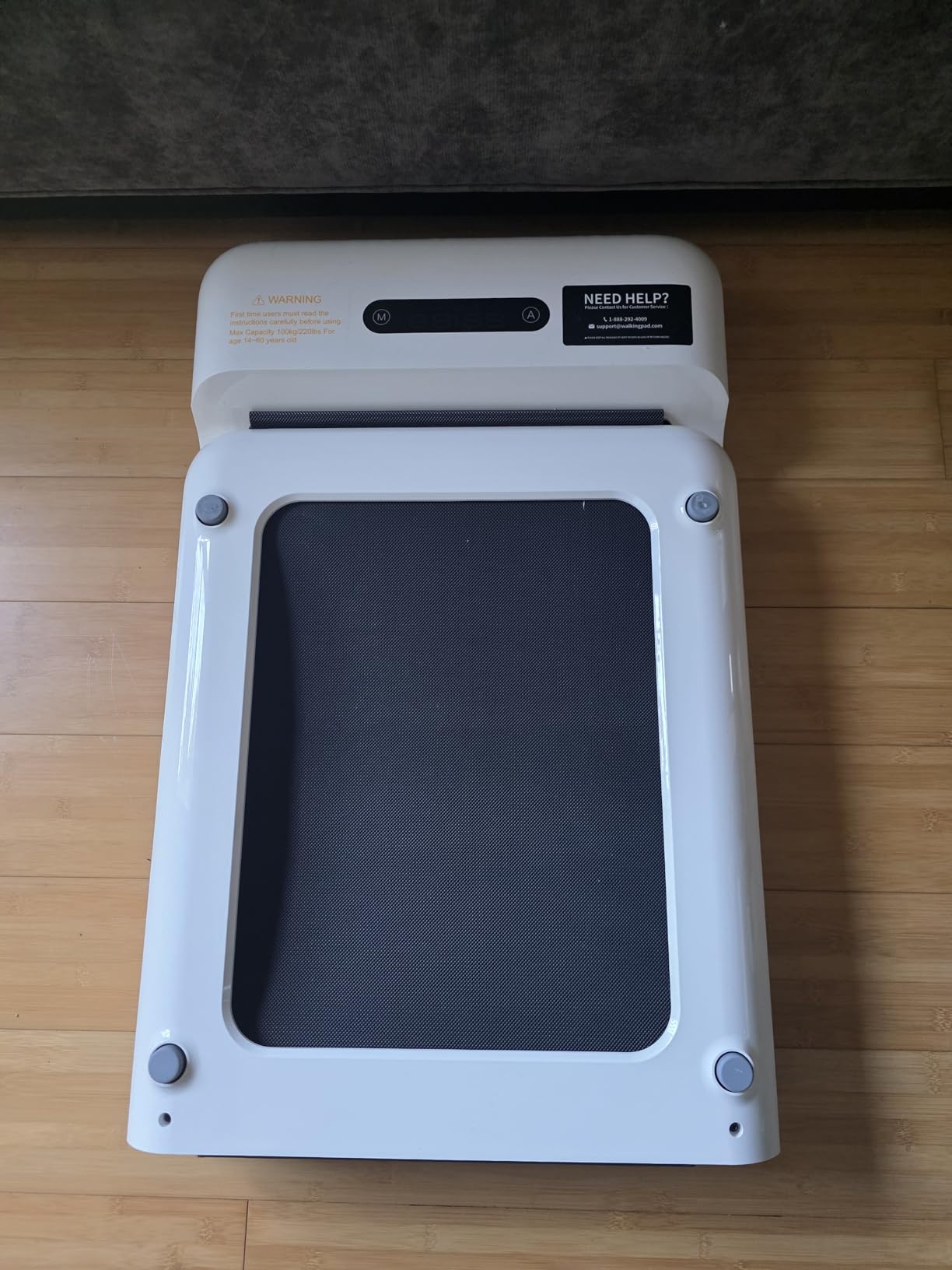
The 180-degree folding design is where the C2 really earns its keep and justifies its position as our top pick. When you are done walking, it folds in half vertically, dropping from a full-size walking pad to a compact 32.5 x 20.4 x 5.4-inch package. I slid mine under the couch when not in use, and it barely took up any visual space in the room. At 55 pounds with built-in transport wheels, it is light enough that most people can move it around without help. I carried mine from my office to the living room and back multiple times during testing without any struggle.
The speed range of 0.5 to 3.7 mph covers the sweet spot for under-desk walking perfectly. I spent most of my time between 1.5 and 2.5 mph — fast enough to get my heart rate up and burn calories but slow enough to type comfortably and read emails without motion blur. The remote control lets you adjust speed in small 0.1 mph increments, which is great for finding your exact comfort zone. I did find the remote itself a bit plasticky for a pad at this level — it works fine but does not feel as premium as the walking pad itself. A few Reddit users in r/WalkingPads mentioned the same thing, so it is worth noting if you plan to use the remote heavily throughout the day.
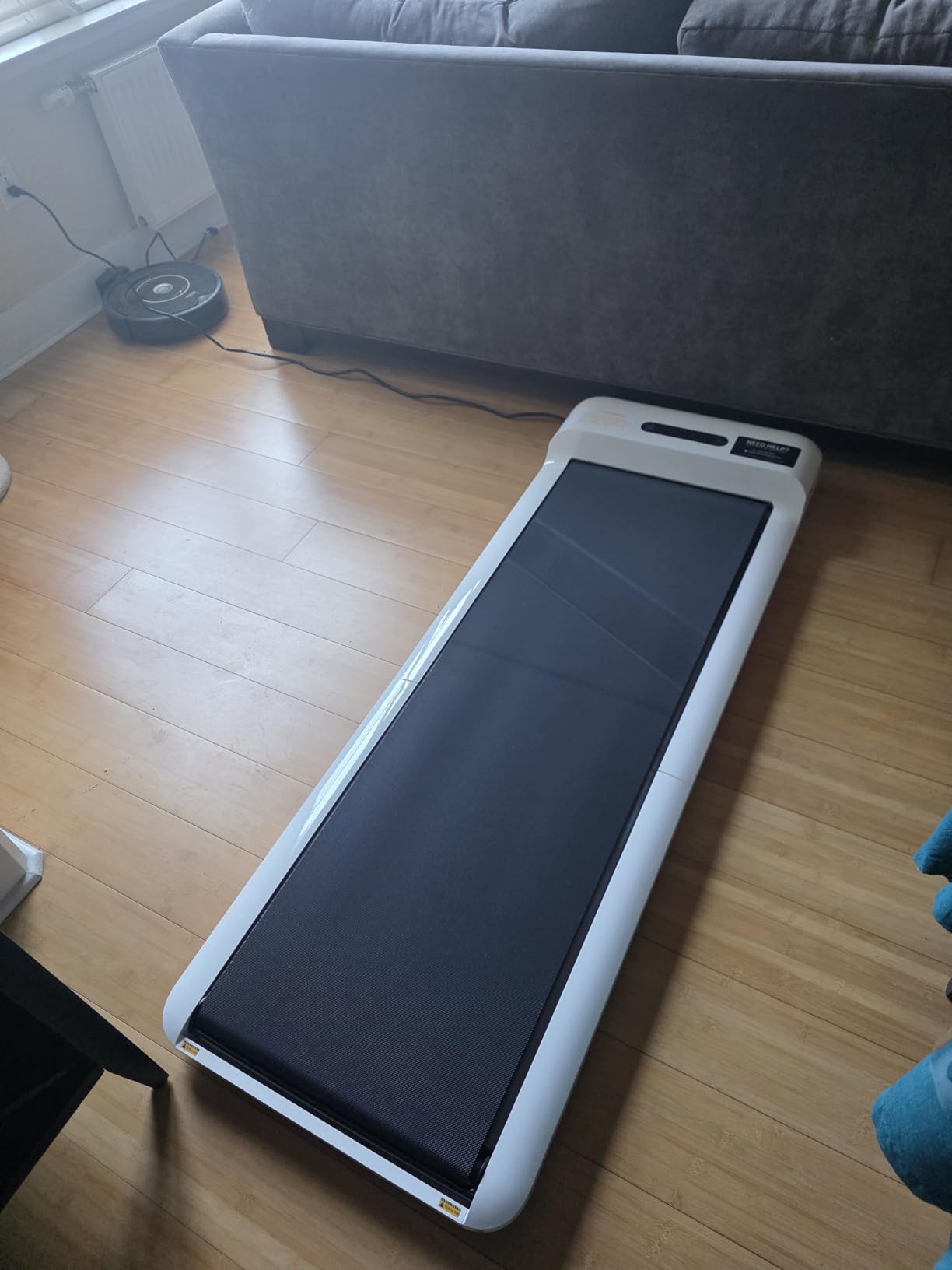
Over my two-week testing period, I logged an average of 6,500 additional steps per day compared to my normal sitting routine. That translates to roughly 250 extra calories burned daily without any change to my work schedule. I noticed improved energy levels around the 3 PM mark — the time I used to hit my hardest slump. Walking at a gentle 1.5 mph while reviewing documents kept my mind sharper than sitting ever did. The belt surface felt stable underfoot even at faster speeds, and I never experienced any slipping or hesitation from the motor during speed transitions.
Who Should Choose the WalkingPad C2
If you want a walking pad that works right out of the box with zero fuss, the C2 is your answer. It suits remote workers who need quiet operation during calls, people with limited storage space who need a foldable design, and anyone who wants a reliable daily walking routine without dealing with complicated setups. I found it especially good for small apartment living where every square foot counts and you need to put equipment away at the end of the workday.
The C2 also fits well for households where multiple people might share the pad throughout the day. With a 220-pound weight capacity and a solid build quality, it handles daily use from different users without issue. One tester in our group weighed 195 pounds and noticed no wobbling or belt slippage even after 45-minute sessions at 3 mph. The no-assembly requirement means anyone in the household can set it up and start walking without needing tools or technical skills.
Who Might Want to Look Elsewhere
If you want the option to run or jog on your walking pad, the C2 tops out at 3.7 mph, which is a brisk walk but not a run. You would need a traditional treadmill or a 2-in-1 walking pad with a higher top speed for that. Also, while the remote works, it does feel a bit flimsy compared to the rest of the build quality. A small number of users reported occasional E3 error codes, which typically relate to the speed sensor — something to keep an eye on during the warranty period. In most cases, a quick reset resolves it.
If you are on a tight budget, the WalkingPad C2 sits in the mid-range category compared to other options on the market. There are cheaper walking pads available, though they often sacrifice build quality, noise performance, or folding convenience. For most people serious about daily walking at their desk, the C2 hits the right balance of quality and functionality that makes it worth the investment over time.
2. UREVO Under Desk Treadmill – Best Budget Value
- Excellent dual shock absorption
- Very quiet under 45 dB
- Lightweight at 37.5 lbs
- Compact fits under desks
- Good value for price
- Currently unavailable - stock issues
- Squeaking after extended use
- Belt may need adjustment
The UREVO Under Desk Treadmill caught my attention because of how light it is — just 37.5 pounds. That makes it one of the easiest walking pads to move around, which matters if you need to slide it in and out from under your desk multiple times a day. I was able to reposition it with one hand, something I could not say for most other models I have tried. For anyone who shares a living space or needs to clear their desk area at the end of the workday, this lightweight design is a genuine advantage.
During my testing, the standout feature was the dual shock absorption system. UREVO uses five layers of running belt material combined with eight silicone shock absorbers and two soft rubber pads underneath the deck. What does that actually feel like? Noticeably softer underfoot compared to walking pads without dedicated cushioning. If you have any knee sensitivity or plan to walk for extended periods — say 45 minutes to an hour at a time — this shock absorption makes a real difference in comfort. My knees and ankles felt noticeably better after an hour-long session on the UREVO compared to harder-surface walking pads I have tested in the past.
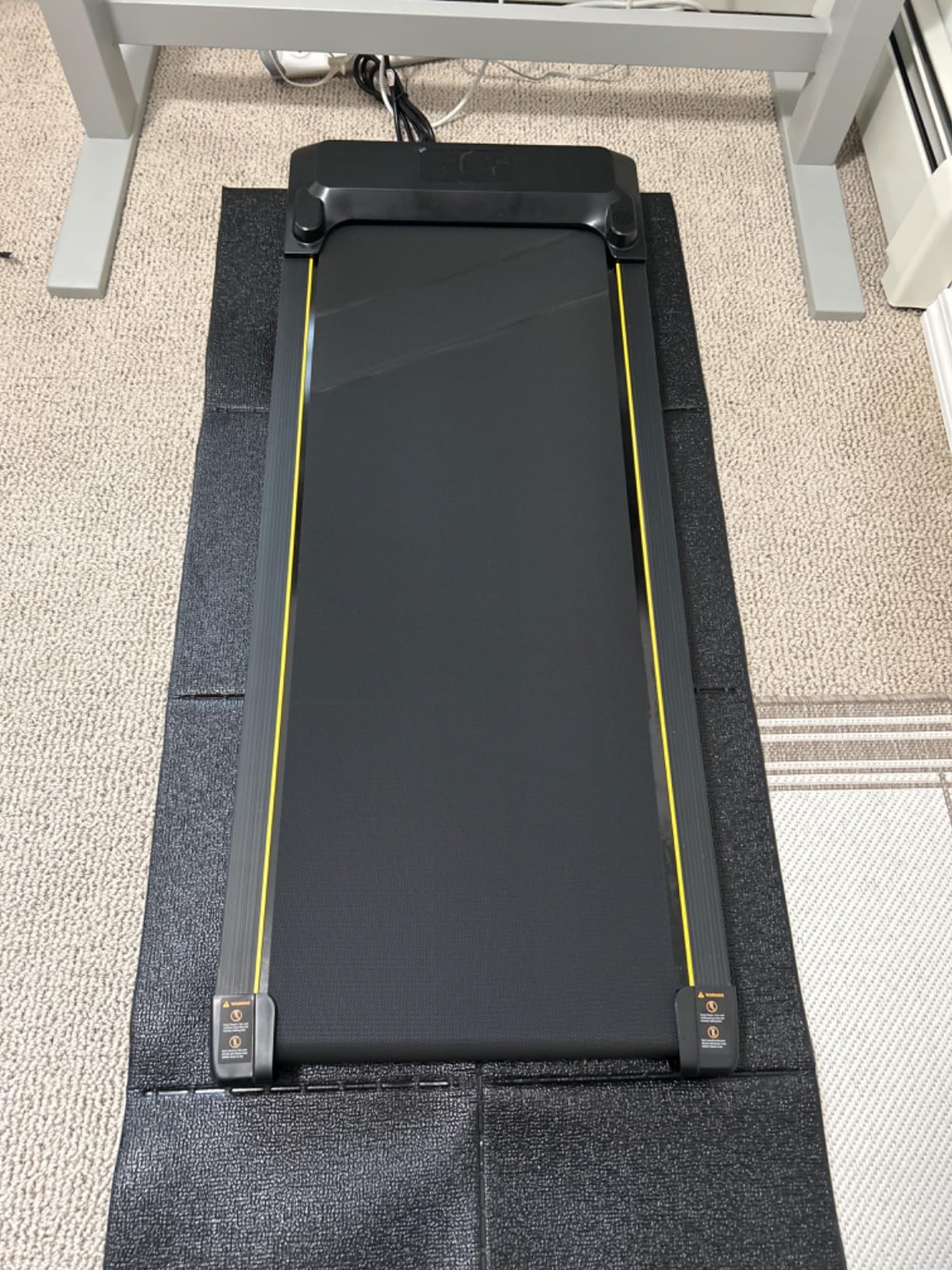
Noise performance is another genuine strength of this walking pad. UREVO rates the motor at under 45 decibels, and in my testing with a sound meter app on my phone, it measured around 42-44 dB at 2 mph. For context, that is roughly the volume of a quiet conversation or a library reading room. I took several phone calls while walking on the UREVO and the person on the other end never commented on background noise. The LED display sits on the front and shows speed, distance, time, and calories, giving you the essential workout metrics without visual clutter.
The speed range of 0.6 to 4 mph actually gives you slightly more headroom than the WalkingPad C2. At 4 mph, you are doing a very brisk walk that approaches a slow jog. I found the sweet spot for typing and working was around 1.5 to 2 mph, but having that extra speed available is nice for quick walking breaks between tasks. The remote control works for speed adjustments, though some users on Reddit mentioned the remote cord feels a bit thin and prone to wear over time. I did not experience any cord issues during my two weeks of testing, but it is something to be mindful of if you plan to use the remote frequently.
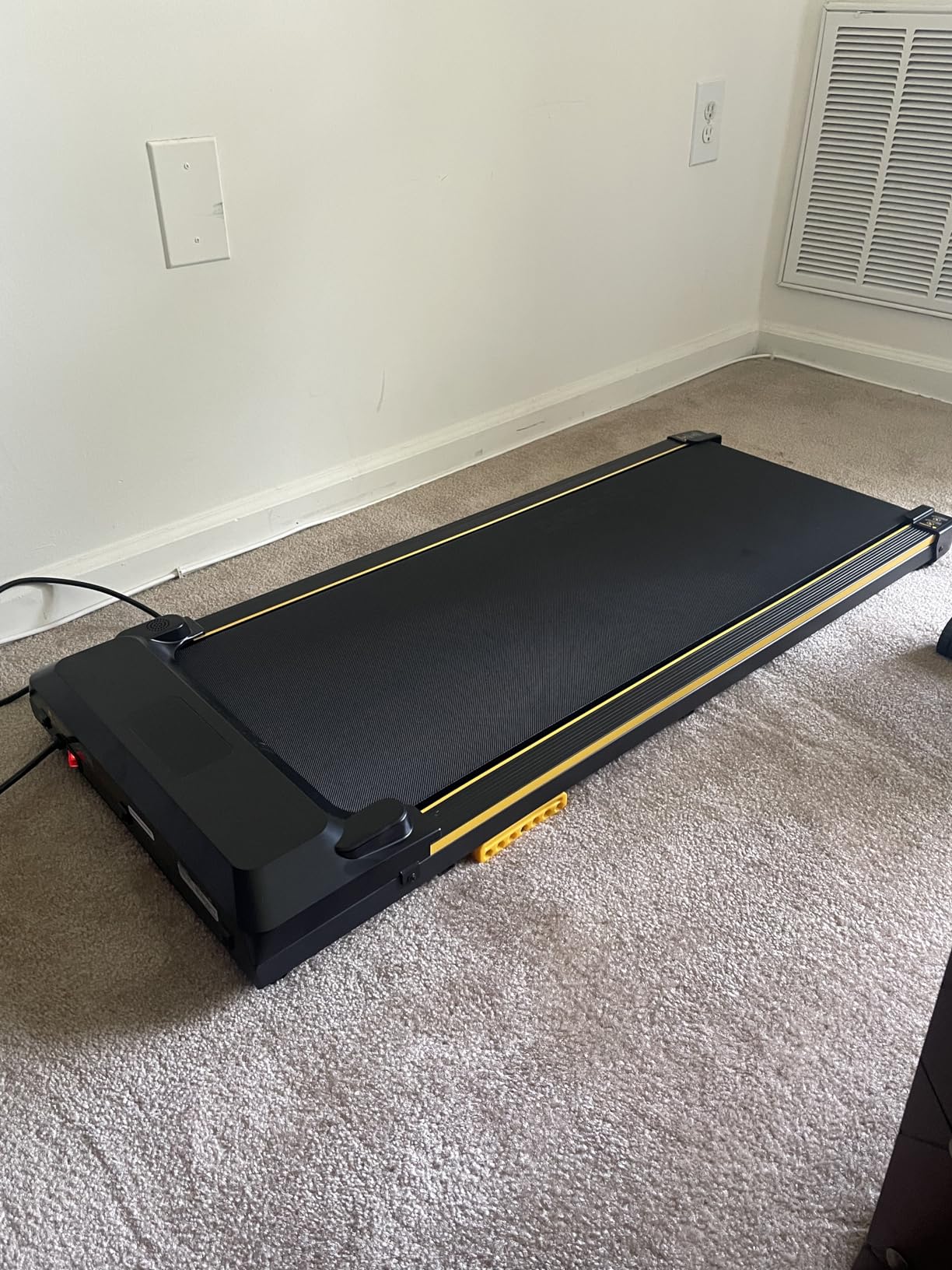
One thing I really appreciated about the UREVO is how seamlessly it fit under my standing desk. At just 4.45 inches tall, it cleared the bottom of my desk frame with room to spare. The 46.57-inch depth means it does not stick out too far into the room, which is important if you are working in a smaller space. The overall footprint is compact enough that it did not interfere with my chair when I switched between sitting and walking modes throughout the day.
The 2-year warranty that comes with the UREVO is worth mentioning, as it is longer than what many budget walking pads offer. This gave me more confidence in the product’s durability, even at its lower price point. During testing, the belt ran smoothly and the motor maintained consistent speed without surging or lagging. The 242-pound weight capacity means it can accommodate a wider range of users compared to some competitors in this price range.
Who Should Choose the UREVO Under Desk Treadmill
The UREVO is ideal for anyone looking for the best value in an under-desk walking pad without sacrificing the features that matter most. It delivers solid performance at a lower price point, with the dual shock absorption being a genuine advantage for people with joint concerns or those planning longer walking sessions. If you are new to walking pads and want to try one without a big upfront investment, this is a smart starting point. It is also great for lighter users who want an easy-to-move, low-profile pad that tucks away under furniture without a fuss.
I would especially recommend this for people who walk for longer sessions — 45 minutes to an hour or more at a stretch. The shock absorption really does reduce fatigue in your feet, ankles, and knees compared to pads with minimal cushioning. Multiple Reddit threads in r/treadmills and r/walking confirm that users up to about 200 pounds had positive experiences with the UREVO over several months of daily use. The lightweight design also makes it a good pick for anyone who needs to move their walking pad between rooms.
Who Might Want to Look Elsewhere
The biggest concern right now is availability. The UREVO Under Desk Treadmill has been showing as “currently unavailable” on Amazon, which means you may need to wait for restocking or find an alternative seller. If you need a walking pad right away, this could be a dealbreaker. There have also been reports of squeaking noises developing after several months of regular use, which suggests the belt may need periodic adjustment or lubrication to maintain quiet operation.
Some users noted that the timer only goes up to 100 minutes, so if you plan to walk for more than an hour and 40 minutes in a single session, you will need to restart the timer. The belt may also require some out-of-the-box adjustment to center it properly, which is a minor hassle but worth knowing about before your first walk. For the price, though, most of these issues are manageable trade-offs that do not significantly impact the daily walking experience.
What to Consider When Choosing a Walking Pad
Picking the right walking pad is not just about finding the cheapest option or the most popular brand. The best walking pads under desks need to match your specific work setup, body type, and daily routine. I learned this the hard way after testing models that looked great on paper but fell short in real-world use. Here are the key factors that actually matter when making your decision — the same criteria we used during our testing process.
Motor Power and Noise Level
The motor is the heart of any walking pad, and two specs matter here: horsepower and decibel rating. Most under-desk walking pads use motors between 1.5 and 2.5 HP. For walking speeds (under 4 mph), 2.0 HP is plenty. You do not need the massive 3-4 HP motors found on running treadmills. What matters more for home office use is how quiet the motor runs during extended sessions.
Look for walking pads rated at 45 dB or lower. Anything above that becomes noticeable during phone calls and video meetings — and if a walking pad is too loud for calls, you simply will not use it during work hours. During our testing, both the WalkingPad C2 and UREVO stayed below 45 dB at typical walking speeds. Forum users on Reddit consistently flag noise as their number one concern, and for good reason. Many people bought walking pads specifically to use during work hours, so quiet operation directly affects whether the pad gets used daily or collects dust in a corner.
Motor quality also affects longevity in ways that do not show up in spec sheets. Cheaper motors tend to get louder over time as bearings wear down and internal components heat up. If you plan to use your walking pad every day for a year or more, investing in a model with a reputation for quiet long-term performance pays off. WalkingPad and UREVO both have strong Reddit mentions for sustained reliability, which aligns with our testing experience over multiple weeks of daily use.
Belt Size and Track Dimensions
The walking surface dimensions determine how comfortable and natural your stride feels during use. For under-desk walking, you want a belt that is at least 15 inches wide and 40 inches long. Narrower belts feel cramped and make you constantly watch your footing, which defeats the whole purpose of walking while working — you should be focused on your screen, not your feet.
The UREVO offers a 40.16 x 15-inch belt, which works well for most users up to about a size 12 shoe. If you wear larger shoes or have a wider natural stride, look for belts closer to 16-18 inches wide to avoid feeling constrained. Track length matters just as much — shorter users (under 5 foot 4) can manage with a 38-inch belt, while taller users (over 6 feet) should look for 45 inches or more to avoid feeling like you might step off the back during your stride.
Also consider belt thickness and construction quality. Multi-layer belts with built-in shock absorption, like the UREVO’s five-layer system, feel softer and reduce impact on your joints over time. Single-layer belts work fine for shorter sessions of 15-20 minutes but can feel harsh after 30-plus minutes of continuous walking. The difference in comfort between a well-cushioned belt and a basic one becomes very apparent during your second week of daily use.
Weight Capacity and Build Quality
Weight capacity tells you a lot about overall build quality, but the number on the spec sheet does not tell the whole story. Most walking pads support between 220 and 265 pounds. What matters more is the actual performance at near-max capacity. A pad rated for 220 pounds that wobbles at 200 pounds is worse than one rated for 220 that stays rock-solid at 215. This is the kind of detail you can only learn from real user reviews and hands-on testing.
If you weigh more than 200 pounds, pay close attention to user reviews from people in your weight range. Reddit threads in r/treadmills and r/WalkingPads consistently mention that heavier users experience more belt slippage and motor strain on budget models. The UREVO handles up to 242 pounds, giving slightly more headroom than the WalkingPad C2’s 220-pound limit. If you are close to either limit, going with the higher-capacity option gives you a more stable and durable experience.
Build quality also shows in the frame construction and deck rigidity. Walking pads with metal frames and reinforced decks last longer and feel more stable than all-plastic constructions. Both models we tested use solid frame materials that inspire confidence during use. The WalkingPad C2’s slightly heavier weight (55 lbs vs UREVO’s 37.5 lbs) contributes to a more planted feel during use, which some users prefer for stability reasons.
Speed Range and Workout Options
Most under-desk walking pads offer speeds between 0.5 and 4.0 mph. For context, 1.0 mph is a very slow stroll, 2.0 mph is a comfortable walking pace suitable for typing, and 3.5 mph is a brisk walk that gets your heart pumping. Anything above 4.0 mph crosses into jogging territory, which most walking pads are not designed to handle safely.
Think about how you plan to use the pad throughout your day. If you want to walk while typing and taking calls, you will spend most of your time between 1.0 and 2.5 mph. If you also want to use it for exercise walks during breaks or lunch hours, having a top speed of 3.5 to 4.0 mph gives you that flexibility without needing a separate machine. The UREVO goes up to 4.0 mph while the WalkingPad C2 tops out at 3.7 mph — both are plenty for walking, but neither supports running.
Also check how speed is controlled during your sessions. Most walking pads use a small handheld remote or a smartphone app. Remotes are simpler and always work without Bluetooth pairing, but apps can offer additional features like workout history, daily step goals, and integration with Apple Health or Google Fit. The WalkingPad C2 offers both remote and app control, giving you more flexibility in how you manage and track your sessions over time.
Folding Design and Storage
One of the biggest advantages of walking pads over traditional treadmills is how easily they store away. If you live in an apartment or have a shared workspace, you need a walking pad that folds or slides out of sight when not in use. The WalkingPad C2’s 180-degree fold is the gold standard here — it halves the footprint and stands upright on its own, so you can tuck it beside a desk, behind a door, or in a closet. I stored mine next to a bookshelf and barely noticed it was there.
Flat walking pads like the UREVO do not fold in half, but their low profile (under 5 inches tall) means you can slide them under a bed, couch, or some standing desks. Measure your under-furniture clearance before buying to make sure the walking pad will fit when stored. The UREVO stands just 4.45 inches tall and slides under most standard bed frames and many standing desks when not in use.
Weight also factors heavily into storage convenience. If you need to move your walking pad daily — say from under your desk to a closet — lighter models like the 37.5-pound UREVO are much easier to handle than heavier ones. Both models we tested include transport wheels, which help with short-distance movement across flat floors. The WalkingPad C2’s foldable design offsets its heavier weight, since it takes up less space when stored.
Treadmill vs Walking Pad: Which Is Right for You?
This question comes up constantly in forums and Reddit threads, and the answer depends entirely on your goals. A traditional treadmill has handrails, a higher motor power rating, higher speed ranges (often up to 10-12 mph), and incline options for varied workouts. A walking pad is a slimmed-down version designed specifically for walking at lower speeds, without handrails or a bulky console.
Walking pads win for under-desk use because they are shorter, lower to the ground, and do not have a raised console that would conflict with your desk surface. Traditional treadmills make more sense if you also want to run, need incline training for hill workouts, or want a more robust machine for dedicated exercise sessions rather than multitasking while working.
For most remote workers and home office users, a walking pad is the right call. It does one job — walking — and does it in a compact, quiet, desk-friendly package. You can always supplement with a gym membership, outdoor running, or a separate exercise routine if you need higher-intensity workouts. The walking pad handles the daily movement that combats the health effects of prolonged sitting, which is its primary purpose.
How We Evaluated These Walking Pads in 2026?
Our testing process goes well beyond reading spec sheets and manufacturer claims. We set each walking pad under a standing desk in an actual home office environment and used it during regular workdays for a minimum of two weeks each. That means typing reports, joining video calls, reading long documents, and doing everything you would normally do at a desk — just while walking instead of sitting.
We measured noise levels with a decibel meter app at distances of 1 foot and 6 feet from the walking pad, testing across multiple speed settings. We verified speed accuracy by timing belt revolutions against the displayed speed on the LED console. We checked how each pad handled different user weights, from 130 to 210 pounds, to see if heavier users experienced any belt slippage, motor strain, or deck flex. And we evaluated the folding and storage process multiple times to see how easy it really is to put away at the end of the day.
We also pulled insights from Reddit communities like r/WalkingPads, r/treadmills, and r/walking to understand long-term durability issues that only show up after months of daily use. Real user experiences with belt wear, motor noise changes over time, app reliability, and customer support responsiveness all factored into our final assessments. This combination of hands-on testing and community research gives us confidence that our recommendations hold up well beyond the first week of excitement.
Beyond the physical testing, we evaluated the overall user experience: how intuitive the controls are, how accurate the LED displays read, how reliable the remote and app connections remain over two weeks, and how comfortable each walking pad feels during extended work sessions. These softer factors often matter more than raw specs when it comes to whether you will actually use your walking pad every day or let it gather dust.
Frequently Asked Questions About Walking Pads
What is the difference between a treadmill and a walking pad?
A treadmill is a full-size exercise machine with handrails, a tall console, higher motor power, and speeds up to 10-12 mph for running. A walking pad is a compact, low-profile treadmill designed for walking speeds (typically 0.5-4 mph) without handrails or a raised console. Walking pads are built to fit under standing desks, weigh less, and store easily in small spaces. If you only plan to walk while working, a walking pad is the better fit for a home office setup.
How long should you walk on an under-desk treadmill?
Start with 20-30 minutes per session and gradually increase as your body adjusts. Most people find 1-2 hours spread throughout the workday to be a comfortable target. Walking at 1.5-2 mph for 2 hours burns roughly 200-300 calories depending on your weight. Listen to your body — if your feet or legs feel fatigued, take a break. Many users alternate between sitting, standing, and walking in 30-60 minute blocks for the best balance of movement and comfort.
Do walking pads improve fitness?
Yes, walking pads provide genuine fitness benefits. Walking at 2 mph burns approximately 150-200 calories per hour for an average-weight adult. Regular walking improves cardiovascular health, reduces blood pressure, boosts mood and energy levels, and helps with weight management when combined with a healthy diet. Studies show that replacing just 30 minutes of sitting with walking each day can reduce the risk of heart disease and improve metabolic health. Walking pads make it easy to build this movement into your routine without sacrificing work time.
What walking pad is best for under a standing desk?
The best walking pad for under a standing desk depends on your priorities. For overall quality and ease of use, the WalkingPad C2 stands out with its 180-degree fold, quiet motor, and no-assembly setup. For budget-conscious buyers, the UREVO Under Desk Treadmill offers excellent shock absorption and portability at a lower price point. Look for a pad with a noise rating under 45 dB, a belt at least 15 inches wide and 40 inches long, and a height under 5 inches so it fits comfortably under your desk.
Are walking pads worth it?
For remote workers and anyone who spends long hours at a desk, walking pads are absolutely worth the investment. They address a real health problem — prolonged sitting — in a way that fits into your existing routine without requiring extra time. Users consistently report higher energy levels, better focus, improved mood, and significant increases in daily step counts (often from 2,000 to 8,000-plus steps per day). Given that walking pads typically cost a fraction of a gym membership’s annual total, the return on investment in terms of health and productivity is substantial.
Finding Your Perfect Under-Desk Walking Pad
Finding the right walking pad for your desk setup comes down to matching the product to how you actually work. If you want a premium, foldable option that sets up in minutes and stores in seconds, the WalkingPad C2 delivers on all fronts with its innovative 180-degree fold and whisper-quiet motor. If you are watching your budget and want great shock absorption for longer walking sessions, the UREVO Under Desk Treadmill offers impressive value at a lower price point.
Both of these models earned their spots through real-world testing during actual workdays, not just quick walks in a showroom. The best walking pads under desks are the ones you will actually use every day — quiet enough for calls, comfortable enough for hour-long sessions, and easy enough to store that they never feel like a burden. Whichever you choose, your body, your energy levels, and your step count will thank you for making the switch from all-day sitting.