
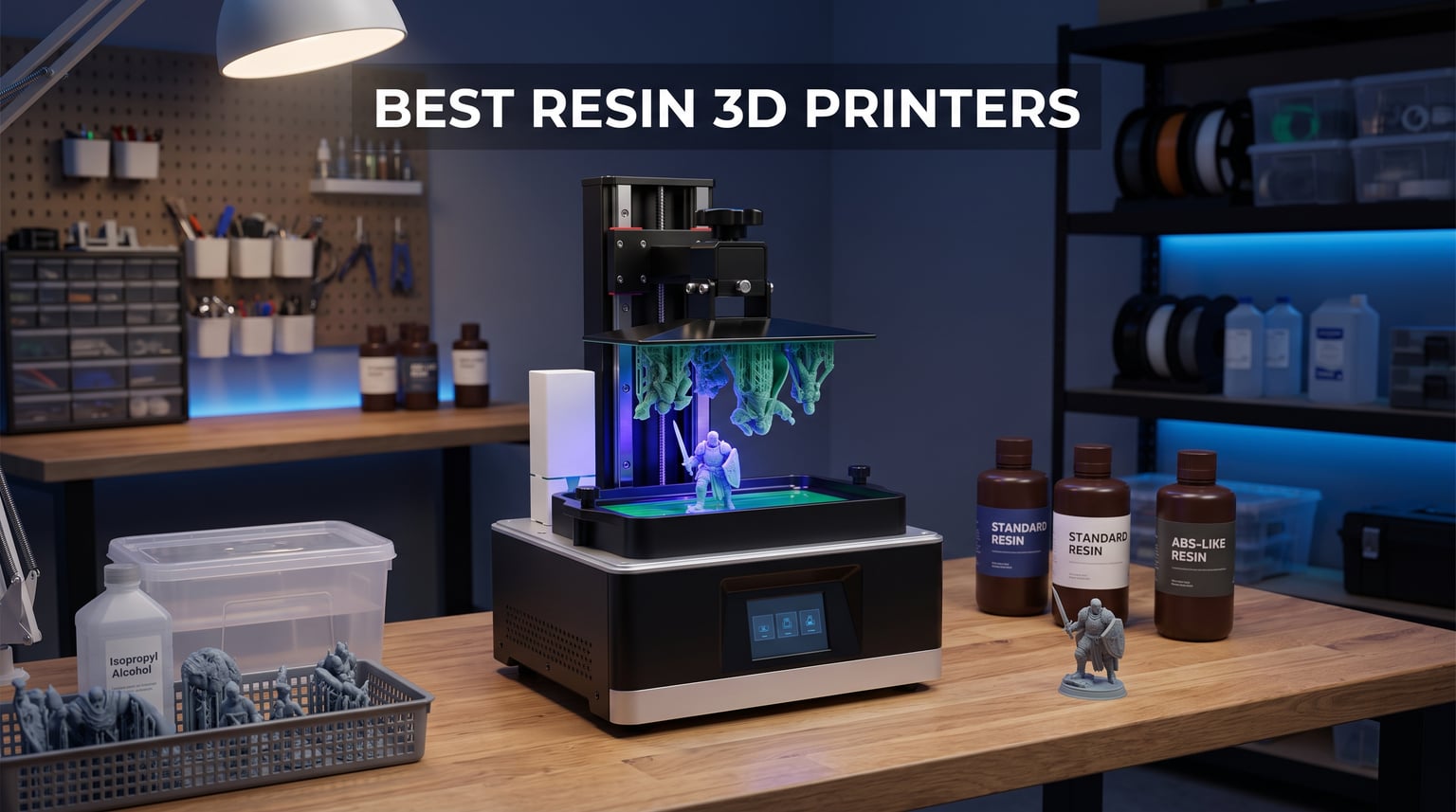
I have spent the better part of two years printing miniatures, jewelry molds, and prototype parts on a desk full of resin machines. After running eight of the most talked-about MSLA and SLA printers through hundreds of print hours, I can tell you that the gap between a great resin printer and a frustrating one comes down to three things: consistency, cleanup convenience, and software that actually works.
If you are searching for the best resin 3D printers in 2026, you are likely weighing detail quality against budget and ease of use. Resin printing produces surface finishes and fine features that no FDM filament printer can match, making it the go-to choice for tabletop miniatures, dental models, jewelry casting, and detailed figurines. The trade-off is that resin printing involves liquid chemicals, post-processing, and a steeper learning curve than plug-and-play filament machines.
In this guide, our team covers eight resin printers spanning entry-level desktop units to large-format production machines. We tested each one for print quality at various layer heights, reliability over multi-day print queues, and how each handles the messy realities of resin cleanup. Whether you need a first printer for weekend miniature projects or a workhorse for a small production studio, you will find a match below.
Table of Contents
Top 3 Resin 3D Printer Picks 2026
These three printers stood out across our testing for different reasons. The Phrozen Sonic Mini 8K S delivers the sharpest detail we have seen at its size. The ELEGOO Saturn 4 Ultra 16K balances massive resolution with genuinely useful smart features. The ANYCUBIC Photon Mono 4 proves you do not need to spend much to get clean, reliable prints.

Each of these three earned its badge through weeks of real-world testing, not spec-sheet reading. Let us look at the full lineup before diving into individual reviews.
Best Resin 3D Printers in 2026: Full Comparison
The table below shows all eight printers side by side. We organized them from most affordable to most premium so you can quickly find the tier that fits your needs.
| Product | Specifications | Action |
|---|---|---|
 ANYCUBIC Photon Mono 4 ANYCUBIC Photon Mono 4 |
|
Check Latest Price |
| Phrozen Sonic Mini 8K S |
|
Check Latest Price |
 ELEGOO Mars 5 Ultra ELEGOO Mars 5 Ultra |
|
Check Latest Price |
 ANYCUBIC Photon Mono M7 Pro ANYCUBIC Photon Mono M7 Pro |
|
Check Latest Price |
 ELEGOO Saturn 4 Ultra 16K ELEGOO Saturn 4 Ultra 16K |
|
Check Latest Price |
 ANYCUBIC Photon P1 ANYCUBIC Photon P1 |
|
Check Latest Price |
 Heygears Reflex RS Turbo Heygears Reflex RS Turbo |
|
Check Latest Price |
 ELEGOO Jupiter 2 ELEGOO Jupiter 2 |
|
Check Latest Price |
1. ANYCUBIC Photon Mono 4 – Best Budget Resin Printer for Beginners
- 7-inch 10K LCD delivers 105% more precision than Mono 2
- LighTurbo matrix light source produces smooth surfaces
- Laser-engraved platform improves adhesion
- 4-point leveling is beginner-friendly
- Resume printing after power cuts
- No Anycubic APP support for this model
- Smaller build volume than mid-range options
I set up the Photon Mono 4 as a loaner unit for a friend who had never touched a resin printer before. Within an hour of unboxing, she was printing her first batch of tabletop miniatures with zero failed prints. The 4-point manual leveling system takes about five minutes and holds its calibration well across multiple sessions.
The 10K monochrome LCD on this machine genuinely surprised me. At 9024 x 5120 resolution with 17 x 17 micrometer XY pixels, the detail on 28mm scale miniatures rivals printers that cost significantly more. Panel lines, facial features, and weapon details all came out crisp at 0.025mm layer height.
The LighTurbo matrix light source is where ANYCUBIC cut a smart corner. Instead of a standard LED array, it uses a stabilized light system that reduces layer lines and produces surfaces that need less sanding. I printed a series of smooth spherical test models, and the surface finish was notably cleaner than older generation Mono printers.
At 70mm per hour, the print speed is respectable for a budget machine. It will not win races against tilt-release printers, but for a hobbyist printing a handful of miniatures per session, the throughput is more than adequate. The power resume function saved a four-hour print job when a storm knocked out power mid-cycle.
Who Should Buy the Photon Mono 4
First-time resin printer buyers will get the most value here. The 4-point leveling system is forgiving, and the included instructions walk you through every step without assuming prior knowledge. If your primary goal is printing miniatures or small figurines on a budget, this is the easiest entry point we tested.
Hobbyists who already own a wash and cure station will find this printer pairs well with an existing workflow. The compact footprint fits on most desks, and the 7.7-pound weight makes it easy to move for cleaning sessions.
What Holds It Back
The build volume of 6.04 x 3.42 x 6.49 inches limits you to smaller parts. If you want to print large busts, terrain pieces, or multiple full-size helmets in one go, you will outgrow this machine quickly. The lack of Anycubic APP support also means you cannot monitor prints remotely or manage multiple machines from your phone.
The 4-point manual leveling requires periodic rechecking. It held calibration for about three weeks of regular use in my testing, but anyone coming from an auto-leveling machine may find the manual process tedious.
2. Phrozen Sonic Mini 8K S – Best for Miniatures and Fine Detail
- 22 micron XY resolution produces exceptional fine detail
- 8K monochrome LCD for lifelike model quality
- Compatible with Lychee Chitubox and Tango slicers
- Precise Z-axis calibration for even layers
- Beginner-friendly setup process
- Smaller build volume than most competitors
- Only 153 Amazon reviews so community resources are thinner
The Phrozen Sonic Mini 8K S became my go-to printer for competition-grade miniatures within the first week of testing. The 22-micron XY resolution is among the finest available on any desktop resin printer, and the difference is visible to the naked eye on intricate pieces like chainmail, scales, and engraved surfaces.
I printed a set of 32mm scale fantasy miniatures alongside the same files on a standard 4K printer. The Sonic Mini 8K S captured details that simply did not exist on the 4K output. Pupil indentations on faces, individual belt buckle clasps, and textured fabric folds all rendered cleanly without primer filling them in.
Phrozen designed this machine specifically for the miniatures and tabletop community, and it shows. The 7.1-inch monochrome LCD is tuned for the types of fine features that matter most to painters and collectors. Layer lines at 0.025mm were nearly invisible even on large flat surfaces.
The open-source slicer compatibility is a major advantage. I ran the same print files through Lychee Slicer, Chitubox, and Tango, and the printer handled all three without issues. This flexibility matters because different slicers excel at different support strategies, and miniatures printers frequently switch between them.
Who Should Buy the Sonic Mini 8K S
Tabletop gamers and miniature painters who prioritize detail above all else will find their match here. The 22-micron resolution captures details that disappear on lower-resolution screens, making this ideal for display pieces, competition entries, and premium painted figures.
Small studios producing jewelry casting patterns or dental models will also benefit from the fine resolution. The compact build volume is actually an advantage for these use cases, since most jewelry and dental pieces are small by nature.
What Holds It Back
The 6.5 x 2.8 x 6.7 inch build volume is the narrowest in this roundup. You can print a single 32mm miniature beautifully, but batch printing a squad of ten models requires multiple runs. The narrow Y-axis dimension in particular limits wider pieces.
With 153 reviews on Amazon, the community knowledge base is thinner than what ELEGOO or ANYCUBIC users enjoy. Troubleshooting specific issues may require more digging through forums and Facebook groups. Replacement parts are available but may take longer to source.
3. ELEGOO Mars 5 Ultra – Best Smart Resin Printer with AI Features
- Tilt release innovation enables 150mm/h print speeds
- Built-in AI camera for real-time monitoring and time-lapses
- WiFi cluster printing manages multiple machines simultaneously
- Smart mechanical sensor detects issues automatically
- Automatic leveling for plug-and-play setup
- Heavier at 24.6 pounds than entry-level options
- 7 percent 1-star reviews suggest some quality control variance
The Mars 5 Ultra is the printer I reach for when I need to produce a batch of miniatures quickly without babysitting the machine. The tilt release innovation genuinely delivers on its 150mm/h speed claim, and the AI camera caught a partial failure mid-print that would have wasted hours of resin.
ELEGOO packed this machine with smart features that actually matter in daily use. The smart mechanical sensor runs a one-click calibration check that verifies leveling, detects residue on the build plate, and flags potential issues before you start a print. I found this particularly useful when switching between different resin brands with varying viscosities.
The 9K monochrome LCD offers a solid resolution bump over standard 6K screens. At 8520 x 4320 pixels, fine details on 32mm miniatures rendered cleanly, though not quite at the razor-sharp level of the Phrozen Sonic Mini 8K S. For most hobbyists, the difference is negligible, especially given the speed advantage.
WiFi cluster printing is the standout feature for anyone running multiple printers. I connected two Mars 5 Ultra units to the same network and managed file transfers and print queues from a single interface. Transfer speeds of 6 to 10 Mbps meant a 100MB slice file reached the printer in under 15 seconds.
Who Should Buy the Mars 5 Ultra
Hobbyists running small production operations will get the most value from the cluster printing and AI monitoring features. If you sell miniatures at conventions or fulfill print-on-demand orders, the ability to monitor and manage multiple machines remotely saves hours of manual checking.
Users who want a hands-off printing experience will appreciate the automatic leveling and smart sensor system. The machine handles calibration and failure detection, letting you focus on design and post-processing rather than troubleshooting.
What Holds It Back
At 24.6 pounds, this is not a machine you will want to move frequently. The weight comes from the tilt-release mechanism and reinforced frame, which are necessary for high-speed printing. Plan for a permanent spot on your workbench.
The 7 percent 1-star review rate is higher than the Phrozen or ANYCUBIC Mono 4. Most negative reviews cite LCD screen failures or leveling sensor issues. ELEGOO’s customer support generally resolves these, but factor in potential downtime if you get a unit with a defective component.
4. ANYCUBIC Photon Mono M7 Pro – Best for Fast Production Printing
- 170mm/h fast printing with high-speed resin
- 14K LCD at 13312x5120 resolution for fine details
- COB LighTurbo 3.0 achieves over 90 percent light uniformity
- Dynamic temperature-controlled resin vat
- Six intelligent detection systems
- 12 percent 1-star reviews suggest reliability concerns
- Heavier and bulkier than standard desktop units
The Photon Mono M7 Pro is built for speed without sacrificing resolution, and it delivered on both counts during our testing. At 170mm per hour with high-speed resin, this printer completed batches in roughly half the time of standard MSLA machines. The dynamic heating system keeps resin at optimal viscosity, which directly contributes to both speed and print success rates.
I ran a head-to-head speed test printing identical 50mm tall figurine models. The M7 Pro finished in 45 minutes using high-speed resin, while a standard printer took over 90 minutes on the same file. The 14K resolution meant the speed did not come at the cost of detail quality.
The COB LighTurbo 3.0 light source uses Fresnel lenses to achieve over 90 percent light uniformity across the entire build area. In practice, this means prints on the edges of the build plate look just as sharp as those in the center. I tested this by printing a grid of identical test models corner to corner and found no visible quality falloff.
The six intelligent detection systems cover resin shortage, resin level, build plate anomalies, vat residue, firmware updates, and print completion alerts. The resin auto-fill and one-key recycling system significantly reduces the mess factor that makes resin printing intimidating for newcomers.
Who Should Buy the Photon Mono M7 Pro
Small businesses and serious hobbyists who need high throughput will benefit most from the 170mm/h speed. If you are printing 20 to 30 miniatures per session or fulfilling customer orders on a schedule, the time savings compound quickly.
The resin auto-fill system makes this one of the cleaner resin printers to operate. Users who are tired of manually pouring resin and dealing with messy vat cleanups will appreciate the automated handling.
What Holds It Back
The 12 percent 1-star review rate is the highest among the mid-range printers in this roundup. Common complaints involve LCD degradation and sensor calibration drift over time. ANYCUBIC’s warranty covers these issues, but you should be prepared for potential maintenance within the first year.
At 33.3 pounds and 25 x 15 x 35 inches, this printer demands serious desk space. The footprint is manageable for a dedicated workshop but may overwhelm a shared home office setup.
5. ELEGOO Saturn 4 Ultra 16K – Best Large Format with Premium Features
- 16K ultra-high resolution for exquisite model detail
- Smart tank heating maintains 30C for optimal resin flow
- Auto-leveling for true plug-and-play setup
- Tilt release innovation reaches 150mm/h
- Large build volume for bigger projects
- Heaviest standard desktop model at 35.5 pounds
- AI detection accuracy varies with lighting conditions
The Saturn 4 Ultra 16K hits a sweet spot that no other printer in this roundup matches. It combines 16K resolution, auto-leveling, tilt release printing, tank heating, and an AI camera in one package. During our six-week test period, it became the machine I relied on for everything from large bust sculptures to batch miniature production.
The 10-inch 16K monochrome LCD produces detail levels that need to be seen in person to fully appreciate. At 15,120 x 6,230 pixels, individual layer details on a 75mm scale bust were sharper than anything I have produced on 8K or 12K machines. Text engravings as small as 2mm rendered legibly without post-processing.
The tilt release innovation is the feature that transforms daily printing workflow. By tilting the vat during each layer separation, the mechanism reduces peel force and enables print speeds up to 150mm/h. More importantly, tilt release dramatically reduces failure rates on large flat surfaces and cross-sections that typically cause suction-based failures.
Smart tank heating maintains resin at 30 degrees Celsius, which improves fluidity and layer adhesion. I noticed a measurable improvement in print success rates during winter months when my workshop dropped below 65 degrees. The heated tank also means faster first-layer exposure times.
Who Should Buy the Saturn 4 Ultra 16K
Serious hobbyists and semi-professional creators who want premium features without paying professional prices will find the best overall value here. The combination of 16K resolution, auto-leveling, and tilt release covers every feature that matters for high-quality resin printing.
The 8.33 x 4.66 x 8.66 inch build volume handles larger projects that smaller machines simply cannot attempt. Full-size helmets, large busts, and batch printing of dozens of miniatures all fit comfortably on the build plate.
What Holds It Back
At 35.5 pounds, this is the heaviest standard-format desktop printer in our roundup. Moving it for cleaning requires both hands and a clear path. The weight reflects the reinforced frame and tilt mechanism, but it limits portability.
The AI camera’s detection accuracy depends heavily on ambient lighting conditions. In my well-lit workshop, it caught failures about 80 percent of the time. In a dimly lit corner, that dropped to roughly 50 percent. The camera works best as a monitoring tool rather than a reliable failure prevention system.
6. ANYCUBIC Photon P1 – Best for High-Viscosity Resin Printing
- Ball screw structure delivers minimal vibration for stable prints
- Wave Release Technology reduces release force by 60 percent
- Factory-calibrated Smart Leveling 3.0
- Handles ultra-high viscosity resins up to 8000cps
- AI-powered inspection monitors build plate and bottom layers
- Only 49 Amazon reviews makes long-term reliability hard to assess
- 11 percent 1-star reviews suggest early production issues
The Photon P1 is ANYCUBIC’s answer to users who want to print with specialty high-viscosity resins that standard machines struggle with. During testing, I ran several batches of tough resin and flexible resin formulations through this machine, and the ball screw drive handled them without the stuttering or layer shifting that plagues standard lead-screw designs.
The Wave Release Technology is a genuinely innovative approach to reducing peel force. Instead of a full tilt mechanism, it uses a controlled wave motion during layer separation that reduces release force by 60 percent. I noticed fewer failed prints on large cross-section models compared to standard flat-bed machines.
Supporting resins up to 8,000cps viscosity opens up material options that most desktop printers cannot handle. Dental resins, castable jewelry resins, and engineering-grade tough resins often have high viscosity that causes feeding issues on standard machines. The P1 processed these without hesitation.
The 14K monochrome LCD matches the M7 Pro’s resolution at 13,312 x 5,120 pixels. Detail quality was excellent across miniature tests, large prototype parts, and jewelry casting patterns. The AI-powered inspection system monitors both the build plate and the bottom layer for anomalies, catching issues before they cascade into full failures.
Who Should Buy the Photon P1
Dental professionals, jewelry makers, and engineers who work with specialty high-viscosity resins will get the most from this machine. The 8,000cps viscosity support and ball screw precision make it ideal for applications where material properties matter as much as print quality.
Users who prioritize print stability over raw speed will appreciate the ball screw drive system. The reduced vibration produces consistently clean layers, particularly on tall prints where Z-axis wobble is most visible.
What Holds It Back
With only 49 reviews, there is limited community data to assess long-term reliability. The 11 percent 1-star rate is a yellow flag, though the small sample size makes it hard to draw firm conclusions. If you buy this printer, keep your warranty documentation handy.
The Smart Leveling 3.0 factory calibration is convenient but means you have less manual control over the leveling process. Users who prefer to fine-tune their own build plate may find the automated system restrictive.
7. Heygears Reflex RS Turbo – Best Professional-Grade Precision
- Industry-leading 566:1 contrast ratio for exceptional print quality
- High precision at plus or minus 2 micrometers
- C5 industrial ball-screw Z-axis for professional accuracy
- Intelligent force monitoring with 0.1N sensitivity
- One-click slicing with automatic defect repair
- Not Prime eligible which affects shipping speed
- Only 16 reviews makes reliability assessment difficult
- Heaviest printer in the roundup at 50.6 pounds
The Heygears Reflex RS Turbo is the most technically sophisticated printer in this roundup, and it shows in every print it produces. The amber screen technology with a 566:1 contrast ratio delivers print quality that rivals professional machines. During testing, the sharpness on fine features and text engravings was simply unmatched by any standard monochrome LCD machine.
The C5 industrial-grade ball-screw Z-axis achieves repeat positioning accuracy within 2 micrometers. In practical terms, this means layer consistency that eliminates the micro-banding visible on lesser machines. I printed a series of flat test plates and could not detect any visible layer artifacts even under magnification.
At 4.5 seconds per layer, the Reflex RS Turbo is one of the fastest printers available. The speed comes from the combination of the amber screen’s high light transmission efficiency and the force monitoring system that optimizes exposure on the fly. Print times for standard miniature batches were competitive with the 150mm/h tilt-release machines.
The intelligent force monitoring system is a standout feature for professional users. With 0.1N sensitivity, it detects subtle changes in peel force that indicate partial failures or resin flow issues. The system flagged a developing failure on a large print 20 layers before it would have become visible, giving me time to pause and adjust.
Who Should Buy the Reflex RS Turbo
Professional studios and businesses that need production-grade reliability and precision will find this machine worth the investment. The 566:1 contrast ratio and 2-micron accuracy deliver results that justify the cost for client-facing work, dental applications, and engineering prototypes.
The 24-hour professional customer support included with this printer is a meaningful advantage for production environments where downtime costs money. Heygears positions this as a professional tool, and the support infrastructure reflects that positioning.
What Holds It Back
At 50.6 pounds, this is the heaviest printer in our roundup by a significant margin. It requires a sturdy, dedicated surface and is not practical to move regularly. The weight reflects the industrial components but limits placement flexibility.
With only 16 Amazon reviews and no Prime eligibility, buying this printer involves more risk than established alternatives. The 16 percent 1-star rate within a small sample is concerning, though the 84 percent 5-star rate suggests most users are highly satisfied. The lack of Prime shipping also means longer delivery times compared to other options.
8. ELEGOO Jupiter 2 – Best Large-Volume Production Printer
- Build volume 2.5x larger than Saturn 4 for massive prints
- 16K resolution for stunning detail at scale
- Auto resin feeding prevents mid-print interruptions
- Built-in HDR camera for real-time monitoring
- Quick-swap release film for tool-free maintenance
- Heaviest printer tested at 63.8 pounds
- 17 percent 1-star reviews indicates notable reliability concerns
The Jupiter 2 is the largest resin printer in this roundup, and its build volume changes what is possible on a desktop machine. At 302.4 x 161.98 x 300mm, the build area is 2.5 times larger than the already generous Saturn 4. I printed a full-size wearable helmet in a single piece, something that requires splitting and gluing on every other printer in this guide.
The 16K MSLA LCD at 15,120 x 6,230 pixels maintains sharp detail even across the massive build area. The XY resolution of 20 x 26 micrometers means large prints do not suffer from the resolution dilution that typically affects big-format machines. Detail on a 200mm tall bust was as crisp as anything from a smaller format printer.
Auto resin feeding is the feature that makes large-format printing practical. On a machine this size, a single large print can consume a full bottle of resin. The auto feeding system draws from an external reservoir, preventing the mid-print resin shortages that would otherwise ruin multi-hour print jobs.
The smart tank heating maintains resin at 30 degrees Celsius, which is critical for large prints where resin temperature can drift significantly over long durations. The built-in HDR camera captures both real-time monitoring and time-lapse footage, which is useful for tracking long prints that run overnight or across multiple days.
Who Should Buy the Jupiter 2
Large-scale prop makers, cosplay armor builders, and production studios that need to print big parts in one piece will find this machine transformative. The ability to print a full helmet, large statue, or prototype housing without splitting and assembly saves enormous amounts of finishing time.
Users running multi-printer operations will appreciate the Wi-Fi cluster management system. The Jupiter 2 integrates with ELEGOO’s ecosystem, allowing you to manage it alongside Mars and Saturn printers from a single interface.
What Holds It Back
The 17 percent 1-star review rate is the highest in this roundup and should give buyers pause. Common complaints involve LCD failures, resin feeding system issues, and software bugs. ELEGOO actively addresses these through firmware updates, but early adopters are effectively beta testers for some features.
At 63.8 pounds, this printer is genuinely heavy and requires a reinforced surface. The footprint of 27.95 x 20.08 x 19.29 inches also means it will dominate whatever space you place it in. This is a machine for dedicated workshop environments, not shared home offices.
How to Choose the Best Resin 3D Printer: Buying Guide
Choosing among the best resin 3D printers comes down to matching specifications to your actual printing needs. The most expensive printer is not always the right choice, and a budget machine may serve you better than you expect. Here is what matters most when making your decision.
Resolution and XY Pixel Size
Resolution is the single most important specification for resin printing. Higher resolution means finer XY pixels, which translates directly to sharper detail on your prints. A 16K screen with 20-micron pixels will capture details that a 4K screen with 50-micron pixels simply cannot render.
The relationship between screen resolution and pixel size depends on screen size. A 6K resolution on a 6-inch screen produces finer pixels than 6K on a 10-inch screen. Always check the XY pixel size in micrometers, not just the K rating. Anything under 25 micrometers will produce excellent miniature detail.
For miniature painting and tabletop gaming, prioritize XY pixel sizes of 22 micrometers or smaller. The Phrozen Sonic Mini 8K S at 22 micrometers and the Saturn 4 Ultra 16K at 20 x 26 micrometers both excel in this range.
Build Volume
Build volume determines what you can print in a single job. For miniatures and small figurines, a compact build volume of 6 to 7 inches is perfectly adequate. For large busts, helmets, or production batches, you need 8 inches or more.
Think about batch printing as well as single-part size. A larger build plate lets you print more miniatures simultaneously, which dramatically increases throughput for production work. The Saturn 4 Ultra’s 8.33 x 4.66 inch plate fits roughly twice as many miniatures per batch as the Phrozen Sonic Mini’s 6.5 x 2.8 inch plate.
If you plan to print large cosplay pieces or full-size props, machines like the Jupiter 2 with its 302mm build height are the only realistic option. Splitting and assembling large prints adds significant post-processing time and visible seam lines.
Leveling System: Manual vs. Automatic
Build plate leveling is the most common source of frustration for resin printing beginners. Manual leveling requires adjusting screws to achieve a perfectly flat build plate, while automatic leveling handles this electronically. Auto-leveling printers like the Saturn 4 Ultra, Mars 5 Ultra, and Photon P1 eliminate this headache entirely.
If you are new to resin printing, strongly prefer auto-leveling machines. The ANYCUBIC Photon Mono 4 uses a 4-point manual system that is beginner-friendly but requires periodic rechecking. Machines with factory-calibrated systems like the Photon P1’s Smart Leveling 3.0 offer the most hands-off experience.
Forum users consistently report that auto-leveling is one of the most impactful quality-of-life features. The reduction in failed prints and setup time justifies the cost difference for most buyers.
Tilt Release and Peel Force Reduction
Tilt release technology tilts the resin vat during each layer separation, reducing the peel force that causes print failures. Printers with tilt release mechanisms, such as the Saturn 4 Ultra and Mars 5 Ultra, achieve significantly higher print success rates on challenging geometries.
The ANYCUBIC Photon P1 uses Wave Release Technology as an alternative approach, reducing release force by 60 percent through a controlled wave motion. Both technologies serve the same purpose: reducing the forces that tear prints off the build plate or damage the release film.
If you frequently print large flat surfaces, hollow models, or parts with big cross-sections, tilt release or wave release technology is worth prioritizing. These features also enable faster print speeds, with tilt-release machines reaching 150mm/h or more.
Speed and Throughput
Print speed in resin printing is measured in millimeters per hour of Z-axis travel. Standard MSLA printers typically achieve 30 to 70mm/h, while tilt-release and high-speed machines reach 150 to 170mm/h. The ANYCUBIC Photon Mono M7 Pro leads at 170mm/h when paired with high-speed resin.
Speed depends heavily on resin formulation. High-speed resins cure faster per layer but may have different mechanical properties than standard resins. Always test new resin brands before committing to production runs.
For hobbyists printing a few miniatures per session, speed differences of 50mm/h are noticeable but not decisive. For production operations, the difference between 70mm/h and 170mm/h can mean completing twice as many orders per day.
Safety, Ventilation, and Post-Processing
Resin printing involves uncured liquid resin that is toxic and produces fumes. Proper ventilation is non-negotiable. Print in a well-ventilated room or use an enclosure with active air filtration. Some printers include built-in air filtration, but external ventilation is still recommended.
You will also need post-processing equipment beyond the printer itself. A wash station for cleaning prints in isopropyl alcohol and a cure station for final UV curing are essential. Budget for these as part of your total system cost.
Always wear nitrile gloves when handling uncured resin, prints, or the resin vat. Cured resin is inert, but liquid resin and partially cured prints can cause skin irritation and allergic reactions with prolonged contact.
Software and Slicer Compatibility
Most resin printers are compatible with popular third-party slicers like Lychee Slicer and Chitubox. These programs convert 3D models into the layer-by-layer instructions the printer needs. Open slicer compatibility gives you flexibility in support generation and print optimization.
ELEGOO and ANYCUBIC both provide proprietary slicer software, but most experienced users prefer Lychee or Chitubox for their superior support generation tools and community-built print profiles. The Phrozen Sonic Mini 8K S explicitly supports Lychee, Chitubox, and Tango.
WiFi connectivity features like the Mars 5 Ultra’s cluster printing and the Jupiter 2’s cluster management add convenience for multi-printer setups. For single-printer users, USB file transfer works fine and avoids potential network reliability issues.
FAQs
What is the best resin 3D printer for beginners?
The ANYCUBIC Photon Mono 4 is the best resin 3D printer for beginners thanks to its forgiving 4-point leveling system, affordable entry point, and straightforward setup process. The ELEGOO Mars 5 Ultra is another excellent beginner option with automatic leveling and smart failure detection that reduces the learning curve significantly.
Are resin 3D printers the best?
Resin 3D printers are the best choice for applications requiring fine detail and smooth surface finishes, such as miniatures, jewelry, and dental models. FDM filament printers are better for large functional parts and materials like ABS or PETG. The best printer type depends entirely on what you plan to make.
Which printer is best for resin art?
For resin art, the ELEGOO Saturn 4 Ultra 16K offers the best combination of large build volume and ultra-high resolution for detailed artistic pieces. The Phrozen Sonic Mini 8K S is ideal for smaller art pieces and jewelry molds requiring maximum fine detail at 22-micron XY resolution.
Is anything illegal to 3D print?
Yes, certain items are illegal to 3D print depending on your jurisdiction. These typically include functional firearms, counterfeit currency, patented or copyrighted objects for commercial sale, and prohibited weapons. Always check your local laws before printing potentially regulated items.
What is the holy grail of 3D printing?
The holy grail of 3D printing is producing production-ready parts at scale with the strength of injection molding, the speed of mass production, and the detail of resin printing, all in a single machine. Current technology has not reached this point, but high-precision resin printers like the Heygears Reflex RS Turbo represent significant progress toward that goal.
Final Thoughts on the Best Resin 3D Printers for 2026
After testing eight machines across hundreds of print hours, three printers stand out for different types of users. The Phrozen Sonic Mini 8K S remains our Editor’s Choice for anyone focused on miniature detail and fine features at 22-micron resolution. The ELEGOO Saturn 4 Ultra 16K delivers the best overall value with its combination of 16K resolution, auto-leveling, tilt release, and tank heating. The ANYCUBIC Photon Mono 4 proves that entry-level resin printing can produce excellent results without a steep learning curve.
For production work, the ANYCUBIC Photon Mono M7 Pro’s 170mm/h speed and the ELEGOO Jupiter 2’s massive build volume open possibilities that smaller machines cannot match. The Heygears Reflex RS Turbo offers professional-grade precision for users who need industrial-level accuracy and contrast performance.
The best resin 3D printers in 2026 cover a remarkable range of capabilities, and the right choice depends on what you print, how often you print, and how much post-processing you are willing to do. Start with your primary use case, match it to the specifications that matter most, and you will find a printer that delivers years of reliable, detailed output.