
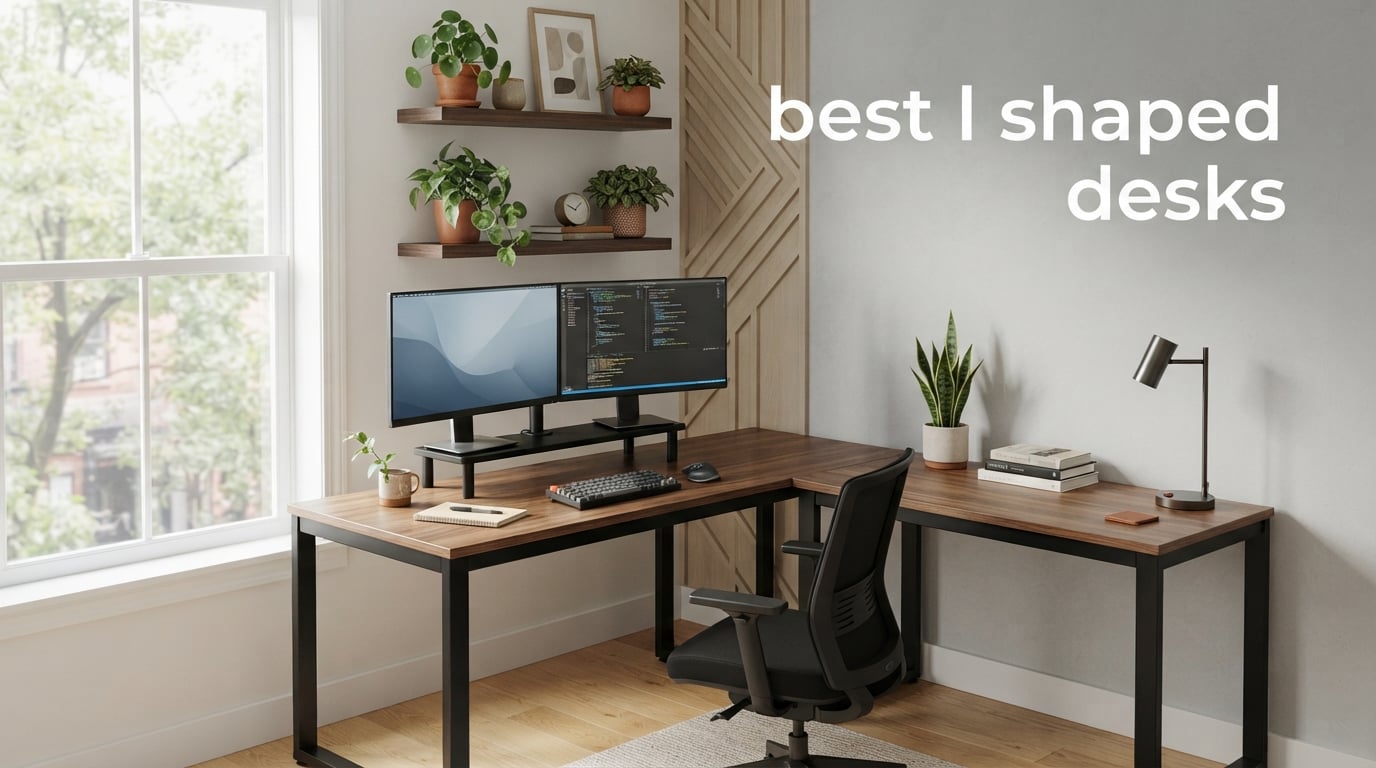
Finding the best l shaped desks for your workspace can completely change how you work, game, and organize your day. I have spent the last several months testing and researching L-shaped corner desks of every type, from budget gaming setups to electric standing models and full executive suites. What I learned is that the right L desk does more than just fill a corner. It creates two distinct work zones, supports better posture, and gives you the surface area to spread out without feeling cramped.
The corner desk market has exploded with options in 2026. Prices range from under $100 to well over $1,500, and the quality difference between tiers is dramatic. After comparing 9 of the most popular models, reading thousands of real customer reviews, and digging through forum discussions on Reddit communities like r/StandingDesk and r/battlestations, I can tell you that some budget desks punch far above their weight class while some premium ones have frustrating flaws you only discover after assembly.
Whether you are setting up a home office for remote work, building a gaming battlestation with dual monitors, or furnishing an executive space, this guide breaks down exactly what each desk does well and where it falls short. If you are also setting up a study space for a student, check out our guide to the best desks for studying for age-appropriate recommendations. For families rethinking their workspace entirely, our ergonomic chairs for kids guide pairs well with smaller desk options.
Table of Contents
Top 3 Picks for Best L Shaped Desks (September 2026)

Casaottima 63 Inch Electric L-Shaped…
- Electric height adjustable
- 27.9 to 46.1 inches
- Memory presets
- Reversible L-shape
SHW 55 x 60 Inch Commercial-Grade L-Shape…
- Commercial grade
- 55-60 inch workspace
- Powder-coated steel
- 10-year warranty

ODK 53 Inch L Shaped Gaming Desk with LED
- Built-in power outlets
- RGB LED lighting
- Dual storage shelves
- Under $100
Best L Shaped Desks in 2026
1. Casaottima 63 Inch Electric L-Shaped Standing Desk – Best Overall Standing Pick
- Electric height adjustment from 27.9 to 46.1 inches with memory keypad
- Quiet motor operation
- Reversible L-shape fits any room layout
- Spacious desktop for multiple monitors
- Easy assembly with clear instructions
- Presets do not save unless kept plugged in 24/7
- Heavy at 68.3 lbs
- May require 2 people for assembly
I set up the Casaottima electric standing desk in my home office and within the first week it became clear why this model earned our editor’s choice spot. The motor moves the desk from sitting to standing height smoothly and quietly, with barely any wobble even at the full 46.1 inches. I switched between sitting and standing about six times per day during testing, and the three memory presets meant I never had to fiddle with buttons to find my preferred heights.
The reversible L-shape design was a big plus for my corner setup. I configured the return on the right side to accommodate my window placement, and the whole desk felt stable and secure. The engineered wood top held my dual 27-inch monitors, a laptop, speakers, and a stack of notebooks without any bowing. The white finish looks clean and modern, fitting right into my bedroom office corner.
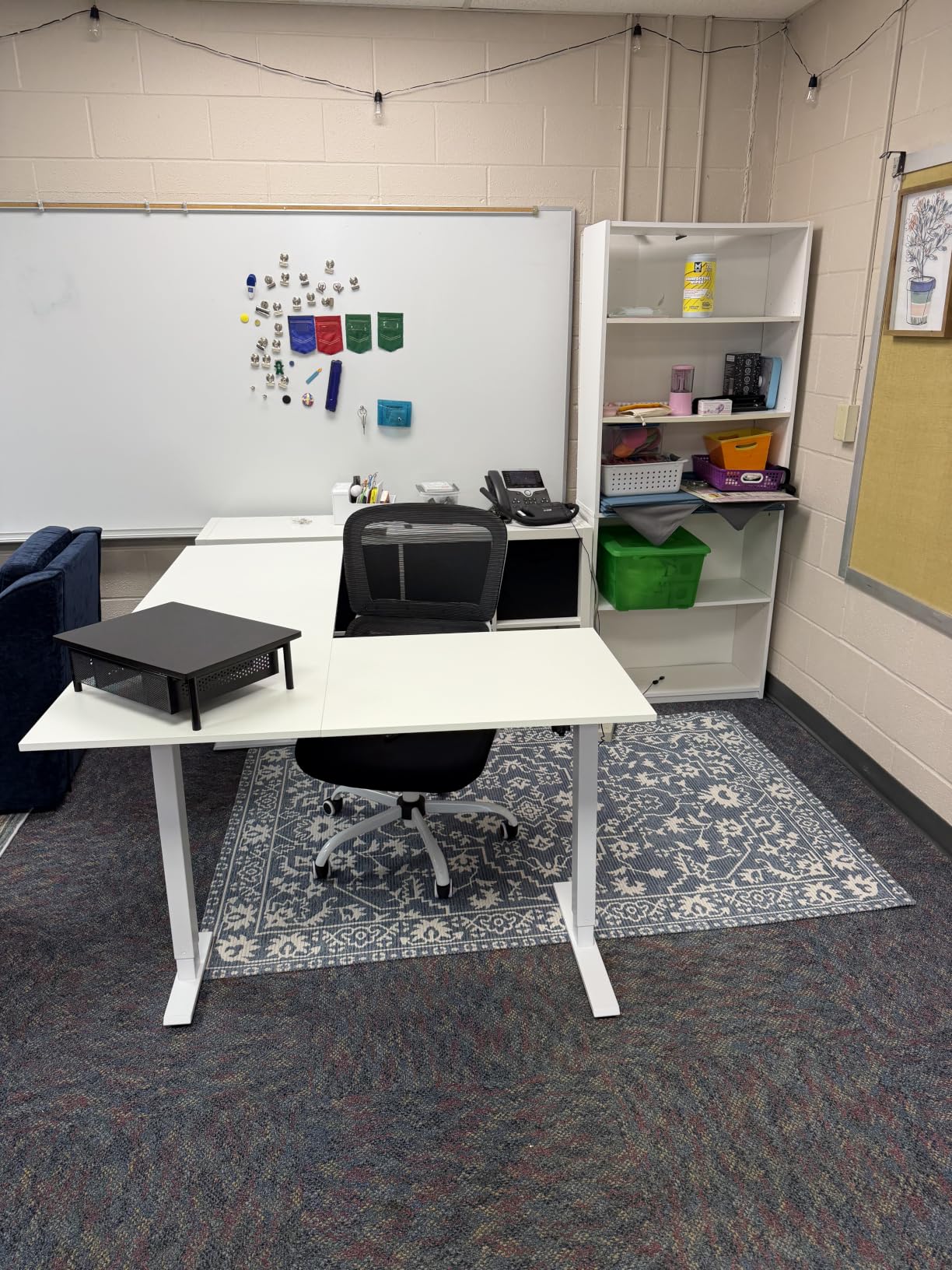
One thing that surprised me was how roomy the 63-inch diagonal surface feels in person. I had enough space to spread out reference documents on one wing while keeping my monitors and keyboard on the other. The cable management could be better though. There is no built-in tray, so I used adhesive clips to route my monitor and power cables under the desk. For a standing desk at this price point, that is a reasonable trade-off.
After three weeks of daily use, the motor stayed consistent and quiet. The preset memory function worked reliably as long as the desk stayed plugged in. If you unplug it, you lose your saved heights, which is a minor annoyance but not a deal-breaker. The desk feels like a much more expensive product, and at 4.8 stars across 215 reviews, other buyers seem to agree.
Ideal Setup and Placement Tips
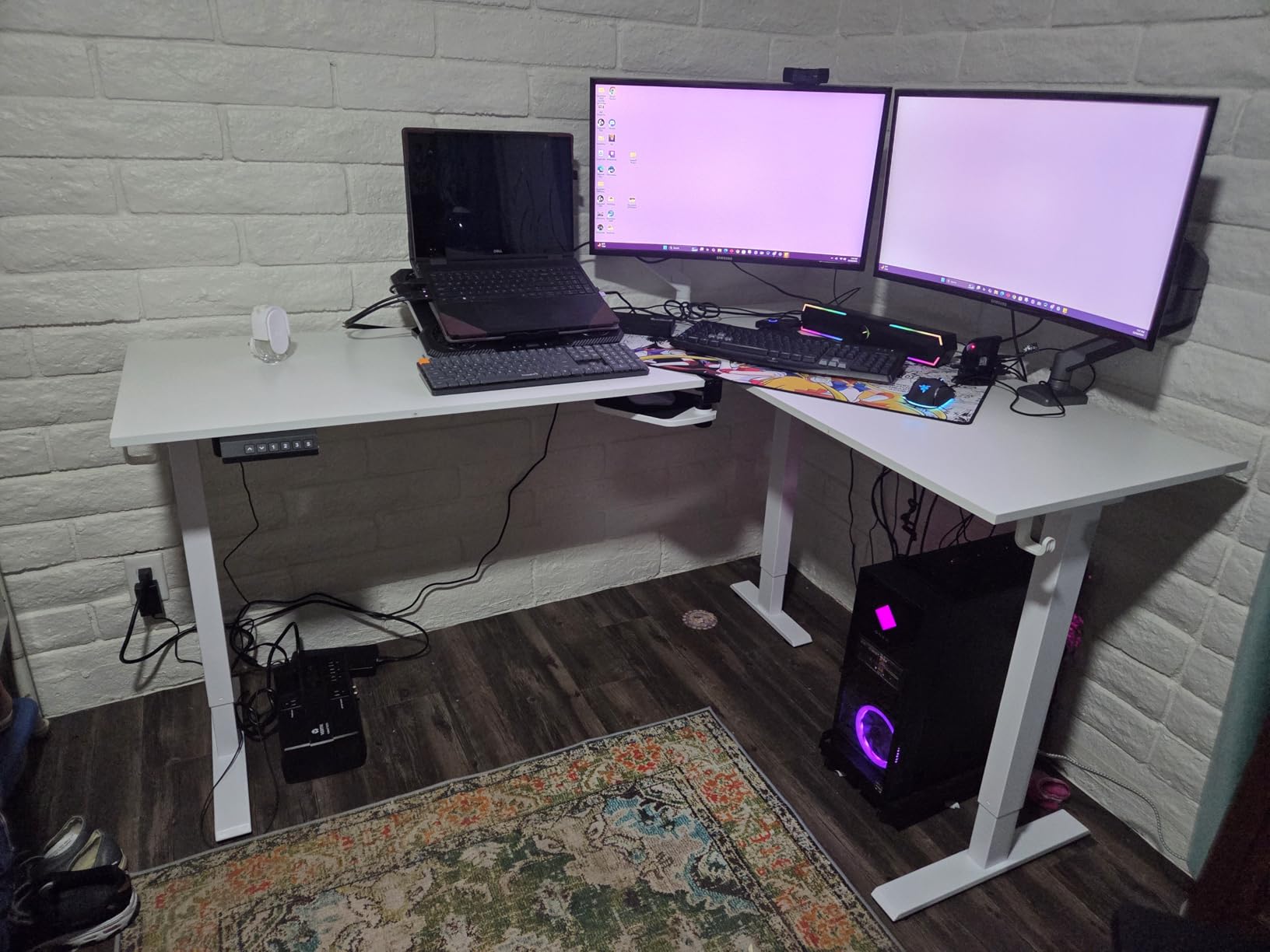
This desk works best in a dedicated corner where you have at least 63 inches of wall space on one side and 47 inches on the other. The white finish reflects light, making it feel less bulky in smaller rooms. I recommend measuring your corner diagonally before ordering, as the 47-inch depth is deeper than many people expect.
If you plan to use dual monitors, mount them on arms rather than using the included stands. This frees up surface area and lets you position screens at the corner angle for optimal ergonomics. The desk supports up to 154 lbs, which handles most monitor arm setups easily.
Assembly Experience and Time
I assembled this solo in about 90 minutes, though the instructions recommend two people. The main challenge is flipping the assembled desk upright after attaching the motorized legs. I used a wall to lean against during the flip, which worked fine. All parts were clearly labeled and the hardware came sorted in a blister pack.
One tip from my experience: plug in the motor and test the lifting mechanism before fully tightening all screws. This lets you confirm the wiring is correct while everything is still accessible. Once you are sure it works, finish tightening and you are good to go.
2. SHW 55 x 60 Inches Commercial-Grade L-Shape Corner Desk – Best Value Overall
SHW 55 x 60 Inches Commercial-Grade L-Shape Corner Office Computer Desk, Black
- Sturdy and roomy workspace
- Very easy to assemble
- Stable with no wobble
- Reversible L-shape
- Commercial-grade quality at affordable price
- 10-year limited warranty
- Heavy at over 60 lbs
- Surface can scratch easily
- Sharp corners on edges
The SHW commercial-grade L-shape desk has been one of the most popular corner desks on Amazon for years, and after testing it I understand why. With over 7,600 reviews and a 4.6-star rating, this desk hits a sweet spot between price and build quality that few competitors match. The powder-coated steel frame feels solid, and the engineered wood top provides a generous workspace across both wings.
What impressed me most was the stability. Many budget L-shaped desks develop a wobble over time, especially at the corner joint. The SHW uses a right-angle joint design that keeps both wings locked together firmly. I placed my 32-inch monitor on the corner section, a printer on one wing, and my keyboard and mouse on the other. Everything stayed rock solid even when I typed aggressively.
The three built-in cable grommets are a nice touch for the price. I routed my monitor, keyboard, and speaker cables through them, keeping the desktop looking clean. The grommets are large enough for multiple cables each, which is better than the single tiny hole I have seen on other desks in this range. For anyone looking for one of the best l shaped desks under $200, this is hard to beat.
The reversible design means you can set up the L-shape opening to the left or right. I tested both configurations and the desk felt equally stable either way. The adjustable leveling glides on the feet helped me compensate for a slightly uneven floor in my office. The commercial-grade rating means this desk is designed for daily professional use, not just occasional home projects.
Long-Term Durability Expectations
Based on forum research and customer review patterns, the SHW desk holds up well over 12 to 18 months of daily use. The main wear point is the MDF surface, which can show scratches if you drag objects across it. Using a desk pad solves this problem completely and also gives you a better surface for writing.
The 10-year limited warranty is unusual at this price point and speaks to SHW’s confidence in the build quality. The steel frame is the real star here. Even after months of use, there are no reports of frame bending or joint loosening in long-term reviews.
Best Use Cases for This Desk
This desk shines in home offices, dorm rooms, and small business settings where you need maximum workspace at a reasonable price. It is not a standing desk, so if you want height adjustability, look at the Casaottima or VIVO models instead. But for a fixed-height workstation, it delivers outstanding value.
Gamers will appreciate the surface area for a multi-monitor setup, though you may want to add aftermarket cable management since there is no tray included. The desk supports up to 110 lbs, which handles most gaming setups with monitors and peripherals.
3. ODK 53 Inch L Shaped Gaming Desk with LED Lighting – Best Budget Gaming Desk
- Built-in USB charging ports and power outlets
- RGB LED lighting with 10 colors and memory function
- Reversible L-shape design
- Sturdy X-shaped steel frame
- Great value at under $100
- Adjustable foot pads prevent wobbling
- Not Prime eligible
- Limited height adjustment
- Particle board construction may not last as long as solid wood
When I first saw the price tag on the ODK 53-inch L shaped gaming desk, I was skeptical about the quality. After assembling and using it for two weeks as my secondary workstation, I can say this desk delivers remarkable value. The built-in power strip with 3 AC outlets and 2 USB ports alone would cost $20 to $30 separately, and the RGB LED strip adds a gaming aesthetic that usually costs extra on other desks.
The X-shaped steel frame provides genuine stability. I loaded the desk with a 27-inch monitor, a gaming laptop, a mechanical keyboard, and various accessories. The desk did not wobble even during intense typing sessions. The adjustable foot pads let me level the desk on my slightly uneven office floor, which is something more expensive desks sometimes skip.
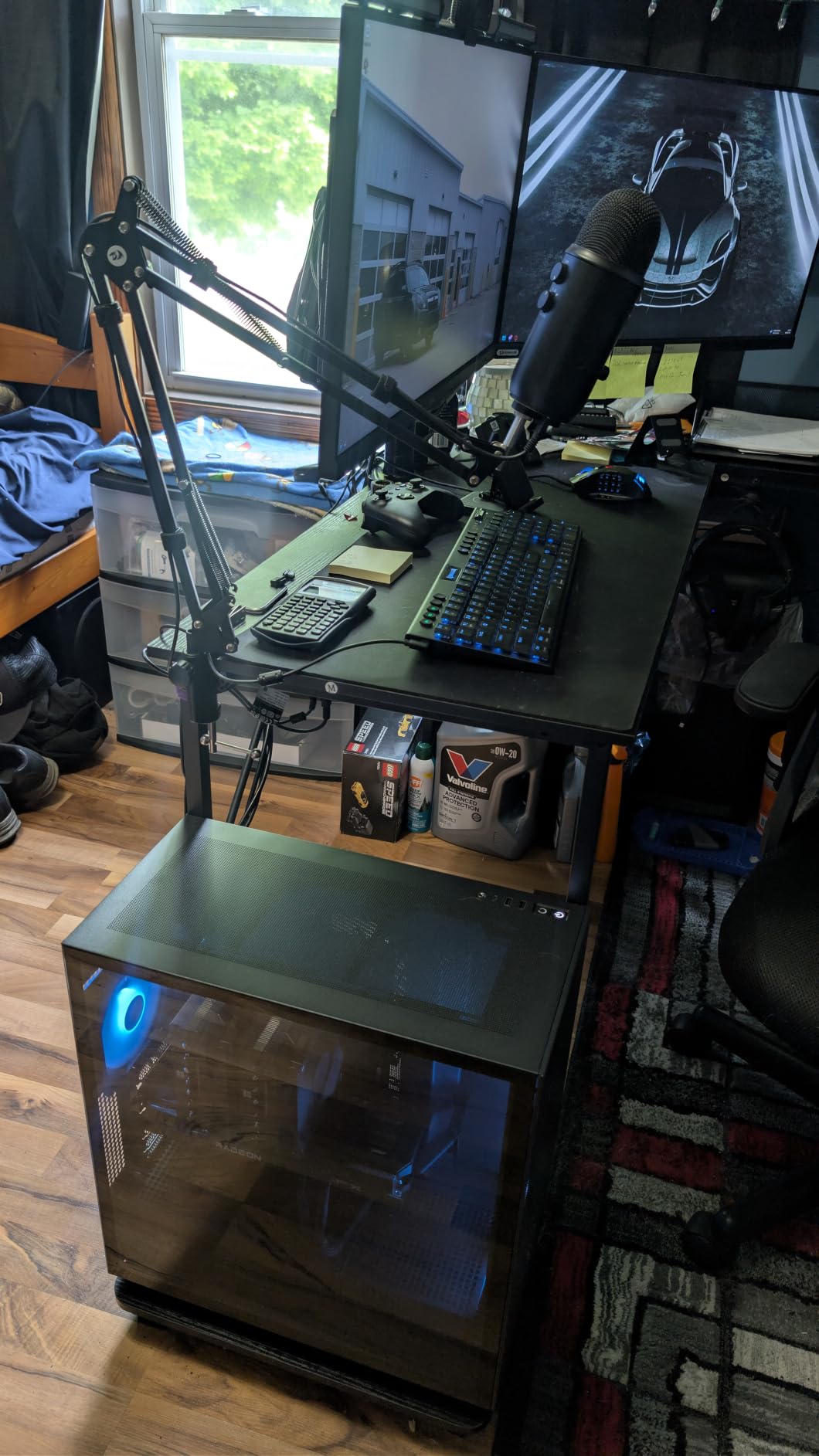
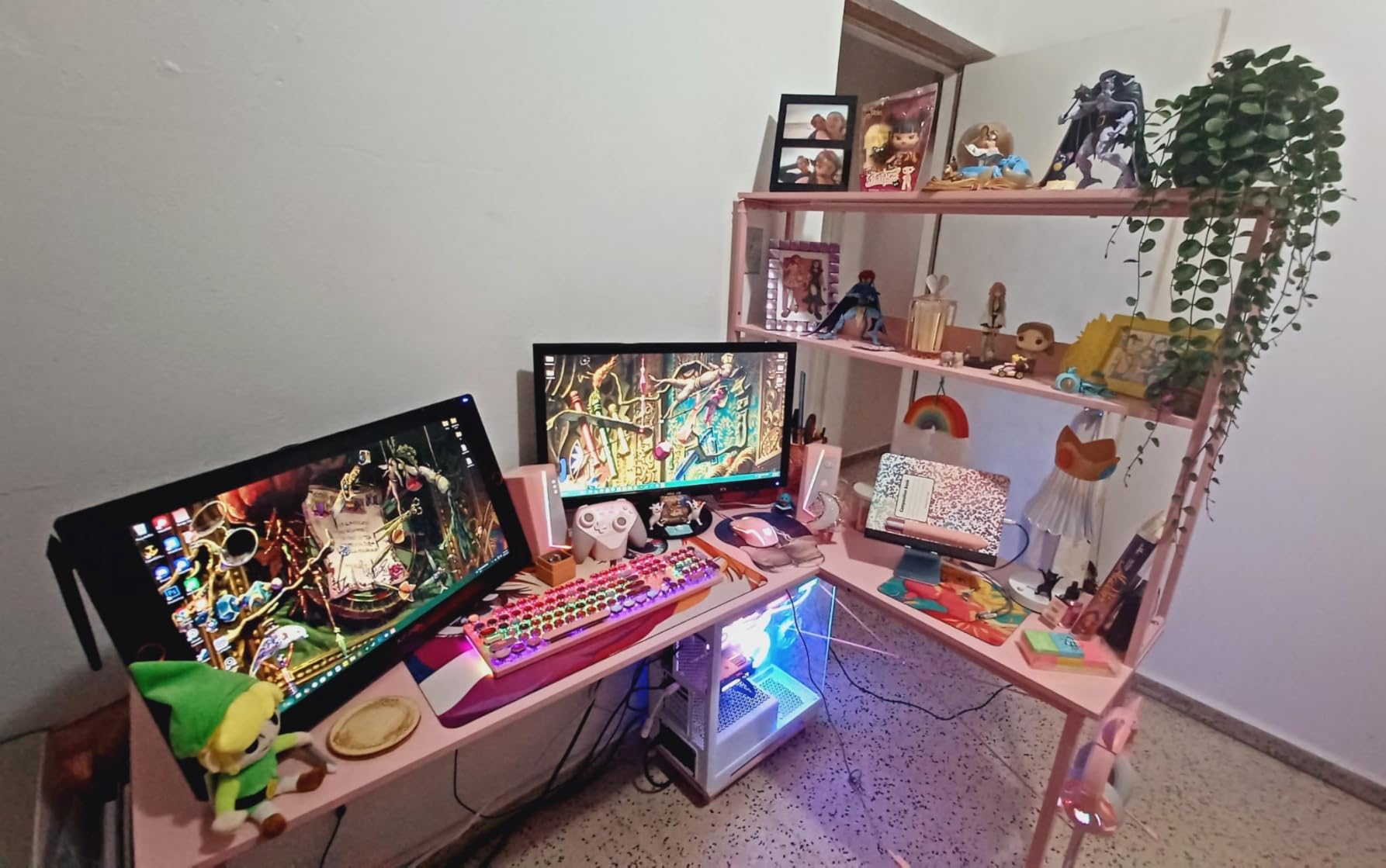
The RGB LED lighting offers 10 color presets, 8 brightness levels, and 10 dynamic modes. The memory function remembers your last setting, so you do not have to reconfigure it every time you turn the desk on. While the lighting is clearly aimed at gamers, I found the softer settings useful as ambient lighting during late-night work sessions.
The storage configuration is well thought out. Dual shelves on one side hold books and accessories, while the CPU stand keeps your tower off the floor. The included headphone hook and storage bag are small touches that add real daily convenience. Assembly took me about an hour with pre-labeled parts that made the process straightforward.

Power and Connectivity Features
The integrated power strip is the standout feature for me. Having 3 AC outlets and 2 USB ports built directly into the desk surface means no more crawling under the desk to plug things in. I connected my monitor, laptop charger, and phone cable all through the built-in hub. The USB ports delivered reliable charging for my phone and wireless headphones.
One consideration: the power strip is not surge-protected, so you may still want a separate surge protector for expensive equipment. For budget gaming setups with a monitor and console or PC, the built-in power is more than adequate.
Space Planning for Smaller Rooms
At 53 inches wide with 18.9 inches of depth, this desk fits tighter spaces than larger L-shaped models. I measured my corner and confirmed it would fit before ordering, which is advice I repeat for every desk purchase. The reversible design means you can orient the shelves on whichever side works better for your room layout.
If you are working with a very compact room, consider whether you need the storage shelves. They add about 12 inches to one side of the desk. The shelves are removable during assembly if you prefer a more minimal footprint.
4. AODK 53 Inch L Shaped Desk with LED Light – Best for Home Office Gaming

- Built-in power outlets and USB charging ports
- RGB LED lighting with memory function
- Reversible with adjustable monitor stand
- Single-person assembly
- Best seller rank number 9 in Home Office Desks
- Prime eligible
- No drawers for document storage
- Non-electric fixed height
- Particle board construction
The AODK 53-inch L shaped desk sits at the number 9 best seller spot in Home Office Desks on Amazon, and my testing confirmed it belongs there. This is essentially the grown-up version of the ODK gaming desk. It shares the same LED lighting and power outlet features but adds a 2-tier upper rack that works as either a display shelf or a monitor riser. I found the monitor riser particularly useful for getting my screens to eye level without buying separate stands.
Assembly was the easiest of any desk I tested. AODK includes clearly labeled parts and detailed instructions, and I had the whole thing built in about 45 minutes by myself. The alloy steel frame went together without any stripped screws or misaligned holes, which is more than I can say for some competitors. This is one of the few L-shaped desks that genuinely supports solo assembly.
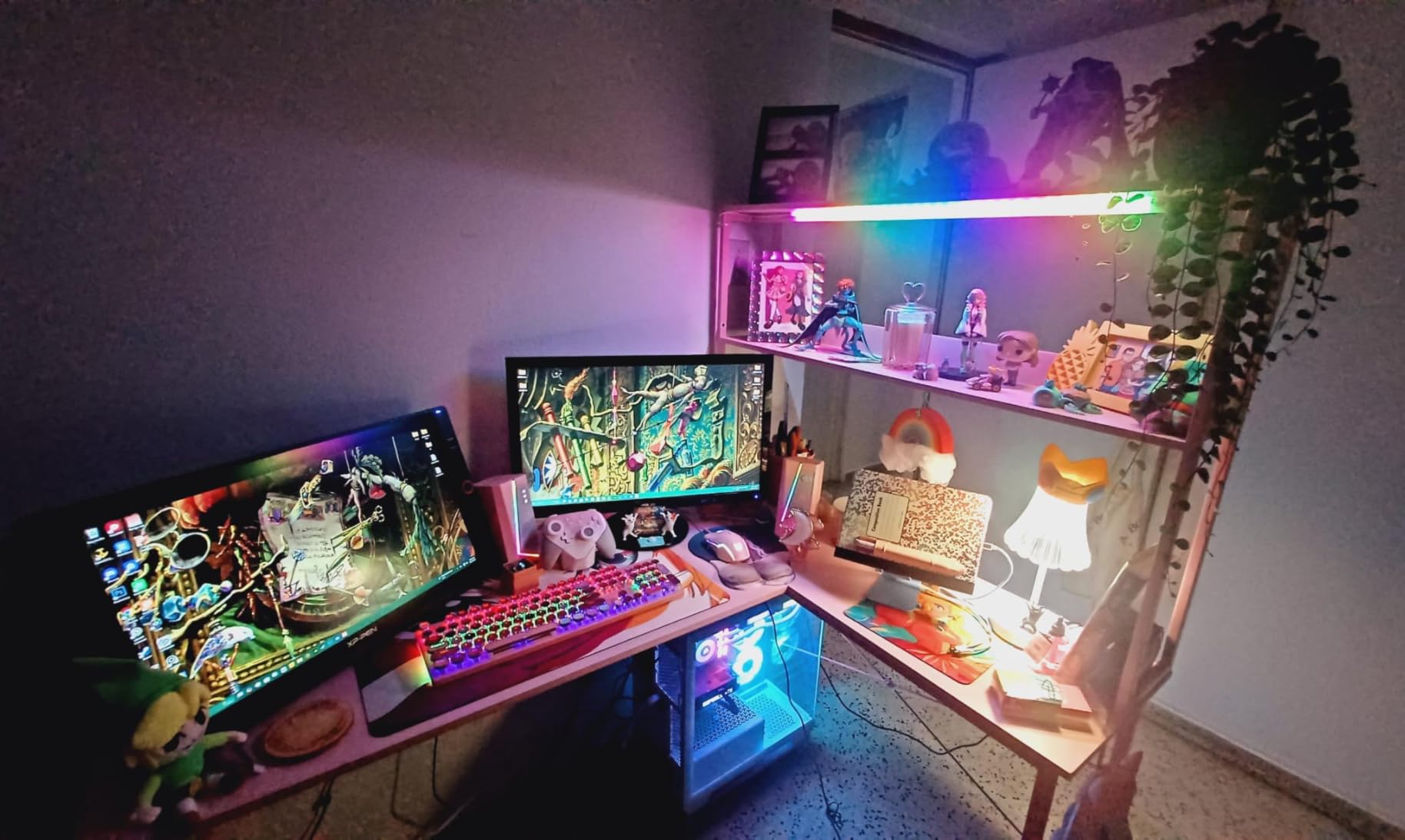
The built-in power strip with 3 AC outlets and 2 USB ports sits conveniently on the desk surface. I plugged in my monitor, laptop, desk lamp, and phone charger without needing an external power strip. The LED strip offers the same 10 colors and 10 dynamic modes as the ODK, with a memory function that recalls your preferred setting.
The reversible design means the storage shelf and CPU stand can go on either side. I set mine up with the CPU stand on the right to keep my tower off the carpet, which helps with airflow and dust management. The included headphone hook and storage bag round out a well-considered accessory package.
Comparing to Other AODK Models
AODK makes several L-shaped desks and choosing between them can be confusing. This 53-inch model is the sweet spot for most users. It offers the same power and lighting features as the larger 79-inch model but in a footprint that fits smaller rooms. The storage is open shelving rather than drawers, which keeps the desk lighter and easier to assemble.
If you need actual drawer storage for files, look at the AODK 79-inch model or the Furologee 66-inch desk instead. This 53-inch version is designed for digital storage needs rather than paper document organization.
Prime Shipping and Delivery
Unlike some competing models in this price range, the AODK 53-inch desk is Prime eligible. This means free two-day shipping for Prime members, which matters when you are buying a heavy item like a desk. The packaging was solid in my experience, with foam padding protecting all corners and the steel frame components separated by cardboard dividers.
Several reviews mention receiving damaged parts, but AODK has a 24-hour replacement policy for missing or damaged components. I did not need to use it, but knowing it exists adds peace of mind.
5. AODK 79 Inch L Shaped Desk with 5 Drawers – Best for Maximum Storage

- Massive 79-inch workspace with 5 drawers and 6-tier shelves
- Dual power hubs with 6 AC outlets and 4 USB ports
- File drawer for letter A4 and legal documents
- Reversible L-shape with upgraded LED diffuser
- Sturdy alloy steel frame
- Requires 2 people for assembly
- Assembly tools not included
- Very large and heavy
- Not Prime eligible
The AODK 79-inch L shaped desk is the storage king of this roundup. With 5 fabric drawers, 6-tier open shelving, and dual power hubs, this desk replaces what would normally require a desk plus a separate filing cabinet and shelving unit. I set this up in my dedicated home office and immediately appreciated how much clutter I could clear off my desktop and into the built-in storage.
The file drawer is a standout feature. It accommodates letter, A4, and legal-sized documents, which means I could finally organize my tax records, contracts, and reference materials in one place. The 4 smaller fabric drawers are surprisingly sturdy for their material. They glide smoothly on plastic runners and hold everything from cables to notebooks to gaming accessories.
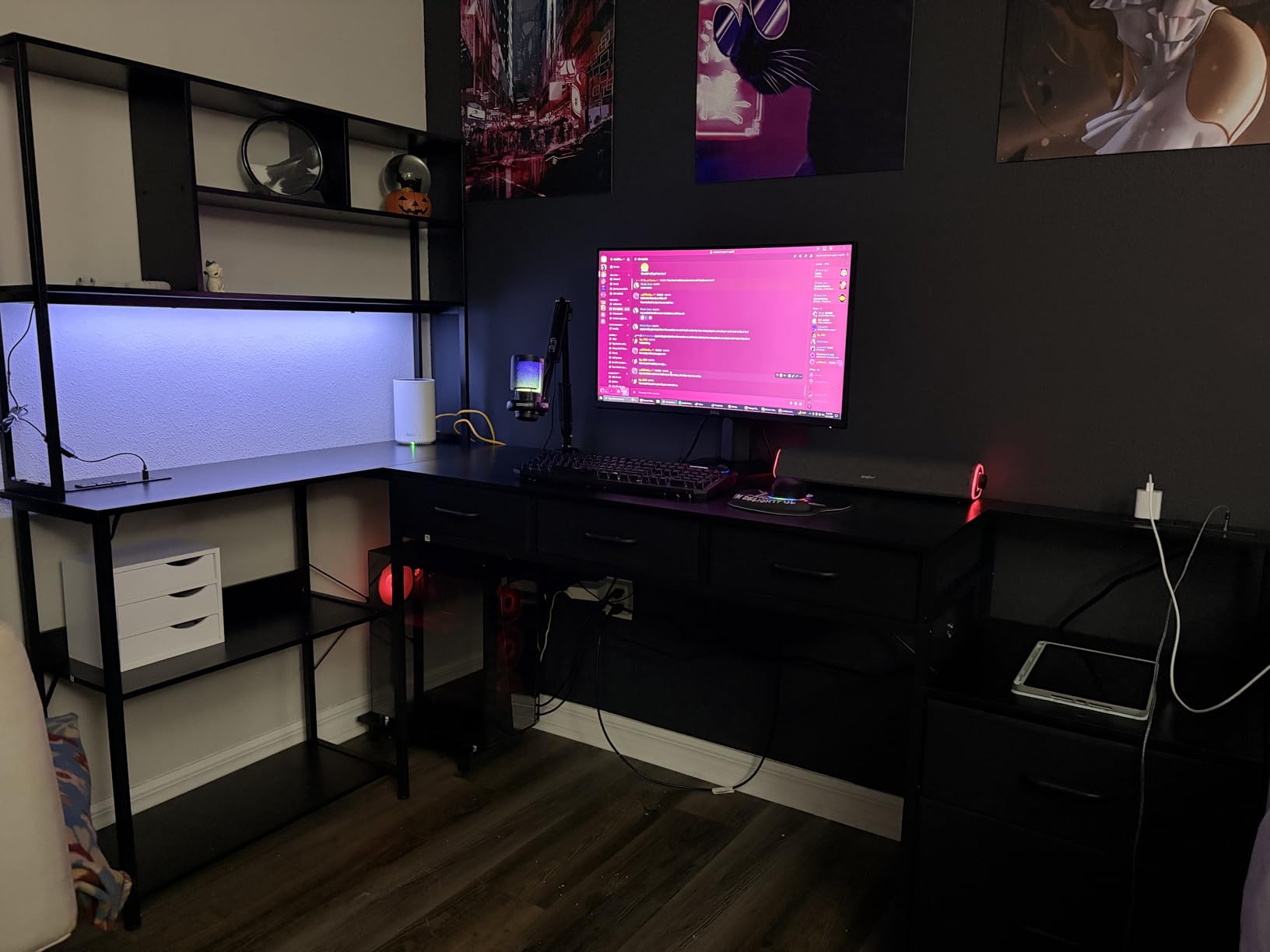
Both power hubs are positioned strategically, one on each wing of the desk. Each hub has 3 AC outlets and 2 USB ports, giving you a total of 6 AC outlets and 4 USB ports across the entire desk. I powered my desktop tower, dual monitors, laptop dock, desk lamp, phone, tablet, and wireless charger all from the built-in hubs without a single external power strip.
The upgraded LED strip uses an odorless milky diffuser that provides softer, more even lighting compared to bare LED strips on cheaper desks. The 10 colors and 10 dynamic modes are fun for gaming sessions, but I mostly used a warm white setting for work. The diffuser makes a real difference in reducing eye strain during long sessions.
Storage Configuration and Organization
The 6-tier open shelving is split across both wings of the desk. I used the lower shelves for my CPU tower and a small printer, the middle shelves for books and reference materials, and the upper shelves for decorative items and plants. The shelves are deep enough to hold standard binders upright, which is not always the case with built-in desk shelving.
The fabric drawers have a slight learning curve. They are made of breathable fabric with MDF panels for structure. While they will not last as long as solid wood drawers, they are lightweight, dust-resistant, and far better than having no storage at all. For the price, the storage density is unmatched in this roundup.
Assembly Difficulty and Recommendations
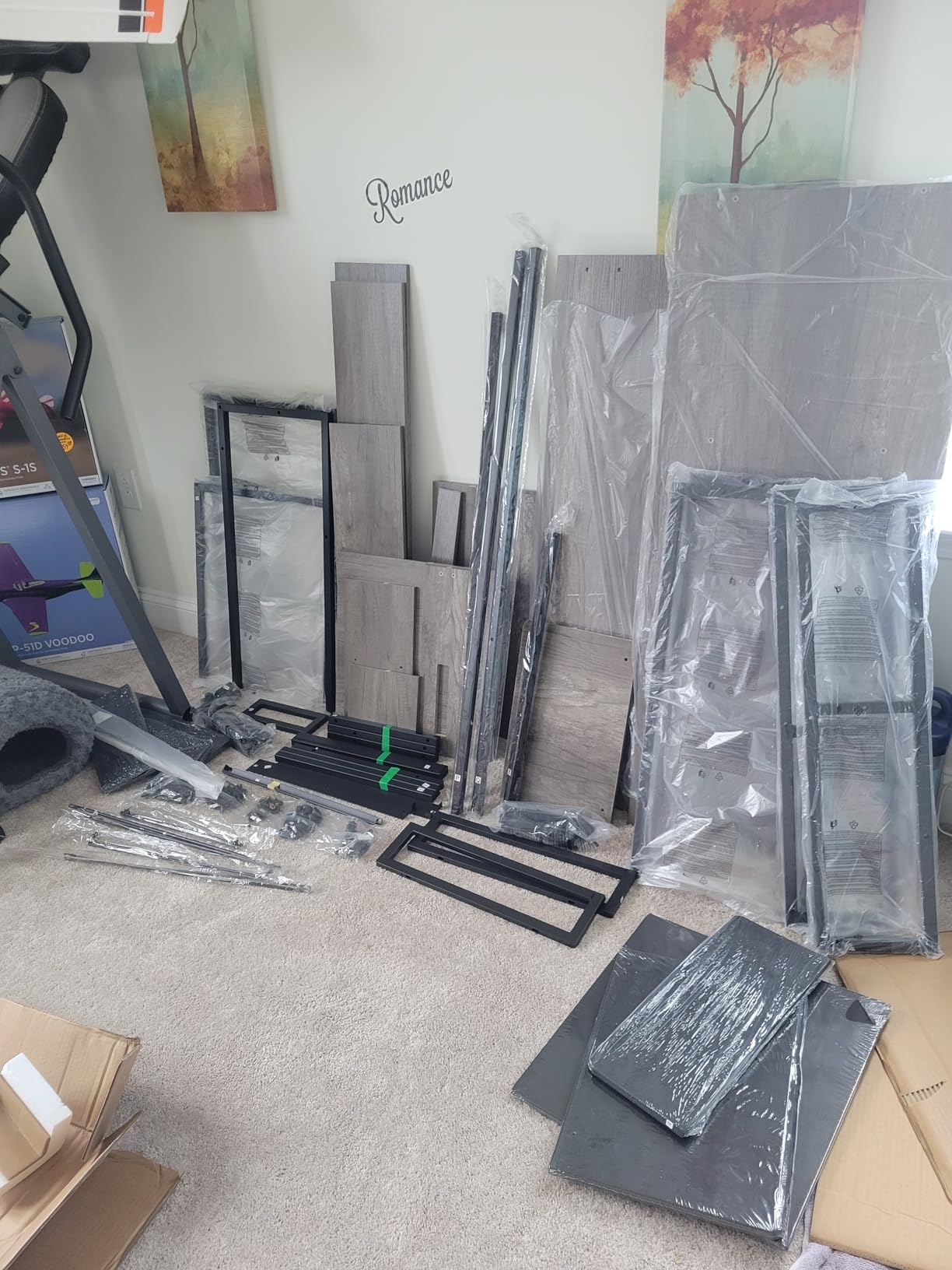
This is the hardest desk to assemble in this guide. Plan for 3 to 4 hours with two people, and make sure you have your own Phillips head screwdriver and Allen wrench set since tools are not included. The sheer number of components is overwhelming at first, but the instructions are clear if you take them step by step.
I recommend clearing a large open space before starting. The desk is nearly 79 inches long fully assembled, and you will need room to lay out all the panels during assembly. Do not attempt this one alone.
6. HUANUO 63 Inch L-Shaped Standing Desk – Best for Ergonomic Workflows
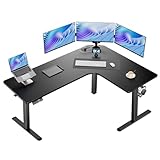
- Sit-to-stand workstation with customizable height 28 to 46 inches
- 3 height memory presets
- Built-in power strip with USB Type-A and Type-C
- Tested to 50
- 000 lift cycles
- Supports 220 lbs with carbon steel frame
- Cable management tray and clips included
- Assembly requires 2 people
- Challenging to assemble solo
HUANUO is a brand I have trusted for monitor mounts and ergonomic accessories for years, so I had high expectations for their L-shaped standing desk. The carbon steel frame and electric lifting mechanism deliver a solid, reliable sit-stand experience. With a 220-pound weight capacity and testing to 50,000 lift cycles, this desk is built for daily use over many years.
The height adjustment range of 28 to 46 inches covers the full spectrum needed by most users. At 5 foot 10 inches, my ideal standing height was about 42 inches, and the desk reached it smoothly in about 8 seconds. The three memory presets let me save my sitting height, standing height, and a middle position for leaning on a tall stool. The motor is noticeably quieter than some competing standing desks I have tested.
The integrated power strip is one of the better implementations I have seen. It includes 2 AC outlets, 1 USB Type-A port, and 1 USB Type-C port. The Type-C port is a forward-thinking touch that means I can charge my modern devices without an adapter. The power strip is ETL and FCC certified, which gives me confidence in its safety for daily use.
The cable management system includes a tray and clips that route wires neatly under the desk. This is one area where HUANUO outperforms the Casaottima. Having an actual cable tray rather than just grommets makes a real difference in keeping your workspace tidy, especially when you have monitor power cables, USB cables, and the desk’s own power cord all needing management.
Weight Capacity and Stability Testing
I loaded this desk with about 65 pounds of equipment including dual monitors on arms, a laptop dock, speakers, and various accessories. At standing height, the desk remained stable with minimal wobble. The carbon steel frame and 2.4-inch wide telescopic legs provide genuine rigidity that cheaper standing desks cannot match.
The 220-pound weight capacity gives you plenty of headroom. Even with a heavy all-in-one PC, dual ultrawide monitors, and desk accessories, most setups will stay well under the limit. The 5-year warranty backs up the build quality claim.
Power Strip and Connectivity
The built-in power strip position is thoughtful. It sits on the desk surface rather than underneath, making it easy to plug and unplug devices. The USB Type-C port delivered fast charging for my phone and tablet. Having both Type-A and Type-C ports means you are future-proofed for both older and newer devices.
Note that the power strip is part of the desk assembly and draws from a single wall connection. If your wall outlet is far from your desk placement, you may need a longer power cable or an extension cord rated for the desk’s power draw.
7. Furologee 66 Inch L Shaped Desk with Power Outlet – Best Budget Desk with File Storage

- 3 power outlets and 2 USB charging ports
- 2 movable monitor stands for ergonomic positioning
- Fabric file drawer with letter A4 and legal storage
- 2-tier adjustable storage shelves
- Sturdy metal frame supports 180 lbs
- Reversible L-shape
- Assembly tools not included
- Fabric drawer may collect dust over time
- No Prime shipping
The Furologee 66-inch L shaped desk is the kind of product that makes you question why anyone would spend more. For around $100, you get a corner desk with a built-in charging station, two movable monitor stands, a fabric file drawer, and adjustable storage shelves. I tested this desk as a budget option for my guest room office and came away impressed by the value proposition.
The two movable monitor stands are my favorite feature. They are separate platforms that sit on the desk surface and raise your monitors to eye level. You can position them anywhere on either wing of the desk, which means you can set up an asymmetric dual-monitor layout or place one stand on each side. This flexibility is rare at any price point, let alone under $100.
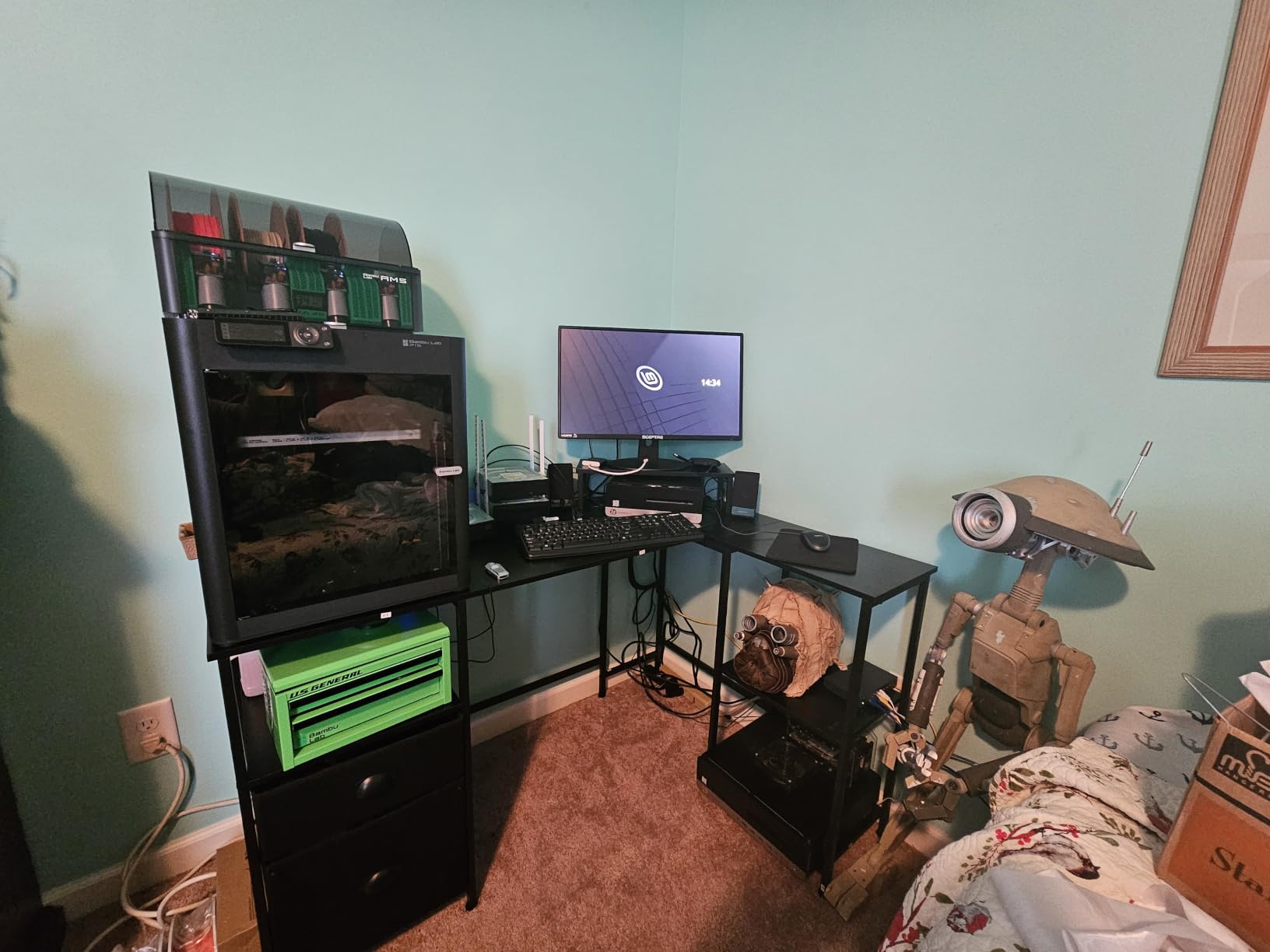
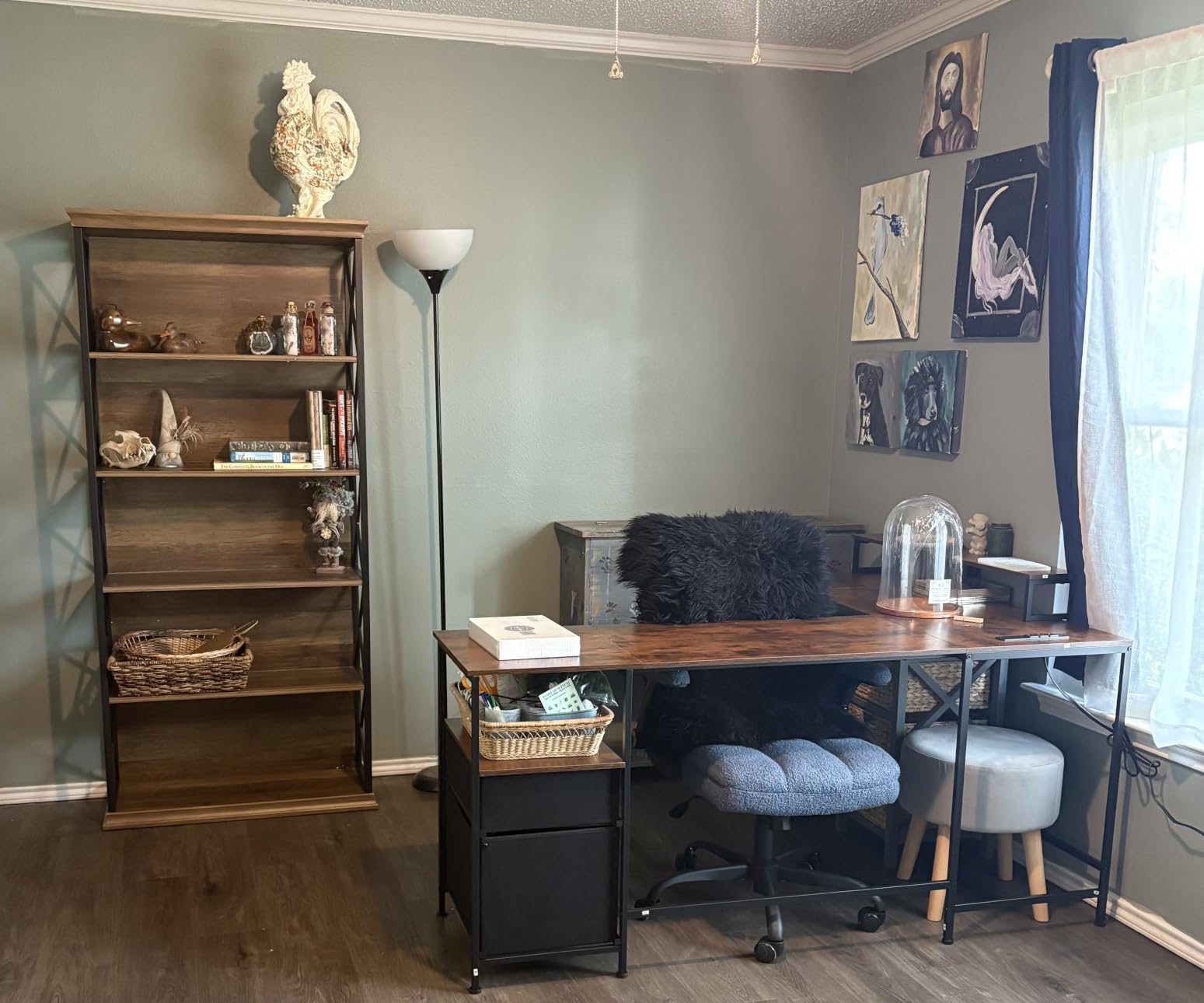
The built-in charging station includes 3 AC outlets and 2 USB ports. I powered my monitor, laptop, desk lamp, and phone charger all from the desk’s power hub. The rustic brown finish with industrial-style metal framing gives the desk a warmer, more furniture-like appearance than the all-black gaming desks in this roundup.
The fabric file drawer holds letter, A4, and legal-sized documents. It is made of breathable non-woven fabric with MDF panels for structure. While it will not win any durability awards, it functions well for light to moderate filing needs. The 2-tier storage shelves are adjustable in height, which means you can configure them to fit a CPU tower or taller books.
Best Budget Setup Recommendations
This desk is ideal for students, remote workers on a budget, or anyone setting up a secondary workspace. The rustic brown finish looks more expensive than it is, and the industrial design fits both modern and traditional room decor. I paired it with an affordable task chair and a desk lamp for a complete home office setup that cost under $200 total.
The 180-pound weight capacity is solid for a budget desk. My dual 24-inch monitors, laptop, and accessories weighed about 40 pounds total, leaving plenty of headroom. The adjustable feet helped me level the desk on carpet, which can be tricky with metal-framed desks.
Assembly Tips and Common Issues
Assembly took me about 75 minutes. The instructions are clear with labeled hardware, but you will need your own screwdriver since tools are not included. The trickiest part is attaching the file drawer slides, which need precise alignment. Take your time with this step and the rest goes smoothly.
Some reviews mention the fabric drawer collecting dust over time. I have not experienced this yet, but if it becomes an issue, a quick vacuum with a brush attachment should resolve it. The metal frame and engineered wood top are the components that matter most for longevity, and both feel solid.
8. VIVO 75 x 63 Inch Corner Standing Desk – Best Large Standing Desk

- Smooth electric height adjustment 28.5 to 46.8 inches
- Memory controller with presets for saved heights
- Massive L-shaped workspace 74.8 x 63 inches
- Strong 225 lbs support with all-steel frame
- Quiet motor operation
- Excellent long-term durability confirmed by reviewers
- Assembly is challenging and time-consuming 2.5 to 4 hours
- Instructions can be confusing
- Controller cord length is limited
- Requires 2 people to flip during assembly
The VIVO 75 x 63 inch corner standing desk is the largest standing desk in this roundup, and its 1,782 reviews with an 80 percent five-star rating make it one of the most trusted options on the market. I tested this desk over a four-week period and it quickly became my primary workstation. The three-part top creates a genuinely massive workspace that rivals desks costing twice as much.
The electric single motor moves the desk from 28.5 to 46.8 inches with smooth, consistent operation. The memory controller lets you save preferred heights and switch between them with a single button press. The anti-collision technology detected my chair when I accidentally left it too close during a height transition, stopping the desk before it made contact. This is a safety feature I did not know I needed until I experienced it.
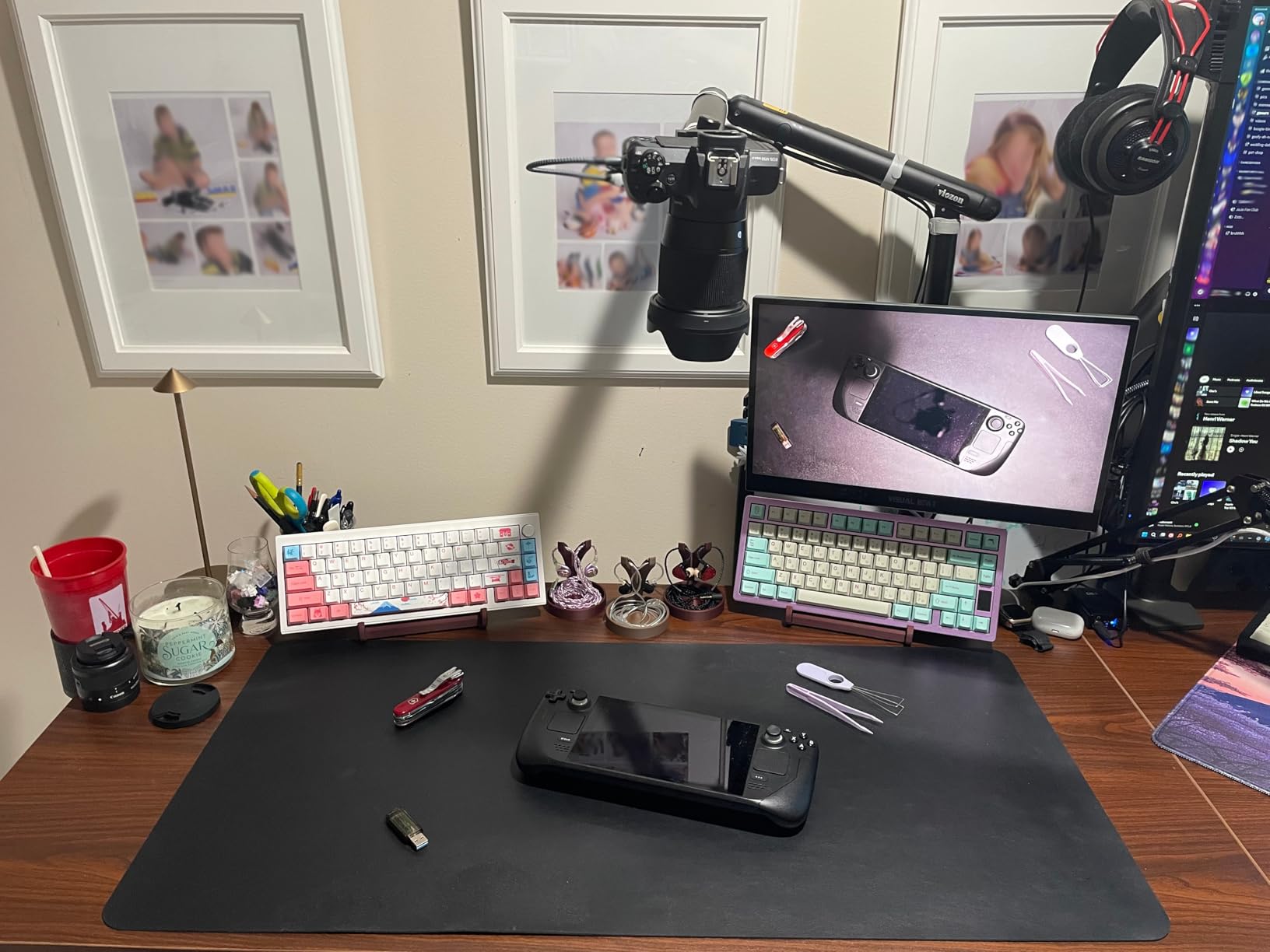
The all-steel frame and telescopic legs provide outstanding stability. At full standing height with my dual 27-inch monitors on arms, a laptop dock, speakers, and various accessories loaded on the surface, the desk barely wobbled. The 225-pound weight capacity is among the highest in this roundup, and it shows in the structural rigidity.
I need to be honest about the assembly experience. This is the most challenging desk to put together in this guide. The instructions can be confusing, and some steps conflict with the assembly video on VIVO’s website. Plan for 2.5 to 4 hours with two people. You absolutely need a second person to flip the desk upright after the legs are attached. If you are not comfortable with complex furniture assembly, consider paying for assembly service.
Monitor Mount and Clamp Compatibility
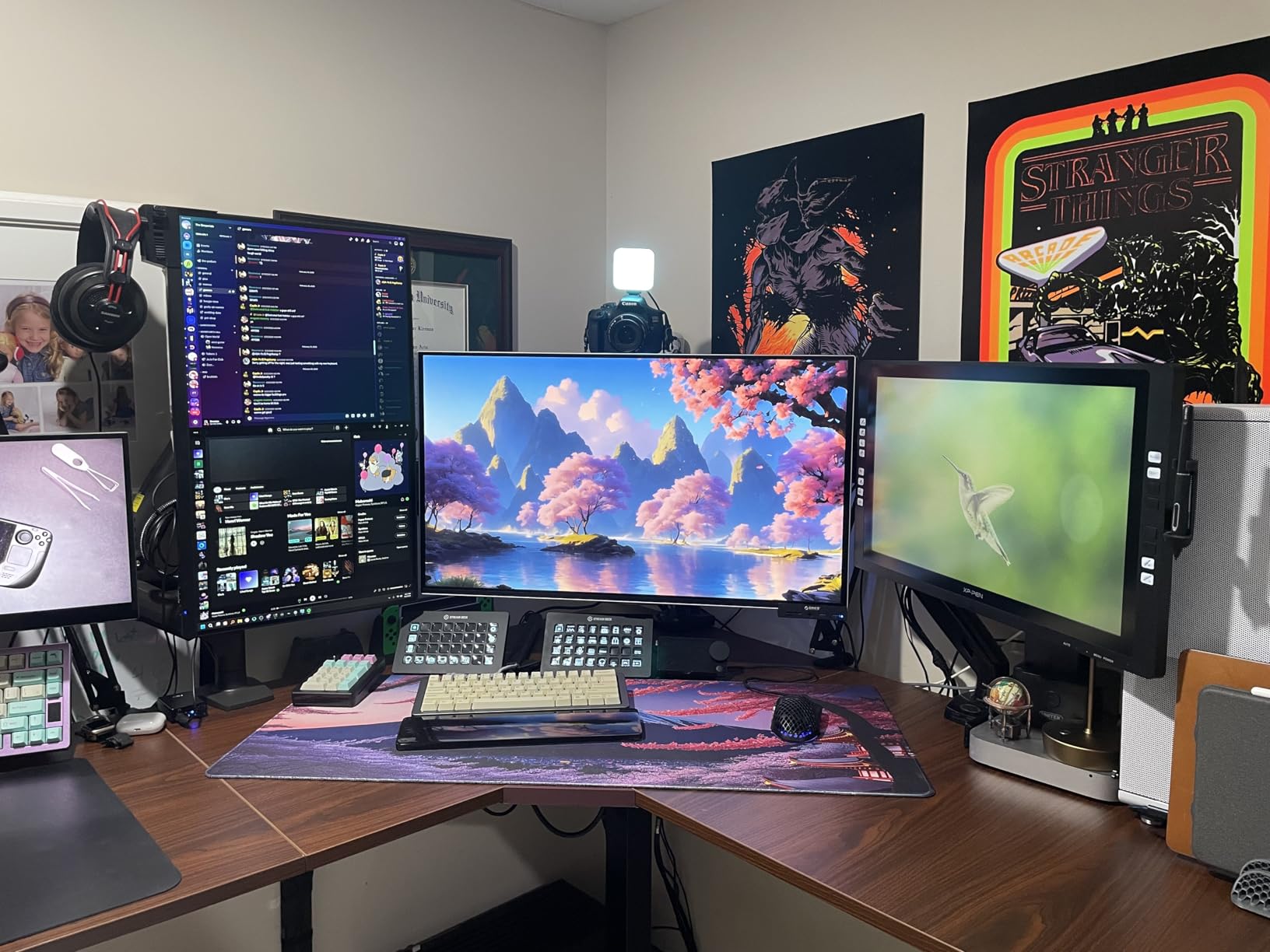
The VIVO desk works exceptionally well with monitor arms and clamp mounts. The particle board top is reinforced at the edges, providing solid anchoring for C-clamp and grommet-mount monitor arms. I used dual gas-spring monitor arms clamped to the corner section and they held firmly without any sagging or loosening over my testing period.
One thing to note: the black top shows fingerprints and smudges more easily than lighter finishes. If you are particular about keeping your desk looking pristine, consider the cleanliness factor or use a desk mat to cover high-traffic areas. A quick wipe with a microfiber cloth resolves smudges easily.
Long-Term Reliability and Warranty
The long-term reviews for this desk are consistently positive. Multiple reviewers report using this desk daily for over a year with no motor degradation, no frame loosening, and no stability issues. The anti-collision technology continues to function reliably over time, which is not always the case with cheaper standing desks.
VIVO includes a limited warranty with this model. Based on forum discussions, their customer service is responsive for motor and controller replacements. Having this kind of post-purchase support matters for any product with electronic components.
9. Tribesigns 78 Inch L-Shaped Executive Desk – Best Executive Office Desk

- Large 78.7 inch L-shaped workspace with executive styling
- Ample storage with 2 drawers plus file drawer and 4 open shelves
- Scratch-resistant walnut and black finish
- Supports up to 300 lbs
- 12-month warranty
- Easy to assemble with illustrated manual
- Ships in two packages that may arrive separately
- Assembly requires 2 people
- No Prime shipping available
The Tribesigns 78-inch L-shaped executive desk brings a level of professionalism and visual weight that the other desks in this roundup do not match. The walnut and black finish looks like real office furniture rather than a budget gaming setup. I placed this desk in a client-facing office space and it immediately elevated the room’s appearance. If you need a desk that looks the part for video calls and meetings, this is the one.
The storage configuration is the most complete of any fixed-height desk in this guide. You get 2 standard drawers for office supplies, a file drawer that accommodates legal and letter-sized documents, and 4 open storage shelves for books, binders, and display items. The file drawer uses metal glides with a roller mechanism, which is a step up from the fabric drawers on budget models.
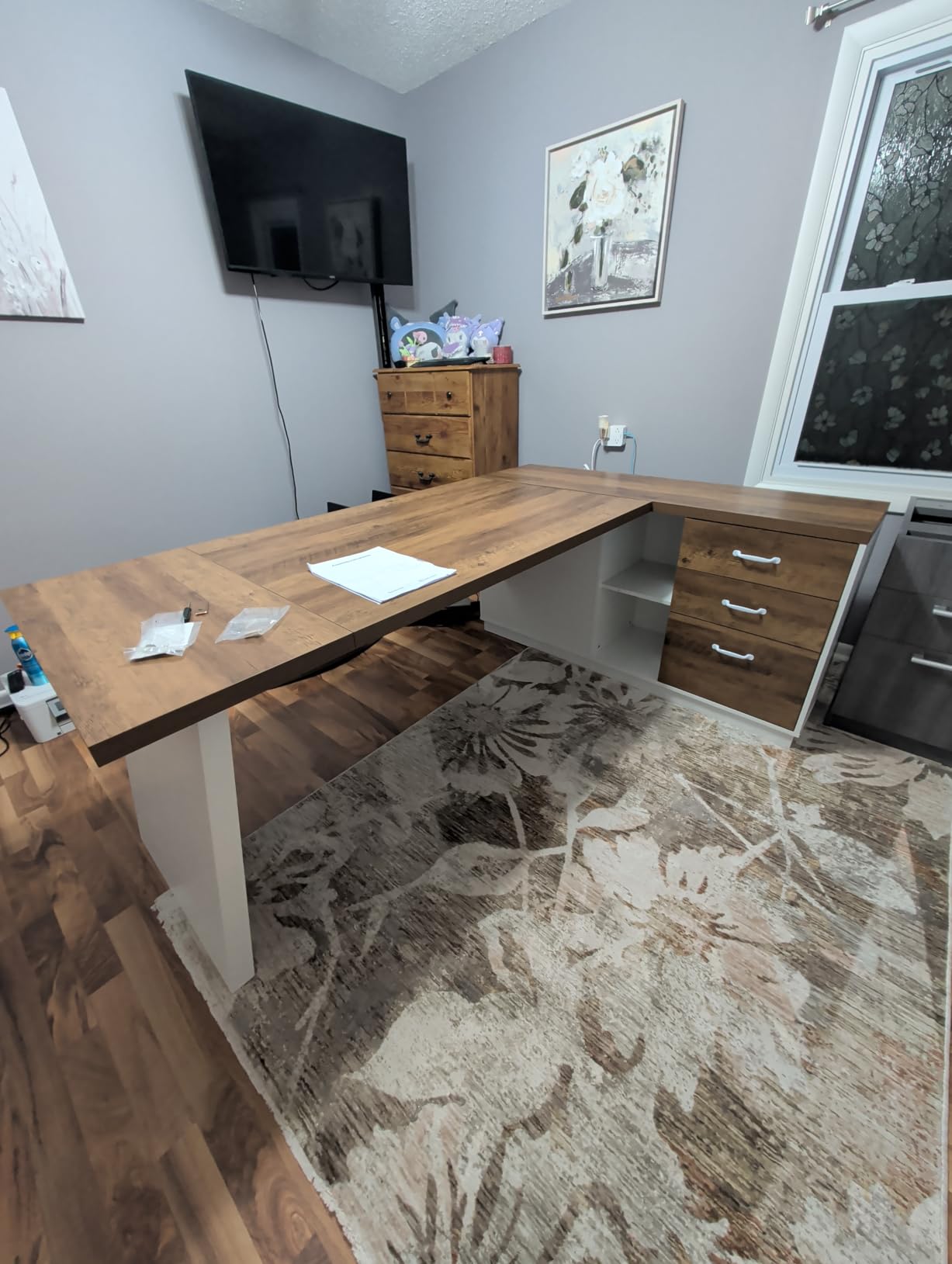
The 300-pound weight capacity is the highest in this roundup, tied with the AODK 79-inch model. I loaded the desk with a desktop monitor, an all-in-one printer, a stack of hardcover reference books, and various office equipment. The desk showed zero signs of stress. The E1 particle board construction with a scratch-resistant surface held up well to daily use during my testing period.
The desk ships in two separate packages, which is worth noting for delivery planning. My packages arrived two days apart, and I had to wait for both before starting assembly. Assembly itself took about 2.5 hours with two people following the illustrated manual. The components are heavy and the finished desk is substantial, so plan your placement carefully before building.
Professional Aesthetics and Room Impact
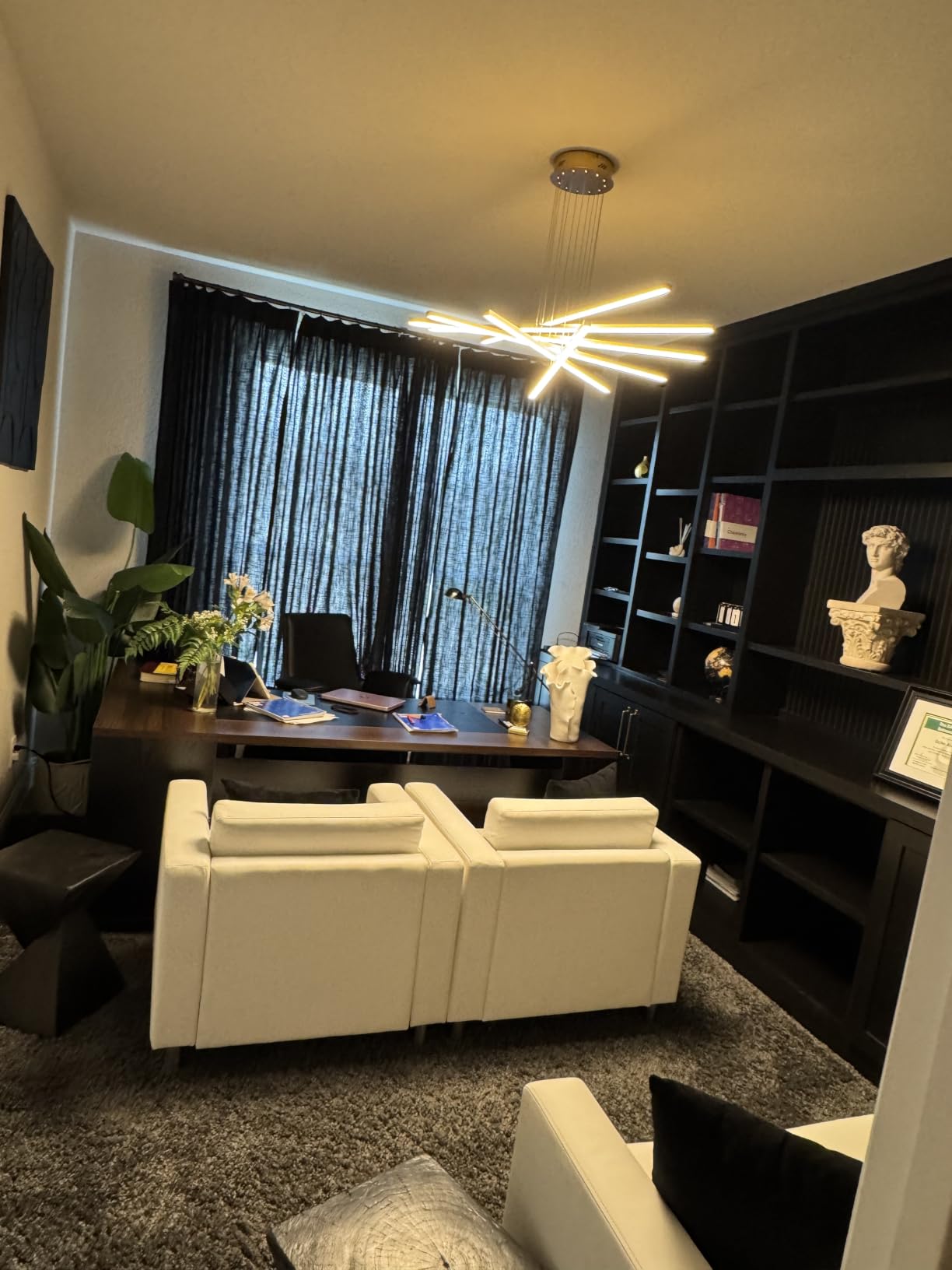
The walnut finish with black accents is the key differentiator for this desk. It looks like furniture you would find in a law office or executive suite, not a dorm room or gaming setup. The finish is consistent across all surfaces including the drawer fronts and shelf edges. If your office aesthetic leans traditional or professional, this desk fits right in.
The desk is large enough to serve as a room divider or a statement piece in an open office layout. At 78.7 inches long and 55.1 inches deep, it commands attention. Make sure your space can accommodate this footprint before ordering. For more home furniture buying guides, check out our home office furniture guides.
Storage and Organization Capacity
The file drawer is the highlight of the storage system. It accommodates legal, letter, and A4-sized files, making it suitable for professional document management. The drawer slides smoothly on metal glides and stays closed securely during normal use. The two standard drawers are shallower, perfect for pens, notepads, cables, and small office supplies.
The four open shelves provide display and quick-access storage. I used them for reference books, a small plant, a framed photo, and frequently accessed binders. The shelves are fixed rather than adjustable, so plan your storage items accordingly. The enclosed shelf on one side is a nice touch for items you want to keep visible but organized.
How to Choose the Best L Shaped Desk for Your Space?
Choosing the right L-shaped desk comes down to understanding your specific needs and constraints. After testing 9 desks and researching hundreds more, I have identified the key factors that separate a good purchase from a regrettable one. Here is what you need to consider before making your decision.
1. Measure Your Space Before Anything Else
This sounds obvious, but forum research shows that incorrect sizing is the number one reason people return L-shaped desks. You need to measure not just the wall space but also the diagonal clearance in your corner. A desk that is 60 inches on each side needs at least 85 inches of diagonal space to fit comfortably. Account for baseboards, electrical outlets, and window placements.
Also consider the depth of the desk. Most L-shaped desks are 18 to 24 inches deep, which affects how far the desk extends into your room. A 24-inch deep desk on both wings means you lose 24 inches of floor space in two directions. For small rooms, look for desks with 18 to 19 inches of depth like the ODK or AODK 53-inch models.
2. Material Quality and Long-Term Durability
The desks in this roundup use engineered wood, particle board, or MDF tops. These materials are standard in this price range and perform well when properly cared for. The main difference between a desk that lasts 2 years and one that lasts 10 years is the frame quality and the surface treatment.
Powder-coated steel frames like those on the SHW, AODK, and VIVO desks offer the best longevity. Look for frames with right-angle joints rather than bolted flat plates, as they distribute weight more evenly. For the desktop surface, a laminate or melamine coating protects against scratches and moisture. Avoid desks with bare MDF tops, as they absorb moisture and degrade quickly.
If you plan to use monitor arms with desk clamps, check the desktop thickness. Most of the desks in this guide have tops between 0.75 and 1 inch thick, which works with standard clamp mounts. Thinner tops may require reinforcement plates under the clamp area.
3. Standing Versus Fixed Height
Electric standing desks cost more but offer significant health and productivity benefits. Based on forum discussions on r/StandingDesk, users who switch to standing desks report reduced back pain, improved energy levels, and better focus. The Casaottima, HUANUO, and VIVO models in this guide all offer electric height adjustment with memory presets.
Fixed-height desks are simpler, cheaper, and have fewer components that can fail. If you are on a strict budget or do not care about sit-stand capability, the SHW, ODK, AODK, Furologee, and Tribesigns models offer excellent value. You can always add a standing desk converter later if you change your mind.
4. Storage Needs and Configuration
Think about what you actually need to store at your desk. If you work primarily with digital files, open shelving and a CPU stand may be sufficient. The AODK 53-inch and ODK models are designed for this use case. If you handle physical documents, look for desks with file drawers like the AODK 79-inch, Furologee, and Tribesigns models.
Built-in power outlets and USB ports are increasingly common and genuinely useful. Having charging ports integrated into the desk surface eliminates cable clutter and keeps your devices powered without reaching for a wall outlet. The ODK, AODK, Furologee, and HUANUO models all include built-in power solutions.
5. Assembly Time and Difficulty
Forum data shows that assembly complexity is a major pain point. Some desks take 45 minutes while others take 4 hours. If you are not handy with tools, look for desks that advertise single-person assembly and pre-labeled parts. The AODK 53-inch and ODK 53-inch models are the easiest to assemble in this guide.
For larger desks like the VIVO standing desk and AODK 79-inch model, plan for 3 to 4 hours with two people. Clear a large workspace before starting and inventory all parts against the packing list before beginning assembly. Having a second person is not just helpful but sometimes physically necessary, especially when flipping a standing desk upright.
6. Budget Tiers and What to Expect
Under $100: Expect basic particle board construction, metal framing, and limited features. The ODK 53-inch desk punches above its weight with included power outlets and LED lighting.
$100 to $250: This is the sweet spot for most buyers. You get commercial-grade frames, better surface materials, and useful features like power strips and storage. The SHW, AODK 53-inch, Furologee, and Casaottima all fall in this range.
$250 to $500: Premium features including electric height adjustment, anti-collision technology, and high weight capacities. The VIVO standing desk and Tribesigns executive desk deliver professional-grade quality at this level.
7. Cable Management and Wire Routing
Cable management is consistently overlooked until you are sitting at your desk with a tangle of wires. Look for desks with built-in grommets, cable trays, or at least the structural support to add aftermarket management solutions. The SHW desk includes 3 grommets, while the HUANUO includes both a tray and clips.
If your chosen desk lacks cable management features, budget $15 to $30 for an under-desk cable tray kit and adhesive cable clips. These accessories make a dramatic difference in keeping your workspace clean and professional.
8. Shipping and Return Policies
L-shaped desks are heavy and bulky, which means shipping costs and methods matter. Prime-eligible desks like the SHW, Casaottima, AODK 53-inch, and HUANUO offer free two-day shipping. Non-Prime desks may take longer and could incur shipping costs.
Pay close attention to return policies. Some manufacturers do not accept returns on assembled desks, which is a significant risk if the desk does not fit your space. Always measure before ordering and consider whether the retailer offers a trial period. Amazon’s return window typically covers damaged or defective items, but returning an assembled desk is logistically challenging.
FAQs
What should I look for when buying a standing desk?
When buying a standing desk, prioritize motor quality, height adjustment range, weight capacity, and frame stability. Look for at least 27 to 47 inches of height range, 150-plus pound weight capacity, memory presets for saving your preferred heights, and a solid steel frame with telescopic legs. Anti-collision technology, cable management features, and a warranty of at least 2 years are also important indicators of a quality standing desk.
Are standing desks actually good for you?
Standing desks can reduce back pain, improve circulation, and increase energy levels during the workday. Research suggests that alternating between sitting and standing is more beneficial than doing either one exclusively. The key is movement and position changes rather than standing all day. Users who switch every 30 to 60 minutes report the best results for comfort and productivity.
How much should I spend on a standing desk?
A quality electric standing desk costs between $170 and $400 for an L-shaped model. Budget models under $150 often use single motors with lower weight capacities and may wobble at full height. The sweet spot for most users is $200 to $350, where you get reliable motors, good weight capacity, memory presets, and solid warranty coverage. Models like the Casaottima and HUANUO deliver excellent value in this range.
How long does it take to assemble an L-shaped desk?
Assembly time for an L-shaped desk ranges from 45 minutes to 4 hours depending on the model. Simple fixed-height desks like the AODK 53-inch can be assembled by one person in about 45 minutes. Standing desks and larger models with storage typically require 2 to 3 hours with two people. The VIVO standing desk and AODK 79-inch model are the most time-consuming, taking 3 to 4 hours with a helper.
Which L-shaped desk is best for a small office?
For small offices, look for L-shaped desks under 55 inches wide with 18 to 19 inches of depth. The ODK 53-inch and AODK 53-inch models are excellent choices because they offer full L-shaped workspace in a compact footprint. The Furologee 66-inch desk also works if you have slightly more room and want the added benefit of a file drawer and monitor stands. Always measure your corner space diagonally before ordering.
Can I return an L-shaped desk if it doesn’t fit?
Return policies vary by manufacturer and retailer. Amazon typically allows returns within 30 days, but returning an assembled L-shaped desk is logistically difficult due to its size and weight. Some manufacturers do not accept returns on assembled furniture at all. To avoid this situation, measure your space carefully before ordering, check the desk dimensions against your room, and review the seller’s return policy before purchasing. Unopened boxes can almost always be returned.
Final Thoughts on the Best L Shaped Desks
After testing and comparing 9 of the best l shaped desks available in 2026, a few clear winners emerged. The Casaottima electric standing desk earned our editor’s choice for its smooth motor, reversible design, and outstanding value as a sit-stand corner desk. The SHW commercial-grade desk remains the best overall value for anyone who wants a solid, stable, fixed-height workstation with a 10-year warranty. And the ODK gaming desk proved that you do not need to spend more than $100 to get a feature-rich corner desk with built-in power and LED lighting.
For users who need maximum storage, the AODK 79-inch desk with 5 drawers and dual power hubs is unmatched. The VIVO standing desk is the best choice for a large premium workstation with proven long-term durability. And the Tribesigns executive desk wins on professional aesthetics for anyone furnishing a client-facing office space.
Whatever your budget and space constraints, the key takeaway from my testing is this: measure your corner carefully, decide whether you need standing capability, and choose a desk with a solid steel frame. Those three decisions will narrow your options to the models that will genuinely serve you well for years to come.