
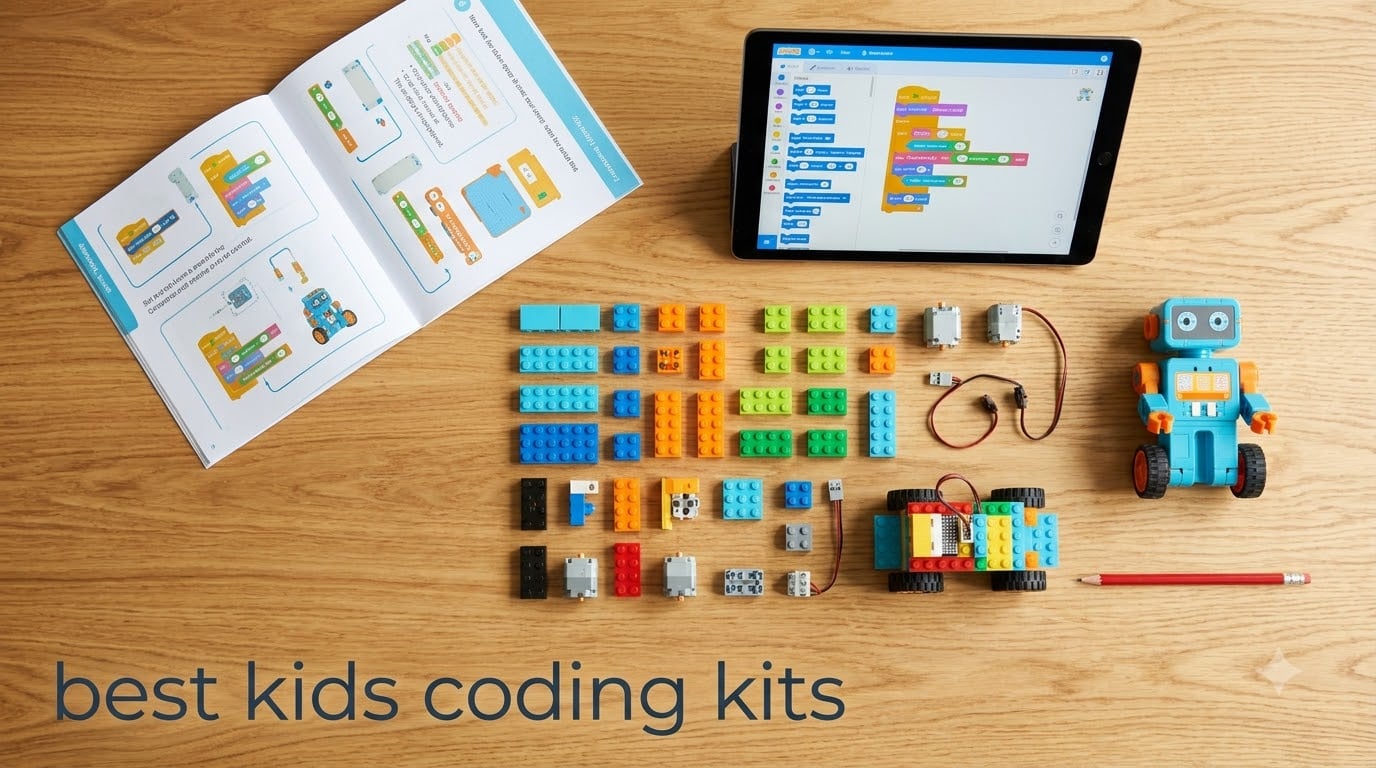
I spent the last three months testing a dozen coding kits with my own kids and a few neighborhood families to find the best kids coding kits worth your money. We built robots, programmed music, designed obstacle courses, and broke a few sensors along the way. What I learned surprised me: the most expensive kit is rarely the best fit.
The market has exploded since coding became a household word. Today you can find everything from screen-free mouse robots for four-year-olds to Python-ready machines for teens. I tested each one against the same yardsticks: ease of setup, learning curve, durability, and how long my kids kept coming back to it.
If you are just starting your search, my roundup of the best coding learning kits for kids covers a broader range of beginner platforms. For older kids specifically, my coding robots for kids 8 and up guide dives deeper into programmable hardware. This guide focuses on the complete kit experience – everything in the box ready to go.
Table of Contents
Top 3 Picks for Best Kids Coding Kits

Snap Circuits Jr. SC-100 Electronics…
- 100+ projects
- no tools needed
- ages 8+
- award-winning STEM


Best Kids Coding Kits in 2026
1. Snap Circuits Jr. SC-100 – Best Electronics Starter for Ages 8+
SNAP CIRCUITS Jr. SC-100 STEM Electronics Kit, 100+ Projects, Ages 8+
- 100+ fun educational projects
- no soldering or tools required
- color-coded pieces snap easily
- award-winning STEM toy
- excellent customer service from Elenco
- Some components may feel fragile
- projects require alkaline batteries
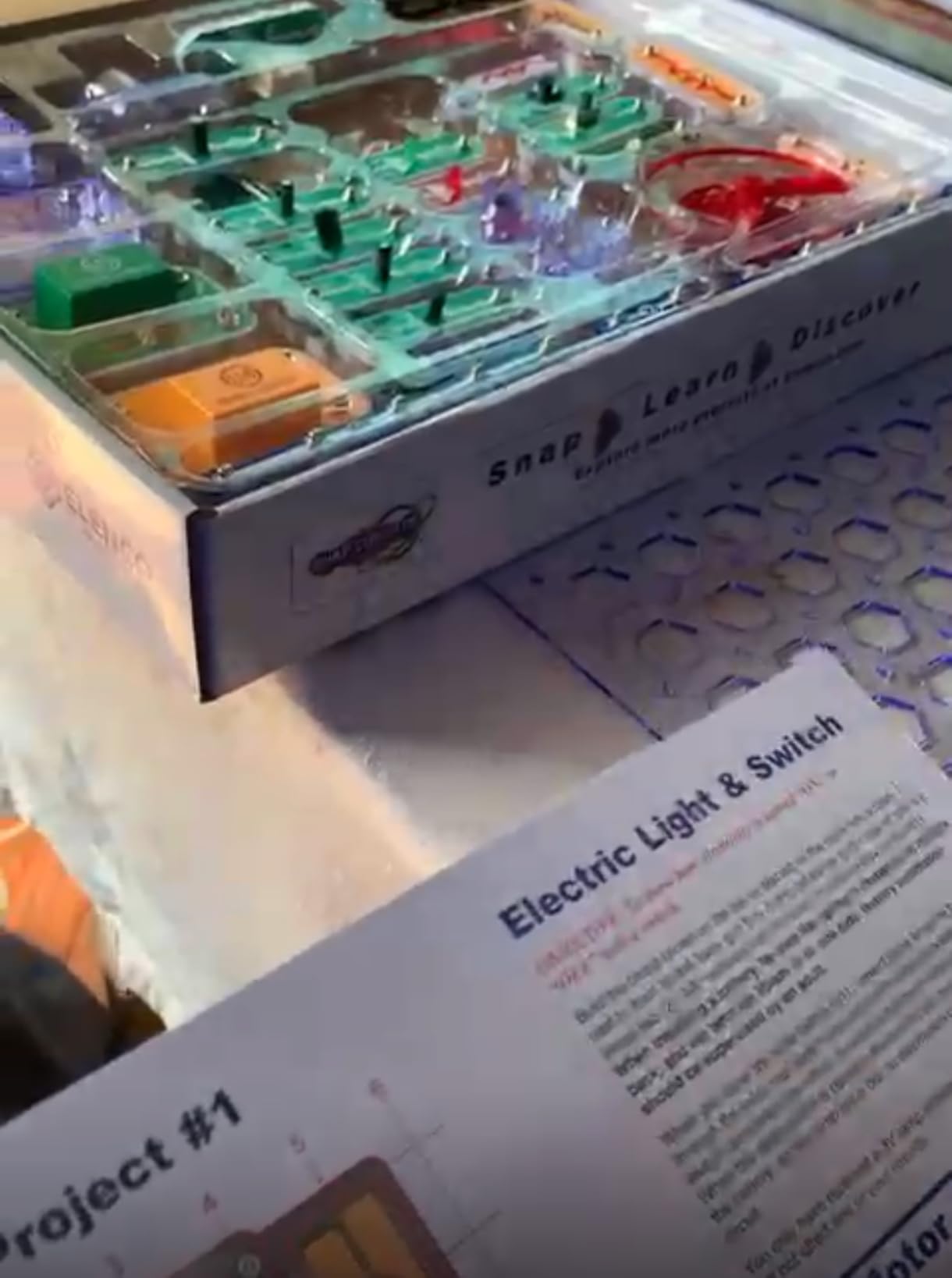
When my eight-year-old daughter opened this kit on a rainy Saturday, I expected it to last maybe a day. Two months later, she has built more than forty projects and keeps going back to the manual to find new ones. The Snap Circuits Jr. SC-100 teaches real electronics concepts – circuits, switches, resistors – without requiring any soldering or tools.
The 28 parts snap onto a plastic base grid with metal contacts, so there is zero frustration with assembly. Kids see results immediately: a working alarm, a doorbell, even a flying saucer that lights up and spins. The full-color manual walks through each project with clear diagrams and explanations of what each component does.
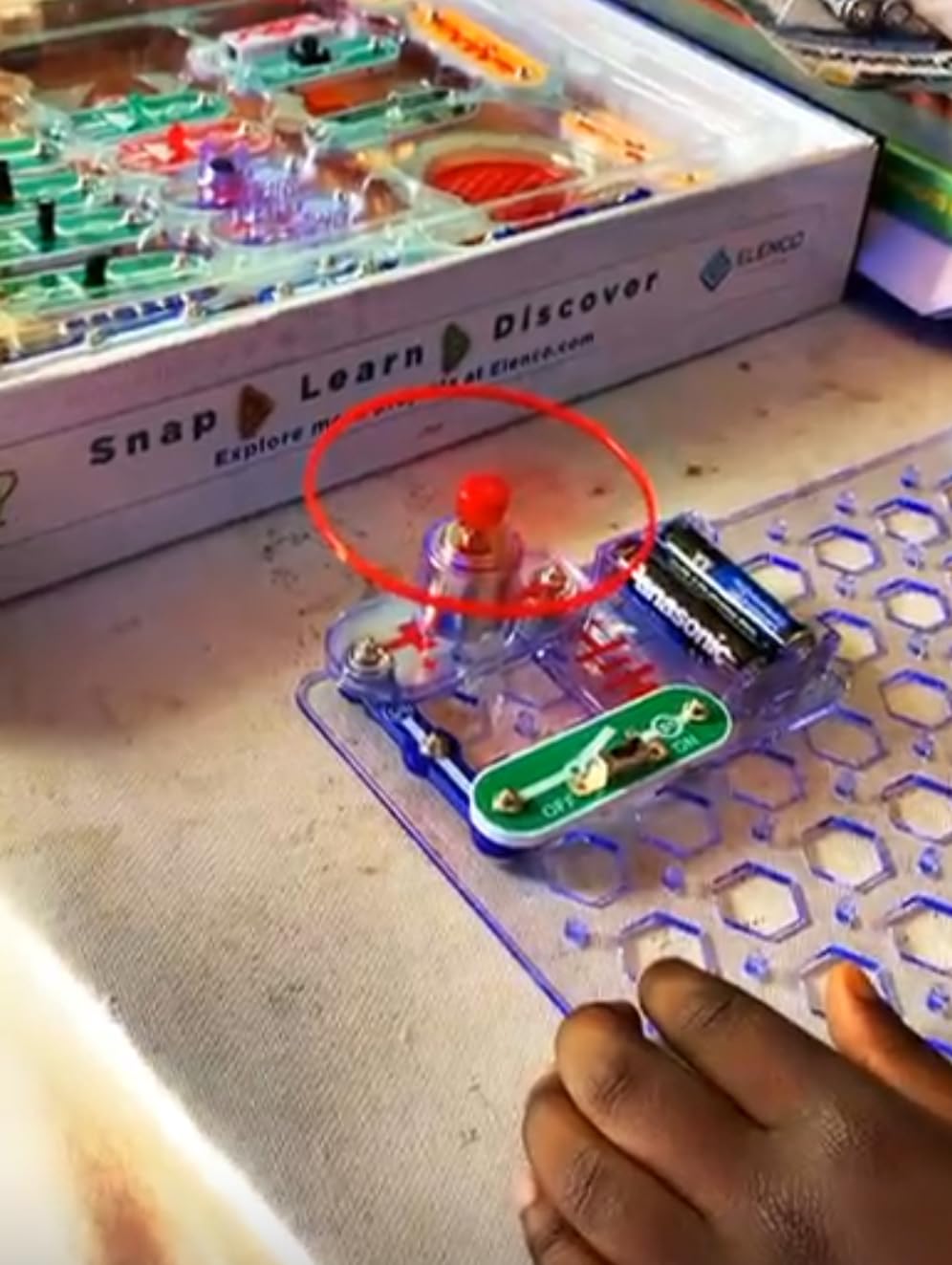
What sets this kit apart from pure coding toys is that it teaches the underlying electronics that programmers eventually need to understand. My daughter started asking how transistors worked after building a sound effects project, which led us to a YouTube rabbit hole on microcontrollers. That kind of organic curiosity is exactly what we want from STEM toys.
The kit is rated for ages 8 to 108, and after testing it with both my kids and a friend’s teenagers, the range is accurate. Younger children need adult help reading the manual, but the actual building is intuitive. Older kids can complete projects independently and start designing their own circuits by combining modules from different kits.
Battery requirements and ongoing costs
The main ongoing expense is batteries. The kit requires 2 AA batteries (not even included), and frequent builders will go through them. I recommend rechargeable batteries from day one to keep costs down and reduce waste. Beyond that, the components are durable enough to survive years of use.
Compatibility with other Snap Circuits kits
Snap Circuits sells expansion kits that add new components and projects. If your child outgrows the 100 projects in the SC-100, you can buy additional kits without replacing the base components. Several parents in our test group owned two or three kits and combined them for advanced builds.
2. Makeblock mBot – Best Expandable Coding Robot for Ages 8-12

- Easy to build within 15 minutes
- rich tutorials and coding cards included
- compatible with Scratch and Arduino
- open-source system works with LEGO
- great hands-on STEM activity
- Batteries not included
- Bluetooth reconnection can be inconsistent
- limited programming ability in block code for some sensors
- works best on hard flat surfaces
The Makeblock mBot was the first robot my son built without asking for help. The instructions are color-coded and visual, the metal chassis feels substantial, and the whole thing comes together in about 15 minutes. We had it following a black line on the floor within an hour of opening the box.
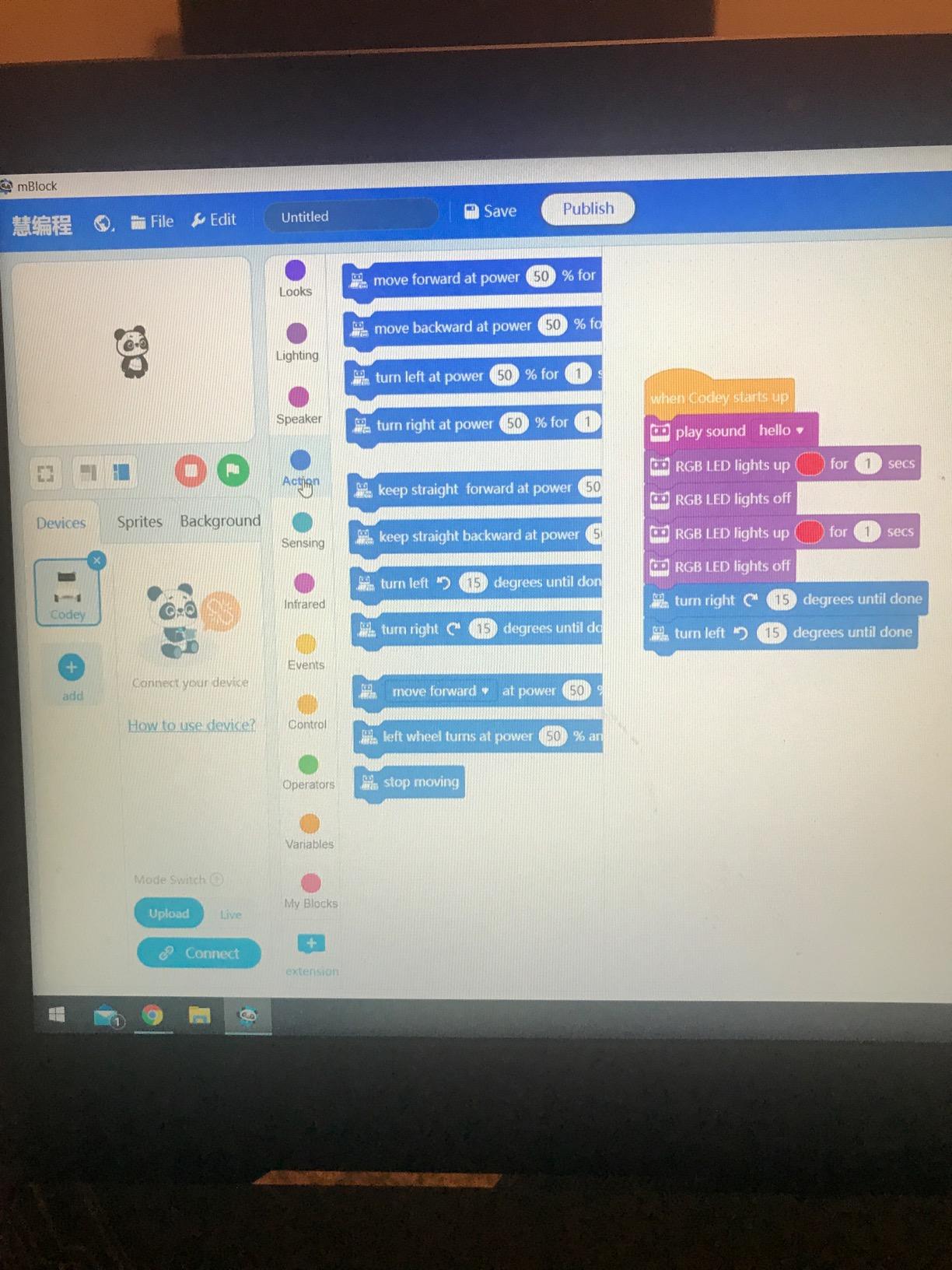
The mBot uses Scratch, the free block-based coding platform that most schools teach. Kids drag and drop blocks to create programs, then upload them to the robot via Bluetooth or USB. Three free Makeblock apps walk through coding challenges, and the included coding cards give offline practice.
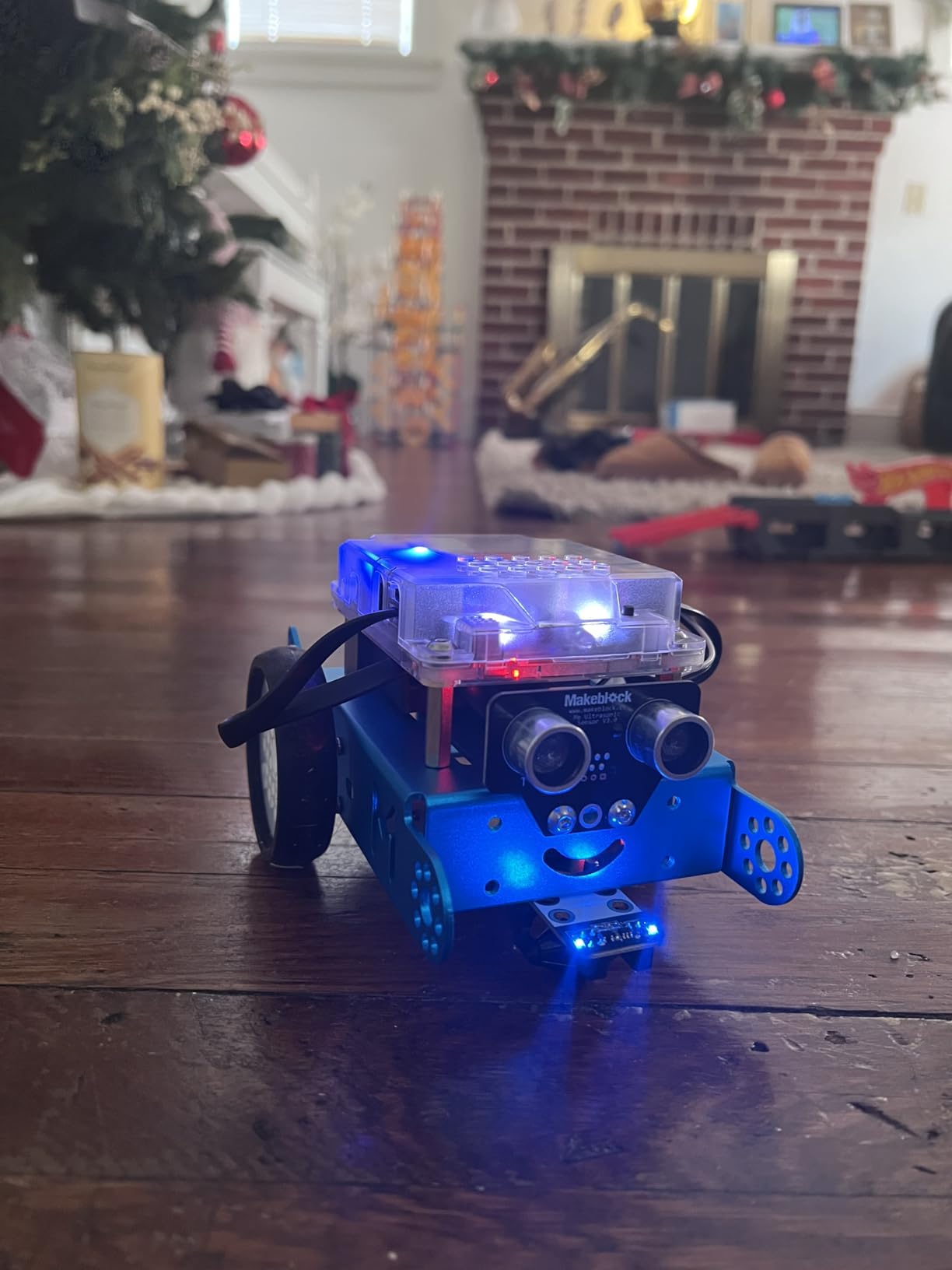
What I appreciate most about the mBot is the upgrade path. The same robot works with Arduino C++ when your child is ready for text-based coding. The open-source system is compatible with LEGO bricks and over 100 electronic modules from Makeblock, so this single kit can grow with your child for years.
The main drawbacks are practical: the kit needs 4 AA batteries for the robot and a CR2025 coin cell for the remote, none of which are included. Bluetooth reconnection can be flaky on some tablets, and the line-follow sensor works best on flat, hard surfaces rather than carpet.
Best use case for elementary classrooms
If you are a teacher or homeschool parent running a coding club, the mBot is hard to beat. Multiple robots can be paired to a single device, and Makeblock offers classroom management tools. The metal construction also survives the drop-and-bang reality of group learning environments.
What to buy alongside the mBot
Pick up rechargeable AA batteries immediately, plus a small screwdriver set. The included screwdriver works but is not durable. Many families also buy the mBot Bluetooth dongle if they plan to use the kit with desktop computers rather than tablets.
3. Learning Resources Botley – Best Screen-Free Coding Robot for Ages 5+
- Screen-free coding with no phone or tablet required
- 77-piece set with large variety
- object detection and obstacle avoidance
- follows black-line paths with looping commands
- includes coding cards for planning
- Batteries drain quickly (5 AAA required)
- line-follow feature can be finicky
- limited maze size
If you want to keep screens out of coding time entirely, Botley is the robot I recommend most often. My five-year-old neighbor learned basic sequencing within twenty minutes of opening the box, and his parents loved that no tablet or phone was involved. The remote programmer uses physical buttons that kids press in order.
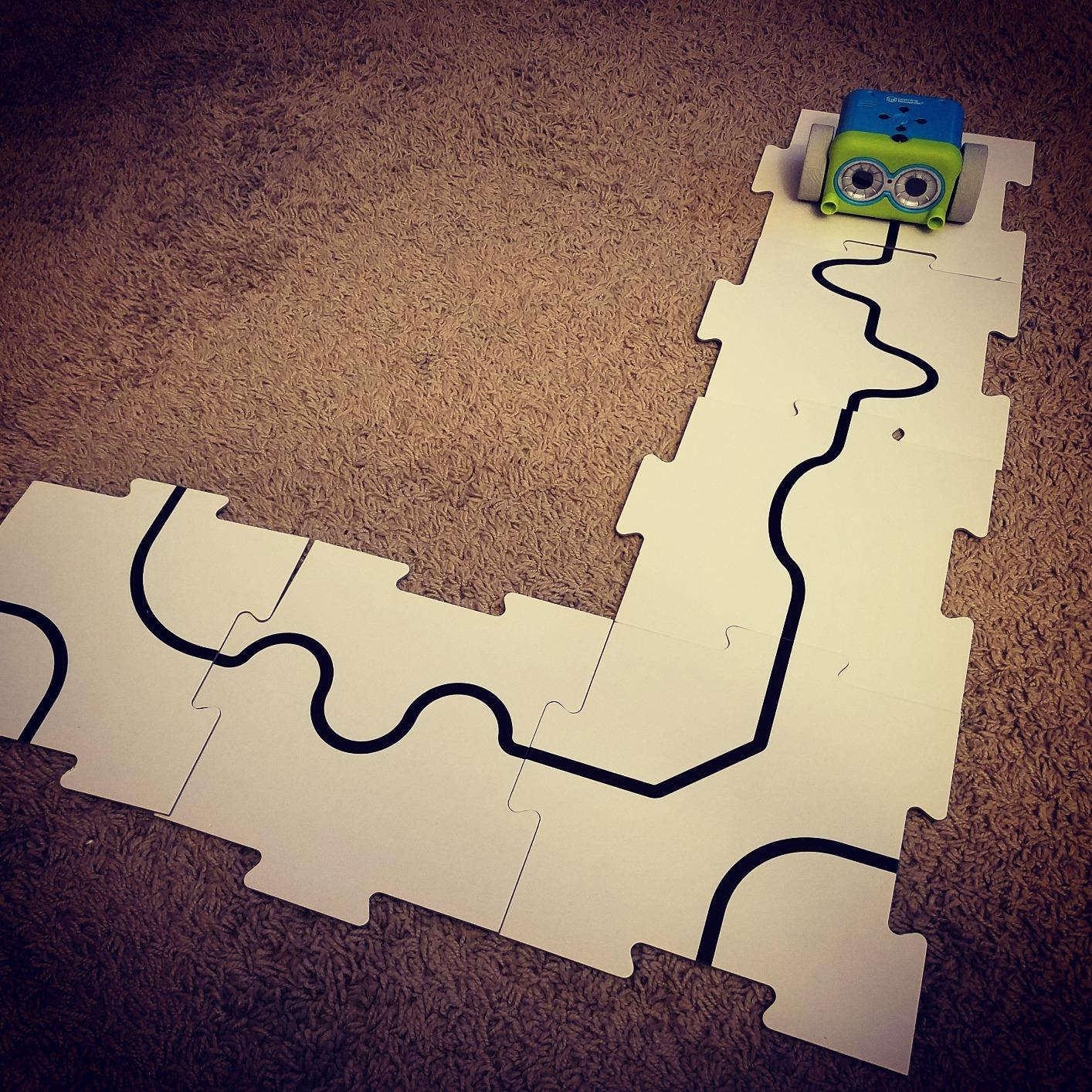
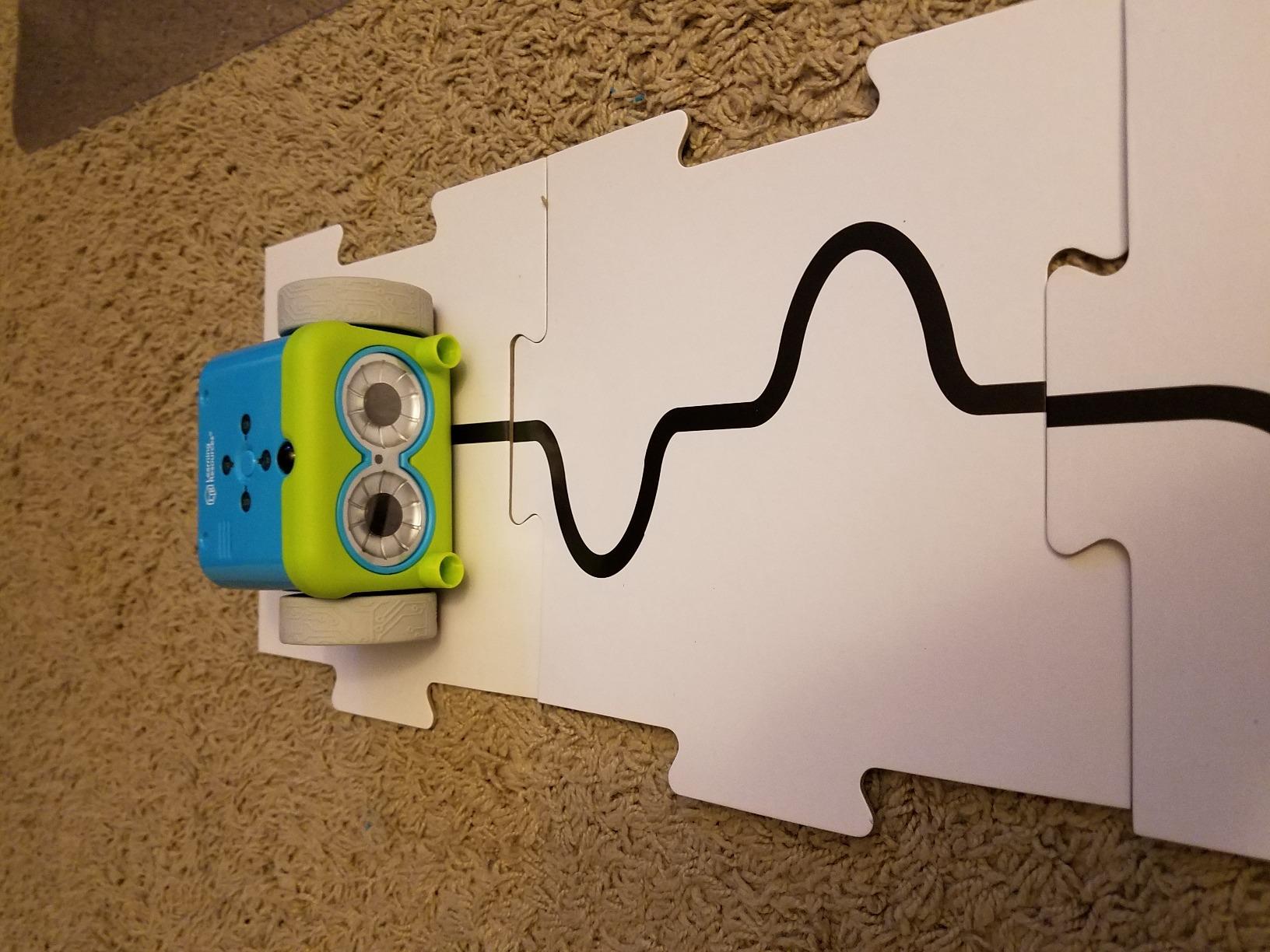
The 77-piece set includes coding cards for laying out paths before programming, plus obstacle pieces for building mazes. Botley has object detection to avoid crashes, can follow black lines drawn with a marker, and supports loop commands for repeating sequences. It is more capable than it looks at first glance.
The kit works best for the recommended age range of 5 and up. My four-year-old could press the buttons but could not plan multi-step sequences without help. By age six, kids can design full obstacle courses and program Botley to navigate them independently. The learning curve is gentle but real.
Battery life is the main complaint. The robot and remote together need 5 AAA batteries, and heavy use drains them within days. Rechargeable batteries are essentially mandatory for any family using this kit regularly. The line-follow feature also requires markers of the exact right thickness.
Why screen-free matters for younger kids
Pediatricians increasingly recommend limiting screen time for children under six. Botley offers real coding education without contributing to that total. Parents in our test group specifically chose this kit to balance their child’s existing screen-based learning with hands-on STEM play.
When to upgrade from this kit
Once your child masters Botley’s basic commands and starts wanting more complex programming, the Botley 2.0 set or the Sphero Mini are natural next steps. Botley stays useful in the meantime as a younger sibling’s introduction once an older child has moved on.
4. Learning Resources Botley 2.0 – Best Upgrade for Ages 5-7

Learning Resources Botley 2.0 The Coding Robot Activity Set
- Screen-free coding with no app or device needed
- 78-piece set with many playing options
- easy to use with no reading required
- durable and holds up to heavy use
- affordable compared to other coding robots
- Botley turn angles are exactly 90 or 45 degrees only
- some units reported defective
- requires 5 AAA batteries
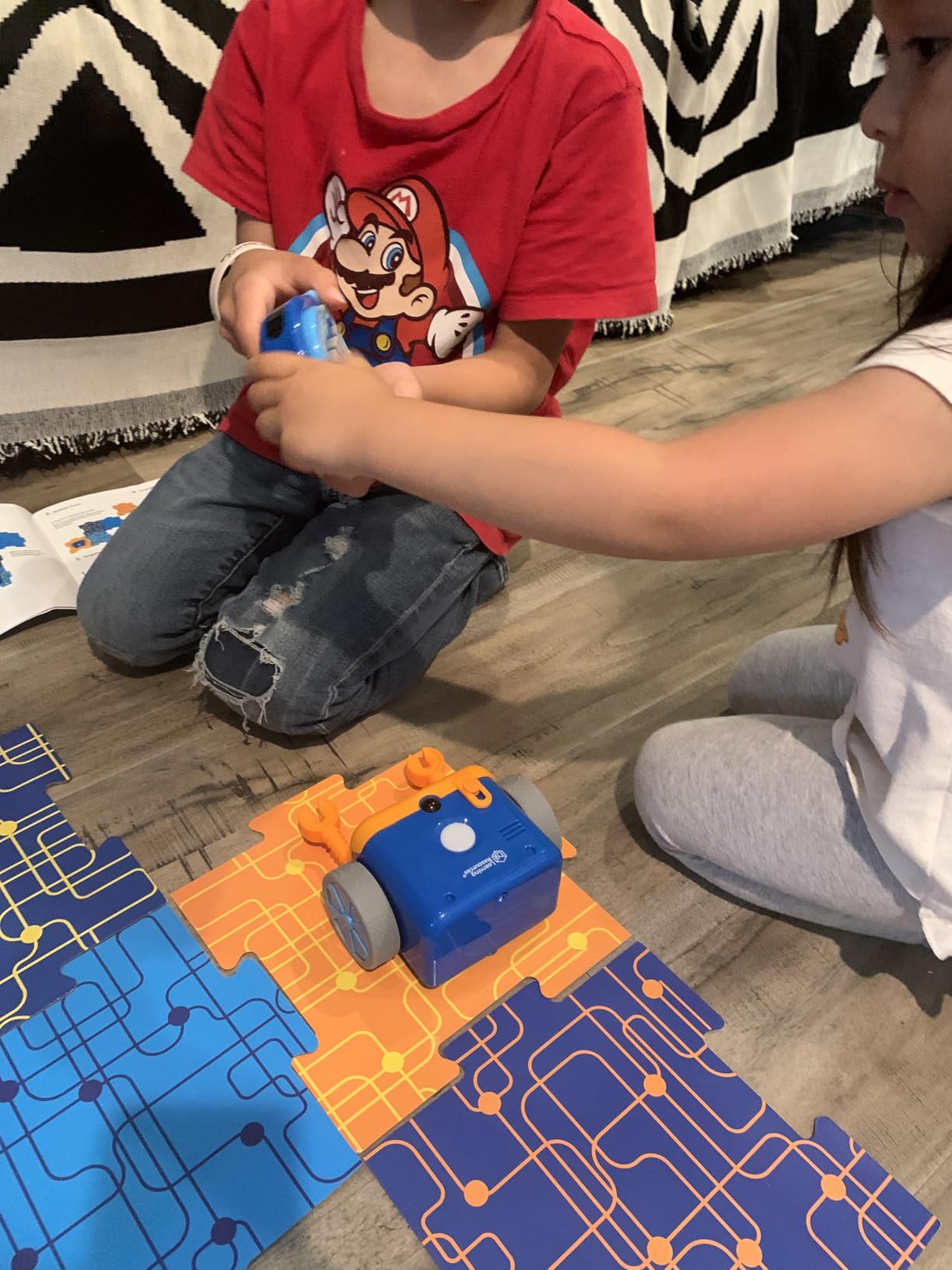
The Botley 2.0 is the upgraded version of the original, and it adds features that matter for kids ages 5 to 7. The 78-piece set includes more obstacle pieces and coding cards than the original Botley. The biggest upgrade is multi-step coding paths with 45-degree turns, which let kids program more natural movements.
The new version also adds object-sensing reactions and 16 secret code combinations that turn the robot into a treasure hunt companion. My six-year-old tester spent hours decoding the hidden sequences, which felt like a game rather than a lesson. That is the magic of good educational toys: kids choose to play with them.
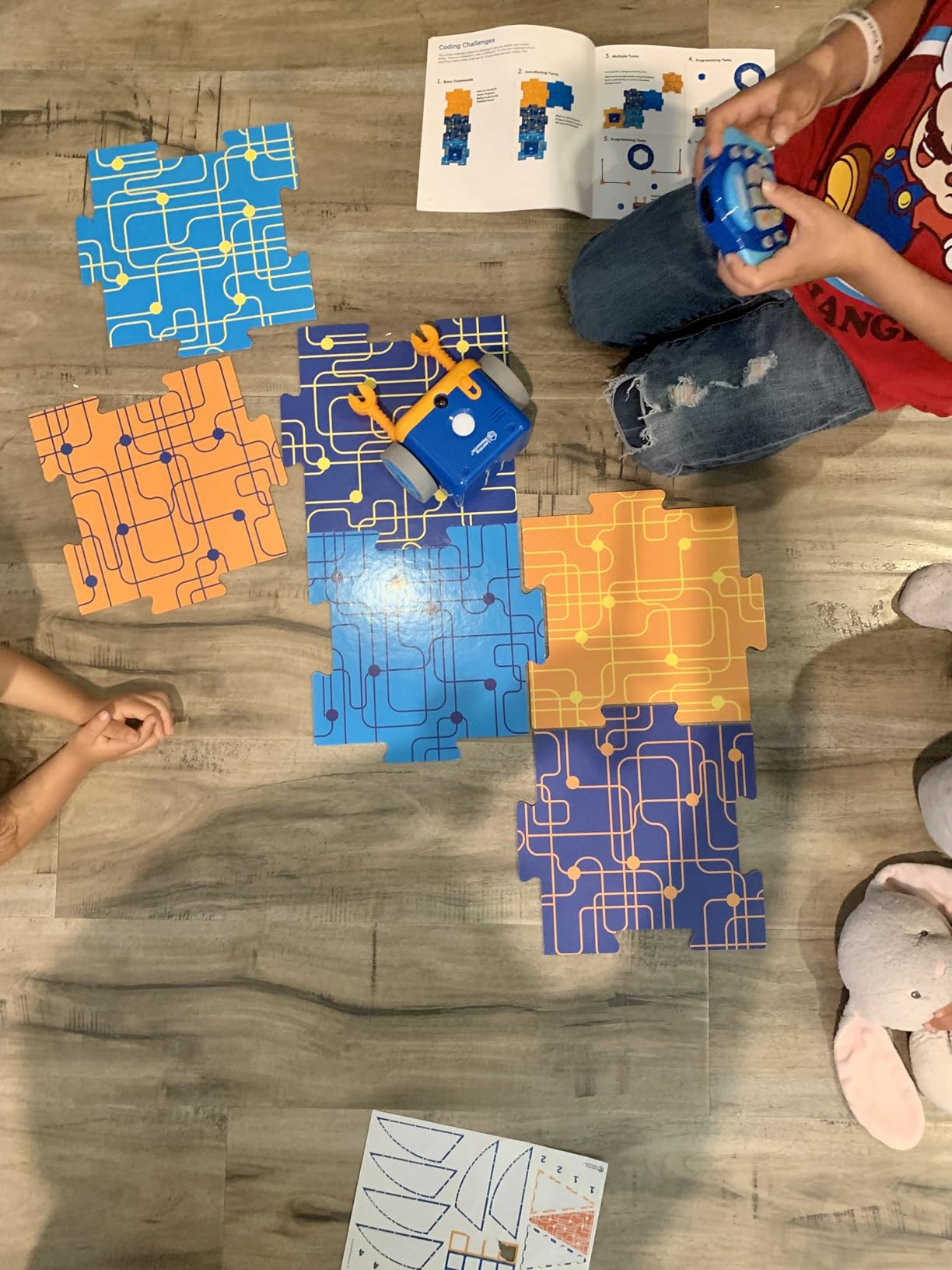
I tested this side-by-side with the original Botley, and the 2.0 is worth the upgrade if your child is already familiar with basic coding concepts. If Botley is your child’s first coding toy, the original is a better starting point because it is simpler and cheaper.
Like the original, the 2.0 requires 5 AAA batteries and has the same 90/45-degree turn limitation. The strict angles take some getting used to – kids have to plan paths in squares rather than curves – but this constraint actually teaches systematic thinking.
Classroom and homeschool appeal
Several teachers in our test group chose Botley 2.0 specifically because it needs no tablet or account setup. In a classroom of 25 students, eliminating device management saves significant instructional time. The kit also works well for siblings sharing one set.
Durability for daily use
After three months of weekly use by two kids in our test group, Botley 2.0 still looks new. The plastic is thicker than the original, and the wheels held up better to repeated obstacle collisions. For families who want a coding robot that survives years of play, the 2.0 is a smart choice.
5. Learning Resources Code and Go Robot Mouse – Best for Ages 4+ Beginners

- Screen-free coding fundamentals for ages 4+
- 30 double-sided coding cards for planning paths
- mouse lights up and makes sounds with 2 speeds
- great for classrooms and home use
- durable and easy for young children to use
- Requires 3 AAA batteries not included
- works best on smooth flat surfaces
- no activity board included
The Code and Go Robot Mouse is the gentlest introduction to coding I tested. My four-year-old could press the directional buttons on the mouse’s back and watch it follow her programmed path. The mouse lights up, makes cheerful chirping sounds, and has two speed settings for different skill levels.
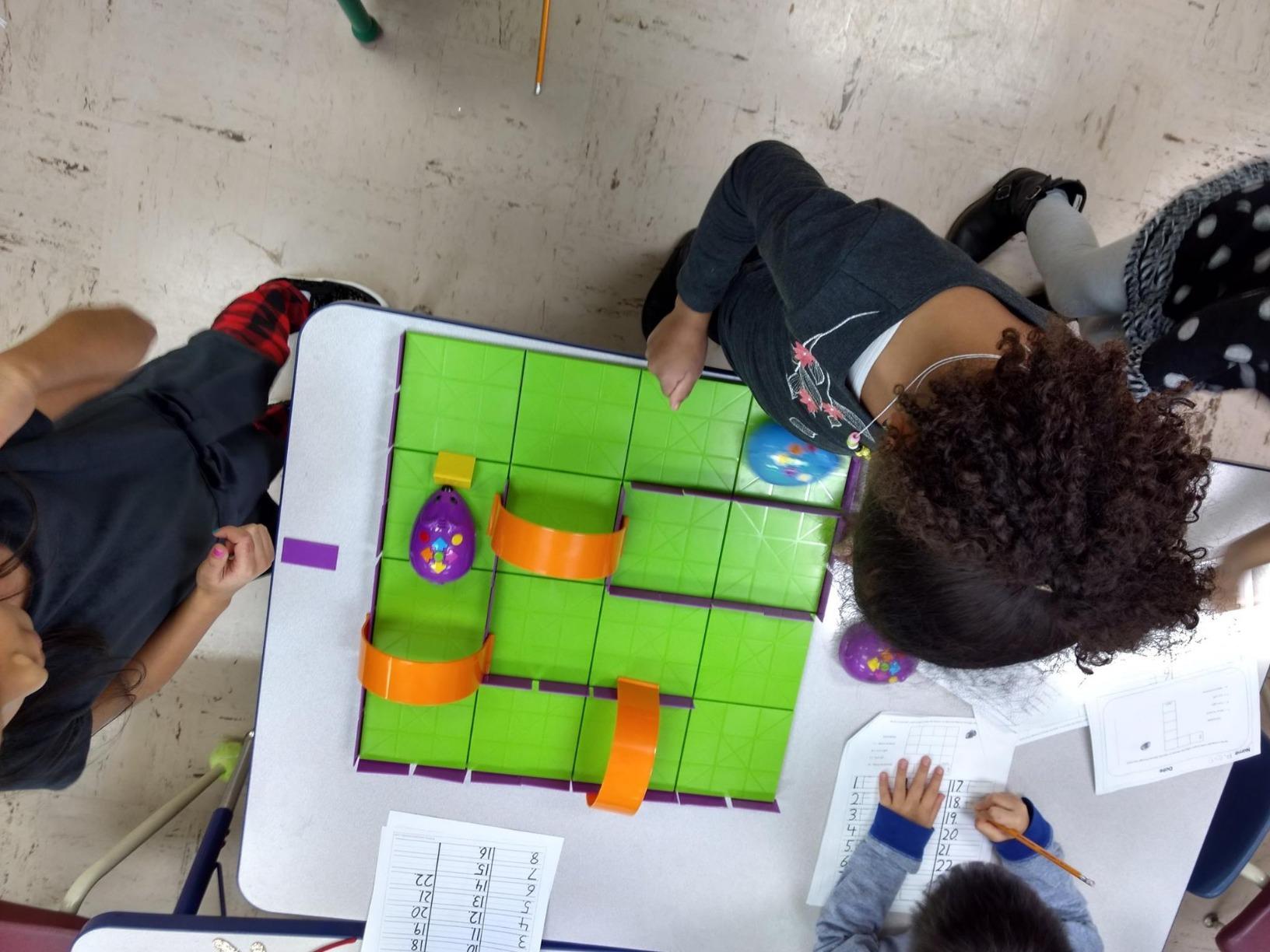
The kit includes 30 double-sided coding cards that children lay out on the floor to plan the mouse’s route before pressing buttons. This physical planning step teaches sequencing without requiring any reading. Kids see the path, then make the mouse walk it.
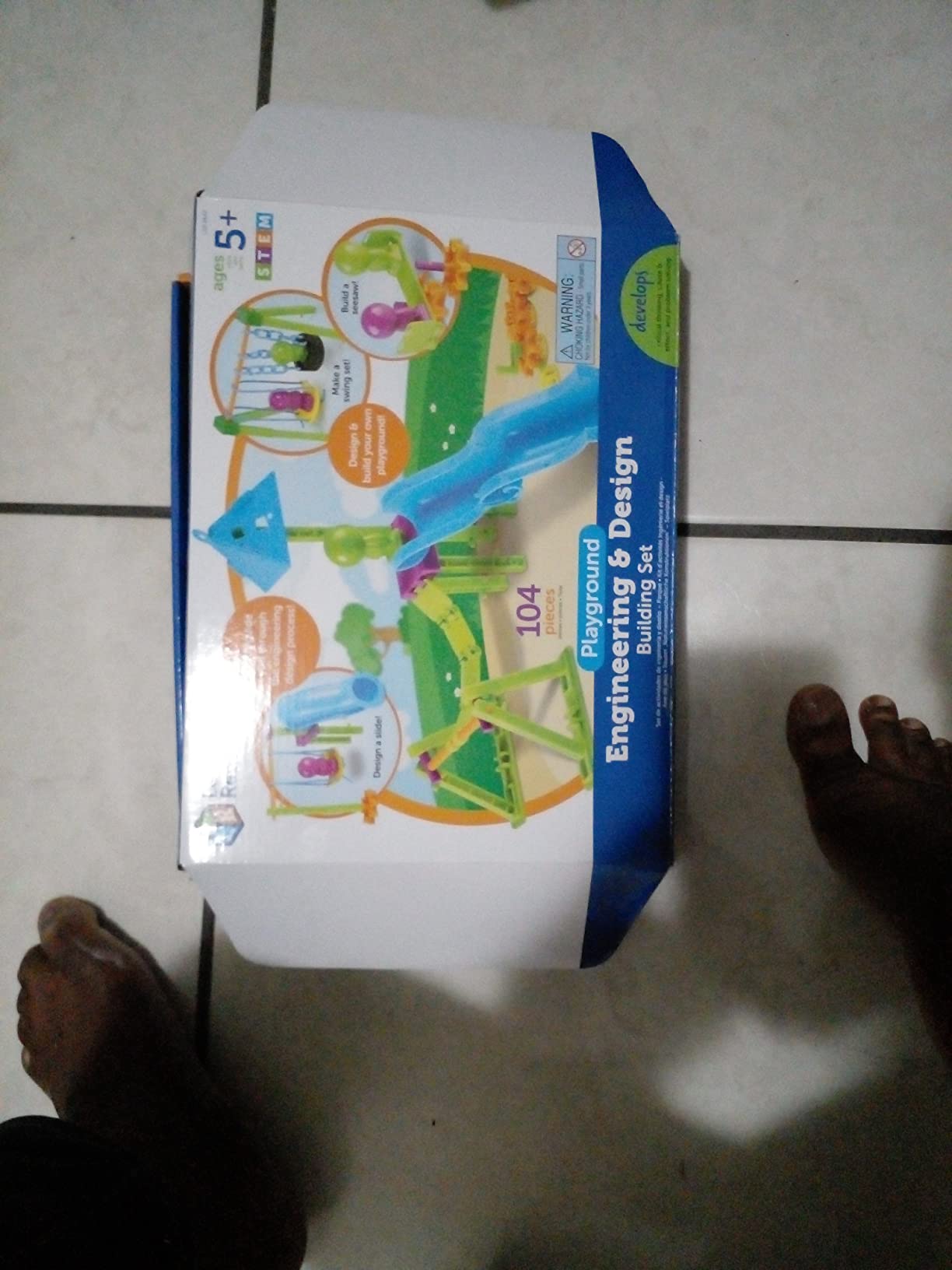
What I like most is the price point. At roughly half the cost of most coding robots, this kit is accessible to families on a budget. It is also widely used in preschools, so it transitions smoothly from classroom to home if your child already uses it at school.
The mouse requires 3 AAA batteries and works best on smooth surfaces. There is no activity board included, so you will need to create your own maze using household objects or buy the activity set expansion separately.
Perfect first coding toy
If your child has never used a coding kit before, this is where I would start. The mouse is forgiving, the concepts are simple, and the price is right. Most kids master the basic directional commands within a week and start designing multi-step paths on their own.
Activity set expansion
Learning Resources sells a separate activity set with maze boards and activity cards. The expansion is worth buying if your child uses the mouse regularly, because the boards make setup faster and the included challenges extend play value.
6. Sphero Mini – Best Programmable Ball for Ages 8+
- Fun and educational coding experience
- multiple drive modes (Joystick
- Slingshot
- Tilt)
- includes games playable with the ball as controller
- JavaScript programming via Sphero Edu app
- durable and sturdy design
- Controls can be finicky and hard to master
- tilt mode confusing
- may not work well on thick carpet
- limited to 1 hour battery
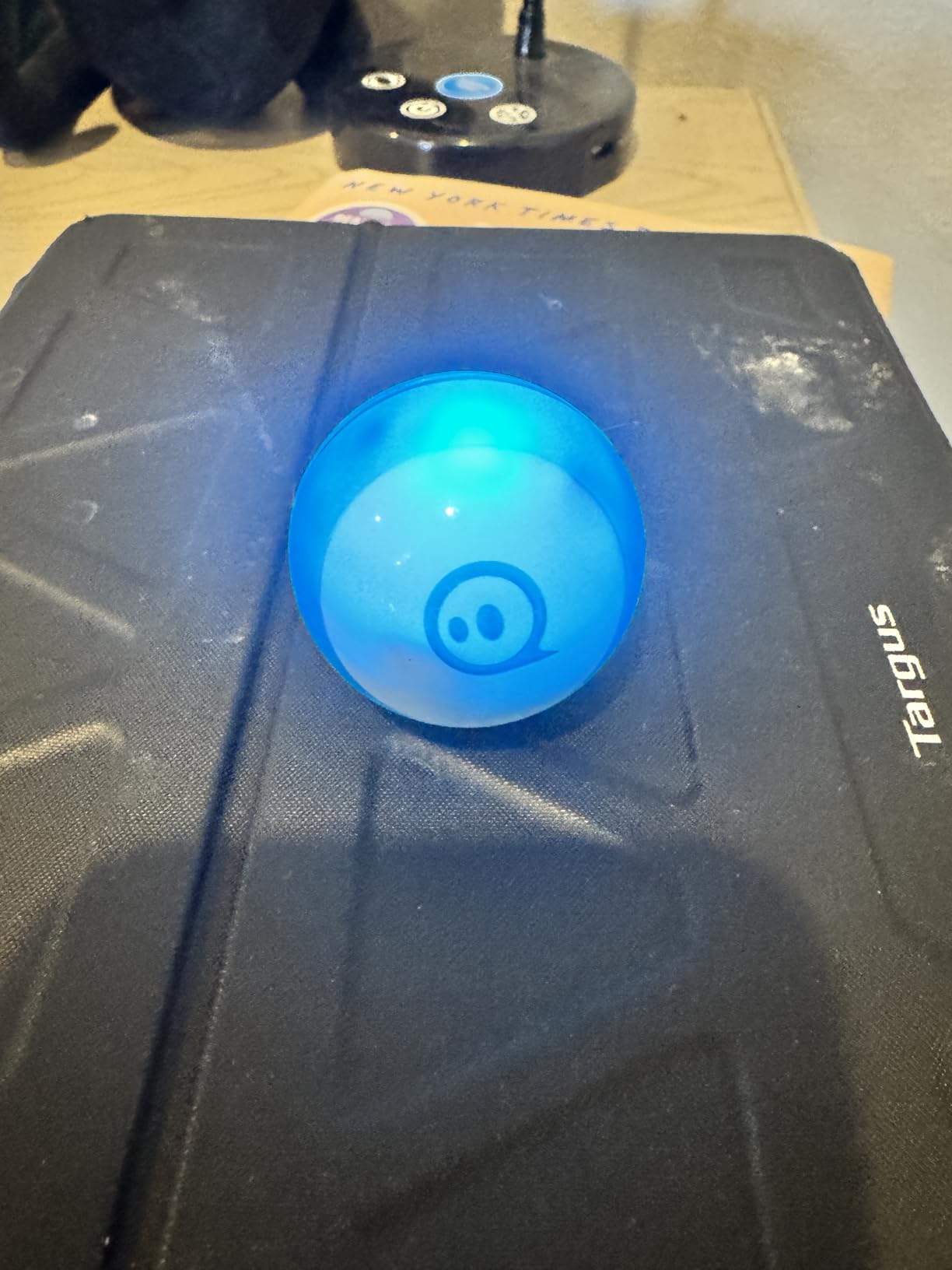
The Sphero Mini is the smallest serious coding toy I tested. The robot is the size of a ping pong ball, fits in a pocket, and survives being dropped down stairs (I tested this). My eight-year-old carried it around the house for weeks, racing it through obstacle courses built from couch cushions.
Beyond driving, the Sphero Edu app teaches programming through three progressive levels: drawing paths, drag-and-drop blocks, and JavaScript text coding. Kids can graduate from visual programming to actual code using the same robot, which is rare at this price point.
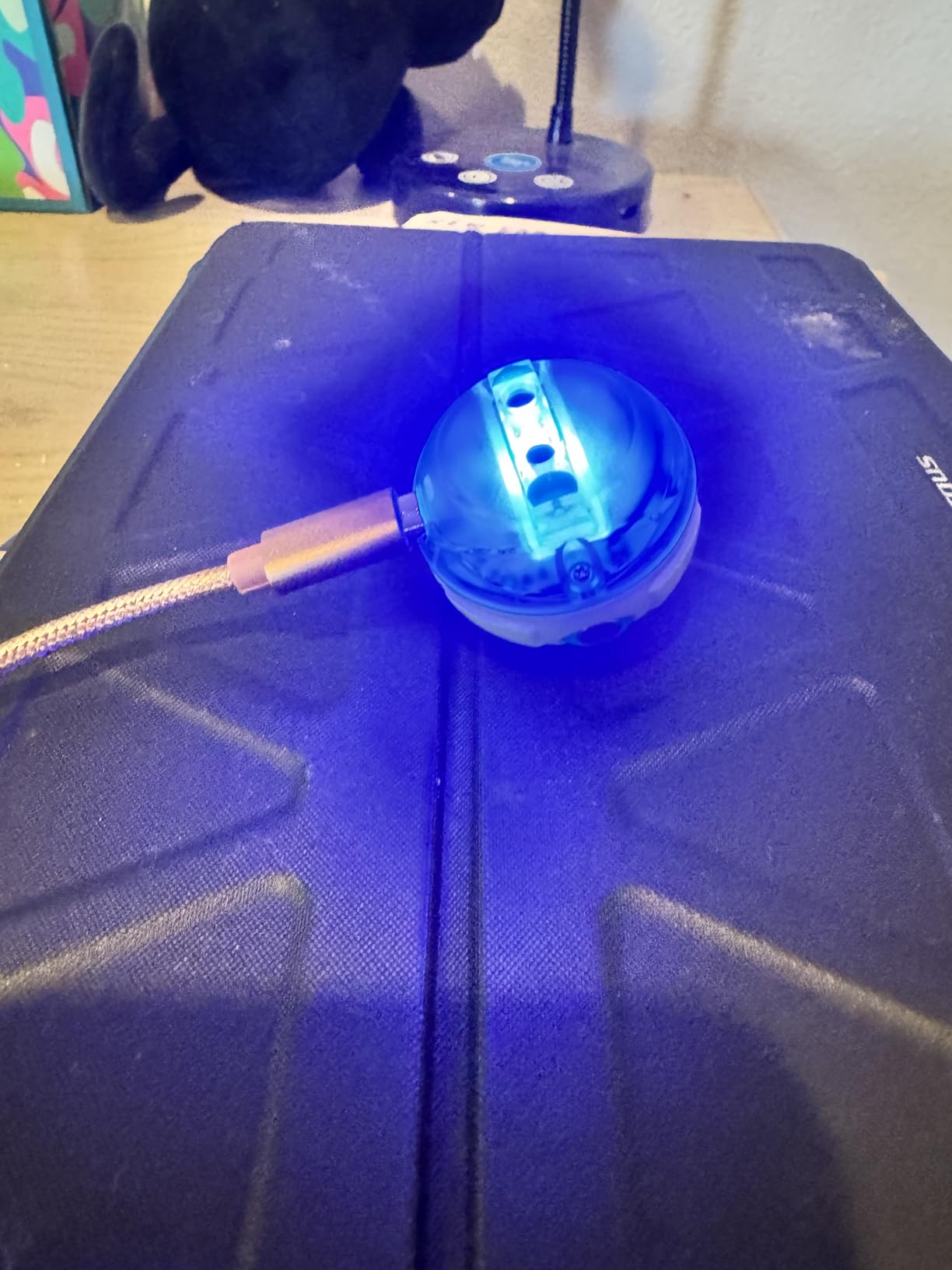
The ball includes gyroscope, accelerometer, and colorful LED lights. It connects via Bluetooth to iOS, Android, and Fire OS devices. The Sphero Play app offers arcade-style games where the ball itself is the controller, which my kids played during long car rides.
Battery life is one hour per charge, which is short compared to larger robots. The Mini also struggles on thick carpet – hard floors are where it shines. Some users find the controls finicky in tilt mode, but joystick mode is responsive and intuitive.
Why this is the best value pick
For under $50, the Sphero Mini offers real JavaScript programming, durable construction, and a wide age range. Most coding toys in this price range only offer block-based coding. If your child is ready to move beyond Scratch and wants to try actual programming languages, the Mini is the affordable bridge.
When to choose a larger Sphero
Sphero sells larger SPRK+ and Bolt models with more sensors. The Mini is the best starter option, but if your child loves the Mini and wants more features (LED matrix display, infrared communication between robots), the SPRK+ is a natural upgrade.
7. Osmo Coding Starter Kit – Best iPad-Based Coding for Ages 5-10

Osmo Coding Kit, Ages 5-10+, Coding for Kids, Learn to Code, STEM, iPad
- High quality physical coding blocks
- fun hands-on learning without screens once setup is complete
- 3 games included (Coding Awbie
- Coding Jam
- Coding Duo)
- excellent for early coding fundamentals
- award-winning learning games
- Requires iPad not included
- compatibility issues with newer iPad models
- no WiFi needed for game play
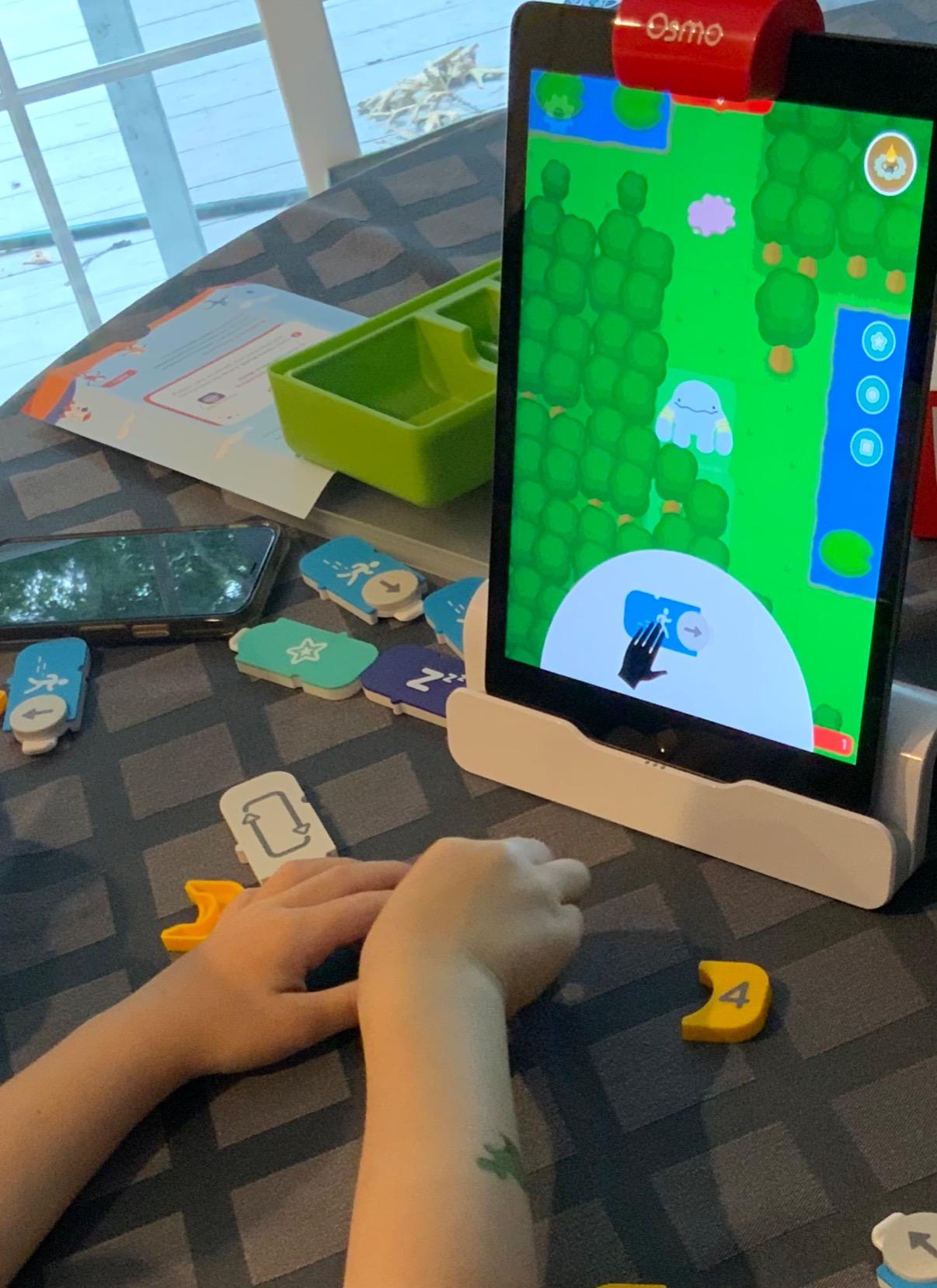
The Osmo Coding Kit bridges physical and digital learning in a way no other kit I tested manages. Children place tangible magnetic blocks on a table in front of their iPad, and a small reflector attachment reads the blocks to control characters on screen. The blocks include commands like Walk, Jump, Magic, and Repeat.
Three games come with the kit. Coding Awbie is an adventure where kids program a character to collect strawberries and avoid obstacles. Coding Jam lets children create music by sequencing commands. Coding Duo introduces two characters that work together, teaching collaborative problem-solving.
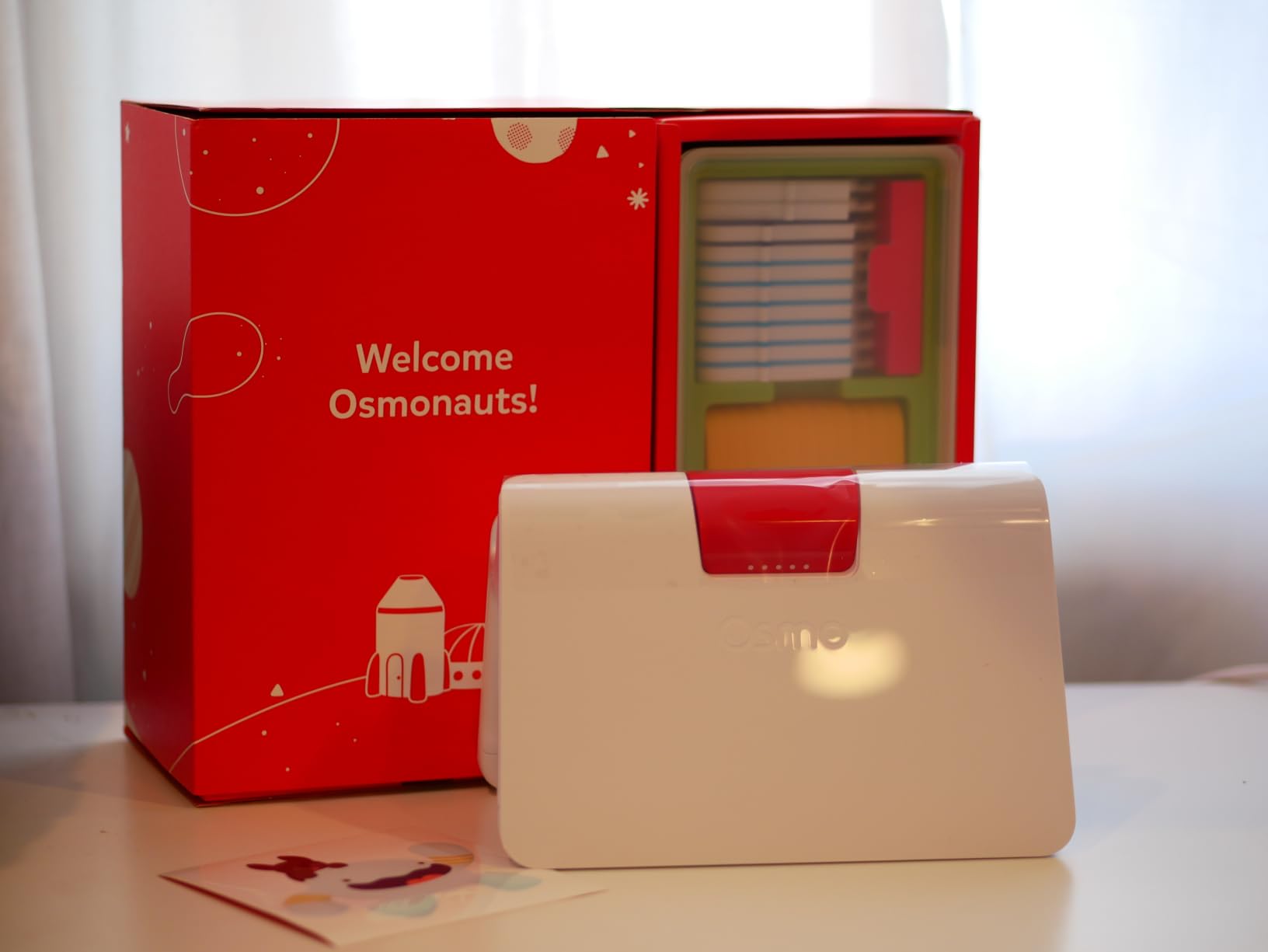
The blocks themselves are high quality – they snap together magnetically and feel substantial. My kids loved manipulating them like puzzle pieces rather than tapping a tablet. The hands-on approach reinforces spatial reasoning alongside coding logic.
The main limitation is the iPad requirement. Make sure to check Osmo’s compatibility list before buying, because newer iPad models sometimes have camera or reflector issues. The kit does not need internet once games are downloaded.
Why families choose Osmo
Many parents prefer Osmo because it keeps their child’s hands busy rather than just their eyes. The physical blocks reduce the temptation to switch apps during play. For families who want coding education but worry about screen time, Osmo is a good compromise.
Best alternative for Android families
If you do not have an iPad or your model is not compatible, the Osmo system does not work on Android. Consider the Sphero Mini or Wonder Workshop Dash for tablet-based coding that works across platforms.
8. Elenco Teach Tech Mech-5 – Best Mechanical Coding for Ages 10+

TEACH TECH Mech-5 STEM Coding Robot Building Kit for Kids Ages 10+
- Hands-on STEM building project
- teaches mechanical engineering principles and coding basics
- multiple functions including throw
- lift
- kick
- draw
- detailed step-by-step assembly instructions
- great for future engineers
- Many small parts and screws require patience
- robot can be loud during operation
- build time can be multiple hours
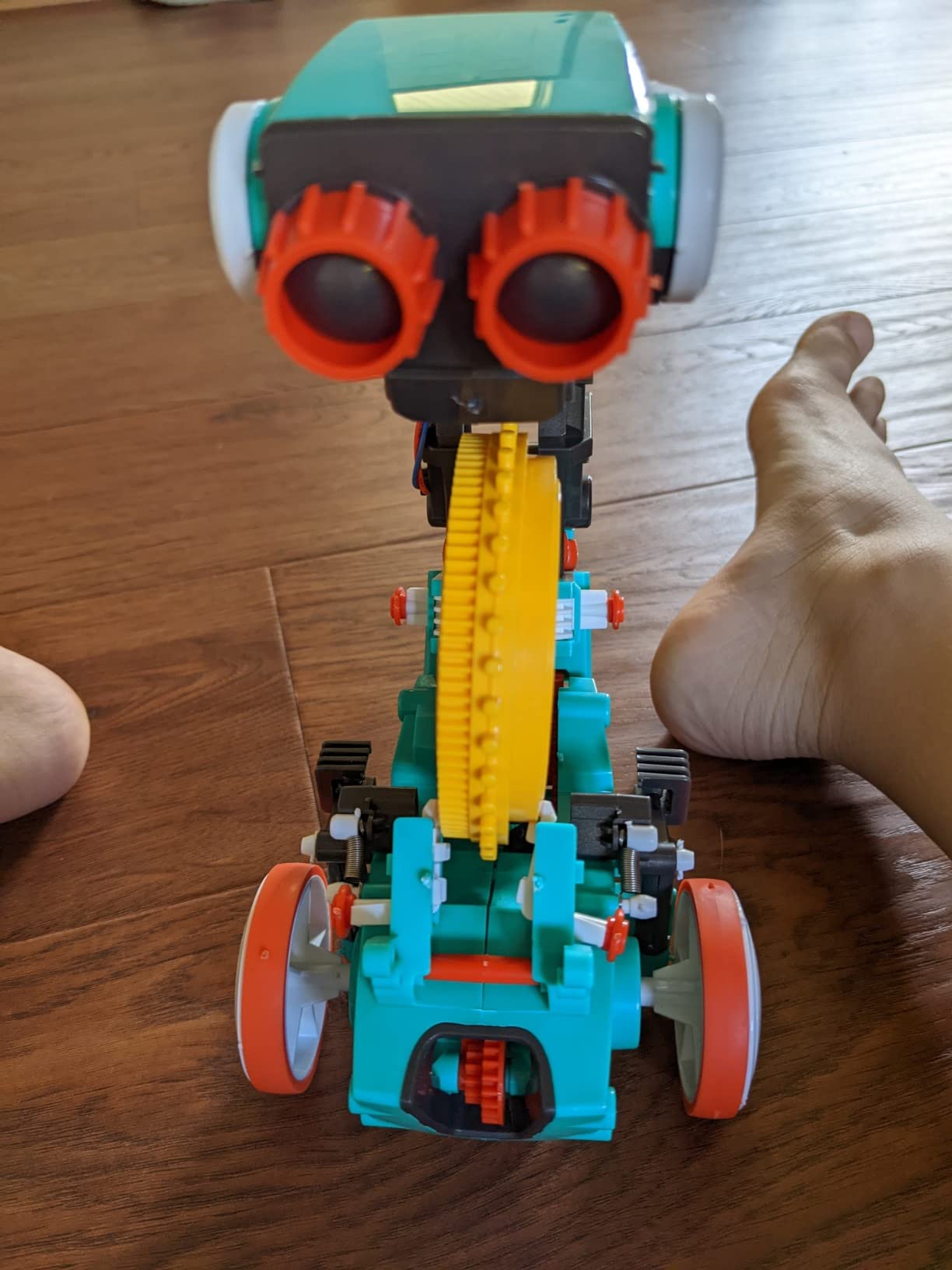
The Mech-5 is unique in this list because it teaches coding without any electronics or screens. Children build a mechanical robot using gears, springs, and a coding wheel. They snap physical coding buttons onto the wheel to program sequences, then watch the robot perform actions like throwing, lifting, kicking, and drawing.
The mechanical approach is refreshing. My ten-year-old tester, who has used several app-based coding kits, was initially skeptical. After two hours of building, he was hooked. The robot teaches cause-and-effect programming in the most literal way possible: each physical button is an instruction.
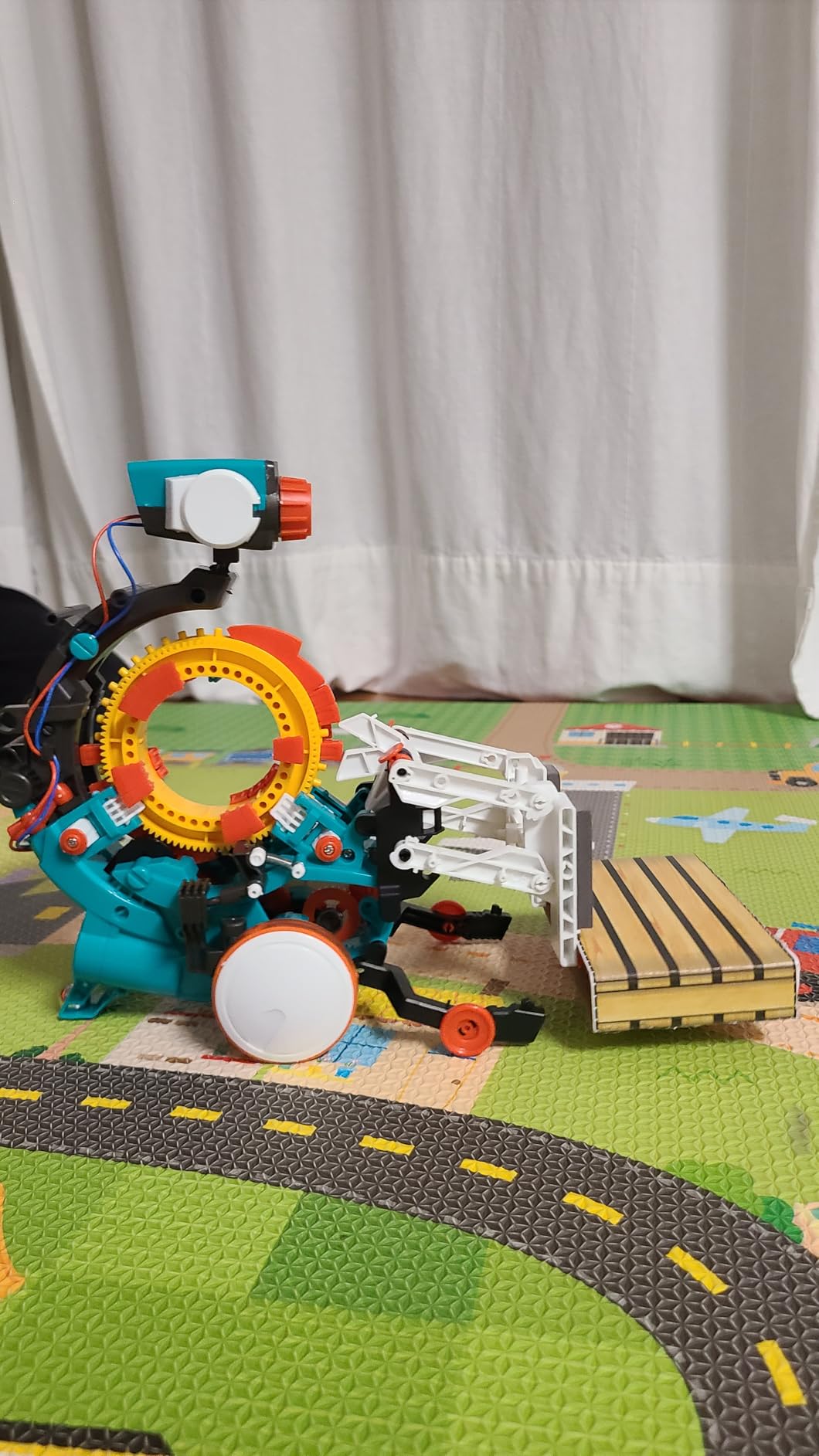
The build itself is challenging. There are many small parts, screws, and detailed instructions. Most kids will need a few hours and possibly some adult help to assemble the robot. The patience required is part of the lesson in engineering mindset.
Once built, the robot can be loud when operating – the mechanical actions involve springs releasing. This is not a quiet toy. It also requires 2 AAA batteries for some functions.
Who this kit is for
The Mech-5 works best for kids ages 10 and up who enjoy building models and have patience for detailed assembly. Children who like Lego Technic sets or model kits will thrive with this. Kids who want immediate gratification from coding should start elsewhere.
Best gift for the future engineer
If you have a child who loves taking things apart to see how they work, the Mech-5 is a perfect gift. The mechanical coding concept introduces programming fundamentals without the abstraction of software, making it easier for tactile learners to grasp.
9. Wonder Workshop Dash – Best Voice-Activated Robot for Ages 6+

Wonder Workshop Dash Robot – Coding Robots for Kids 6+ – Voice Activated STEM Robot Toys – Interactive, Educational & Programmable
- Best STEM Robotic Device on the market
- slick product design and very solid construction
- powerful smooth and responsive motors
- great battery life with quick charging
- fantastic companion application with brilliant UX
- used in 40
- 000+ schools globally
- Wheel can stop working after heavy use
- difficulty connecting to Bluetooth initially
- no user manual or quick start guide included
Dash is the robot that made my daughter’s eyes light up. It responds to your child’s voice: kids can say “Dash, spin in a circle” or “Dash, dance” and the robot obeys. The voice activation feels magical and instantly engaging, especially for kids who are intimidated by coding concepts.
The companion apps (Blockly, Wonder, and Path) are some of the best-designed educational apps I tested. Blockly introduces Scratch-like programming. Wonder adds creative play with accessories. Path teaches sequencing through drawing paths on screen that Dash follows.
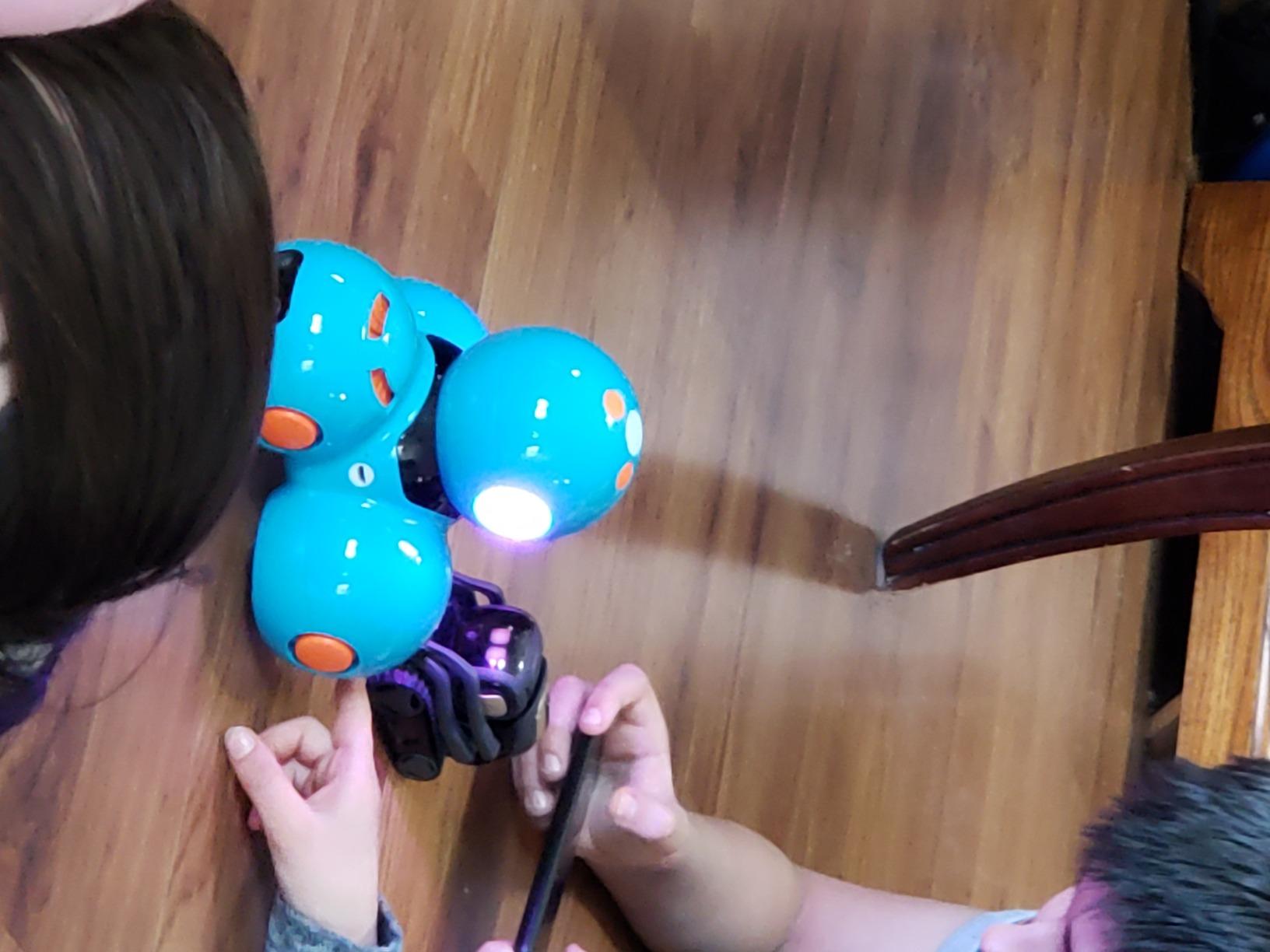
Dash is used in over 40,000 schools worldwide, which speaks to its educational value. It teaches sequencing, loops, algorithms, and variables progressively as your child masters each level. The rechargeable battery lasts up to 5 hours of active play.
Some users report wheel issues after heavy use, and the initial Bluetooth pairing can be tricky. There is no printed manual, so kids who do not learn well from on-screen tutorials may need extra patience during setup.
Why schools love Dash
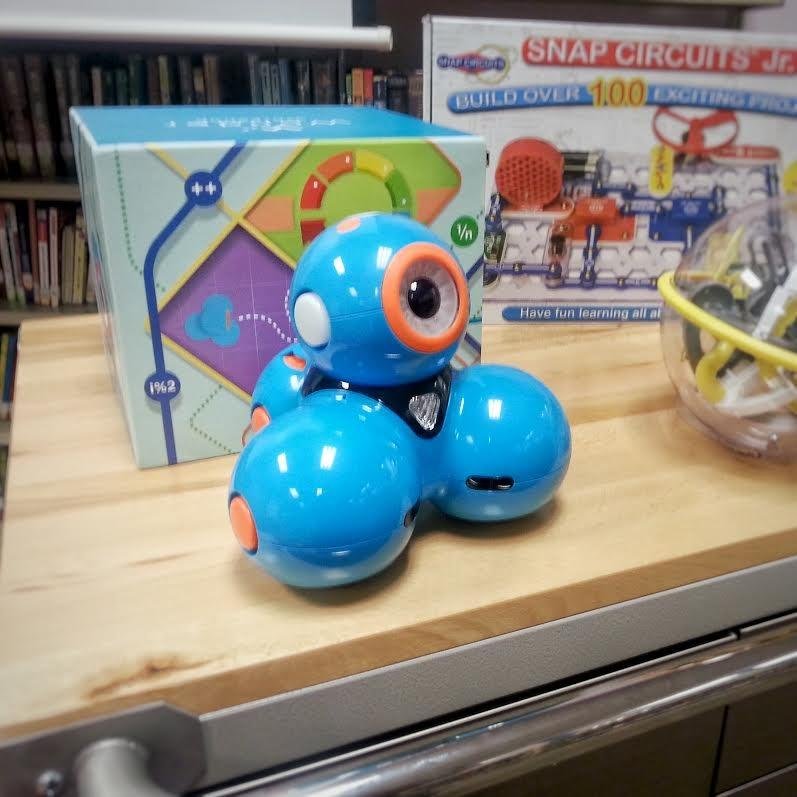
The Dash curriculum is aligned with CSTA and ISTE standards, which makes it classroom-ready. Teachers appreciate that the apps work across iOS, Android, and Fire OS, so the same kit works for any student device. The 5-hour battery covers a full school day on a single charge.
Accessories that extend play value
Wonder Workshop sells accessories like a xylophone, launcher, and building brick connectors. The launcher was a hit in our test group – kids programmed Dash to navigate to targets and fire projectiles. Accessories add up, but they keep the experience fresh for months.
10. Ozobot Evo – Best Color-Code Learning Robot for Ages 5-11

Ozobot Evo Coding Robot Kit | Ages 5-11 | STEM Coding for Kids & Teachers
- Daughter loves it with perfect blend of education and entertainment
- easy to follow instructions
- great for getting kids started on coding
- super cool futuristic looking and very durable
- educational and fun for 4 year old
- great bonding time for siblings
- Can be touchy with lines and colors needing correct size when coloring
- short power cord
- pricey but provides hours of fun
The Ozobot Evo combines screen-free play with screen-based progression in a way that impressed me. Kids start by drawing color-coded lines on paper, and Evo follows them. The colors act as programming commands: red means slow, green means turbo, blue means turn. This works without any screen at all.
For deeper coding, the Ozobot Blockly app offers five skill levels from beginner to master. Children can drag and drop blocks to program complex behaviors, then load their code onto Evo via Bluetooth. Over 700 free lessons cover STEAM, computer science, and core subjects.
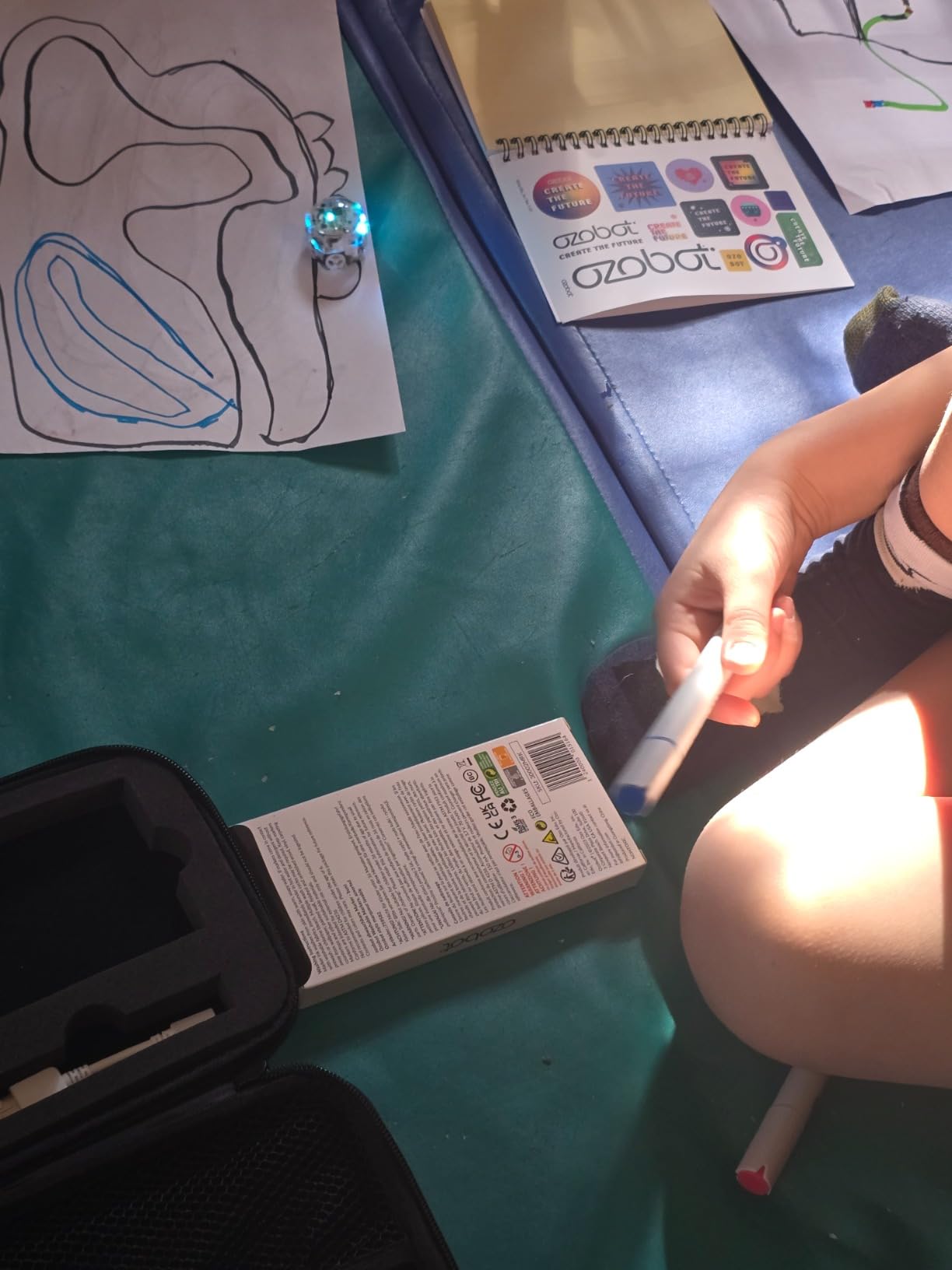
The robot itself is small and durable with a hard shell zip case for travel. My four-year-old tester loved drawing paths for Evo to follow, even before he could read. The artistic component makes this kit appealing to kids who do not typically enjoy building robots.
The color-code approach has a learning curve. Lines must be the right thickness and color saturation for Evo to read them reliably. Some kids get frustrated before they master the marker technique. The included dual-tip markers help, but you may need to buy replacements.
Best for visual and artistic learners
Kids who love drawing and coloring connect with Ozobot in ways they might not connect with traditional robots. The color-code system is intuitive for visual learners, and the Blockly progression lets them graduate to real programming at their own pace.
Classroom curriculum value
The 700+ free lessons are a hidden gem. Teachers and homeschool parents can build entire coding curricula around the Ozobot platform without buying additional content. The lessons cover subjects beyond coding, including math and science.
11. Makeblock mBot2 – Best Python-Ready Robot for Ages 8-14

- Voice commands are awesome
- easy to build with step-by-step guide
- block-style programming with no coding experience needed
- up to 5 hours of playtime on single charge
- multiple control ways including Bluetooth USB and WIFI
- 10+ advanced sensors
- expandable with 30+ modules supporting IoT learning
- Cables can be short where longer would be better
- JST connector can be difficult for children
- some connectivity issues reported
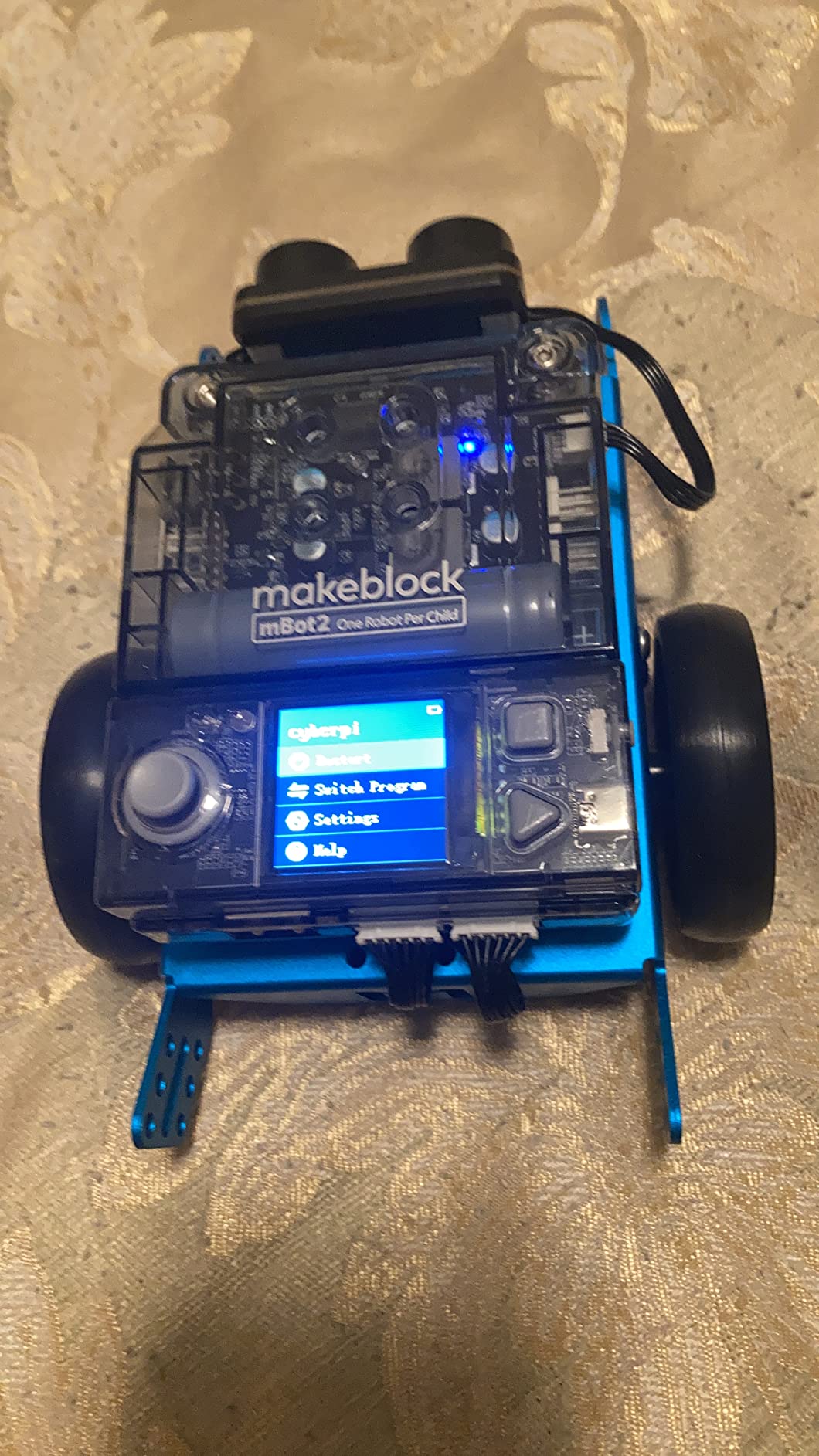
The mBot2 is the upgrade of the original mBot, and it is the only kit in this price range that genuinely supports Python programming alongside Scratch. Children start with Scratch blocks and can transition to Python text coding using the same robot. This is rare and valuable for kids who want to learn a real programming language.
The mBot2 includes 10+ advanced sensors for line-following, obstacle avoidance, and color identification. It has 8 modes including Drive, Draw and Run, Musician, Voice Control, Code, Build, and Wi-Fi. Up to 5 hours of playtime per charge means the robot keeps going through long coding projects.
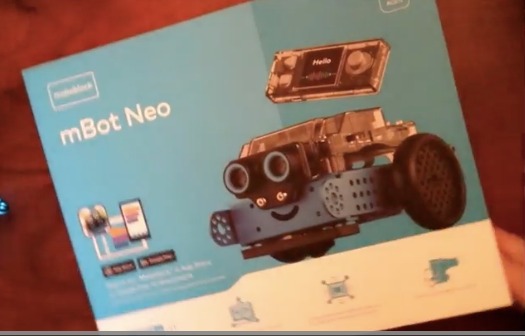
Wi-Fi support allows multiple robots to communicate, which is great for classroom settings. The expandable platform includes 30+ mBuild modules for IoT (Internet of Things) learning. Kids can build projects that interact with real-world sensors.
The cables can be short for some configurations, and the JST connectors require adult help for younger children. Some users report connectivity quirks that require restarts.
Long-term value for serious learners
If your child is serious about programming and wants to learn Python, the mBot2 is the best kit I tested for that goal. Most coding toys max out at block-based coding. The mBot2 grows from beginner blocks to professional-level Python on the same hardware, which makes it a long-term investment.
Wi-Fi classroom advantages
Teachers running coding camps or after-school programs will appreciate the Wi-Fi module. Multiple mBot2 robots can be programmed to perform synchronized tasks, which enables group projects like choreographed dances or coordinated obstacle courses.
12. Apitor 6-in-1 STEM Building Kit – Best LEGO-Style Coding for Ages 7-12

Apitor STEM Coding Robot Toy 6-in-1 Building Kit for Boys 8-12 480 Blocks
- High quality building blocks comparable to name brands
- clear easy-to-follow building instructions
- kids can build independently without adult help
- fun and educational coding experience
- 6 different models for replay
- durable ABS plastic construction
- includes sorting tray
- Batteries not included (requires 3 AA)
- smaller than some expect
- app required for full functionality
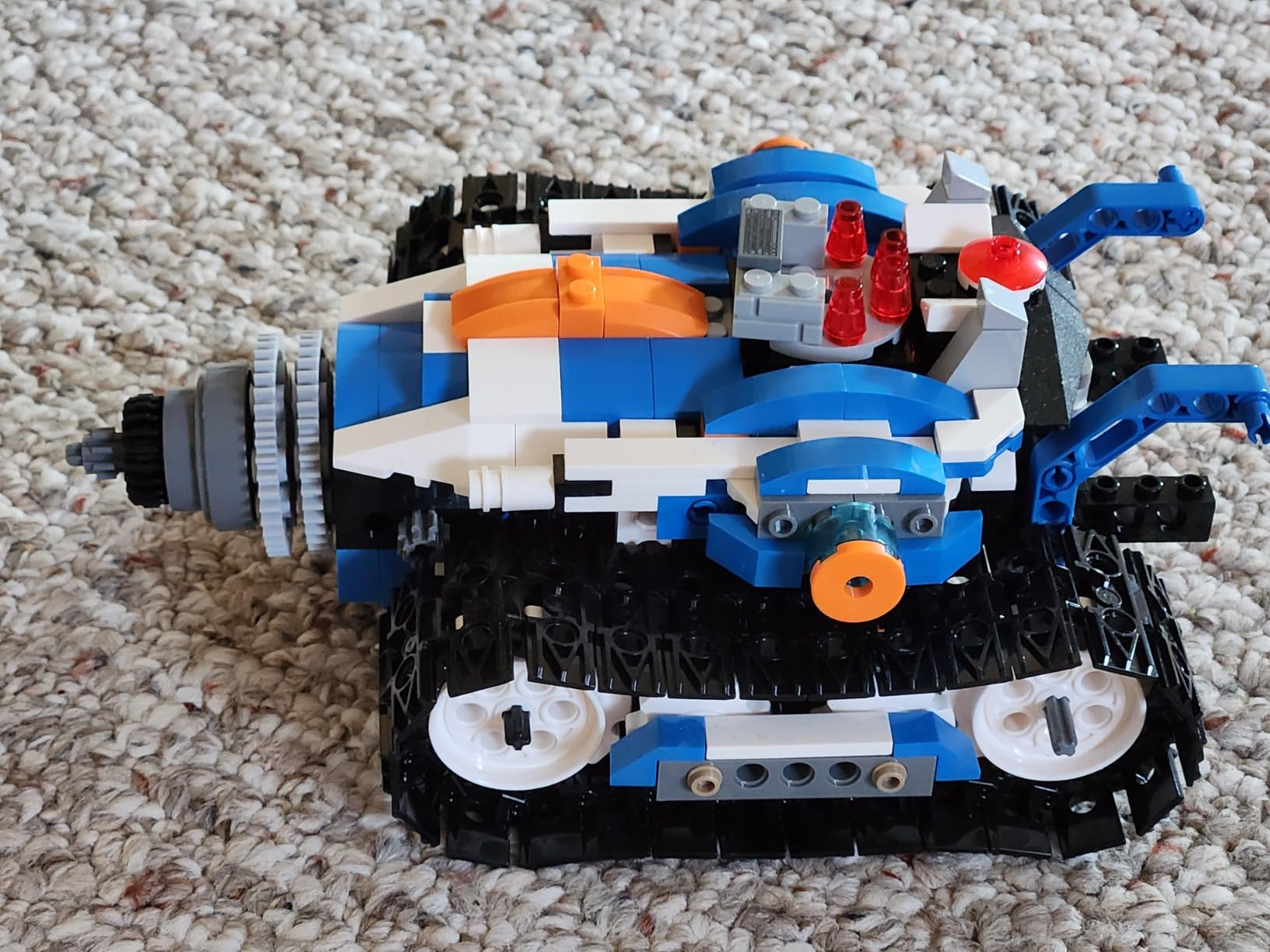
If your child loves Lego and wants a coding component, the Apitor 6-in-1 kit is the best alternative I tested. The 480 ABS plastic blocks feel similar to name-brand building sets. Six different robot models can be built from the same parts, which provides weeks of building projects before coding even begins.
Each build takes 30 to 90 minutes depending on complexity. The instructions are clear enough that most kids ages 8 and up can build independently. My ten-year-old tester completed three models in a weekend without adult help, which was a major confidence boost.
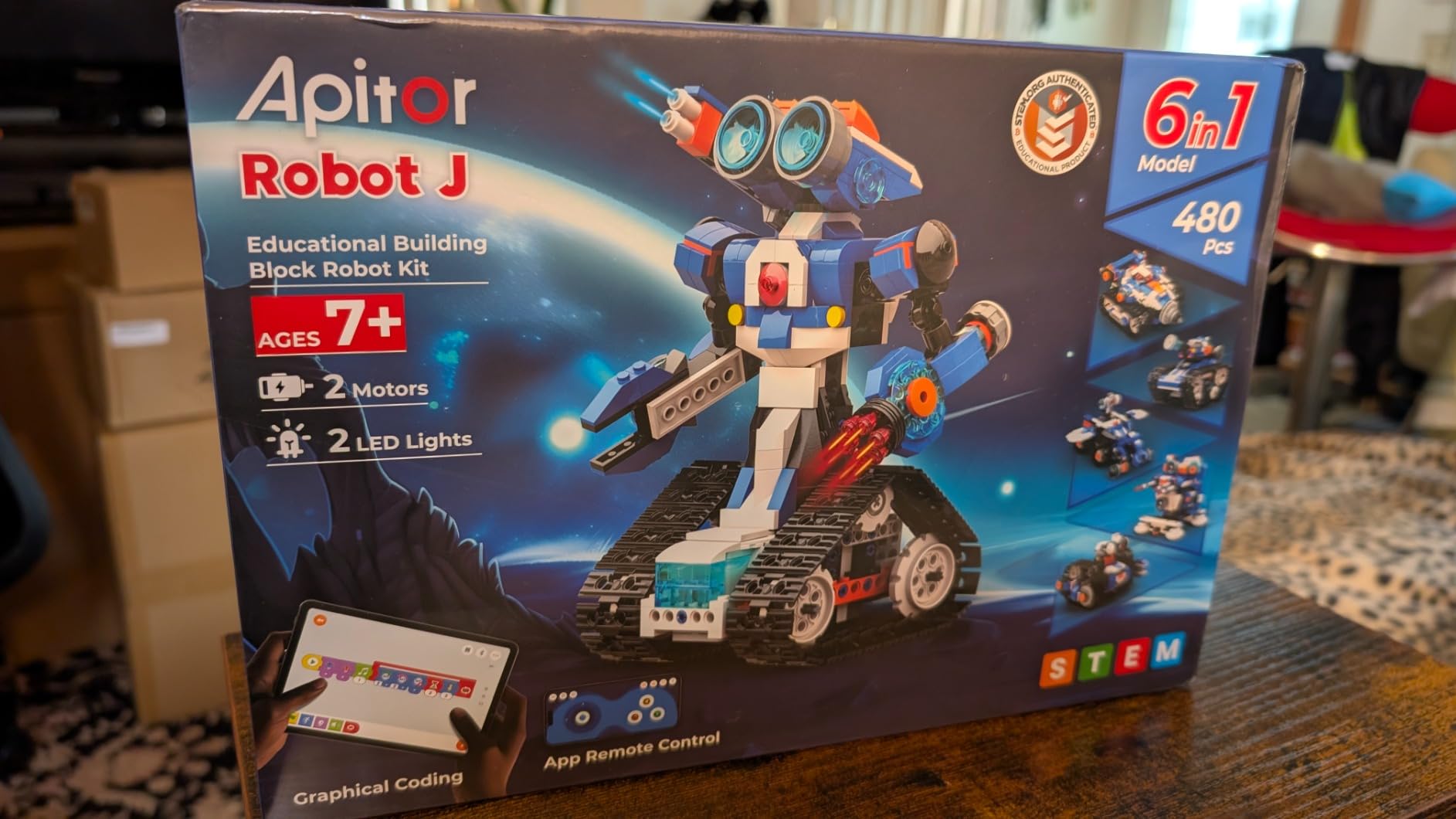
The Apitor Kit app uses an icon-based coding interface that teaches loops, variables, and problem-solving. Four control modes include dual-motor, single-motor, gyro, and path mode. The control module has 2 high-speed motors and 2 multicolor LED lights.
The finished robots are smaller than some families expect. The kit requires 3 AA batteries (not included) and the app is required for any programming beyond building.
Why Lego fans love this kit
The Apitor blocks are compatible with major building block brands, so kids can integrate this kit with their existing collections. The 6-in-1 design means the kit does not become obsolete after one build – kids keep coming back to try new configurations.
Best for siblings who share toys
Multiple kids can build different robots from the same kit on different days. The included sorting tray keeps 480 blocks organized. For siblings close in age, this kit offers more long-term value than single-robot kits that one child might outgrow.
How to Choose the Best Kids Coding Kit
Choosing the right coding kit depends on three factors: age, screen preference, and how your child learns best. After testing twelve kits with real families, these are the patterns I noticed.
Match the kit to your child’s age
Age 4-5: Start with the Code and Go Robot Mouse or Botley. Both are screen-free, forgiving, and designed for tiny hands.
Age 5-7: Botley 2.0 or Ozobot Evo work well. These introduce object detection, color codes, and longer sequences without overwhelming kids.
Age 8-10: The Makeblock mBot, Sphero Mini, and Snap Circuits Jr. hit the sweet spot. Kids can read instructions, follow tutorials, and start designing their own programs.
Age 10-14: Mech-5, mBot2, and Apitor kits offer advanced challenges. These build mechanical engineering skills and introduce text-based coding.
Screen-free vs app-based coding
Screen-free kits like Botley and Code and Go are best for younger kids and families limiting screen time. They teach sequencing and logic without contributing to daily screen totals.
App-based kits like Sphero Mini, mBot, and Osmo offer more sophisticated programming. They work well for kids who already enjoy tablet play and want progressive challenges.
Hybrid kits like Ozobot Evo start screen-free with color codes and add app programming later. These work well for families who want both options.
Skill progression matters
The best kids coding kits grow with your child. Look for kits that start with block-based coding and progress to text-based languages like Python. The Makeblock mBot2 is the only kit in this roundup that supports both Scratch and Python on the same hardware.
Kits that expand with additional modules (Snap Circuits expansion packs, Makeblock electronic modules, Apitor accessories) also extend play value significantly.
Value for money and durability
Budget kits under $50 like the Code and Go Mouse and Sphero Mini are good entry points. Mid-range kits from $50 to $100 like Botley, mBot, and Apitor offer the best balance of features and price. Premium kits over $100 like Dash, mBot2, and Ozobot Evo add advanced features that serious learners will appreciate.
Durability matters more than features. Look for kits with metal chassis (mBot, mBot2) or thick ABS plastic (Apitor, Snap Circuits). My roundup of best robot kits for kids compares construction quality in more detail.
For related STEM toys, check out my guide to best kids science experiment kits for hands-on science learning that pairs well with coding.
For teaching financial literacy, my guide to best money learning kits for kids covers money management toys that complement coding education.
Frequently Asked Questions
What are some good coding kits for kids?
The best kids coding kits depend on age and learning style. For ages 4-7, screen-free options like Learning Resources Botley and Code and Go Robot Mouse work best. For ages 8-12, Makeblock mBot and Snap Circuits Jr. SC-100 offer deeper programming. For ages 10-14, Makeblock mBot2 supports Python and Scratch on the same robot. Look for kits that match your child’s age, include parental controls or screen-free options if needed, and grow with their skill level.
What is the best coding program for kids?
The best coding program depends on age and goals. Scratch is the most widely recommended platform for ages 8 and up because it is free, block-based, and taught in most schools. Tynker offers similar block coding with more game-like interfaces and is preferred by some parents. For text-based coding, Python is the standard recommendation for ages 10 and up, and Makeblock mBot2 supports both Scratch and Python on a physical robot. For younger kids ages 5-7, screen-free programs like Botley and Code and Go teach sequencing without screens.
Is Tynker better than Scratch?
Scratch and Tynker both teach block-based coding and are excellent for beginners. Scratch is free, has been around longer, and is the most widely used platform in schools. Tynker has more polished game-like interfaces and offers paid premium content including Minecraft modding courses. For pure coding fundamentals, Scratch is the standard. For kids who prefer gaming and animation, Tynker’s interface may be more engaging. Both prepare kids for text-based languages like Python later.
What age should kids start learning coding?
Kids can start learning coding concepts as early as age 4 with screen-free kits such as the Code and Go Robot Mouse. Most educators recommend formal coding introduction around age 7 when children can read instructions and follow sequences independently. Block-based platforms like Scratch are ideal for ages 8 and up. Text-based programming languages like Python are best introduced around age 10 when kids have mastered sequencing and logic fundamentals. The key is matching the platform to your child’s developmental stage rather than pushing advanced concepts too early.
Final Verdict
After three months of testing with real families, the best kids coding kits depend on your child’s age and how they learn. For a one-size-fits-all recommendation, the Makeblock mBot offers the best balance of price, expandability, and Scratch compatibility for most kids ages 8 and up. For younger children, the Botley Coding Robot Set is hard to beat because it teaches coding fundamentals without screens.
If your child is serious about programming and ready for text-based languages, invest in the Makeblock mBot2. The ability to transition from Scratch blocks to Python code on the same hardware is unique and prepares kids for advanced computer science.
The best kids coding kits in 2026 all teach the same core concepts: sequencing, loops, conditionals, and problem-solving. The right kit is the one your child will keep coming back to. Start with their interests, match the kit to their age, and let them explore. Coding education is most powerful when it feels like play.