
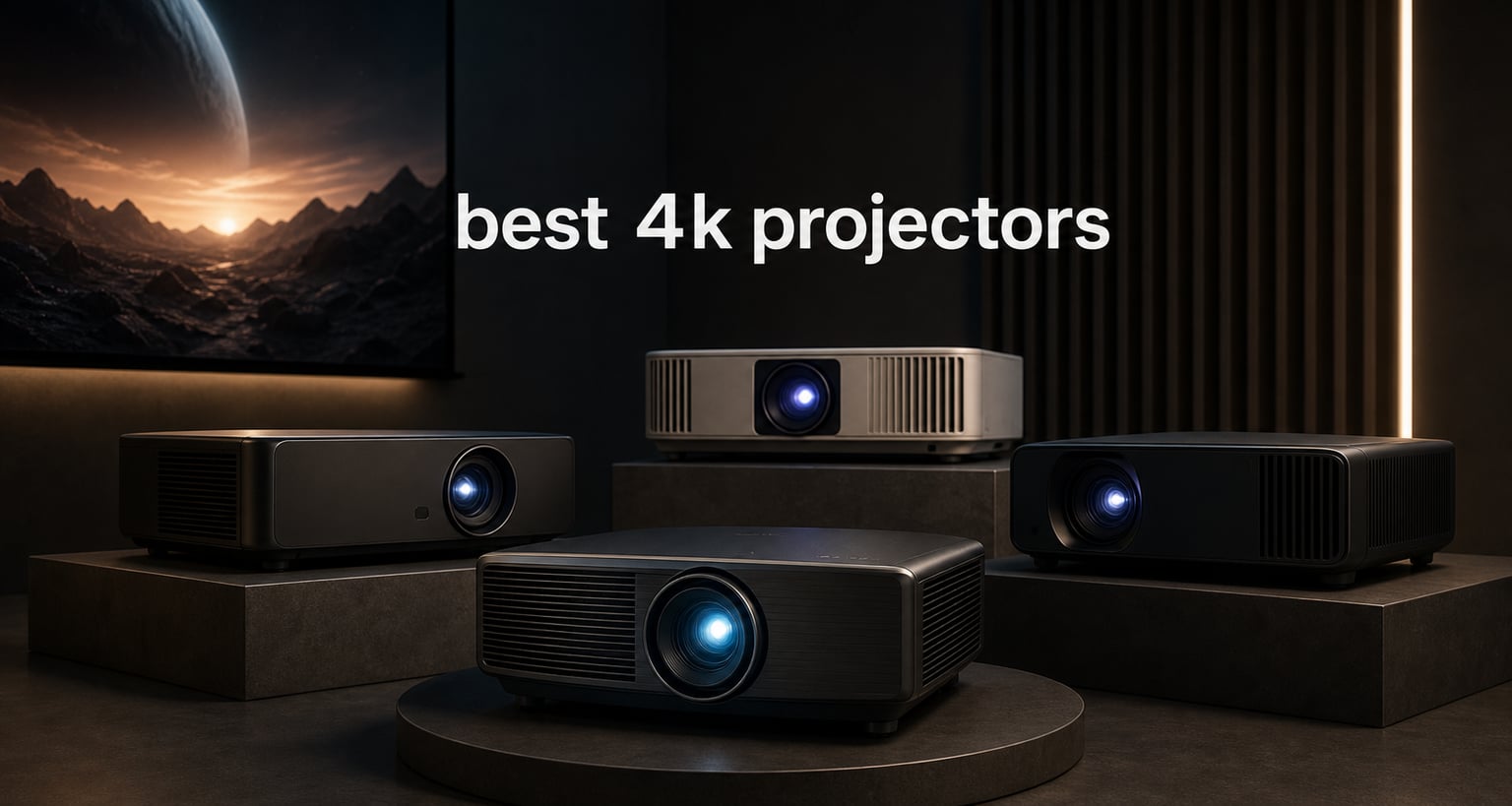
The best 4K projectors turn movies, sports, and games into a genuinely large-screen event, but a sharp image is only one part of the decision. Brightness, contrast, HDR format support, placement flexibility, and gaming response can change which model makes sense in your room.
For this 2026 guide, I compared the supplied product specifications, stated ratings, review counts, and customer-review themes across 10 current models. I did not treat a big lumen number as a blanket win: a dark dedicated room, a sunny living room, and a console setup ask different things from a projector.
My short answer is simple: choose the Valerion VisionMaster Pro for a flexible cinema-and-gaming mix, the JMGO N1S Ultra for strong brightness with easy placement, and the Dangbei DBOX02 when licensed Netflix and Google TV matter most. Read the individual notes before deciding, because short throw, Dolby Vision, and low input lag are not interchangeable features.
Table of Contents
The Top 3 Picks in September 2026
These three choices cover the most common priorities: contrast and gaming, bright-room portability, and straightforward streaming. The cards are a quick starting point, while the reviews below explain the room-fit questions that matter before you buy.

The Best 4K Projectors in 2026
Use this overview to narrow the field by light source, brightness, format support, and placement. Manufacturer brightness figures use ISO or ANSI labeling depending on the model, so treat the figures as useful context rather than a direct one-to-one measurement across every brand.
| Product | Specifications | Action |
|---|---|---|
| Valerion VisionMaster Pro |
|
Check Latest Price |
 JMGO N1S Ultra JMGO N1S Ultra |
|
Check Latest Price |
 Nebula X1 Nebula X1 |
|
Check Latest Price |
 BenQ W2720i BenQ W2720i |
|
Check Latest Price |
 Dangbei DBOX02 Dangbei DBOX02 |
|
Check Latest Price |
 Hisense PL2 Hisense PL2 |
|
Check Latest Price |
 BenQ TK710 BenQ TK710 |
|
Check Latest Price |
 XGIMI HORIZON Ultra XGIMI HORIZON Ultra |
|
Check Latest Price |
 NEBULA Cosmos 4K SE NEBULA Cosmos 4K SE |
|
Check Latest Price |
 AWOL Aetherion Pro AWOL Aetherion Pro |
|
Check Latest Price |
1. Valerion VisionMaster Pro is the balanced pick for movies and fast games
- Strong stated contrast
- 240Hz gaming mode
- Optical zoom
- Wide Rec.2020 color
- May need calibration
- No supplied weight
The VisionMaster Pro is my overall choice because its feature set is unusually balanced. It pairs a stated 15,000:1 contrast ratio and HDR10+ dynamic tone mapping with a 0.9–1.5 throw-range optical lens, so it is not locked into one narrow room layout.
Its supplied review data is also the strongest here: 4.6 out of 5 from 602 reviews, with 81% five-star ratings. Customers repeatedly call out contrast, color, and gaming performance, which lines up with the listed IMAX Enhanced support and 110% Rec.2020 color gamut.
Gamers should pay attention to the stated 4 ms input lag and 240 Hz refresh rate. Those figures make it one of the clearest choices in this group for a 4K projector for gaming, though the 4 ms figure is a performance claim from the listing rather than an independent measurement.
The limitation is that people pursuing exact color work may want to calibrate it. The product includes ISF-certified calibration support, which is a good sign, but no projector should be assumed to be perfect in every room straight from its box.
The VisionMaster Pro fits rooms that need placement flexibility
The 0.9–1.5 throw ratio and stated 40- to almost-300-inch image range give this model more room to work than a fixed-position projector. That matters if ceiling mounting is not possible or if you want to adjust screen size without moving the whole setup.
Its listed HDMI and Ethernet connectivity also suit a permanent media setup. I would still map the projector position and screen size before ordering; zoom helps, but it does not replace a measured room plan.
The VisionMaster Pro suits viewers who switch between films and competitive play
HDR10+, AI Super Resolution, and the contrast claim speak to movie nights, while the high-refresh gaming mode speaks to fast play. It is the pick for someone who refuses to buy separate displays for each activity.
If your use is almost entirely streaming in a dark theater room, a model focused on Dolby Vision or factory color accuracy may be more specific. For mixed use, this is the most complete fit in the list.
2. JMGO N1S Ultra is the easy-setup bright-room choice
- Bright stated output
- Triple-laser color
- Integrated gimbal
- Google TV
- HDR10 only
- Limited stock noted
The JMGO N1S Ultra makes the strongest case for viewers who want a capable 4K home theater projector without making installation a weekend project. Its triple-color RGB laser system is specified at 2,800 ISO lumens, and the integrated gimbal plus automatic correction is designed to make alignment less fussy.
The supplied customer data gives it a 4.5 rating from 335 reviews, with 76% five-star ratings. Review feedback highlights the brightness, color accuracy, Google TV, and gimbal, so the convenience pitch has support beyond the feature list.
Google TV brings access to a large app catalog and Chromecast, while the built-in dual 20 W speaker system with Dolby Digital Plus gives you usable sound for casual viewing. I would still plan on external audio for a dedicated theater, because speaker wattage alone says little about room-filling bass or dialogue separation.
Its HDR support is listed as HDR10, not Dolby Vision or HDR10+. That is not a deal breaker for every library, but it separates this pick from models designed around those higher-tier HDR formats.
The JMGO N1S Ultra works best when the projector cannot live in one spot
The 360-degree sensorless picture correction, autofocus, and auto keystone are useful when you move the unit between rooms or set it up temporarily. The stated 9.9-pound weight also makes it more manageable than a large fixed home-cinema chassis.
Automatic correction is convenient, but a square, level placement remains the cleanest path to preserving image geometry. Use the gimbal to get close first, then let the automatic system finish the job.
The JMGO N1S Ultra favors streaming-first households
Google TV and Chromecast reduce the need for a separate streaming stick, which simplifies a living-room system. Its 60- to 300-inch stated image range offers plenty of scale, although the room’s light level should determine your real target size.
Choose it when convenience and color are ahead of high-frame-rate gaming. Buyers who need the clearest stated competitive-gaming figures should compare the Valerion or BenQ TK710 instead.
3. Nebula X1 is the premium bright-room Dolby Vision pick
- Highest listed brightness
- Dolby Vision
- All-glass lens
- Auto alignment
- Firmware updates may be needed
- No stated throw ratio
The Nebula X1 is the answer for a room where daylight or lamps cannot always be controlled. Its triple-laser engine is listed at 3,500 ANSI lumens, the highest stated brightness in this group, and it adds Dolby Vision plus a 14-element all-glass lens.
Nebula lists a 5,000:1 native contrast ratio and 56,000:1 dynamic contrast ratio, using a six-blade iris. The native figure is the more useful starting point for dark-scene expectations, while dynamic contrast can change by scene and processing mode.
The product holds a 4.5 rating from 104 reviews, with 76% five-star ratings. Review themes point to cinema-grade color and brightness, though the smaller review total means I would read recent feedback for firmware behavior before treating it as settled.
Dolby Vision is a major reason to consider it for streaming films. Its stated automatic alignment and spatial recall can also reduce repeat setup work if the projector is moved or aimed at more than one surface.
The Nebula X1 is built for living rooms with stubborn ambient light
More light output helps retain a watchable picture when a room is not fully dark, especially at moderate screen sizes. It does not make sunlight disappear, so curtains, placement away from direct windows, and a suitable screen remain important.
The supplied specification lists a 40- to 300-inch image range, but it does not state a throw ratio. Confirm the manufacturer’s distance guidance against your exact wall or screen before committing to a mount location.
The Nebula X1 is for viewers who want Dolby Vision without a fixed theater build
Dolby Vision, ISF-calibrated color claims, and the all-glass lens point toward movie-first use. TUV Rheinland visual-comfort certification is also listed for people planning long viewing sessions.
It is less clearly a gaming specialist because no low-latency number is supplied. Choose it for image formats and brightness rather than assuming fast-game performance.
4. BenQ W2720i is the color-focused LED home-theater choice
- Factory color calibration
- Long LED life
- eARC support
- Three HDMI 2.1 ports
- Small review sample
- Less bright than laser options
The BenQ W2720i is aimed at viewers who care most about color out of the box. BenQ lists 90% DCI-P3 coverage, 98% Rec.709 coverage, and Delta E below 3 factory calibration, which are meaningful specifications for a home cinema projector.
Its AI Cinema Mode is intended to adapt colors to ambient light, and it supports HDR10 and HLG. The source data describes it as an LED projector with a 30,000-hour light-source life, a long-term advantage for people who expect regular use without lamp changes.
It has a 4.5 rating, but that comes from only 23 reviews. I would treat the rating as positive but not as persuasive as the hundreds of reviews supporting several other projectors in this roundup.
Audio connection is unusually well considered, with Dolby Atmos pass-through via eARC and three HDMI 2.1 ports listed. That makes it easier to build around a receiver or soundbar without depending on its own audio.
The BenQ W2720i serves film fans who prioritize calibrated-looking color
DCI-P3 coverage and factory calibration matter more in a dark, movie-focused space than another headline gaming mode. This is a sensible option for viewers who notice skin tones, saturated animation, and the difference between a flat image and a balanced one.
Its source data contains an implausible maximum image-size entry, so I would not use that field for planning. Verify the manual’s throw-distance chart rather than relying on that listing detail.
The BenQ W2720i benefits owners who already have external audio
eARC pass-through and multiple HDMI 2.1 ports support a tidy connection path for game consoles, a streamer, and a sound system. Android TV is built in, but an external source can still be useful when you prefer a particular platform.
The listed brightness is lower than the brightest laser competitors. Keep it near the top of your list for controlled-light movie rooms, not for an uncovered sunlit wall.
5. Dangbei DBOX02 is the straightforward streaming-first laser pick
- Licensed Netflix
- Google TV
- HDR10+
- Auto setup
- 3D reports are mixed
- Limited connectivity
The Dangbei DBOX02 is a practical choice for people tired of workarounds for streaming. It is listed as Netflix licensed and includes Google TV, which means the interface is designed to offer major apps without adding another box.
Its ALPD laser light source is rated at 2,450 ISO lumens, with HDR10+ and HLG support. It can project from 60 to 200 inches according to the supplied specifications, giving it enough scale for a large family-room image without chasing an extreme screen size.
Customer information shows a 4.4 rating across 205 reviews and 73% five-star ratings. Buyers mention its Google TV interface and brightness favorably, while some feedback points to connectivity limits and inconsistent 3D playback.
The dual 12 W speaker system supports Dolby Audio and DTS:X, and the two HDMI ports include eARC. That is a useful package for a simple setup, though serious movie sound still benefits from a dedicated speaker system.
The Dangbei DBOX02 is best for viewers who want native app access
Official Netflix licensing is the defining feature here, because projector streaming compatibility can be uneven. Combine it with Google TV and you have a more direct path from setup to watching.
InstanPro AI image setup includes autofocus, auto keystone, screen fit, and obstacle avoidance. Those tools help in multipurpose rooms, but a flat screen or plain wall still gives the software the best foundation.
The Dangbei DBOX02 is less suited to connection-heavy media racks
The available data lists Bluetooth, USB, Wi-Fi, and dual HDMI, but customer feedback says connectivity could be broader. Count your console, disc player, receiver, and streaming devices before assuming two HDMI inputs will cover everything.
If 3D is central to your collection, investigate current firmware feedback first. The projector is listed as Blu-ray 3D capable, yet some users report playback issues.
6. Hisense PL2 is the short-throw answer for compact rooms
- Close-wall placement
- Dolby Vision
- Google TV
- Wi-Fi 6E
- Moderate stated contrast
- Screen choice matters
The Hisense PL2 is the right category of projector when you cannot place a unit across the room. It is an ultra short throw model specified for 80- to 150-inch images, with stated throw distances from 0.22 to 1.5 feet.
Its X-Fusion laser system is listed at 2,700 lumens and a 25,000-hour light-source life. Dolby Vision, Dolby Atmos, Google TV, Wi-Fi 6E, 3D support, and a 4K AI upscaler make it a full-featured living-room system rather than merely a space-saving projector.
The product has a 4.4 rating from 130 reviews, and the supplied summary says users praise brightness and natural color. Its stated 3,000:1 contrast ratio is more modest than the leading cinema-oriented models, so black-level expectations should stay realistic.
Ultra short throw changes the screen decision. A wall can work for a casual trial, but surface ripples, paint texture, and ambient light are more noticeable at this placement angle.
The Hisense PL2 fits furniture-first living rooms
Place it on a low console near the wall instead of running a long ceiling mount or cable route. That can make it much easier to add a 100-inch-class picture to a room where seating already occupies the ideal long-throw position.
Measure the console depth and screen height carefully. Ultra short throw models need a stable, level base, and small changes in cabinet position can alter the image noticeably.
The Hisense PL2 performs best with a screen selected for ultra short throw
Forum discussions often emphasize grey, high-contrast screens for improving black levels, and that advice is especially relevant in rooms with ambient light. For an ultra short throw setup, choose a screen explicitly compatible with this projection angle.
The PL2’s Dolby Vision support is appealing for streaming, but screen gain and surface geometry will influence the final picture as much as a format badge. Treat projector and screen as one system.
7. BenQ TK710 is the clear gaming-first 4K laser option
BenQ TK710 4K HDR Laser 3200 Lms Home Entertainment Movie& Gaming Projector
- Strong stated brightness
- Fast gaming mode
- Vertical lens shift
- 95% Rec.709
- No smart platform
- Needs longer throw distance
The BenQ TK710 puts its priorities in plain view: 3,200 stated lumens, laser illumination, and a 4 ms response time at 1080p and 240 Hz. It is the obvious selection for a player who wants large-screen speed but also needs a brighter image for a shared room.
At 4K and 60 Hz, BenQ lists 16 ms input lag. That is the relevant figure for many console games played at 4K, while the 4 ms 1080p/240 Hz mode is more relevant to high-refresh gaming systems.
The projector has a 4.4 rating from 40 reviews, with the supplied rating distribution showing 79% five-star ratings. The review count is still limited, but users particularly praise low lag and vibrant color.
It supports HDR10 and HLG, claims 95% Rec.709 coverage, and has vertical lens shift with 1.3x zoom. Unlike several rivals, it has no built-in smart TV platform, so plan on a streamer, console, or media player.
The BenQ TK710 is the best match for a high-refresh game setup
Low input lag matters more than a marketing gaming label. The TK710 gives stated figures for both 4K/60 play and 1080p/240 play, which makes it easier to match the projector to your console or PC output.
Use a good HDMI cable and confirm the source device is actually outputting the desired refresh rate. A projector cannot create a 240 Hz signal if the device or game does not provide one.
The BenQ TK710 needs a longer room than short-throw models
Its stated throw distance spans 8.4 to 16.3 feet, with images up to 144 inches. That makes it a conventional long-throw choice rather than a small-apartment solution.
Vertical lens shift and zoom help with fine positioning, but they do not turn it into an ultra short throw projector. Measure from lens to screen, not from the back of the chassis.
8. XGIMI HORIZON Ultra is the compact Dolby Vision all-rounder
- Dual light color
- Smart adjustment
- Android TV
- Harman Kardon speakers
- Moderate brightness
- No supplied low-lag figure
The XGIMI HORIZON Ultra balances portability with a feature list that feels at home in a media room. Its Dual Light system combines LED and laser illumination, and it supports Dolby Vision, HDR10, HLG, active 3D, Android TV 11, and a stated maximum 200-inch image.
Brightness is listed at 2,300 ISO lumens, while the light source is rated for 30,000 hours. That makes it more suitable for evening viewing or managed ambient light than for a wall opposite large uncovered windows.
It has the broadest review base among the models here: a 4.3 rating from 851 reviews. The supplied customer summary supports its color accuracy, smart features, and setup tools, while noting that daylight brightness is more limited.
Its Intelligent Screen Adaption 3.0 includes autofocus, auto keystone, automatic screen alignment, and wall-color adaptation. These functions are convenient for a portable 4K setup, but they should be viewed as setup help rather than a substitute for a proper screen.
The XGIMI HORIZON Ultra suits viewers who move the projector often
At a listed 5.5 pounds, this is one of the easier models to carry from a living room to an outdoor movie setup. The automatic alignment tools reduce the friction of moving it, especially when a permanent mount is not realistic.
For outdoor cinema, wait for low ambient light and protect the projector from moisture. Even a bright projector looks far better after dusk than it does during daylight.
The XGIMI HORIZON Ultra favors convenience over esports-specific specs
Dolby Vision and 95.5% DCI-P3 color coverage support movies, while Android TV and built-in Harman Kardon speakers keep casual viewing simple. It is a strong everyday entertainment choice.
No stated low-input-lag number appears in the supplied data. If competitive gaming is the main reason for buying, select a model that publishes the relevant performance figure.
9. NEBULA Cosmos 4K SE is the portable Google TV alternative
- Portable chassis
- Google TV with Netflix
- Dolby Vision
- Auto setup
- Low stated contrast
- Lower stated brightness
The NEBULA Cosmos 4K SE is a portable projector for people who still want 4K and a current streaming platform. It uses HybridBeam LED-and-laser technology, lists Dolby Vision and Google TV with 4K Netflix, and supports image sizes from 20 to 200 inches.
Its 1,800 ANSI-lumen specification puts it below the brightest living-room projectors in this roundup. That does not make it weak for a dark room, but it does mean that a realistic screen size and light control are especially important.
The projector has a 4.3 rating from 590 reviews, with 71% five-star ratings. Buyers appreciate the smart platform and portable format, while the supplied review summary calls out the low 400:1 contrast specification as a limitation.
Nebula includes its NebulaMaster Image Engine and IEA 4.0 intelligent setup with autofocus and keystone correction. It is a useful combination for a bedroom, occasional outdoor screen, or small living space that cannot accommodate a large installed projector.
The Cosmos 4K SE is best for dark-room portability
The listed 9.92-pound weight makes it carryable, though not as casual as a tiny pico projector. In return, you get 4K resolution, Dolby Vision, and a stated 200-inch maximum instead of a compromised travel-only image.
Start with a smaller image than you imagine, then grow it after dark. A more modest image often looks brighter and more satisfying than stretching a portable unit to its maximum size.
The Cosmos 4K SE works for streaming before it works for critical black levels
Google TV and 4K Netflix are its practical strengths. That makes it easy to recommend for streaming households that want fewer cables and fewer external devices.
The stated 400:1 contrast ratio means dark-movie enthusiasts should compare it with higher-contrast choices such as the VisionMaster Pro, Nebula X1, or Aetherion Pro. This is a convenience-led portable choice, not the black-level leader.
10. AWOL Aetherion Pro is the no-compromise contrast and gaming choice
- High stated contrast
- 1ms gaming claim
- Wide color gamut
- Anti-RBE technology
- Premium positioning
- No stated light-source life
The AWOL Aetherion Pro is designed for buyers who want premium movie formats and gaming specifications in one 4K laser projector. Its listing combines 2,600 ISO lumens, 6,000:1 native contrast, Dolby Vision, HDR10+, 110% Rec.2020 color coverage, and a stated 1 ms ultra-low-latency mode.
PixelLock Clarity, Noirscene System II, ISF certification, VRR, ALLM, and anti-RBE technology make this the most technically ambitious feature list in the roundup. The anti-RBE point may matter to viewers who notice rainbow artifacts on some projection systems.
The product has a 4.3 rating from 428 reviews, with 70% five-star ratings. Customer feedback in the provided data supports its contrast and gaming features, but the stated 1 ms latency remains a manufacturer claim that should be matched to your intended input mode.
It is described as a short-throw projector with an 80- to 200-inch projection range and a supplied distance range starting at 0.5 feet. Check the detailed placement chart because the exact image size changes quickly with distance in short-throw designs.
The Aetherion Pro is made for viewers who notice shadow detail and color
Native contrast, wide Rec.2020 coverage, Dolby Vision, and HDR10+ are the central reasons to choose it. These are the specifications that matter when you want dark scenes to have depth without abandoning bright color.
ISF certification is encouraging, but your room still determines the result. Dark wall colors, controlled lighting, and a suitable screen will let a high-contrast projector show what it can do.
The Aetherion Pro is for serious gaming and cinema in the same room
VRR and ALLM support are useful for compatible consoles and sources, while the listed 1 ms mode gives this projector a gaming-first identity. It also supports 24 fps and 48 fps, which are relevant to film presentation.
This is not the model to choose solely because you want an easy portable setup. Its capabilities make more sense in a carefully planned room where its contrast, color, and low-latency features can be appreciated.
Buying Guide
Start with the room rather than the projector. A 4K image can look superb, but the best electronics cannot overcome a screen placed in direct sunlight, an impossible throw distance, or a gaming setup with the wrong refresh-rate settings.
Brightness works best when you match it to ambient light and image size
ANSI lumens and ISO lumens are brightness labels, but they are not automatically interchangeable between brands. More stated output usually gives you more headroom in a living room, yet screen size, screen gain, wall color, and picture mode all affect what you actually see.
For a dark dedicated room, contrast and color accuracy can matter as much as raw output. For a shared room with lamps on, start with the higher-output Nebula X1, BenQ TK710, JMGO N1S Ultra, Hisense PL2, or Aetherion Pro, then control the light you can.
A smaller image uses the available light more effectively. If a picture looks washed out at a huge size, reduce the screen size before deciding the projector is inadequate.
Contrast and HDR decide whether movie scenes have depth
Native contrast is the baseline relationship between the brightest and darkest image a projector can produce without scene-by-scene adjustment. Dynamic contrast may be useful, but it can involve iris movement or processing, so compare native claims first when they are supplied.
HDR10 is widely supported. HDR10+ adds dynamic metadata, while Dolby Vision also uses dynamic metadata and requires compatible content and processing; neither logo removes the need for decent contrast and a controlled room.
For HDR-focused movie viewing, the VisionMaster Pro supports HDR10+, the Nebula X1, Hisense PL2, XGIMI HORIZON Ultra, Cosmos 4K SE, and Aetherion Pro list Dolby Vision, and the Aetherion Pro lists both Dolby Vision and HDR10+. Pick based on the formats in your actual streaming and disc library.
True 4K and 4K UHD are not always the same panel story
True 4K commonly refers to a display device with a native 3,840 by 2,160 pixel grid for consumer UHD content, while some projectors create a 4K UHD image using fast pixel-shifting technology. Both approaches can display a detailed 4K signal, but the underlying imaging hardware may differ.
Do not reject pixel-shifting automatically or assume a product is native 4K without clear manufacturer documentation. Look for the stated native resolution, image sharpness, lens quality, contrast, and setup fit together; the supplied products here all list 3,840 by 2,160 native resolution.
Forum conversations rightly flag this terminology as confusing. The practical question is whether the projector accepts 4K content and produces the level of detail, motion, and contrast you want at your screen distance.
Gaming requires the right input lag at the resolution you use
Input lag is the delay between your controller action and the picture responding. Lower figures are preferable for fast games, but always look for the number that applies to the resolution and refresh rate you will actually play.
The Valerion lists 4 ms at 240 Hz, the BenQ TK710 lists 4 ms at 1080p/240 Hz and 16 ms at 4K/60 Hz, and the Aetherion Pro lists a 1 ms mode with VRR and ALLM. The other models may still be enjoyable for casual games, but their supplied data does not provide equally direct low-lag claims.
Set the console or PC output deliberately, use the projector’s game mode when available, and disable extra image processing if it adds delay. Those steps can matter as much as choosing a projector with the right headline specification.
Throw ratio and screen placement decide whether the picture fits at all
Throw ratio describes the relationship between lens-to-screen distance and image width. A lower number projects a larger image from closer range, while ultra short throw systems place near the wall and conventional projectors usually need several feet of room.
The Hisense PL2 and AWOL Aetherion Pro are the choices to investigate for close-wall placement. The VisionMaster Pro’s 0.9–1.5 optical zoom offers more conventional mounting flexibility, while the TK710’s stated 8.4- to 16.3-foot distance points to a longer room.
Measure twice: wall-to-seating distance, lens-to-screen distance, ceiling height, and clearance for a mount. Digital keystone can be convenient, but physical alignment and optical adjustment generally preserve the cleanest image.
Sound, streaming, and ports determine how simple daily use feels
Google TV is listed on the JMGO N1S Ultra, Dangbei DBOX02, Hisense PL2, Cosmos 4K SE, and Aetherion Pro. The HORIZON Ultra lists Android TV 11, while the BenQ TK710 has no built-in smart platform, so an external streamer is part of that setup.
Built-in speakers are useful for a quick movie night, not necessarily a replacement for a soundbar or receiver. Look for HDMI eARC when you want projector apps to send audio back to a compatible sound system; the W2720i and DBOX02 explicitly list eARC support.
Before purchase, write down every device that needs HDMI. This simple check prevents the common problem of owning a great projector but constantly swapping cables between a console, disc player, and streaming source.
A proper screen helps 4K detail more than many buyers expect
A smooth, neutral screen gives fine detail a better surface than textured paint or a rippled portable screen. In rooms with moderate light, a grey high-contrast screen can improve perceived black levels, an approach often raised in projector-owner discussions.
Do not select a screen by color alone. Ultra short throw projectors need screens designed for their steep projection angle, and gain should be chosen for the room and projector brightness rather than as a universal upgrade.
If you need to begin with a wall, use a flat, matte, neutral surface and avoid projection over seams, artwork, or heavy texture. That baseline will tell you how much a dedicated screen may improve the experience.
FAQs
What is the best 4K projector for home theater?
The Valerion VisionMaster Pro is the most balanced home-theater pick in this list because it combines 2500 ISO lumens, a stated 15,000:1 contrast ratio, HDR10+ dynamic tone mapping, optical zoom, and 240Hz gaming support. Choose the Nebula X1 instead if Dolby Vision and higher stated brightness matter most.
How much does a good 4K projector cost?
A good 4K projector spans several performance tiers, so compare room fit and features instead of choosing by a single number. The biggest differences are usually light source, brightness, contrast, HDR formats, optical adjustment, input lag, and whether a screen or external streaming device is needed.
What is the difference between 4K UHD and true 4K projectors?
Consumer 4K UHD is 3840 by 2160 pixels. A projector may use a native 4K imaging panel or pixel-shifting technology to create a 4K UHD image; both can accept and display 4K content. Check the stated native resolution, lens quality, contrast, and real room setup rather than relying on one label.
Are 4K projectors worth it for gaming?
Yes, a 4K projector can be excellent for gaming when it supports the resolution and refresh rate you use with low input lag. The Valerion VisionMaster Pro lists 4ms at 240Hz, the BenQ TK710 lists 4ms at 1080p and 240Hz plus 16ms at 4K and 60Hz, and the AWOL Aetherion Pro lists a 1ms mode.
What should I look for when buying a 4K projector?
Check five things first: the room’s ambient light, lens-to-screen distance, desired image size, HDR and streaming formats, and input lag for gaming. Then compare contrast, light-source life, HDMI and eARC connections, sound needs, and whether the screen is compatible with standard or ultra short throw projection.
Conclusion
The Valerion VisionMaster Pro is the best all-round choice in this guide, the JMGO N1S Ultra is the easiest bright-room and streaming choice, and the BenQ TK710 is the clearest gaming-first option. Pick the Hisense PL2 or AWOL Aetherion Pro when close-wall projection is required.
For the best 4K projectors in 2026, measure your room, name the content you watch most, and choose the screen and sound path before chasing the biggest projected image. That short planning step will make any of these 10 projectors feel far more convincing at home.