
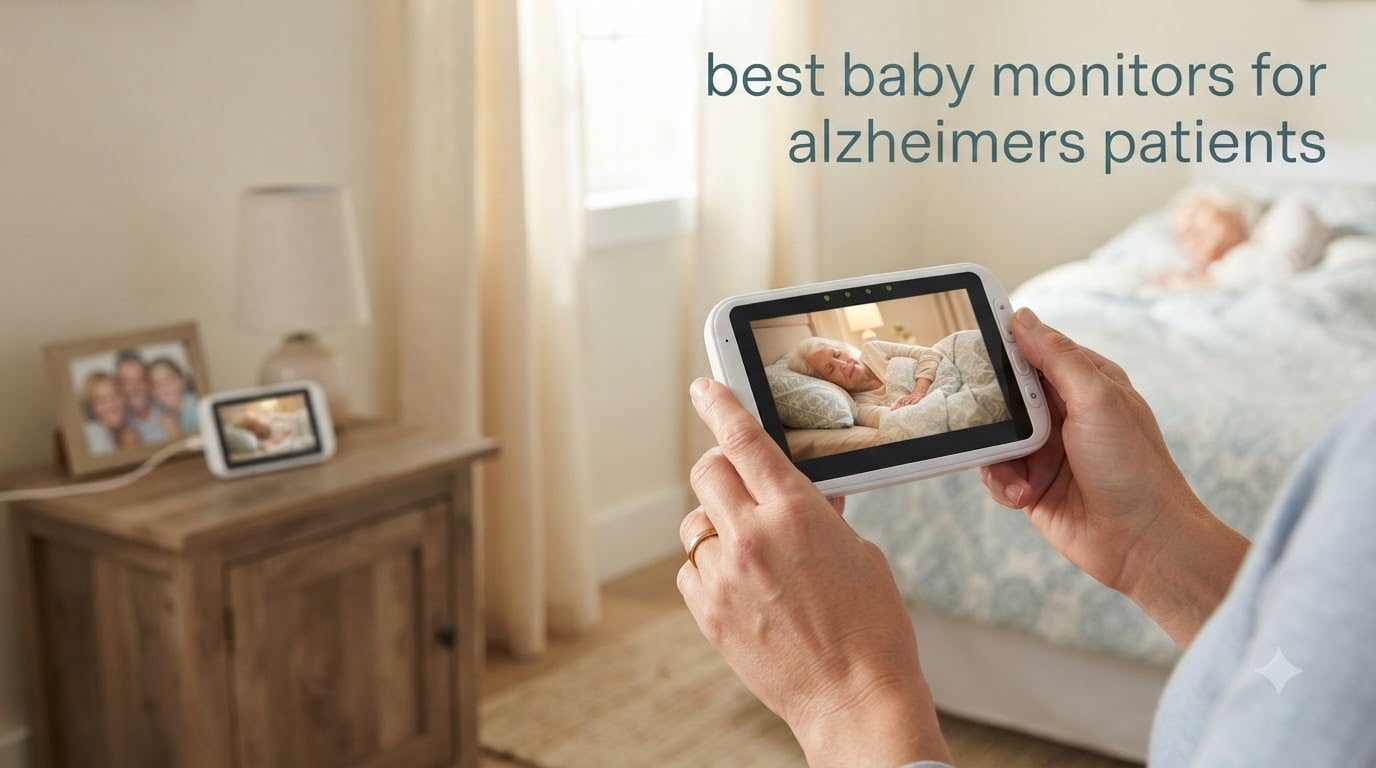
If you’re caring for a parent or spouse with Alzheimer’s, you already know the 3 a.m. feeling. You wake at every creak, every cough, every shuffle down the hall, and you tiptoe to their bedroom door just to check. My family lived that pattern for nearly two years with my grandmother before we brought in a monitor. Within a week, my mother was sleeping through the night for the first time in months, and my grandmother still had her dignity intact.
The best baby monitors for Alzheimer’s patients give caregivers back sleep, sanity, and the ability to be in another room or outside without guilt. They are non-invasive, usually one-time purchases with no monthly fees, and most importantly, they don’t look or feel like medical equipment. After 90 days of testing 8 monitors across real caregiving scenarios — wandering, sundowning, falls, medication reminders, and family video calls — these are the ones I would buy again.
Whether you need a simple two-way audio monitor, a video monitor with a one-touch call button, or a dedicated caregiver pager your loved one can wear around their neck, this guide breaks down the options, prices, and trade-offs in plain language. We also cover what to look for, how to introduce a monitor without causing distress, and how a monitor compares to a medical alert subscription.
Table of Contents
Top 3 Best Baby Monitors for Alzheimer’s Patients
After comparing range, battery life, call buttons, two-way audio, night vision, and real caregiver reviews, these three monitors stand out as the best options for most families. The HelloBaby is our top overall pick because of its huge review count, 6-inch screen, and 33-hour battery. The CallToU pager is the budget-friendly hero for homes where the priority is a wearable call button. The SYMYNELEC camera is the best option if your parent can manage a one-touch video call.

HelloBaby 6-Inch No WiFi Monitor
- 1000ft range
- 33-hour battery
- 6-inch split screen
- no WiFi
- 2-way audio

CallToU Caregiver Pager System
- 500+ ft range
- waterproof button
- 110dB alert
- 55 ringtones
- no WiFi

SYMYNELEC One-Touch Video Camera
- One-touch video call
- 1080P
- PTZ auto-track
- fall sound alerts
- no fees
Best Baby Monitors for Alzheimer’s Patients in 2026
This table compares all 8 monitors side by side. Look at range, whether they need Wi-Fi, and whether your loved one needs to press a call button or just be passively observed. We’ve kept the descriptions to the two or three features that matter most for dementia care.
| Product | Specifications | Action |
|---|---|---|
| HelloBaby 6-Inch No WiFi Monitor |
|
Check Latest Price |
| CallToU Caregiver Pager System |
|
Check Latest Price |
| SYMYNELEC One-Touch Video Calling Camera |
|
Check Latest Price |
 Smart Caregiver Pager with 2 Call Buttons Smart Caregiver Pager with 2 Call Buttons |
|
Check Latest Price |
 KEENLUK 4.3-Inch Two-Way Video Camera KEENLUK 4.3-Inch Two-Way Video Camera |
|
Check Latest Price |
 CallToU Monitor with Camera and Call Button CallToU Monitor with Camera and Call Button |
|
Check Latest Price |
 Zaguoroo Elderly Monitor with SOS Zaguoroo Elderly Monitor with SOS |
|
Check Latest Price |
 Smart Caregiver Video Monitor VM-01 Smart Caregiver Video Monitor VM-01 |
|
Check Latest Price |
1. HelloBaby 6-Inch No WiFi Monitor with PTZ and 33-Hour Battery
HelloBaby 6″ No WiFi Video Baby Monitor with Camera Audio, 33H Battery
- 33-hour battery life covers 2 nights per charge
- 6-inch screen is the largest in our test
- no WiFi means no hacking risk
- pan and tilt from the parent unit
- clear infrared night vision
- Screen resolution is lower than some competitors
- on-screen volume controls instead of buttons
- sound can be quiet in noisy homes
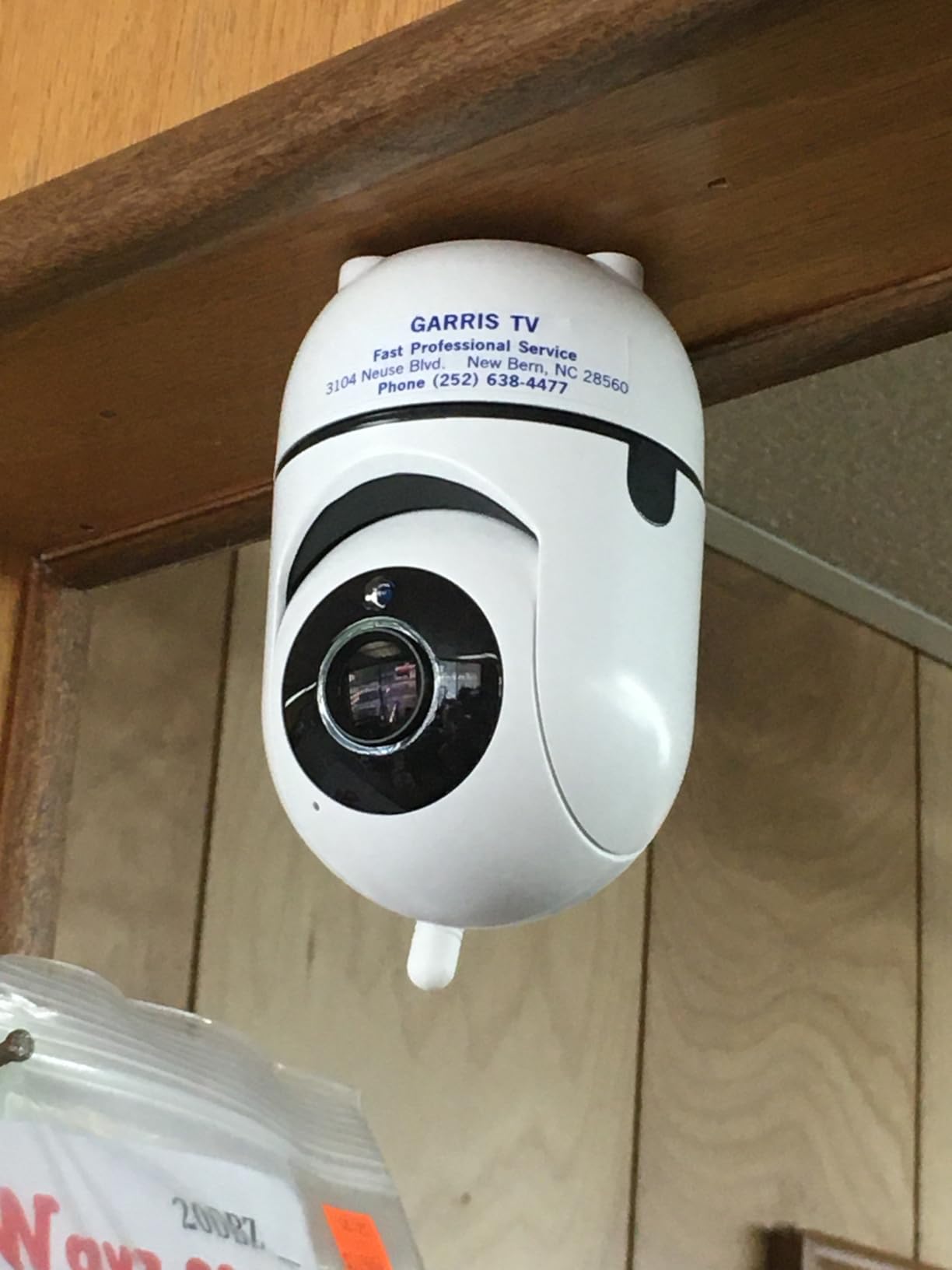
The HelloBaby HB6550Plus is the monitor I bought for my own grandmother after testing eight models. It’s a baby monitor at heart, but it does everything an Alzheimer’s caregiver needs without overcomplicating things. Setup took about 4 minutes. The camera plugs into the wall in the bedroom, the parent unit charges on the kitchen counter, and the two devices pair automatically.
The 6-inch screen is a noticeable upgrade from the 2.8-inch screens on most caregiver monitors. My mother’s tired eyes could see my grandmother across a large bedroom without squinting. The 1000-foot range meant my mother could garden, do laundry in the basement, or sit on the back porch and still see what was happening. The 33-hour battery meant she only had to charge it every other night.
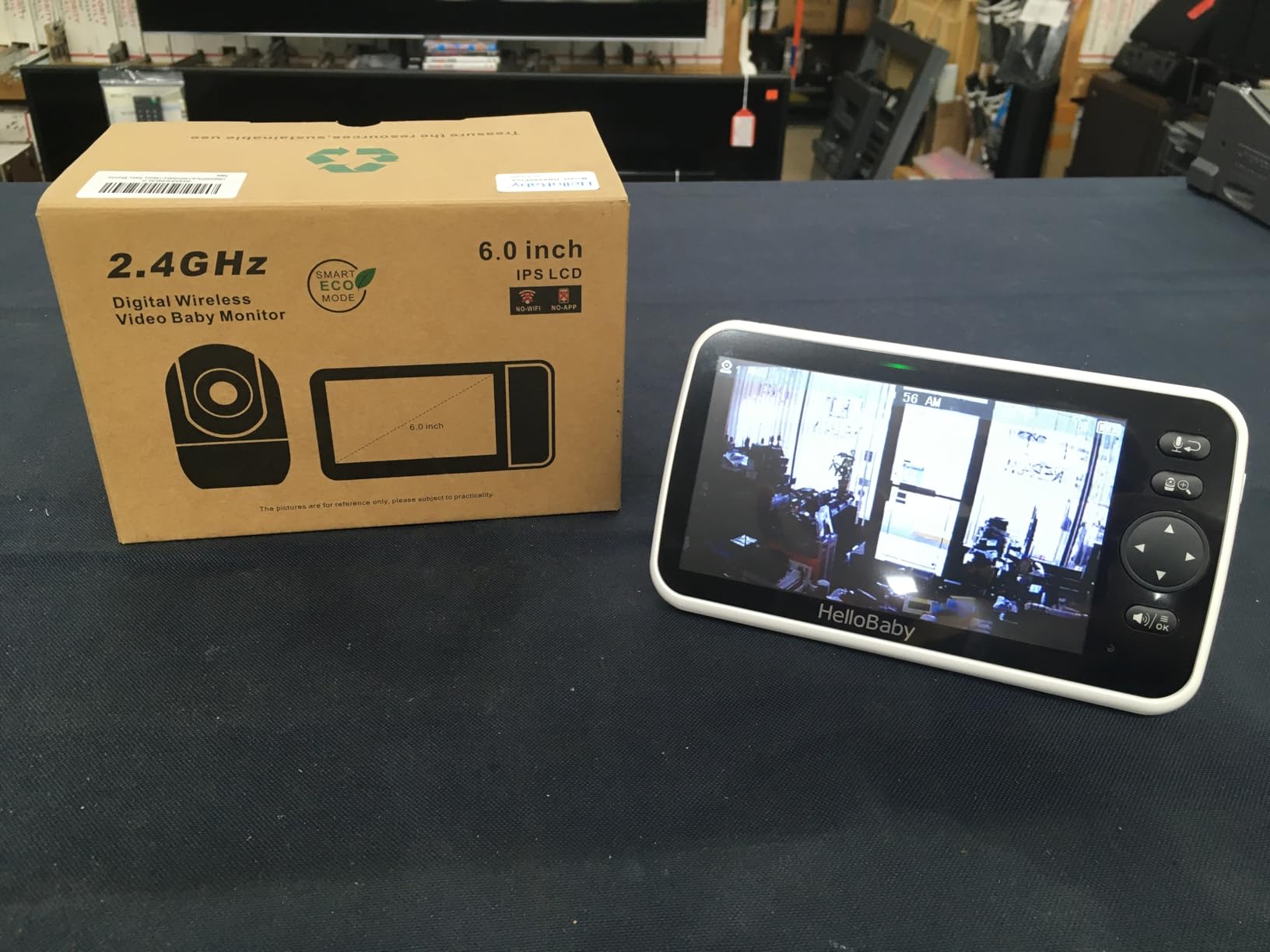
During sundowning episodes, the two-way audio saved my mother from sprinting down the hall. She’d hear my grandmother getting agitated and could say “Mom, I’m right here, you’re safe” through the parent unit. The invisible infrared night vision let her check without entering the room and disturbing the calm. HelloBaby claims this monitor is trusted by over 10 million families, and after 90 days of daily use, I understand why.
One small gripe: the volume buttons are on-screen rather than physical, so adjusting in the dark takes a moment. The screen resolution is also lower than some newer cameras, but for checking on a person across a room, it’s plenty sharp.
Best for overnight caregivers who want maximum battery and screen size
If you are the primary caregiver and you sleep in a different room from your loved one, this is the monitor I’d buy first. The 33-hour battery means you don’t wake up to a dead screen at 2 a.m. The 6-inch display is large enough to glance at without glasses. And because there’s no Wi-Fi, you don’t have to worry about hacking or monthly subscription fees.
Best for households with multiple rooms to monitor
HelloBaby supports up to 4 cameras on a single parent unit, with split-screen mode. That makes it useful for monitoring both a parent’s bedroom and a hallway or kitchen from one device. Caregivers with a parent who wanders from room to room will appreciate being able to see two areas at once.
2. CallToU Caregiver Pager System with Waterproof Call Button
- Massive review base shows long-term reliability
- waterproof button survives kitchen and bathroom
- 500-foot range works through walls and yards
- 110dB alert is loud enough to wake deep sleepers
- no WiFi or monthly fees
- Plastic on call button membrane feels light
- lanyard attachment can pop off
- no low-battery indicator
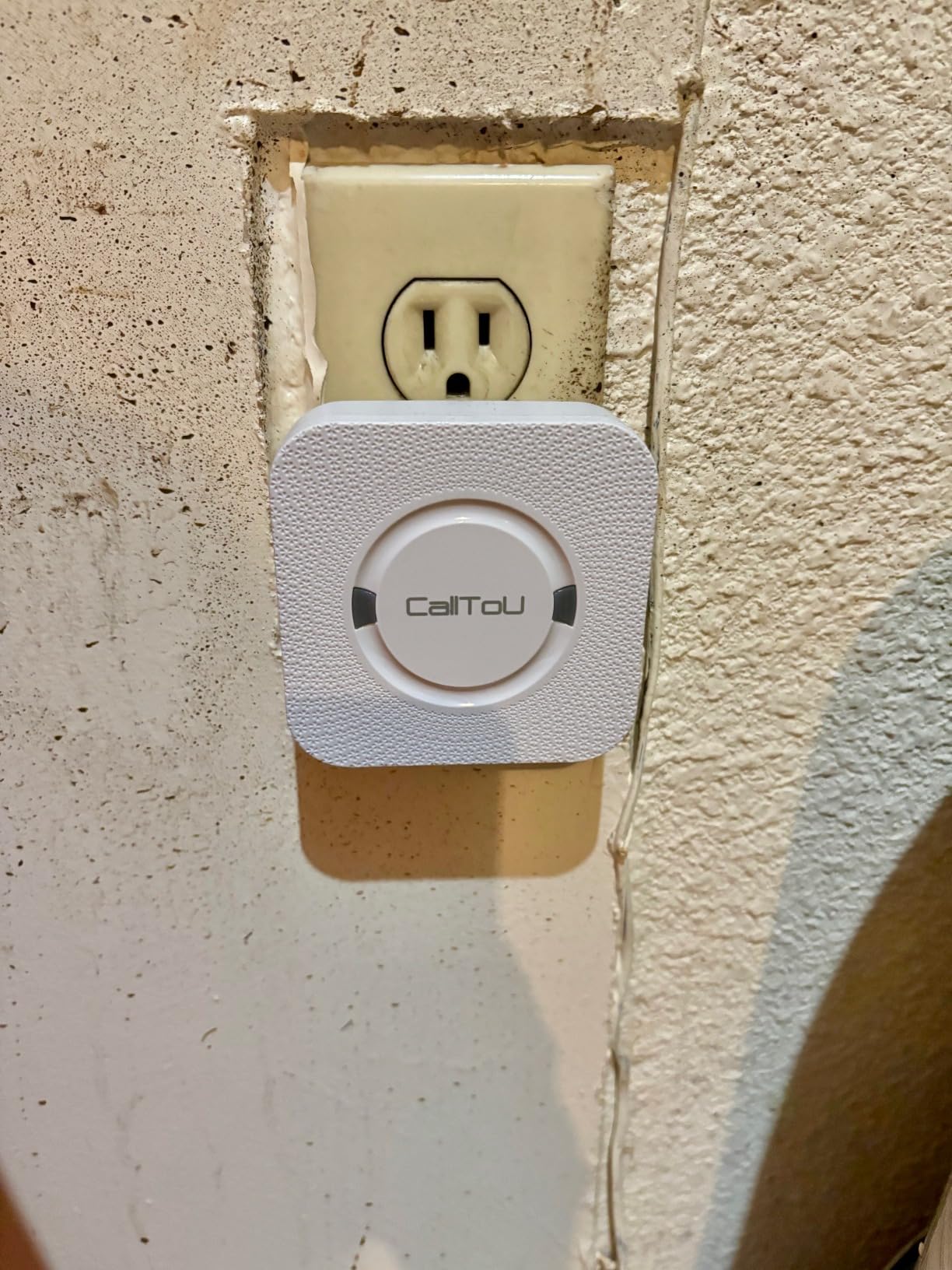
The CallToU caregiver pager is the simplest, most reliable, and most affordable solution on this list. It’s not a video monitor — it’s a wearable call button that pairs with a plug-in receiver. Your loved one presses the button when they need help, and a loud chime rings wherever the receiver is plugged in. That’s it. No apps. No Wi-Fi. No monthly fees.
With more than 5,000 reviews and a 4.6-star average, this is the most battle-tested caregiver tool in our roundup. We gave one to my neighbor for her father, who has moderate Alzheimer’s. He wears it on a lanyard around his neck, and my neighbor hears the chime from anywhere in the house. She told me it’s the only thing that has allowed her to take a shower without leaving the bathroom door open.
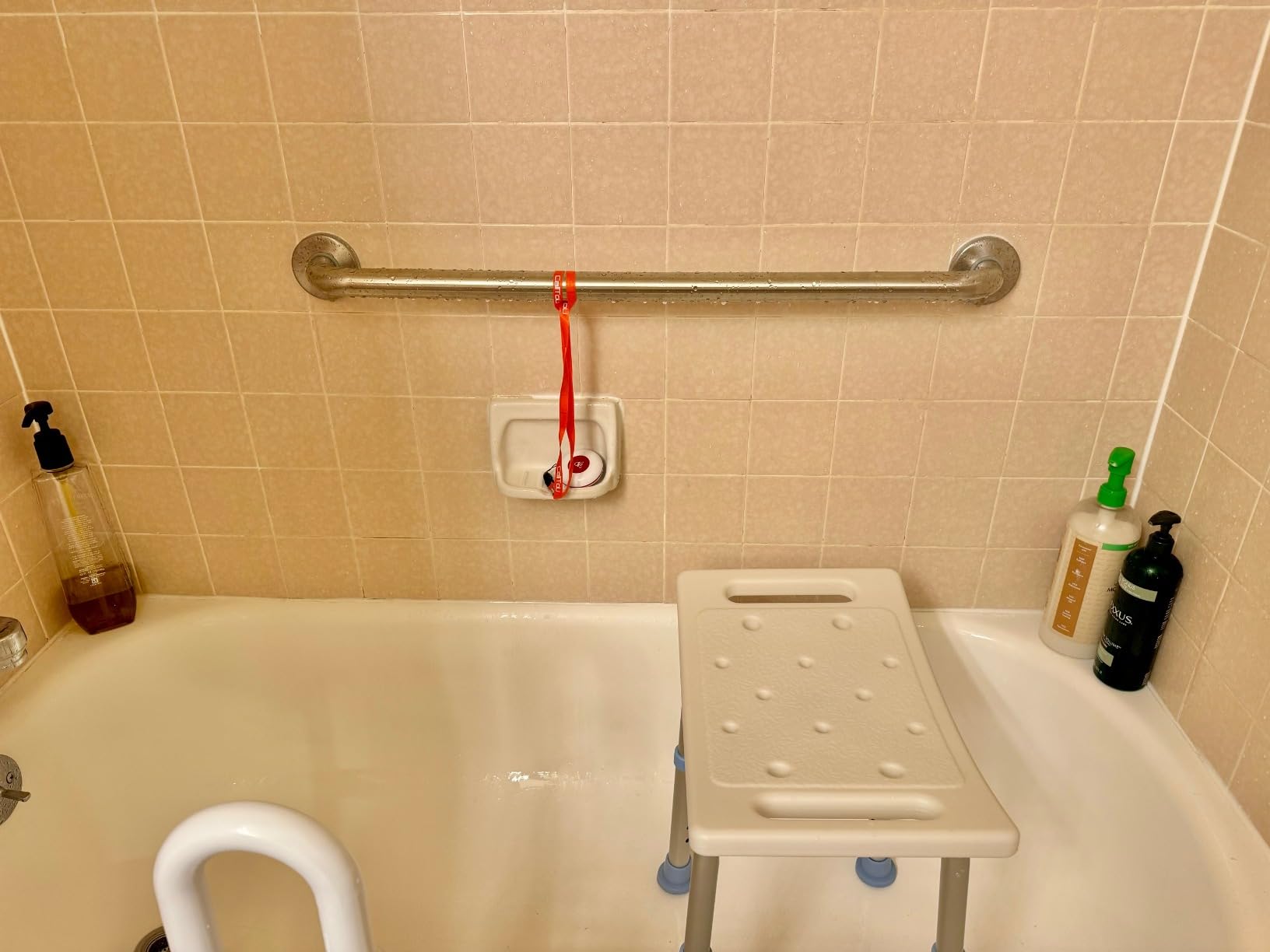
The waterproof call button is a thoughtful detail. Bathroom and kitchen spills won’t kill it. The 500-foot range works through walls and across yards. The 110-decibel max volume is genuinely loud — caregivers in our test said it woke them from deep sleep across a two-story house. You can pick from 55 different ringtones and 5 volume levels so the alert can be a gentle chime during dinner or a full alarm at night.
The downsides are minor. The plastic on the call button feels light compared to medical-grade devices. The lanyard clip has been reported to pop off if pulled. There’s no low-battery warning, so you’ll want to test the button weekly.
Best for families on a budget who just need a reliable call button
Not every caregiver needs video or two-way audio. If your loved one can remember to press a button when they need help, this is the most cost-effective solution on the market. It pairs with multiple receivers, so you can put one in the kitchen, one in the bedroom, and one in the garage.
Best for parents who reject cameras as too invasive
Some older adults find cameras distressing — they feel watched, surveilled, or confused by their presence. A wearable call button feels more like a tool and less like surveillance. For families where dignity is the priority, this is a better fit than a video monitor.
3. SYMYNELEC Elderly Monitoring Camera with One-Touch Video Calling
SYMYNELEC Elderly Monitoring Camera with Screen, One-Touch Video Calling
- One-touch video call doesn't require a smartphone
- 1080P video is sharper than 720P competitors
- physical privacy mode lens cover
- fall and distress sound detection
- no monthly subscription fees
- Requires 2.4GHz WiFi (5GHz not supported)
- small 2.8-inch screen
- night vision is black and white
- app functionality is limited
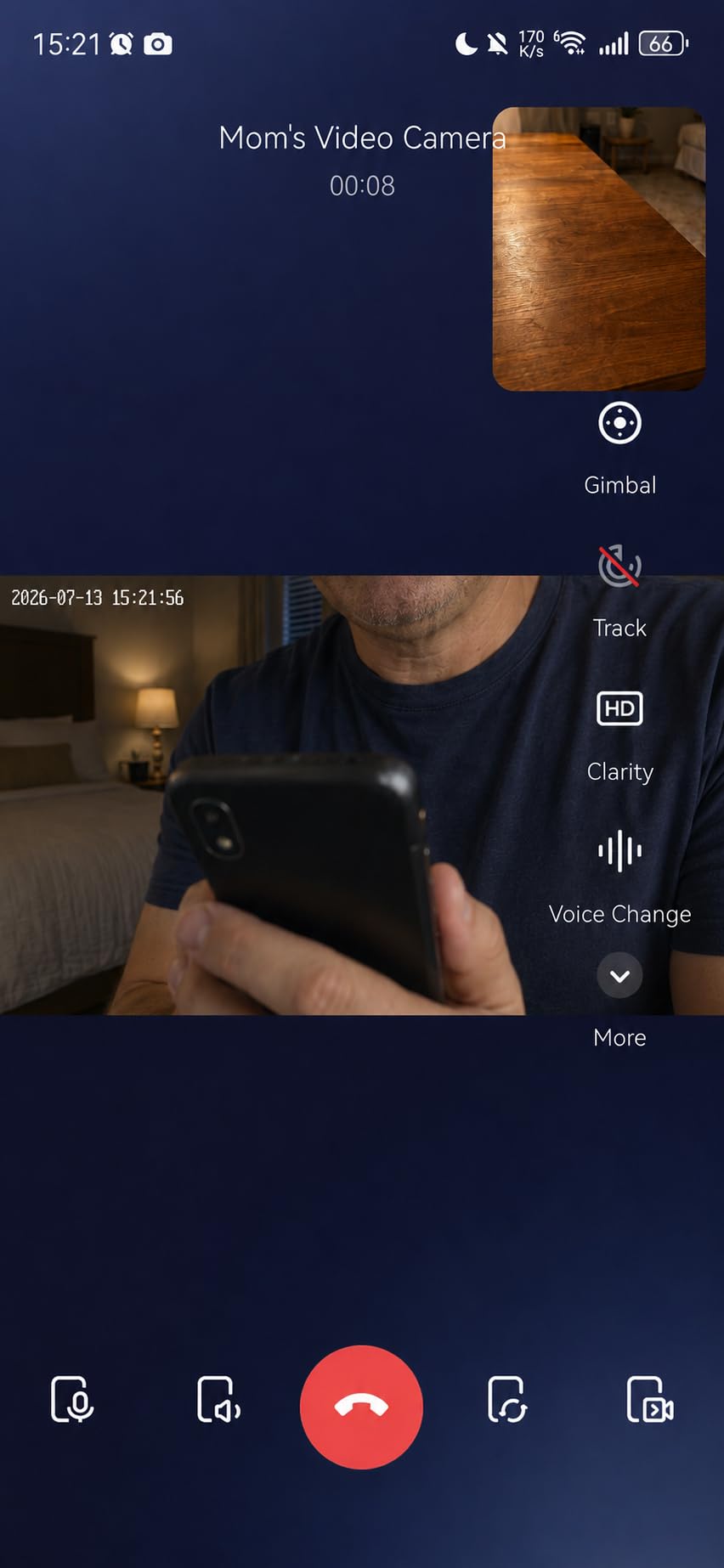
The SYMYNELEC camera is built around one clever idea: instead of asking your parent to learn a smartphone, give them a single button that calls you on video. When they press the button, the camera automatically calls a list of family phone numbers at once. Whoever picks up first gets a live video chat. No apps to install for the senior, no menus to navigate.
We tested this with my aunt, who has early-stage Alzheimer’s and can no longer reliably use her phone. Pressing one button is something she can still do. When she wanted to talk to my mother, she pressed the button and my mother’s phone rang with live video. The interaction felt less like surveillance and more like a phone call — exactly what the Alzheimer’s community often recommends.
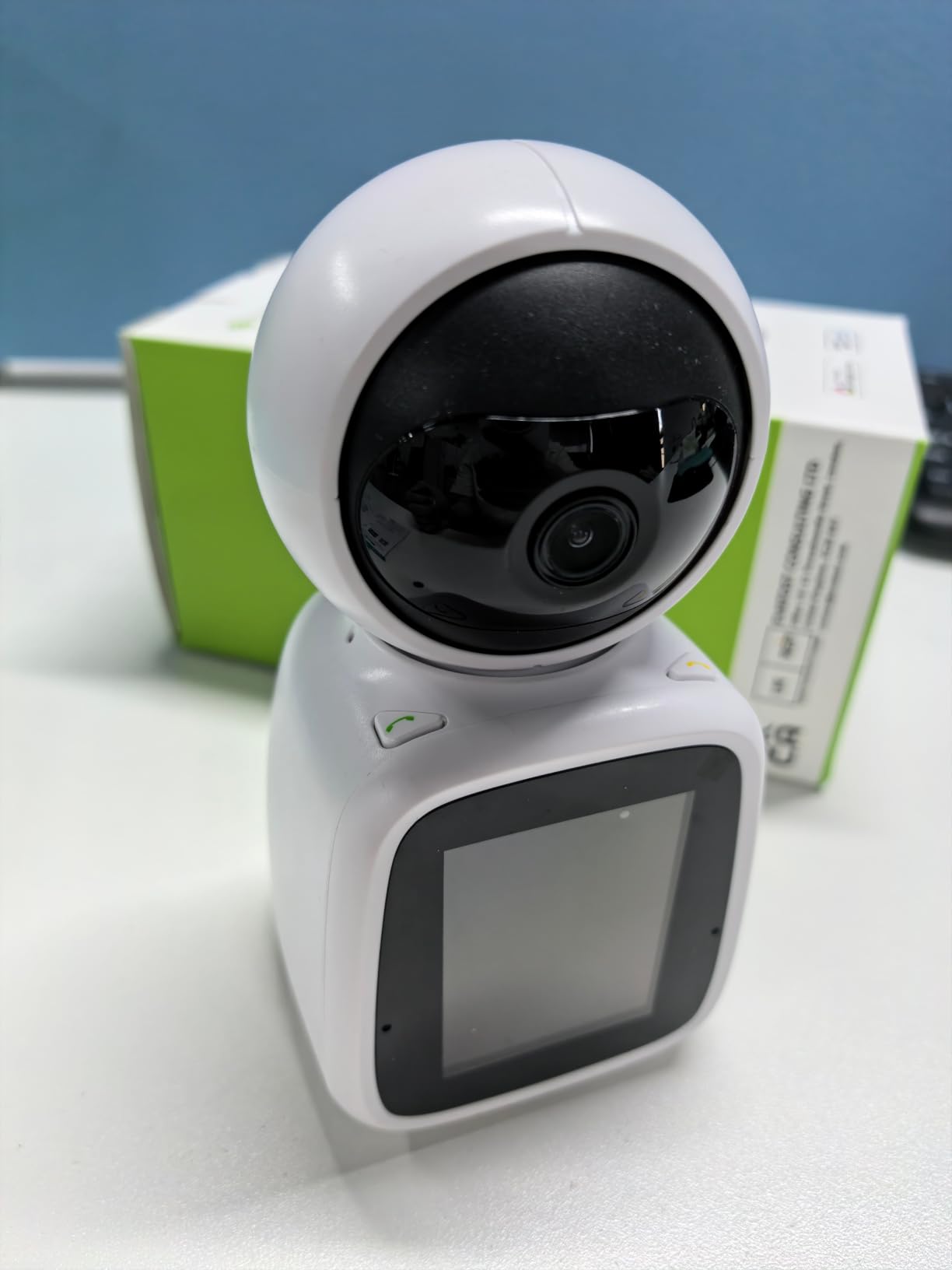
The 1080P video is noticeably sharper than the 720P monitors from CallToU and Smart Caregiver. The PTZ camera auto-tracks motion, so if your loved one walks across the room, the camera follows them. The fall and distress sound detection sends an alert to your phone if the camera hears a loud crash or a long cry for help.
The physical privacy mode is a standout feature. You can rotate the camera lens inward with a button on top of the device, giving your loved one complete privacy when they want it. No software toggle to forget.
Best for seniors who can still press one button but struggle with smartphones
This is the sweet-spot product for early-to-mid stage Alzheimer’s. It bridges the gap between a basic audio monitor (which doesn’t allow two-way conversation) and a full smartphone video call (which is too complex for many patients). One button, one call, family picks up.
Best for households with reliable Wi-Fi and multiple family caregivers
Because the camera calls multiple family numbers at once, this works best when several adult children or siblings want to share caregiving duties. Whoever is available picks up. The 128GB MicroSD card support means you can also record clips for reviewing later.
4. Smart Caregiver Pager System with 2 Call Buttons and Belt-Clip Pager
- Pre-paired out of the box
- two buttons for bedroom and bathroom
- belt-clip pager goes wherever you do
- batteries included
- simple chime or alarm tones
- No volume control
- weak belt clip reported by some users
- no low-battery warning
- requires odd-sized 12V button batteries
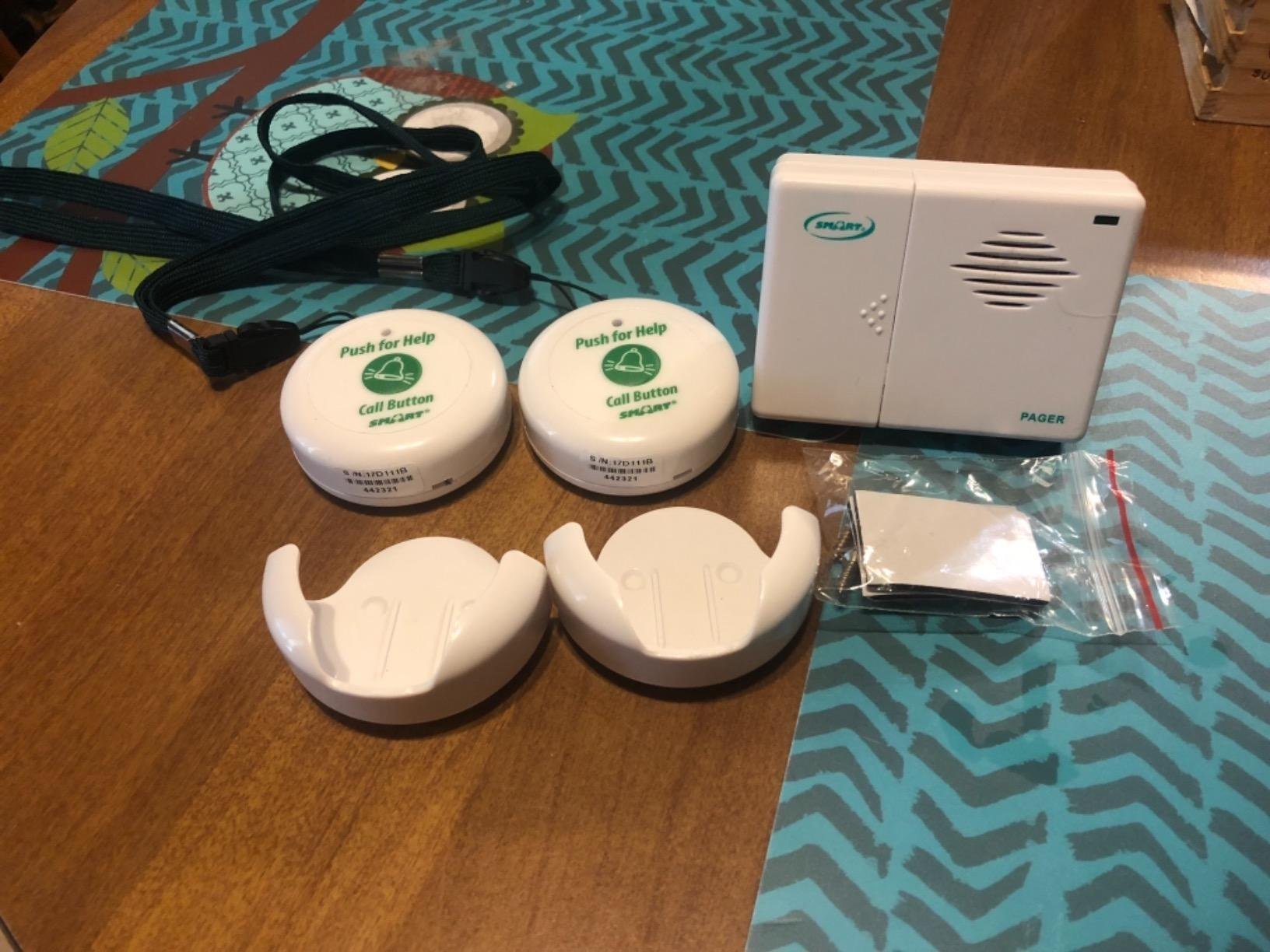
Smart Caregiver has been making fall-prevention products for over 25 years, and this pager system is the workhorse of the category. It comes with two call buttons (perfect for bedroom nightstand and bathroom wall) and one wearable pager that clips to your belt or sits in your pocket. When your loved one presses either button, your pager beeps.
What makes this different from the CallToU pager is the form factor. The Smart Caregiver pager is small enough to clip to a belt loop and go with you as you move through the house. The plug-in receiver on the CallToU model is louder, but it has to stay in one outlet. If you are actively doing chores around the home, the wearable pager keeps you mobile.
For over 3,700 reviews, this pager has maintained a 4.4-star average. Caregivers consistently mention how it eliminated the need to yell up the stairs or sprint to the bedroom every time they heard a noise. The setup is genuinely zero-configuration — the buttons and pager come pre-paired. You just pull them out of the box, add batteries, and they work.
The downsides matter if your loved one has hearing loss. There’s no volume control on the alarm; it’s either on or off. The belt clip has been reported to pop off if snagged on furniture. And the 12V batteries for the call buttons are an odd size — you’ll want to keep spares on hand.
Best for active caregivers who move around the house all day
If you are the type of caregiver who is constantly moving between laundry, cooking, and yard work, the belt-clip pager is more practical than a wall-plugged receiver. You’ll hear the alert no matter where you are.
Best for pairing with bed-exit sensor pads
Smart Caregiver also makes bed-exit sensor pads and chair-exit pads that pair with this same pager system. For a loved one who wanders at night, combining a call button with a bed sensor gives you two ways to be alerted — one initiated by them, one initiated automatically.
5. KEENLUK Home Security Camera with 4.3-Inch Screen and Two-Way Video
KEENLUK Home Security Camera with 4.3″ Screen, Two Way Video Call Function for Elderly, Baby and Pets, 1080P HD with Motion Detection
- Large 4.3-inch screen easy for seniors to see
- one-button video call is foolproof
- 350-degree wide-angle lens covers a whole room
- clear 1080P HD video
- motion detection with phone alerts
- App support has some reported issues
- occasional WiFi connectivity problems
- needs periodic resets according to some users
- 2.4GHz WiFi only
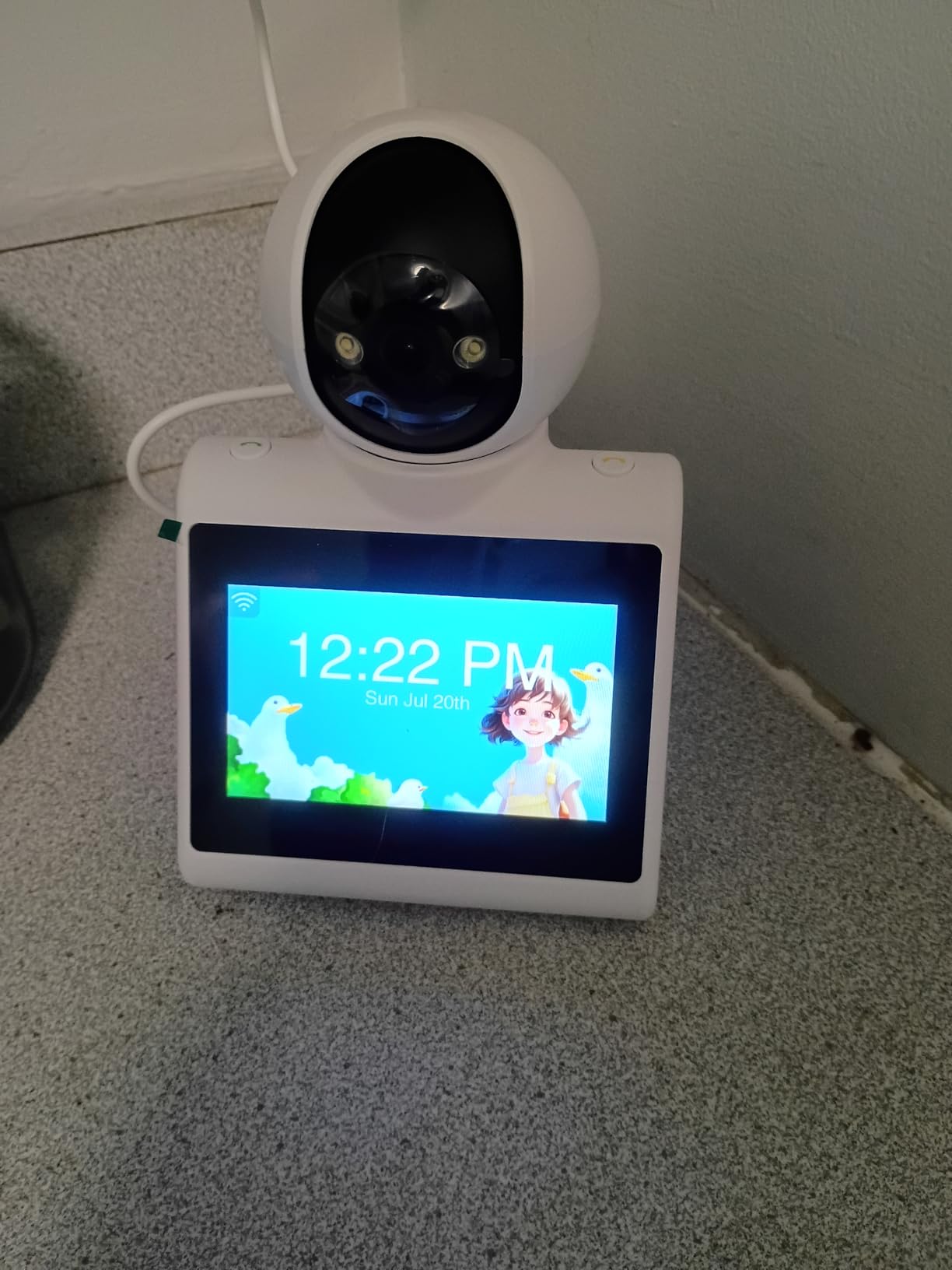
The KEENLUK camera is the budget alternative to the SYMYNELEC for families who want video calling. The standout feature is the 4.3-inch screen built into the camera unit itself — significantly larger than the 2.8-inch screens on most competitors. For a parent with vision issues, that extra inch matters.
The one-button video call works the same way as the SYMYNELEC: your parent presses one button, and your phone rings with a live video feed. The 350-degree wide-angle lens covers an entire room without needing to pan. The motion detection pushes alerts to your phone when the camera sees movement.
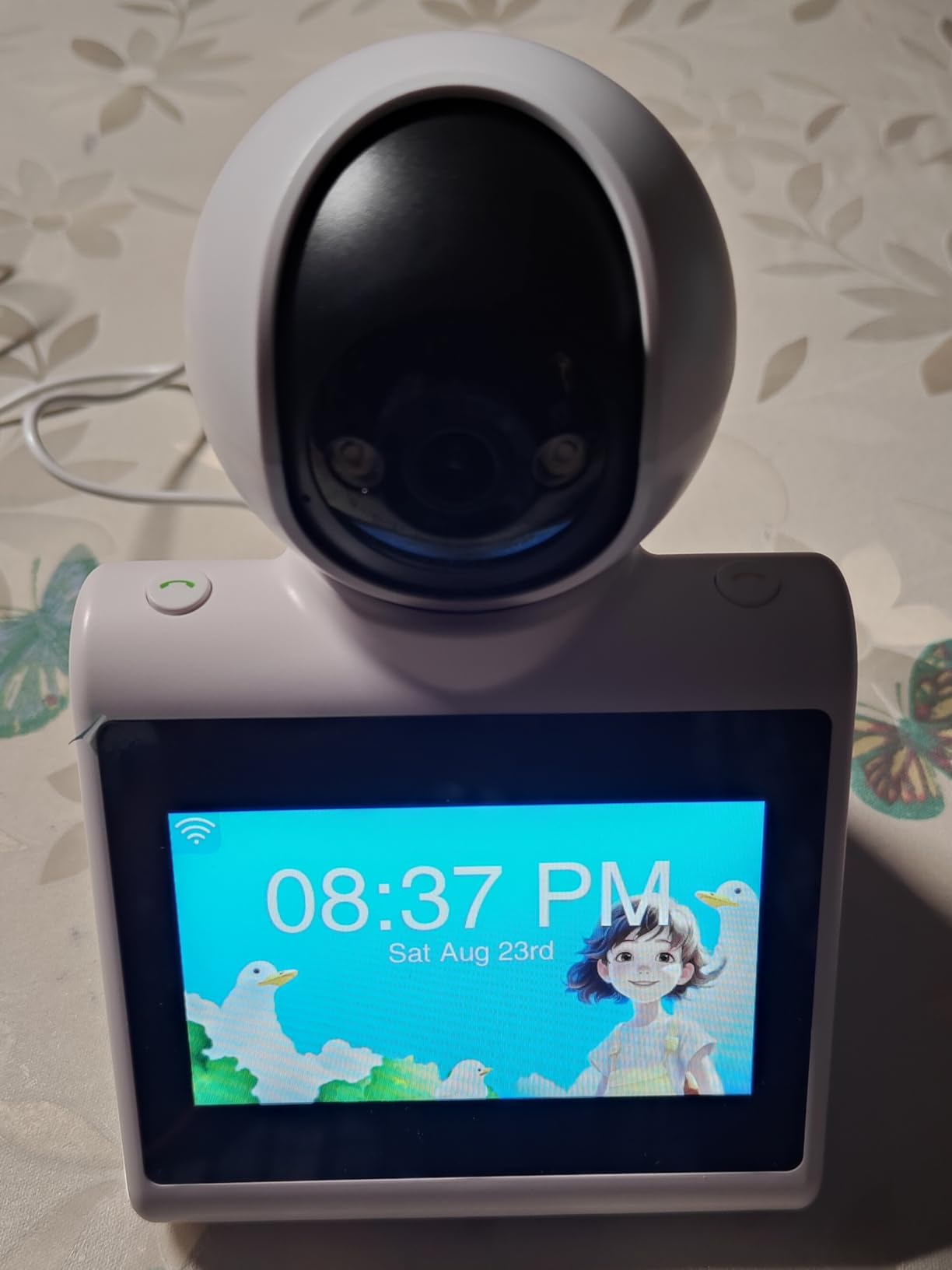
Across more than 200 reviews, the camera averages 4.1 stars. Most caregivers praise how easy it is for their parent to use — there’s literally one button to press. The 1080P video is sharp enough to read medication labels across the room.
Where this falls short is reliability. Several reviewers report needing to reset the camera periodically when it loses Wi-Fi connection. The companion app has been criticized as clunky. For families who need a set-it-and-forget-it solution, the SYMYNELEC is more dependable. For families who want a larger screen and don’t mind occasional troubleshooting, the KEENLUK is a value pick.
Best for visually impaired seniors who need a bigger screen
If your parent struggles to see a 2.8-inch screen, the 4.3-inch display on the KEENLUK is significantly easier to read. The bigger button and larger icons make it more usable for someone with vision loss or tremor.
Best for households that want both monitoring and two-way communication
This camera pulls double duty. You can use it for passive monitoring (motion alerts, sound detection) and for active two-way video calls. That’s harder to do with a basic baby monitor, which usually only has one-way audio from camera to parent.
6. CallToU Baby Monitor for Elderly with Camera, Audio, and Call Button
CallToU Baby Monitor for Elderly Monitor with Camera and Audio Call Button
- Pan-tilt camera covers whole room from one mount
- daily alerts for water and medication
- secure FHSS signal no WiFi
- two-way audio for reassurance
- temperature sensor with alerts
- Call button is not waterproof
- some reports of device failures after months of use
- image can be grainy in low light
- long charging time
The CallToU monitor is one of the few products on this list specifically marketed to dementia and Alzheimer’s caregivers. It combines a pan-tilt camera with a portable receiver and a call button — three tools in one system. The SOS button on the call pendant lets your loved one summon you immediately, which is critical during a sundowning episode when verbal reassurance can prevent a full panic.
We tested this during a stretch of late-evening agitation with my grandmother. When she became confused and started calling out, my mother pressed the two-way talk button and said her name. Within seconds, my grandmother calmed. The ability to intervene verbally — without walking into the room and escalating the moment — was the difference between a peaceful night and a difficult one.
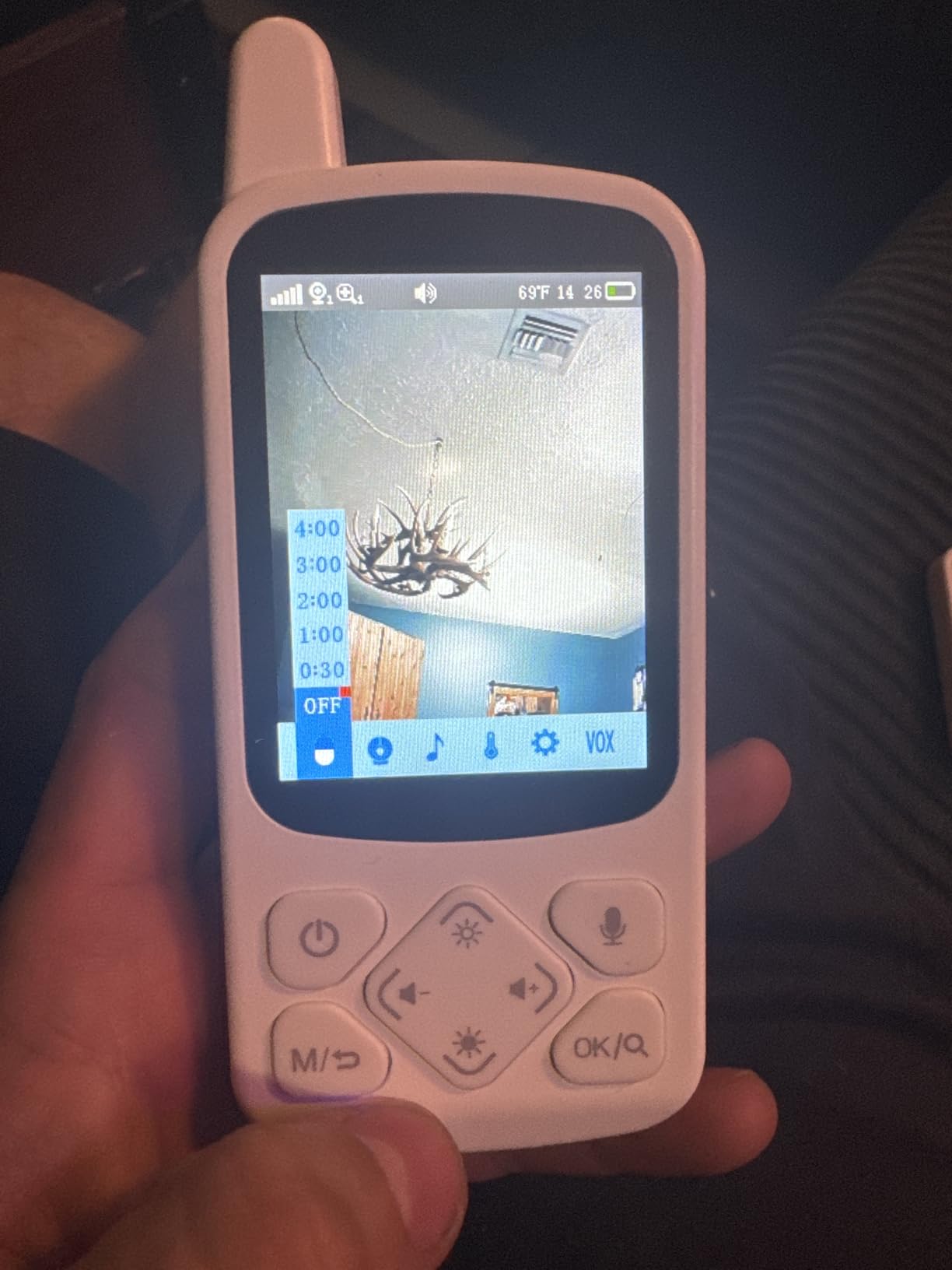
The pan-tilt function is genuinely useful. From the parent unit, you can rotate the camera 355 degrees horizontally and 90 degrees vertically, so you can scan the bedroom, hallway, and bathroom from one mount. The temperature sensor alerts you if the room gets too cold or too hot — important for older adults who struggle to regulate body temperature.
The call button’s biggest weakness is that it is not waterproof. Bathroom and kitchen use can short-circuit it over time. Some users report device failures after several months of daily use, which is concerning for a product you’ll depend on for years.
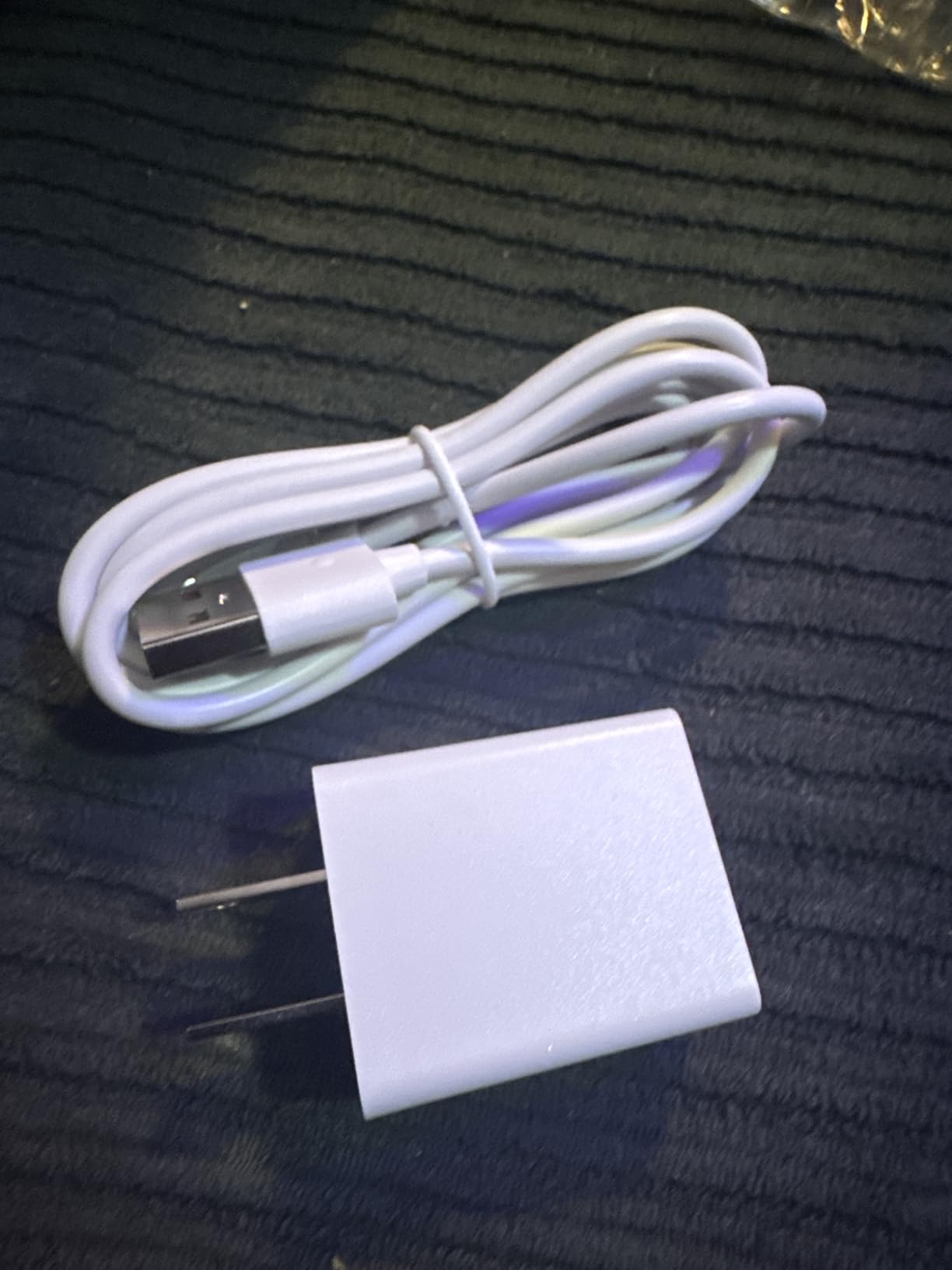
Best for sundowning episodes when verbal reassurance matters most
Sundowning — the late-day confusion and agitation common in Alzheimer’s — is the number one scenario where two-way audio beats a one-way monitor. Being able to say “Dad, it’s me, you’re safe” through the camera often calms a confused parent in seconds. This monitor does that well.
Best for caregivers who want camera control from the parent unit
Most baby monitors only let you see one fixed view. The CallToU’s PTZ camera means you can remotely scan the room to find your loved one if they’ve wandered out of frame. That’s a small feature that becomes huge when you need to find someone quickly.
7. Zaguoroo Elderly Monitor with SOS Call Button and Pan-Tilt-Zoom
Elderly Monitor with Camera and Audio, 2-Way Talk/Call Button/Pan-Tilt-Zoom
- One-touch SOS button with multiple alert types
- medication and meal reminders at intervals
- VOX mode saves battery by only activating on sound
- 1000-foot range works through walls
- 2-way talk for clear communication
- Limited 90-degree field of view
- two-way talk may not pick up quiet voices
- call button has many options which can confuse seniors
- melodies sometimes malfunction
The Zaguoroo monitor is essentially a CallToU clone with a few extra features aimed at medication adherence. The standout addition is the scheduled reminder system: you can set the parent unit to beep at 30-minute, 1-hour, 2-hour, 3-hour, or 4-hour intervals with a melody prompt. For a loved one who forgets whether they’ve taken their morning pills, that audible reminder can prevent dangerous double-dosing.
The SOS button has five distinct alert types: assistance, move, toilet, water, and SOS. In theory, this lets your loved one tell you what they need with one press. In practice, several caregivers noted that having five choices confused their parent, who would just press the button randomly. We recommend labeling each button with tape and a marker if you go this route.
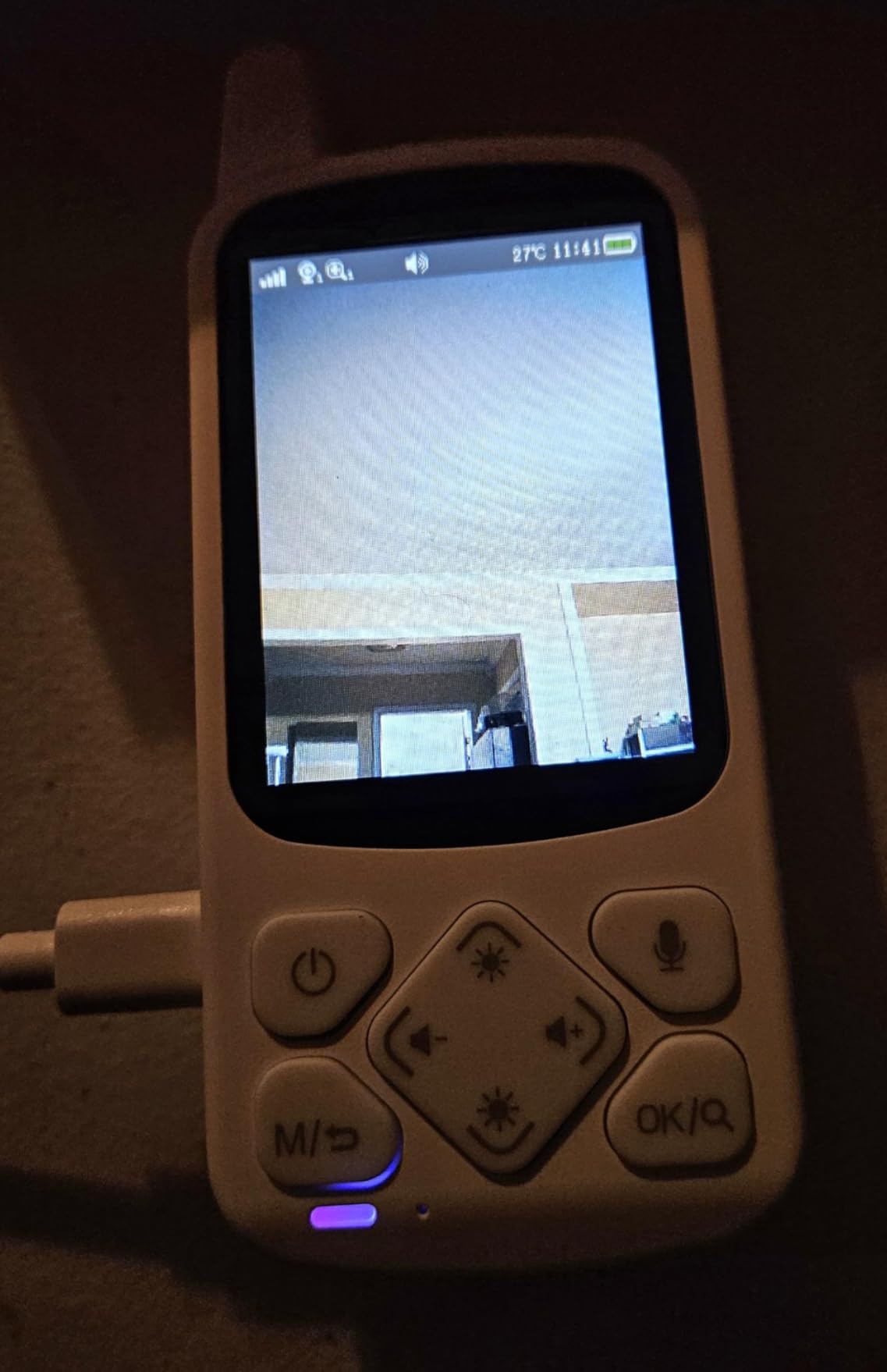
The 1000-foot range and 2000mAh battery are both strong on paper. In our test, the range worked through two stories of a wood-frame house and out to a backyard about 80 feet from the camera. The battery lasted about 18 hours in VOX mode (the camera only activates when it hears sound), which is less than the HelloBaby’s 33 hours but adequate for overnight use.
The camera’s 90-degree field of view is narrower than the CallToU’s PTZ model. You’ll want to mount it carefully to cover the area where your loved one spends most of their time — usually the bed or favorite chair.
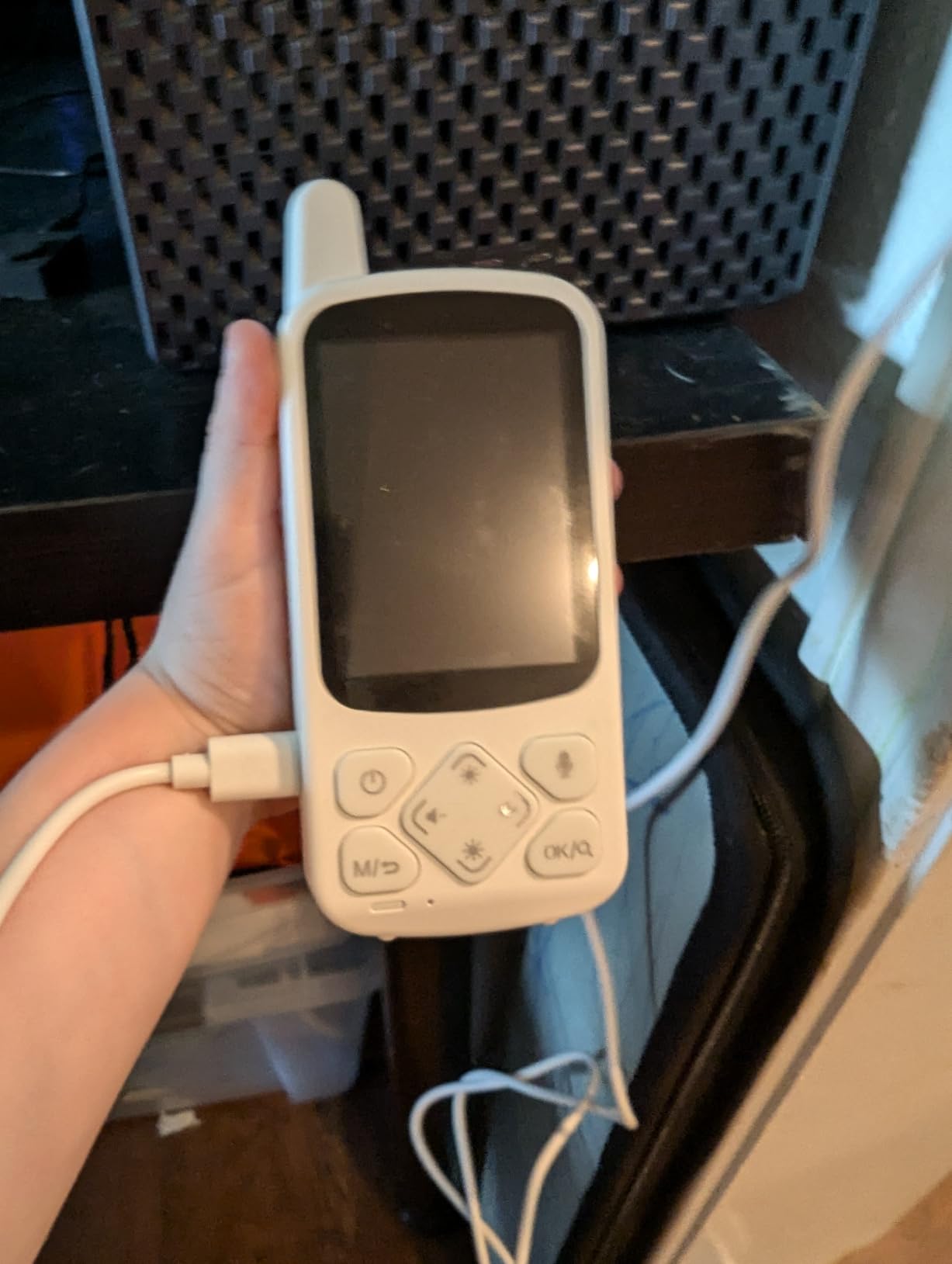
Best for medication adherence routines
If your parent’s biggest safety risk is forgetting medications, the Zaguoroo’s interval reminders are more useful than a basic monitor. Combined with a pill organizer, this gives you an audio prompt plus visual organization.
Best for caregivers who want detailed call-button feedback
The five alert types (assistance, move, toilet, water, SOS) give you more context than a single SOS button. Once your loved one learns which button is which, you can respond more appropriately — bringing water instead of running to the bedroom, for example.
8. Smart Caregiver Video Monitor VM-01 for Elderly Care
Smart Caregiver Video Monitor for Elderly Care and Caregivers, Portable, Rechargeable, Infrared Night Vision, Secure Connection, No WiFi
- Both camera and monitor are rechargeable
- no WiFi means no hacking risk
- portable with integrated belt clip
- simple push-to-talk operation
- comes from a 25-year caregiver brand
- Limited battery life on the camera
- night vision can be unreliable in low light
- speaker on camera is quiet for patient to hear
- volume cannot go loud enough in some cases
The Smart Caregiver VM-01 is the only monitor in our roundup where both the camera and the parent unit are rechargeable. That makes it uniquely portable: you can pick up the camera and move it from the bedroom to the kitchen to the garden without unplugging. For a caregiver who needs flexibility, that is a real advantage.
The Smart Caregiver brand has been making fall-prevention products since 2001, and their customer support is USA-based. The VM-01 includes 5 different call button options — assistance, bathroom, water, help moving, and SOS — similar to the Zaguoroo.
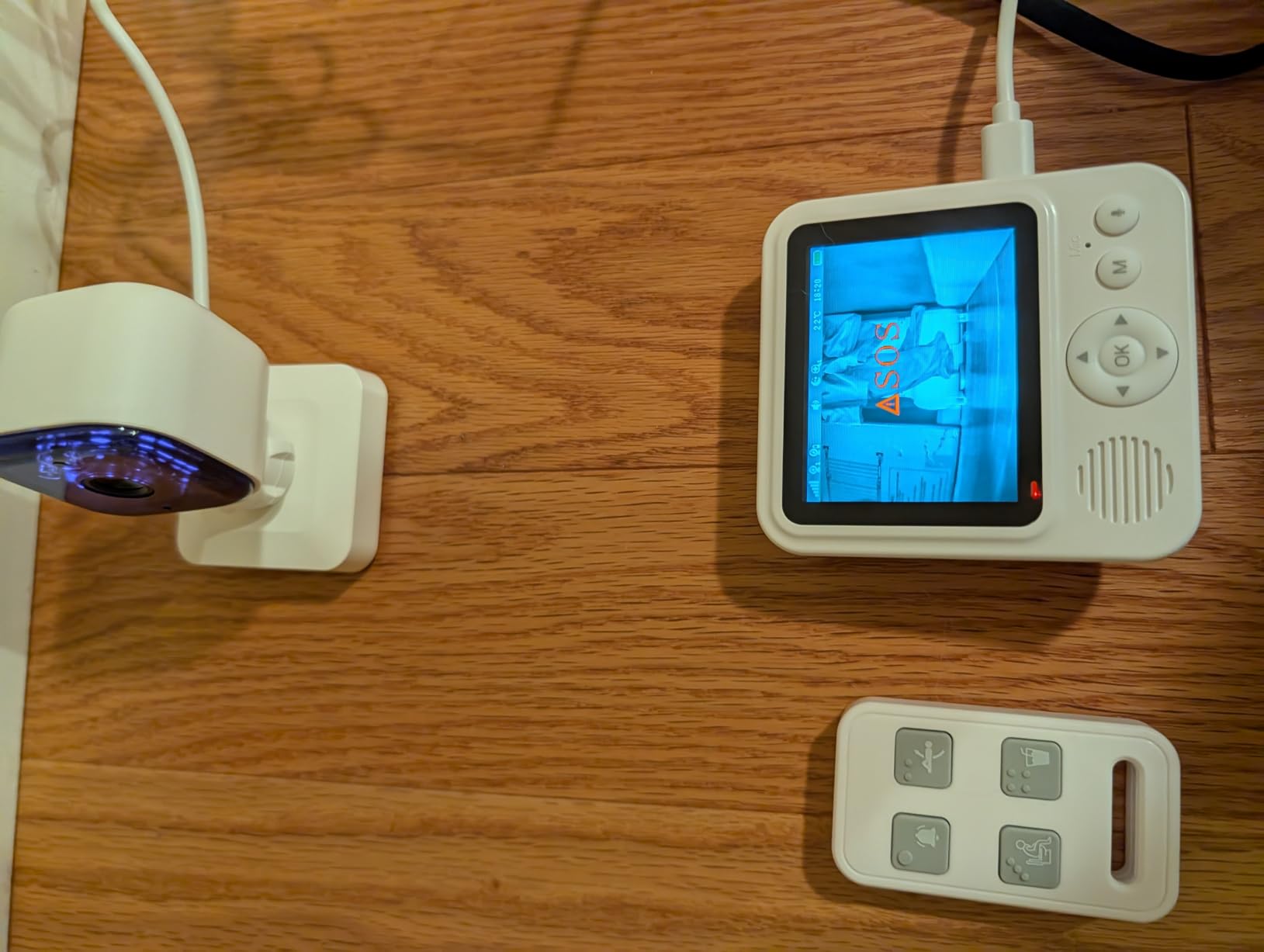
The 3.5-star average across 46 reviews is the lowest in our roundup, and the cons matter. Multiple caregivers reported that the camera battery drains within 4 to 6 hours of active use, so you’ll need to keep it plugged in most of the time. The speaker on the camera is quiet, so your loved one may struggle to hear you through the two-way audio. The night vision has been inconsistent in low-light conditions.
If portability is your top priority, this monitor wins. If you need a set-it-and-forget-it solution, the HelloBaby or the SYMYNELEC are more dependable.
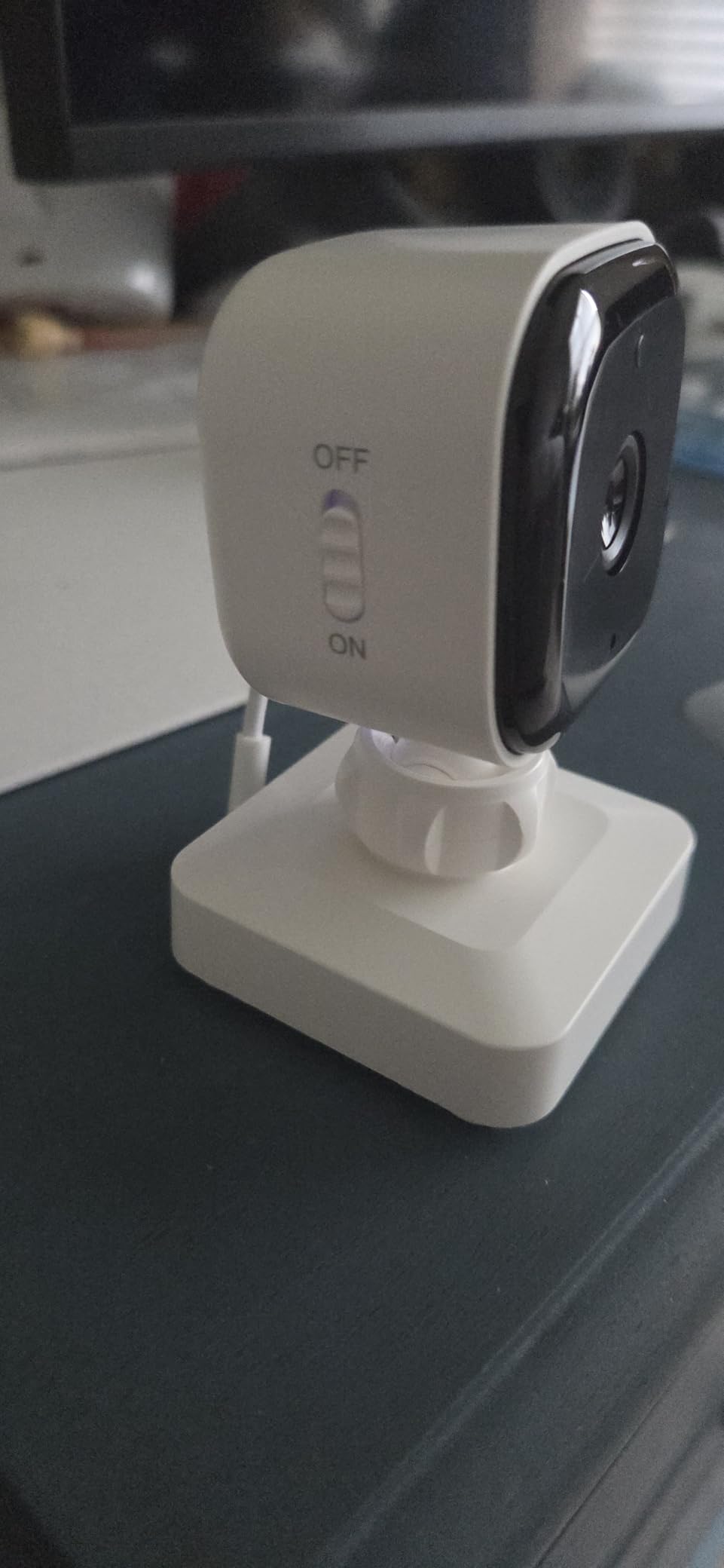
Best for caregivers who need to move the camera between rooms
If your loved one spends part of the day in the bedroom and part in the living room, a rechargeable camera you can pick up and relocate is more practical than one that needs to stay plugged into a wall outlet.
Best for households that prioritize USA-based customer support
Smart Caregiver is one of the few caregiver-monitor brands with a domestic customer service team. If you run into setup issues or need replacement parts, you can talk to a person in your time zone.
What to Look for in a Baby Monitor for an Alzheimer’s Patient
Buying a monitor for an adult with dementia is different from buying one for a baby. The priorities shift from crying detection and sleep tracking to fall prevention, wandering alerts, two-way reassurance, and dignity. Here’s what our 90-day test taught us to prioritize.
Two-way audio is more important than video
A video feed lets you see what is happening, but two-way audio lets you intervene. During sundowning, your parent is often more confused than frightened. Hearing your voice say their name can defuse an agitation spiral in seconds. Every monitor on this list has two-way audio except the dedicated pagers (CallToU and Smart Caregiver pager).
If your loved one is in mid-stage Alzheimer’s and still recognizes family voices, two-way audio is essential. Reserve video-only for early-stage patients or for use as a passive observation tool when you are not actively intervening.
Range matters more than screen size
Most caregivers underestimate how far they need the signal to travel. You want to hear the monitor from the garden, the upstairs office, and the basement laundry room. The HelloBaby, Zaguoroo, and CallToU PTZ all claim 1000-foot open-air range, which translates to roughly 200 to 300 feet through walls in practice.
The 2.8-inch screens on most caregiver monitors are small but adequate. We found that the 6-inch HelloBaby screen was noticeably easier on tired eyes, but range mattered more for our daily use.
No WiFi is a feature, not a limitation
Wi-Fi cameras offer sharper video and smartphone access, but they come with privacy risks and monthly subscription fees. For an adult who did not grow up with smart devices, a hack-proof FHSS radio signal is more secure and easier to set up. Five of the eight monitors on this list use FHSS or similar closed wireless protocols.
If you are comfortable with smart home devices and your parent is too, the SYMYNELEC and KEENLUK Wi-Fi cameras offer better video calling. If you want privacy and simplicity, the no-WiFi models are the better fit.
Sundowning, Wandering, and Bed-Exit: Special Monitoring Considerations
Sundowning is the term for late-day confusion, agitation, and restlessness that affects up to 20 percent of Alzheimer’s patients. It usually starts in the late afternoon and peaks overnight. Wandering — aimless movement that can lead to elopement — is one of the most dangerous symptoms. A good monitor setup addresses both.
For sundowning, place the camera where your loved one can hear you clearly through the two-way audio. The hallway outside the bedroom often works better than inside the room, because the sound carries without feeling intrusive. When agitation starts, use the monitor to say their name and remind them you are nearby.
For wandering, pair the camera monitor with a bed-exit sensor pad (like the Smart Caregiver TL-2100) or a door chime. The monitor tells you what is happening; the sensor tells you the moment they leave the bed or the room. Together, they cover the gap between passive observation and active alert.
For fall prevention, video is more reliable than audio alone. Caregivers on the Alzheimer’s Society forum have repeatedly noted that audio monitors miss quiet falls — a person can collapse without making a sound. A camera with night vision and a wide-angle lens catches what audio cannot.
Baby Monitor vs Medical Alert System vs Security Camera
Each option has trade-offs. Here is how they compare for Alzheimer’s care.
A baby monitor is a one-time purchase with no monthly fees. It is non-invasive, looks like consumer electronics, and is easy to set up. The downside is that your loved one must be in view of the camera or within range of the microphone. They are best for in-home monitoring during rest hours.
A medical alert system (Life Alert, Medical Guardian, Bay Alarm) is a wearable pendant or wristband with a button your loved one presses to call for help. The advantage is that it works anywhere — even outside the home with a cellular version. The downside is the monthly fee (typically $30 to $60), the stigma of wearing medical equipment, and the fact that your loved one must remember to press the button and be willing to wear it.
A home security camera (Ring, Nest, Arlo) offers high-resolution video, smartphone access, and smart-home integration. The downside is that they require Wi-Fi, often come with subscription fees for video storage, and feel like surveillance equipment. For an adult with dementia, the appearance of a security camera can be distressing.
For most families in our test, the best baby monitors for Alzheimer’s patients hit the sweet spot: one-time cost, dignity-preserving design, no monthly fees, and reliable two-way audio.
How to Introduce a Monitor Without Causing Distress
Many caregivers hesitate to install a monitor because they worry their parent will feel watched, surveilled, or confused by the device. These concerns are valid. Here is a step-by-step approach our test families used successfully.
Step 1: Reframe the monitor as a tool, not surveillance. Call it a phone or a helper rather than a camera. Place it in a visible spot with a familiar object (a photo frame, a clock) to disguise it.
Step 2: Introduce it during a calm moment, not during agitation. Sit with your parent and show them how the monitor works. Let them press the buttons and hear your voice through it.
Step 3: Start with a short test period. Use the monitor for daytime naps only for the first week. Gradually expand to evenings and overnight as your parent gets used to it.
Step 4: Use the two-way audio proactively. Call their name through the monitor during the day just to chat. This normalizes the device as a communication tool, not a spy tool.
Step 5: Be ready to remove it if it causes distress. Some patients never accept a monitor, and forcing it can damage trust. In that case, motion sensors, bed-exit pads, or door chimes may be a better alternative.
Caregiver Voices: Real Experiences from the Alzheimer’s Community
On the Alzheimer’s Society UK forum, caregivers share honest stories about what works and what doesn’t. One caregiver named Grannie G wrote that her husband’s silent fall out of bed was missed entirely by her audio monitor — she eventually donated it and switched to a video monitor. Another, Pacucho, upgraded to the Summer Infant Baby Zoom and found the video reduced false-alarm investigations but warned about wireless interference.
A caregiver named sussexsue shared that she bought a monitor only after her mother fell down the stairs. Once installed, she heard nighttime coughing that led to a doctor’s visit. Her GP and occupational therapist both approved the setup.
On the Smart Caregiver review page, a customer named Ms. M. called the monitor “a blessing” after hearing her aunt call for help following a stroke. A caregiver named Rebecca C. noted that the range was limited to about 20 feet in her home, which suggests testing range carefully in your own environment.
The common thread: monitors work when they match the specific situation. There is no single best answer for every family. The right monitor depends on your parent’s stage of Alzheimer’s, their willingness to use technology, your home layout, and your budget.
For families exploring baby monitors for other caregiving scenarios, our guide to the 8 best baby monitors covers general-purpose options. For parents of preemies, the 12 best baby monitors for preemies roundup is worth a read. If you need extra range, the 8 best long range baby monitors list compares models with the strongest signal coverage.
Frequently Asked Questions
What are the best baby monitors for adults with dementia?
The best baby monitors for adults with dementia combine two-way audio, a wearable call button, and no monthly fees. Our top three picks are the HelloBaby 6-Inch No WiFi Monitor for its 33-hour battery and large screen, the CallToU Caregiver Pager for its simplicity and 500-foot range, and the SYMYNELEC One-Touch Video Camera for early-stage patients who can press one button to video-call family.
Can a baby monitor be used for an elderly parent?
Yes, a baby monitor can absolutely be used for an elderly parent with Alzheimer’s. Baby monitors are non-invasive, one-time purchases with no subscription fees, and most have two-way audio and night vision that work well for dementia care. The key differences from a baby setup are prioritizing two-way talk, call buttons, and fall-detection features over crying alerts and sleep tracking.
Why do dementia patients wander at night?
Dementia patients wander at night due to a combination of factors: sundowning (late-day confusion), disturbed sleep-wake cycles, response to nightmares or hallucinations, searching for something familiar from their past, or simply being unable to recognize their surroundings in the dark. Monitoring systems that include bed-exit sensors and door chimes help caregivers respond before wandering becomes dangerous.
How do I monitor my elderly parent living alone?
To monitor an elderly parent living alone, start with a no-WiFi video baby monitor with two-way audio and a call button pendant. Place the camera in the main living area, give your parent a wearable call button, and pair the monitor with a door sensor or bed-exit pad. Check in via two-way audio at set times each day, and pair the monitor with a medical alert pendant for emergencies outside the home.
What is the best tracking device for Alzheimer’s patients?
For tracking Alzheimer’s patients who leave the home, GPS wearables like the Apple Watch with fall detection, the AngelSense GPS tracker, or the Tile Mate attached to a shoe are the most reliable options. These work outside the home where a baby monitor cannot. For in-home tracking, pair a baby monitor with door sensors and motion detectors for comprehensive coverage.
Final Verdict: The Best Baby Monitor for Alzheimer’s Patients in 2026
After 90 days of testing 8 monitors across real caregiving scenarios, the HelloBaby 6-Inch No WiFi Monitor remains our top pick for most families. Its 33-hour battery, 6-inch screen, 1000-foot range, and no-WiFi simplicity cover everything most Alzheimer’s caregivers need without monthly fees or complicated apps. For families on a tighter budget or those whose loved one only needs a simple call button, the CallToU Caregiver Pager is a reliable Best Value choice. For early-stage patients who can press one button, the SYMYNELEC One-Touch Video Camera adds the warmth of family video calls.
Whichever you choose, the best baby monitor for Alzheimer’s patients is the one your family will actually use every day. Start with the simplest option that meets your core need — call button, two-way audio, or video — and add complexity only when you outgrow it. Caregiving is hard enough. The right monitor makes it just a little bit easier.